Table of Contents

Get Summary On :

Customer Engaging Review Section

How to build a review page on a website that looks great

When browsing an online store, people see a product that interests them.

People check the price and the description, but what sways the decision?

It’s the rating from other users.

Studies show that 88% of users trust online reviews as much as personal recommendations.

Now, think about your own website or product page.

If your review section isn’t prominent, you might be missing a huge opportunity to connect with potential customers.

It’s like having happy customers supporting your product directly on your website.

Honest feedback encourages users to click the Buy button.

This article will explore setting up, structuring, and integrating reviews with other elements on your website to create a seamless shopping experience.

What is the review section?

What is the review section


In the review section, people share their opinions about the products they use. It’s meant to be helpful by providing details on a product’s features, performance, and whether it’s worth buying.

Reviews can include specs, pros and cons, and personal experiences.

The review section helps other consumers determine whether a product is right for them before purchasing.

You’ll find these reviews on e-commerce sites, social media posts, blog posts, and review platforms.

Reading reviews can guide you to the best choices and give you a sense of what to expect from a product.

Why is the review section essential?

Having a review section on your website or product page is more than just a nice feature; it’s helpful for both the brand and consumers.

It helps build trust, provides valuable insights, and influences purchasing decisions.

Here’s why having a review section is so important.

For businesses

Review section For Businesses

Builds Trust: A positive rating from a buyer reassures potential buyers about the quality of your products, making them more likely to buy.

Showcases Features: Reviews often highlight features that might not be detailed on your page, offering a clearer picture of what your products can do.

Encourages Reviews: An easy-to-use review section invites more customers to share their experiences, helping you gather more feedback.

Provides Insights: Rating offers honest feedback on your products, helping you understand what works well and what needs improvement.

For consumers

Review section For Consumers

Informed Decisions: Reviews give shoppers real-life examples of how a product performs, making it easier to decide if it’s right for them.

Easy Comparisons: Reading different reviews helps consumers compare products and choose the best one based on other experiences.

Answers Questions: Reviews often address common questions and concerns, providing answers that might not be in the product descriptions.

Encourages More Reviews: Seeing a lively review section motivates more people to write reviews, highlighting the information available for future buyers.

Build a review section with WiserReview

Wiserreview homepage image

Most businesses know reviews matter, but struggle to gather them consistently or display them in a way that actually drives conversions.

Your site might have a review box, but is it truly helping visitors trust your product and take action?

Consider this: if the review section feels outdated, buried, or lacks real substance (photos, videos, authenticity), users won’t pay attention.

And when review collection is manual, inconsistent, or siloed, valuable feedback is lost, and so are potential buyers.

WiserReview helps you automate the entire review lifecycle, including collection, moderation, tagging, and publishing, so your review section becomes a conversion machine, not just a feedback form.

Here’s how it works:

Automated Review Collection

Trigger review requests post-purchase via email, WhatsApp, or webhooks.

Automate Review Requests

Custom Forms for Photo/Video/Text

Get richer content with easy-to-fill review forms.

Use Beautiful, Mobile-Friendly Forms

Smart Tagging System

Auto-categorize reviews by sentiment, feature, or product for easy filtering.

Filter and Moderate Reviews

Widgets That Convert

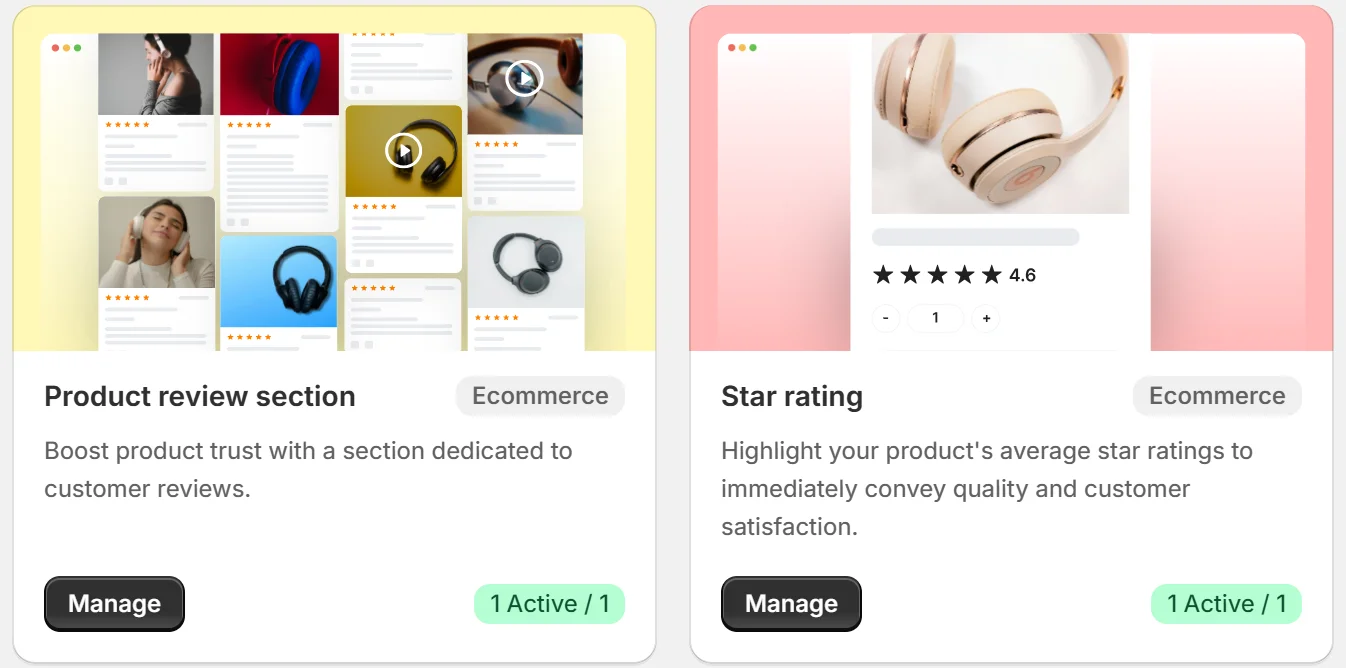
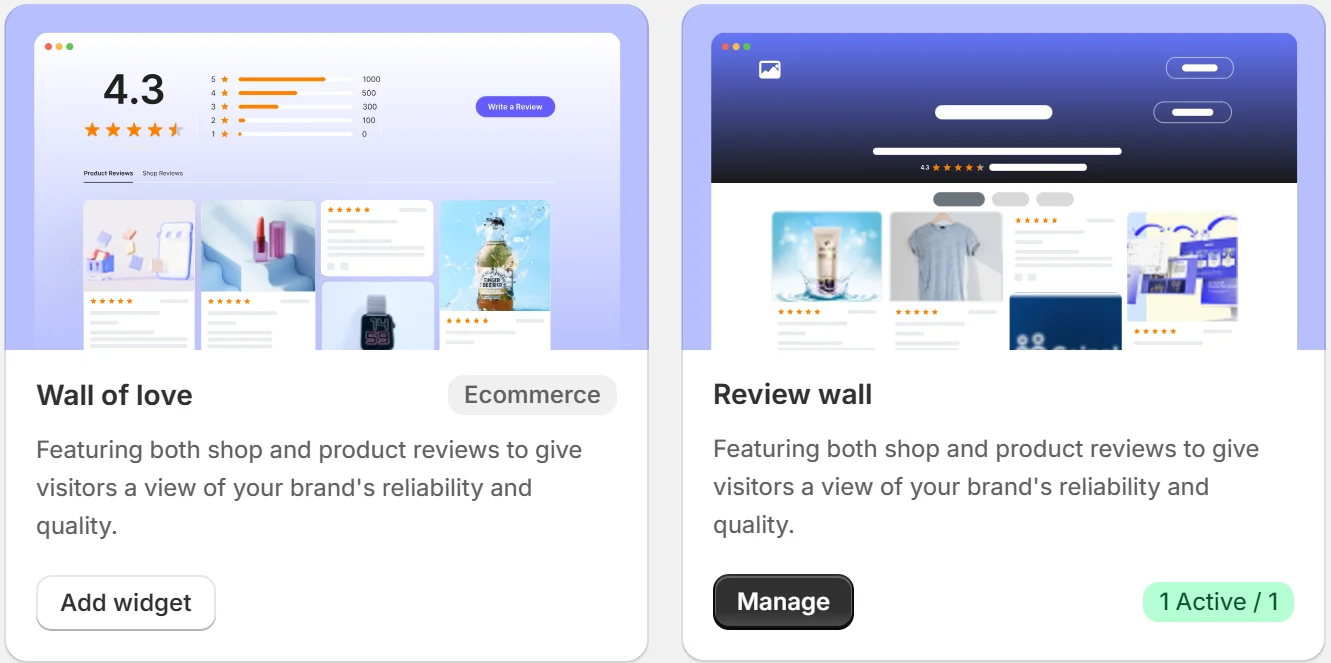
Add carousels, badges, or floating popups anywhere on your site, fully customizable.

Display Reviews on Your Website

With WiserReview, your review section becomes more than a feature; it becomes a trust-building asset woven into every key page of your site.

Icon

Show Trust Where It Matters Most

Collect and display real photos, videos, and text reviews, right where buying decisions happen.

Setting up your review section with another method

Creating a review section on your website is a great way to gain trust and credibility.

It helps potential buyers see honest feedback from others, making your site more appealing and trustworthy.

A well-designed review section not only helps your visitors see the positive feedback but also encourages more users to share their experiences.

To make your review section effective, you need to choose the right platform, design it to be easy to use, and ensure it works well on mobile devices.

Here’s how to set it up effectively

1. Choosing the right platform or plugin for your website

Research Options: Look for platforms or plugins that are highly rated and have positive reviews. For example, consider plugins like Google Reviews or Yelp Reviews.

Check Compatibility: Make sure the platform or plugin works well with your website’s system. It should integrate smoothly and support your site’s needs.

Review Features: Choose a plugin that allows you to write reviews easily and offers features like customizable review boxes and moderation controls.

2. Designing a user-friendly layout and interface

Keep It Simple: A clean and straightforward design for your review section. Ensure it’s easy for users to find and access.

Highlight Reviews: Use a layout that showcases top reviews and provides clear examples of what other customer have said.

Make It Engaging: Design interactive elements, such as a star rating system or comment box, to encourage users to write and submit their reviews.

3. Ensuring responsiveness and accessibility

Test on Multiple Devices: Check that your review section looks good and functions well on smartphones, tablets, and desktops.

Optimize Loading Times: Make sure the review section loads quickly on all devices, as slow performance can deter users from leaving reviews.

Accessibility Features: Include features like keyboard navigation and screen reader compatibility to ensure everyone, including people with disabilities, can access and interact with your review system.

Structuring your review section

Organizing your review section makes it easier for visitors to find and understand feedback. Clear and structured reviews help potential customer make informed decisions and improve their overall experience.

Here’s how to set up your review section effectively.

4. Creating clear categories and filters for reviews

Use category like “Overall rating,” “City” or “Performance” to help users find specific feedback.

Implement filters so visitors can sort reviews by “Rate,” “Recommend,” or “Summary”.

Let user filter reviews by clicking on the relevant category for faster access.

5. Including a summary of ratings and key points

Provide an overview of the “Overall Rating” to give a quick snapshot of customer sentiment.

Highlight key points such as strengths and weaknesses mentioned in reviews.

Summarize common feedback to give visitors a clear understanding of the product or service.

6. Displaying reviews by date, rating, or relevance

Sort reviews by date so users can see the latest feedback first.

Allow sorting by “Rating” to showcase high or low scores prominently.

Feature reviews based on relevance to help users find the most pertinent information.

7. Highlighting featured reviews or top-rated feedback

Pin top-rated reviews at the top of the section to highlight positive experiences.

For example, Highlight “Featured Review” that offers detailed insights or notable feedback.

Use a special design or badge to make standout reviews easily recognizable.

Integrating reviews with other website elements

Reviews are essential for building trust in your online store. By placing reviews in key areas on your website, you can improve the user experience and encourage users to leave their ratings.

Reviews act as social proof, showing new shoppers that others had positive experiences with your products.

Here’s how you can effectively integrate reviews into different areas of your site:

8. Including reviews on product pages

When shopping online, you might find a product that looks great, but you’re unsure about it.

Then, you scroll down and see glowing reviews from people who’ve already bought it.

Suddenly, that product feels more trustworthy, right? Including reviews on product pages does exactly that by showing real user experiences, you help potential buyers make decisions faster.

When you place reviews right on the product page, it’s like having a friend vouch for the product.

Adding reviews directly to your product pages helps users make informed decisions before they buy.

A visible box with user ratings and comments builds trust and encourages more visitors to start reviewing.

It’s an easy way to generate authority for your online store, making your products more appealing.

9. Adding review widgets to different sections of your site

Review widgets are small trust signals placed throughout your online store.

You’re constantly reminding visitors that your products are well-loved by placing them in different sections, like your homepage, category pages, or even the checkout page.

Adding a review widget is like integrating customer opinions into the core of your website.

Users see these ratings wherever they click, showing that your products are worth buying. It’s like having a friendly nudge at every step of their journey.

These widgets can link to full reviews, making it simple for user to click through and read more.

By placing them strategically, you support your user journey, from browsing to purchase, with reliable insights.

10. Linking to review sites and platforms

For example, a customer is browsing your site, and they see a link that says, “See what others are saying on Google Reviews.”

Curiosity piqued, they click it and are taken to a platform they trust. That link instantly builds authority for your store.

By linking to external review sites, you’re giving users a way to explore more about your products from a place they know and trust.

It’s like saying, “Don’t just take our word for it, check out what others are saying too!”

Users can click these links to see a broader range of opinions, showing that your brand values transparency.

It also drives more customers to leave their own reviews, boosting your overall online presence.

Conclusion

Creating a review section for your product page is like opening a conversation with the user.

A space where people can easily share their opinions, giving ratings, and feedback in a clear and simple box.

Writing reviews helps other shoppers and shows you value their opinions. It builds trust by making it easy for users to share their thoughts.

An honest rating will improve your products and make your product page a trusted source of information.

FAQ's

Include star ratings, customer comments, submission date, user-uploaded images, and the option to filter reviews by rating or date.

Consider using a star rating system alongside a comments box, this format is visually appealing and easy for users to navigate.

Yes, an average rating summary gives visitors a quick snapshot of overall customer satisfaction, helping them quickly know the quality of your product.

Regular updates are recommended, aiming for at least monthly, to ensure fresh content and keep visitors’ engagement levels high.

A review section allows customer to share their experience, helping other visitors make informed decisions and enhancing your site’s credibility.

Picture of Krunal Vaghasiya
Krunal Vaghasiya
Krunal Vaghasiya is a marketing tech expert who boosts e-commerce conversion rates with automated social proof and FOMO strategies. He loves to keep posting insightful posts on online marketing software, marketing automations, and improving conversion rates.
Wisernotify
Struggling with low conversions?
Use Social Proof & FOMO
Social Media icon