
How to Add Product Reviews to BigCommerce (2026)
BigCommerce has built-in product reviews, but they take only a rating, a title and text. To add photo and video reviews, rich snippets and star ratings on category pages, install the WiserReview app and paste its widget code into your theme.
WiserReview also asks your customers for reviews after each order, using your BigCommerce order status.
Below are the 14 steps with screenshots, a comparison with the built-in reviews, and what to check when nothing shows.
BigCommerce Built-In Reviews or WiserReview?
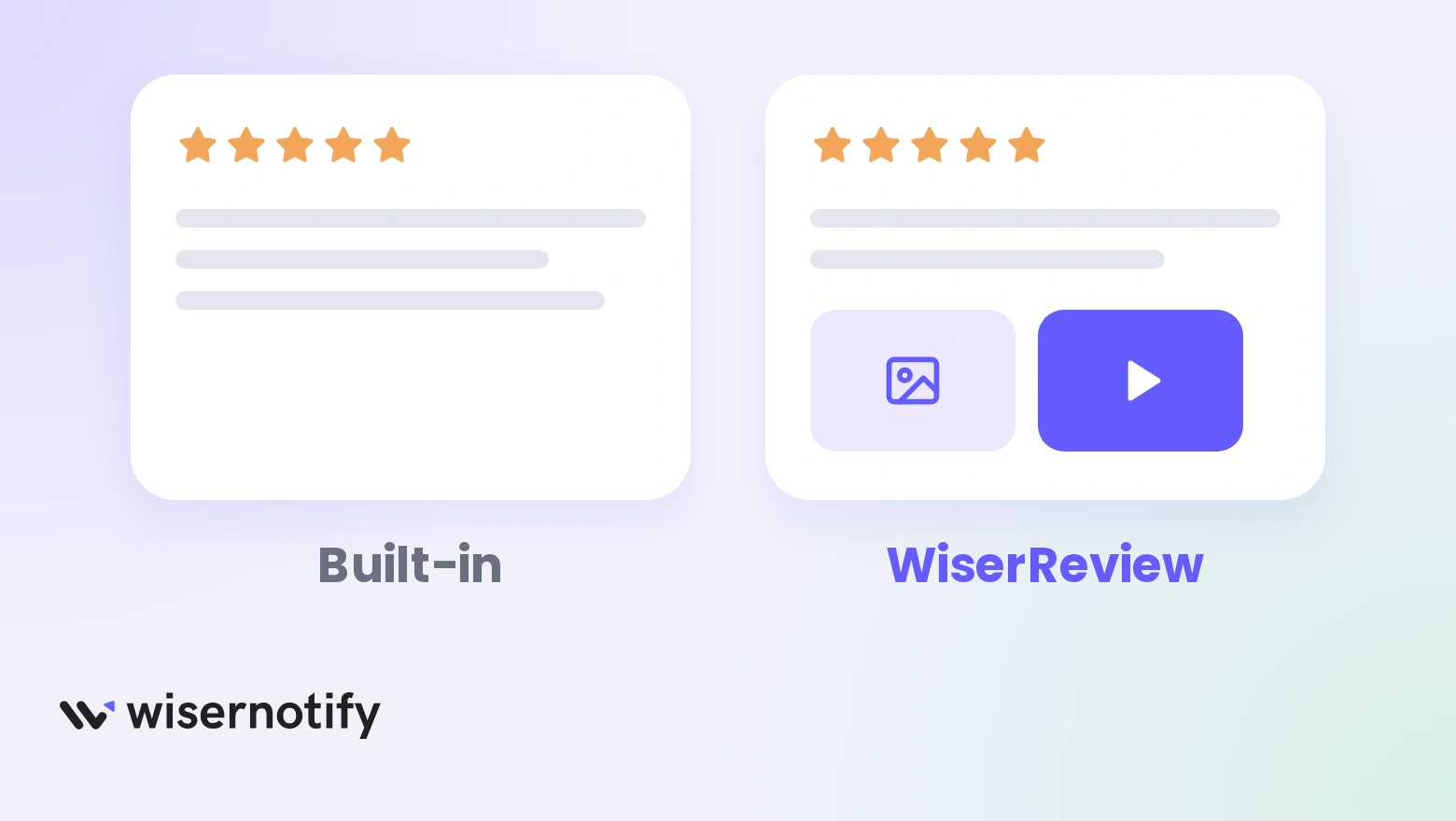
Both put customer reviews on a product page. They differ in what shoppers can send and where the reviews can show.
| Feature | BigCommerce built-in | WiserReview |
|---|---|---|
| What shoppers send | Star rating, title and text | Text, photos and videos |
| Where reviews show | The review area in your theme | Review section, star ratings on product and category pages, wall of love, nudges, floating reviews |
| Search snippets | Depends on your theme | A product review schema option that works with your theme’s schema |
| Requests and imports | Reviews are approved by hand or automatically in store settings | Automatic requests after Completed or Shipped orders, reminders, CSV import |
The built-in reviews are enough for a small store that only needs written feedback. The steps below cover the upgrade.
How to Turn On BigCommerce’s Built-In Reviews
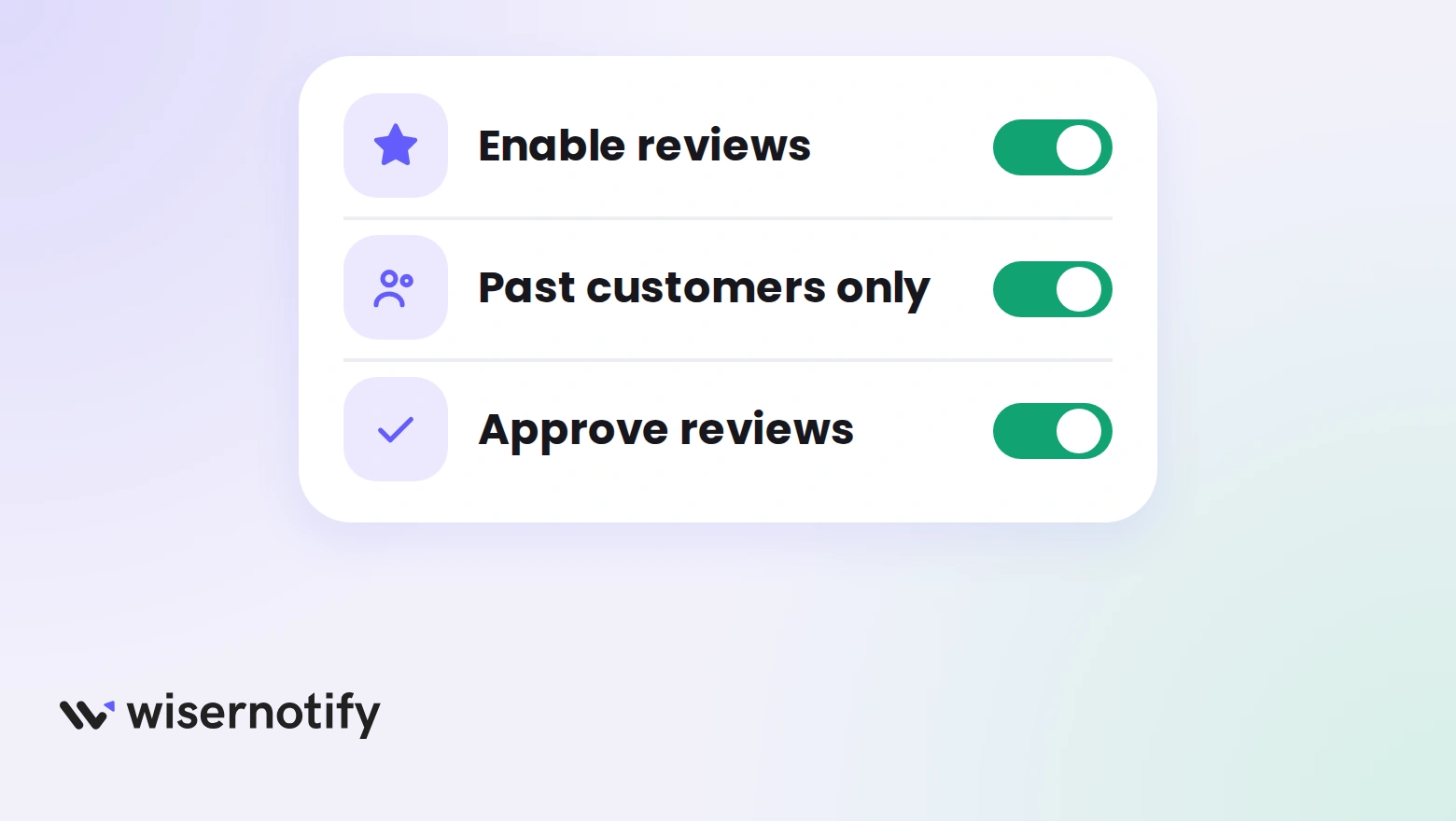
- In your BigCommerce admin, go to Storefront and open Product Reviews. On older admin layouts the path is Settings, then Comments, then the Built-in tab.
- Switch on product reviews.
- Tick Only accept product reviews from past customers if you want buyers only. Logged-in customers with a previous order can then review.
- Turn on reCAPTCHA to cut spam, then save.
- Approve each review so it appears on the product page, or set reviews to approve automatically in Store Settings under the Display tab.
BigCommerce lists these options in its product reviews documentation. Using WiserReview instead? Turn the built-in reviews off in Step 5 below so shoppers see one review block.
How to Add WiserReview Reviews to BigCommerce
The setup has three parts. The app connects your store, the dashboard builds the widgets, and your theme files show them.
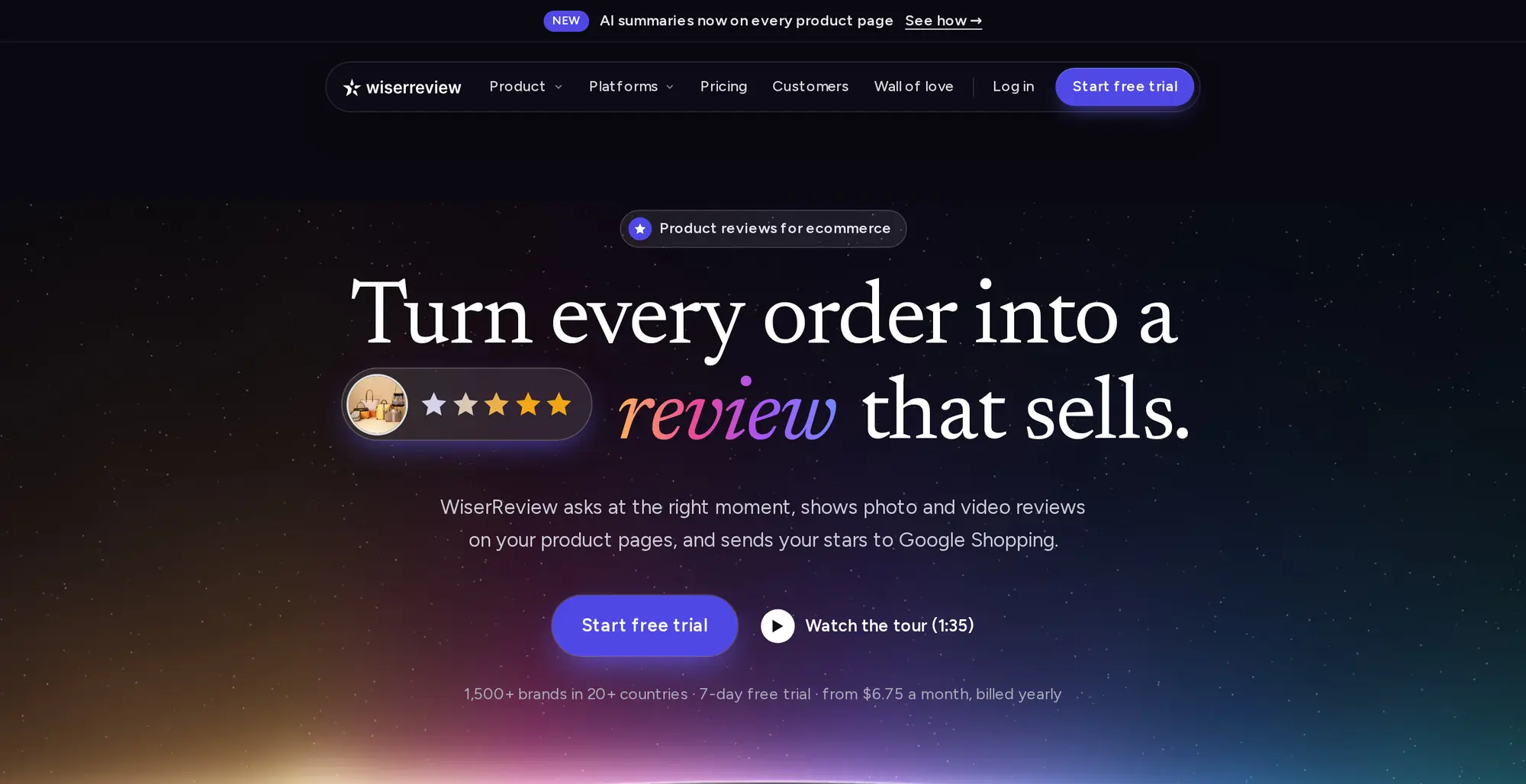
The video covers the same setup from the app install to the review automation.
Step 1: Open the App Marketplace
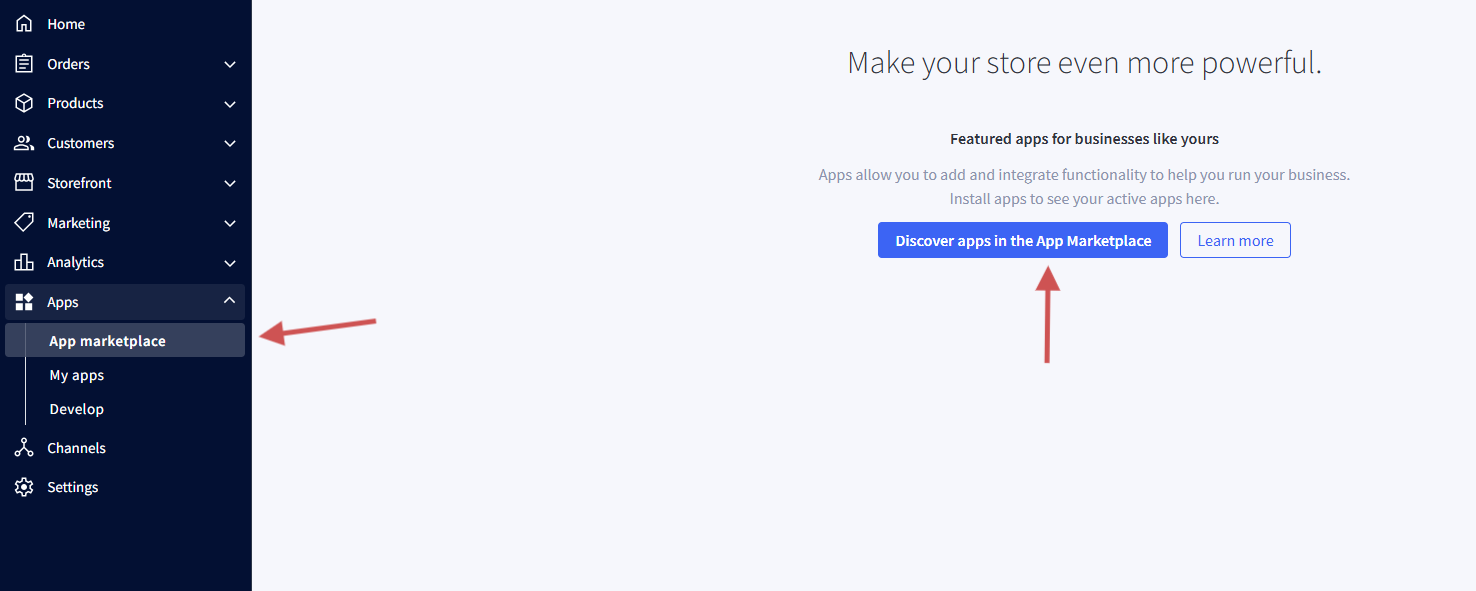
- Log in to your BigCommerce admin.
- Click Apps in the left sidebar, then App Marketplace.
- Search for WiserReview.
Step 2: Install WiserReview
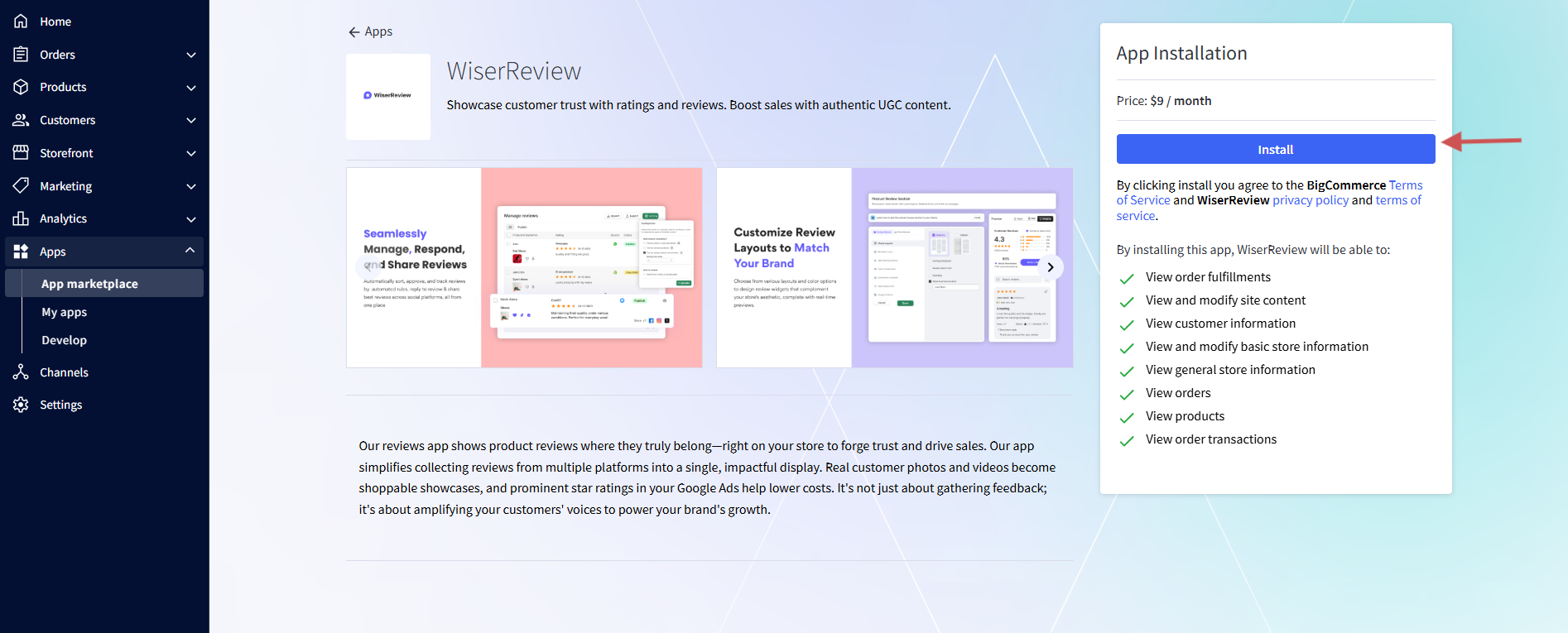
- Click the WiserReview app to open its page.
- Click Install.
Step 3: Confirm the Permissions
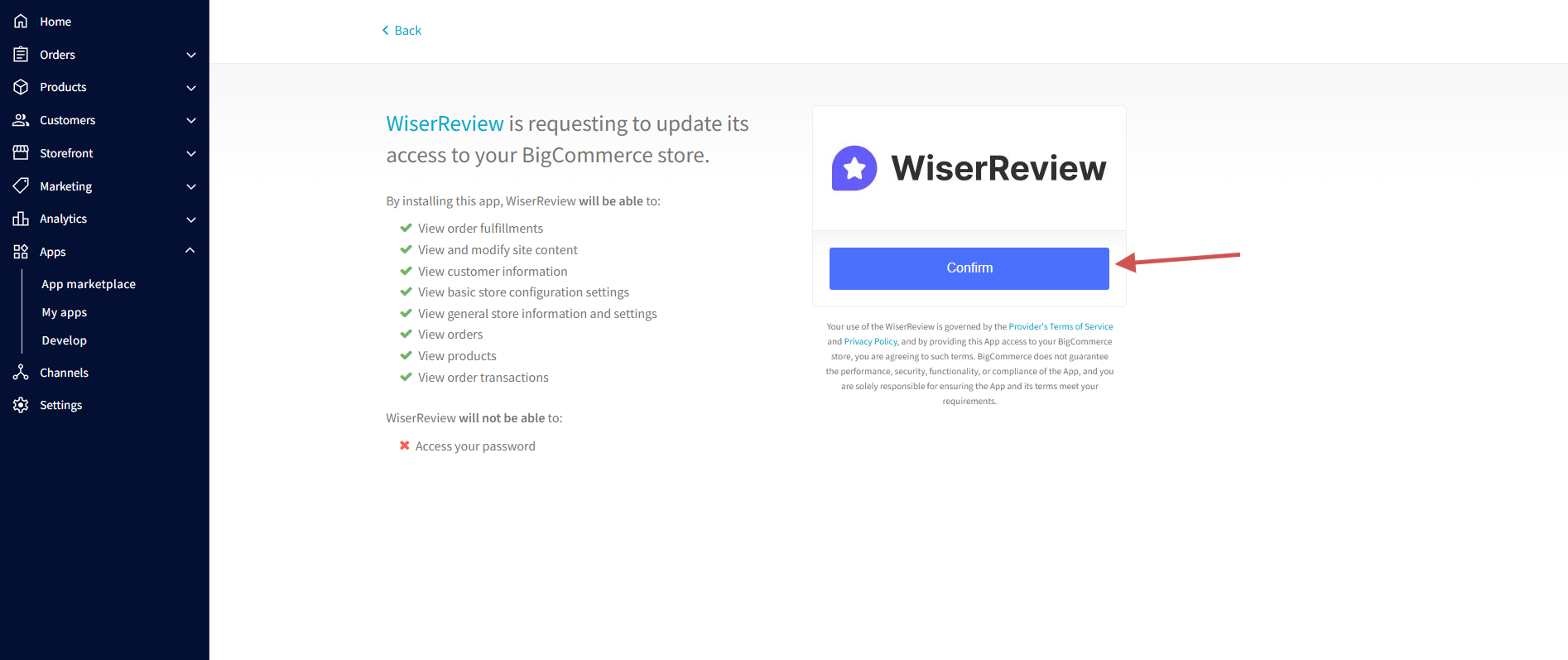
- Read the permissions WiserReview asks for, which cover orders, products and customer details.
- Click Confirm. BigCommerce may ask for your store password.
Step 4: Open Your Dashboard
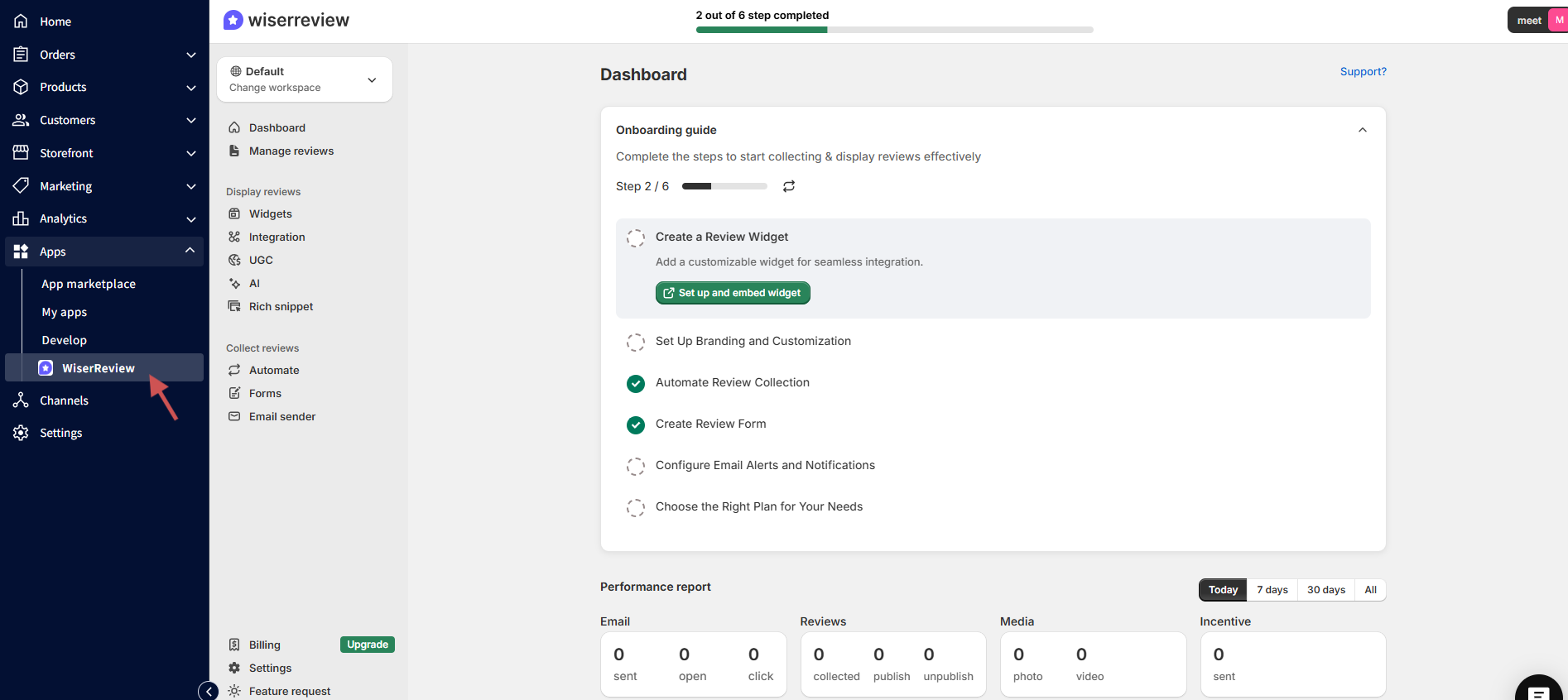
- You land in the WiserReview dashboard, and your store is already connected.
- Your products arrive with their images and links, and default widgets and a review automation are set up.
- Open it again anytime from Apps, then My Apps.
Step 5: Turn Off the Built-In Reviews
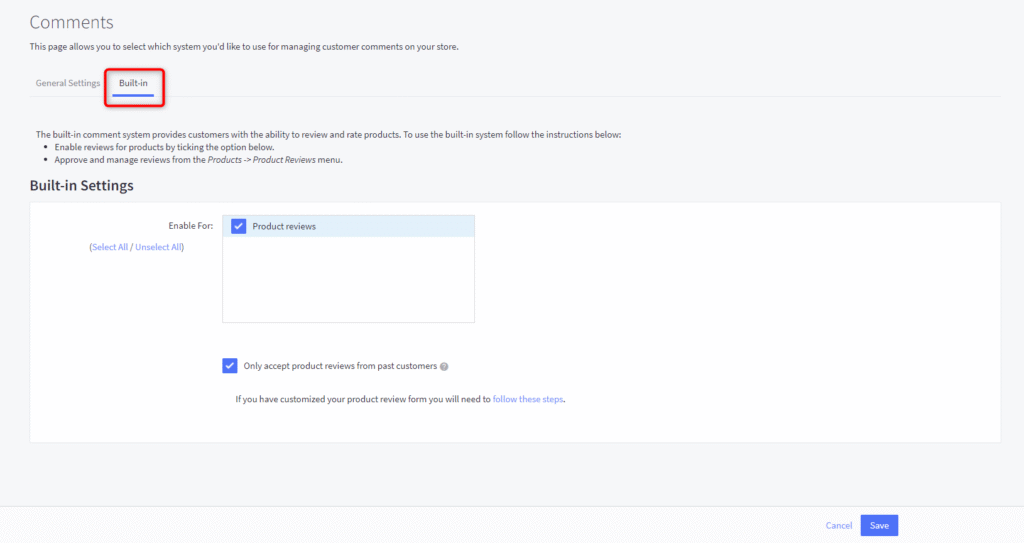
- In BigCommerce, go to Settings, then Comments.
- Open the Built-in tab and untick Product reviews.
- Click Save.
Step 6: Choose a Widget

- In WiserReview, click Widgets.
- Start with Product Review Section, then come back for Star Rating.
- Click Manage on the widget card.
Step 7: Customize It

- Use the left panel to change color, layout and card style.
- Filter reviews by tag, rating or verified buyers, and add custom CSS if you need it.
- Check the live preview, then click Save.
Step 8: Copy the BigCommerce Code
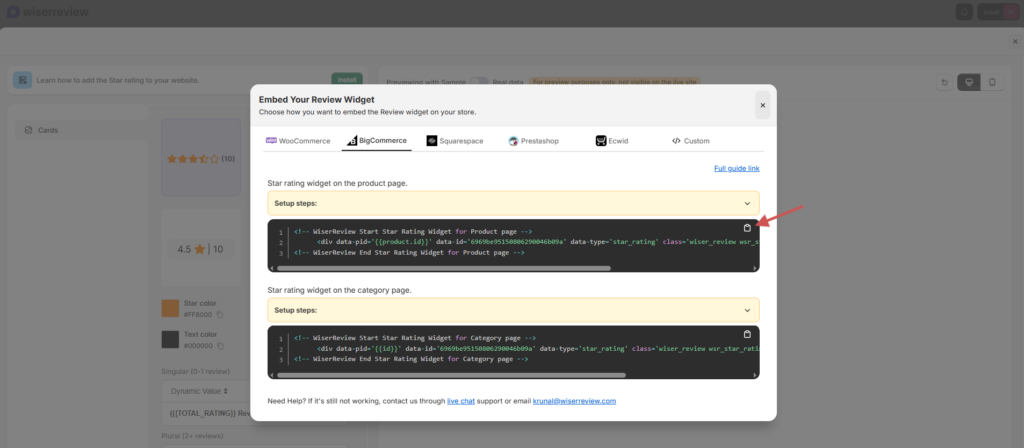
- Click Install on the widget.
- Open the BigCommerce tab and copy the code.
- Keep Generate product review schema selected so your star ratings can show in Google results.
Step 9: Open Your Theme Files
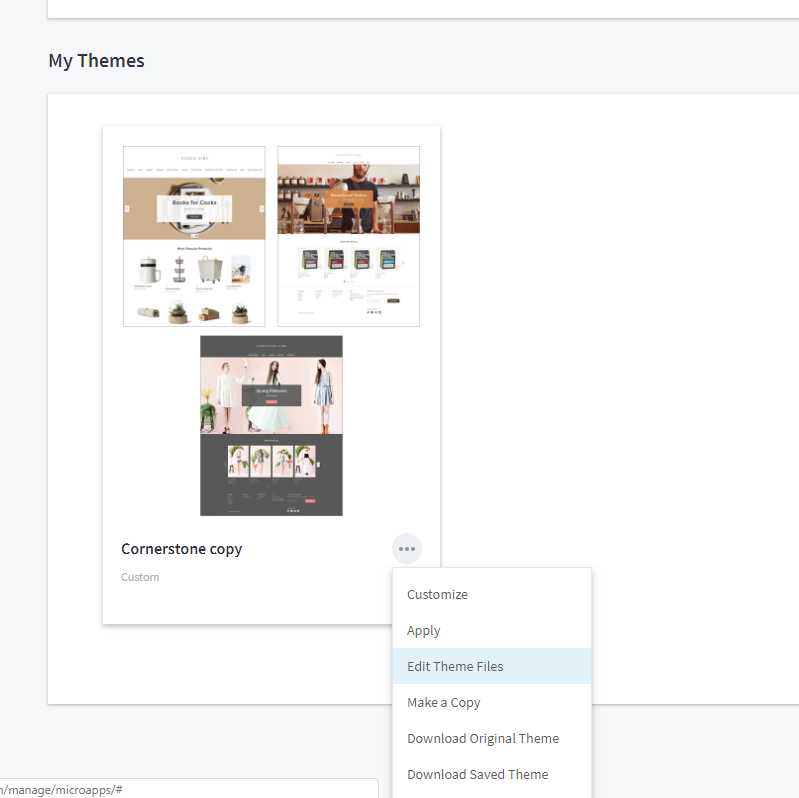
- In BigCommerce, go to Storefront and open My Themes.
- On your current theme, open the menu and click Make a Copy, so you can undo changes.
- On the copy, click Edit Theme Files.
Step 10: Paste the Review Section
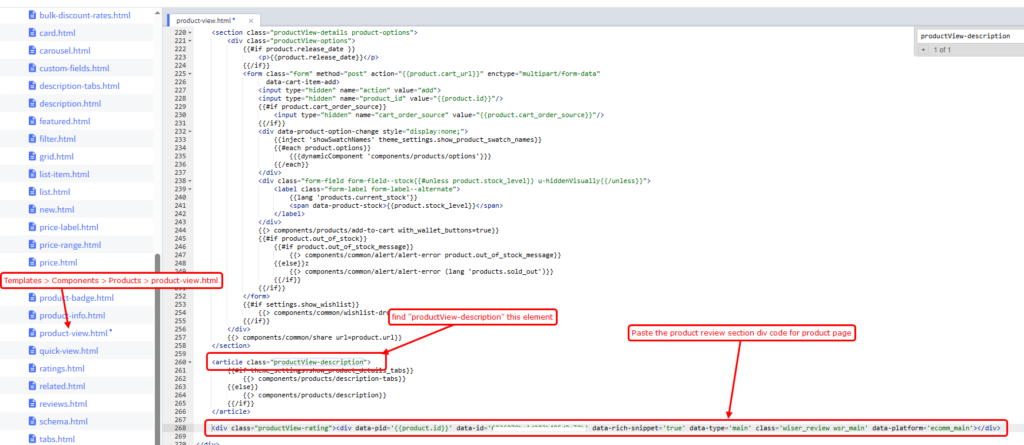
- Open Templates, then Components, then Products, then product-view.html. Some themes use single-details.html.
- Press Ctrl+F and search for productView.
- Paste the review section code below that element. If you cannot find it, search for productView-description and paste after it.
- Save the file.
Step 11: Star Ratings on Product Pages
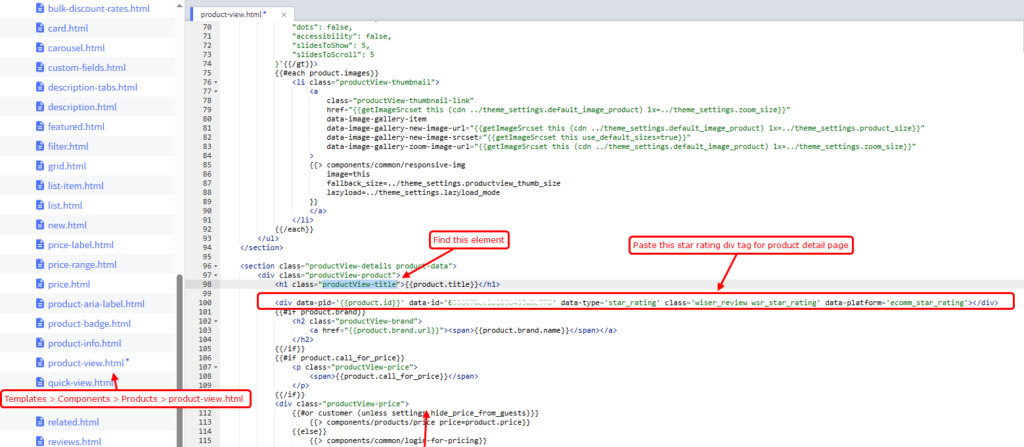
- Go back to WiserReview, open the Star Rating widget, and copy its BigCommerce code.
- In product-view.html, search for productView-title.
- Paste the code under that element and save.
Step 12: Star Ratings on Category Pages
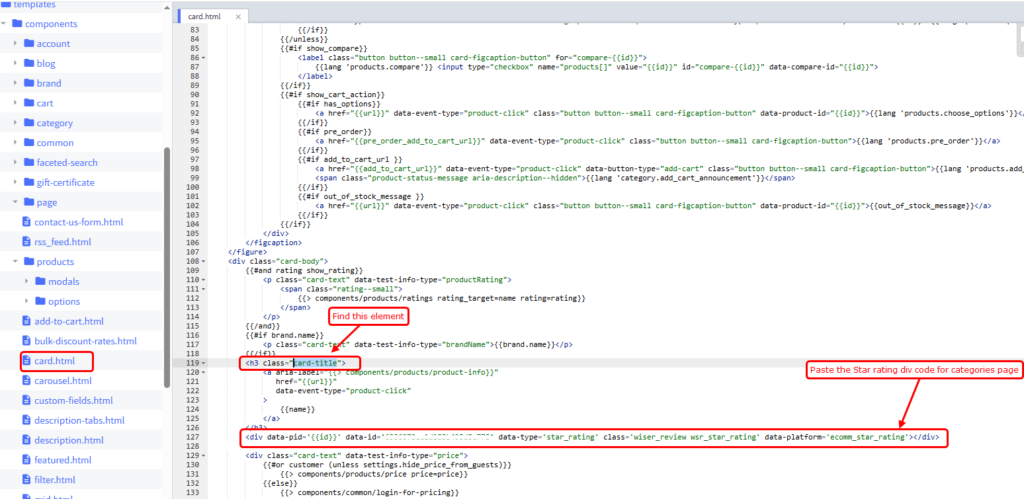
- Copy the Star Rating code again from the Install window.
- Open card.html in Templates, Components, Products. If you do not have it, find the file that holds your category cards by searching for card-title.
- Paste the code under the card-title element and save.
Step 13: Turn On Review Requests
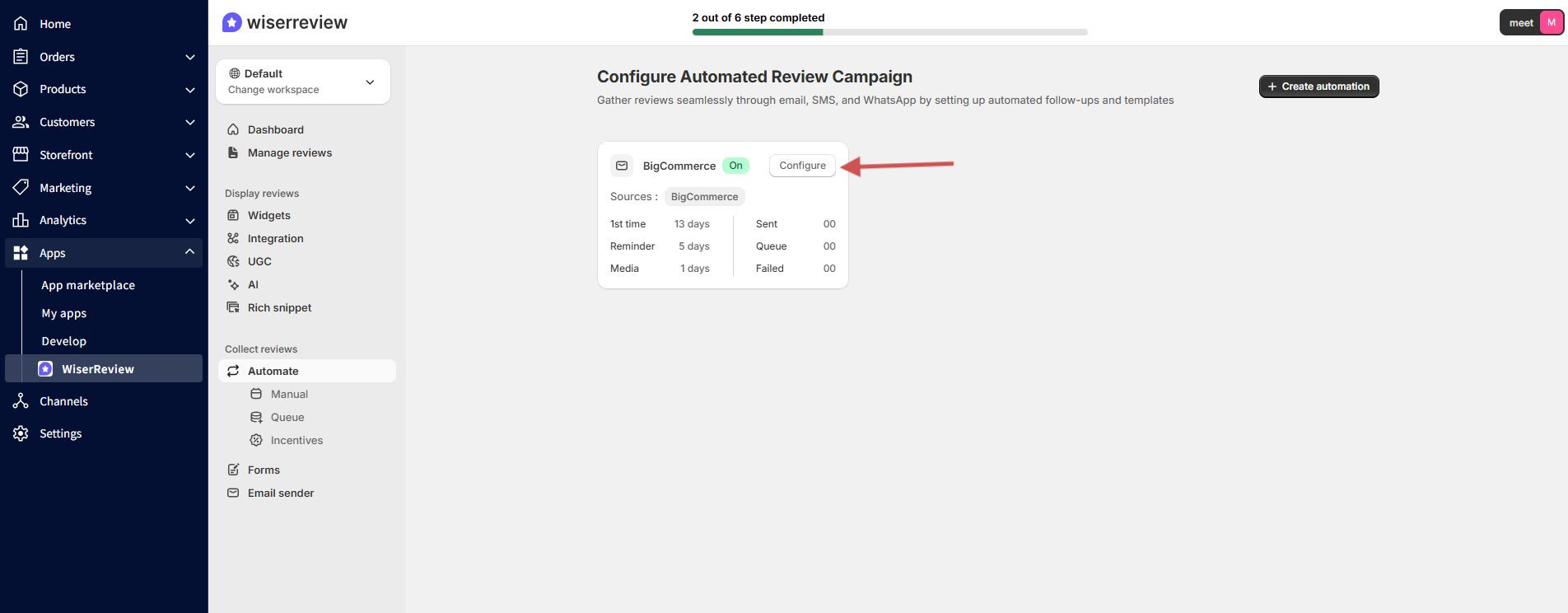
- In WiserReview, open Automate. A review automation was created when you installed the app.
- Check that it is switched on.
- Choose the order status that triggers a request, Completed or Shipped, and set the number of days to wait.
- Turn on the reminder and the photo or video follow-up if you want them.
Step 14: Import Your Existing Reviews
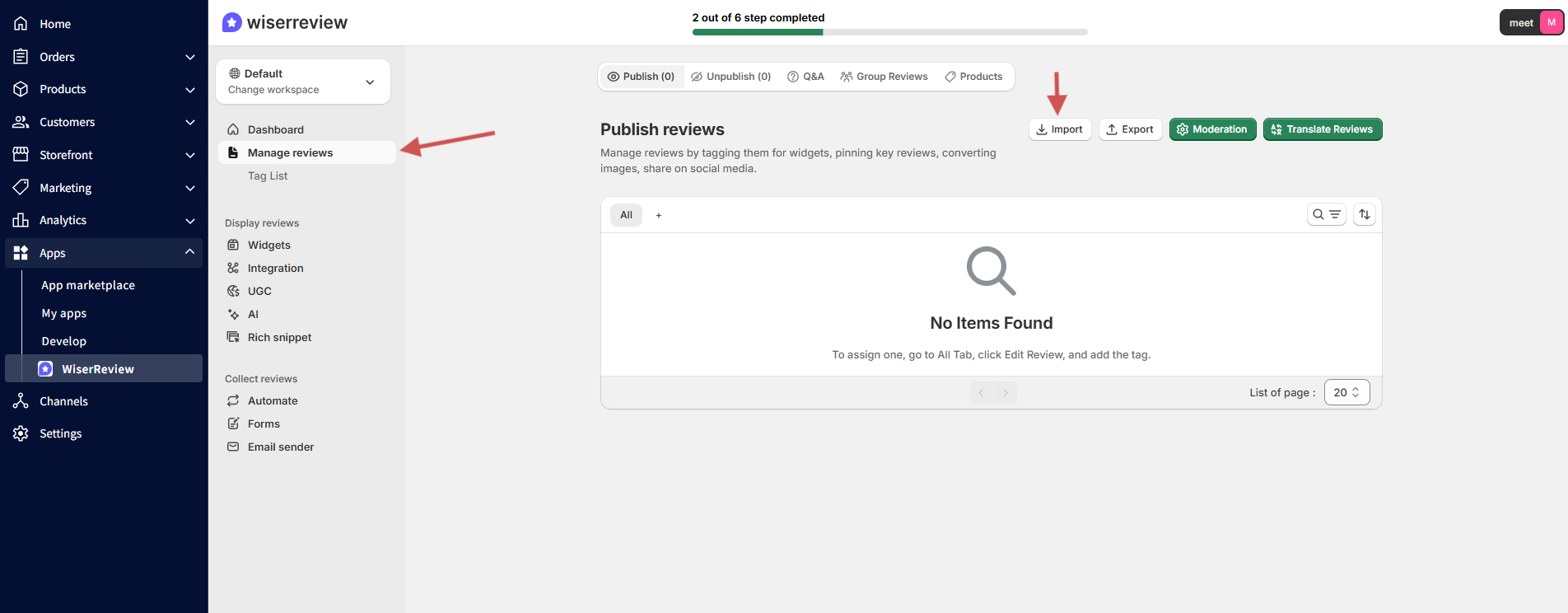
- Open Manage reviews and click Import reviews.
- Pick the source, such as Judge.me, and upload your CSV file.
- Map the columns and confirm the import. Then open a product page and do a hard refresh to see the reviews.

Reviews with photos and stars on every page
Install the app, paste one snippet and let orders trigger your review requests.
Send Review Requests Automatically

After you connect your store, WiserReview schedules a request for orders that reach your chosen status. You can change that status from the automation settings.
- Past customers: go to Automate, then Manual, open the product review email campaign, pick a date range and order status, and click Launch campaign.
- Reminders: customers who have not reviewed get a follow-up email after the days you set.
- Photo and video follow-up: customers who left text only are asked to add media.
- Your own tools: connect Klaviyo or Omnisend if you prefer to send the emails from there.
Manage Reviews in One Place

Manage reviews lists every review you collect or import. Publish the ones you want, set moderation rules to keep spam out, and answer product questions from the same dashboard.
Reviews Not Showing on BigCommerce?
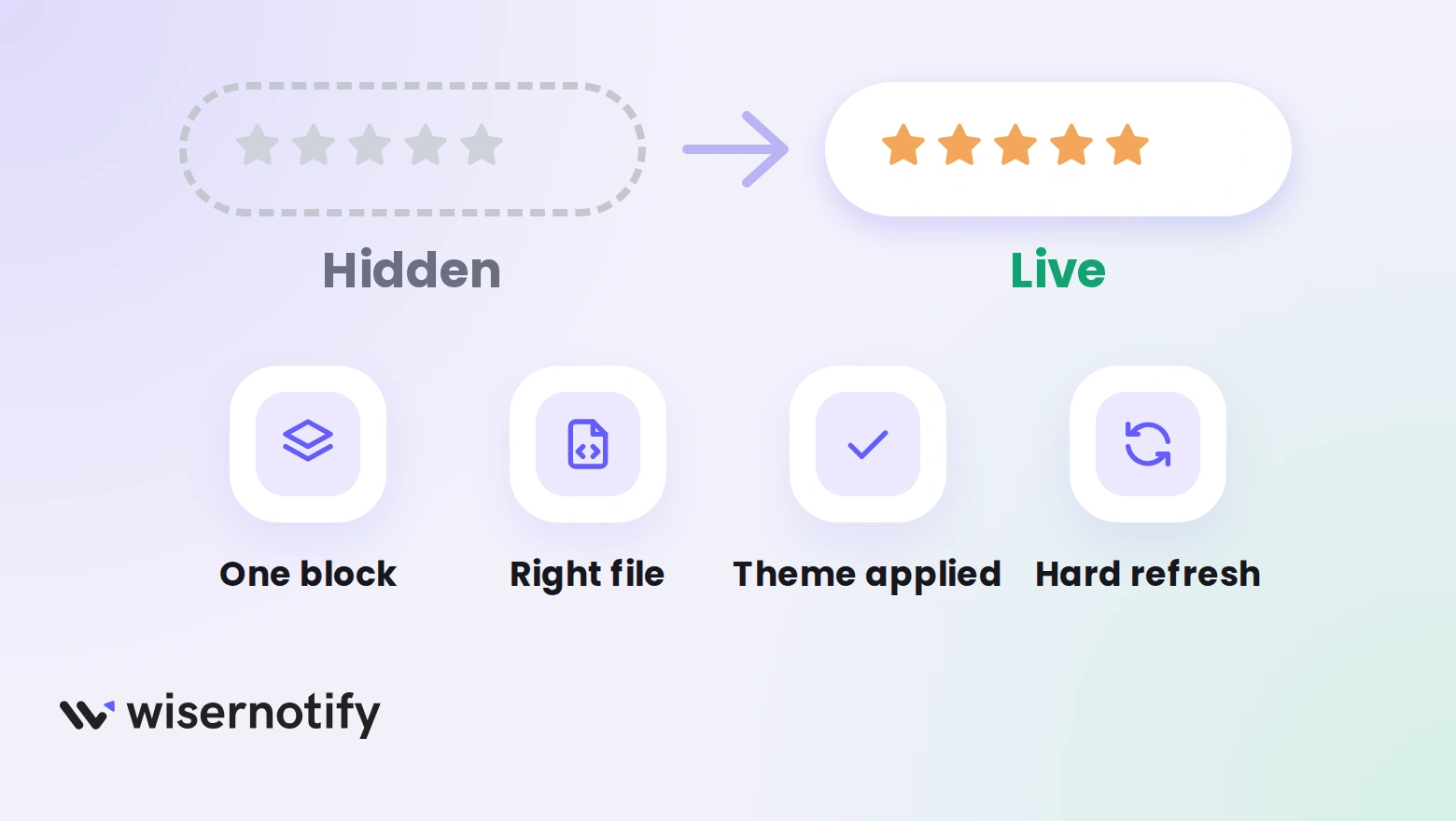
- Built-in reviews still on: turn them off in Settings, Comments, Built-in, so only one review block loads.
- Wrong file or spot: paste the code in product-view.html, or single-details.html if your theme uses it.
- Edited the original theme: make changes on the copy, then apply that copy.
- Theme not applied: click Apply on the copy so shoppers see your edits.
- Star ratings missing on categories: add the Star Rating code to card.html, which is separate from the product file.
- No reviews yet: a widget has nothing to show until a review is published.
- Automation off: check Automate and switch the automation on.
- Cached page: do a hard refresh, or check from a private window.
Review Mistakes to Avoid on BigCommerce
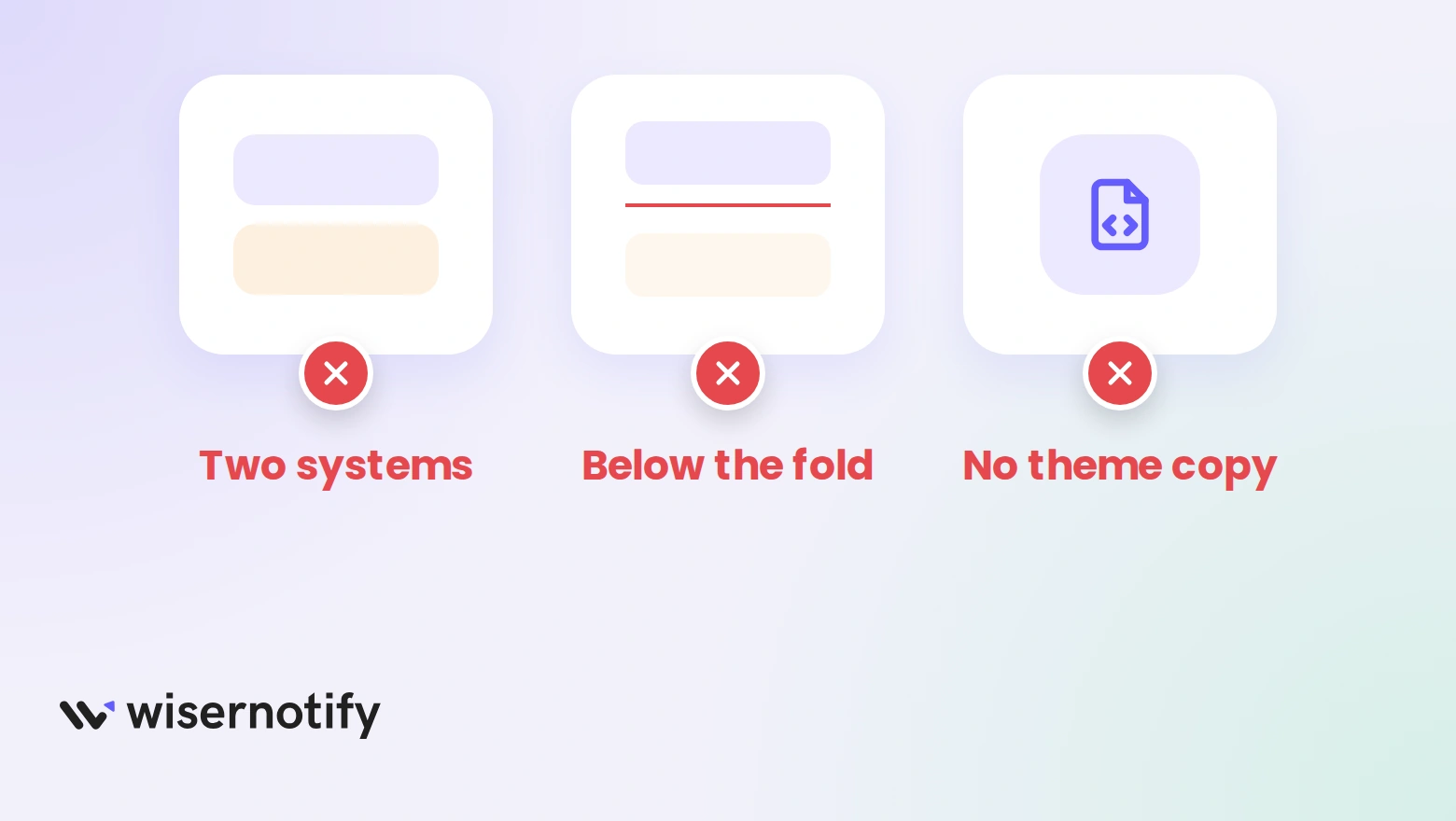
- Running two review systems: two blocks on one page confuse shoppers and slow the page.
- Hiding reviews below the fold: put at least one rating near the title or buy button.
- Editing your live theme: a copy lets you roll back if something breaks.
- Skipping the phone check: preview the widgets on mobile before you publish.
- Asking too soon: wait for delivery before a request, so customers have used the product.
Turn orders into reviews that sell
Collect photo reviews automatically and show them where shoppers decide.
More Review Types for BigCommerce
- Google reviews on BigCommerce
- Testimonials on BigCommerce
- Amazon reviews on BigCommerce
- Facebook reviews on a website
- Yelp reviews on a website
Wrap Up
BigCommerce’s built-in reviews cover text and stars. WiserReview adds photos, video, rich snippets, category ratings and automatic requests. Install the app, paste the snippets, and turn the automation on.
Start with the review section and the star rating on one product, then roll it out to the rest of the store.
Show proof beside every buy button
Photo reviews, star ratings and walls that update as new reviews arrive.
Related Posts
Frequently Asked Questions
Does BigCommerce have built-in product reviews?
Yes. Turn them on under Storefront, Product Reviews, or under Settings, Comments, Built-in on older layouts.
Can I add photo and video reviews on BigCommerce?
Not with the built-in reviews. WiserReview’s form collects text, photos and videos, and its widgets show them on your product pages.
How do I install WiserReview on BigCommerce?
Go to Apps, then App Marketplace, search for WiserReview, click Install and confirm the permissions. Your store connects automatically.
Where do I paste the WiserReview code in BigCommerce?
Make a copy of your theme, then edit product-view.html. Paste the review section below the productView element and the star rating under productView-title.
Do I need to turn off the built-in reviews?
Yes, when you use WiserReview widgets. Go to Settings, Comments, Built-in and untick Product reviews, so shoppers see one review block.
Can I send review requests to past BigCommerce customers?
Yes. In WiserReview, go to Automate, then Manual, pick a date range and order status, and launch the campaign.

Krunal Vaghasiya is a marketing tech expert who boosts e-commerce conversion rates with automated social proof and FOMO strategies. He loves to keep posting insightful posts on online marketing software, marketing automations, and improving conversion rates.




 Capterra