

How to connect WiserNotify with Houzz review
Updated Sep 10, 20261 min readConnection guide
On this page · 3 sections
This guide will walk you through:
Capturing Lead Activities: Connect Houzz with WiserNotify using a webhook to fetch real-time Lead data.
Add Product Url to Connect Houzz to pull the events Booking data
Step 1: Get the Product URL from Houzz
- Go to WiserNotify > Houzz review Integration.
- Click on the Integrate button inside the Integration box.
- Go to Houzz
- Find any professional
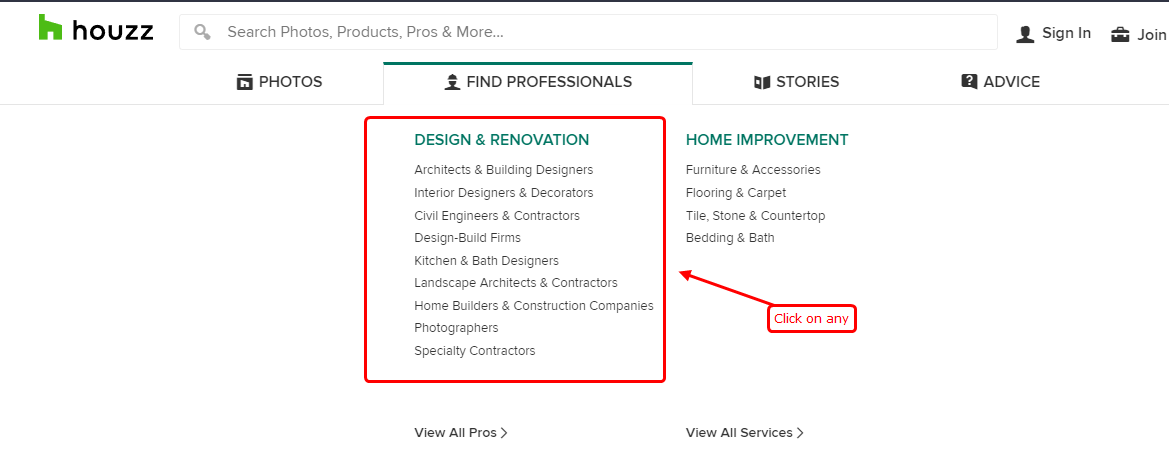
- Click on any of one
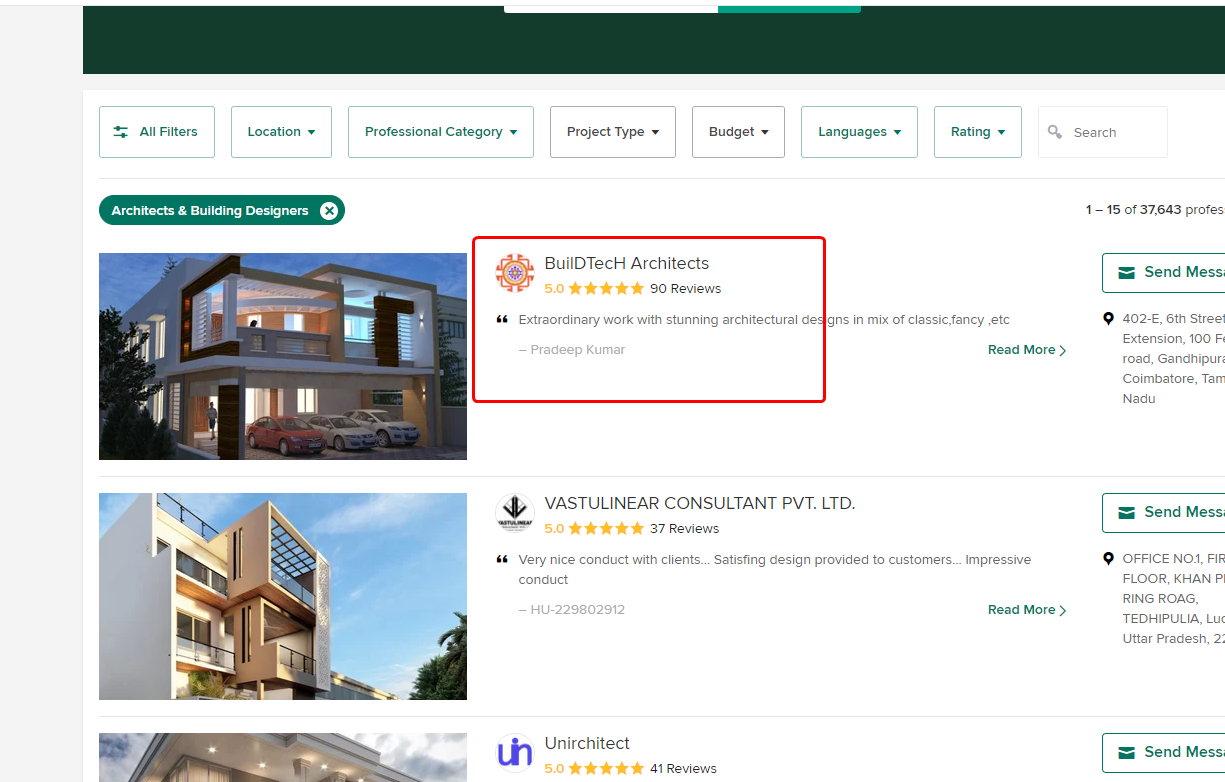
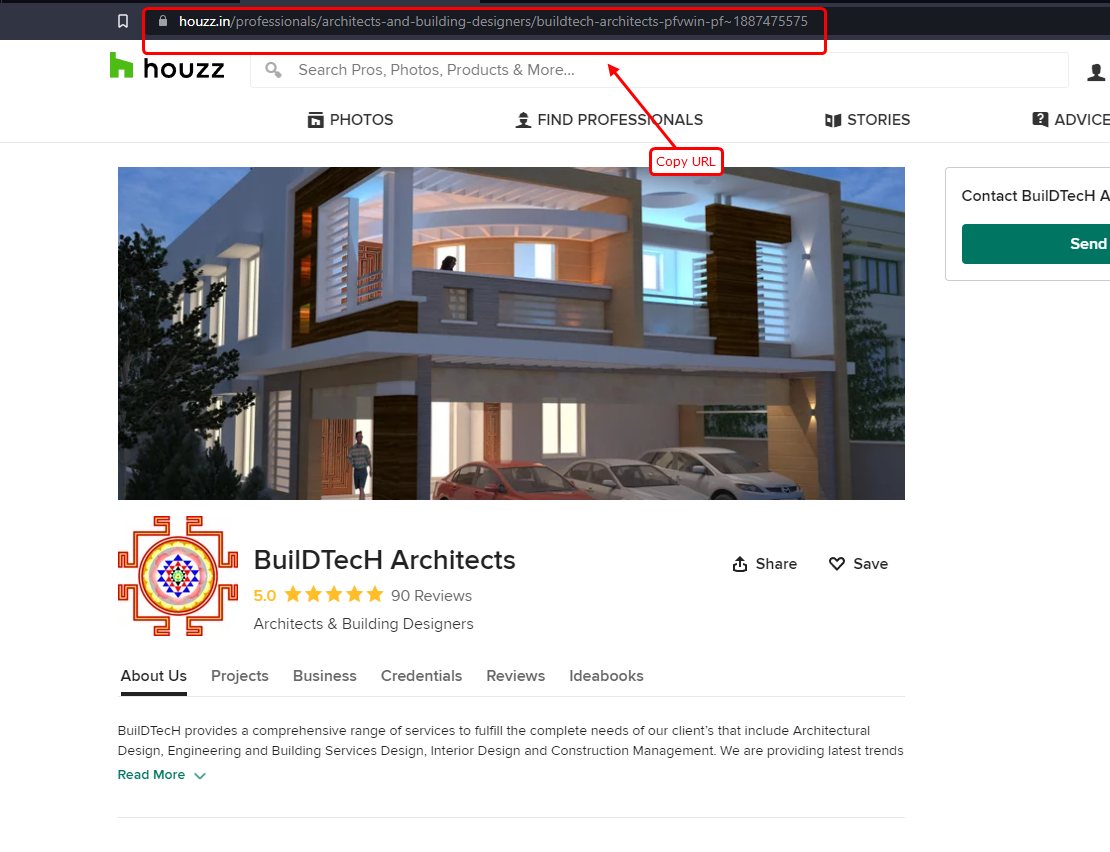
- Copy the URL from the URL box
Step 2: Configure Product Url in Wisernotify.
- return to wisernotify
- Paste URL
- Add a remark and click on the Create button
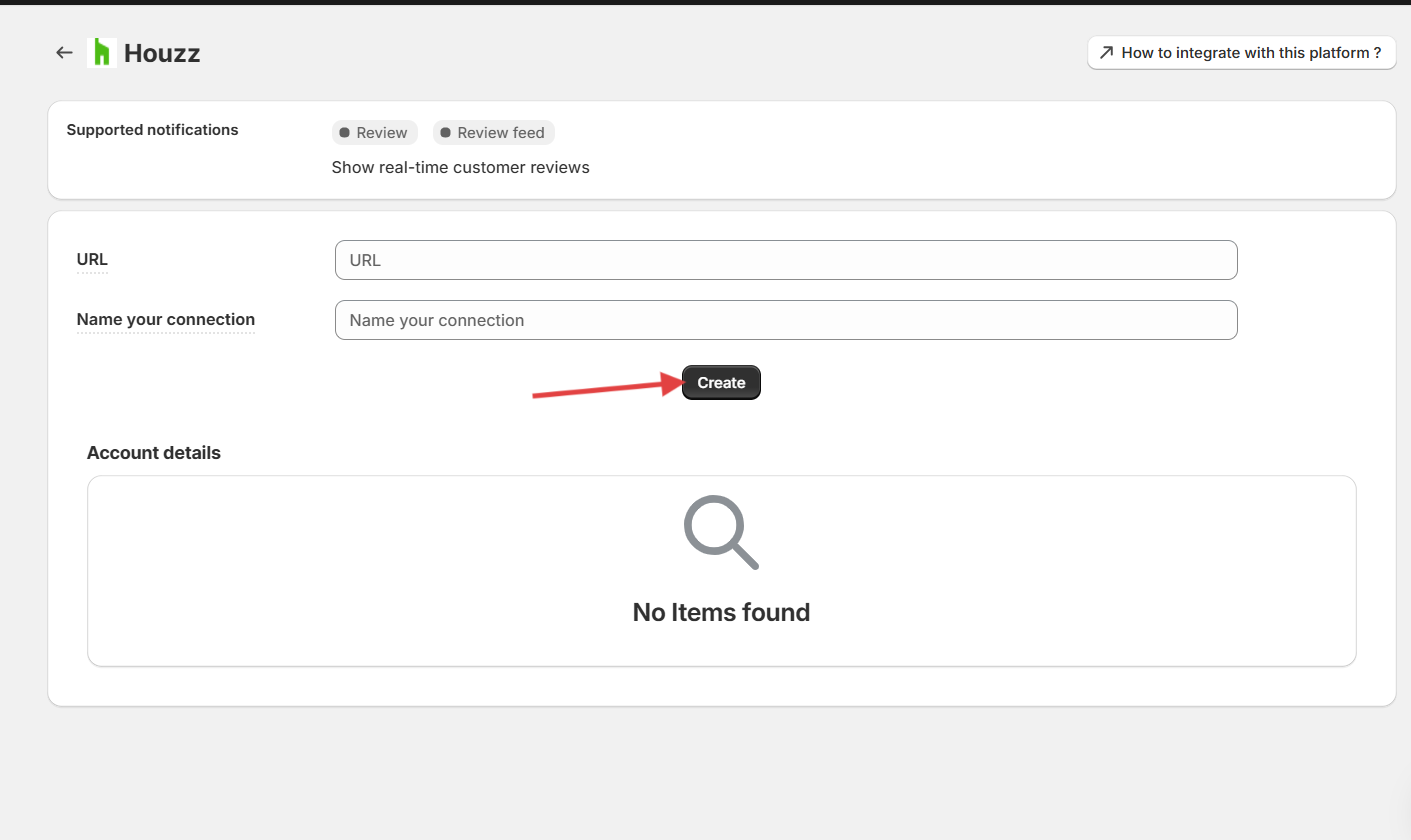
Now we will start fetching data from the Houzz
You can see review data under WiserNotify – Dashboard Data page.
← PreviousHow to connect WiserNotify with NopCommerceNext →How to connect WiserNotify with Etsy shop review
Related guides
How to connect WiserNotify with SpotifyHow to Connect WiserNotify with Instagram PostHow to Embed RSS Feed On Your Website
 Still stuck? We'll set it up with youLive chat or a free screen-share call, every day of the year.Chat with support



 Capterra