

How to connect WiserNotify with Youtube video
This guide will walk you through:
- Capturing Lead Activities: Connect the Youtube Video with WiserNotify using a video ID or playlist ID to fetch real-time lead data.
Step 1: Connect YouTube with WiserNotify through video ID & Playlist ID
- Go to WiserNotify > Youtube video Integration.
- Click on the Integrate button inside the Integration box.
Step 2: Configure Playlist ID & video ID in wisernotify
Here we have two ways to get the video data.
1. The first option is using a playlist ID of YouTube.
– let’s start with the playlist id
– Go to your YouTube channel open any playlist from the channel and copy the playlist id.

1. Now add a Connection Name.
2. Add your playlist id.
3. Click on the search button.
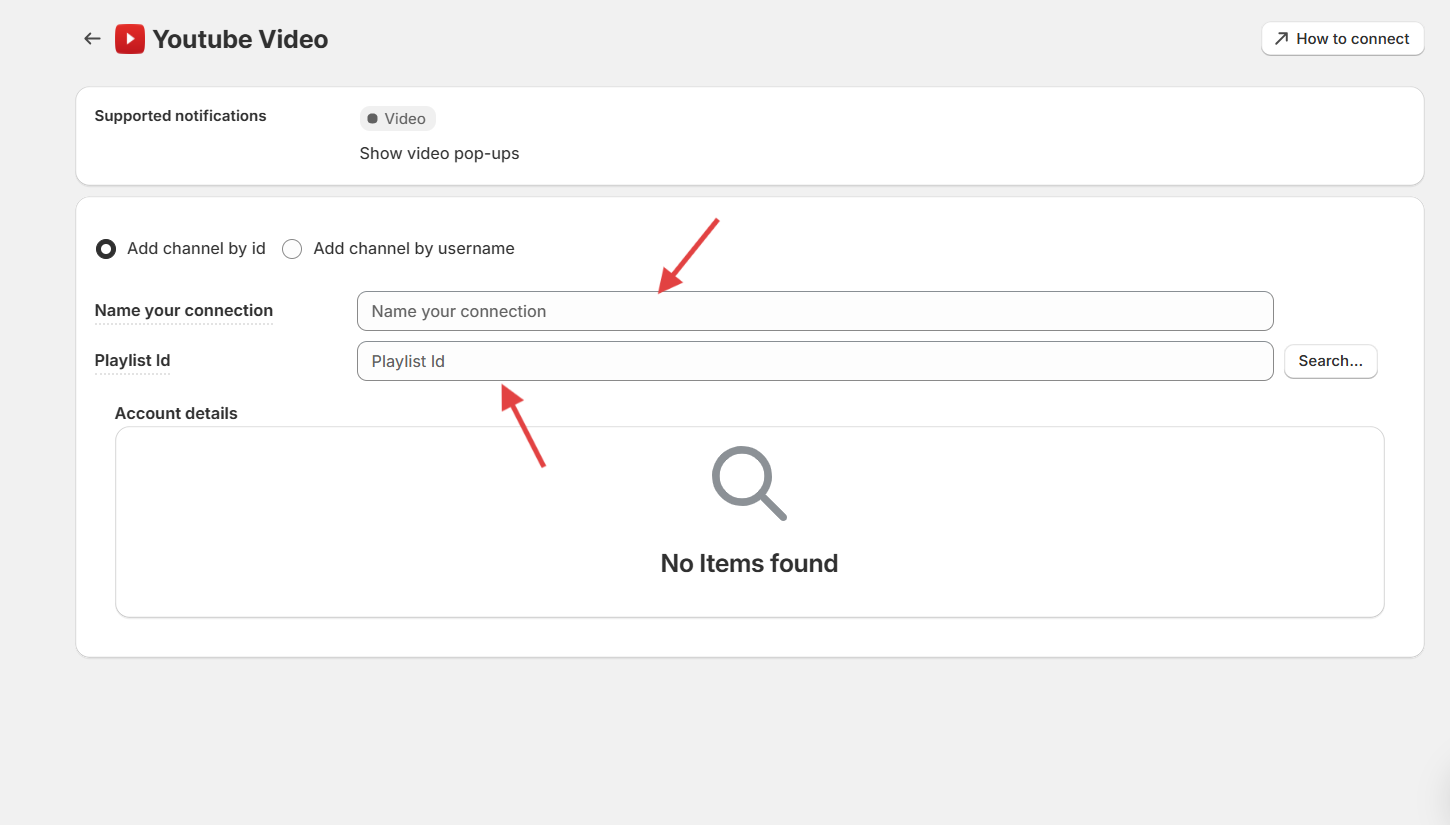
Now you can see all your video list in the dropdown.
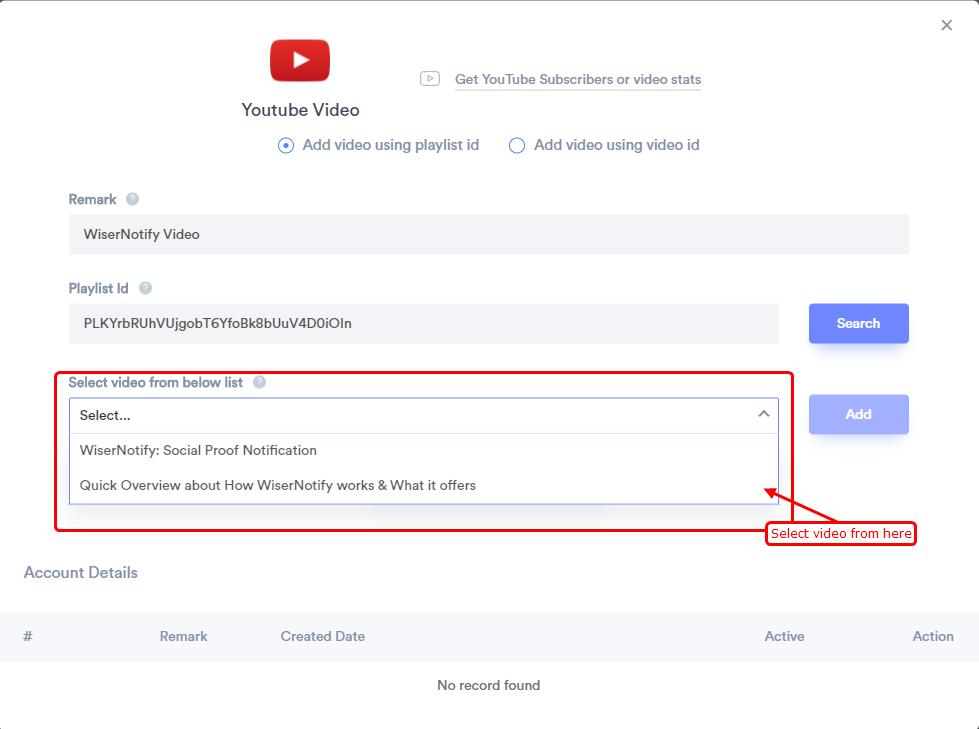
– Select a video from the dropdown and click on the add button.
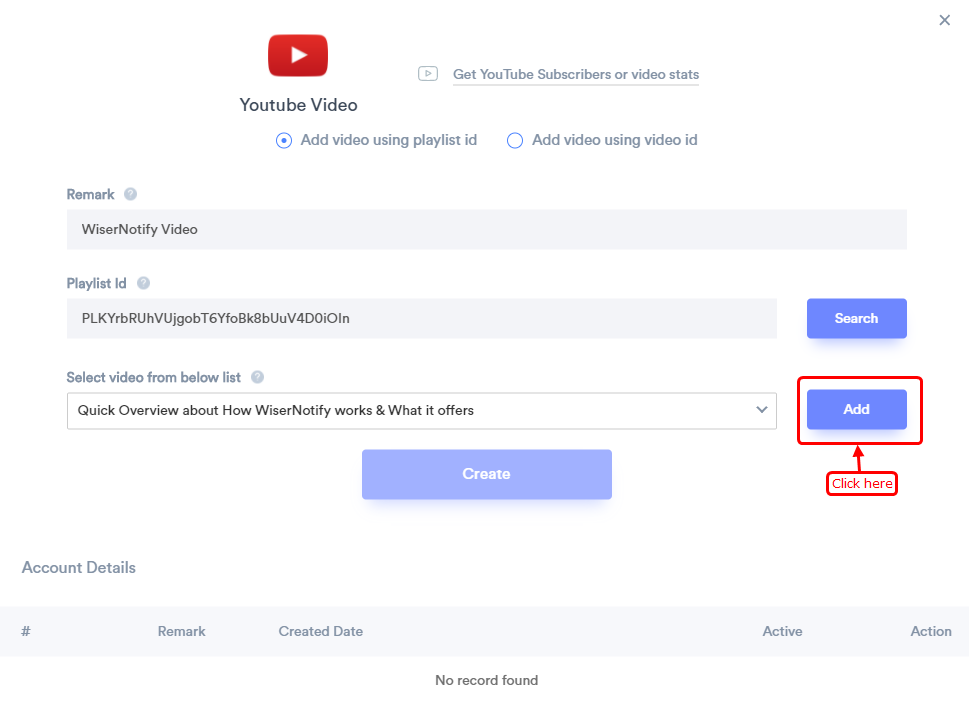
Once you select Select video from the dropdown click on the create button to get selected video data.
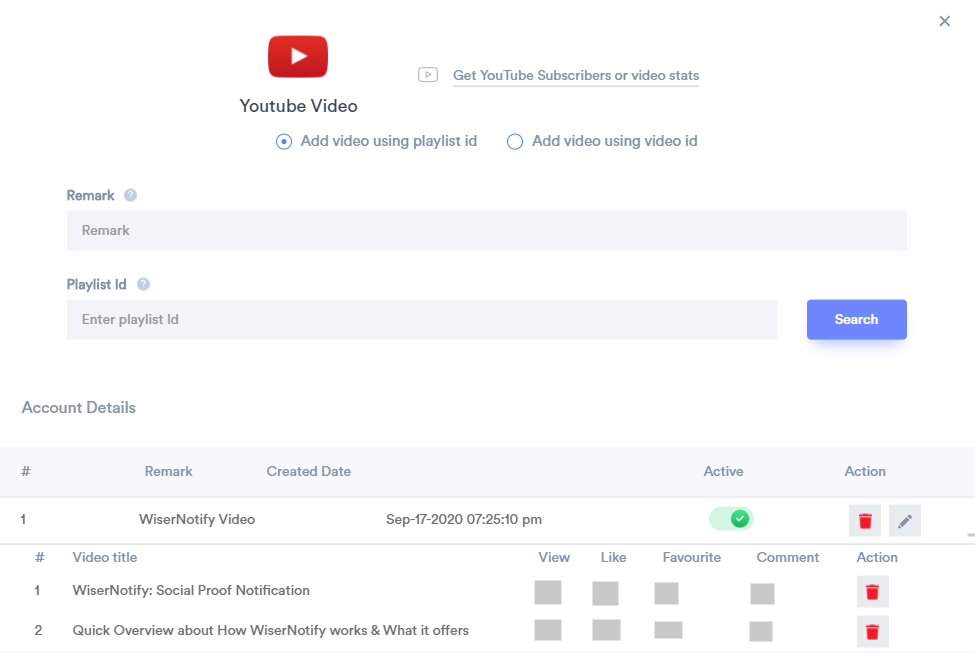
2. The second option is using video ID.
– Go to your YouTube channel and open any video.
– Copy video ID from the URL.

1. Now add a remark.
2. Add your video id.
3. Click on the Add button.
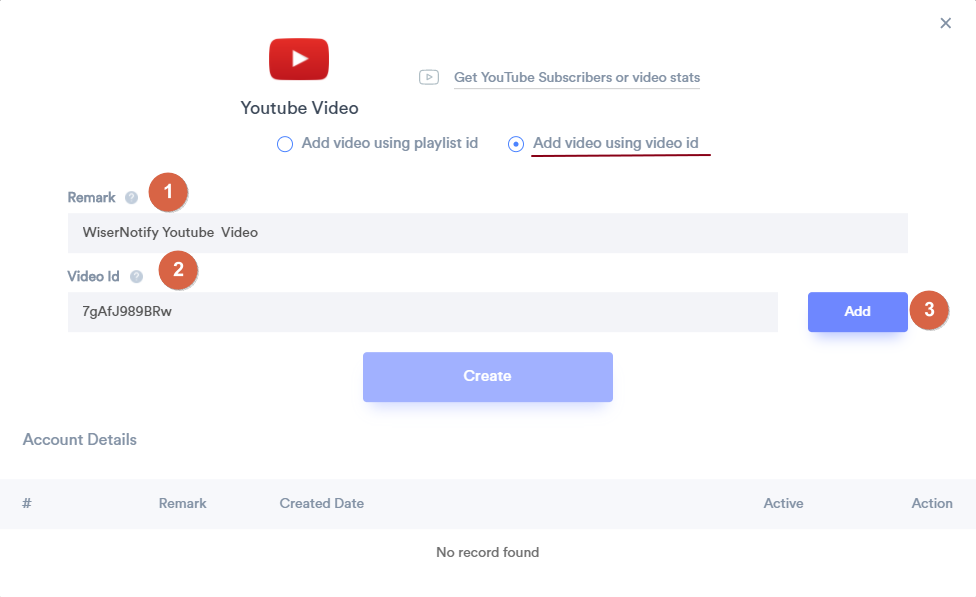
Click on the add button and now you can see the name of the video.
– You can add multiple videos in the same way.
– Once you add videos click on the create button to get the video state data.
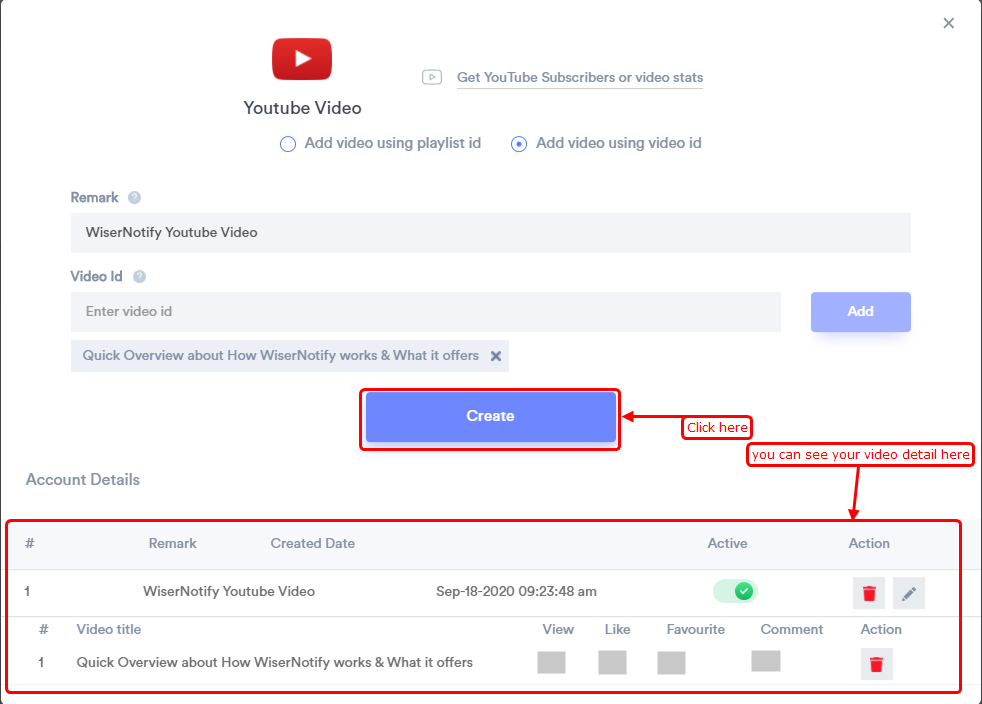
Related guides
 Still stuck? We'll set it up with youLive chat or a free screen-share call, every day of the year.Chat with support



 Capterra