

How to connect WiserNotify with Facebook
Updated Sep 9, 20261 min readConnection guide
Integrating wisernotify with Facebook
Step 1: Create a Facebook connection at wisernotify
- Go to WiserNotify > Jotform Integration.
- Click on the Integrate button inside the Integration box.
- Click on Login with Facebook
- Click on Continue as [Facebook User Name].
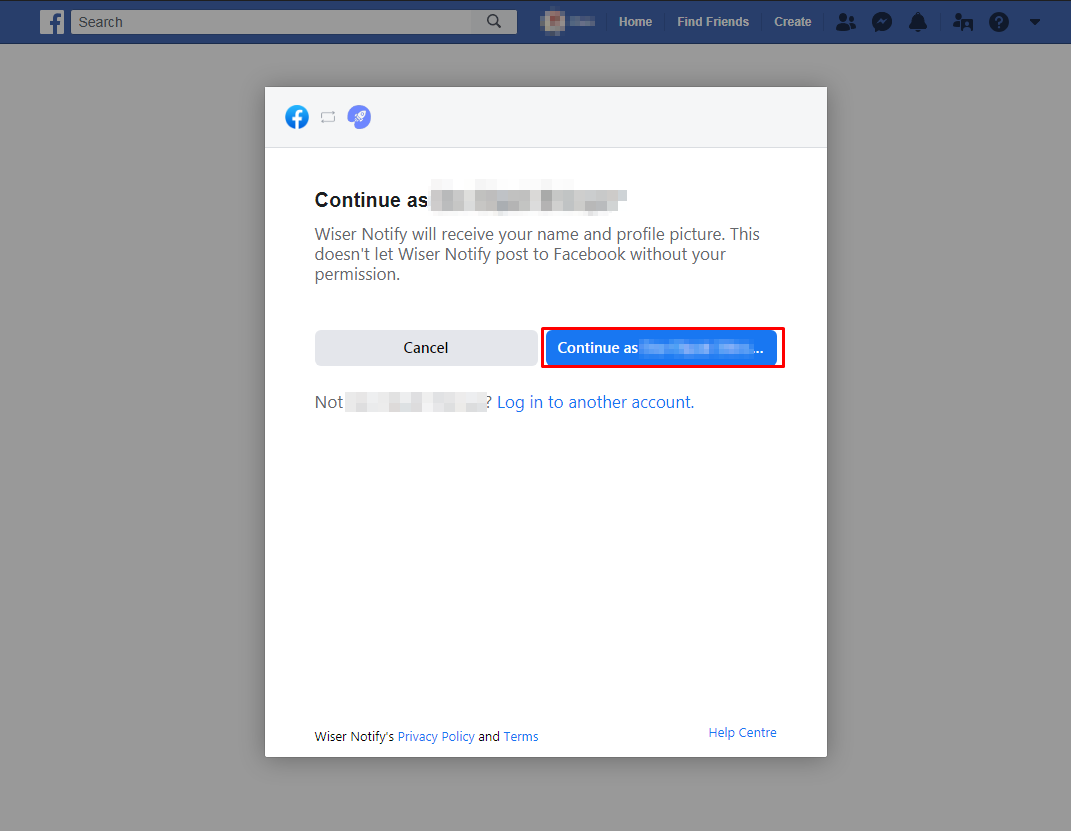
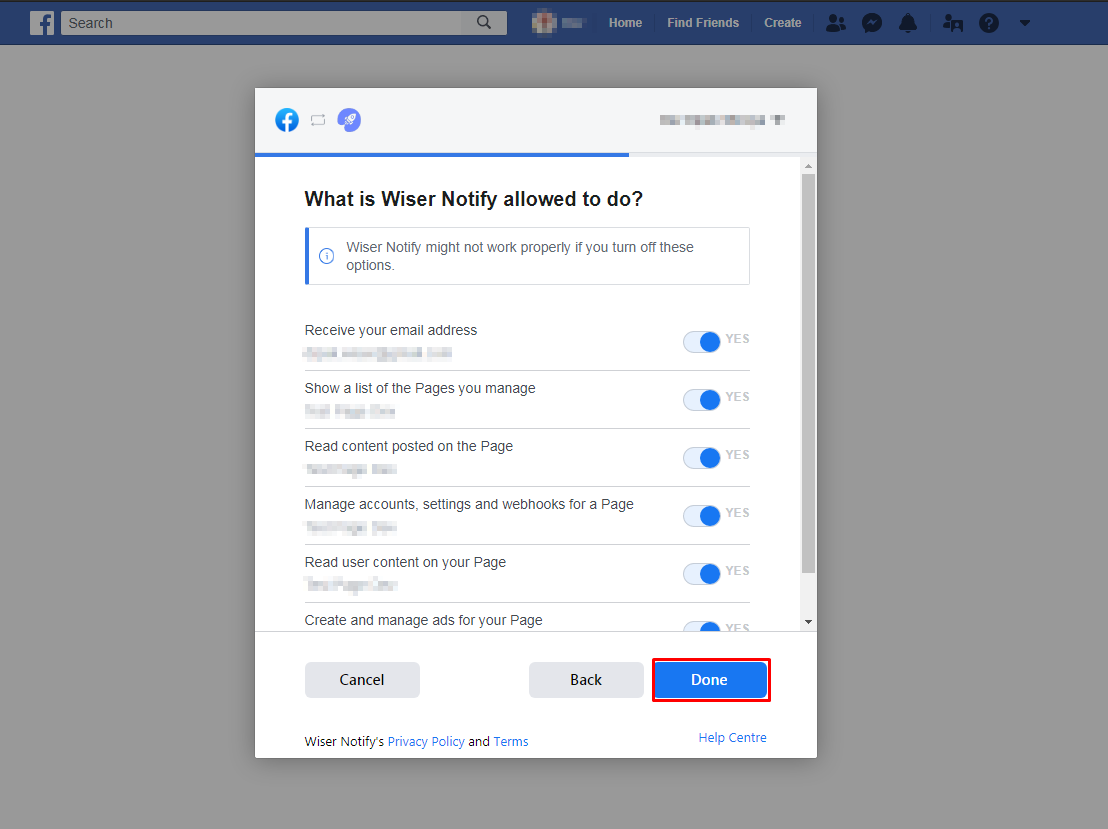
- Select page names and click on the Next button.
- Click the Done button.
- Click the OK button.
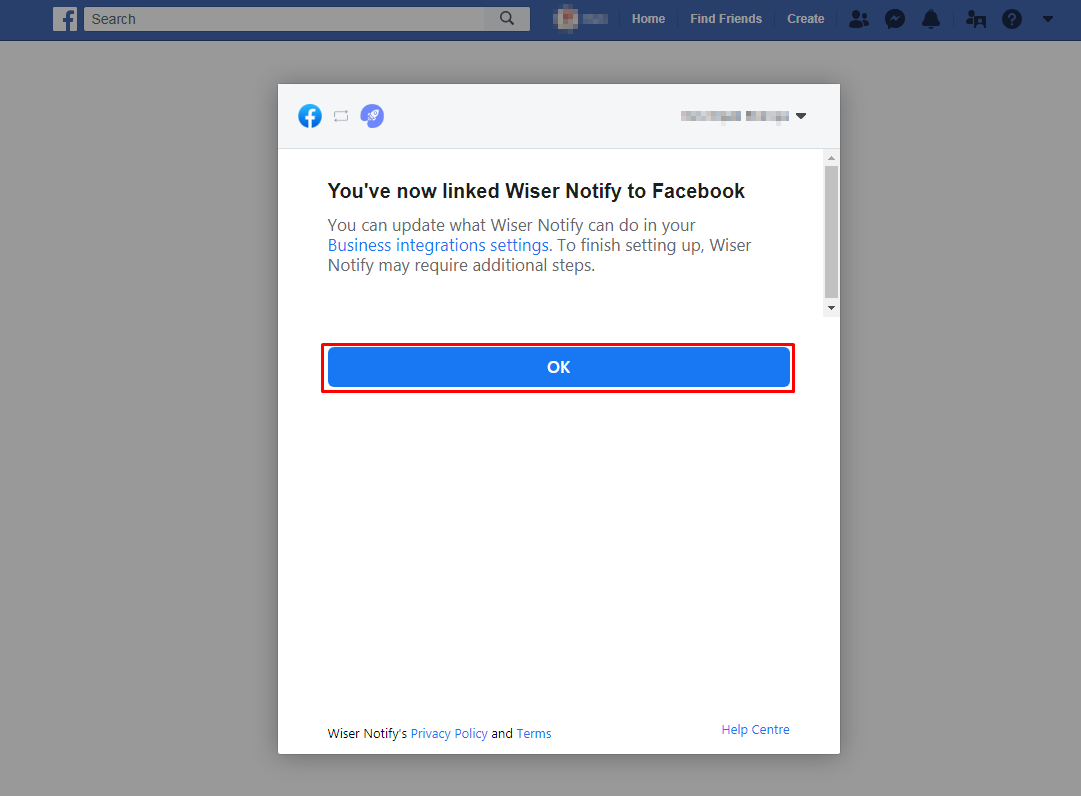
- Once click on “OK”, We will add your Facebook account & redirect you to the integration list.
- Now here you can see “installed” & “connected” status in the Facebook box. please click on the Connected button.
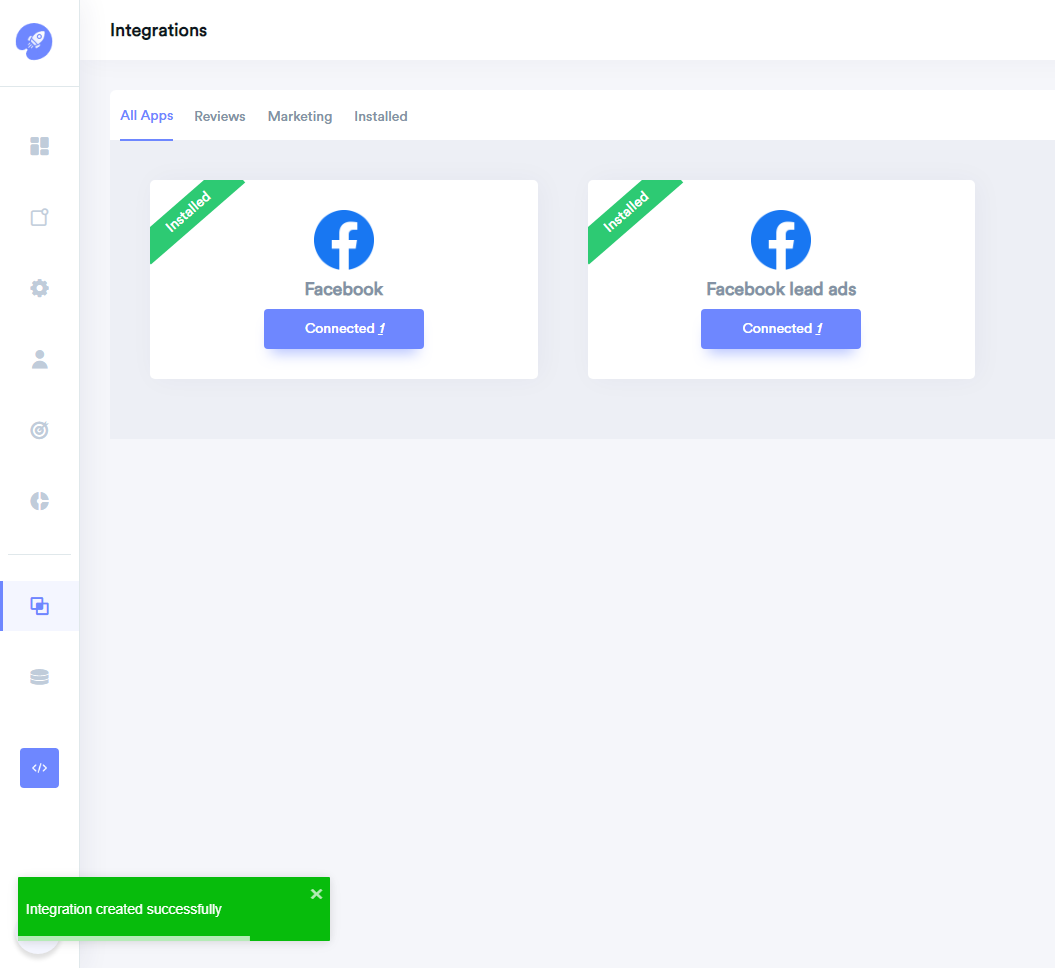
Step 2: In the popup box, you can see your Facebook profile name.
– Click on the “Add Page” button then click on the page name and it will get linked with WiserNotify.
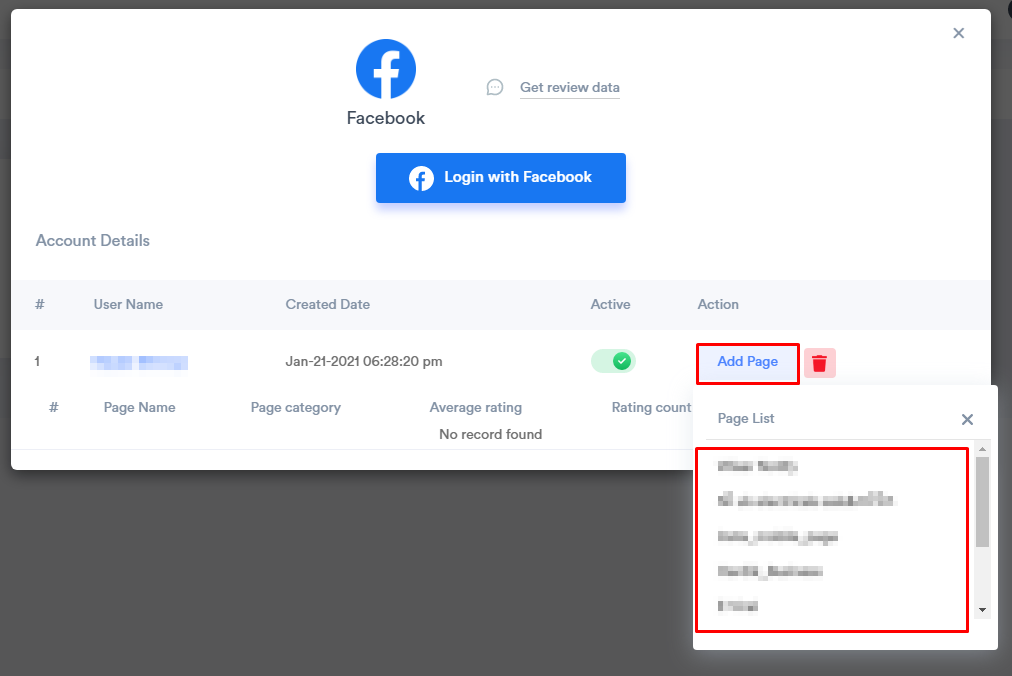
After that, We fetch all the Facebook page reviews & likes count details & Every week, We fetch the latest data from Facebook & show into your reviews or social media follower notifications.
Related guides
How to connect WiserNotify with SpotifyHow to Connect WiserNotify with Instagram PostHow to Embed RSS Feed On Your Website
 Still stuck? We'll set it up with youLive chat or a free screen-share call, every day of the year.Chat with support



 Capterra