

How to connect WiserNotify with Elopage
Updated Sep 10, 20261 min readConnection guide
On this page · 3 sections
This guide will walk you through:
- Capturing Customer Activities: Connect Elopage with WiserNotify using a webhook to fetch real-time purchase events, new sign-ups, and other lead data.
Add API Key to Connect Elopage to pull the events lead data
Step 1: Get the API Key from Elopage
- Go to WiserNotify > Elopage Integration.
- Click on the Integrate button inside the Integration box.
- Login with Elopage.
- Navigate to Settings.
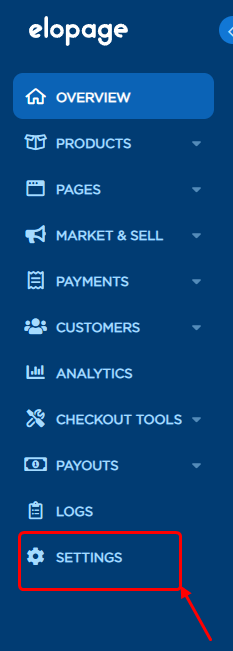
- Navigate to Integration >> Eloping API
- Copy the Secret and key.
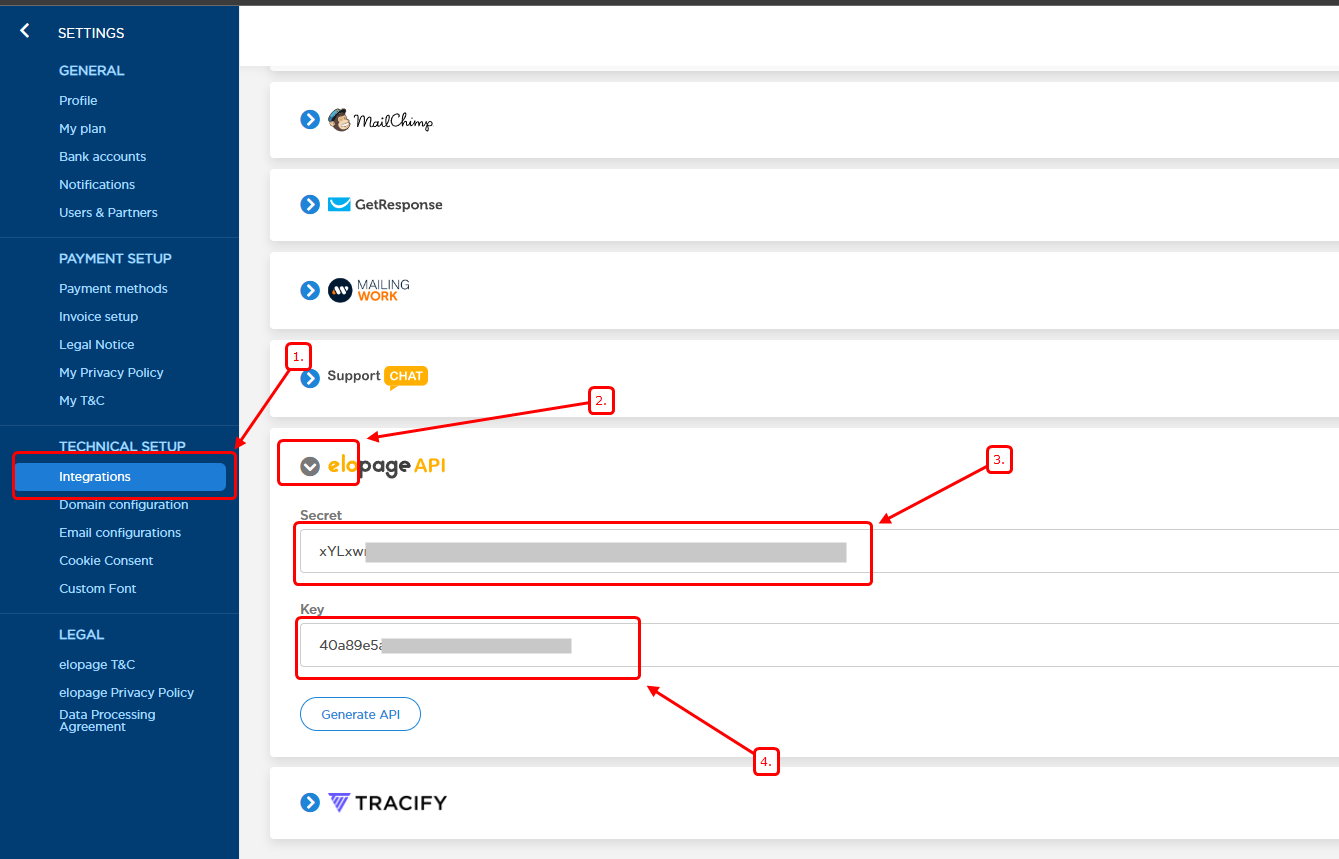
Step 2: Configure API Key in Wisernotify.
- Paste the secret, key, and connection name
- Click on Create
Done.
← PreviousHow to connect WiserNotify with CommercetoolsNext →how to connect wisernotify with MyDukaan
Related guides
How to Connect Creem to WiserNotifyHow to connect WiserNotify with KooneoHow to connect WiserNotify with Chargebee
 Still stuck? We'll set it up with youLive chat or a free screen-share call, every day of the year.Chat with support



 Capterra