
5 Best Review Management Software, Tested (2026)
Review management software collects reviews from customers, lets you reply to them in one place, and shows the best ones on your website.
For ecommerce and local businesses, WiserReview covers all three for the lowest price.
SaaS teams that want video testimonials lean toward Senja, and teams monitoring reviews across many sites pick Reviewflowz. Multi-location brands with bigger budgets look at Birdeye or Podium.
Below are the 5 tools I used hands-on, a 10-tool price comparison, and the collection habits that grow review volume.
Quick Comparison: Review Management Software
The first five are the tools reviewed in depth below. The last five are the big names buyers usually compare them with.
| Tool | Best for | Starting price | Key strength |
|---|---|---|---|
| WiserReview | Ecommerce and local | $6.75/mo billed yearly (100 review requests/mo), 7-day trial | Collection, replies and display in one tool |
| Senja | SaaS and startups | Free plan; Starter $29/mo (2 seats) | Video testimonials |
| Famewall | Creators and coaches | Free plan; Standard $12/mo | Testimonial walls |
| Trustmary | SMB marketers | Free plan; paid plans priced by widget views and sources | Surveys plus review imports |
| Reviewflowz | SaaS and B2B | $45 per location/mo billed yearly, free trial | Monitoring and AI replies |
| Birdeye | Multi-location businesses | Quote, priced by number of locations | One inbox for many review sites |
| Podium | Local service businesses | Quote only | Text-message review requests |
| Yotpo | Larger Shopify stores | Free up to 50 orders/mo; paid from $15/mo | Reviews plus loyalty |
| Reviews.io | Ecommerce wanting Google Seller Ratings | Paid plans metered by monthly review invites | Google partner for seller ratings |
| Trustpilot | Brands that want a public review profile | Free (50 invites/mo); Starter $99/mo per domain, billed yearly | Well-known third-party profile |
Prices checked on September 23, 2026. Trustmary, Birdeye and Podium show prices only after you enter your usage or book a call.
Top 5 Review Management Software (Hands-On Tested)
1. WiserReview

WiserReview (our product) is review management software for ecommerce brands, local businesses and agencies.
It covers three jobs in one dashboard:
- Collect reviews
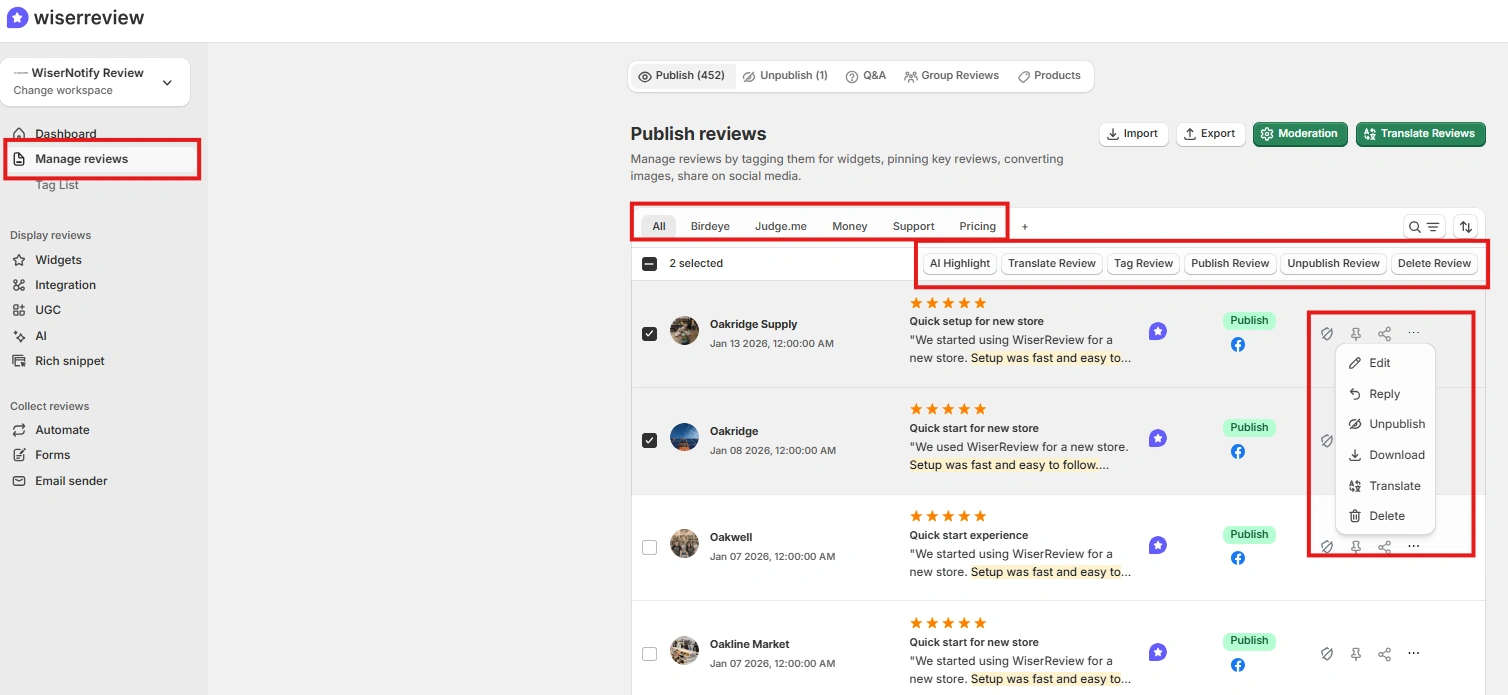
- Manage and reply to customer reviews
- Display reviews in formats that help sales
What It Does Well
1. Automated Review Requests
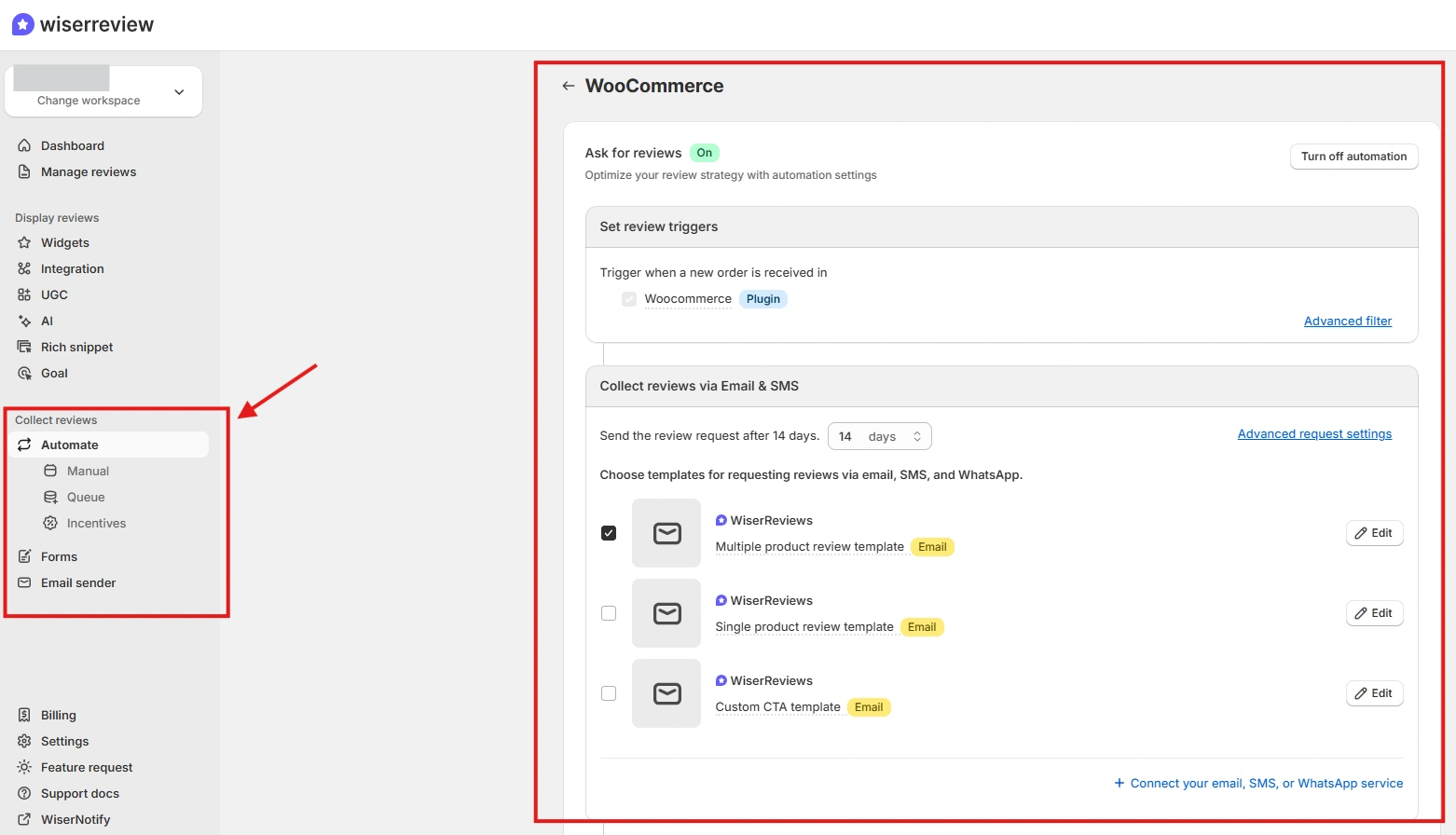
You can trigger automated review requests based on order status, delivery confirmation or service completion.
Most businesses forget to ask customers to leave reviews. Review volume stays low, not because customers are unhappy, but because no one asked.
For ecommerce, requests can go out 7 to 14 days after delivery. For local services, they can go out right after the job is done.
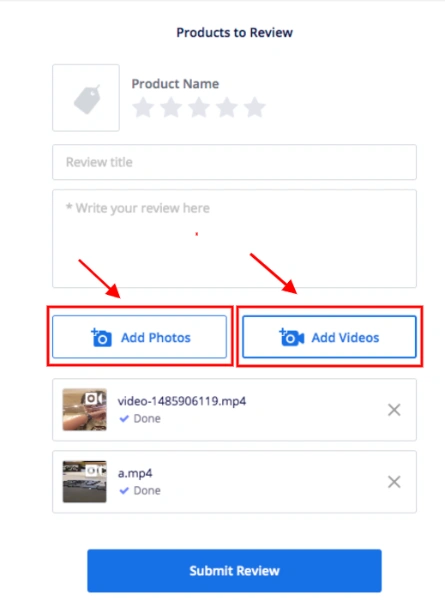
2. Text, Photo and Video Reviews
WiserReview collects text, photo and video reviews through the same request.
Photo and video reviews show the product in real use, which is what hesitant shoppers want to see. Video reviews are included on paid plans rather than sold as an add-on.
3. Display Widgets
This is where many review tools fall short. They collect feedback but don’t help you show it.
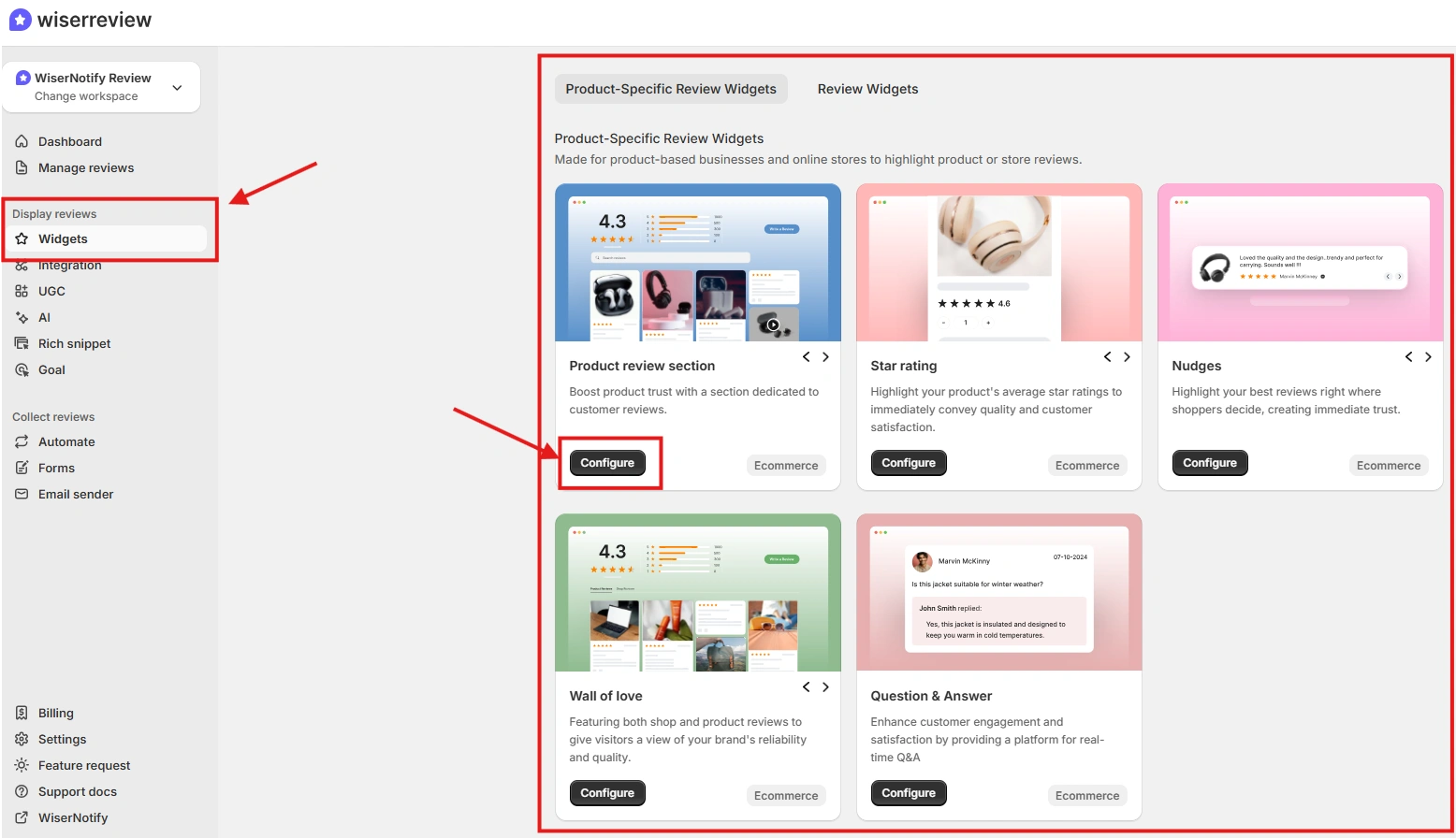
WiserReview offers carousels, popups, badges and review walls.
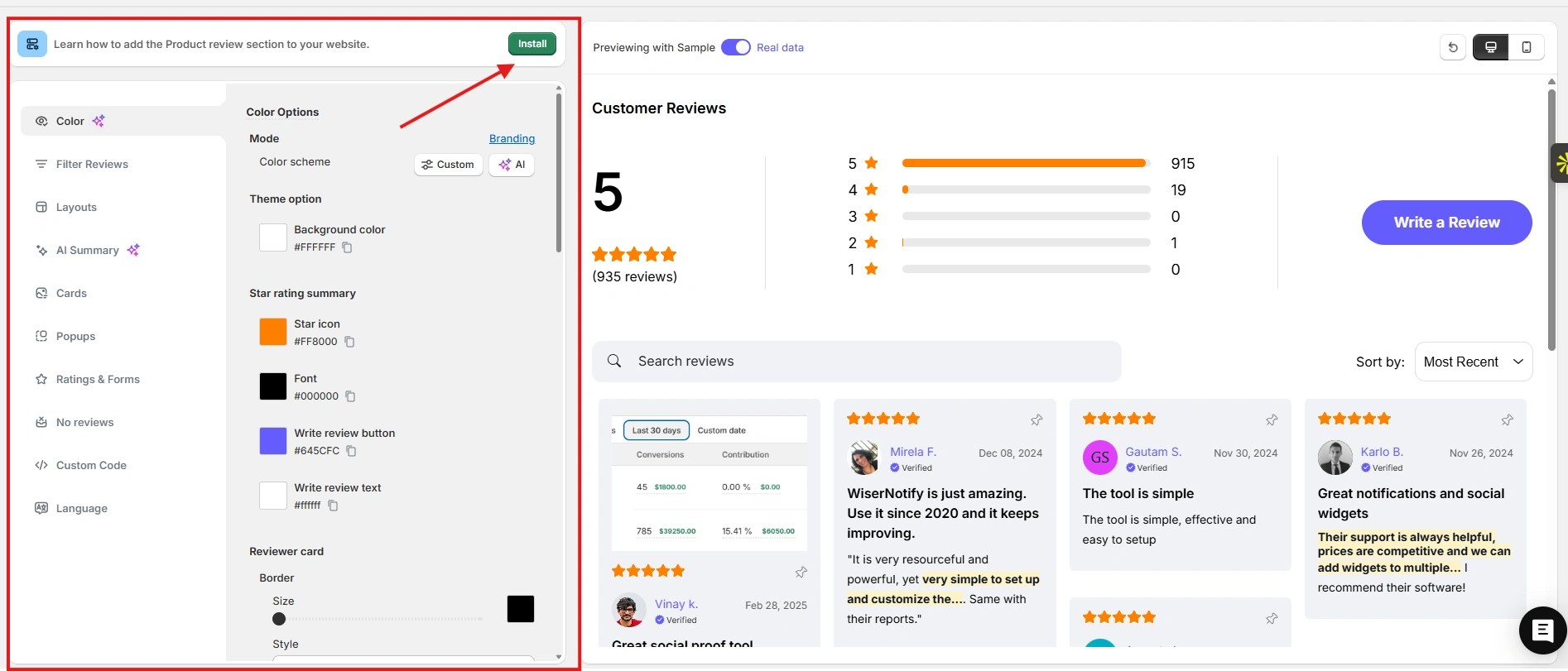
You can place star ratings near product titles, show review snippets on collection pages, and add homepage testimonials.
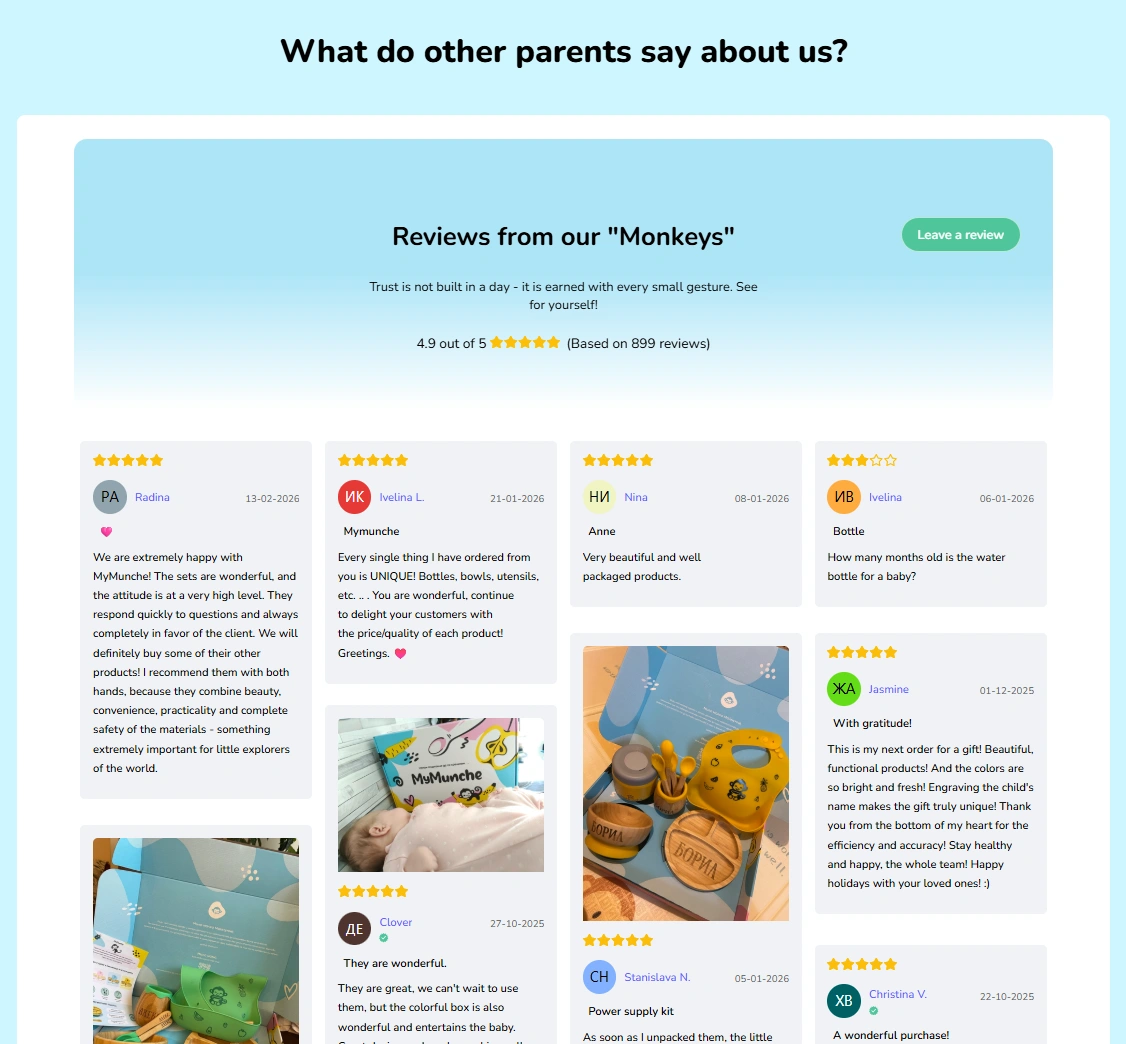
Schema markup support lets star ratings appear in Google search results, which helps both trust and clicks.
4. Moderation and AI Reply Templates
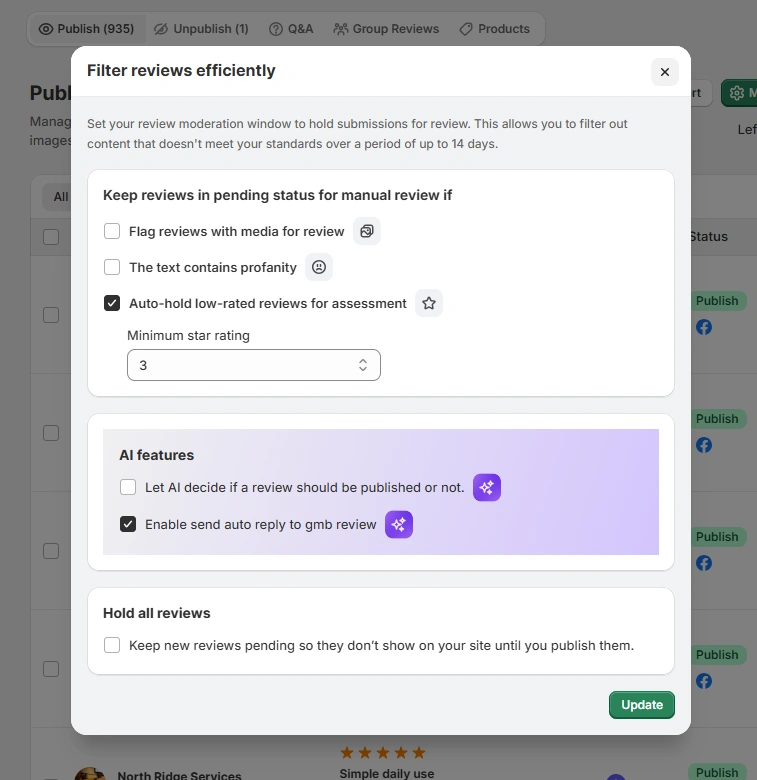
Moderation filters block spam and inappropriate content, and AI reply templates speed up responses.
Fast, thoughtful replies show customers you listen. Even negative reviews become a chance to win someone back.
AI insights also summarize what reviews say overall, so you can spot patterns without reading every one.
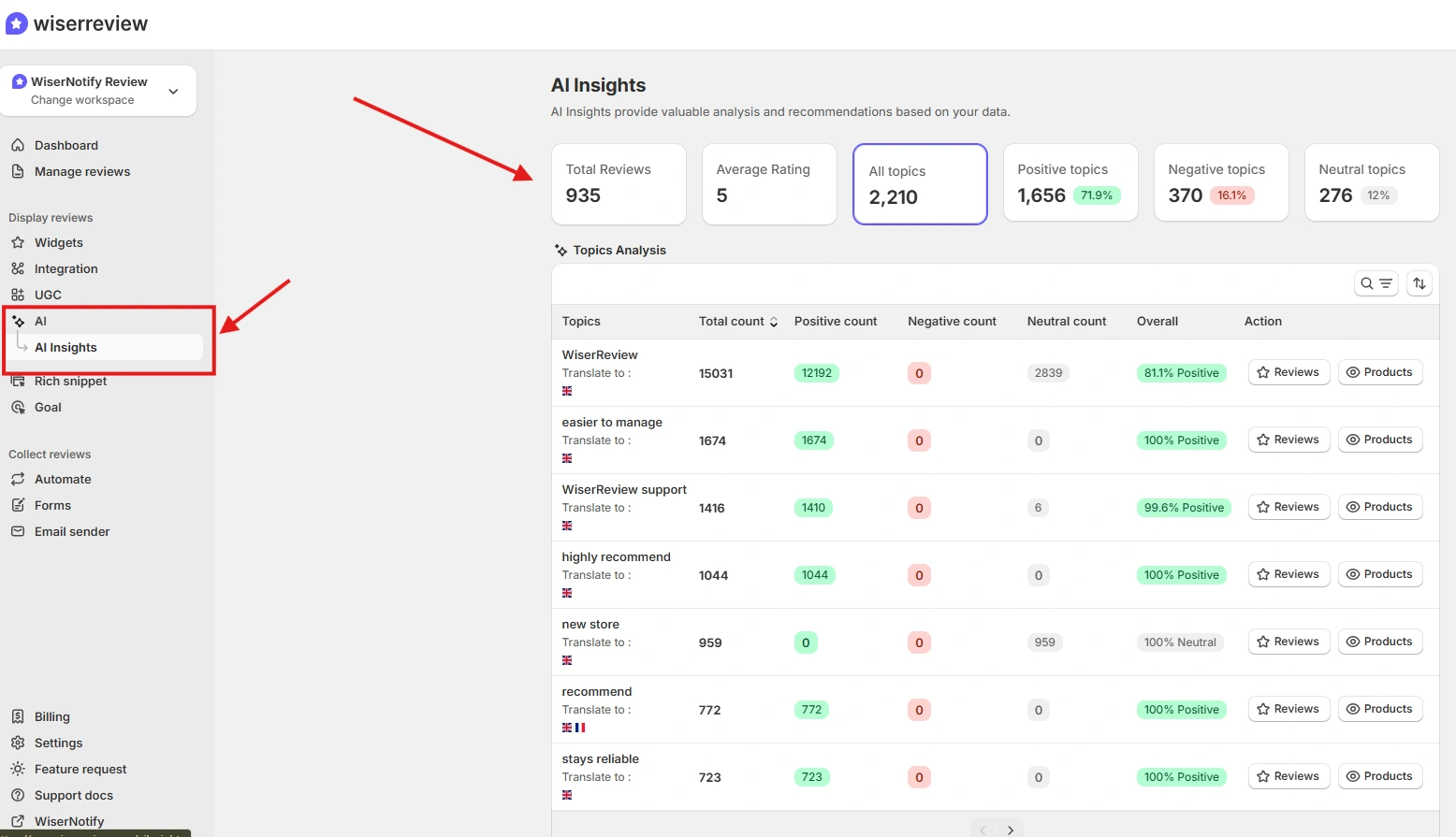
Where It Fits Best
- You run a Shopify, WordPress or WooCommerce store
- You want more reviews without hiring extra staff
- You need one dashboard for collection, replies and display
It integrates natively with Shopify, WooCommerce and WordPress, so setup is quick.
Where It Is Not Enterprise-Level
If you need advanced social listening, complex enterprise workflows, or reputation management across hundreds of locations, Birdeye or Podium are built for that, at a much higher price.
Pricing: Starter is $6.75/month billed yearly for 100 review requests a month, Pro is $19/month for 1,000, and Pro + AI is $31/month, with a 7-day free trial.
A free plan exists only through the Shopify and Wix app stores.
2. Senja

Senja focuses on simplicity and video testimonials for startups and SaaS companies.
After testing it, I’d sum it up as clean, fast and low-friction.
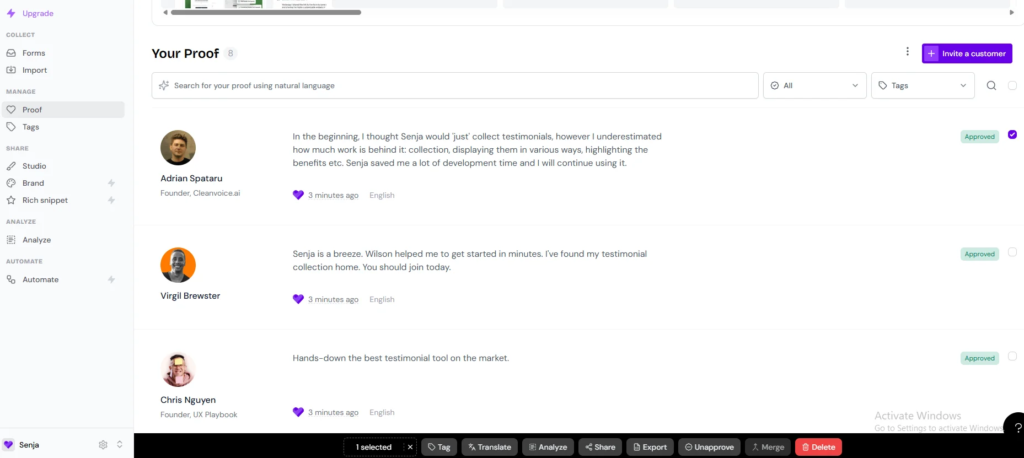
What It Does Well
1. Easy Video Collection
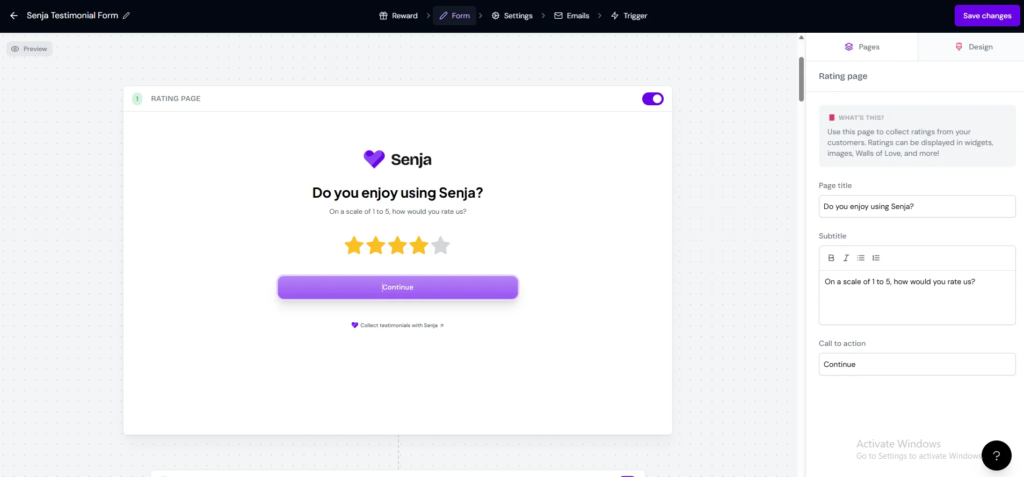
Senja sends “magic links” that let customers record a video without creating an account. Removing the login step is what gets more people to finish.
2. Wall-of-Love Widgets
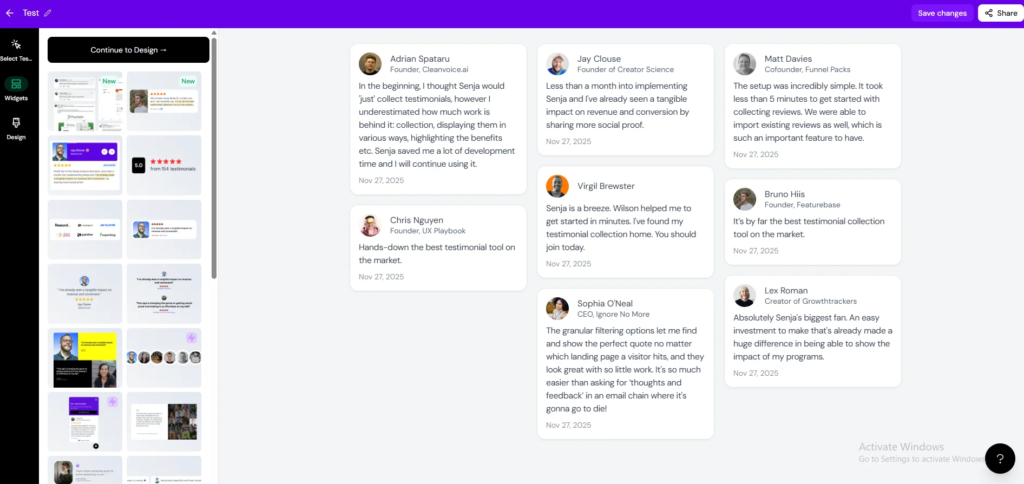
Senja’s embeddable testimonial walls look clean on landing and pricing pages. You collect, pick the best, and publish with little setup.
3. Slack and Zapier Integrations
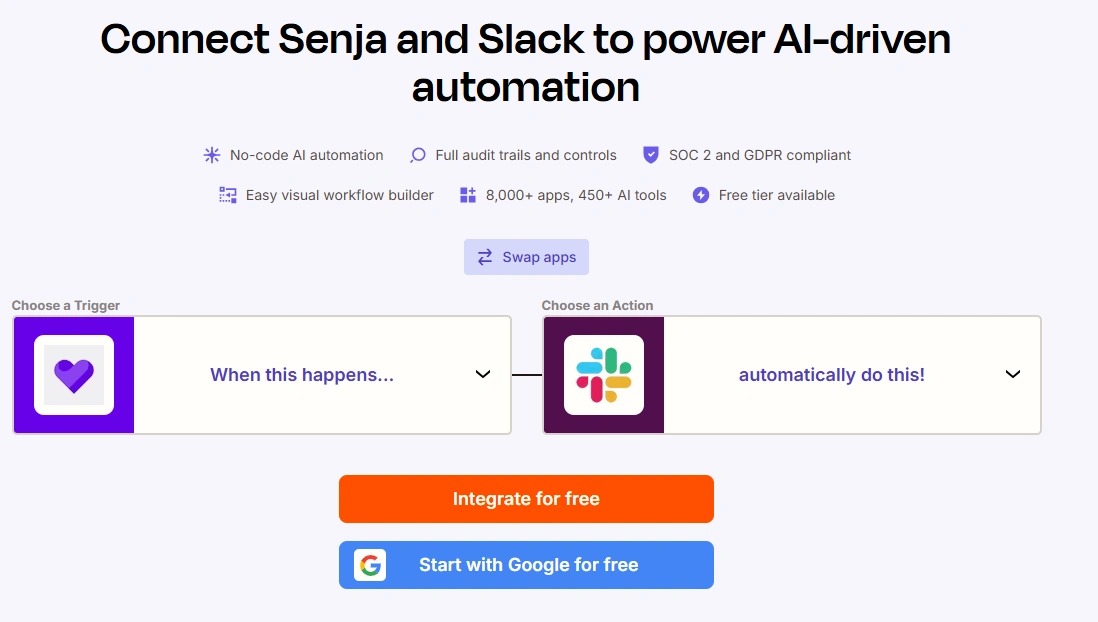
New testimonials can post straight to Slack, and Zapier connects Senja to the rest of your stack.
Where It Falls Short
Senja doesn’t monitor reviews across Google, Yelp or Capterra. It is a testimonial tool more than a reputation management system, and the entry paid plan covers only 2 seats.
Who It Is Best For
- SaaS founders
- Agencies collecting case studies
- Startups that want video testimonials
Pricing: Free plan, then Starter at $29/month (2 seats) and Pro at $59/month (5 seats).

All your reviews in one place
Collect reviews, manage every response, and display them where they matter most.
3. Famewall

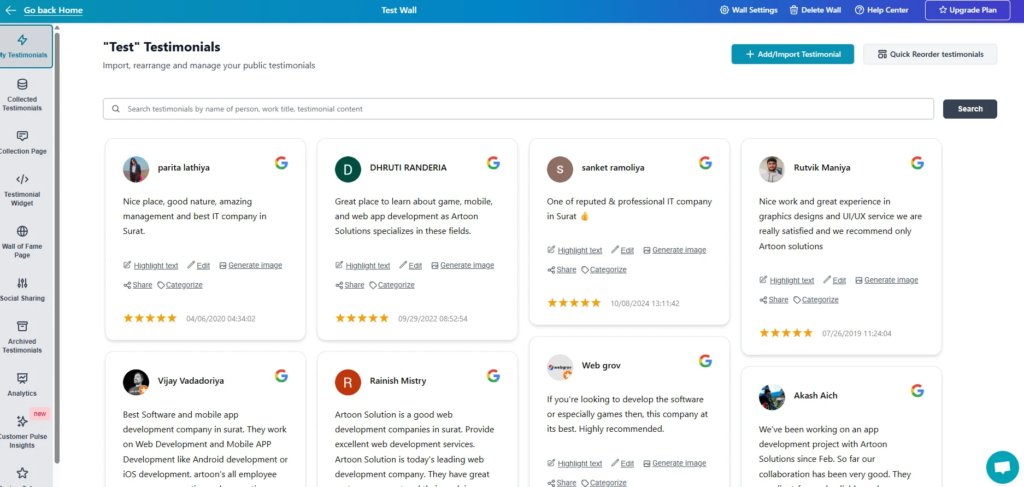
Famewall is a testimonial platform that pulls customer feedback from many sources into clean, uncluttered displays.
It is built for creators, coaches and small firms. It isn’t trying to be a heavy reputation system.
What It Does Well
1. Text, Video, Audio and Social Imports
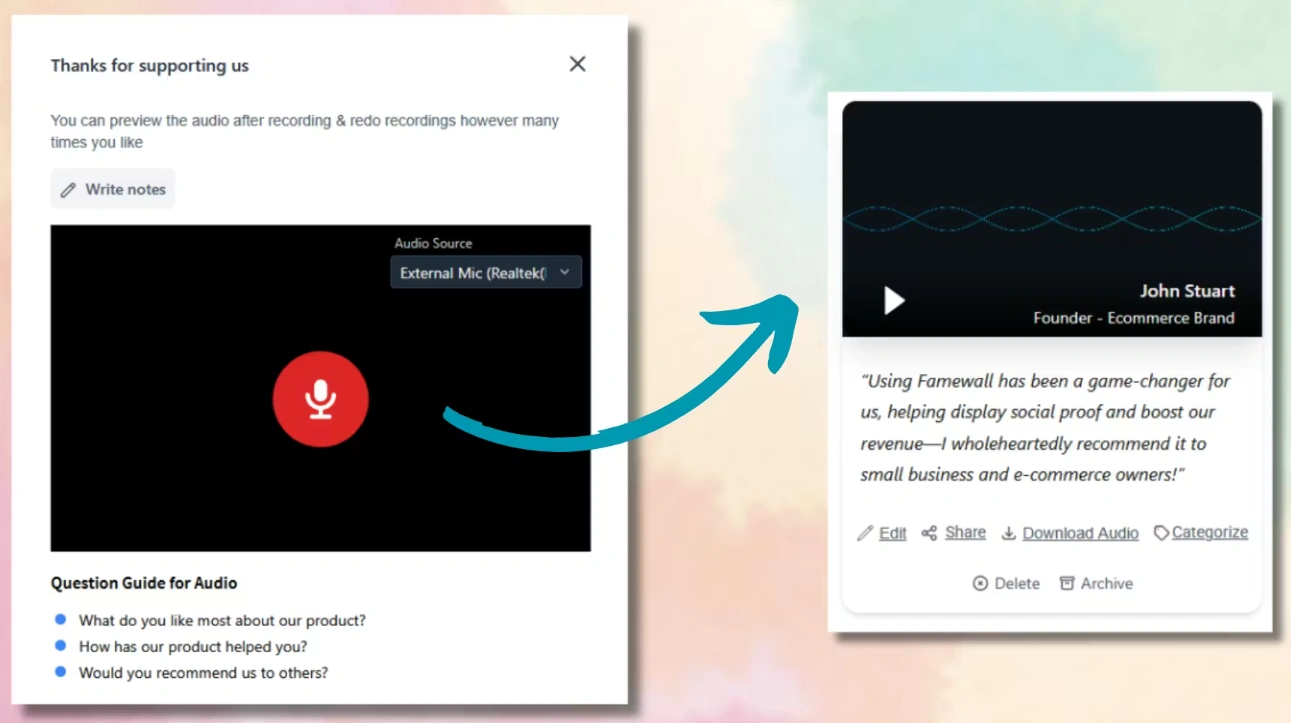
Famewall accepts text, video and audio testimonials, plus imports from social media. Audio is rare in this category and suits coaches and podcasters.
2. AI Writing Help and Summaries
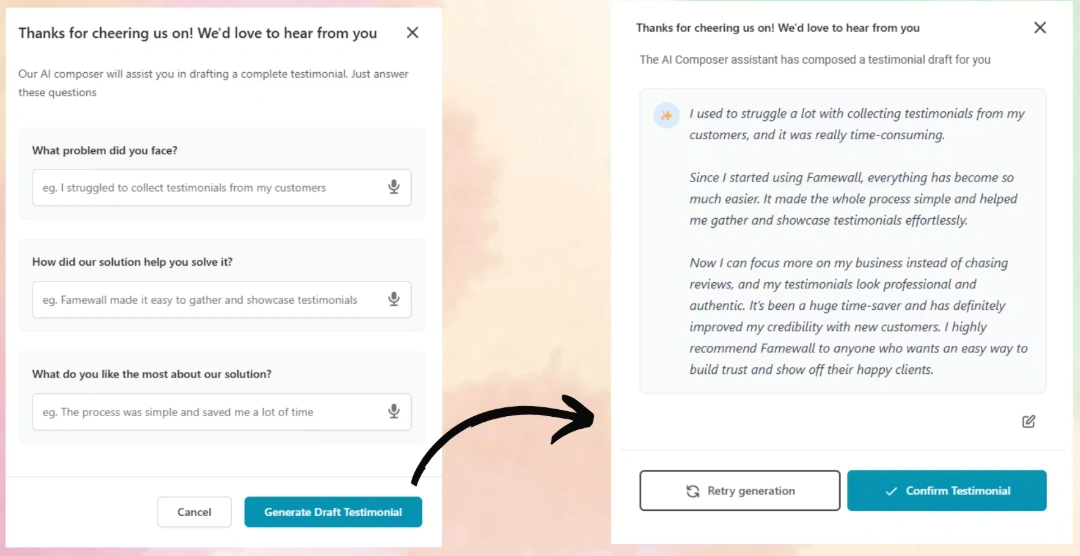
An AI assistant helps customers who don’t know what to write, which gets more people to finish. Widgets can also show an AI summary of all your testimonials.
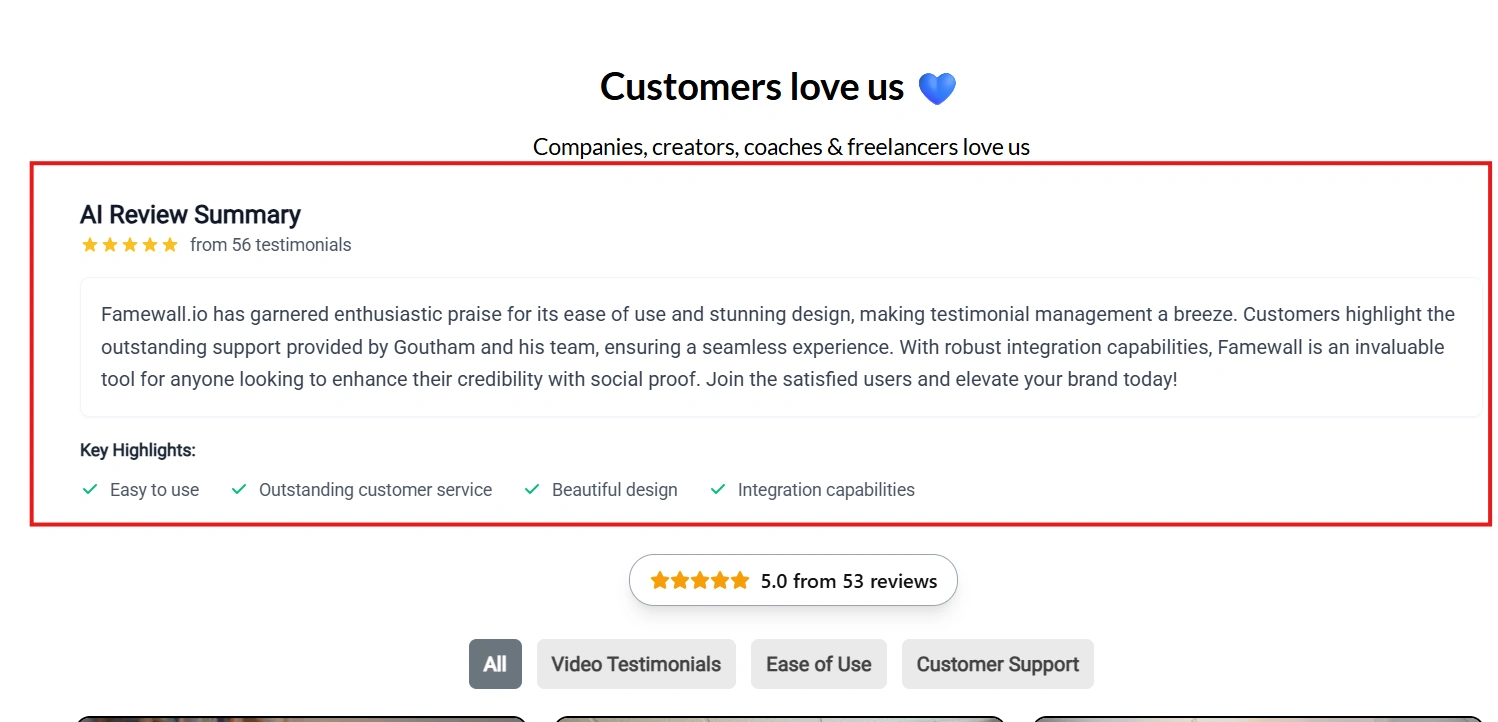
3. Wall-of-Love Display
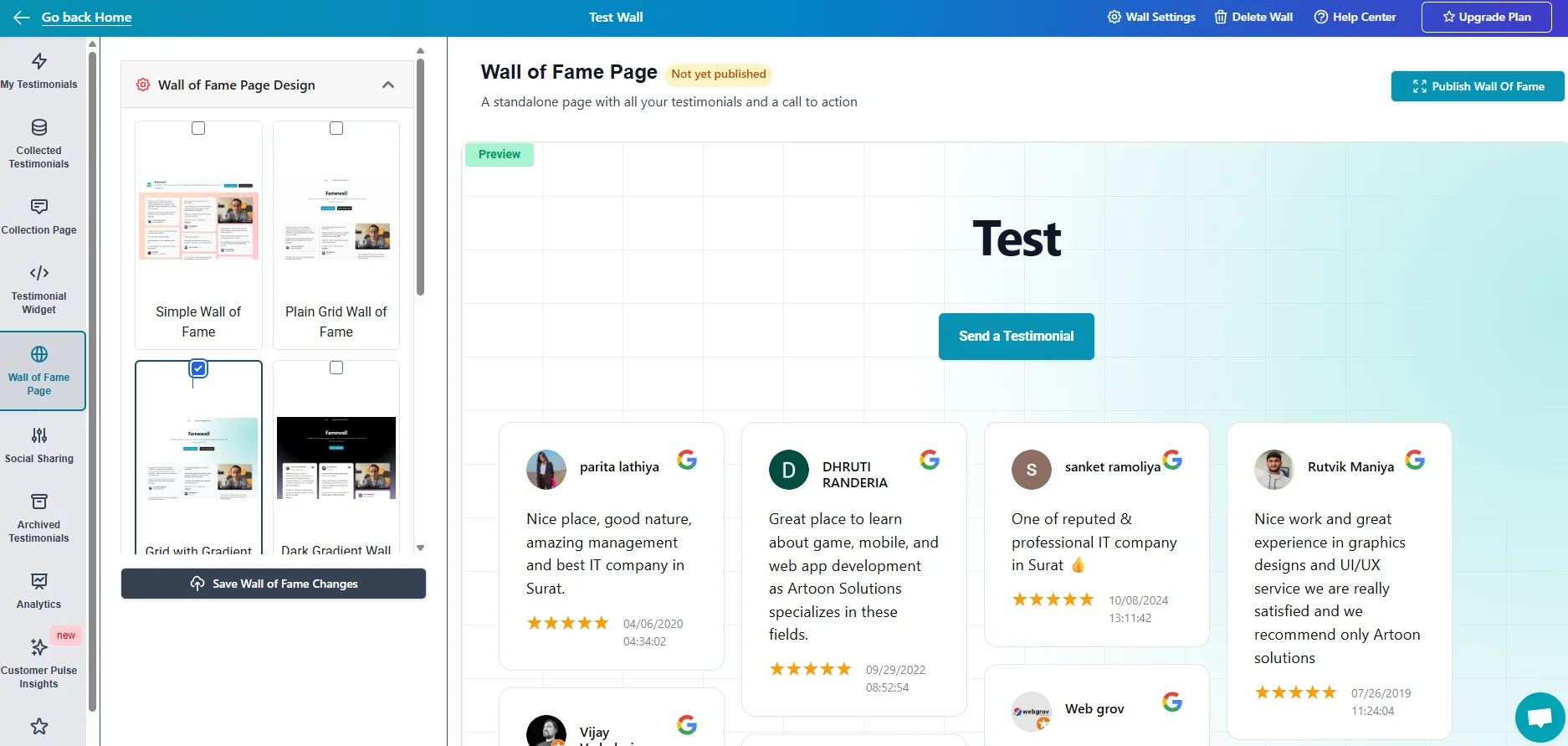
The embeds are clean and no-code, and higher plans add your own domain and white labeling.
Limitations
Famewall doesn’t monitor review sites like Google or Yelp. Wall, collection page and team-member limits rise by plan, so growing teams hit caps on lower tiers.
If you need unlimited video reviews across many pages, check the plan limits first.
Who It Is Best For
- Creators and course sellers
- Coaches and consultants
- Agencies building client proof pages
Pricing: Free plan (10 testimonials), then Standard at $12/month, Professional at $25/month and Business at $80/month, billed yearly.
All your reviews in one place
Collect reviews, manage every response, and display them where they matter most.
4. Trustmary

Trustmary combines review collection, customer surveys and review imports for small and mid-sized marketing teams.
It feels like a mix of survey software and review management software.
What It Does Well
1. Imports From Major Review Sites
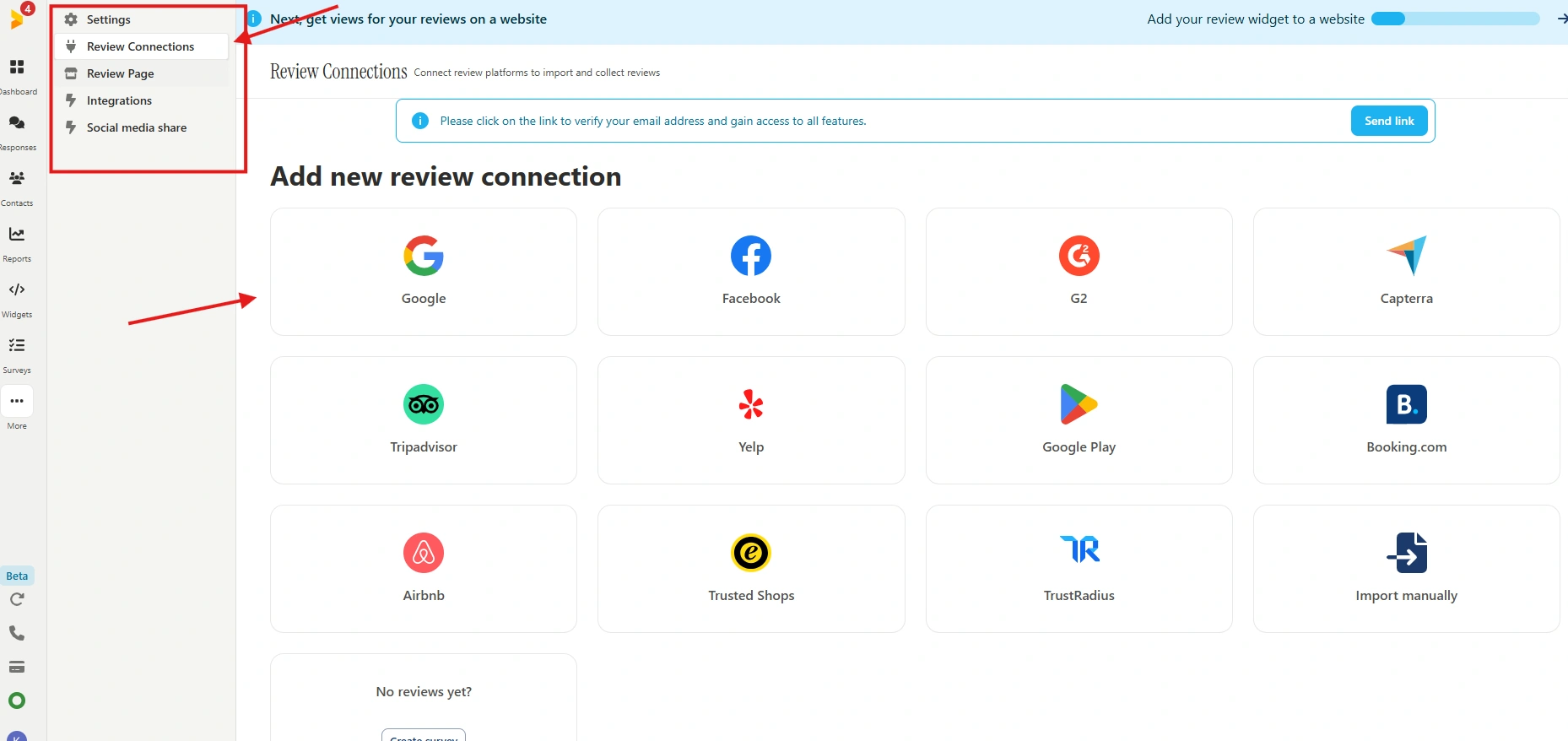
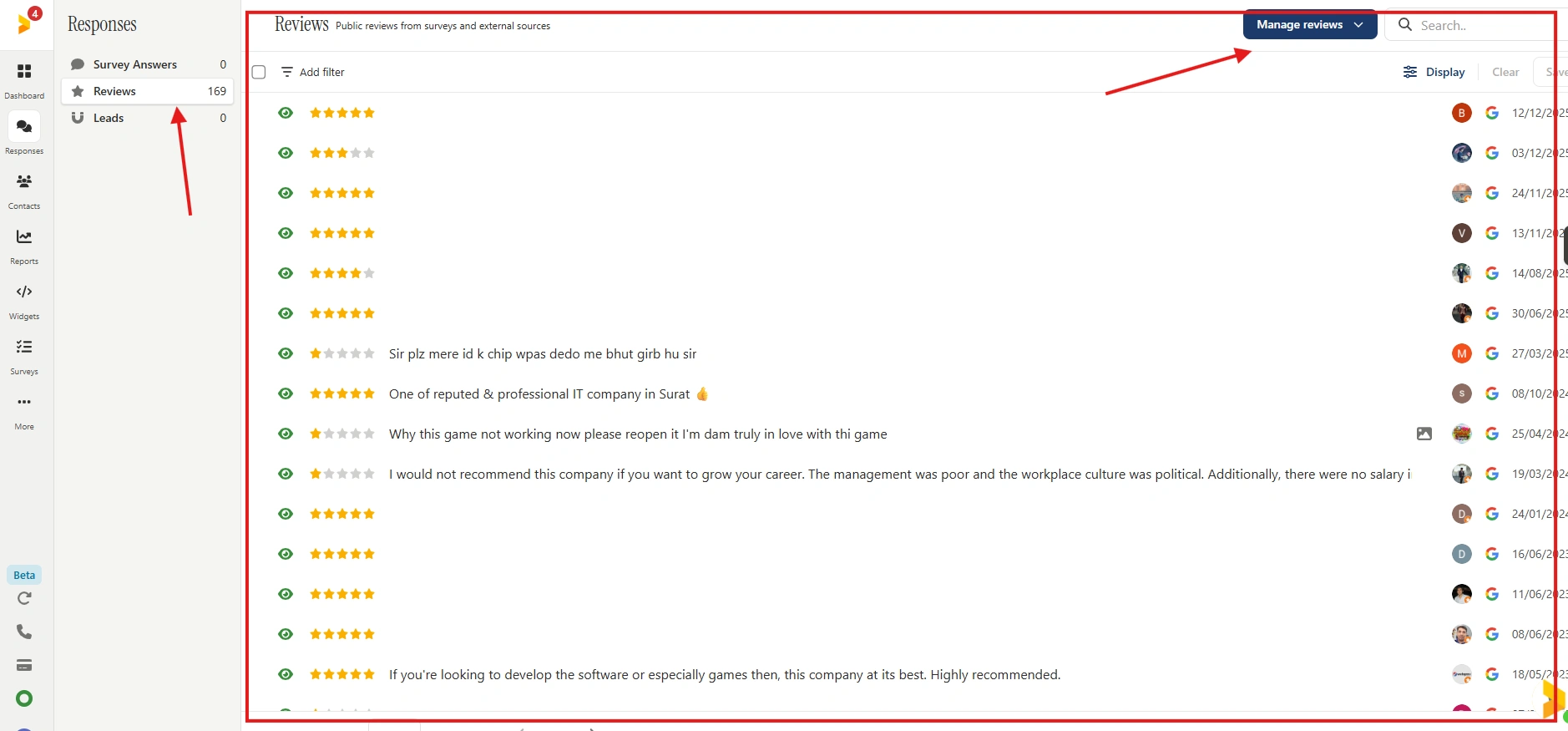
Trustmary automatically imports reviews from Google, Facebook, G2, Capterra, TripAdvisor and Yelp.
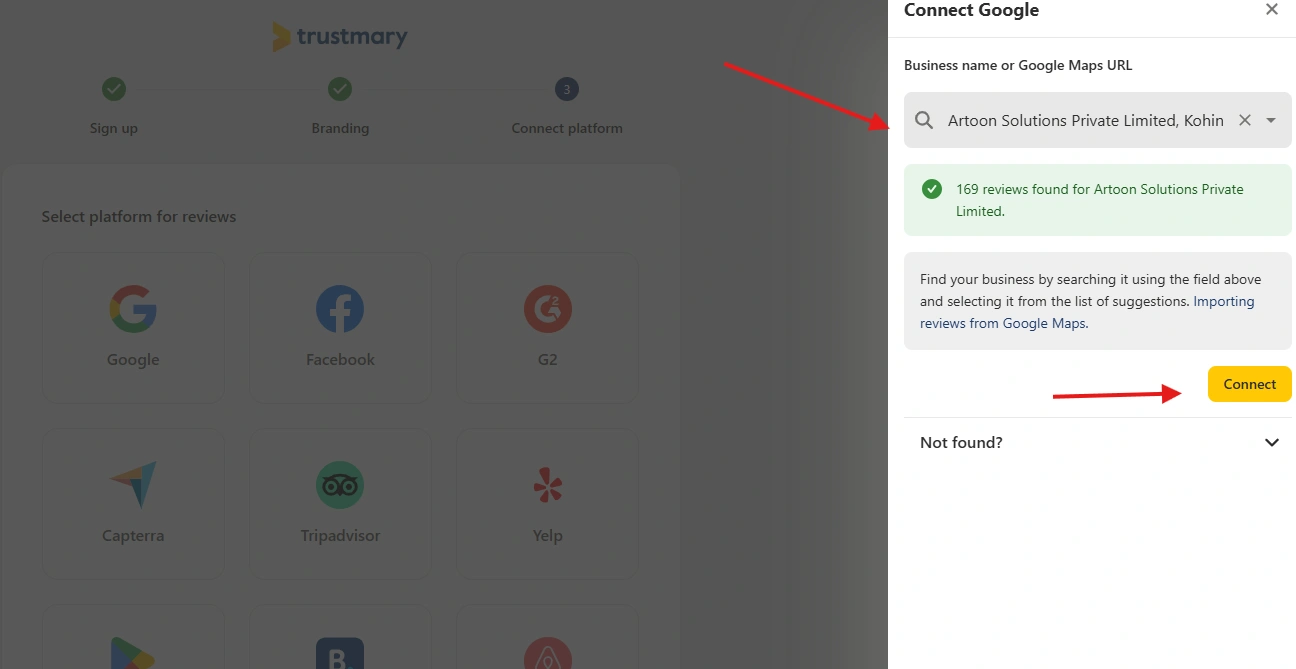
That puts reviews you already have on other platforms into one dashboard.
2. Survey Distribution Channels
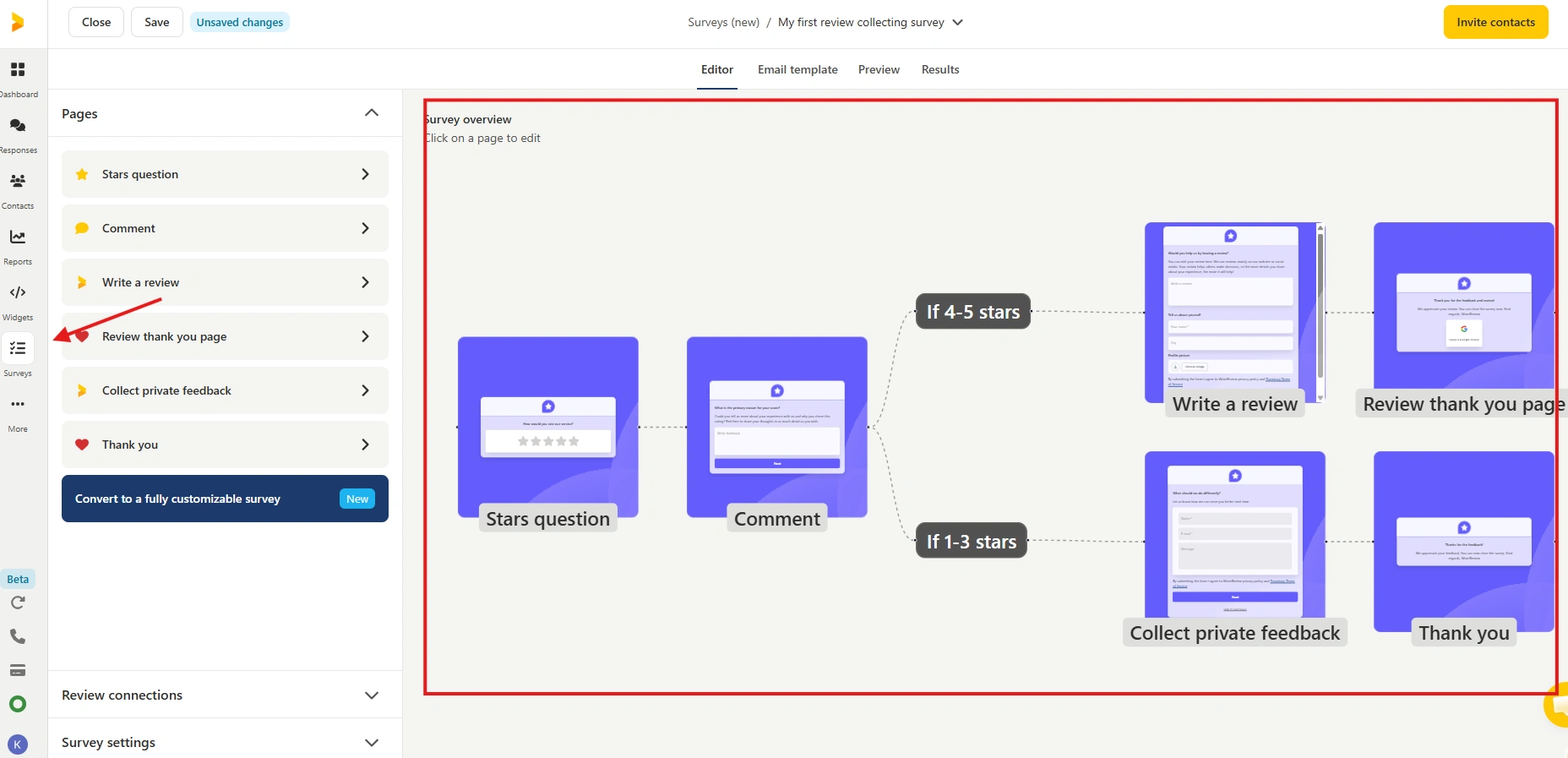
Surveys and testimonial forms go out by email, link, QR code, SMS (in Europe), website embed or email signature.
3. Lead Generation Widgets
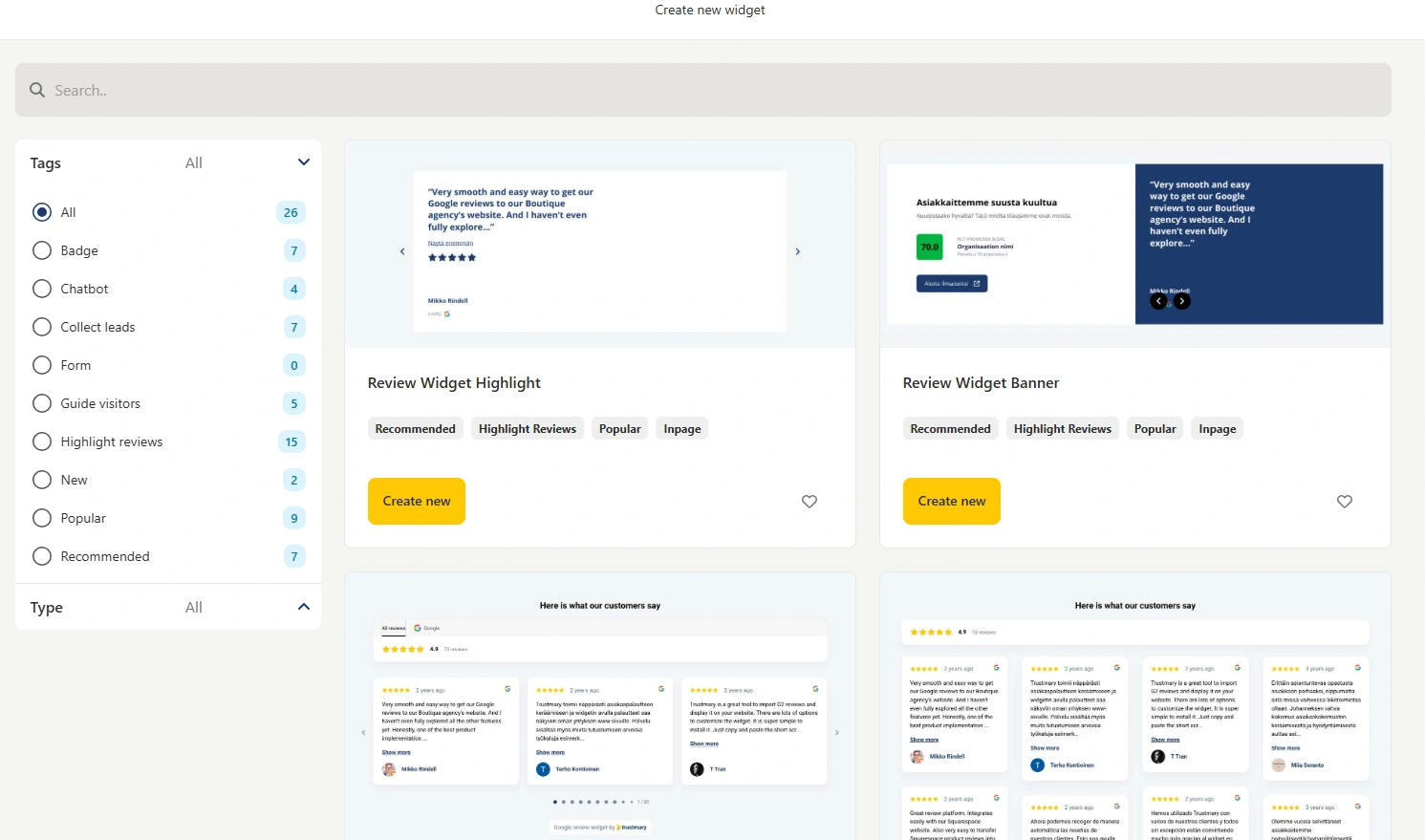
Trustmary mixes reviews with popups and forms, aiming to turn feedback into leads.
Limitations
Widget views are metered. Every page load counts, and once you reach the monthly limit, Trustmary hides the widget until the limit resets.
That means your reviews can disappear during a traffic spike, exactly when you want them most.
Who It Is Best For
- SMB marketing teams
- Businesses that rely on Google reviews
- Teams that want surveys and review imports together
Pricing: Free Solo plan, then paid plans built in a calculator from monthly widget views, review sources and survey responses, so the price depends on your traffic.
All your reviews in one place
Collect reviews, manage every response, and display them where they matter most.
5. Reviewflowz
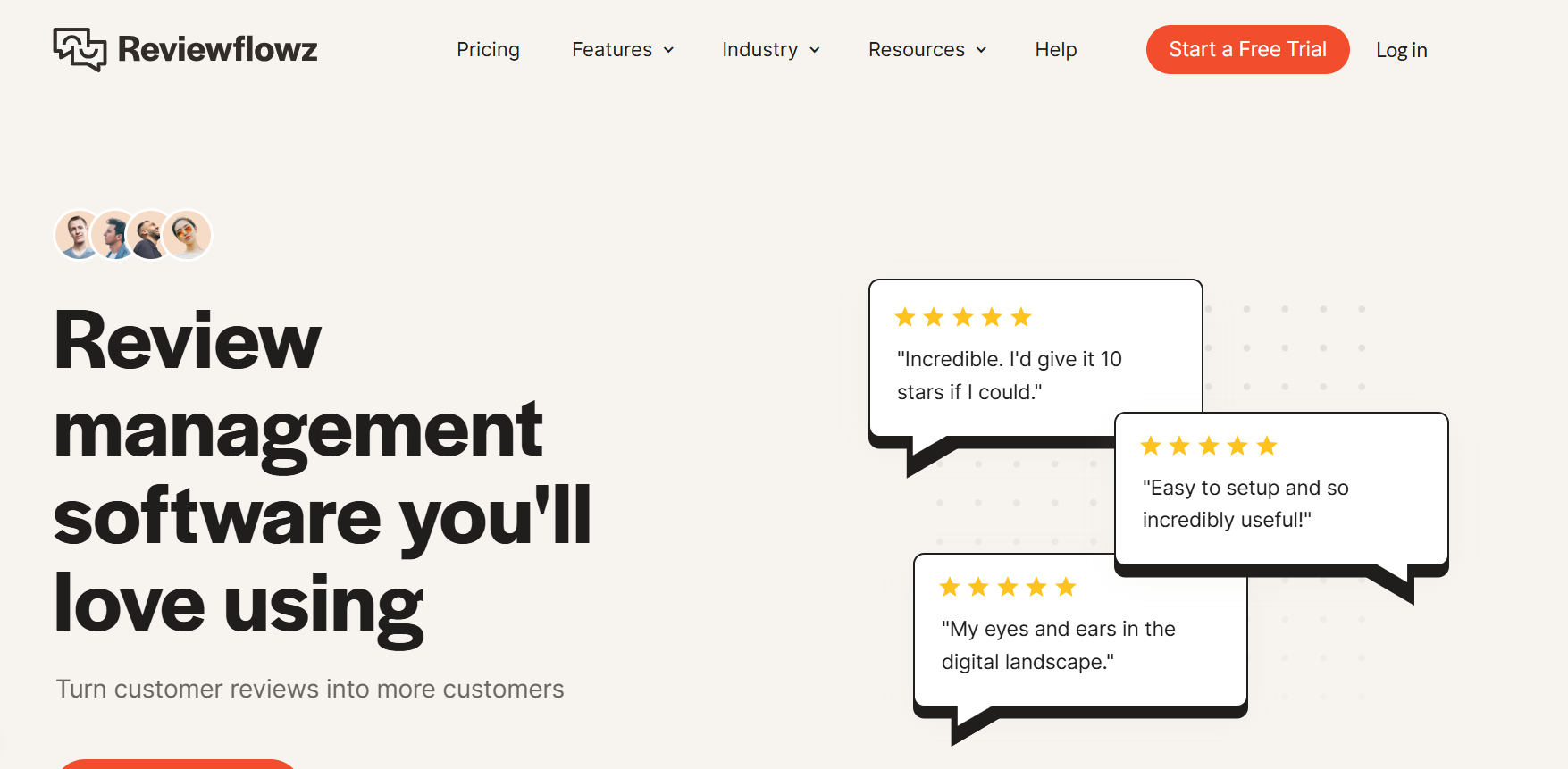
Reviewflowz is built for review monitoring, mainly for B2B and SaaS companies.
It is less about on-site testimonials and more about managing reviews across platforms at scale.
What It Does Well
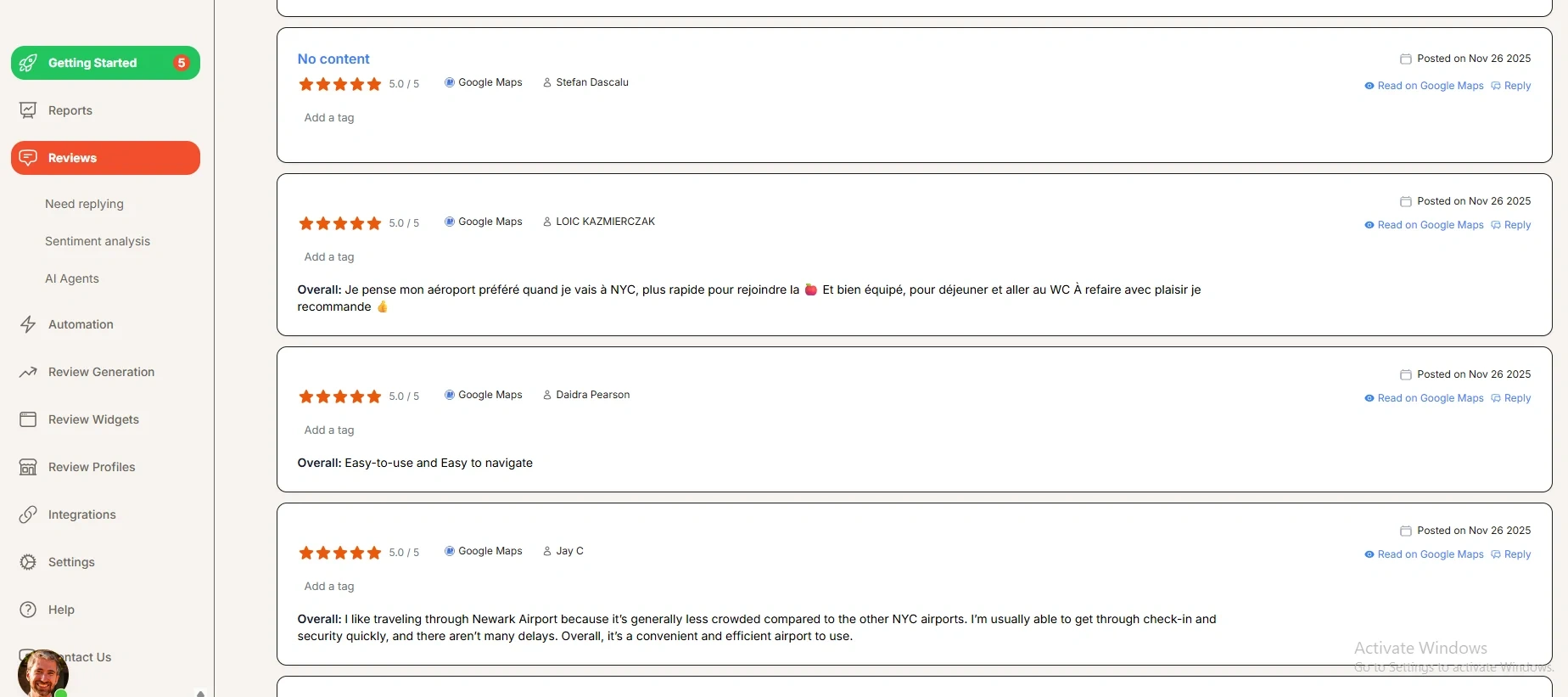
1. Monitor Reviews Everywhere
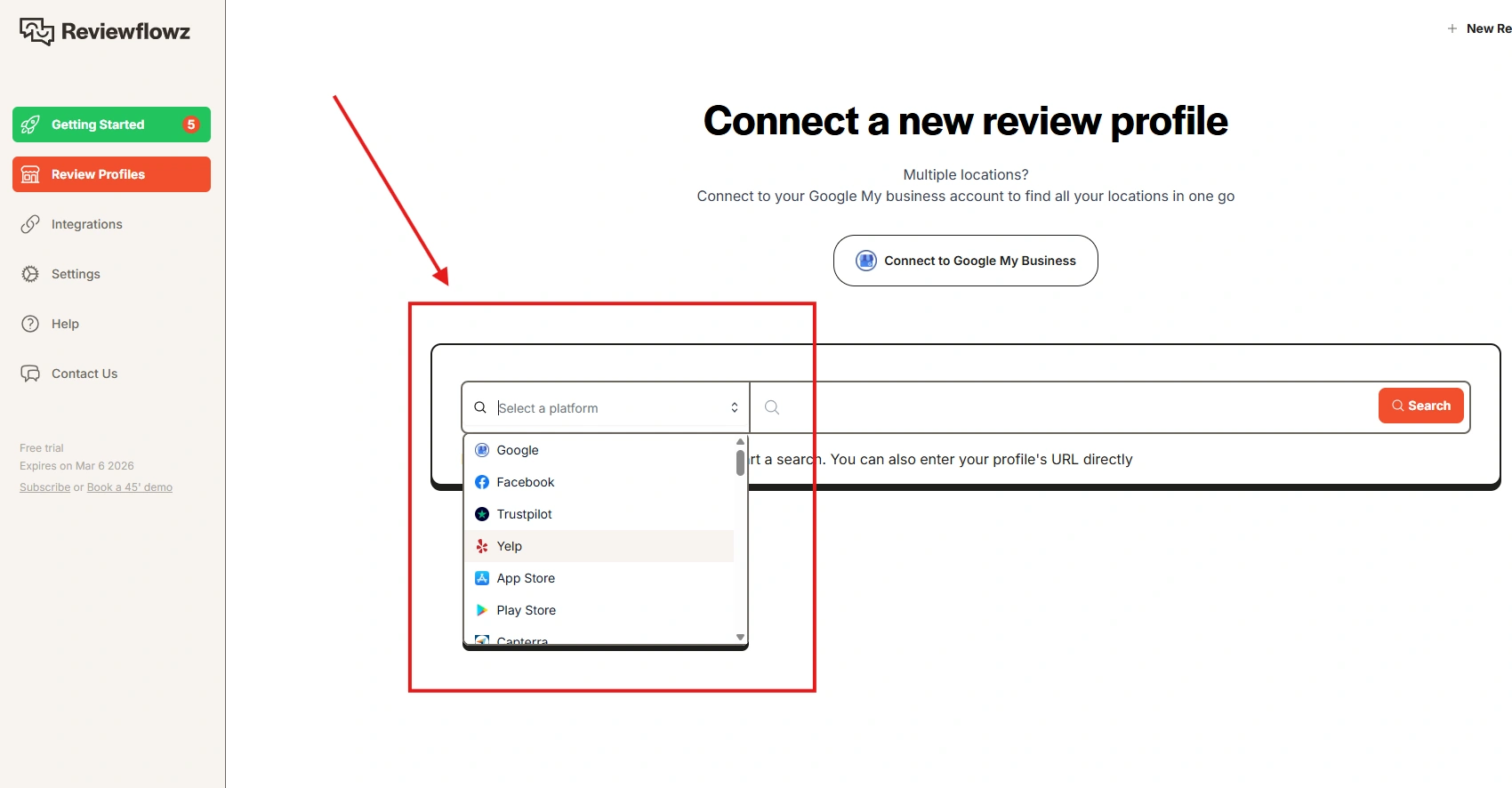
It tracks reviews across countries and languages, on almost any site with star ratings. For SaaS companies listed on several review sites, that matters.
2. AI Replies and Sentiment Analysis
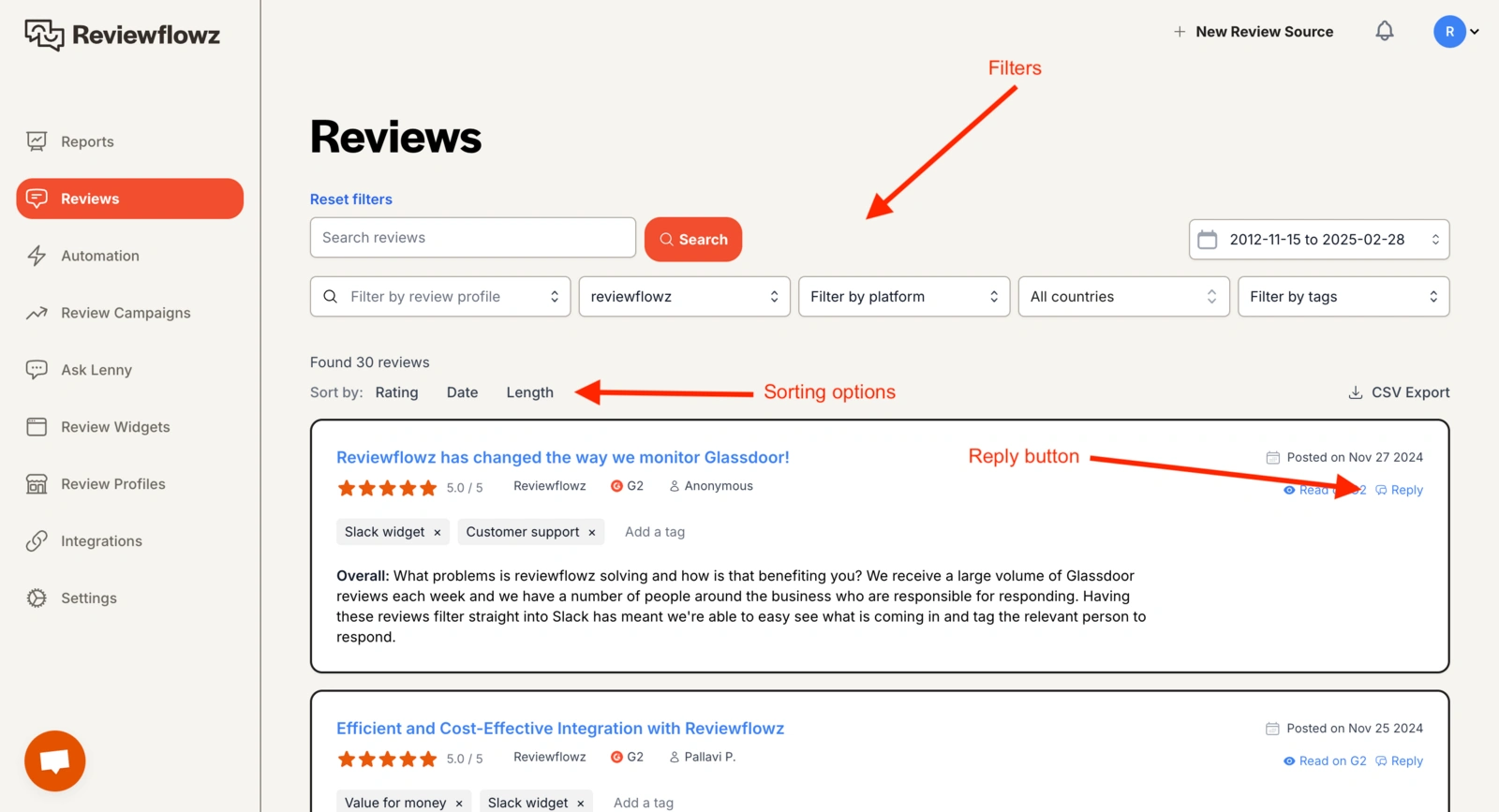
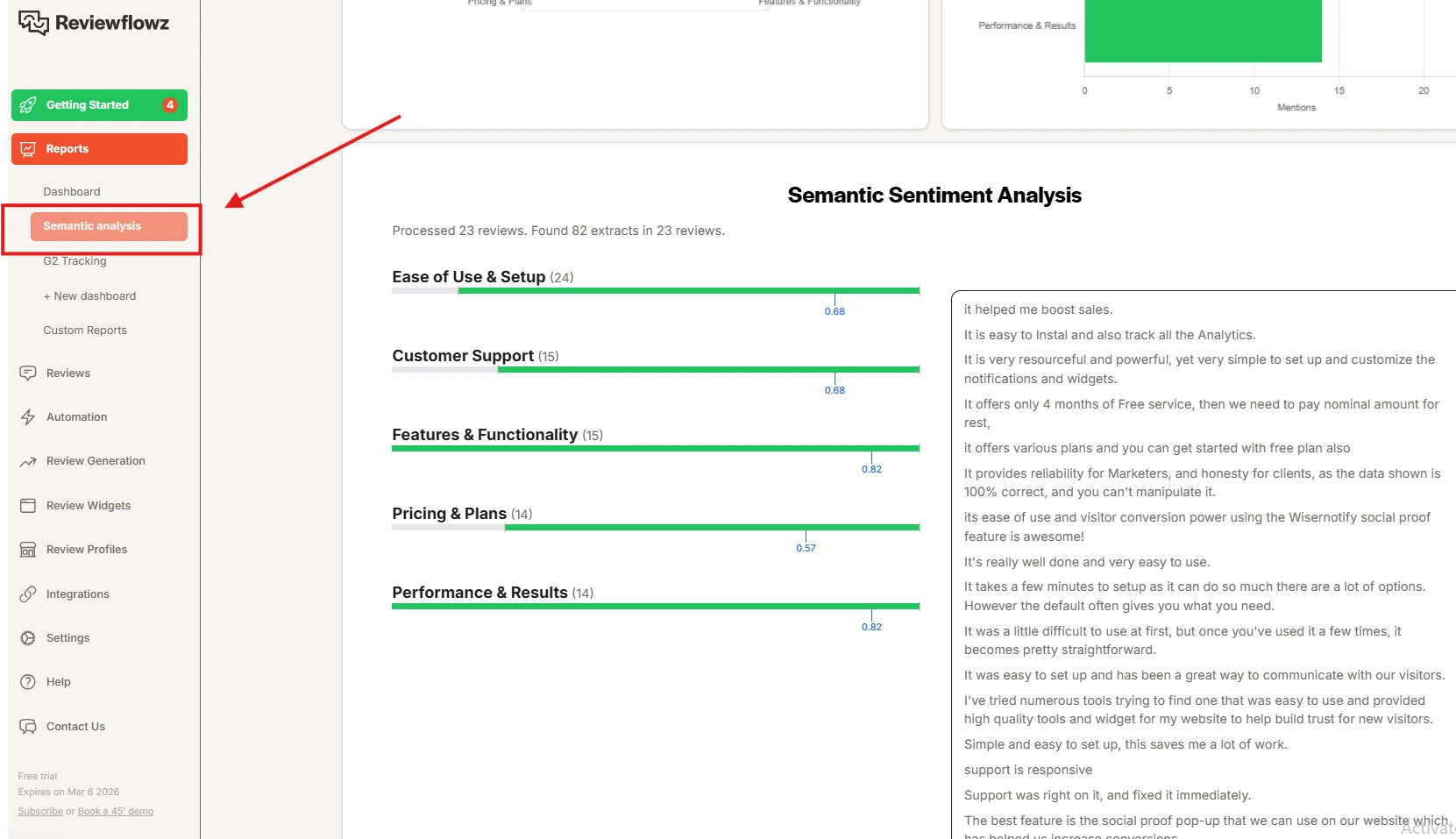
AI replies can post automatically or wait for your approval. Sentiment analysis pulls out topics and trends, so you can see which complaints keep coming back.
3. Integrations for Teams
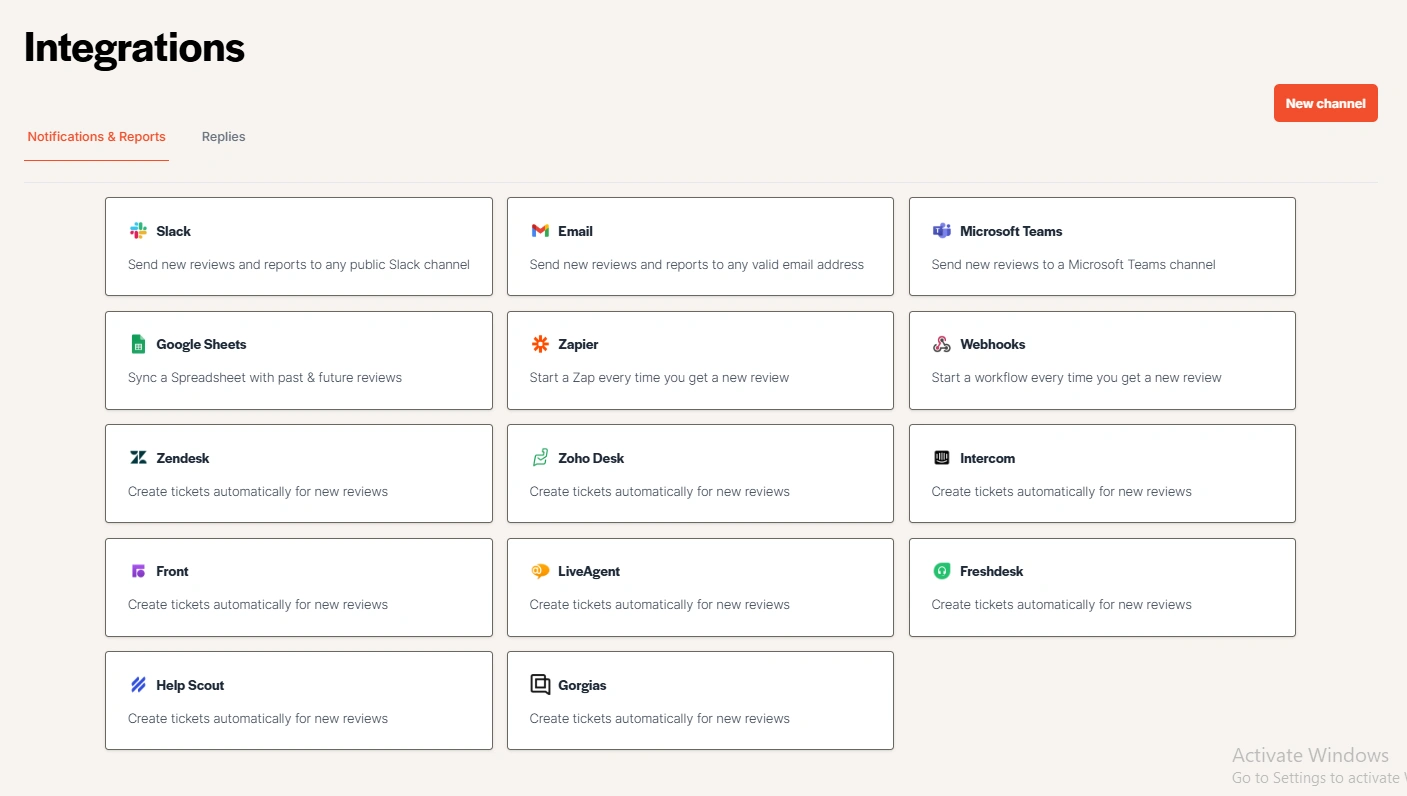
It connects to Zendesk, Intercom, Slack and Microsoft Teams, and also runs email, SMS and WhatsApp review campaigns.
Limitations
There is no free plan, and pricing is per location, so costs grow with every branch. If you mainly need on-site review widgets for a store, it will feel too B2B-focused.
Pricing: Pro is $45 per location a month and Premium is $70 per location a month, both billed yearly, with a free trial.
All your reviews in one place
Collect reviews, manage every response, and display them where they matter most.
Bigger Platforms Buyers Compare
Five other names come up in almost every shortlist. They sit in the table above; here is how each one differs.
- Birdeye: Built for multi-location brands that want reviews, messaging and listings in one inbox. Priced by location after a sales call.
- Podium: Focused on local service businesses that ask for reviews by text message and handle customer chats in the same app. Quote only.
- Yotpo: An ecommerce reviews and loyalty suite, mostly used by larger Shopify stores. It left email and SMS in 2025, so it is now reviews and loyalty only.
- Reviews.io: An ecommerce review platform and Google partner for seller ratings, priced by how many review invites you send each month.
- Trustpilot: A public review profile that shoppers recognize. Reviews live on Trustpilot’s site, and paid plans are billed yearly per domain.
For a side-by-side of Trustpilot with lower-cost options, see these Trustpilot alternatives.
Ecommerce brands selling into France or the EU also compare Verified Reviews by Skeepers. Our Verified Reviews alternatives by store size set its order-based plan next to the cheaper apps.
6 Review Collection and Display Strategies
Software helps, but the habits around it decide how many reviews you get. These six work for most businesses.
For Local Businesses
1. Ask Right Away by Text

When a service finishes, the experience is fresh. An SMS review request sent right then catches the customer while they still remember the details.
Texts get read quickly, and a one-tap link removes the effort of finding your profile. Build it into your process, not as a side task.
2. Automate Every Visit
Automation makes sure every customer gets asked, with no manual follow-ups and no missed jobs. Over time, the steady flow of new reviews builds a stronger profile than any one-off push.
3. Show Reviews on Homepage and Booking Pages
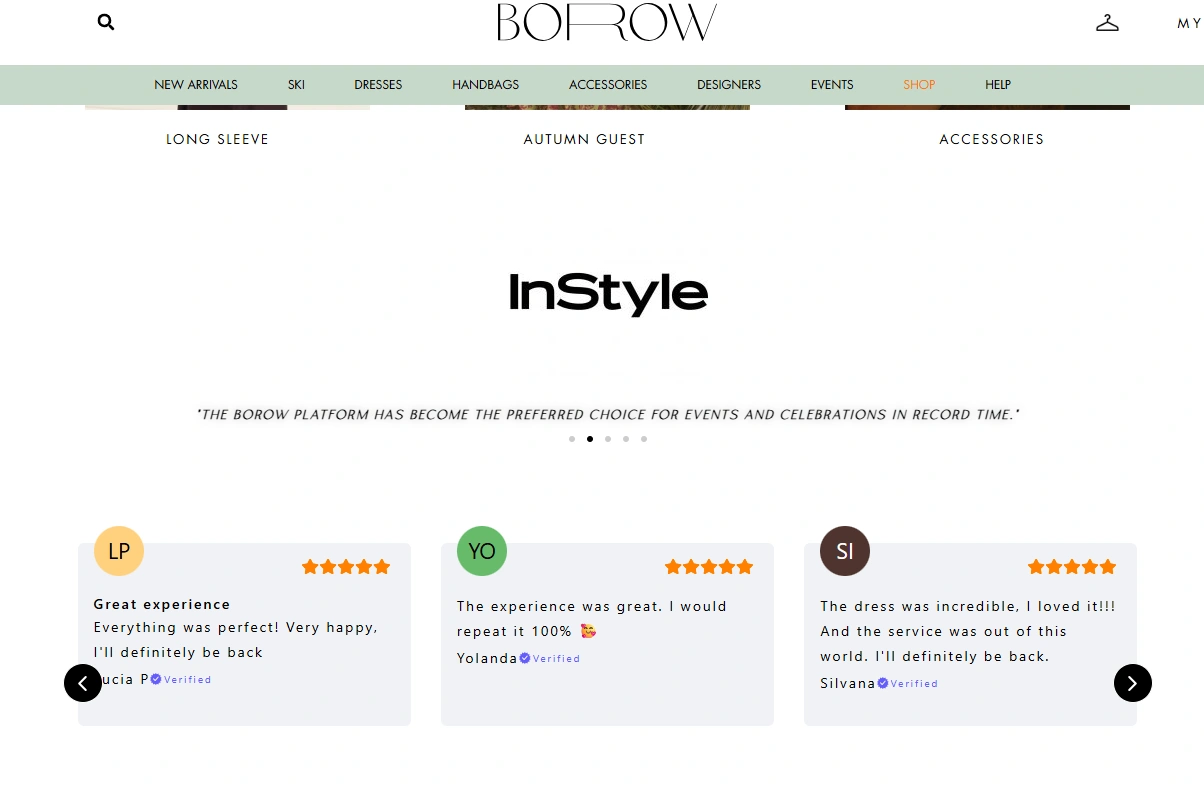
Collecting is only half the job. Show your average star rating, review count and recent feedback on your homepage, booking pages and service pages. That display step is where online review marketing turns reviews into bookings.
Verified-customer labels add trust at the moment people decide.
For Ecommerce Businesses
4. Ask 7 to 14 Days After Delivery
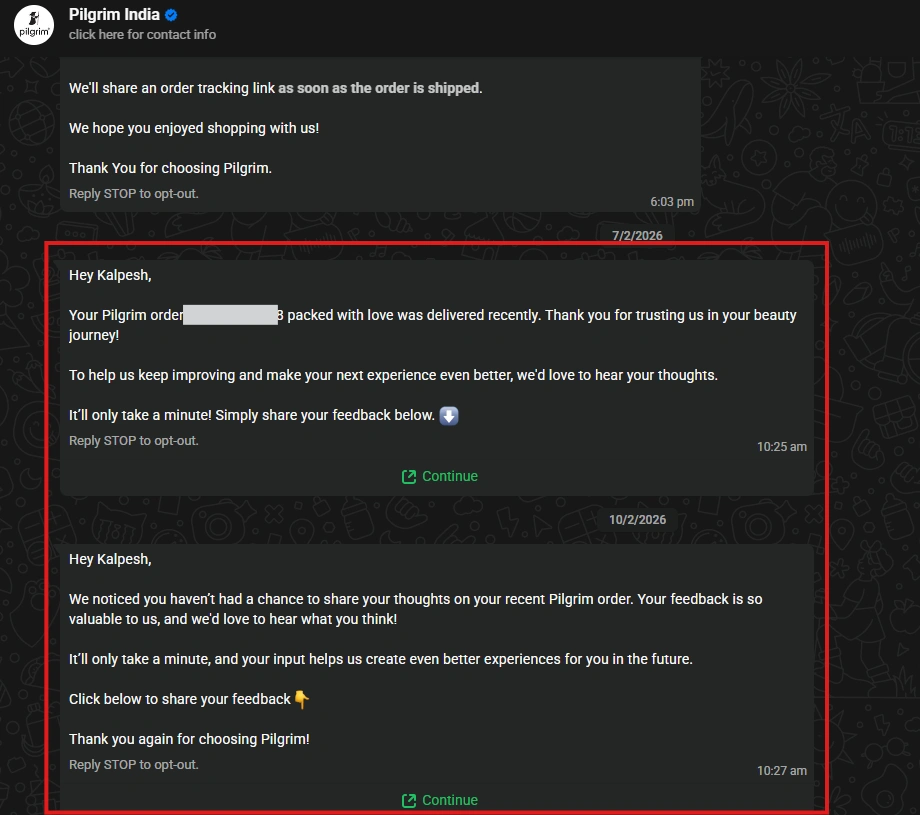
Customers need time to use the product. Asking too early gets thin reviews, while waiting a week or two gets more detail you can act on.
5. Show Star Ratings Near the Product Title
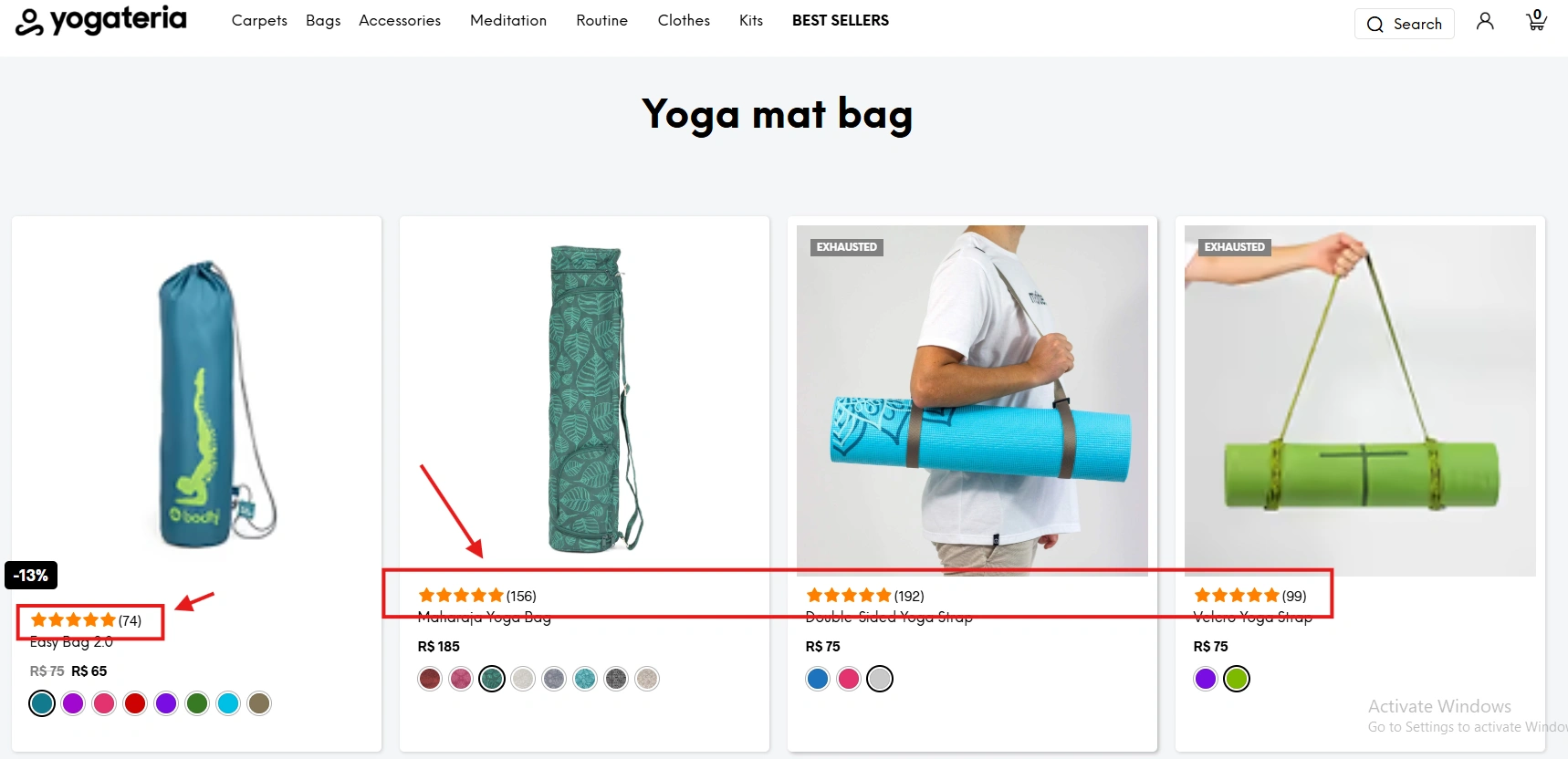
Star ratings next to the product title are an instant trust signal.
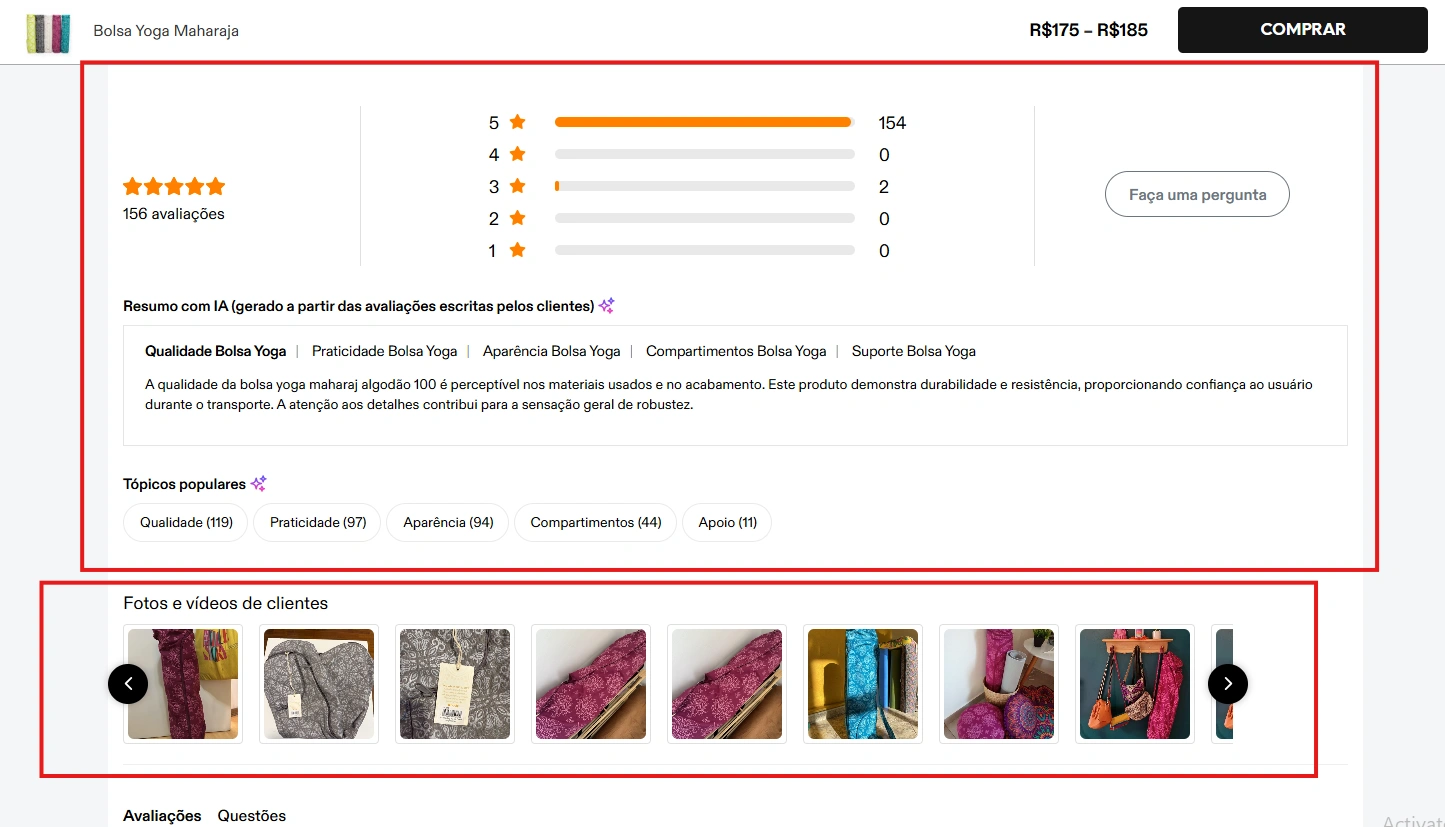
With schema markup, those ratings can also appear in Google search results, so trust starts before the visit.
6. Collect and Show Photo Reviews
User-generated content shows the product in real homes and hands.
Build gallery sections that mix your product photos with customer photos and verified-buyer badges.
All your reviews in one place
Collect reviews, manage every response, and display them where they matter most.
Wrap Up
Pick the tool that matches your main job.
For an ecommerce or local business that wants collection, replies and display in one place, start with WiserReview.
For deep monitoring and sentiment across review sites, look at Reviewflowz. For video testimonials, Senja. For creator-style testimonial walls, Famewall. For surveys plus review imports, Trustmary.
Whichever you choose, the tool only works if you ask every customer, reply quickly, and put your best reviews where people decide to buy.
Frequently Asked Questions
What is review management software?
It collects reviews from customers, lets you reply to them in one place, and displays the best ones on your website.
What is the best review management software for small businesses?
For ecommerce and local businesses, WiserReview covers collection, replies and display at the lowest entry price. Multi-location brands often need Birdeye or Podium.
Is there free review management software?
Senja, Famewall, Trustmary and Trustpilot have free plans with tight limits. WiserReview’s free plan is only on the Shopify and Wix app stores.
Should I focus on collecting reviews or displaying them?
Both, but display is the part most businesses skip. Star ratings near product titles and reviews on key pages often lift sales faster than more volume alone.
Is it safe to use AI to reply to reviews?
Yes, as long as you check replies before they go live. Personal replies still matter most for negative reviews.
Can I switch review tools without losing my reviews?
Usually, yes. Confirm the new tool can import your existing reviews and keeps schema markup before you switch.

Krunal Vaghasiya is a marketing tech expert who boosts e-commerce conversion rates with automated social proof and FOMO strategies. He loves to keep posting insightful posts on online marketing software, marketing automations, and improving conversion rates.




 Capterra