
Browse categories
How to install pixel code on your WooCommerce/WordPress?
2 min read
This guide will walk you through:
- Display Notifications: Add the WiserNotify pixel code to your WordPress site using the official plugin to show notifications.
- Capturing sales activities : Get the recent sales data from woocommerce or easy digital download store.
Install WordPress plugin & submit the API key
- Go to add plugin option on your admin panel,
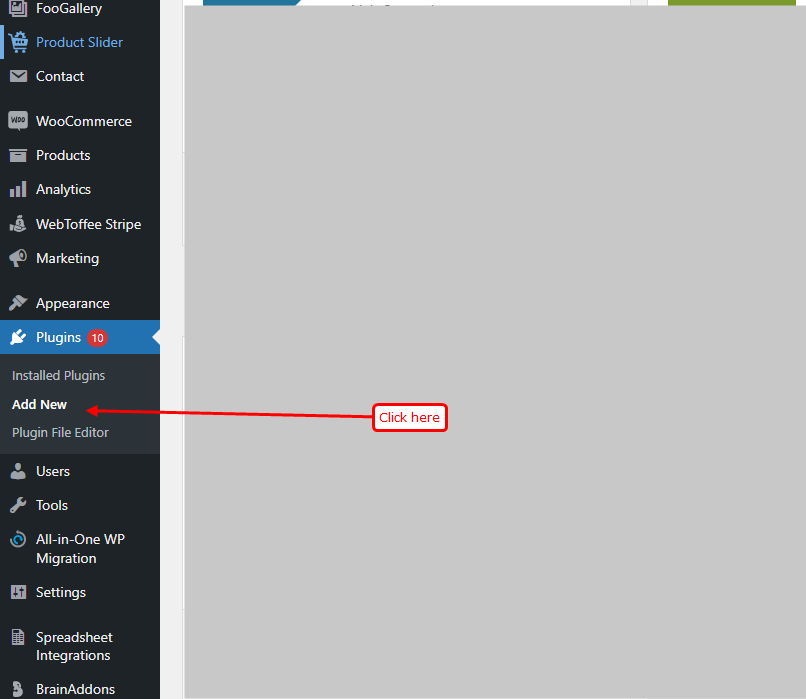
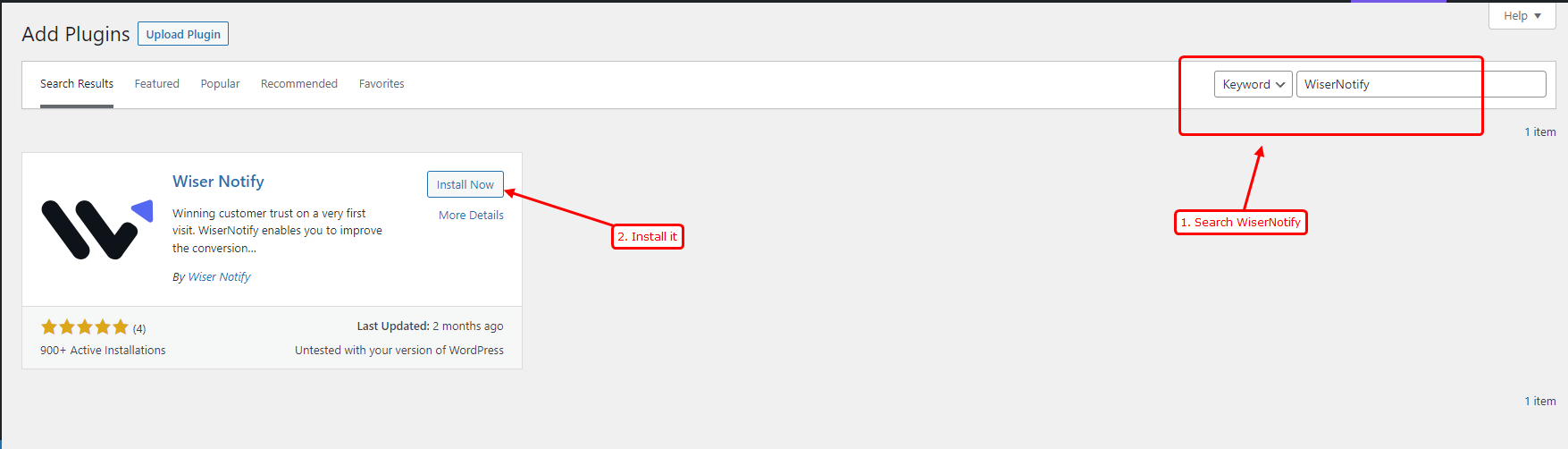
- Search for “Wisernotify” & click on “Install.”
- Accept permission & plug-in will be installed.
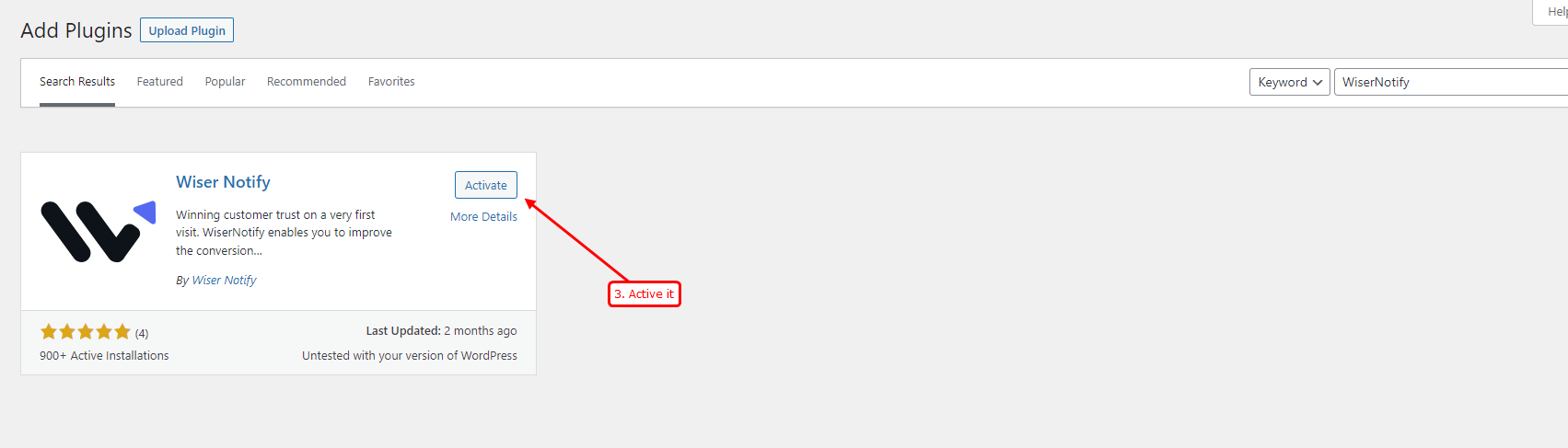
- Now click on Activate it
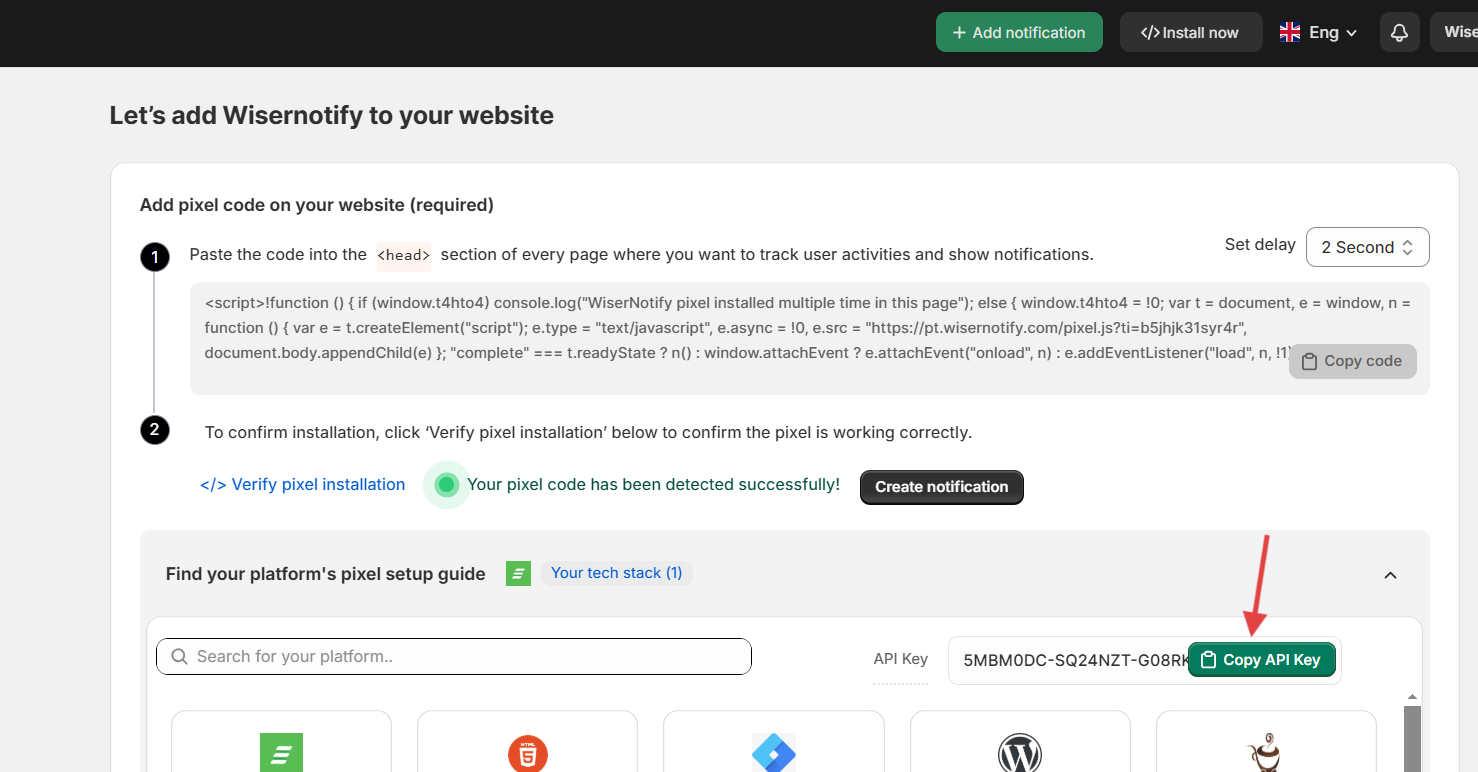
Step 2: Copy the API key from wisernotify install pixel page & verify it within plugin.
- Copy the API key from pixel page
- Now return to your WordPress panel & Paste that API Key in the text box & click on verify.
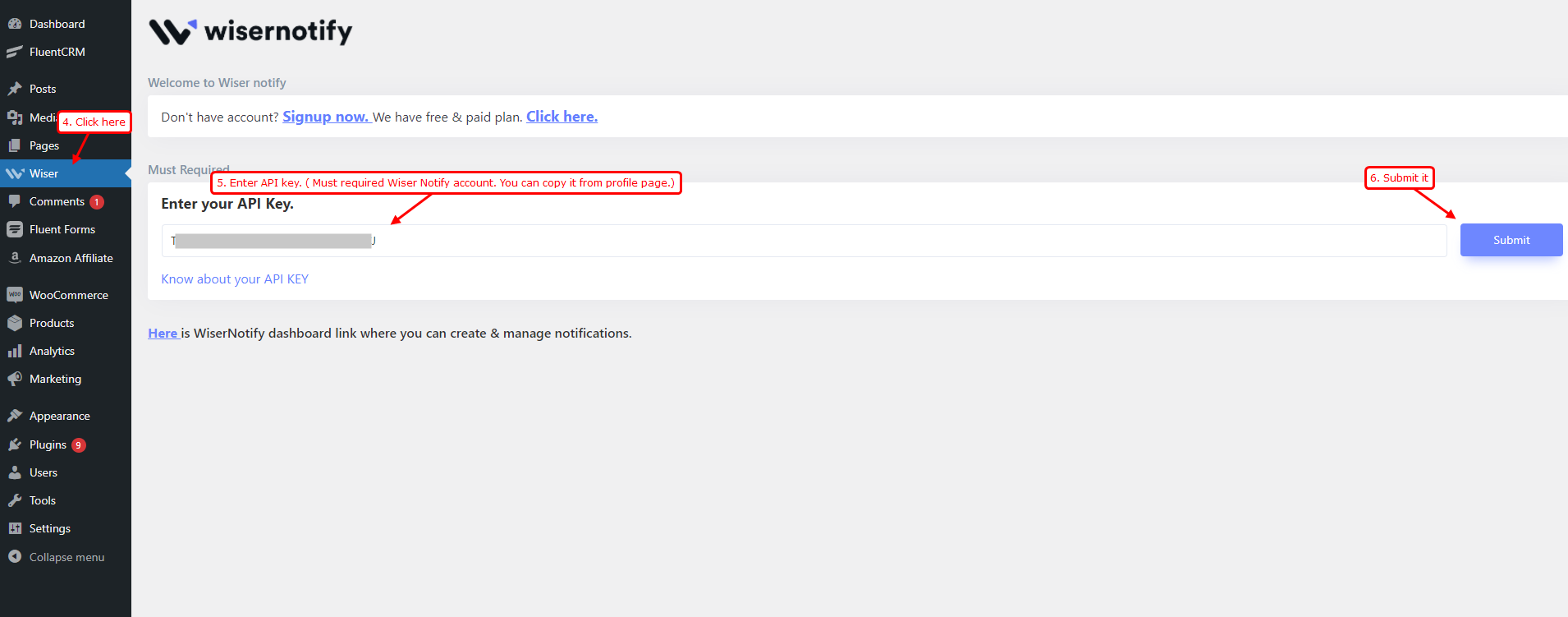
On successful API Key verification, Our plugin will add a pixel script tag inside the head tag at your woo-commerce store or WordPress site. You don’t need to do any manual work for the same.
Still stuck? A human will do it with you
Live chat from your dashboard — real answers in minutes, every day of the year.




 Capterra