
Ecommerce Personalization: 8 Tactics That Work (2026)
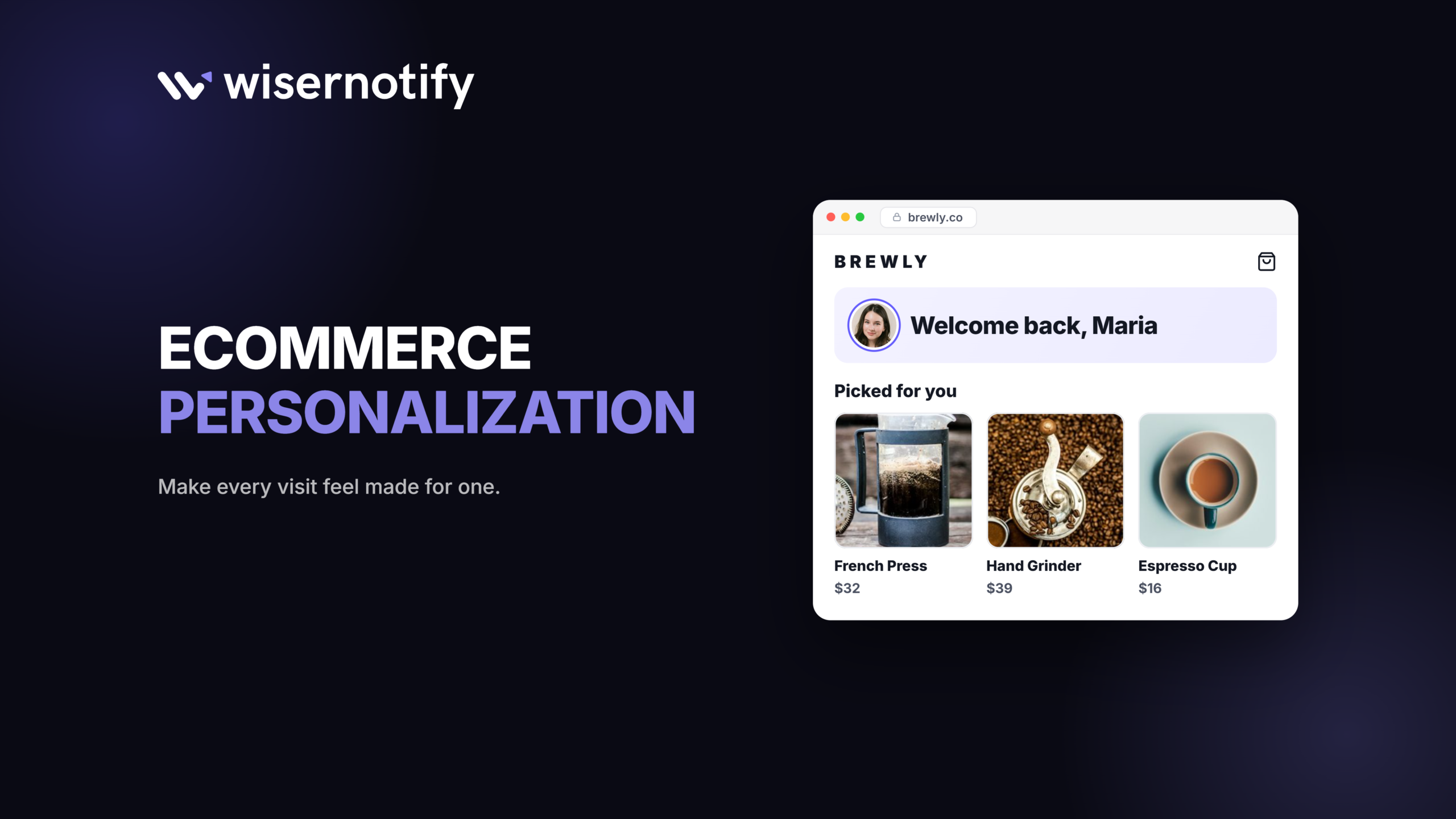
Ecommerce personalization means changing what a shopper sees based on what you already know about them, like where they are, what they looked at, or whether they’ve bought before. Done well, your store feels like it remembers people.
You don’t need a data science team to start. The tactics that pay off first for a small store run on data you already have, and most take an afternoon to set up.
Below are three of those tactics with setup steps, five more from bigger brands, the tools behind them, and a simple way to check whether any of it worked.
What Is Ecommerce Personalization?
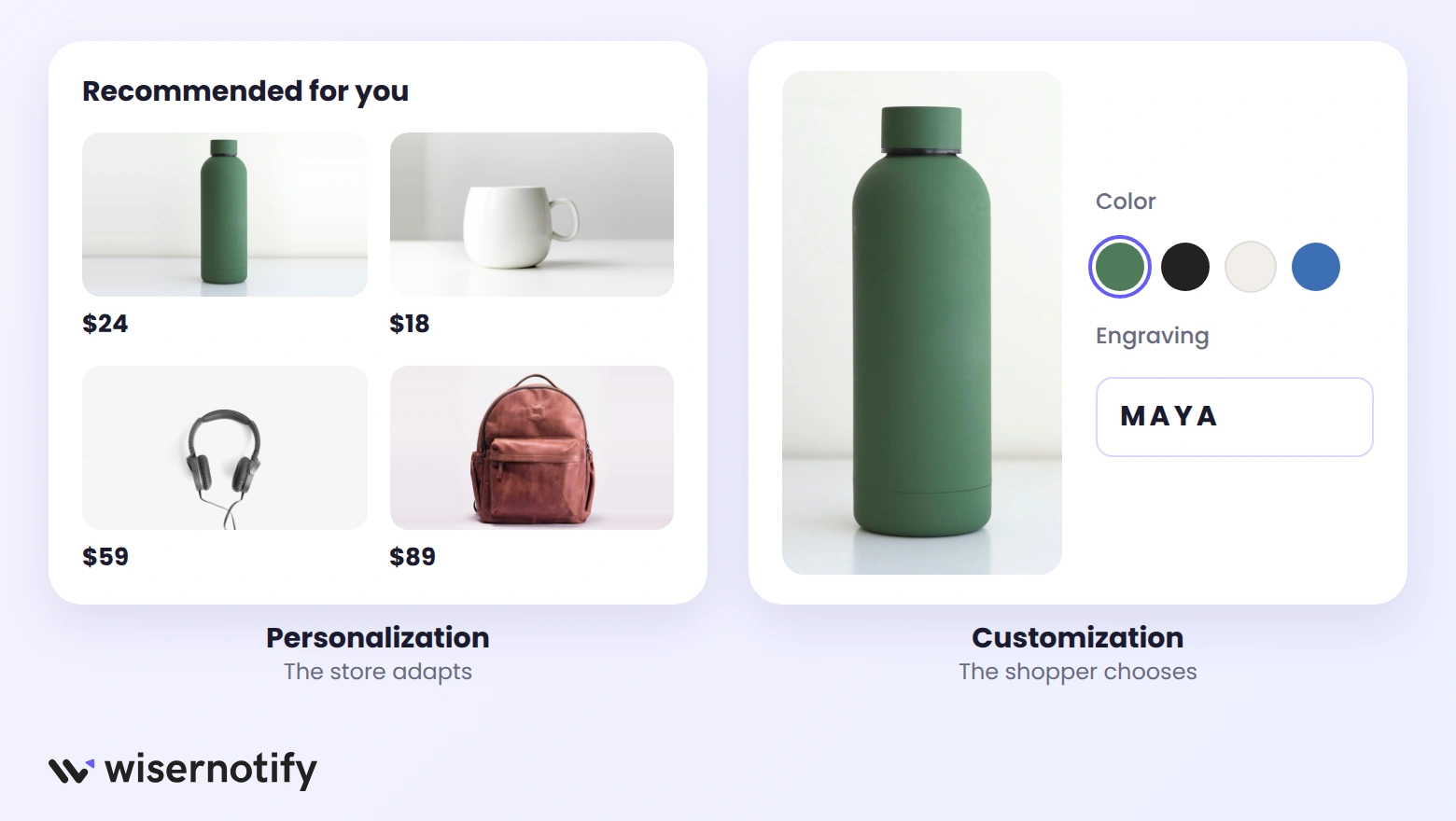
Ecommerce personalization is the practice of tailoring product suggestions, messages, and offers to each shopper based on location, on-site behavior, and purchase history.
It’s the store doing the work. Customization is the opposite, where the shopper does the work, like picking a color or adding an engraving.
Personalized marketing in ecommerce relies on the first one. The shopper changes nothing, and the online shopping experience still fits them better.
Most stores already collect enough data to personalize. It usually comes from six places:
- Location: country or city, which shapes currency, shipping, and relevant proof.
- Current page: the product or collection the shopper is looking at right now.
- Visit history: whether this is a first visit or a return trip.
- Traffic source: the ad, email, or campaign that brought them in.
- Cart and browsing: what they viewed or left behind.
- Purchase history: what they bought, when, and how often.
Why Personalization Matters for Online Stores
Shoppers expect a store to know the basics, like their country and what they just looked at. When it doesn’t, the store feels generic, and generic is easy to leave.
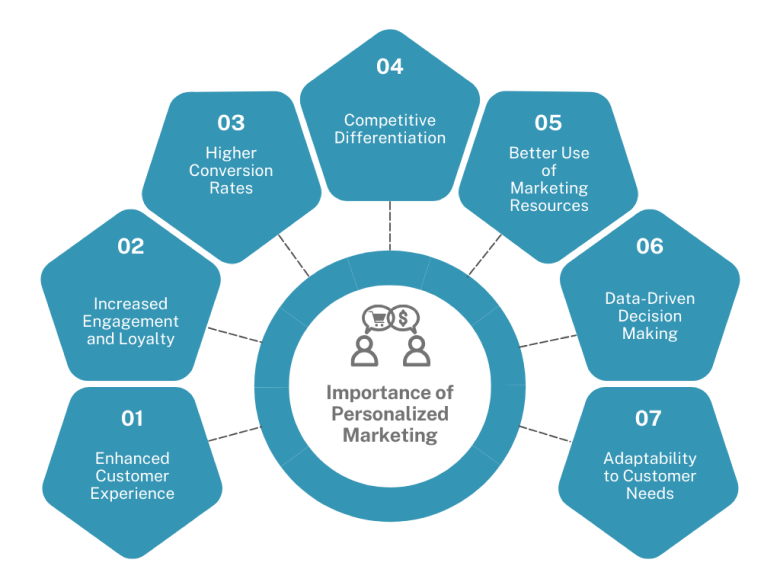
- Shoppers find the right product faster, because suggestions start from what they already showed interest in.
- More visits turn into orders, since the proof and offers match the page and the person.
- Discounts work harder, because you can save offers for the people who need a nudge instead of giving them to everyone.
- Repeat buyers come back sooner, when follow-ups reflect what they bought.
For the numbers behind this, our roundup of ecommerce personalization stats collects the current research in one place.
3 Personalization Tactics Any Store Can Run
These three need no purchase history and no developer. Each one changes the social proof or offer a visitor sees based on the page, their country, or their visit count.
1. Show Recently Viewed Counts
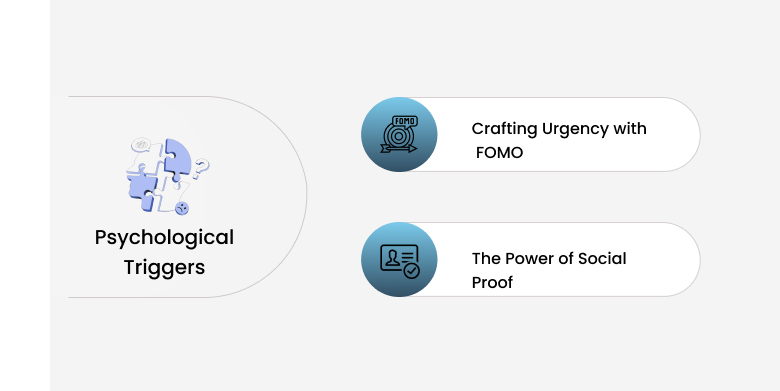
A short line like “14 people viewed this in the last 24 hours” is personal in a quiet way. It speaks to the exact product the shopper is weighing, and it works on a first visit.
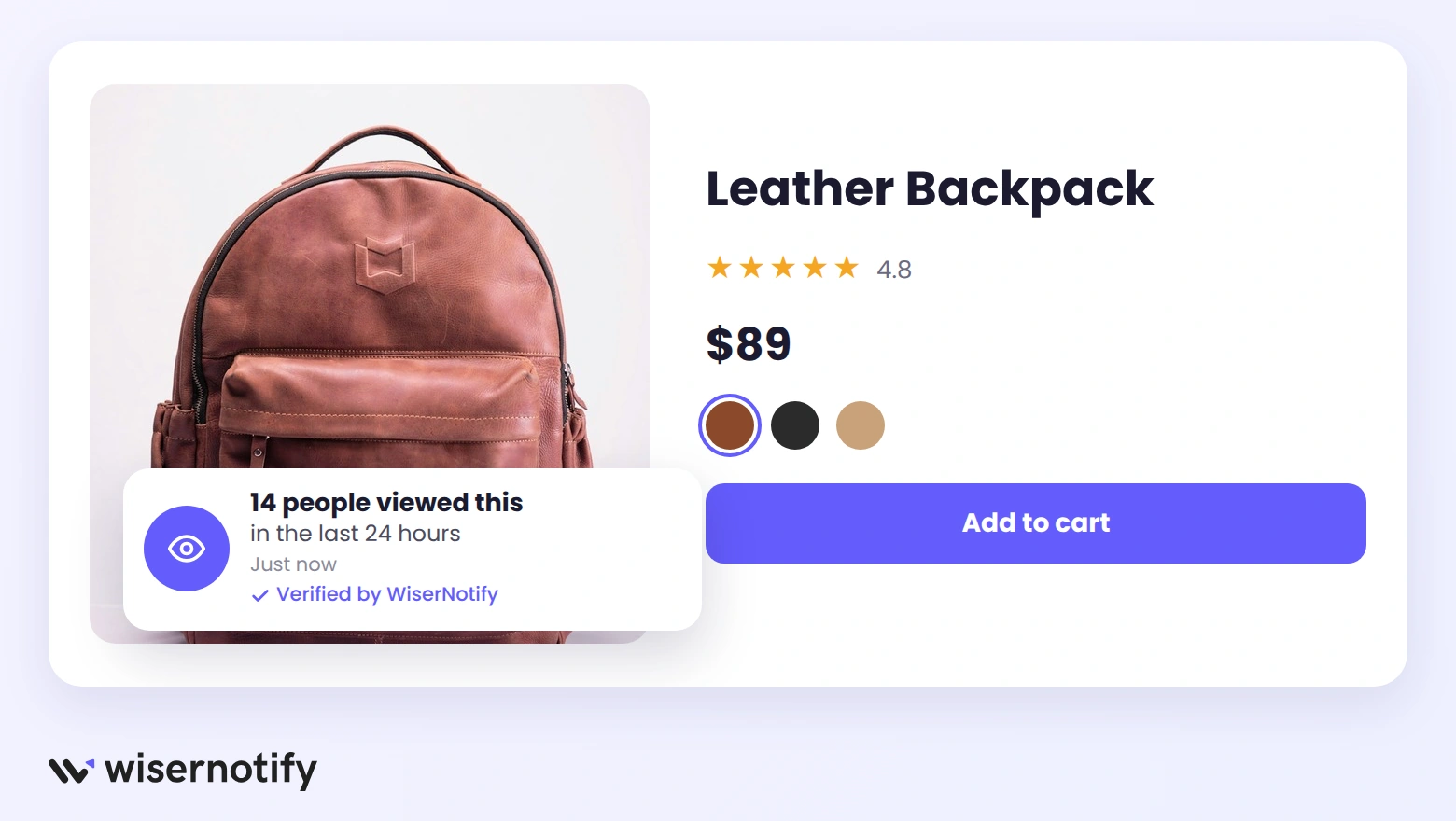
Here’s how to set it up in WiserNotify:
- Open the Social Proof section and choose Recently Viewed Count.
- Edit the message and keep the count and product name fields.
- Under Data Control, pick the time window, such as the last 24 hours.
- Under Display, show it only on pages whose URL contains /products/.
- Save and publish.
Keep the window honest. A count that only appears when it’s large looks staged, and shoppers notice. More ways to create urgency in sales without faking it are in our full guide.
Build trust & FOMO
Highlight real-time activities like reviews, sales & sign-ups.


2. Show Local Proof by Country
“Priya from Mumbai just bought this” means more to a shopper in India than a sale from Ohio. Matching recent purchase notifications to the visitor’s country makes proof feel close to home.
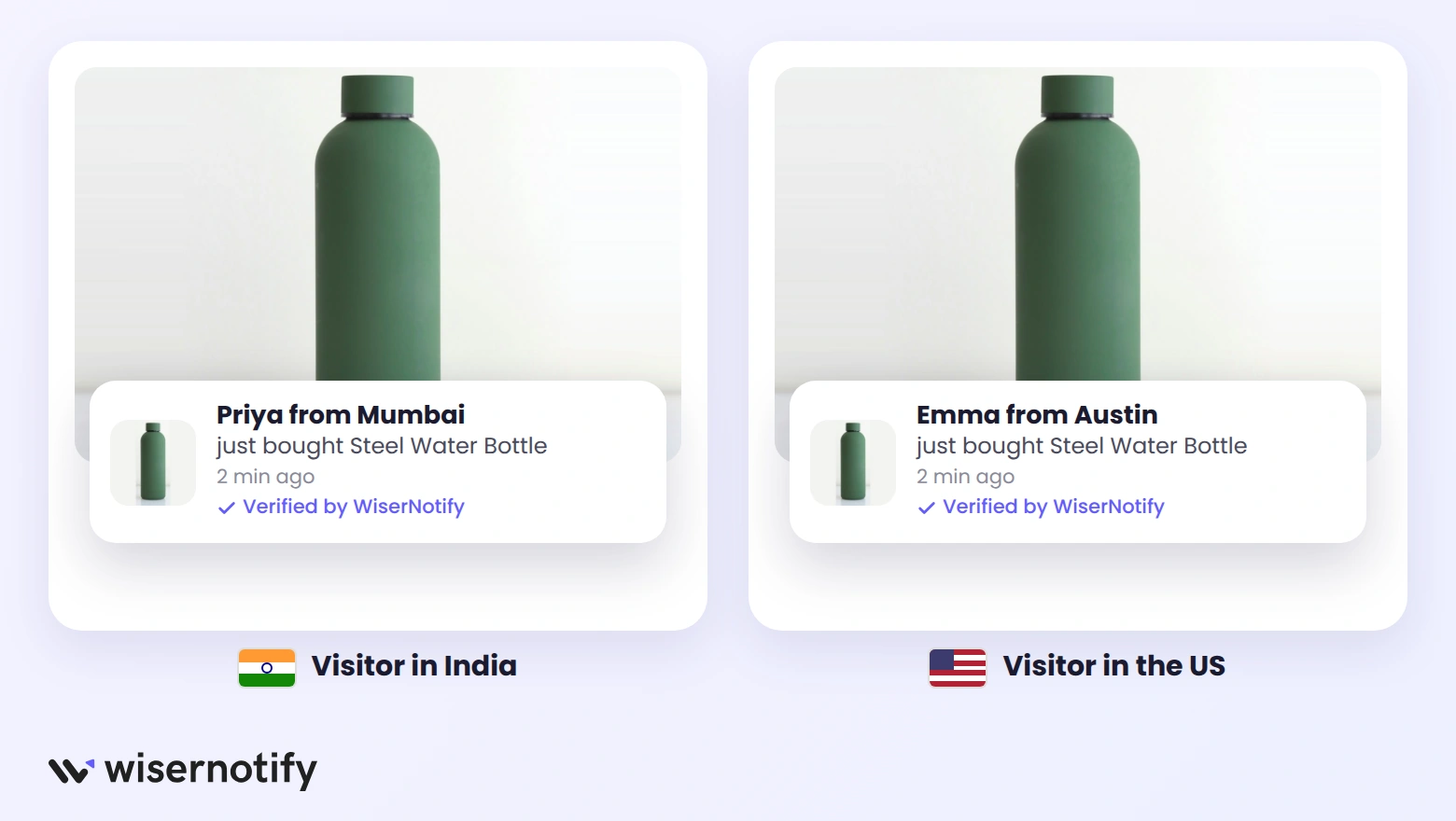
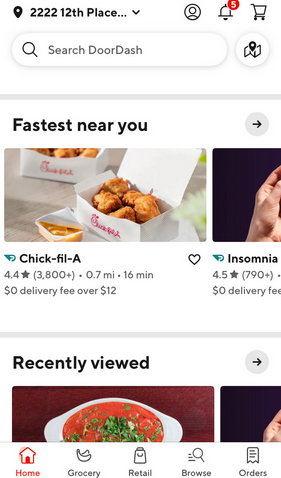
DoorDash builds its home screen around location. The delivery address sits at the top, “Fastest near you” comes first, and a Recently viewed row follows. A store can borrow the same idea with notifications:
- In WiserNotify, open Social Proof and choose Recent Sales.
- Keep the {Name} from {Location} fields in the message.
- Under Display, open Advanced Targeting and turn on Country-Based Targeting.
- Pick the countries this version should reach.
- Duplicate it for other regions and adjust the wording, such as local shipping times.
- Save and publish each one.
Build trust & FOMO
Highlight real-time activities like reviews, sales & sign-ups.

3. Give Returning Visitors an Offer
A first-time visitor needs trust. A returning visitor already trusts you and is usually comparing or waiting. That second visit is the right moment for an offer, and the wrong moment for another welcome message.
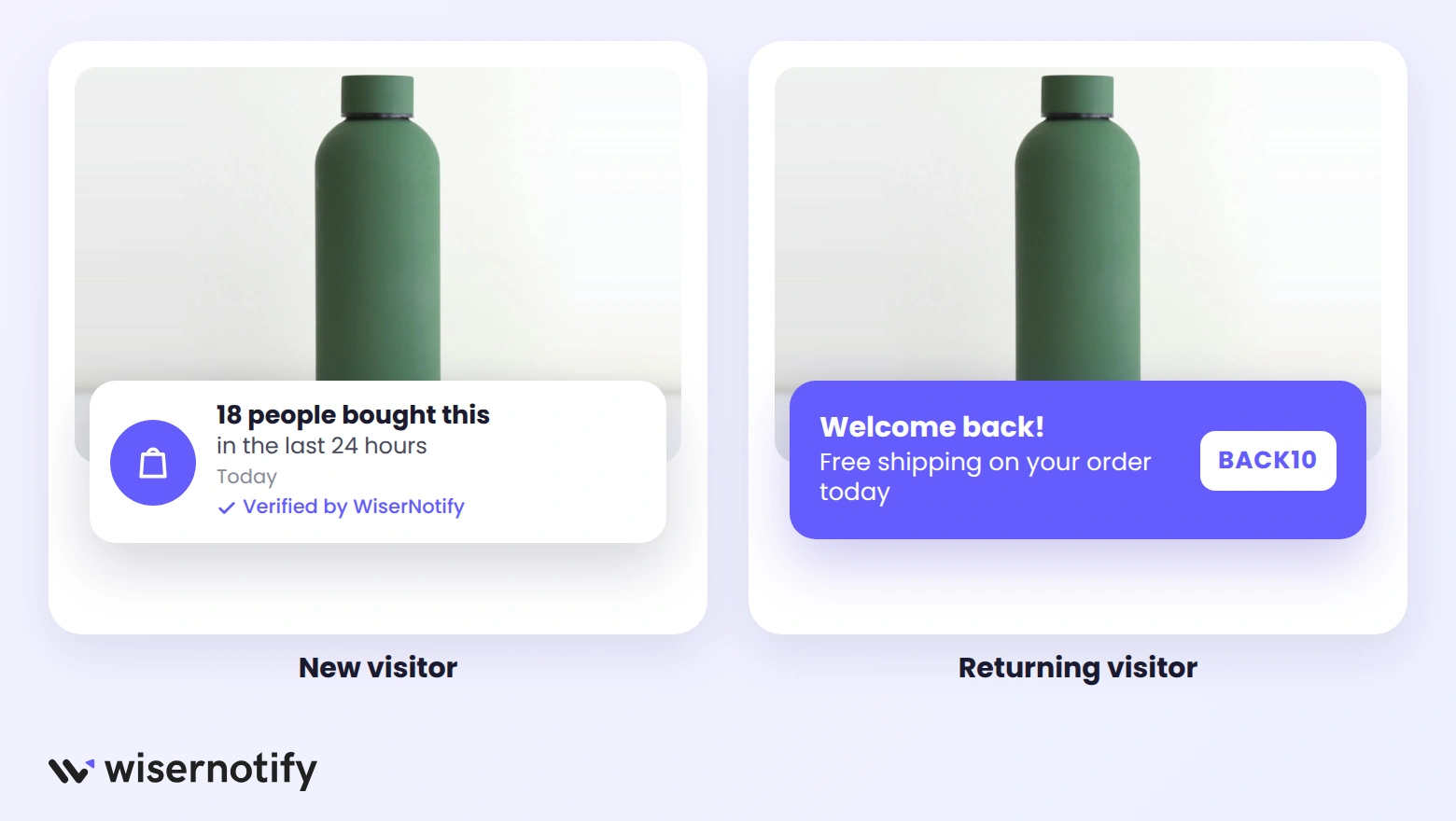
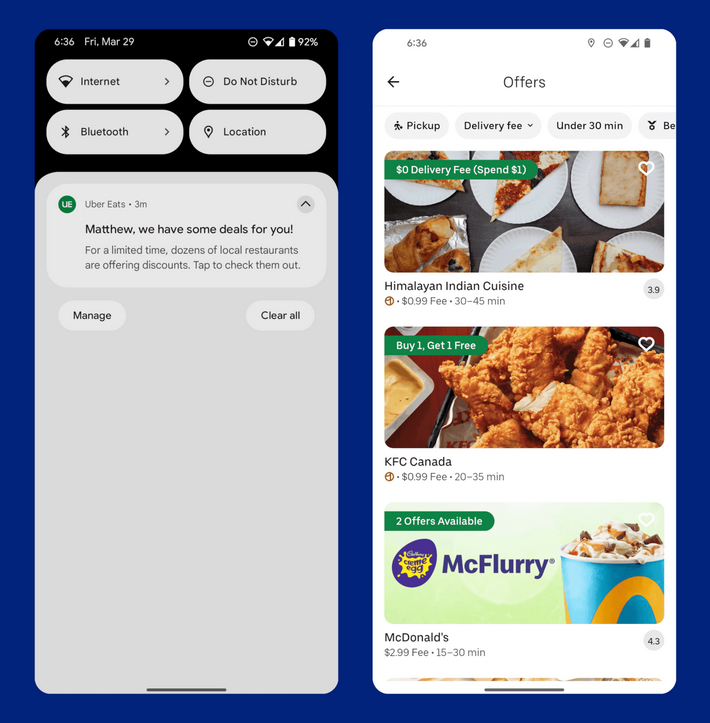
Uber Eats does this by name, with a push that reads “Matthew, we have some deals for you!” and an offers page behind it. On your store, you can split new and returning visitors in a few clicks:
- Create the offer notification or announcement bar you want returning visitors to see.
- Under Display, select All Pages.
- Open Segmentation and turn on Returning or new visitors.
- Choose Returning Visitor from the dropdown.
- Save and publish, then set new visitors up with a social proof notification instead.
Build trust & FOMO
Highlight real-time activities like reviews, sales & sign-ups.
5 More Tactics From Bigger Brands
These need a little more data or a dedicated app, but each one has a small-store version. Start with whichever matches the data you already collect.
4. Product Recommendations
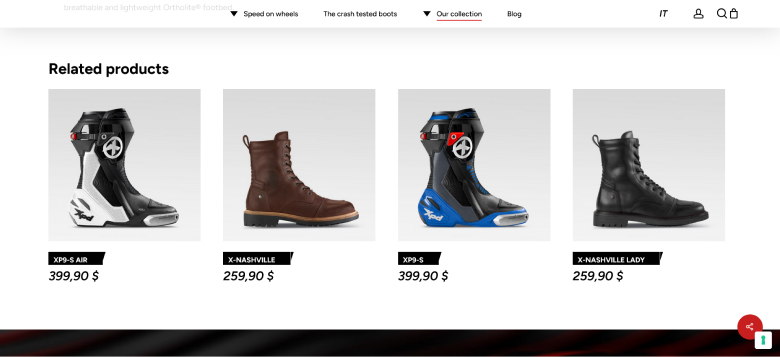
XPDBoots places a Related products row right under each boot, so a rider looking at one model sees four more without searching again.
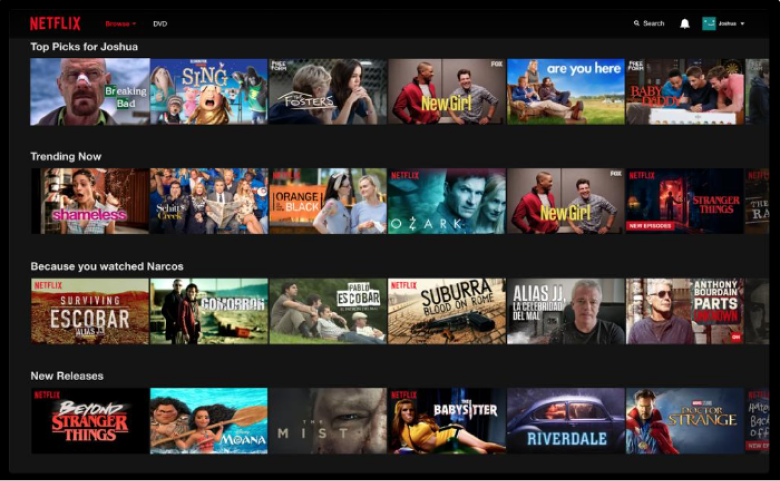
Netflix made the bigger version familiar, with rows like “Top Picks” and “Because you watched Narcos.” A store doesn’t need that engine. Related items by collection, plus “bought together” pairs from your own orders, cover most of the gain.
For layouts and placements that work, see these product recommendation examples from 15 stores.
5. Emails Triggered by a Date
JetBlue sent subscribers an email on the first anniversary of their signup, with a playful note and a “Let’s Go” button. The trigger was a date the brand already had.
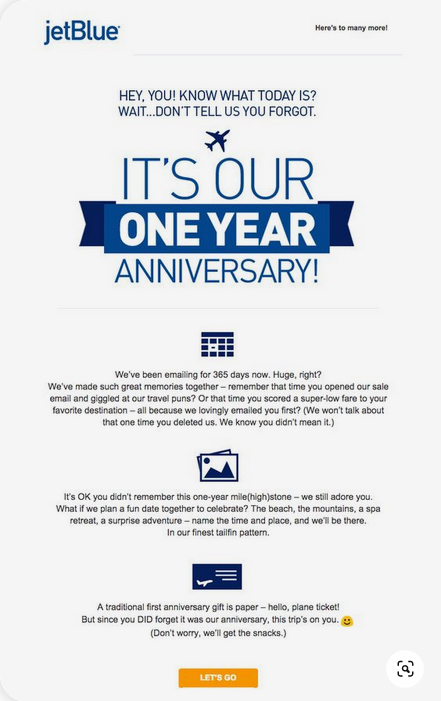
Any store can do the same with a signup date, a birthday from the signup form, or the date of a first order. These emails feel personal because they are tied to one person’s timeline, not a sale calendar.
6. Cart Reminders With Picks
Nike’s cart email opens with “Ready to roll,” shows the shoe left behind, then adds a “You may also like” row and a line about free returns.
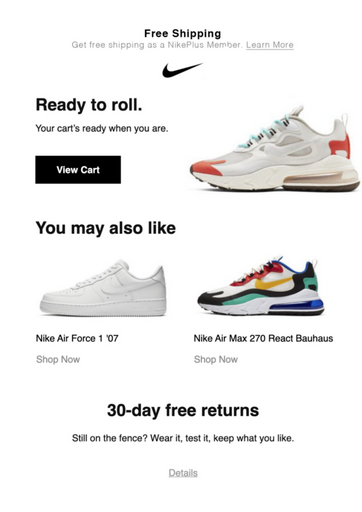
That’s three jobs in one message: remind, suggest, and remove the last doubt. Your own reminder flow can follow the same order.
7. Personalized Search Results
Search is where intent is clearest. Airbnb’s results page narrows to the searched destination, shows prices for the chosen dates, and flags Guest favourite listings first, with a map beside them.
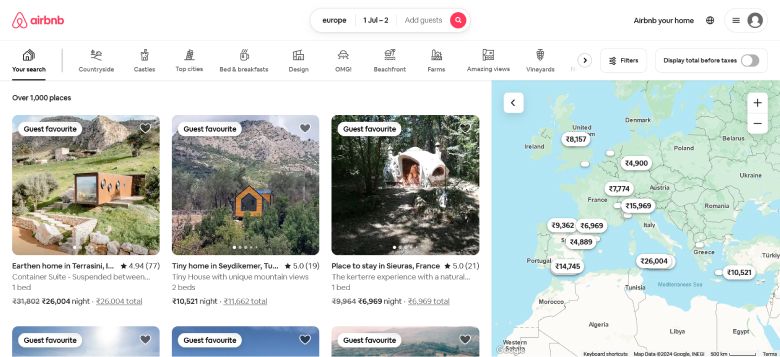
For a store, the small version is synonyms, filters that remember the last choice, and pinning best sellers to the top of common searches.
8. Customer Photos on Product Pages
SeaVees ran a #StyledInSeaVees gallery of customer posts. Shoppers see the shoes on people who look like them, which answers fit and style questions better than studio shots.
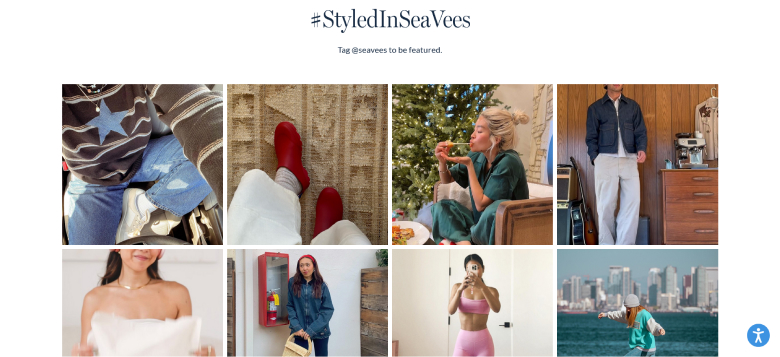
To pick the right format, browse these UGC examples from brands of every size.
3 Brands That Personalize Well
Each of these brands built personalization into its business model, not just its marketing.
Stitch Fix: Quiz Before Products
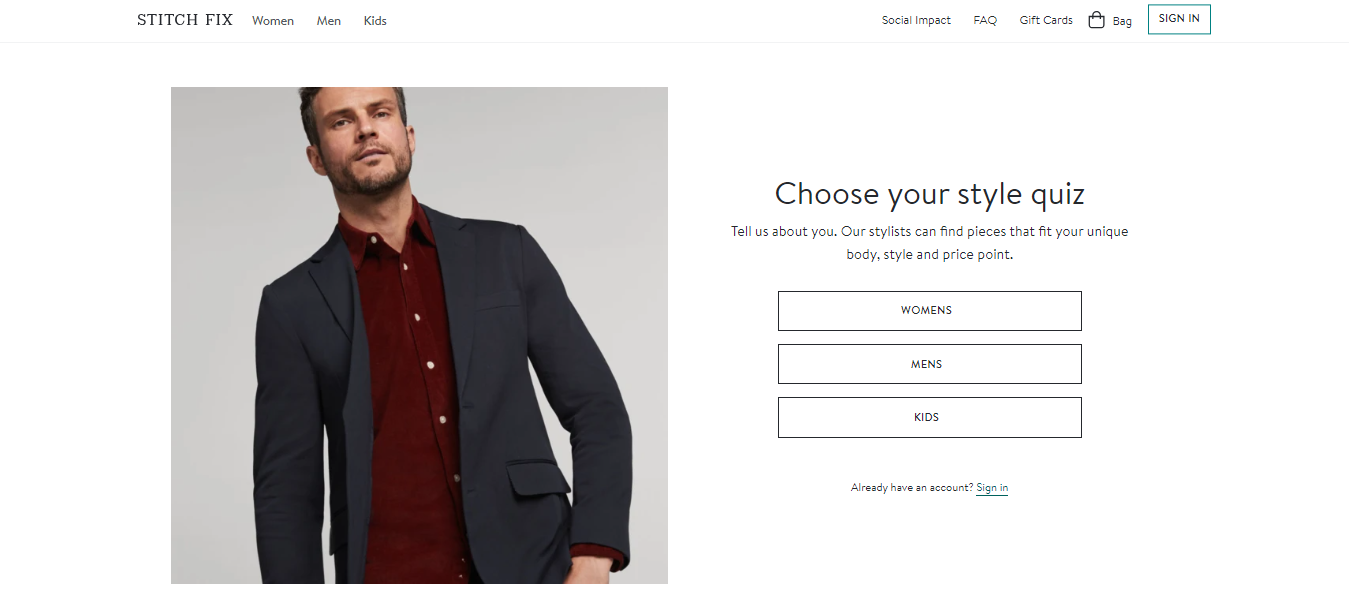
Stitch Fix doesn’t show a catalog first. It asks you to choose Women, Men, or Kids and take a style quiz, and its stylists use your answers on fit, style, and price to pick what you get.
Sephora: Rewards Members Return For
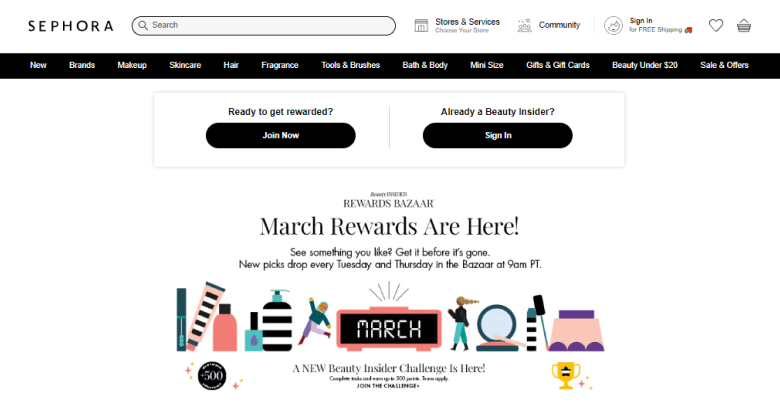
Sephora’s Beauty Insider program asks members to sign in for rewards. In this capture, its Rewards Bazaar drops new picks twice a week. Every sign-in adds to what Sephora knows about each member’s taste.
The North Face: A Free Loyalty Pass
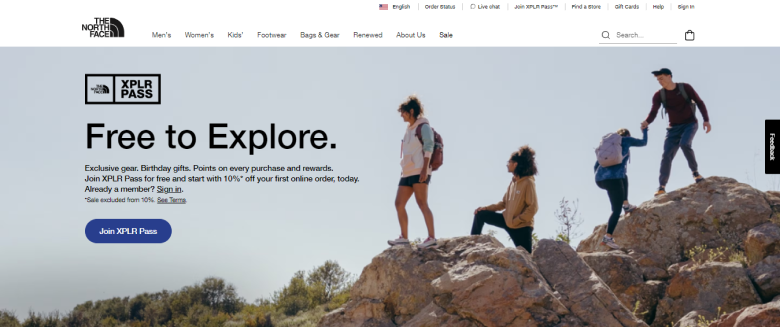
The North Face’s XPLR Pass is a free membership with points on purchases, birthday gifts, exclusive gear, and a discount on the first online order. Members trade a little data for perks that fit them.
Ecommerce Personalization Tools
Most stores run personalization with two or three tools, each covering one channel. Here’s what each kind of tool handles.
| Tool | What it personalizes | Good fit for |
|---|---|---|
| WiserNotify | On-site social proof and offers by page, country, and new or returning visitor | Stores on any platform that want quick wins without new data |
| Klaviyo | Email and SMS based on browsing, cart, and purchase history | Stores with a growing list and repeat buyers |
| Shopify Search & Discovery | Search synonyms, filters, and related product picks | Shopify stores starting with search |
| Rebuy | Recommendations in the cart, checkout, and after purchase | Shopify stores focused on order value |
| LimeSpot | Bundles, upsells, and recommendation rows | Shopify and BigCommerce stores |
| Nosto | Recommendations, merchandising, and on-site search | Larger catalogs with merchandising teams |
For a wider list grouped by budget, see our guide to website personalization tools.
How to Start and Measure Personalization
Personalization is a conversion test like any other. Treat each tactic as an experiment, and roll it out only when the numbers say it helped.
- Pick one page and one goal, such as product page add-to-cart rate.
- Choose the data you already have, like country, visit count, or the product being viewed.
- Launch one tactic, not five at once, so you know what caused the change.
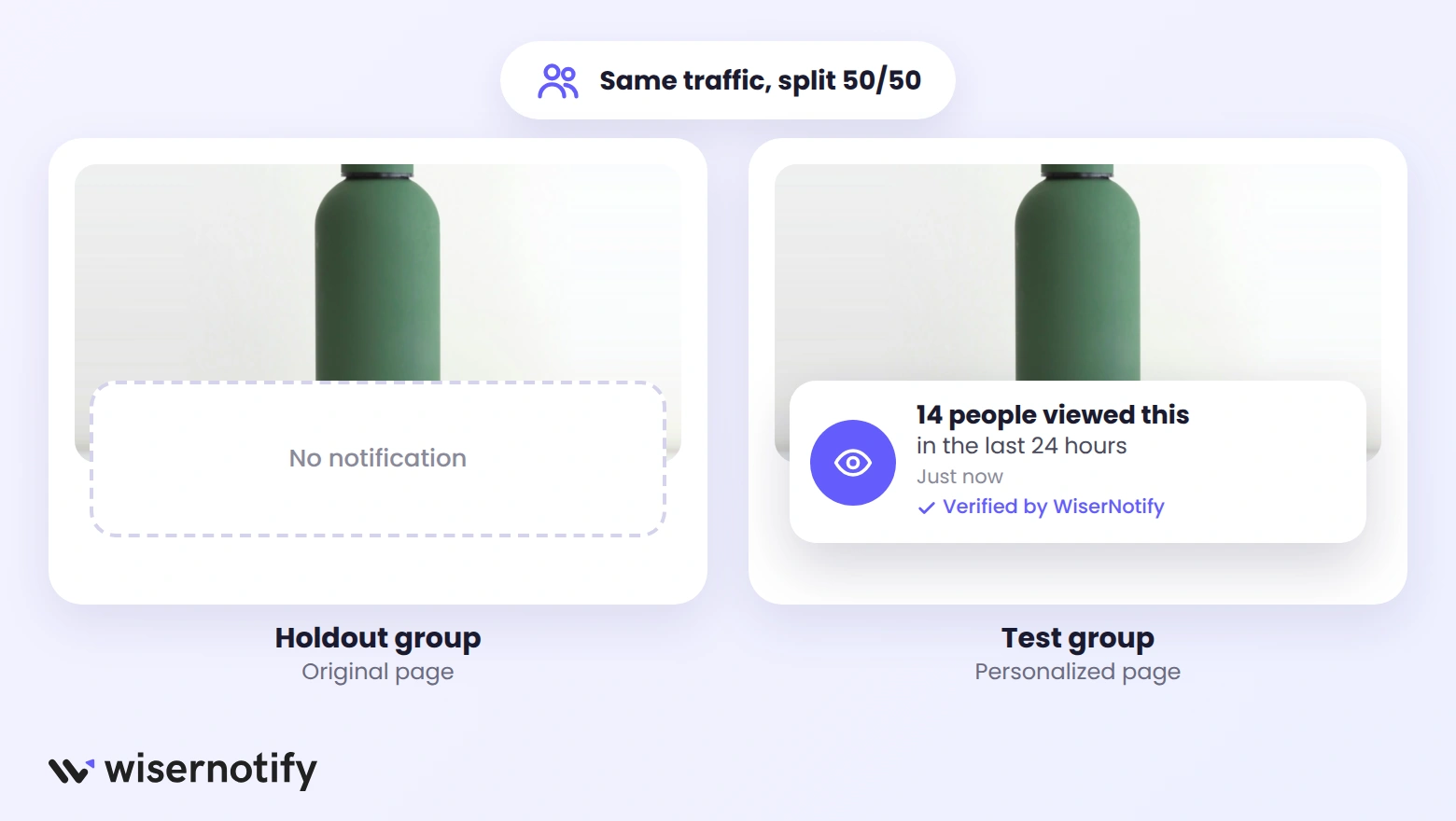
- Keep a holdout group that sees the old version, or run a split test.
- Compare conversion rate and order value once each side has enough orders to trust.
- Roll out the winner, then move to the next page or tactic.
If you need software for step four, our comparison of A/B testing tools lists prices side by side.

Boost Conversion Instantly
Add Social Proof & Urgency to your website
Keep It Helpful, Not Creepy
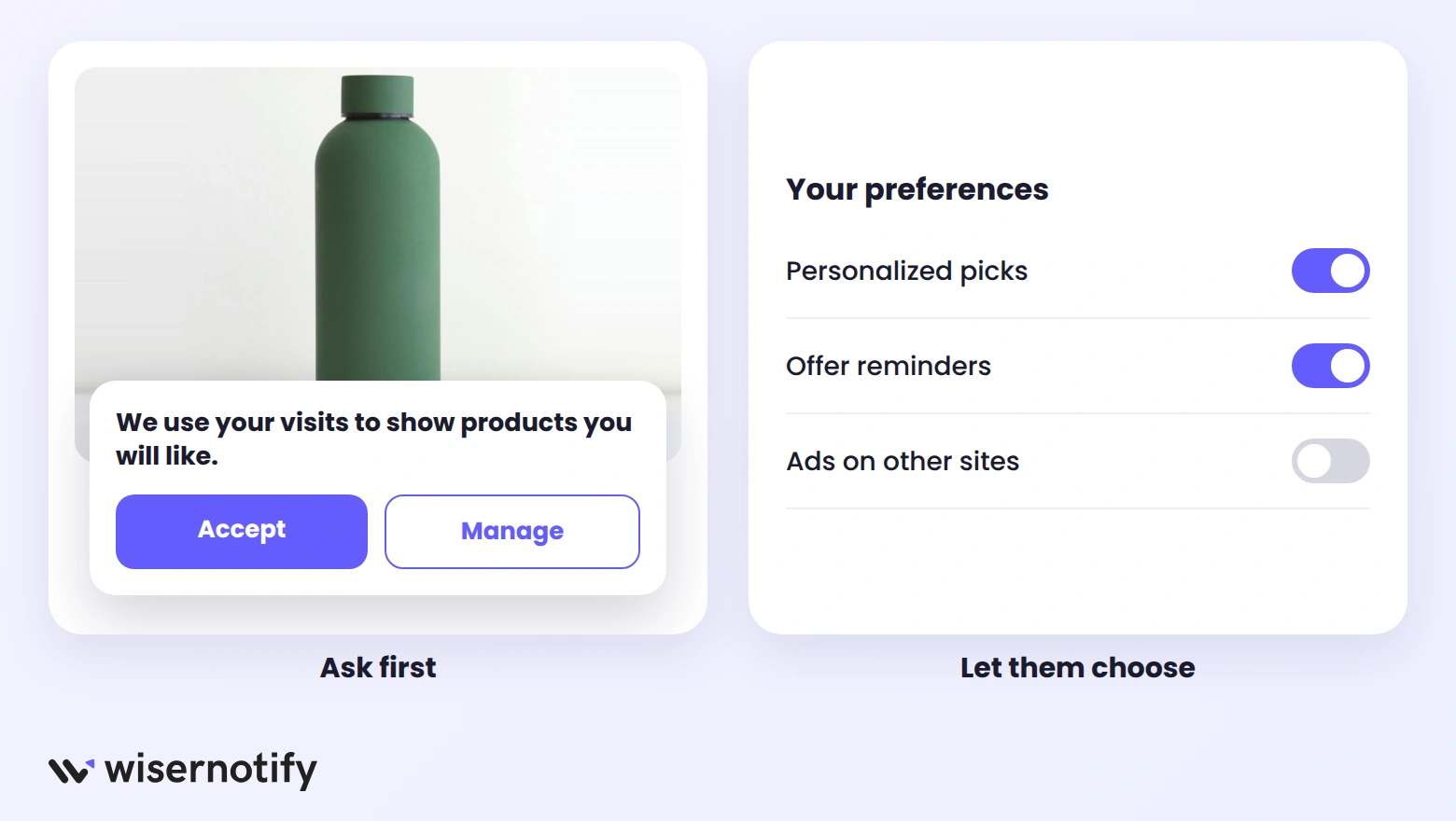
Personalization fails the moment it feels like surveillance. A few rules keep it on the right side:
- Ask for consent before tracking where the law requires it, and say plainly what you use the data for.
- Personalize on behavior and location, not on sensitive guesses about health, money, or family.
- Cap how often the same offer or reminder appears.
- Let shoppers change their preferences or opt out easily.
Wrap Up
Personalization isn’t about knowing everything about a shopper. It’s about using the few things you already know at the moment they matter.
Start with one tactic on your busiest product pages, measure it against a holdout, and add the next one only when the first one earns its place.
Frequently Asked Questions
What is ecommerce personalization?
Ecommerce personalization is tailoring product suggestions, messages, and offers to each shopper based on location, on-site behavior, and purchase history.
What is the difference between personalization and customization in ecommerce?
Personalization is when the store adapts what a shopper sees. Customization is when the shopper changes the product, such as choosing a color or adding an engraving.
How can a small store personalize without much customer data?
A small store can start with data every visitor brings, such as country, visit count, and the product being viewed. None of it needs purchase history.
What are examples of ecommerce personalization?
Common examples include recently viewed counts on product pages, purchase notifications from the shopper’s country, returning-visitor offers, product recommendations, and cart reminder emails.
How do you measure ecommerce personalization?
Compare conversion rate and average order value between shoppers who see the personalized version and a holdout group that sees the original.
Which tools are used for ecommerce personalization?
Most stores combine an on-site tool like WiserNotify, an email platform like Klaviyo, and a recommendation app suited to their platform.

Krunal Vaghasiya is a marketing tech expert who boosts e-commerce conversion rates with automated social proof and FOMO strategies. He loves to keep posting insightful posts on online marketing software, marketing automations, and improving conversion rates.




 Capterra