
How to Convert Traffic Into Sales: 14 Fixes That Work
Traffic that does not buy usually means one of four things. People landed on the wrong page, could not tell what you sell, did not believe you, or hit a snag at checkout.
Each one has a different fix, and the numbers tell you which is yours.
Below are 14 things that turn visitors into buyers, grouped by when in the visit each one applies.
If you want the diagnosis first, our post on getting traffic but no sales walks through the causes.
Short answer: match the page to the search that brought them, make it obvious what you sell, show that others already bought, and cut every step you do not need at checkout.
Work out where you are losing people
Find the row that sounds like your shop. That tells you which part of the list to read first.
| What you see | What is going wrong | Start with |
|---|---|---|
| People leave within seconds | The page is not what they were expecting | Numbers 1 to 3 |
| They read but never add to cart | They do not believe you yet | Numbers 4 to 8 |
| They add to cart and vanish | Something at checkout put them off | Numbers 9 to 11 |
| They buy once and never return | Nothing brings them back | Numbers 12 to 14 |
Most shops have one of these, not all four. Working on the wrong one costs you weeks.
What counts as a normal buying rate
Before you decide something is broken, check what normal looks like. Most shops turn between one and three visitors in every hundred into buyers.
You will see different averages quoted everywhere, and they are all correct. Some count sessions, some count people, some count only filtered traffic, so the same shop can look like 1.4% or 2.9% depending on who is measuring.
The useful comparison is not the global average. It is these:
| Compare by | What it tells you |
|---|---|
| What you sell | Food and drink shops run several times higher than jewelry. A rate that looks poor in one is strong in the other. |
| Phone or desktop | Phones bring most of the traffic and buy less often. A phone-heavy shop looks worse on a blended number. |
| Which channel sent them | Email and referrals buy far more often than paid social. One weak channel drags the whole average down. |
| New or returning | Someone who bought before is much likelier to buy again than a first-timer. |
Split your numbers those four ways before you change anything. Often one part of the shop is fine and another is dragging, and only the second needs work.
14 ways to turn traffic into sales
Grouped by where the visitor is when you use it.
When they land in the first few seconds on your site
1. Send people to a page that answers what they searched
Someone who searched for a size 11 running shoe and lands on your homepage has to start hunting all over again. Most will not bother.
Send ads and search traffic straight to the page that answers them. If the ad says forty percent off jackets, that is what should be on screen when they arrive.
Our guide to product pages covers what belongs on each one.
2. Say what you sell before they scroll
People work out in a few seconds whether they have landed somewhere useful. Clever headlines lose that bet.
Put the plain version first. What it is, who it suits, what it costs. Save the personality for further down, once they know they are in the right shop.
The words on the button count as much as the headline. These call to action examples show what people actually click.
3. Write like a person, not a brochure
Most product copy lists features and leaves the reader to work out what they are for.
- Lead with what changes for them. Not “40-hour battery” but “charge it Sunday, use it all week”.
- Use their words. Pull phrases from reviews and support emails rather than inventing your own.
- Cut the adjectives. “Premium” and “innovative” tell nobody anything.
These product description examples show the difference on real pages.
While they browse and look for reasons to trust you
4. Let people see that others are buying
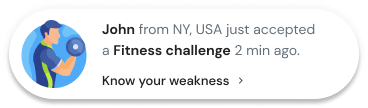
Someone who has never heard of you cannot tell a working shop from a dead one. Recent orders, signups and visitor counts answer that without you having to say a word about yourself.
WiserNotify reads those events from your store and shows them as popups or on the page itself, which is why this one takes an afternoon rather than a sprint.
Our social proof examples cover the formats and where each fits.
5. Put reviews next to the price
Reviews hidden behind a tab do nothing. A star rating by the price with two or three proper reviews under it does the work.
If your pages have none yet, WiserReview asks for one after every order and puts what comes back on the page. A verified buyer label makes each one count for more.
See what product reviews do to a buyer, and how to ask without being ignored.
6. Answer the thing they keep asking
Every product has one thing people get stuck on. Sizing, how long delivery takes, whether it works with what they already own.
Look at your support inbox. Whatever gets asked most belongs on the product page, not in an FAQ three clicks away.
Photos from customers help here too, which is what makes user-generated content worth collecting.
7. Make the site easy to move through
Slow, cluttered pages lose people before the product gets a look in.
- Check it on a phone first. That is where most of your traffic is.
- One clear action per page. Three competing buttons means no button gets pressed.
- Make the buy button obvious. A different color from everything around it, near the top and again at the bottom.
8. Get an email from the ones who are not ready
Most first-time visitors will not buy today, however good the page is. That is normal, and it is not a reason to give up on them.
Offer something worth an email address. A discount on a first order, a size guide, a heads-up when the thing comes back in stock. Then send something useful rather than a weekly sale email.
The people on that list are worth far more than a stranger passing through, because they asked to hear from you.
When they decide and need to get through checkout
9. Strip the checkout back
Someone at checkout has already made up their mind. Every extra step after that is a chance to lose them.
- Let people check out as guests. Forcing a signup before payment loses more sales than anything else here.
- Show delivery cost early. A total that jumps at the last step kills the order.
- Ask for less. Only what you need to ship it and charge for it.
Our guides on express checkout and checkout page design have the specifics.
10. Offer the way they want to pay
Someone who cannot pay the way they normally do does not switch. They leave.
Cards, PayPal, Apple Pay, Google Pay, and pay-later on the pricier things each take away a reason to walk. Our guide to payment options covers which to add first.
11. Give them a reason to decide today
A deadline turns “sometime” into “today”. It has to be real, though. A clock that resets when you refresh the page gets spotted, and once someone catches you they stop believing the next one.
Our guides to limited-time offers and creating urgency cover what to run and for how long.
When they leave and you want a second chance
12. Catch them on the way out, then follow up
An exit popup fires when someone goes to close the tab. They were leaving anyway, so there is little to lose. Offer something specific and take the email either way.
For the ones who got as far as the cart, three emails does it. A reminder within the hour, a nudge the next day, and a last one with a discount.
See our guides on exit popup examples and winning back left carts.
Retargeting ads do the same job for people who never left an email. Cap how often they show, or interest turns to annoyance. Our guide on running retargeting ads covers the settings.
13. Ask if you can send a reminder
Browser notifications let someone opt in without handing over an email. One click, and you can reach them when the thing is back in stock or the price drops.
Ask after they have shown interest, never on arrival. A permission box in the first two seconds gets refused every time.
14. Bring back the people who already bought
Selling again to someone who already bought costs a fraction of finding someone new, and they tend to spend more.
A note after delivery asking for a review and pointing at something related does two jobs at once.
Our upselling guide covers where those suggestions go.
How to tell whether any of it worked
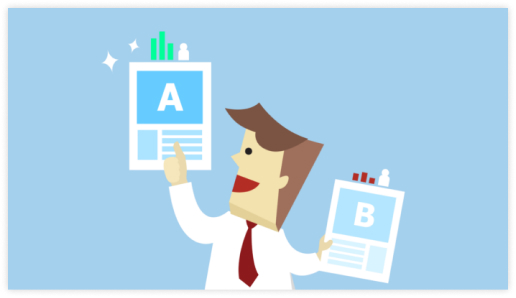
Change one thing at a time and give it two weeks. Change five and you will never know which one did it.
Start with the parts people look at first. The headline, the buy button, how the price is shown, and the top of the screen on a phone.
Small wording changes on a busy page beat a redesign nobody asked for. Our guide to A/B testing covers how long to run one and how to read it.
Four numbers tell you whether it is working:
- How many buy. Orders divided by visitors, split by where the traffic came from.
- Carts left behind. Shows whether the problem is at checkout.
- What each order is worth. Tells you whether the add-ons are landing.
- How many come back. The one that decides whether you are building a business or renting customers.
Mistakes that keep traffic from buying
| Mistake | What it costs |
|---|---|
| Buying more traffic before fixing the page | You pay twice for visitors the site cannot sell to |
| Three popups in the first ten seconds | People close the tab instead of the popup |
| Sending every ad to the homepage | The visitor has to start their search over |
| Hiding delivery cost until the last step | The most common reason carts get left |
| Reviews on a separate page | Nobody goes looking, so they change nothing |
| Changing five things at once | You cannot tell which one worked |
Where to start on Monday morning
Go back to the table at the top and pick the row that fits. It is usually one of them rather than all four.
If people leave in seconds, the traffic and the page do not match. If they read and go, they do not trust you yet. If carts fill and empty, look at what happens after they click buy.
Then test one change at a time. For a broader list of things to try once these are sorted, see our guide on how to increase online sales.
Frequently Asked Questions
What is the most effective way to increase website conversions?
Different ways exist to understand your target audiences, optimize website design, craft compelling content, leverage marketing strategies, use live notifications, popups, and more. You can experiment with different strategies and tests to find the best for you.
How can I leverage social proof to increase conversions?
Showcase social proof to build trust. Display customer reviews, user-generated content, testimonials, and expert opinions to boost confidence and drive sales.
How can I use A/B testing to improve conversions?
A/B testing allows you to experiment with different website elements to determine which performs best and help you gain better results. Focus on testing high-impact elements like headlines, content, images, CTAs, and other elements.
How can I optimize my product pages for conversions?
Use high-quality images, detailed product descriptions, and customer reviews to create engaging product pages. Moreover, you can use different FOMO techniques, highlight key benefits, and address potential customer’s concerns.
What data should I track to improve conversions?
You can use different tools to collect and analyze data. You could also include all the data points you track, such as website visits, generated leads, and conversions.

Krunal Vaghasiya is a marketing tech expert who boosts e-commerce conversion rates with automated social proof and FOMO strategies. He loves to keep posting insightful posts on online marketing software, marketing automations, and improving conversion rates.




 Capterra