
12 Best Marketing Tools for Coaches and Consultants (2026)

Most coaches need marketing tools for six jobs. Kit or MailerLite runs email, SimpleTexting or EZ Texting runs texts, WiserNotify and WiserReview add proof, and Canva, Buffer, ScoreApp, Calendly, and Zoom cover the rest.
A marketing tool here means software that moves a stranger closer to booking you. Session scheduling, invoices, and client notes are admin work, which the automate your coaching business guide handles.
Every price below was checked on September 23, 2026, and each tool names the unit that makes its bill grow.
Key takeaways
- Email is still the channel that sells programs. Kit is free up to 10,000 subscribers, which covers most coaches for years.
- Texts reach people email misses, but US carriers require a registered number and a text-specific opt-in first.
- Proof on the page, live activity and client testimonials, is what turns a visit into a booked call.
- A quiz or scorecard captures better leads than a plain signup form, because it tells you who is ready to buy.
- You can run the whole funnel on free plans, then pay only where you hit a limit.
The 12 tools at a glance

Each tool sits at one stage of the path from stranger to client. The table shows the stage, the meter, and the catch.
| Tool | Funnel stage | What you pay for | Free start | Watch out for |
|---|---|---|---|---|
| Canva | Get found | Seats | Free plan | Premium templates and brand kits sit on Pro |
| WiserNotify | Earn trust | Monthly website visitors | 7-day trial | Basic is billed yearly only |
| Buffer | Get found | Social channels | Free plan, 3 channels | Free caps you at 10 queued posts per channel |
| WiserReview | Earn trust | Review requests per month | 7-day trial | Collects and shows reviews only, no email or texts |
| ScoreApp | Capture | Live scorecards and responses | Free plan | The free tier allows only 10 responses a month |
| Calendly | Capture | Seats | Free plan | One event type on the free plan |
| Kit | Nurture by email | Subscribers | Free to 10,000 subscribers | Free covers one automation only |
| MailerLite | Nurture by email | Subscribers and monthly sends | Free to 250 subscribers | Comfort caps sends at 5,000 a month |
| Mailchimp | Nurture by email | Contacts and monthly sends | Free under 250 contacts | Sending pauses when you pass a limit |
| SimpleTexting | Nurture by text | Text credits | Free trial, no card | Picture messages cost 3 credits each |
| EZ Texting | Nurture by text | Text credits | Trial on Launch | Launch carries a telecom fee the higher plans waive |
| Zoom | Convert | Seats, plus a webinar add-on | Free plan, 40-minute meetings | Webinars need a paid base plan and the add-on |
Prices, plans, and trials checked on September 23, 2026.
Get found and earn trust
People hire coaches they have seen around and that others vouch for. Two tools here make and schedule your posts, and two put proof on the pages those posts send people to.
If you are still at day one, read how to start a coaching business before you pick a posting schedule.
1. Canva: Best for content design

Canva is where most coaches make their quote cards, carousels, workbook covers, and webinar slides. The free plan is enough to start, with over a million templates and a drag-and-drop editor.
Pro earns its fee once you post often. Brand kits keep your colors and fonts consistent, one-click resize turns a square post into a story, and background removal fixes the photo you took in your kitchen.
Pro also includes a social scheduler, which some coaches use instead of a separate posting tool.
Key features
- Templates for posts, slides, lead magnets, and ads.
- Brand kits for colors, fonts, and logos on Pro.
- AI resize, translate, and background removal on Pro.
- Built-in social scheduling on Pro.
- Video editing for reels and short clips.
Pricing Free plan, Pro US$144 a year for one person, free trial on Pro, metered by seats.
- Good fit when you make your own graphics and want them to look like one brand.
- Not a fit if you post video only, where a phone editor does the job.
2. WiserNotify: Best for on-site proof

Disclosure, WiserNotify is our product. It shows visitors what other people are doing on your site right now, a call booked this morning, a new workshop sign-up, or a line from a client review.
Coaches put it on the pages where people hesitate, the program page, the quiz result, and the checkout. When the activity is visible, a quiet site reads like a practice people are choosing.
It connects to your booking, email, course, and payment tools, so every notification comes from a real event. The social proof for an online coaching business page lists where each one belongs.
Key features
- Recent booking, sign-up, and purchase notifications.
- Live visitor counts and review notifications.
- Countdown timers and other urgency widgets.
- A/B testing and goal tracking on Pro.
- 250+ integrations, plus webhooks.
Pricing Basic $59 a year for 5,000 visitors a month (yearly only), Pro from $16 a month billed yearly for 10,000 visitors, Growth from $65, 7-day free trial on every plan, metered by monthly visitors.
- Good fit when content or ads already bring visitors who leave without booking.
- Not a fit if your site gets almost no visitors yet, since notifications need real activity to show.
3. Buffer: Best for social scheduling

Buffer queues posts across LinkedIn, Instagram, Facebook, Threads, TikTok, and more, so a week of content goes out while you are in sessions.
Buffer keeps scheduling simple, which suits coaches who batch a week of content on a Sunday. The ideas board holds drafts until you are ready, and the community inbox gathers comments in one place.
The pricing is per channel, so a coach on LinkedIn and Instagram pays for two, not for a bundle of networks they never use.
Key features
- Scheduling across all major social networks.
- AI Assistant for drafting and repurposing posts.
- Ideas board for saving drafts and hooks.
- Community inbox for comments in one place.
- First-comment scheduling and advanced analytics on Essentials.
Pricing Free for up to 3 channels and 10 queued posts per channel, Essentials $5 per channel a month billed yearly, Team $10 per channel, 14-day free trial, metered by channels.
- Good fit when you post on two or three networks and want the week done in one sitting.
- Not a fit if you need detailed client reporting across many brands, as an agency does.
4. WiserReview: Best for testimonials
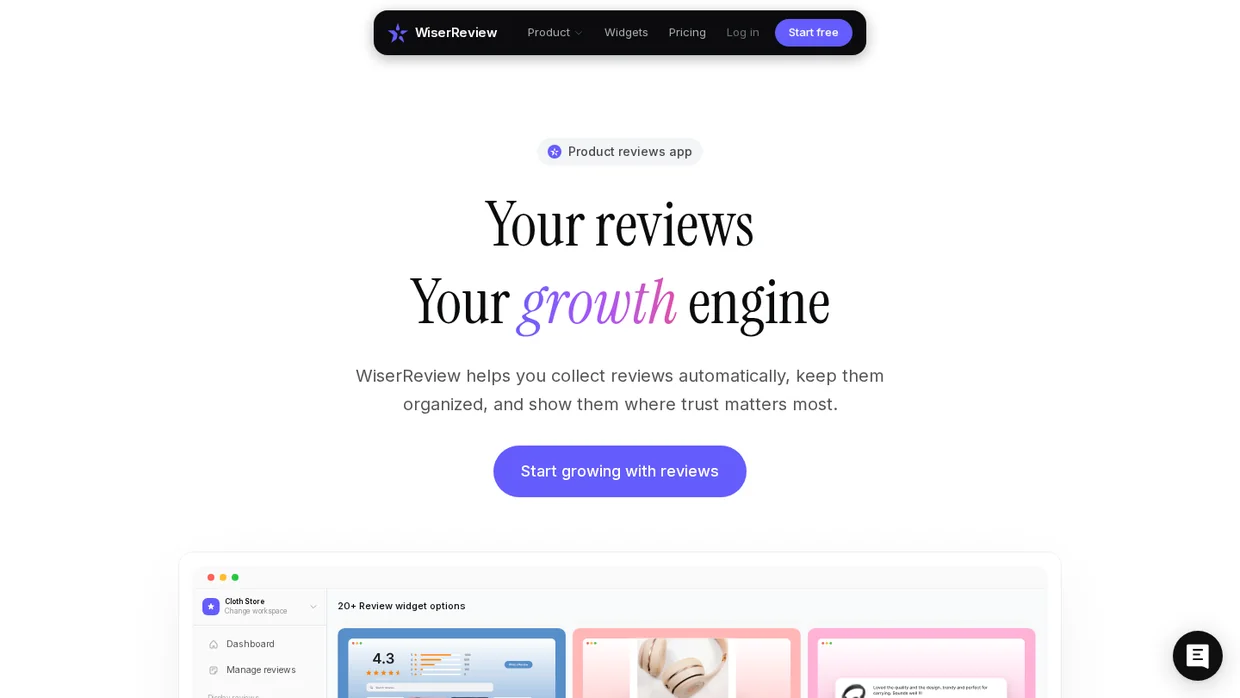
Disclosure, WiserReview is our product. It collects reviews and testimonials after a program ends and shows them on the pages where leads decide.
Requests go out by email, and by text or WhatsApp through Zapier. At a live workshop, a QR code on your last slide does the same job.
Clients can answer with text, a photo, or a short video, which suits the before-and-after stories coaches sell on.
Reviews then appear on your sales page as walls, carousels, or badges, so the proof sits next to the button.
Key features
- Review requests by email, text, WhatsApp, and QR code.
- Text, photo, and video testimonials.
- 18+ widgets to display reviews on your site.
- AI replies to Google reviews.
- Zapier and webhook triggers from other tools.
Pricing From $6.75 a month billed yearly for 100 review requests a month, 7-day free trial, metered by review requests.
- Good fit when you have happy clients but no system to ask them for a testimonial.
- Not a fit if you need email or text marketing, which WiserReview does not send.

Show Real Reviews That Build Trust
Collect and display photo, video, and text reviews with full design control.
Capture leads: quizzes and booking
A follower becomes a lead when they give you something, an answer, an email, a time slot. These two tools turn attention into that first exchange.
5. ScoreApp: Best for quiz funnels

ScoreApp builds scorecards, short quizzes that grade a visitor on something they care about. “How ready is your business to scale?” converts better than “Join my newsletter” because the visitor gets a result about themselves.
For a coach, the answers matter as much as the email. A low score and a high score call for different follow-ups, and the responses show which leads are ready to book.
AI drafts the questions and landing page from a short brief, so the first version takes an afternoon.
Key features
- AI-built scorecards and landing pages.
- Dynamic result pages that change with the score.
- Response data export and CRM connections from Starter.
- Custom domain and abandoned-quiz emails on Business.
- Advanced insights on Business.
Pricing Free for 1 live scorecard and 10 responses a month, Starter $39 a month or $30 billed yearly (3 scorecards, 100 responses), Business $99 or $75 (10 scorecards, 1,000 responses), Pro $149 or $112, metered by live scorecards and responses.
- Good fit when you sell a higher-ticket program and want to know who is ready before the call.
- Not a fit if you only need a download form, which your email tool already builds.
6. Calendly: Best for discovery calls

Calendly turns “let me know a good time” into one link. The lead picks a slot, answers your intake questions, and gets the call link and reminders without you typing.
Put the link everywhere a lead might decide, the end of your quiz result, your email signature, and a booking widget for website on the program page.
Routing forms on the Teams plan send a lead to the right call type based on their answers, which helps once you run more than one offer.
Key features
- Booking links with buffers, notice periods, and daily limits.
- Intake questions on the booking form.
- Email and text reminders.
- Payments through Stripe or PayPal on paid calls.
- Routing forms on Teams.
Pricing Free plan, Standard $10 per seat a month billed yearly, Teams $16 per seat, Enterprise from $15,000 a year, metered by seats.
- Good fit when discovery calls are how you sell and leads drop off in the back-and-forth.
- Not a fit if you sell only low-price digital products with no call.
Build trust & FOMO
Highlight real-time activities like reviews, sales & sign-ups.


Nurture leads by email
Most people who find you are not ready to buy this month. Email keeps you in front of them until they are, and it is still the channel where coaches sell programs.
All three below build forms and landing pages, so you may not need a separate page builder. For platforms outside the coaching world, our roundup of email marketing tools goes wider.
7. Kit: Best for selling programs

Kit, the tool formerly called ConvertKit, is built for people who sell their knowledge. Tags follow each subscriber’s interests, and one list can feed several programs without duplicates.
The free Newsletter plan has the most room of any free plan here. It covers up to 10,000 subscribers with unlimited sends, forms, and landing pages, and it lets you sell a digital product.
The catch is automation. Free includes one automation and one sequence, so a real launch sequence usually means Creator.
Key features
- Unlimited sends on every plan, including free.
- Tags and segments that follow subscriber interests.
- Visual automations and sequences on Creator.
- Digital product and paid newsletter sales.
- Referral system and subscriber scoring on Pro.
Pricing Newsletter free up to 10,000 subscribers, Creator $39 a month or $33 billed yearly at 1,000 subscribers, Pro $79 or $66, 14-day trial on paid plans, metered by subscribers.
- Good fit when you sell programs to a growing list and want sends that never cost extra.
- Not a fit if you want texts in the same tool, which Kit does not send.
8. MailerLite: Best low-cost start

MailerLite is the cheapest paid email plan here, with a clean editor that a first-time sender learns in an hour.
Its paid plans are now called Comfort and Power. Comfort covers regular newsletters and automations, and Power removes the send cap and adds unlimited landing pages, signup forms, and bookings.
Watch the free tier. It now stops at 250 subscribers, so a coach with a live lead magnet outgrows it within weeks.
Key features
- Drag-and-drop email editor and templates.
- Automations with multiple triggers on Power.
- Landing pages and signup forms.
- Digital products and bookings.
- A subscriber preference center.
Pricing Free up to 250 subscribers and 2,500 emails a month, Comfort $10.80 a month billed yearly ($12 monthly) for 500 subscribers and 5,000 emails, Power $22.50 ($25) with unlimited emails, 14-day free trial, metered by subscribers and sends.
- Good fit when you want a paid plan that stays under $15 a month while your list is small.
- Not a fit if you want a large free list, where Kit gives far more room.
9. Mailchimp: Best for email plus SMS

Mailchimp is the name most coaches have already heard, and it now sells email and SMS marketing from one account.
That pairing is the reason to pick it. One contact record holds the email and the phone number, so a launch can send the email and a reminder text from the same tool.
The meter is strict. Plans price by contacts and cap monthly sends, and sending pauses when you pass either limit.
Key features
- Email campaigns with templates and a drag-and-drop editor.
- Automated customer journeys on Standard.
- SMS marketing as a paid add-on.
- Landing pages and signup forms.
- Analytics and A/B testing.
Pricing Free under 250 contacts, Essentials from $13 a month, Standard from $20, Premium from $350, 14-day free trial on Essentials and Standard, metered by contacts and monthly sends.
- Good fit when you want email and texts under one login and one contact list.
- Not a fit if your list grows fast, since contact pricing climbs quicker than Kit’s.
Build trust & FOMO
Highlight real-time activities like reviews, sales & sign-ups.

Nurture leads by text message
Coaches use texts for the messages that cannot wait in an inbox: webinar reminders, call confirmations, and short launch nudges. Newsletters stay in email.
Both tools below include unlimited contacts and two-way replies, so a lead can answer back and you can pick up the conversation.
10. SimpleTexting: Best for replies

SimpleTexting is built for small businesses that want conversations, not just blasts. Incoming replies are free, and auto-replies and drip campaigns handle the first answers for you.
Text-to-join keywords work well for coaches who speak. Put “Text GROW to” a number on your last slide, and the audience joins your list from their seats.
The plan includes 10DLC registration guidance and three users, so an assistant can answer replies too.
Key features
- Mass texting and two-way messaging with free replies.
- Auto-replies and drip campaigns.
- Unlimited text-to-join keywords.
- Opt-in forms, pop-ups, and Mailchimp and Zapier integrations.
- AI Assist for drafting messages.
Pricing $39 a month billed monthly or $33.20 billed yearly for 500 texts on a local number, a $4 one-time carrier registration fee, extra credits 5.5 cents each, free trial with no card, metered by text credits.
- Good fit when you want leads to text back and a real conversation to follow.
- Not a fit if you send picture messages often, since each one costs three credits.
11. EZ Texting: Best for a small list

EZ Texting has the lowest entry price here for a coach with a few hundred contacts. Launch covers up to 500 contacts and 6,000 texts a year.
Workflows send the right text on a trigger, after-hours replies, event reminders, and feedback requests, without you watching the phone.
Setup takes about one business day, and Launch includes a local number that can send and receive texts.
Key features
- Workflows for reminders and automatic replies.
- Local 10DLC or toll-free numbers.
- Opt-in tools and audience segments.
- Scheduling and delivery analytics.
- A stock image library for picture messages.
Pricing Launch $20 a month billed yearly (up to 500 contacts, 6,000 credits a year), Boost $60, Scale $100, extra credits from 3 to 4 cents, trial on Launch, metered by text credits.
- Good fit when your list is under 500 and texts are for reminders more than chats.
- Not a fit if a team shares the inbox, since each plan includes one user.
Text message rules coaches must follow
Before a coach sends marketing texts in the US, the sending number has to be registered with the carriers, every contact needs a record of opting in to texts, and every message needs a way out.

Register the number first
Local numbers go through 10DLC brand and campaign registration, and toll-free numbers need their own verification. Carriers filter or block texts from numbers that skip it, so budget a few days before your first send.
Get consent for texts
An email opt-in does not cover texting. Use a keyword or a form with its own SMS checkbox, and keep the record of when each person joined.
Name yourself and offer a way out
Say who is texting in the first message and honor STOP replies right away. Both tools above handle STOP replies automatically.
Send in daytime hours
Some states limit the hours when marketing texts can go out. Keep sends to mid-morning through early evening in the contact’s time zone, and check the rules in the states you text.
If you coach clients outside the US, check the rules where they live before you text them.
Convert on a live call
The last step is the moment a lead decides you are the coach for them. A live session shows how you work before they pay a cent.
12. Zoom: Best for webinars

Zoom is the call link your leads already have installed, which removes one reason to skip your session.
For small group calls the Pro plan is enough. For a public webinar with registration, Q&A, polls, and a branded page, Zoom sells a separate Webinars license on top of a paid plan.
A webinar only sells if people show up, so pair it with the reminder texts above and our guide on how to increase webinar registration.
For one-on-one calls, pair it with a notetaker from our list of AI agents for coaches and the session summary is waiting when the call ends.
Key features
- Meetings up to 30 hours on Pro, 40 minutes on Basic.
- Chat, reactions, polls, and Q&A in webinars.
- Event landing pages and registration.
- Recordings with AI-generated chapters.
- Performance reports that connect to marketing tools.
Pricing Basic free with 40-minute meetings, Pro $14.16 per user a month billed yearly, Webinars add-on from $83.33 a month billed yearly for up to 500 attendees, metered by seats and attendees.
- Good fit when you run group calls, workshops, or free trainings that lead to an offer.
- Not a fit if you only hold one-on-one sessions, where the free plan and Calendly cover it.
Three starter stacks by budget
You do not need all twelve. These three stacks cover every stage at different budgets, using the prices above.

The $0 stack
Kit Newsletter, Calendly Free, Canva Free, Buffer Free, ScoreApp Free, and Zoom Basic. It covers posting, lead capture, email, and calls, and it holds until your first launch needs automations.
The under-$60 stack
MailerLite Comfort ($10.80), EZ Texting Launch ($20), Calendly Standard ($10), Canva Pro ($12), and Buffer Essentials for one channel ($5). About $58 a month, with reminders by text.
The growth stack
Kit Creator ($33), SimpleTexting ($33.20), ScoreApp Starter ($30), Zoom Pro ($14.16), Canva Pro ($12), Calendly Standard ($10), WiserReview ($6.75), and WiserNotify Basic ($4.92). About $144 a month, all on yearly billing.
Upgrade the tool that blocks your next launch, not the one with the nicest feature page.
Build trust & FOMO
Highlight real-time activities like reviews, sales & sign-ups.

Wrap Up
Pick one tool for each stage of the path, not one tool for everything. Something to post with, something that shows others trust you, something to capture a lead, something to follow up, and something to close.
Start free where you can. Kit, Calendly, Canva, and Buffer carry a new practice a long way before any of them sends a bill.
Add texting once you run live events or launches, and register the number before you need it.
Frequently Asked Questions
What marketing tools does a coach need?
One tool for each stage: posting, proof, lead capture, email, texts, and converting on a call. Most coaches start with Kit, Calendly, Canva, and Buffer on free plans.
What is the best email marketing tool for coaches?
Kit suits coaches selling programs, and its free plan covers up to 10,000 subscribers. MailerLite is the cheaper paid start for a small list.
Do coaches need SMS marketing?
Not at first. Texts earn their place once you run webinars, live events, or launches where a same-day reminder matters.
What do I need before sending marketing texts in the US?
A registered sending number and a text-specific opt-in from every contact, plus a way to reply STOP in your messages.
Can I market a coaching business for free?
Yes. Kit, Calendly, Canva, Buffer, ScoreApp, and Zoom all have free plans that carry a new practice a long way.
How much do marketing tools for coaches cost?
From nothing on free plans to about $144 a month for a full stack with texting, quizzes, webinars, and proof.
Is a quiz better than a lead magnet for coaches?
Often, because a quiz shows who is ready to buy while it collects the email. A PDF download only collects the email.
Which tool helps coaches collect testimonials?
A review tool such as WiserReview sends the request after a program ends and shows the answers on your sales page.

Krunal Vaghasiya is a marketing tech expert who boosts e-commerce conversion rates with automated social proof and FOMO strategies. He loves to keep posting insightful posts on online marketing software, marketing automations, and improving conversion rates.




 Capterra