
Photo Reviews: How to Collect Them From Customers

A written review tells someone the jumper fits. A photo of it on a real person tells them what “fits” means.
That is the case for photo reviews in one line. They answer what your own product shots cannot, because yours were taken in a studio by someone paid to make it look good.
The hard part is getting them. Most customers will happily leave three stars and a sentence, and stop there. Below is what changes that.
What Is a Photo Review?
A photo review is a customer review with an image the customer took themselves, showing the product in use or in their own space.
It is not the same as a product photo you commissioned, and it is not user-generated content in general. The defining thing is that the review and the image come from the same buyer, attached to the same purchase.
Most review platforms call these visual reviews, and some separate them into photo and video. The mechanics are identical.
Why Photo Reviews Work Better Than Text
Four reasons, and only the first one is about trust.
- They cannot be invented as easily. Anyone can type a paragraph. A photo of the product in a real kitchen is harder to fake and shoppers know it.
- They answer the sizing and scale questions. The single biggest source of returns in clothing and furniture is a mismatch between what the studio shot implied and what arrived.
- They show the product in context. A rug photographed on white looks nothing like the same rug in someone’s front room.
- They give you free creative. A hundred customer photos replaces a shoot budget, and they keep arriving.
The numbers behind visual proof sit in our social proof statistics if you want the research.
| Factor | Text review | Photo review | Video review |
|---|---|---|---|
| Effort for the customer | Low | Medium | High |
| Answers sizing and scale | No | Yes | Yes |
| Hard to fake | No | Fairly | Very |
| Reusable in ads | No | Yes | Yes |
| Typical submission rate | Highest | Lower | Lowest |
Photos sit in the middle on effort and near the top on usefulness. That is why they are the ones to chase first.
How to Get Customers to Send Photos
Most stores treat the photo as a bonus. They send a review request, hope a picture turns up, and it does not.
The reason is friction. Writing a sentence takes twenty seconds and happens in the browser you are already in. Attaching a photo means finding it, waiting for it to upload, and hoping the form does not time out. Any one of those steps is where people give up.
Everything below is about removing one of those steps.
1. Ask for the photo in the review form, not separately
An upload field inside the form someone is already filling in costs them one tap. A separate email asking them to send a picture costs you most of them.
If your form does not have a photo field, that is the first thing to fix. Nothing else on this list matters as much.
2. Ask for something specific
“Add a photo” gets ignored, because it puts the work of deciding what to shoot on the customer. Tell them what to point the camera at and they will.
Match the prompt to what you sell:
- Clothing: “Show us how it fits”
- Furniture and homeware: “Show us where you put it”
- Tools and equipment: “Show us the job you used it on”
- Skincare and haircare: “Show us the difference”
- Food: “Show us what you made”
One line, one instruction. Adding a second ask in the same sentence halves the response.
3. Show the photos you already have
A review form sitting under a wall of customer photos gets more photos. People copy what they see, and a page with none quietly tells them nobody bothers.
This is the cheapest lever on the list and most stores skip it. If you have twenty photos sitting in a dashboard, putting them on the product page will get you the next twenty for free.
4. Offer something for the effort, carefully
An incentive helps, and it is also where stores get themselves into trouble.
What works, and what does not:
- Safe: loyalty points for leaving any review, entry into a monthly draw, a small discount on the next order.
- Not safe: anything that pays out only on a good rating, or more for five stars than for three.
The line is simple. Reward the act of reviewing, never the score. Cross it and you have bought a review, which breaks the terms of every major platform and is worth nothing to a reader anyway.
5. Make it work on a phone
Nearly every photo review is submitted from the device the photo is on, so the phone experience is the whole experience.
Three things to check on your own handset before you assume it works:
- A full-size photo straight from the camera roll uploads without failing.
- HEIC files from an iPhone are accepted, not rejected as an unknown format.
- The form does not lose what they typed when the photo picker opens.
That last one is the quiet killer. A customer who writes three sentences, taps to add a photo, and comes back to an empty box does not start again.
6. Ask the people who already said yes
Anyone who left a five star review without a photo has told you they liked it and are willing to be asked. That is a much warmer list than your general customer base.
A short follow-up to that group, referencing the review they already left, gets a far better response than a cold request. It is also the fastest way to fill an empty gallery when you are starting from nothing.
When to Ask for the Photo
When you ask matters more than how you word it, and it changes by category.
- Clothing and accessories. Three to five days after delivery. Long enough to have worn it once.
- Furniture and homeware. A week. It has to be unpacked and placed before there is anything to photograph.
- Skincare and supplements. Four to six weeks, because the result is the photo.
- Tools and equipment. After the first real job, which for most buyers is within a fortnight.
- Food and consumables. Two to three days, while there is still some left.
One follow-up is fine, worded differently, about five days later. Two is where people start unsubscribing.
4 Photo Review Examples Worth Copying
Four real stores, and the first thing to take from each.
1. MyMunche
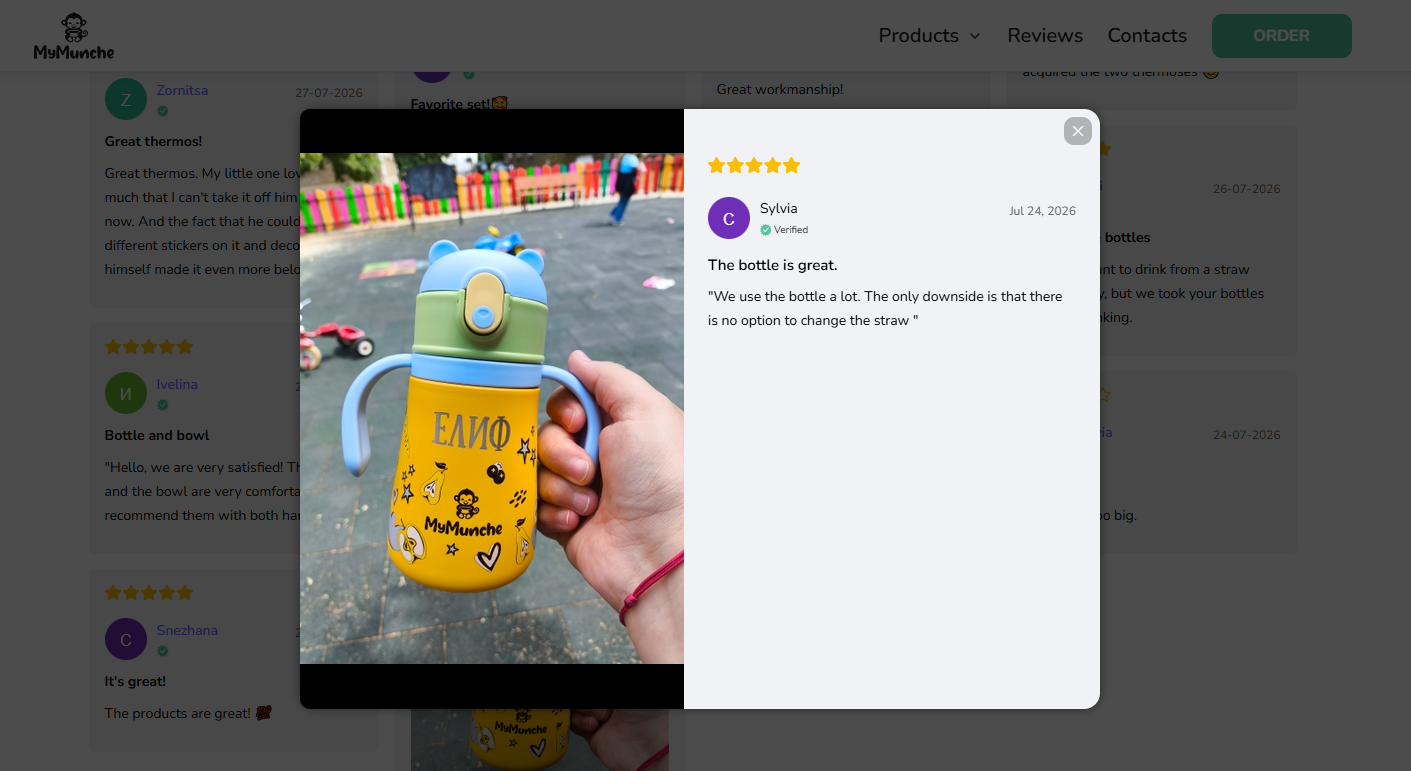
A customer photo of a personalised bottle held in one hand at a playground, with the child’s name printed on it. The review runs five stars and still says the straw cannot be changed.
Why it works: the criticism is what makes the rest believable. A page of unqualified praise reads as filtered, and one small complaint next to five stars does more for trust than a sixth glowing review.
Copy this: publish the three and four star photos too, and stop treating a minor gripe as something to hide. It also tells you what to fix.
2. ShopLobster
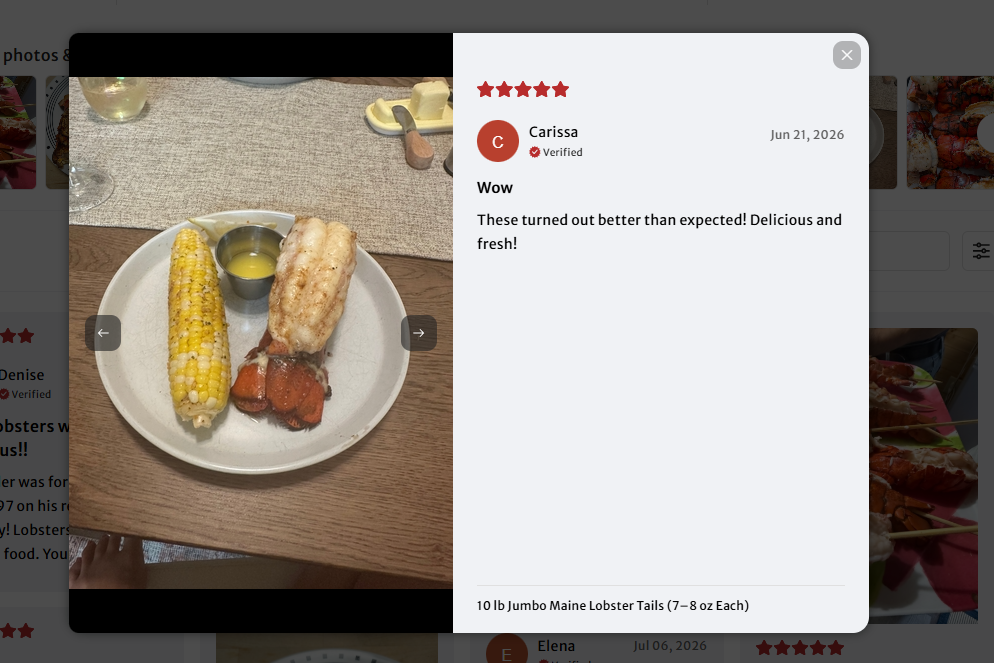
A customer photo of the lobster tails plated at their own table with corn and butter, alongside a short review. The product name sits under the image, so the photo is tied to the exact item.
Why it works: nobody buys frozen lobster to look at it frozen. The customer photo shows the outcome, which is the thing being sold, and the packshot never could.
Copy this: for anything cooked, built or assembled, ask for the finished result rather than the product as it arrived.
3. Peacock Supplies
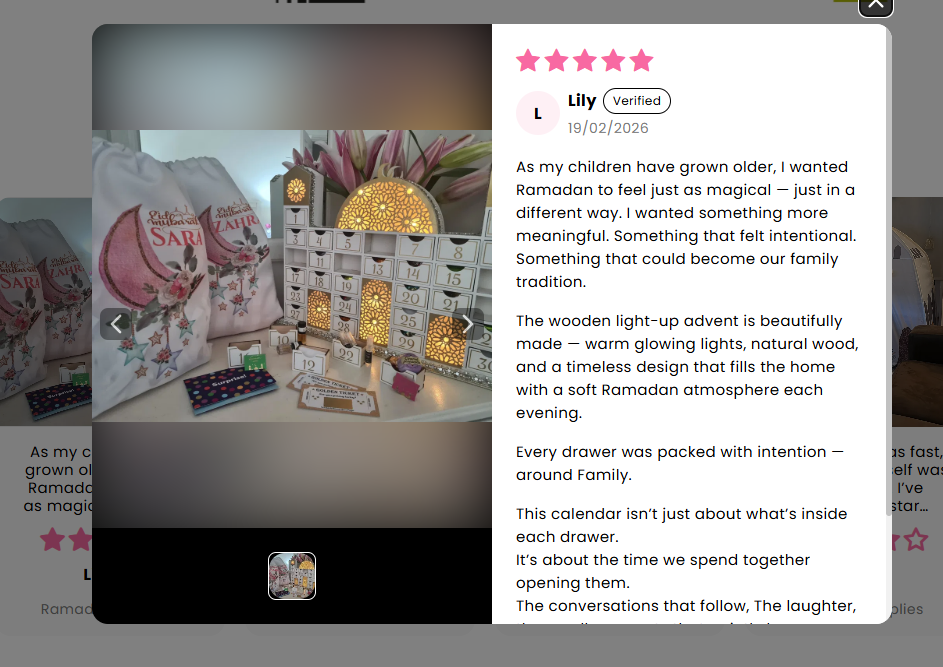
A photo of the advent calendar lit up on a table with personalised gift bags beside it, attached to a long review about why the customer bought it.
Why it works: the photo shows scale and the warmth of the lights, neither of which survives a product shot. Nobody writes that much to order, which is what makes it read as real.
Copy this: when the purchase is emotional, ask what the customer wanted it for rather than what they thought of it. You get the story, and the photo comes with it.
4. Planet Applique
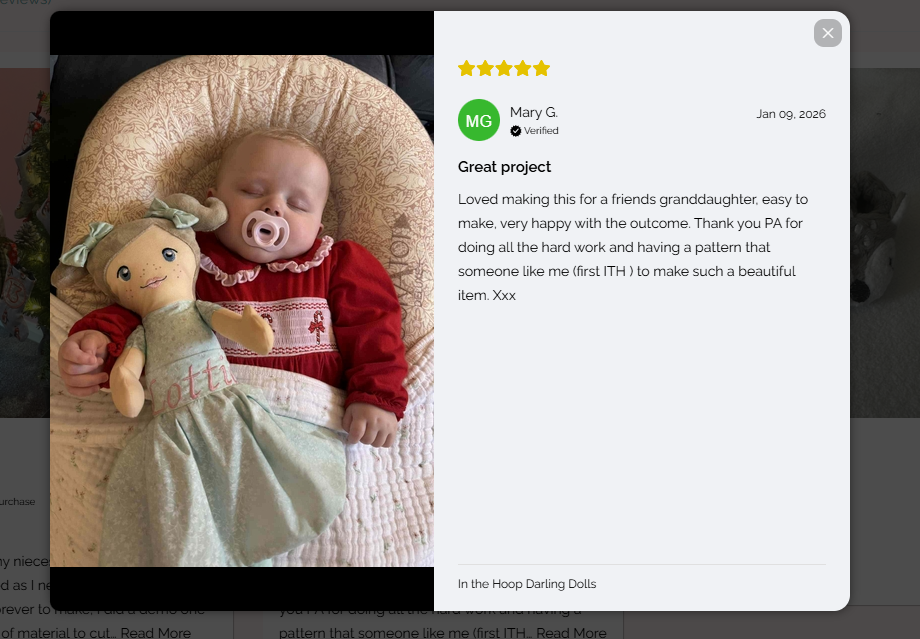
The customer photographed the doll they made from the pattern, resting beside a sleeping baby. The review is about the making, not the file they downloaded.
Why it works: the product here is a pattern, which is impossible to photograph well. The customer photo shows what you get if you buy it, and that is the only image that matters.
Copy this: if you sell templates, kits or anything digital, the review photo is your product photography. Prompt for the finished thing every time.
How to Set Up Photo Review Collection
1. Turn on image upload in your review form
Most review tools have this behind a toggle.
Set a sensible file size limit and accept the formats phones produce, HEIC included.
2. Trigger the request on delivery
Order status, not order date. Someone who ordered Monday and received it Friday should not get the request on Tuesday, and that single setting fixes most bad timing.
3. Set up moderation
Photos need a human eye before they go live. Not to filter out criticism, but because people submit blurry shots, screenshots, and occasionally something entirely unrelated.
4. Put them where the decision happens
Product page, near the buy button. More on placement below.
How to Display Photo Reviews
- A grid on the product page. The default, and the one that does the most work. Put it below the description, above the fold on mobile if you can.
- Inline with the written review. The photo and the words together are stronger than either alone.
- A homepage strip. Good for brand pages, weaker for conversion, since the visitor has not chosen a product yet.
- In email and ads. A real customer photo outperforms studio creative in paid social often enough to be worth testing.
Show the star rating next to the image. A photo without a score is decoration, and the two together are what convince.
There are more display patterns in our guide to social proof widgets.
What to Keep and What to Reject
You are aiming for a picture where the product is the subject, shot where it lives, with no filter on it. Plenty of what arrives will miss that, which is why someone has to look before anything goes live.
- Reject the blurry ones, not the critical ones. Screening by sentiment breaks Google’s rules and readers spot it anyway.
- Keep the three and four star pictures. A wall of nothing but perfect shots reads as staged.
- Check for faces nobody agreed to. A customer can speak for themselves, not for the child in the background.
- Leave what people send alone. Cropping and colour-correcting strips out the thing that made it credible.
Get permission in writing before any of it goes into a paid ad. Leaving a review is not the same as licensing a picture for advertising, and your form needs to say so at the point of upload.
How WiserReview Handles Photo Reviews

WiserReview collects photo and video reviews through the review form itself, so the customer never leaves it.
- Photo and video upload built into the form rather than a separate step.
- Requests over email, SMS, WhatsApp or QR code, triggered on order status.
- Moderation before anything appears on your site.
- 18 or more widgets for putting the results on product pages.
- Verified purchase labels tying each review to a real order.
Wrap Up
Put the upload field in the review form, ask two to three days after delivery, tell people what to photograph, and show the photos you already have.
That is most of the work. The rest is moderation and putting them next to the buy button.
Also check: 20 UGC campaign examples from real brands
Related Guides
Frequently Asked Questions
How can I showcase photo review effectively on my site?
Create a dedicated review page with prominently displayed photo reviews. Use an image gallery format to make it visually appealing and ensure the page is easily accessible from your main navigation menu.
How can I encourage customer's to leave photo/video reviews?
Encourage customer’s to share their experiences by offering incentives like discounts or special offers for those who upload an image/video with their review. Including a direct link in your follow up emails or messages can make processes easier for them.
What is the best way to ask for photo reviews?
The best way is to send a personalized message with a clear call to action. Include a link that directs customers to the Google review pages and reminds them to add a picture of their purchase.
How do I ensure the photo file size is appropriate for my review platform?
In your review request, clearly specify the preferred picture file size. Most platforms accept standard sizes, but providing this information helps avoid any issues.
Why are photo reviews valuable?
Photo reviews add authenticity and credibility to customer feedback, making it easier for potential buyers to trust your product or service. Customers often find visual evidence more compelling than comment alone.

Krunal Vaghasiya is a marketing tech expert who boosts e-commerce conversion rates with automated social proof and FOMO strategies. He loves to keep posting insightful posts on online marketing software, marketing automations, and improving conversion rates.




 Capterra