
17 Order Confirmation Page Examples (+ Free Templates)
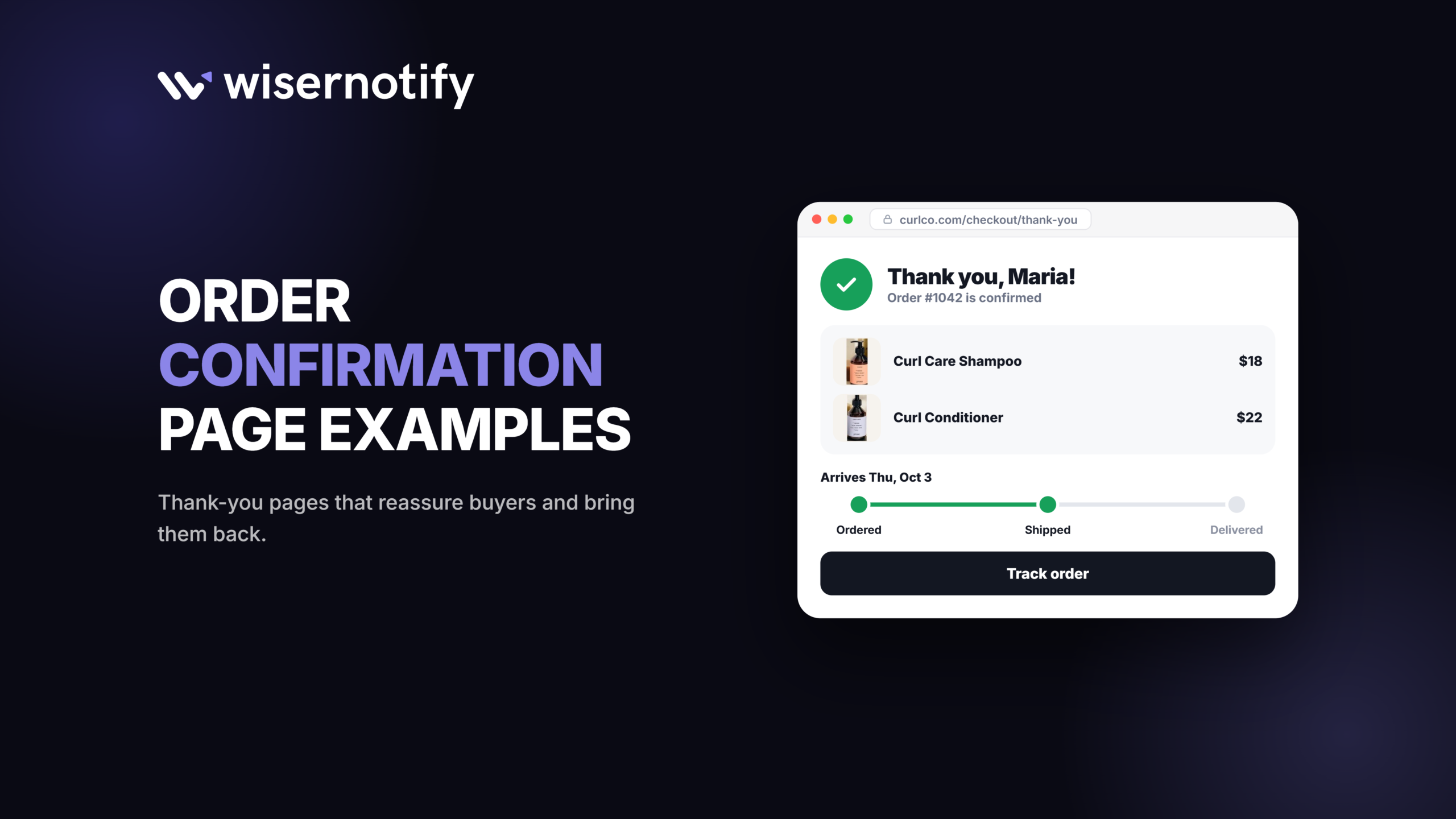
An order confirmation page is the page shoppers see right after they pay. The best ones confirm the order, say exactly what happens next, and offer one useful next step, such as tracking, an account, a referral or a related product.
Below are 17 order confirmation page examples from ecommerce, travel, food delivery and software brands, 9 confirmation email examples, and a copy-ready template for both.
Key takeaways
- Order number, items, total, delivery date and a tracking link come first. Everything else is secondary.
- Pick one or two post-purchase actions, not seven. Too many CTAs dilute each other.
- Match the next step to your business: tracking for delivery, loyalty for travel, add-ons for software.
Build trust & FOMO
Highlight real-time activities like reviews, sales & sign-ups.

What Is an Order Confirmation Page?
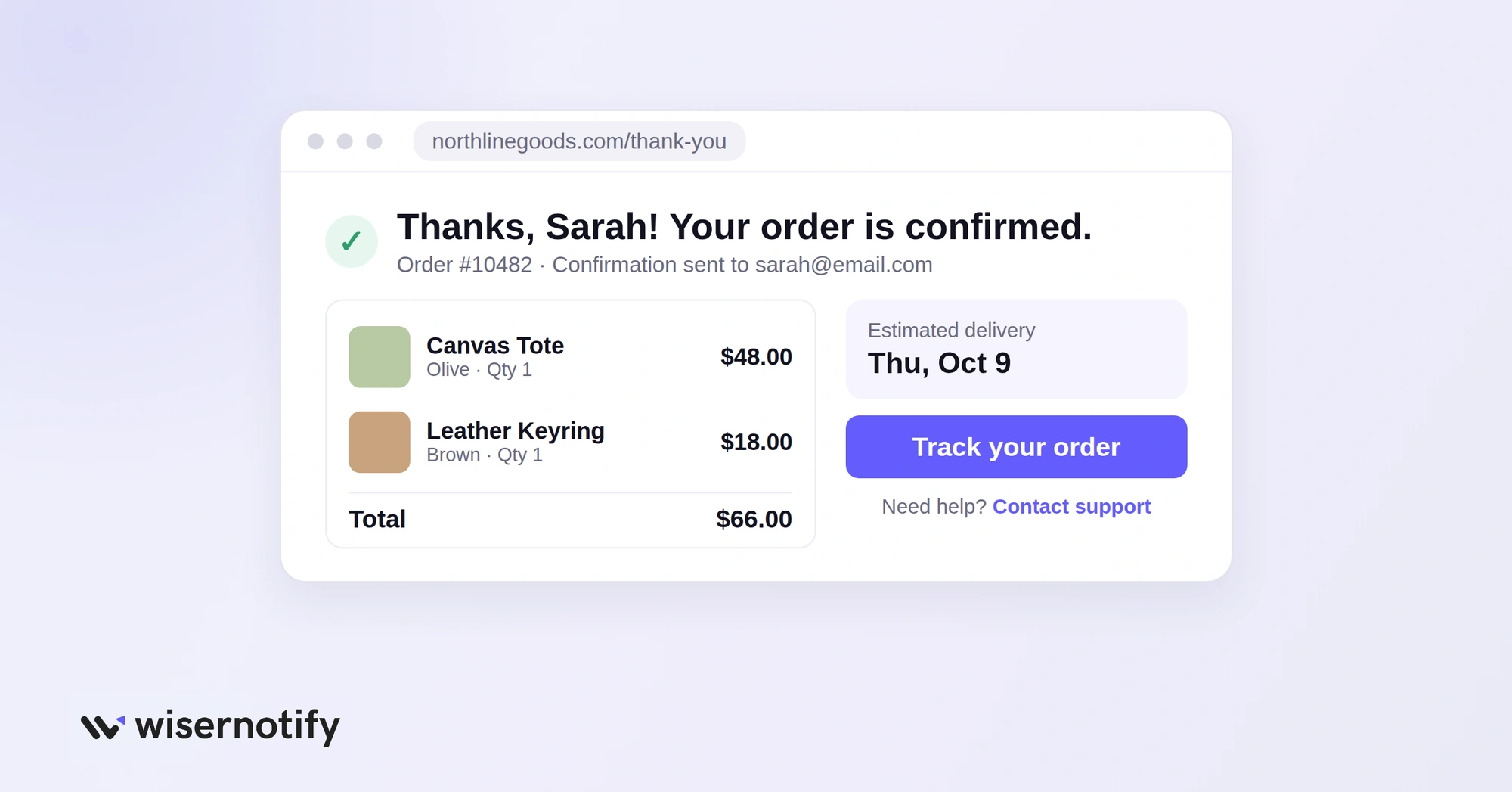
An order confirmation page is the page customers see immediately after completing a purchase, booking or subscription. It is also called a thank-you page, purchase confirmation page or order success page.
Its first job is to confirm the order went through. It should show:
- Order number
- Purchased items
- Total amount and payment status
- Shipping address
- Estimated delivery date
- Tracking or next-step information
- Customer support options
The order confirmation page is different from the order confirmation email. The page appears right after checkout, while the email gives the customer a copy they can open later. Both matter, and both are covered below.
17 Order Confirmation Page Examples at a Glance
| Brand | Post-purchase move | Best for |
|---|---|---|
| Wayfair | Related products and referral offer | Home and furniture stores |
| Harry’s | Checkout feedback survey | DTC brands |
| ASOS | Referral pop-up | Fashion stores |
| Away | Social sharing prompt | Aspirational products |
| H&M | Cause and brand values | Purpose-led brands |
| Uber Eats | Live order status | Food and delivery apps |
| Marks & Spencer | Account creation after guest checkout | Stores with guest checkout |
| Dollar Shave Club | Add-on with free shipping | Subscription boxes |
| Zalando | One-tap emoji survey | Large catalogs |
| Chewy | Prominent tracking button | Repeat-purchase stores |
| Best Western | Rewards program sign-up | Hotels and travel |
| World of Hyatt | Policies and special requests | Bookings with rules |
| Dropbox | Post-upgrade add-ons | SaaS and subscriptions |
| Home24 | Order timeline and voucher | Bulky or slow deliveries |
| Lululemon | Account and email sign-up | Brands with frequent drops |
| B&H | App download for tracking | Stores with a mobile app |
| Wild Rover Tours | Printable ticket and sharing | Tours, events and classes |
17 Order Confirmation Page Examples
1. Wayfair
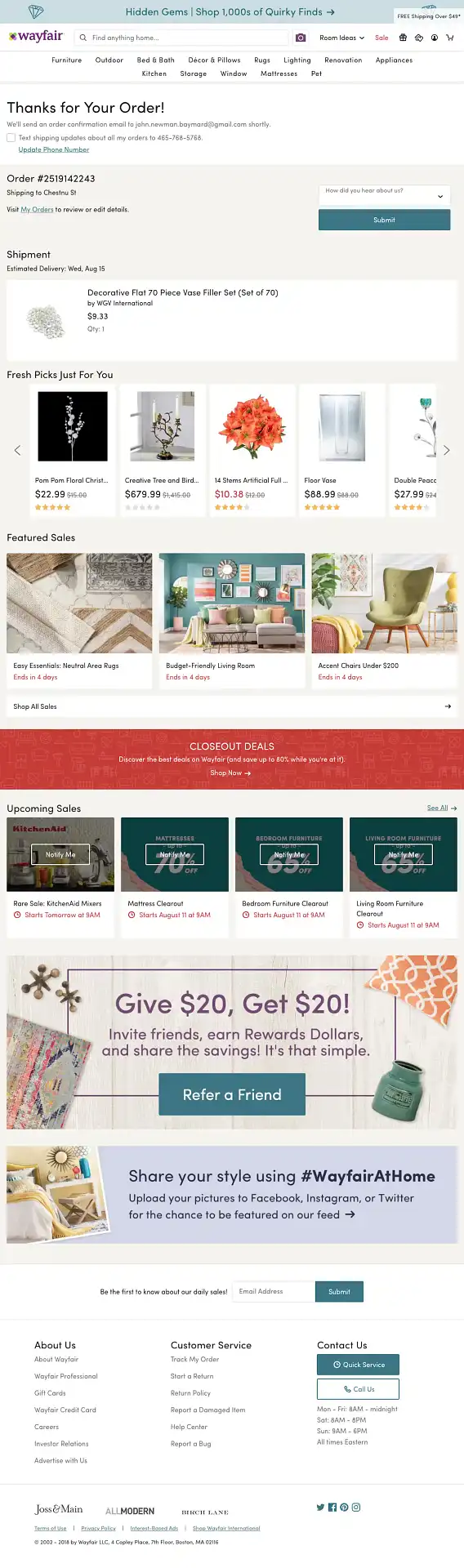
What they do right: Wayfair shows complete order details first, then personalized product recommendations and a referral offer. Someone who just bought a sofa sees matching cushions and a coffee table.
Steal this: Recommend products that go with the item just bought, and keep them below the order details so the confirmation stays clear.
2. Harry’s
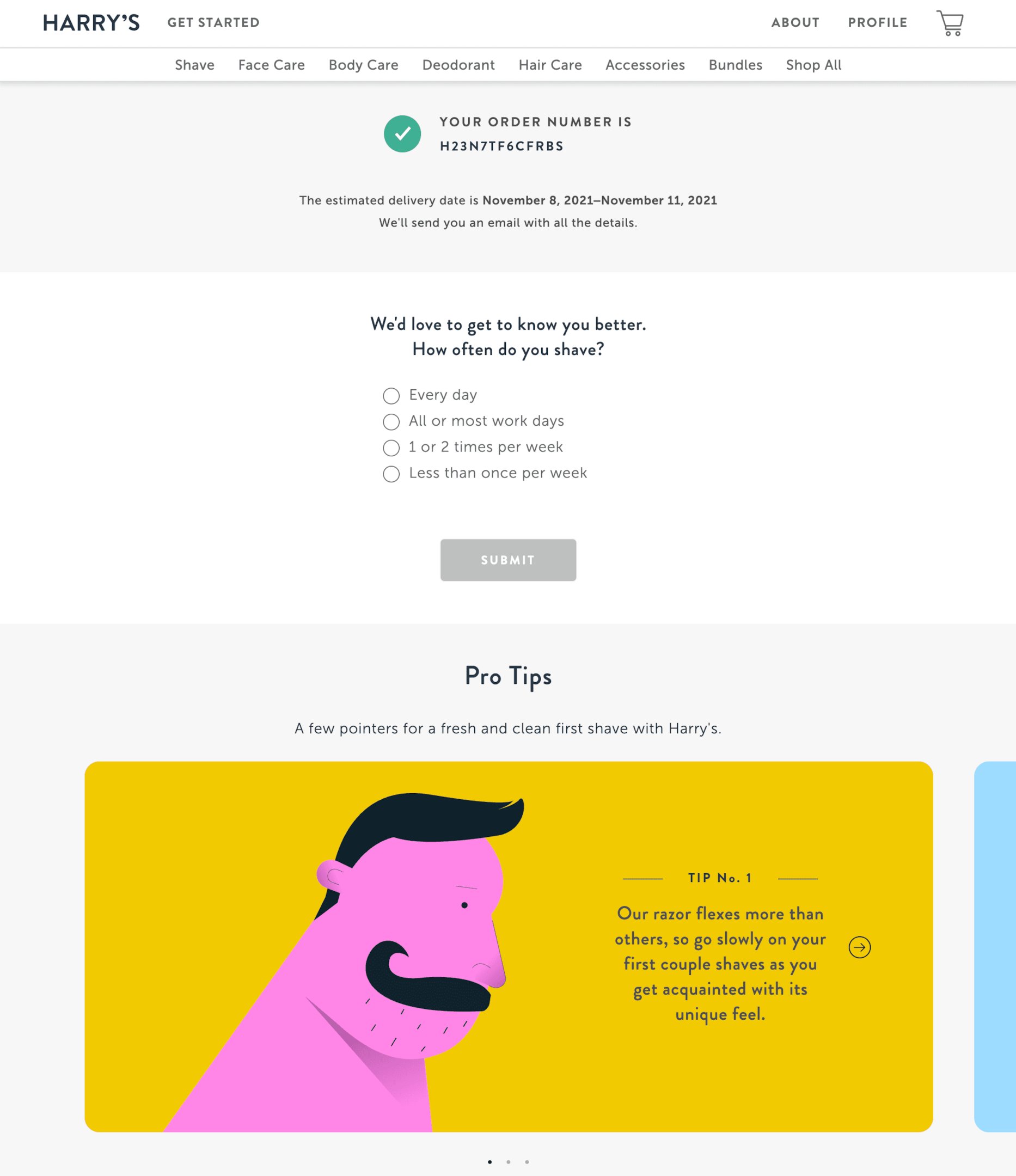
What they do right: Harry’s keeps the page minimal and adds a short feedback survey. The product has not arrived yet, so the answers are about the buying experience itself.
Steal this: Ask one or two questions, such as “How was your checkout experience?” You will hear about friction you would never learn from a later email.
3. ASOS
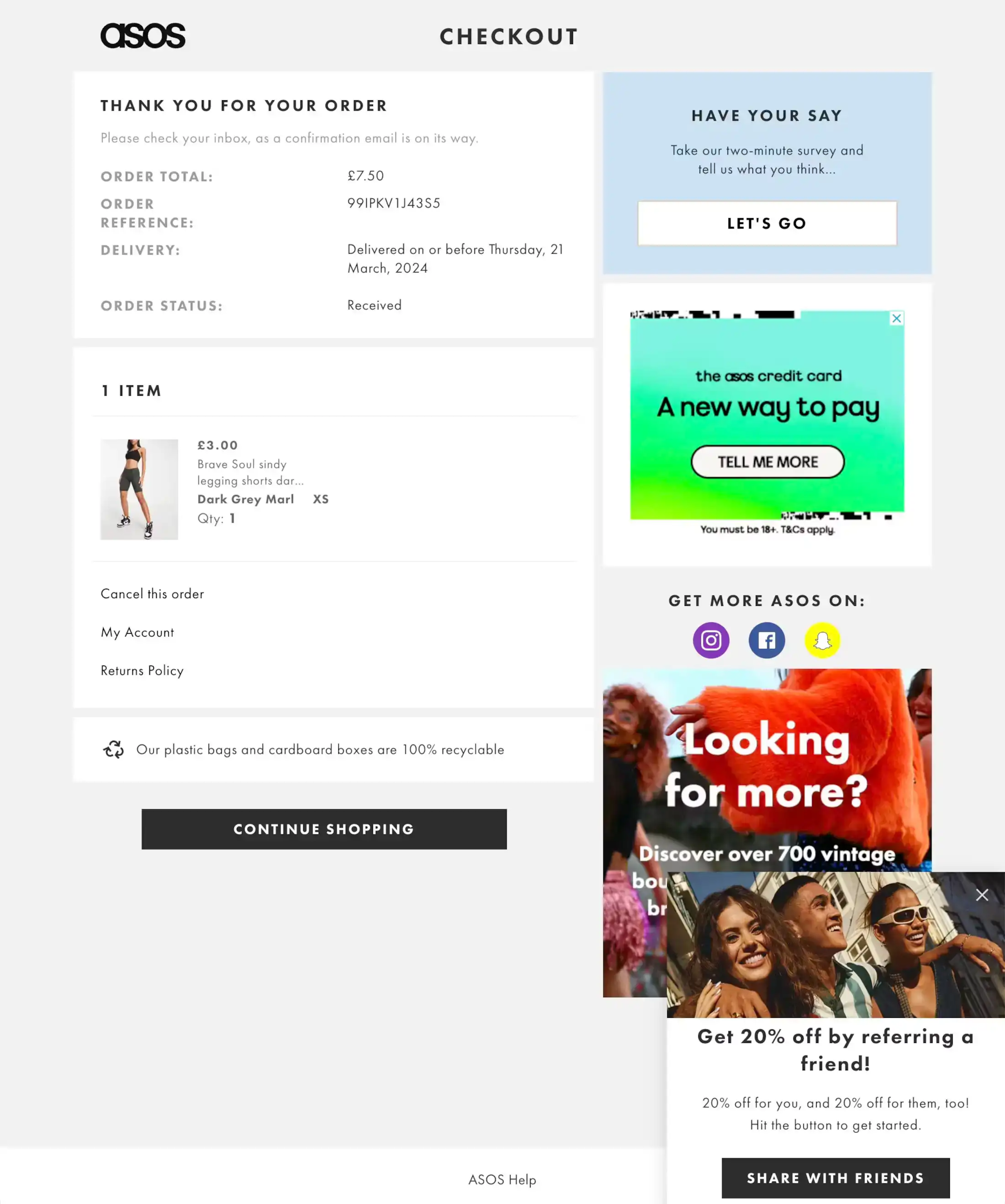
What they do right: ASOS pairs a clean confirmation with a pop-up for its referral program, offering the friend a discount and the customer a reward.
Steal this: Put your referral offer here instead of burying it in account settings. People are most willing to recommend you right after a good purchase.
4. Away
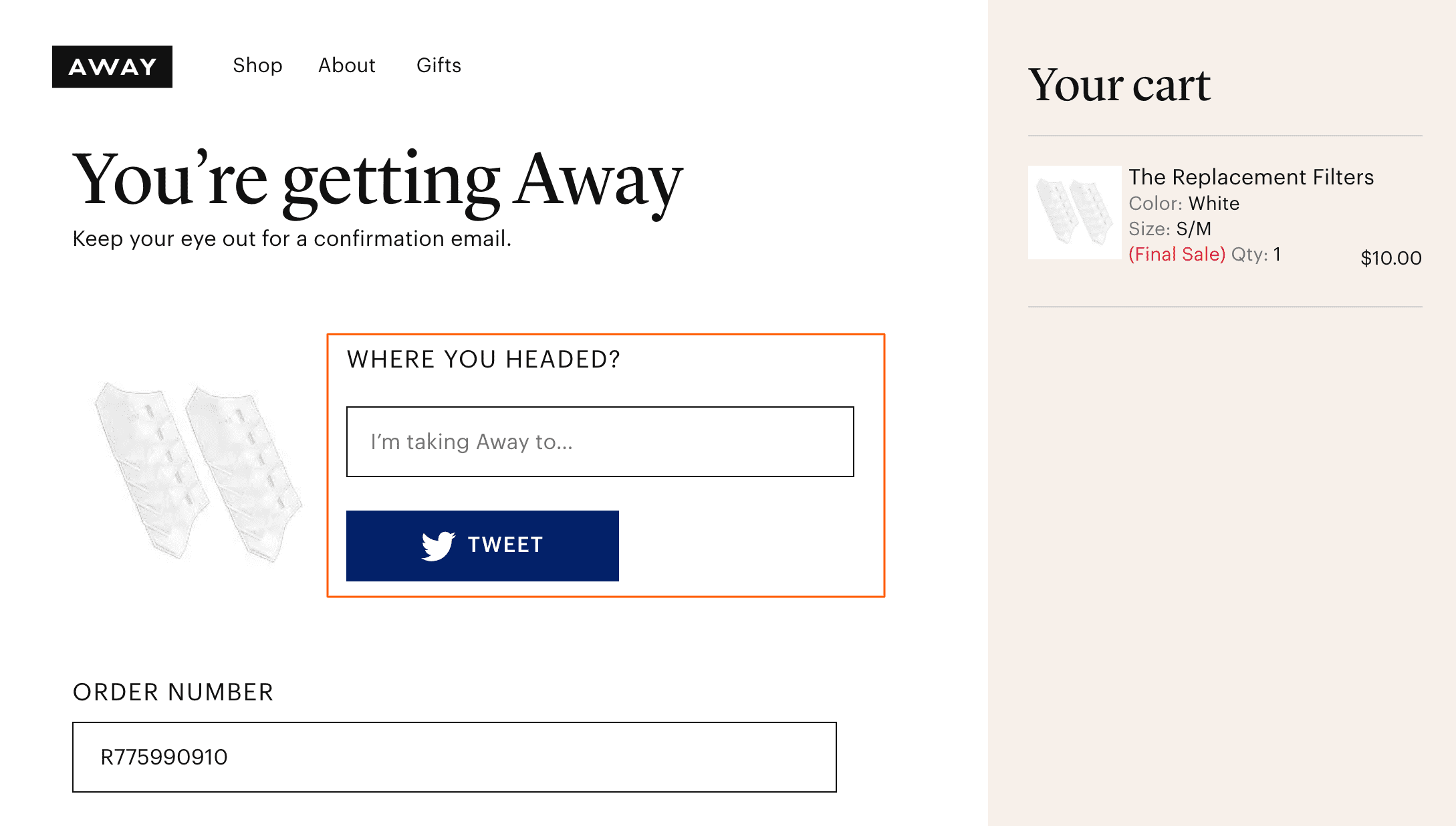
What they do right: The headline “You’re getting Away!” builds excitement, then invites customers to share their upcoming trip. Travel gear is a purchase people like to talk about.
Steal this: If your product is aspirational, such as travel, fashion or fitness, add share buttons with a ready-made message.
5. H&M
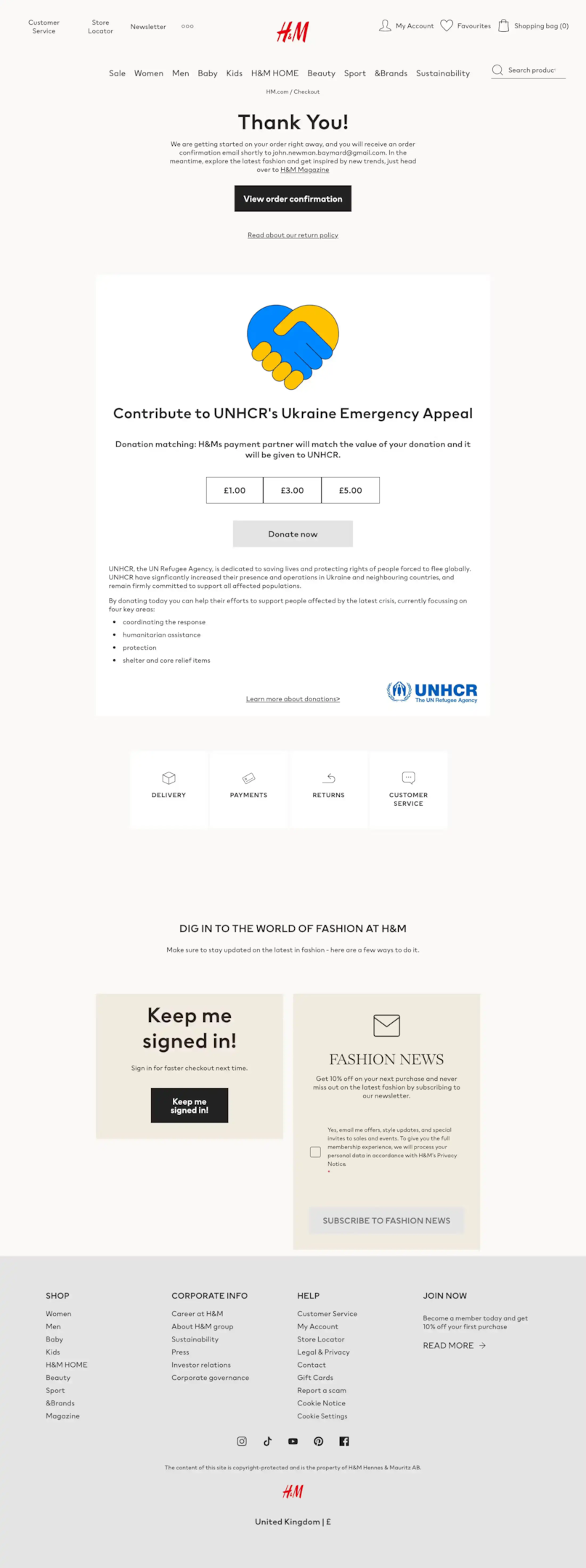
What they do right: H&M uses the page to talk about the causes it supports. It turns a receipt into a small reminder of the brand’s values.
Steal this: If you back a cause, mention it here in one or two lines. Keep it short so it does not push the order details down.
6. Uber Eats
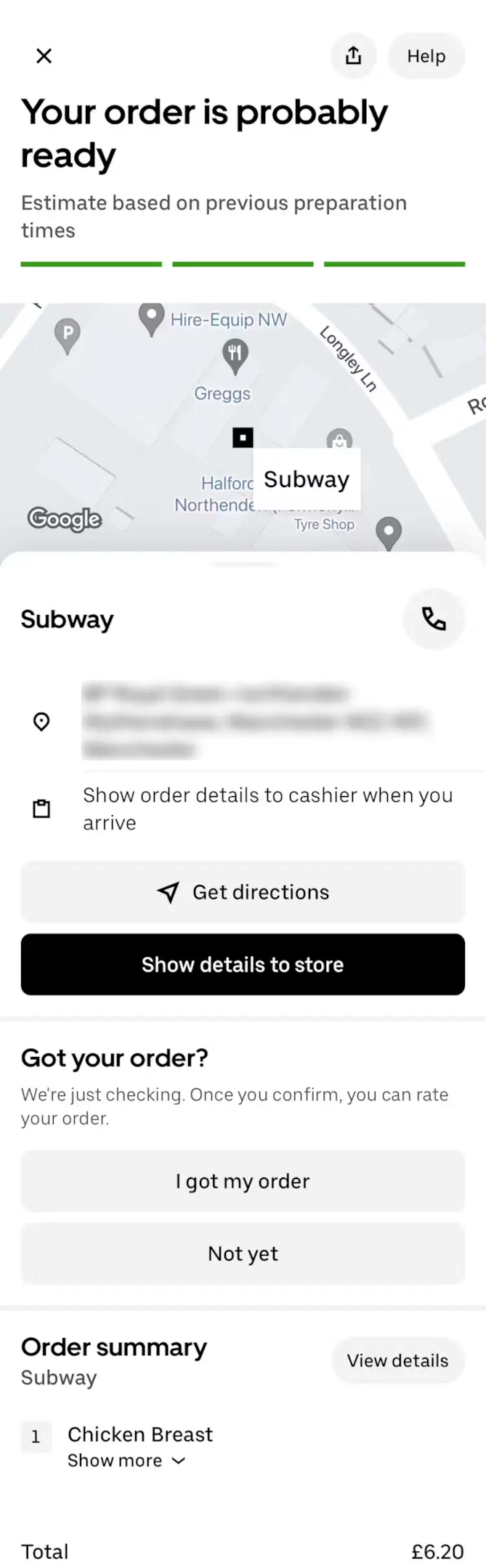
What they do right: Uber Eats shows only what matters in the moment: live order status, pick-up instructions and directions. There is no upsell at all.
Steal this: For delivery and service businesses, answer “When do I get it?” before anything else.
Related: order review page examples.
7. Marks & Spencer
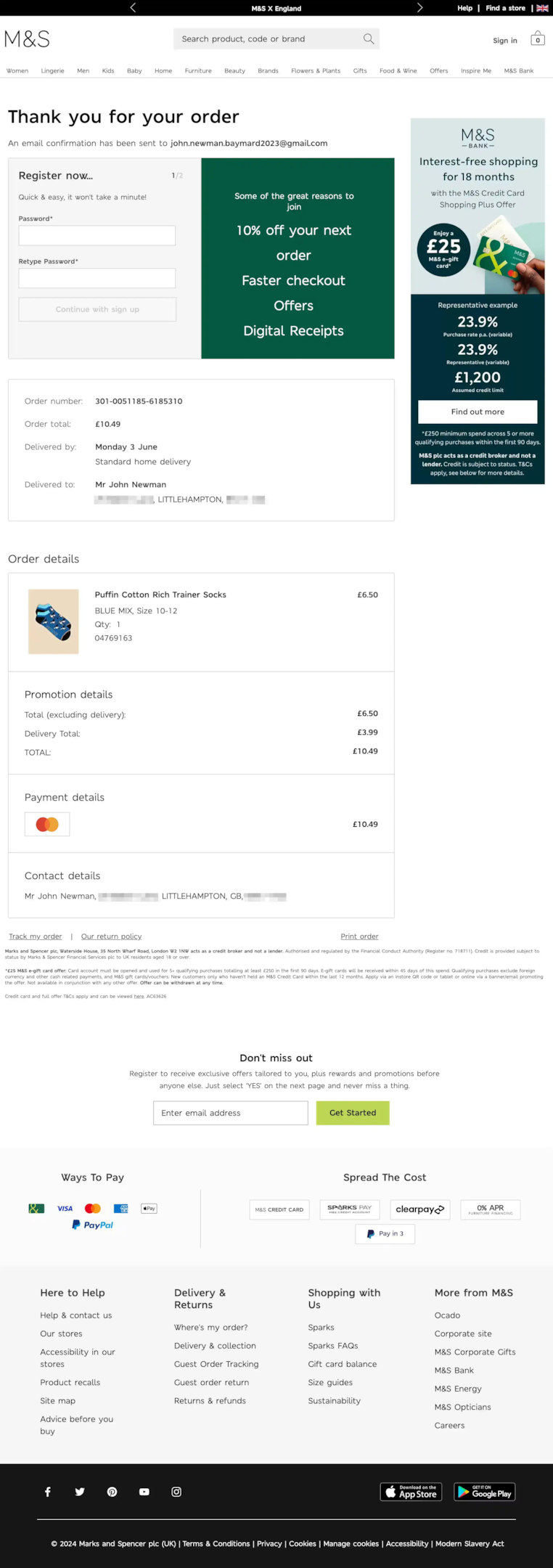
What they do right: M&S asks guest shoppers to create an account after the purchase, not during checkout. With the order done, there is no friction left to lose.
Steal this: If you allow guest checkout, offer account creation here with a clear reason, and pre-fill the details they already entered.
8. Dollar Shave Club
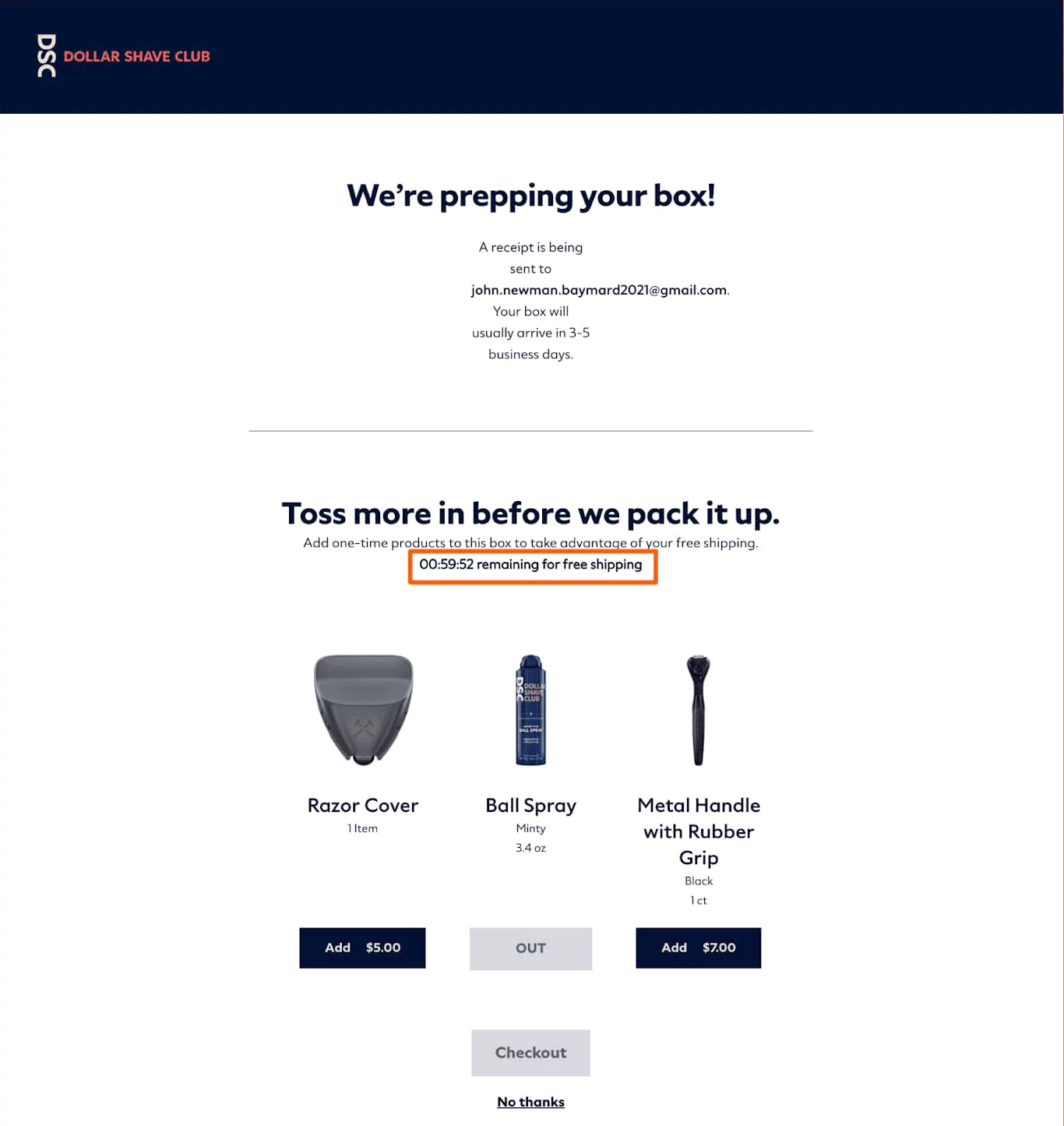
What they do right: Dollar Shave Club offers a last-minute add-on before the box ships, sweetened with free shipping. It feels like a deal, not a hard sell.
Steal this: Offer one complementary add-on that joins the same shipment, with a small incentive to say yes.
9. Zalando
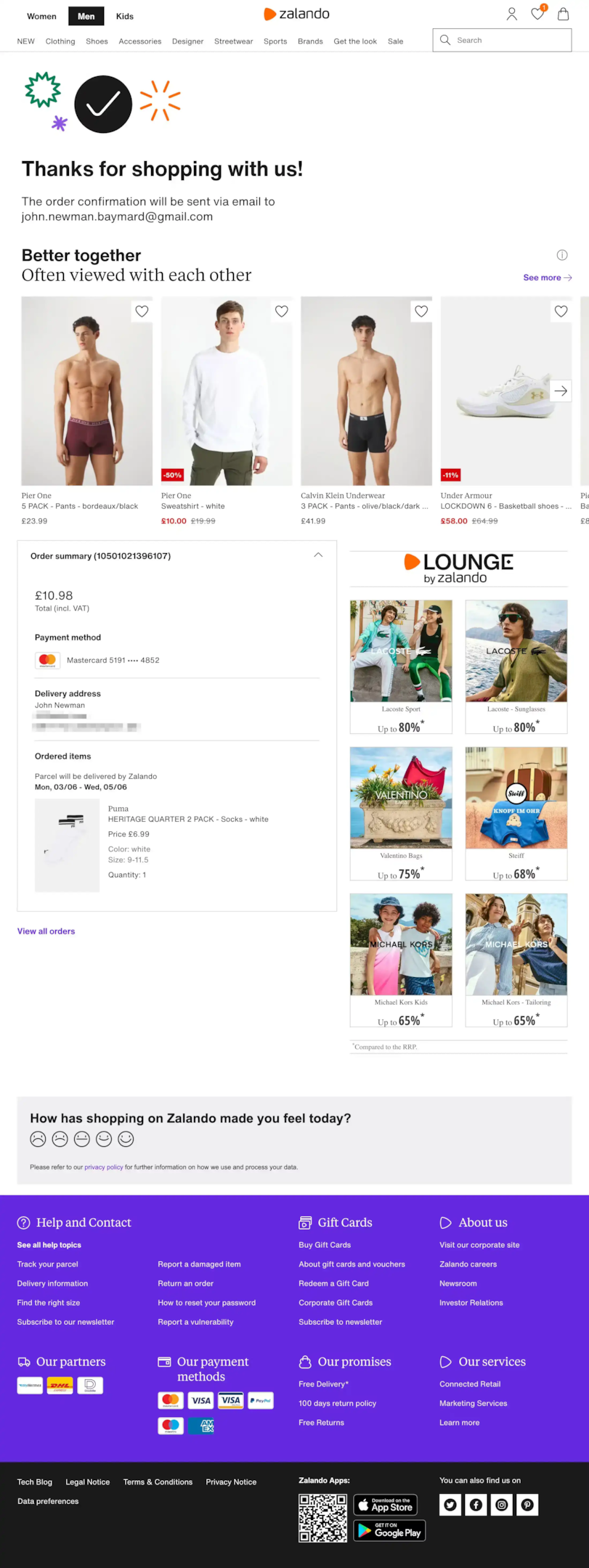
What they do right: Zalando adds a “Better Together” product section and a one-tap emoji survey: happy, neutral or sad.
Steal this: Replace a long survey with a single tap. Short surveys get answered far more often than multi-question forms.
10. Chewy
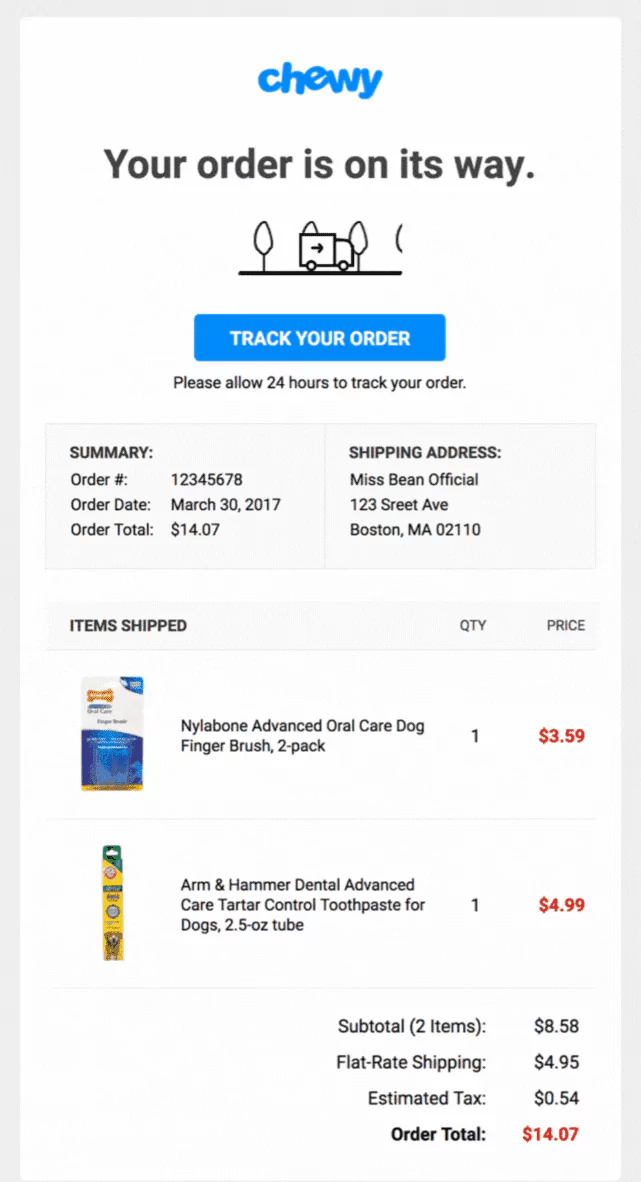
What they do right: A large “Track Your Order” button leads the page. Pet owners often need supplies by a certain day, so delivery timing is the main worry.
Steal this: Make tracking the most visible button. It answers the most common post-purchase question before it reaches your support inbox.
11. Best Western
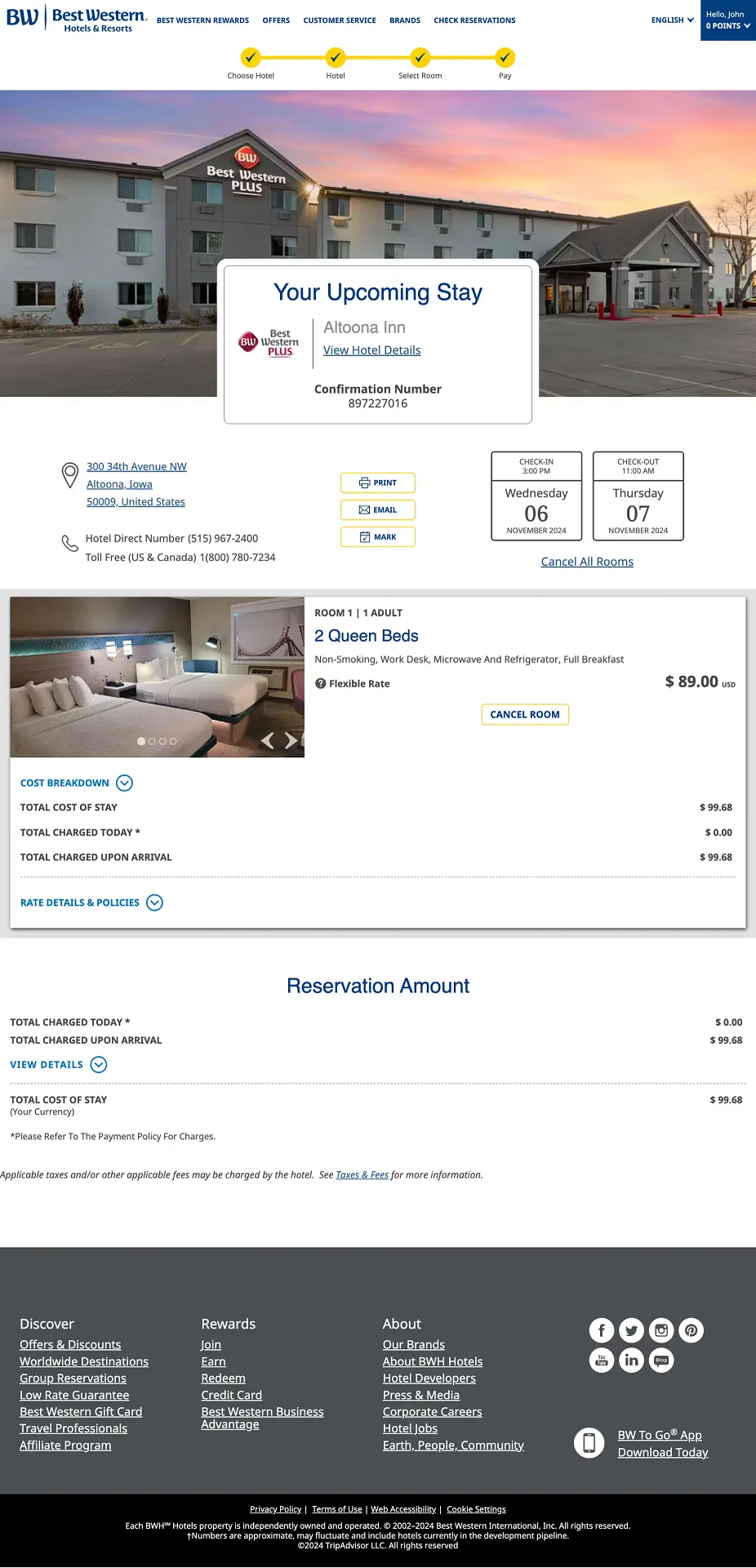
What they do right: Best Western shows dates, room details and a cost breakdown, then promotes its rewards program. A first booking is the best time to win a loyalty member.
Steal this: If you run a loyalty program, invite customers to join here, and show what this order already earned them.
12. World of Hyatt
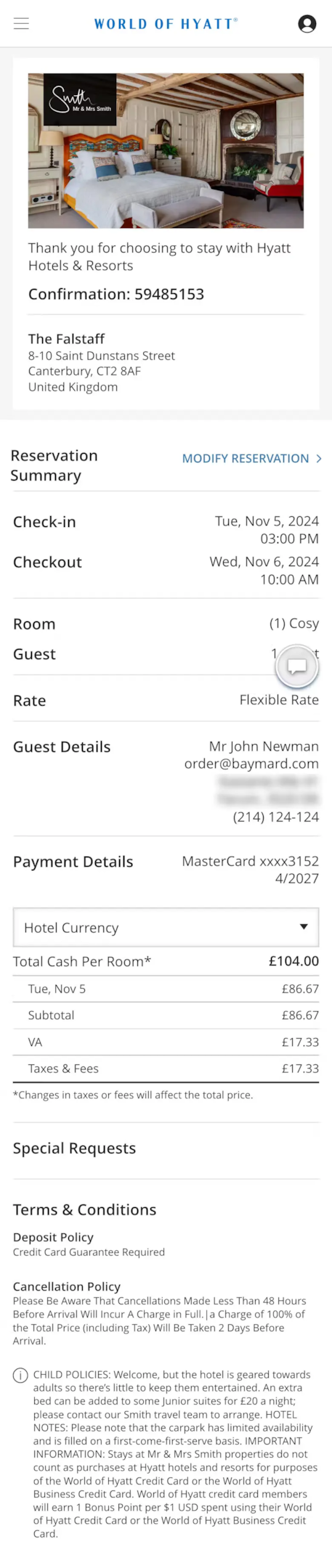
What they do right: Hyatt shows check-in times, cancellation rules and guest requests next to the booking summary. Guests get their answers without calling.
Steal this: Add the policies people ask about most, such as returns, warranty or care instructions.
13. Dropbox
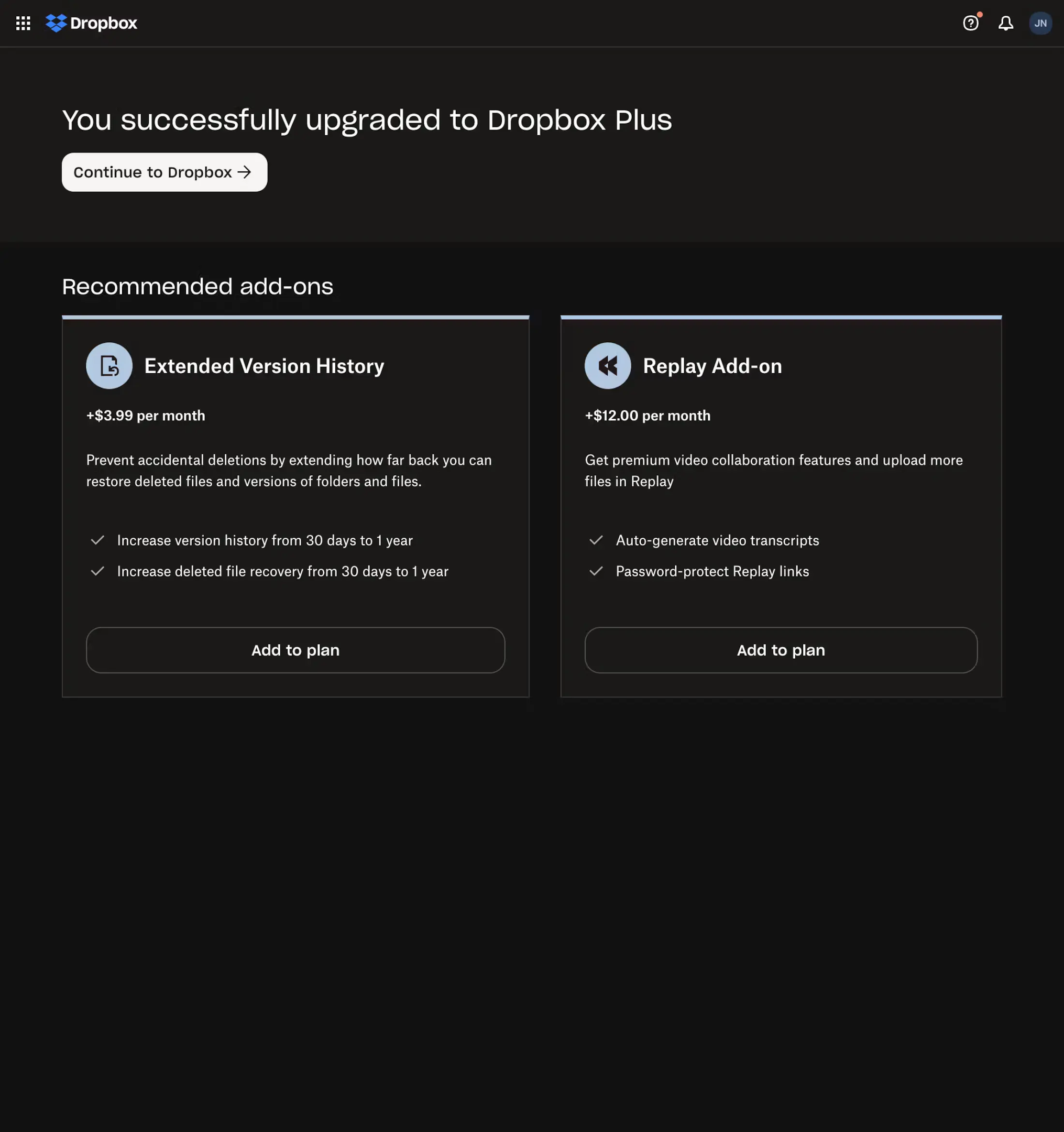
What they do right: After an upgrade, Dropbox shows relevant add-ons with clear pricing. The customer sees what they just got and what comes next.
Steal this: For SaaS, confirm the new plan first, then show the next upgrade path without pushing it.
14. Home24
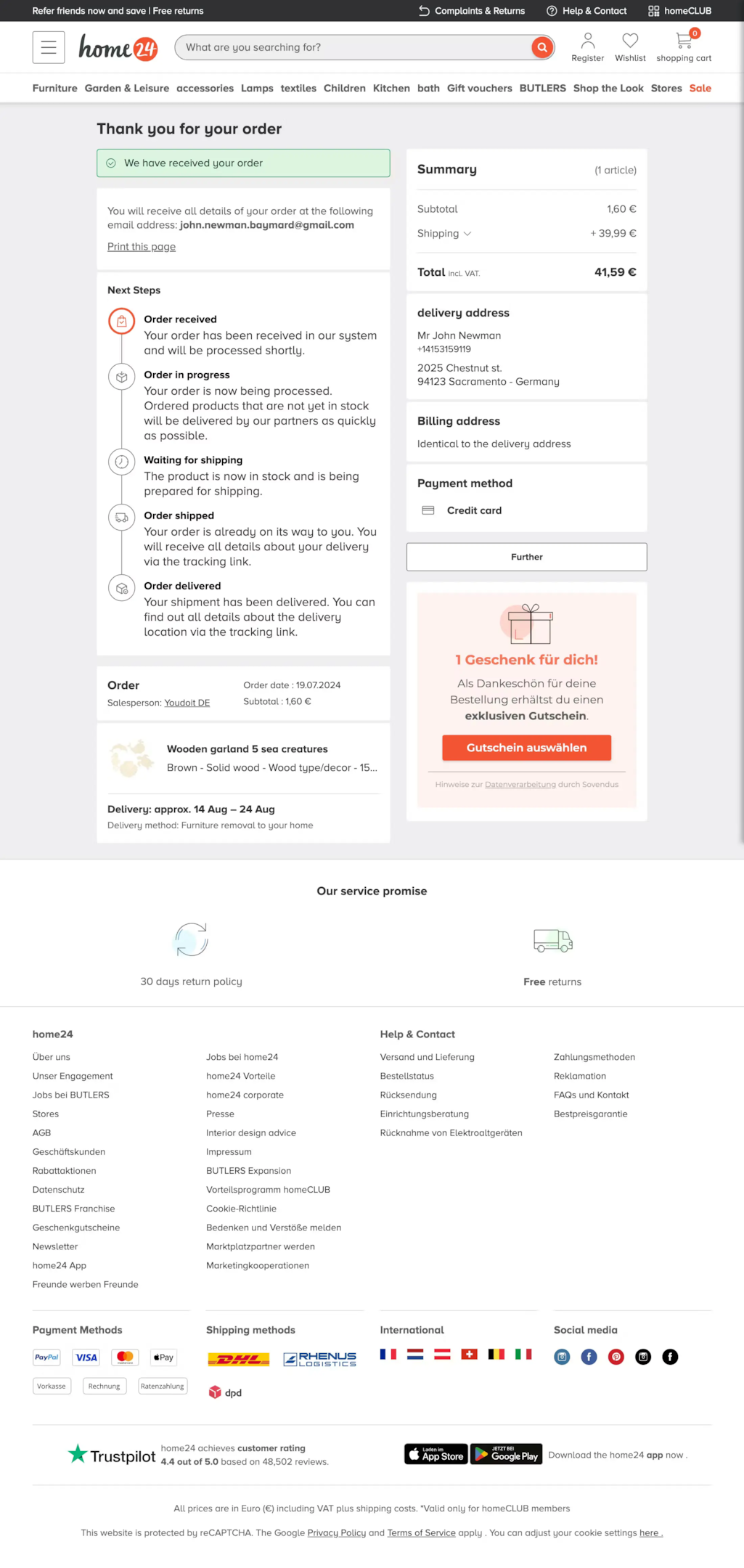
What they do right: Home24 shows an order timeline with clear next steps and includes a voucher for the next purchase.
Steal this: Add a simple timeline (Order placed, Processing, Shipped, Delivered) and pair it with a reason to come back.
15. Lululemon
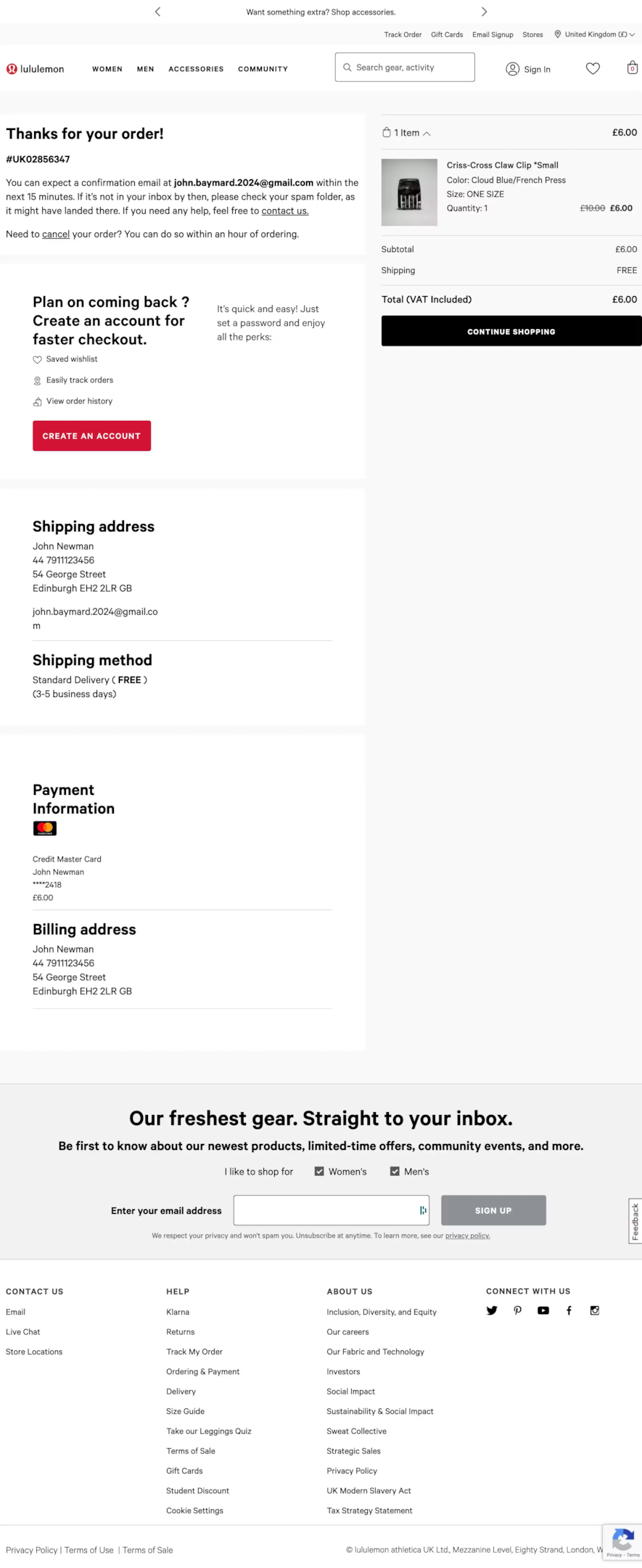
What they do right: Lululemon promotes account creation and email sign-up. With frequent new releases, the email list is its most valuable follow-up channel.
Steal this: Offer a specific benefit for subscribing, such as early access to new arrivals, not a generic newsletter.
16. B&H
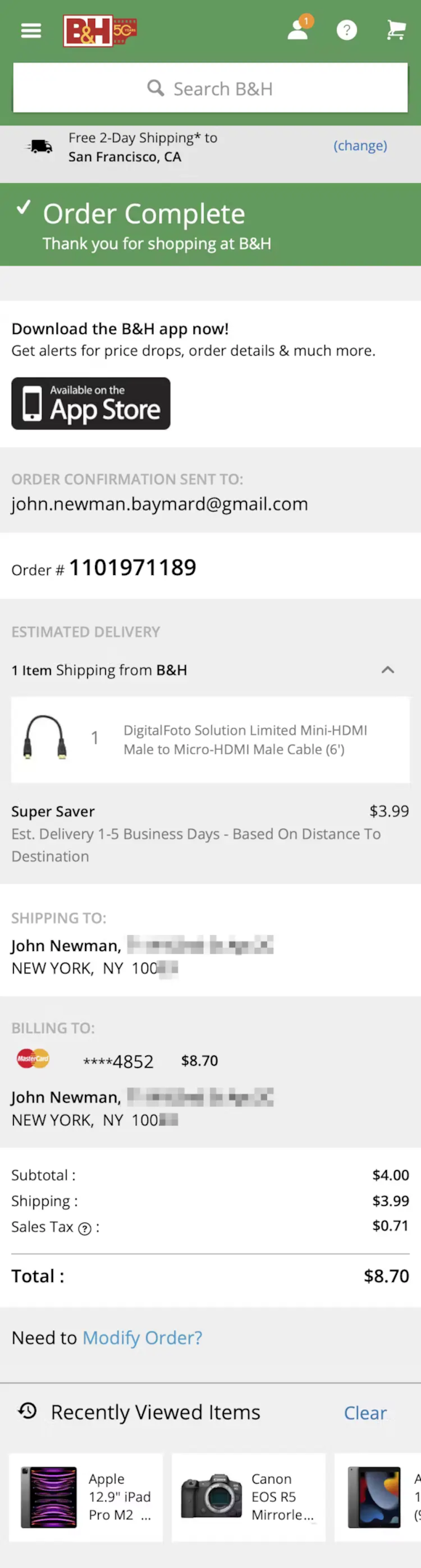
What they do right: B&H promotes its app for order tracking and alerts, and shows recently viewed items.
Steal this: If you have an app, tie the download to a real need, such as tracking this order, rather than a generic “Get our app.”
17. Wild Rover Tours
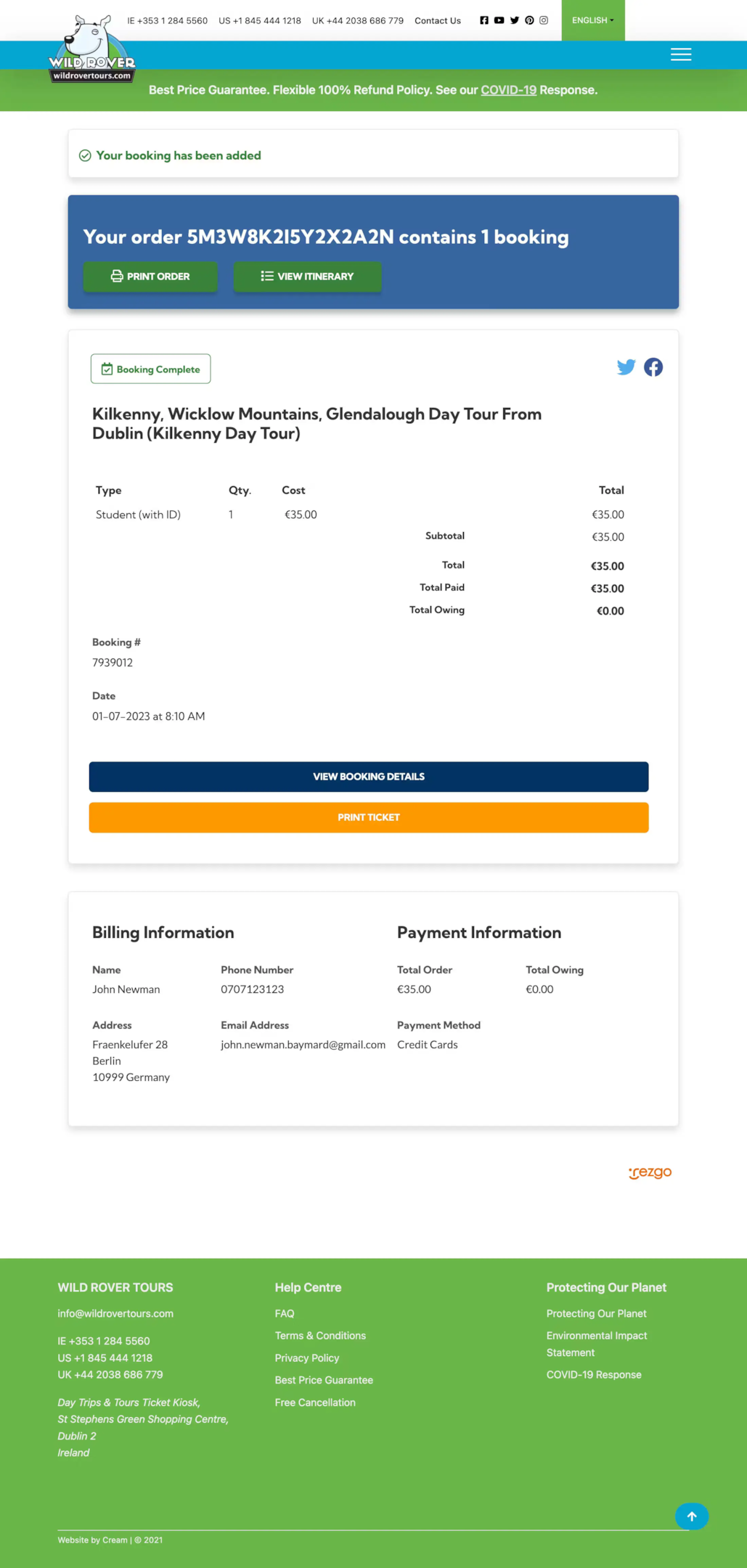
What they do right: Wild Rover shows booking details with a printable ticket and invites sharing. For a tour company, the booking itself is exciting news.
Steal this: For events, tours and classes, make the confirmation easy to print, save and share.
For the step before this page, see these checkout page design examples.
9 Order Confirmation Email Examples
The page is the instant touchpoint, and the email is the record customers keep. These go beyond a basic receipt.
1. Dr. Squatch

A playful, on-brand tone with clear order details, plus an SMS sign-up for updates.
2. Cult Beauty

Product images in the order breakdown, and a prompt to complete a beauty profile for better recommendations.
3. Codeverse

A class booking email with a location map and an invitation to reply with any changes.
4. Haoma

Highlights a tree planted with each purchase, turning the receipt into a feel-good moment.
5. Fitbit

An upbeat tone with the tracking number front and center.
6. Athletic Greens

Welcomes the customer to the “AG family” and includes a customer testimonial.
7. Zulily

A playful “here it comes!” headline that builds anticipation for delivery.
8. Burst

Bright visuals with a clear order summary and tracking link.
9. Crocs

A clean summary with a barcode for in-store returns and support links.
Order Confirmation Page Template
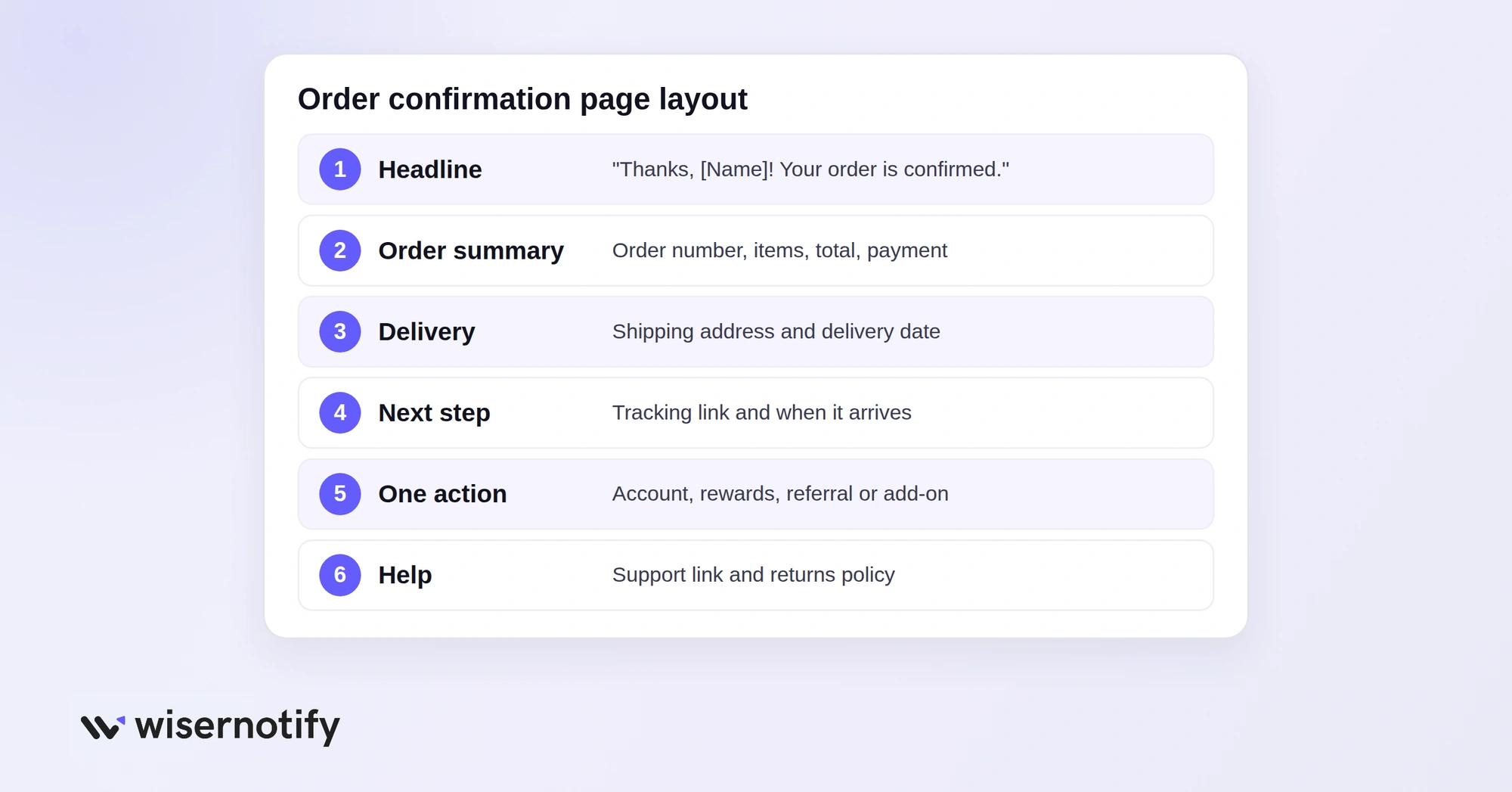
Use this structure for your own page, top to bottom:
- Headline: “Thanks, [First Name]! Your order is confirmed.”
- Order summary: order number, items with images, total and payment method.
- Delivery: shipping address and estimated delivery date.
- Next step: “We’ll email your tracking link within 24 hours,” plus a Track Order button.
- One action: create an account, join rewards, refer a friend or add a related item.
- Help: a link to support and your returns policy.
Order Confirmation Email Template
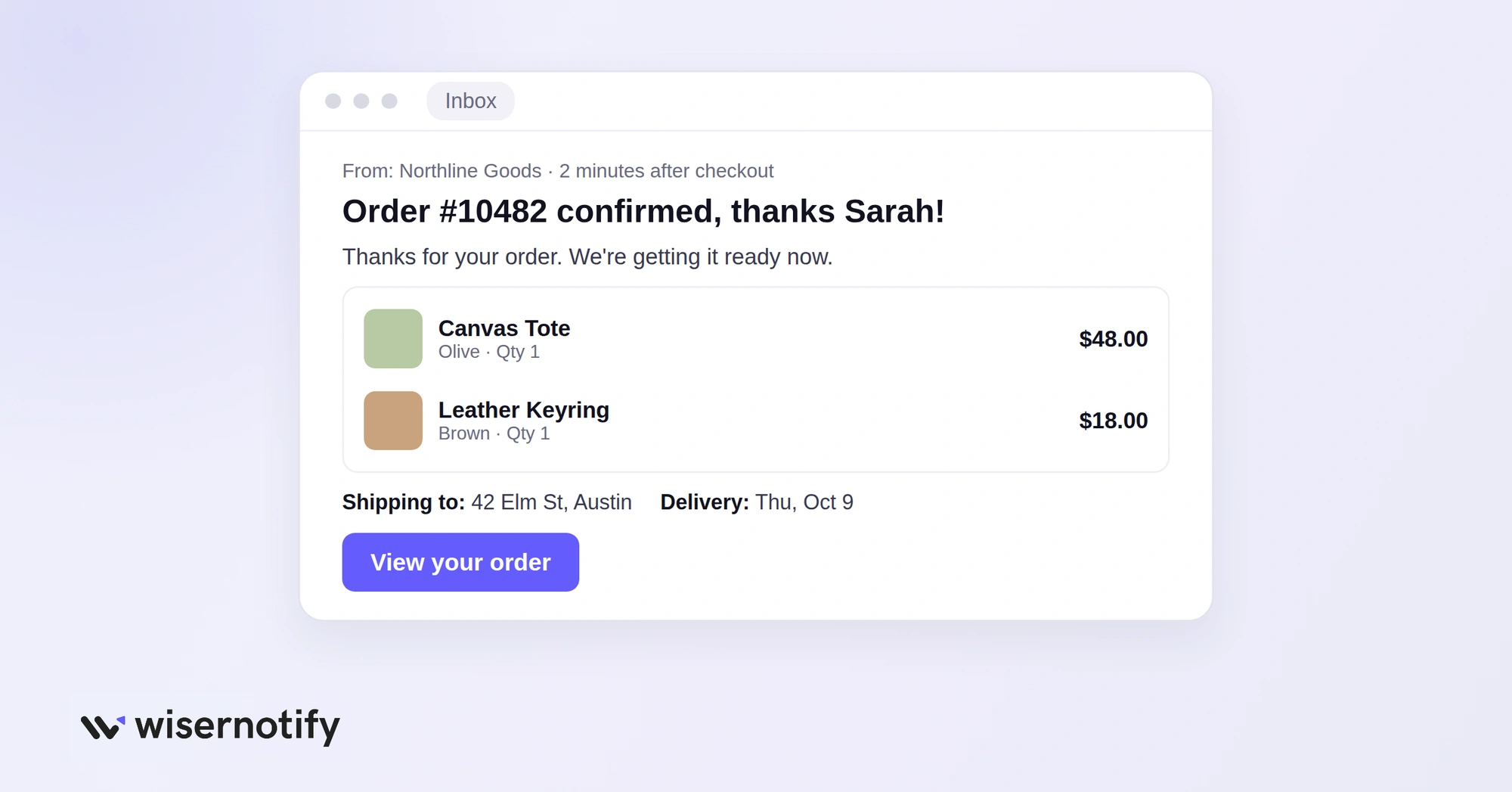
Subject: Order #[Number] confirmed, thanks [First Name]!
Hi [First Name],
Thanks for your order. We’re getting it ready now.
Order #[Number]
[Item, quantity, price]
Total: [Amount]Shipping to: [Address]
Estimated delivery: [Date]We’ll send your tracking link as soon as it ships. Questions? Just reply to this email.
[Store Name]
Send it within minutes of checkout, and keep any promotion below the order details.
What a Great Order Confirmation Page Includes
- Order details first: order number, items with images, address, delivery date and total, in a scannable layout.
- Easy tracking: a clear Track Order button, or a progress bar from Order placed to Delivered.
- Relevant cross-sells: items that go with the purchase, placed below the order details.
- One or two engagement hooks: account creation, email, loyalty, referral or a quick survey.
- Reassurance: a short review quote or social proof that confirms a good choice.
- Clear next steps: what happens next and when.
- Brand-consistent design: the same colors, fonts and tone as the rest of your store.
Order Confirmation Page Mistakes to Avoid
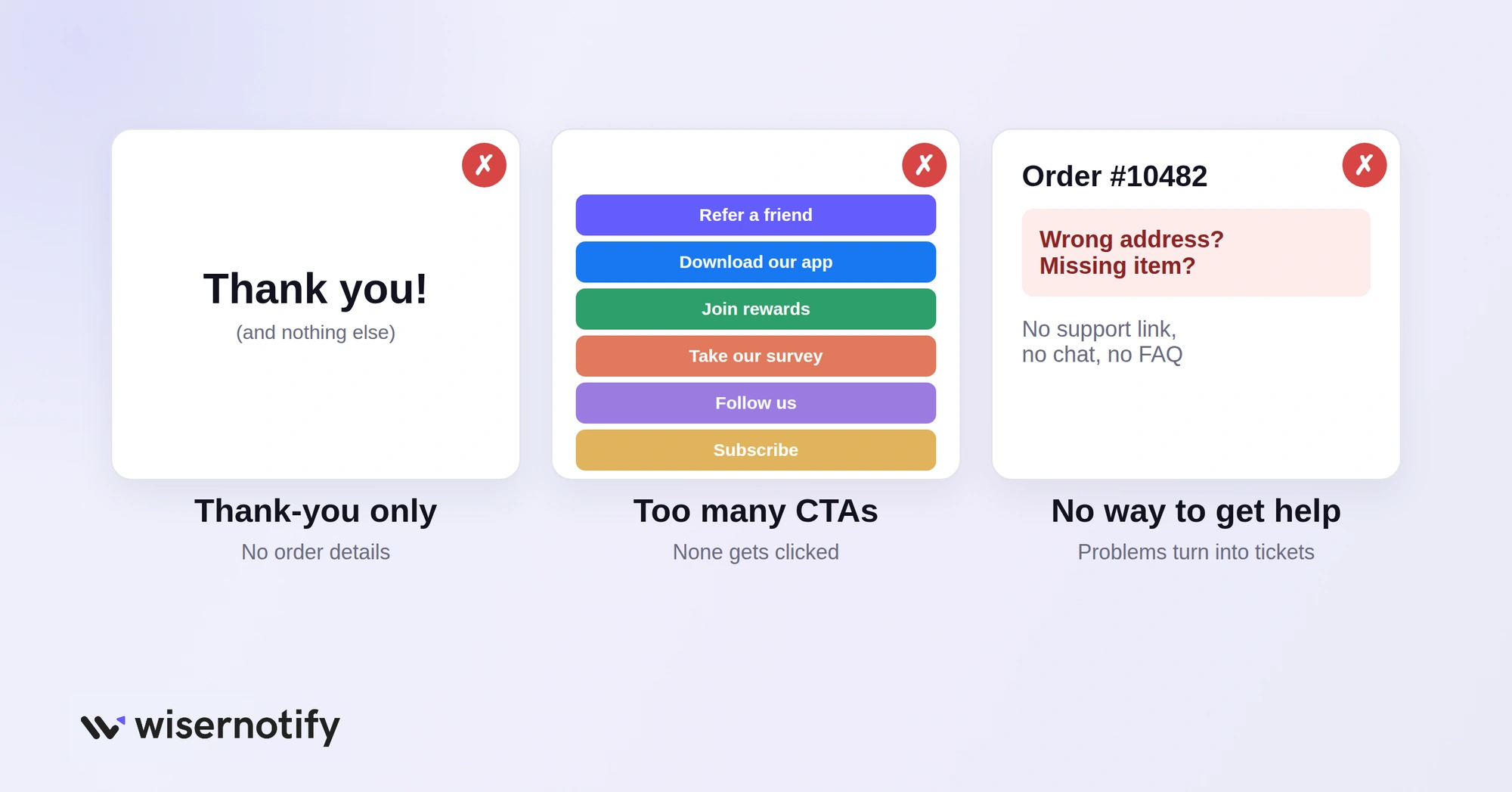
- A thank-you with nothing else: customers need order details and next steps, not just a greeting.
- Poor mobile layout: tiny text or cramped buttons on a phone start the relationship badly.
- Too many CTAs: referral, app, survey and newsletter all at once means none gets done.
- Wrong order information: incorrect items, prices or addresses break trust and flood support.
- No way to get help: always include a support link, FAQ or chat option.
Add Social Proof to Your Confirmation Page
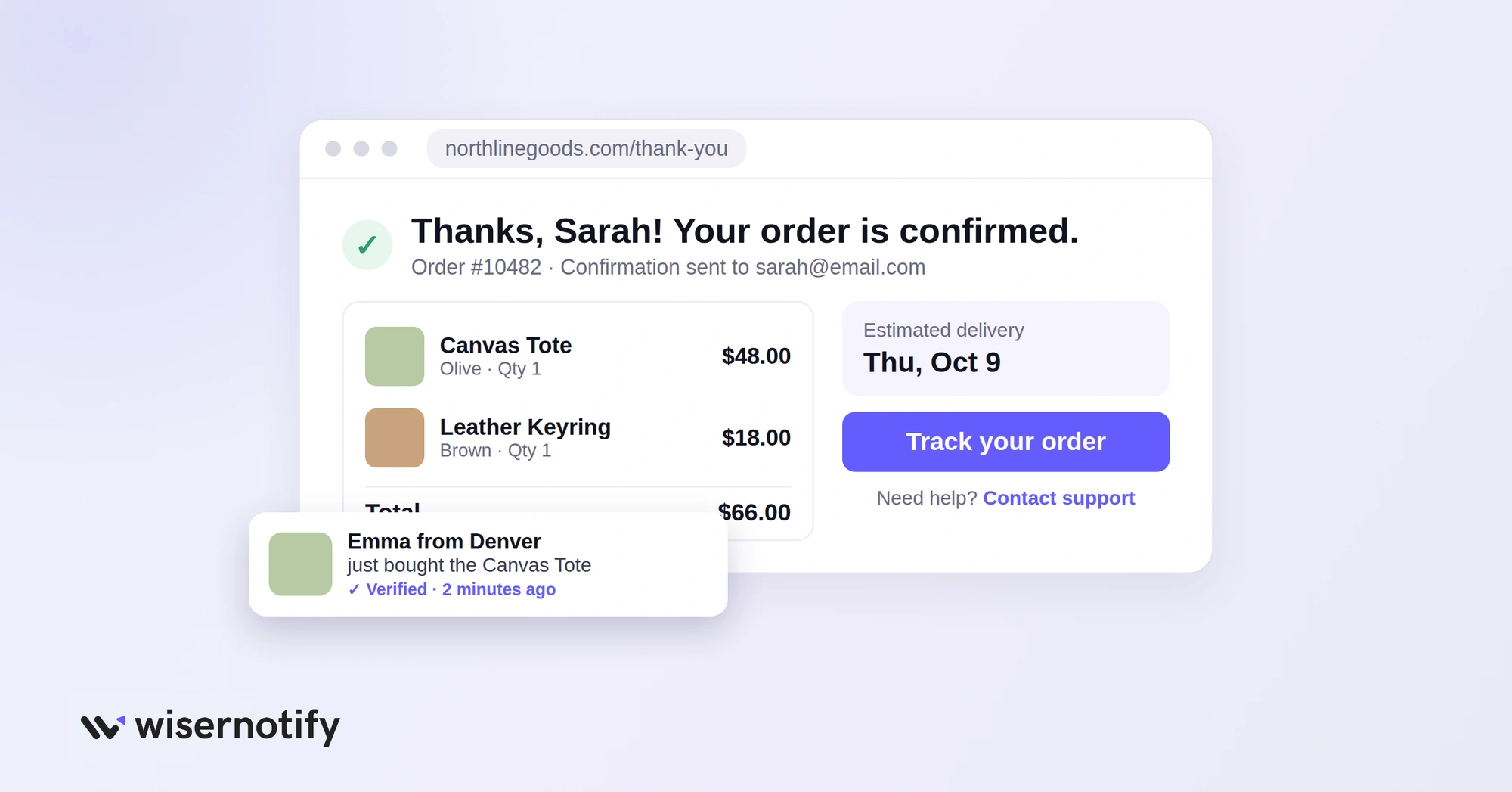
Right after paying, some customers wonder if they made the right choice. A little social proof answers that.
With WiserNotify, you can show real-time signals on your thank-you page, such as recent purchases, a top review, or live visitor counts. Keep it subtle and below the order details.
You can also use the moment to promote a referral offer with a small notification, instead of a full-screen pop-up.
Wrap Up
Your order confirmation page does not need every idea on this list. Start with clear order details, tracking and next steps.
Then add one action that fits your business and test it. Every customer sees this page, so small improvements here reach everyone.

Boost Conversion Instantly
Add Social Proof & Urgency to your website
Frequently Asked Questions
Is an order confirmation page the same as a thank-you page?
Yes. Most stores use thank-you page, order confirmation page and purchase confirmation page for the same page shown right after checkout.
Is an order confirmation page the same as an order status page?
No. The order confirmation page usually appears immediately after checkout. The order status page can be visited later to see shipping updates, delivery information, and the current order status.
What is the main purpose of an order confirmation page?
Its main purpose is to confirm that the purchase was successful and provide accurate order information. Any survey, referral offer, product recommendation, or loyalty promotion should be secondary.
Can I add upsells to an order confirmation page?
Yes, but keep them below the main order information. Recommend products that directly complement the purchase and make sure the offer does not make customers question what they just bought.
Should I ask for a review on the confirmation page?
You can ask customers to rate their checkout experience. Do not ask for a product review before the customer has received and used the product.
Can order confirmation pages reduce customer support tickets?
Yes. Clear order details, delivery dates, tracking links and a support link answer the most common questions before customers contact you.

Krunal Vaghasiya is a marketing tech expert who boosts e-commerce conversion rates with automated social proof and FOMO strategies. He loves to keep posting insightful posts on online marketing software, marketing automations, and improving conversion rates.




 Capterra