
15 Ways to Improve Landing Page Conversion Rate (2026)
Landing page conversion rate is the share of visitors who take the action your page asks for. Divide conversions by visitors and multiply by 100. A page with 1,000 visitors and 50 sign-ups converts at 5%.
Across industries, the median landing page converts at 6.6%. The 15 ways below are what moves a page above that line, grouped by the part of the page they fix.
Key takeaways
- Match the page to the ad or link that brought the visitor, and give it one goal.
- A clear headline, a short form, and a visible CTA do more than any design trick.
- Proof from real customers, shown near the CTA, lowers the risk of saying yes.
- Test one change at a time and judge it by conversions, not clicks.
How to Calculate Landing Page Conversion Rate
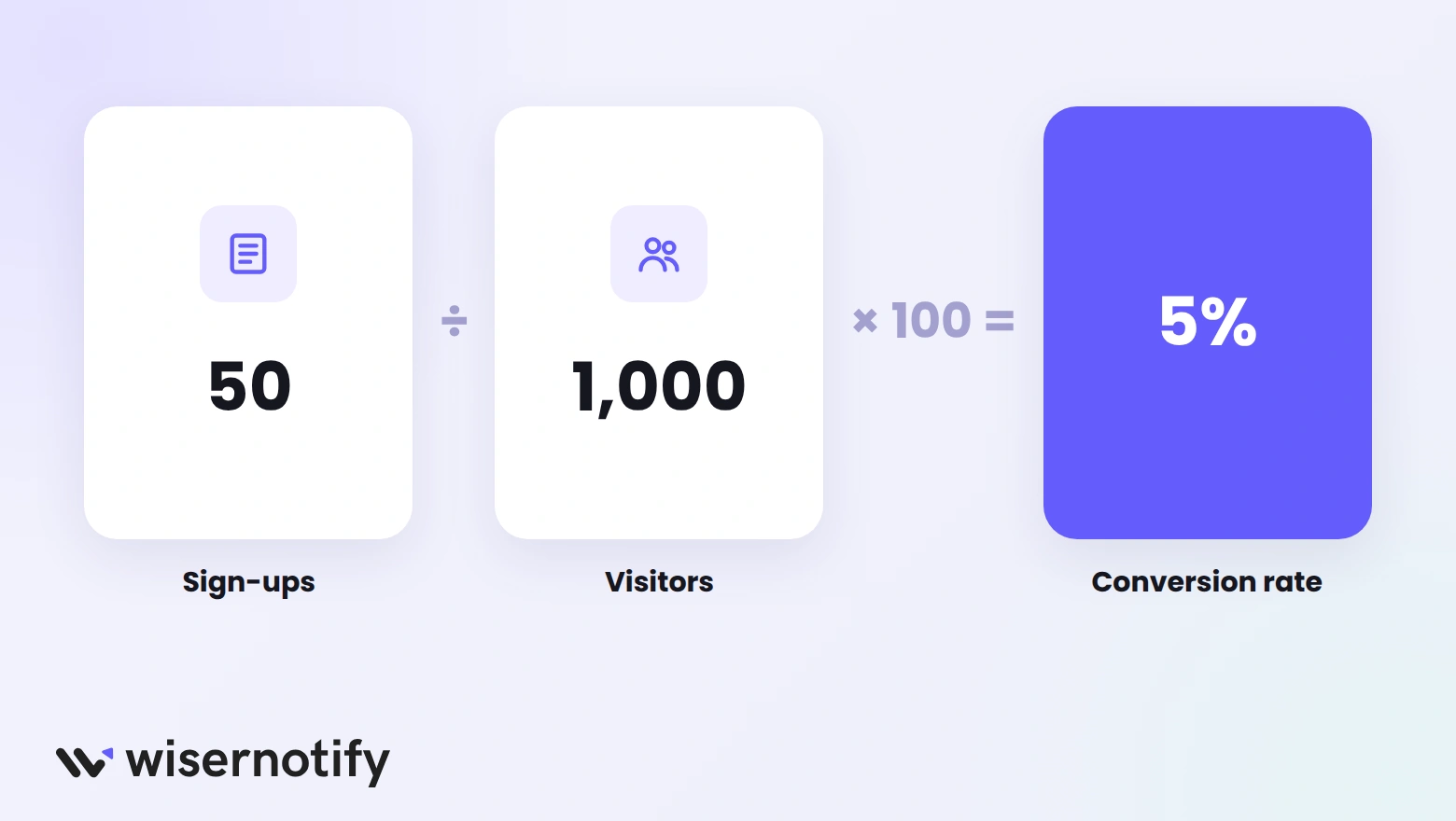
Conversion rate = (conversions ÷ visitors) × 100
A conversion is whatever the page exists to get: a sign-up, a demo request, a download, or a purchase. Count one goal per page, so the number tells you something clear.
- Use unique visitors. Counting the same person twice makes the rate look worse than it is.
- Split by source. Email, paid search, and social traffic convert very differently, so a blended rate can hide problems.
- Track it over time. Your own trend matters more than a single snapshot.
Our guide on how to calculate conversion rate covers more examples.
Prefer not to do the math? Use the free conversion rate calculator.
What Is a Good Landing Page Conversion Rate?
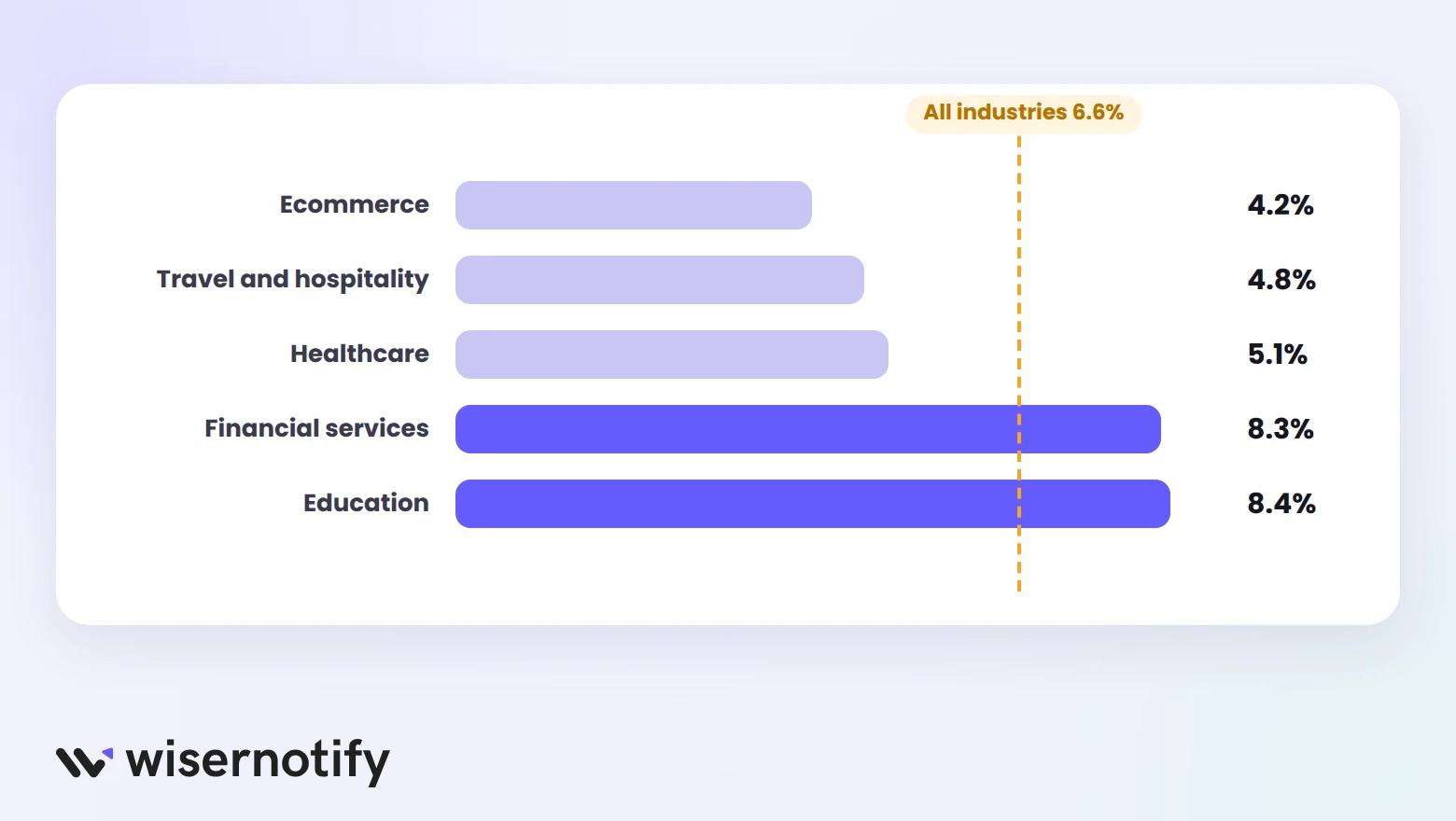
A good rate depends on your industry and offer. These are median landing page conversion rates by industry:
| Industry | Median conversion rate |
|---|---|
| Ecommerce | 4.2% |
| Travel and hospitality | 4.8% |
| Healthcare | 5.1% |
| Financial services and insurance | 8.3% |
| Education | 8.4% |
| All industries | 6.6% |
For benchmarks by traffic source, device, and goal, see our full guide to what makes a good landing page conversion rate.
Know Your Audience Before You Optimize
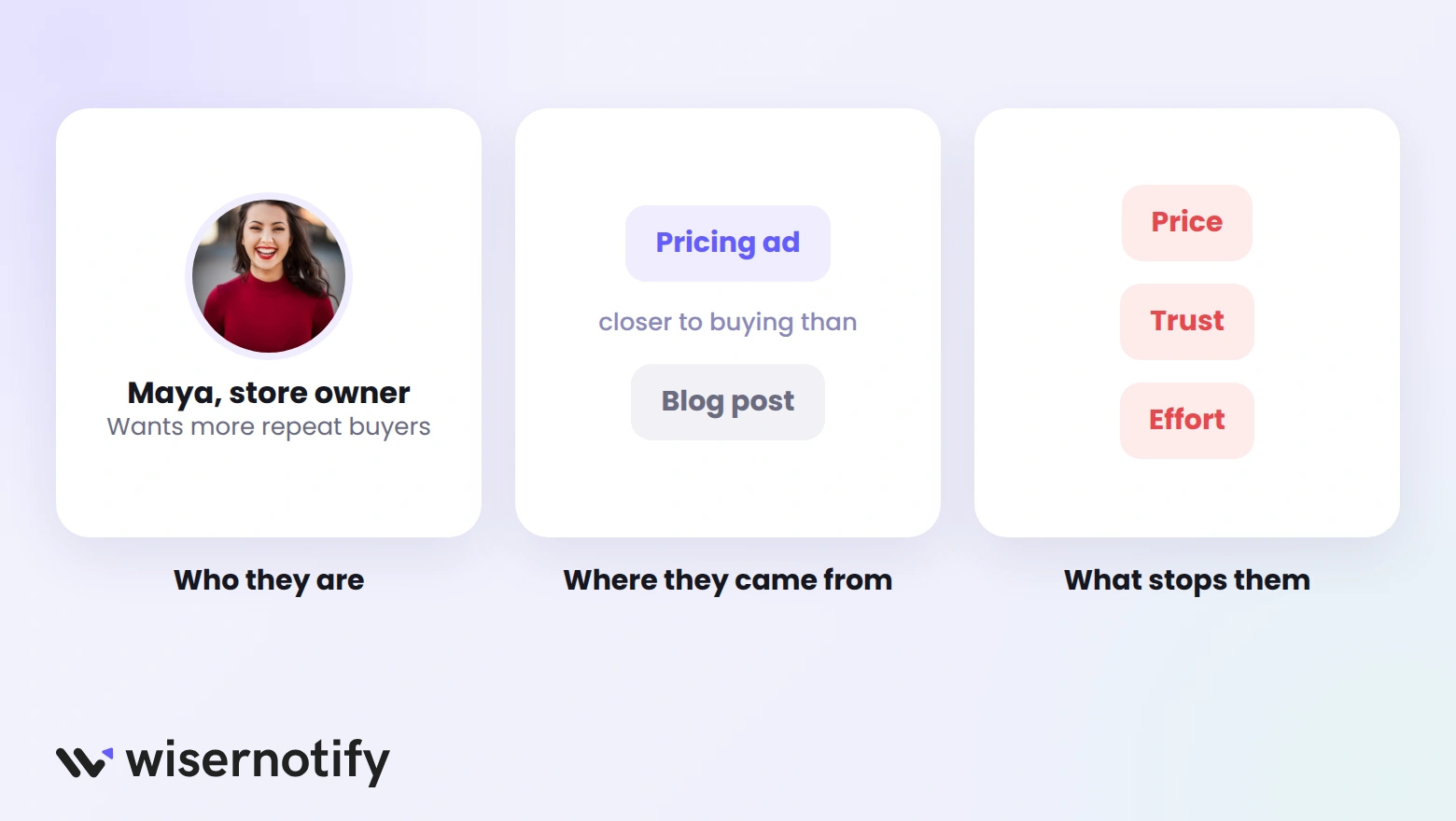
Each of the 15 ways below works better when you know who lands on the page and why. Before changing anything, get clear on three things:
- Who the visitor is. Their role, problem, and what they already know about you.
- Where they came from. A visitor from a pricing ad is closer to buying than one from a blog post.
- What stops them. Price, trust, or effort. Customer interviews and support tickets usually tell you.
Sharpen the Message and Offer
Visitors decide in a few seconds whether a page is for them. These four fixes make sure the first thing they read answers that question.
1. Match the Page to the Ad
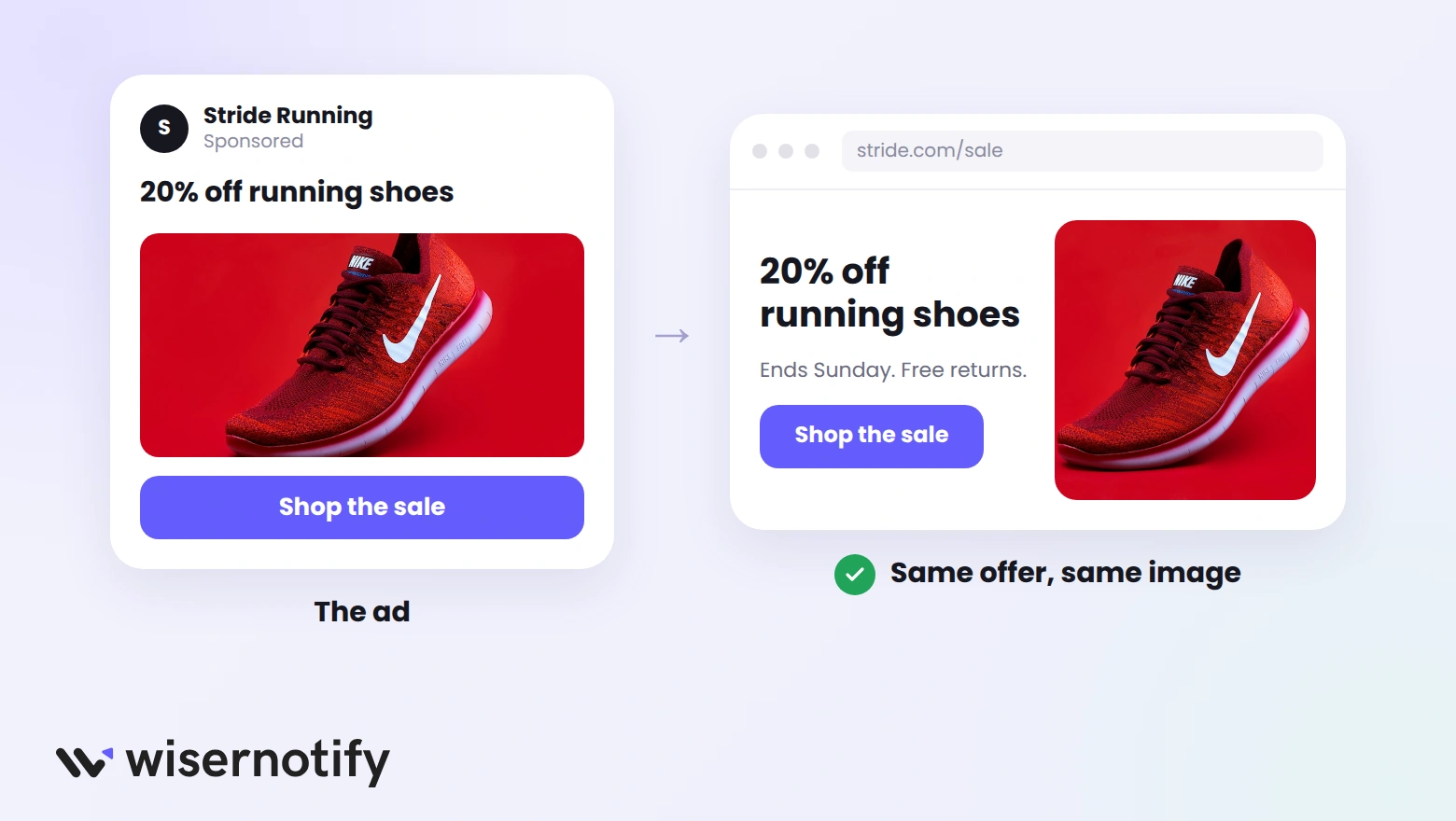
Message match means the landing page repeats the promise that earned the click. When the ad and the page say different things, visitors assume they’re in the wrong place and leave.
Line up these four things between every ad and its page:
| Element | The ad says | The page should say |
|---|---|---|
| Offer | 20% off running shoes | 20% off running shoes, in the headline |
| Audience | For trail runners | Trail shoes shown first |
| Visual | Red running shoe photo | The same shoe in the hero image |
| Action | Shop the sale | A “Shop the sale” button above the fold |
If you run several ad groups, give each one its own page or at least its own headline. One generic page for every ad is the most common reason paid traffic doesn’t convert.
2. State Your Value in One Line
Your value proposition tells visitors what they get and why it beats the alternatives. If they have to scroll or guess to find it, most won’t.
A simple way to write it is what you offer + who it’s for + the result they get. Compare these:
| Vague | Clear |
|---|---|
| Next-generation workforce solutions | Payroll for restaurants, done in 10 minutes a week |
| Empowering your marketing journey | Email templates that help Shopify stores win back lost carts |
| The future of fitness | 20-minute home workouts for busy parents, no equipment needed |
Test your line by asking someone outside your team to read it for five seconds. If they can’t repeat what you sell, rewrite it.
3. Write a Benefit-Led Headline
The headline carries most of the page’s weight. Lead with the outcome the visitor wants, then use the subheadline to explain how you deliver it.
These four headline patterns work on most landing pages:
- Outcome: “Get more five-star reviews without chasing customers”
- Problem and fix: “Tired of no-shows? Send automatic booking reminders”
- Specific number: “Launch your online store in one afternoon”
- Audience call-out: “Bookkeeping built for freelance designers”
Keep it short enough to read at a glance, and avoid clever wordplay that hides the meaning. These landing page headline examples show the patterns on real pages.
4. Give the Page One Goal
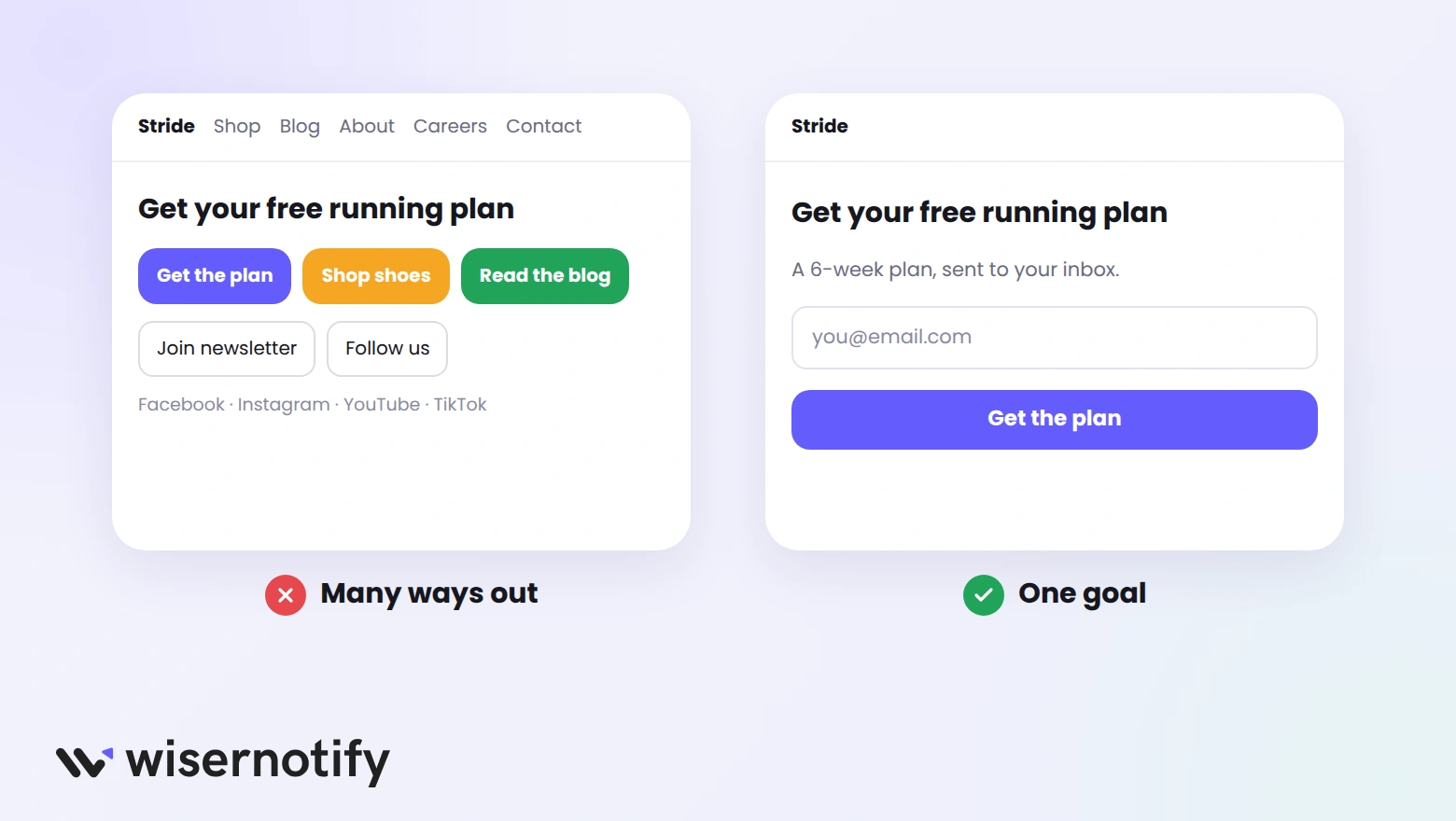
Every extra link is another way to leave. A landing page should ask for one action, and everything on it should point toward that action.
Remove or hide these before you send traffic:
- The main site navigation, which pulls visitors into the rest of your site.
- Competing offers, like a newsletter box on a demo page.
- Social media icons, which send visitors away with one tap.
- Long footers full of links. Keep only legal and privacy links.
If you have two offers worth promoting, build two pages. Each one will convert better than a single page that asks for both.
Build trust & FOMO
Highlight real-time activities like reviews, sales & sign-ups.


Fix Design and Speed
Good design makes the offer easy to see and easy to act on. These four fixes remove the friction that stops visitors who already want what you sell.
5. Design for Mobile First
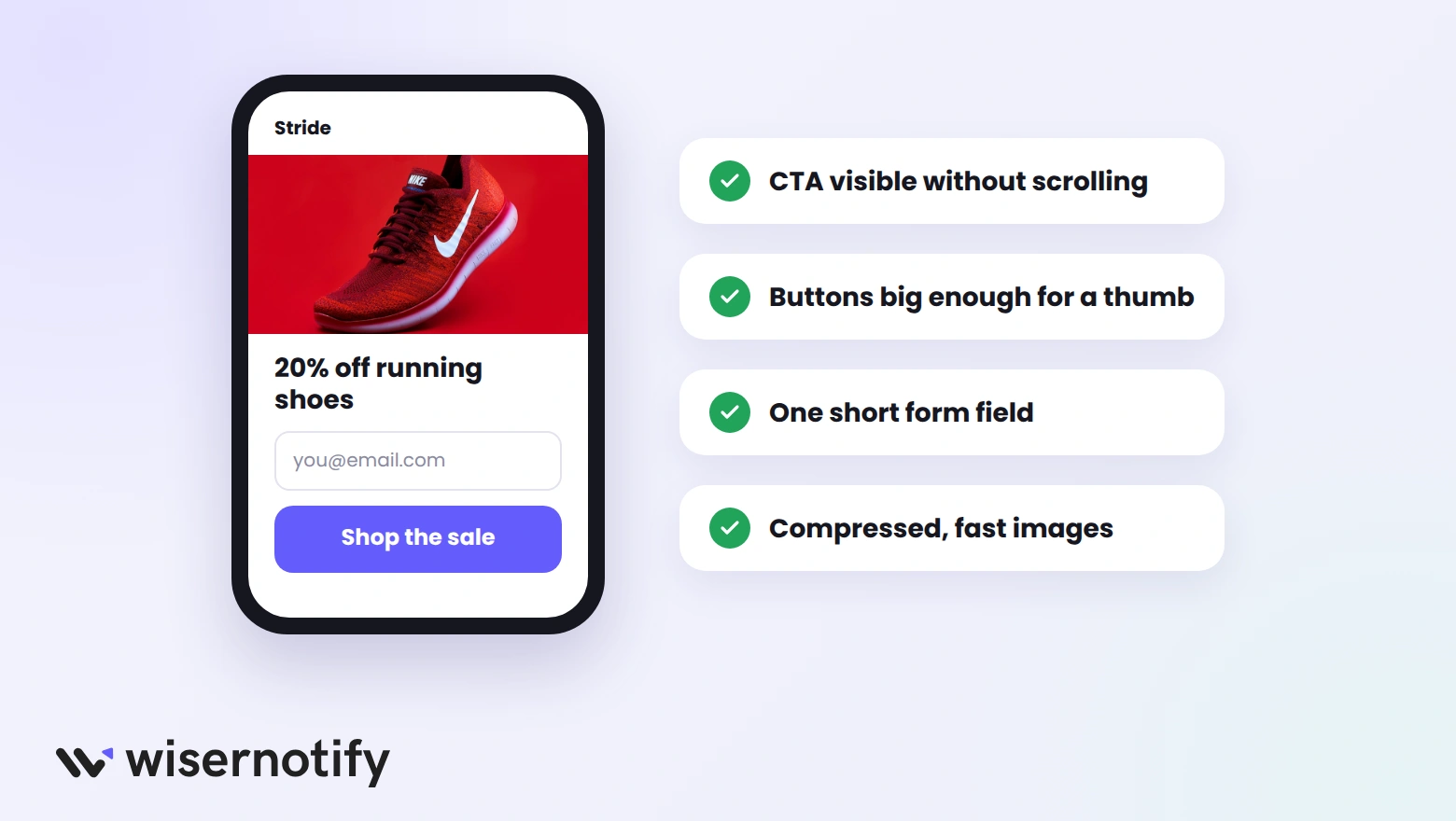
Most landing page traffic now arrives on phones, yet desktop visitors still tend to convert better. That gap is usually a design problem, not a visitor problem.
Check these on a real phone, not just a resized browser window:
- The CTA is visible without scrolling, or a sticky button follows the visitor down the page.
- Buttons are big enough to tap with a thumb, with space between them.
- Text is readable without zooming, in short paragraphs.
- Forms use the right keyboard, such as the number pad for phone fields.
- Images are compressed, so the page loads on mobile data.
6. Cut Clutter and Friction
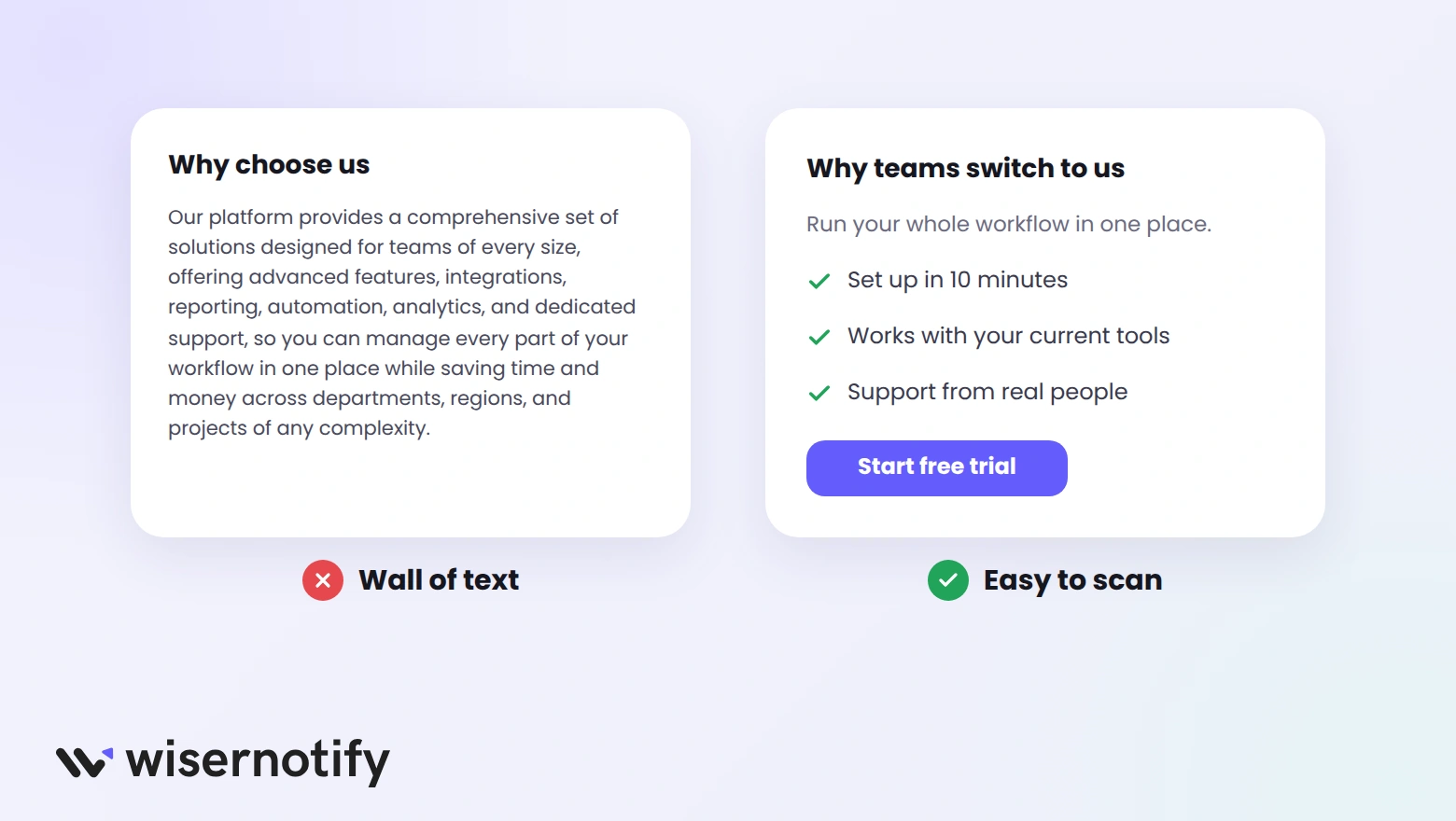
A cluttered page makes visitors work to find the point. Each section should make one argument, then move them toward the CTA.
- Write short paragraphs of two or three sentences.
- Use bullet points for features and benefits, so visitors can scan.
- Leave white space around the headline and the CTA.
- Swap long explanations for visuals, such as a product screenshot or a three-step diagram.
Run a quick five-second test: show the page to someone for five seconds, then ask what it offers and what they should do. If they can’t answer both, simplify.
7. Guide the Eye to the CTA
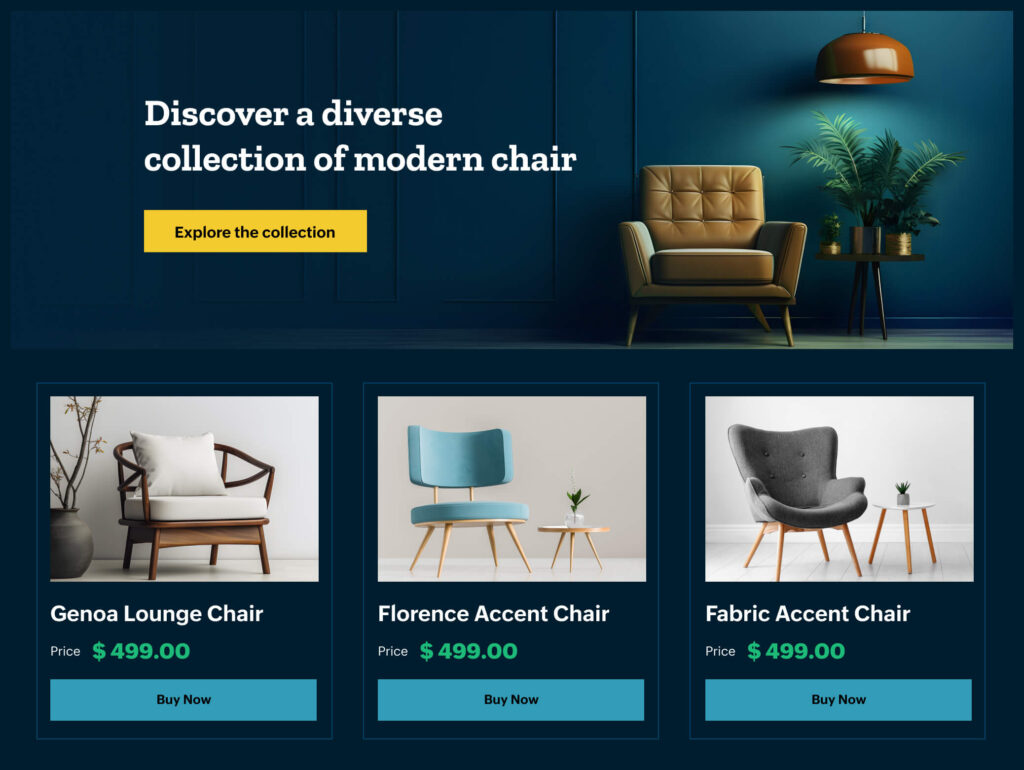
Visual hierarchy tells visitors where to look first, second, and third. Size, color, and position do this work before anyone reads a word.
- Size: the headline is the largest text, and the CTA is the most prominent button.
- Contrast: the CTA uses a color that appears nowhere else on the page.
- Direction: photos of people looking toward the form, or arrows, lead the eye to it.
- Order: headline, proof, and CTA appear in the order visitors need them.
In the furniture page above, the headline and yellow button lead into three product cards, each with its own matching “Buy Now” button. There’s no doubt about what to do next.
8. Make the Page Load Fast
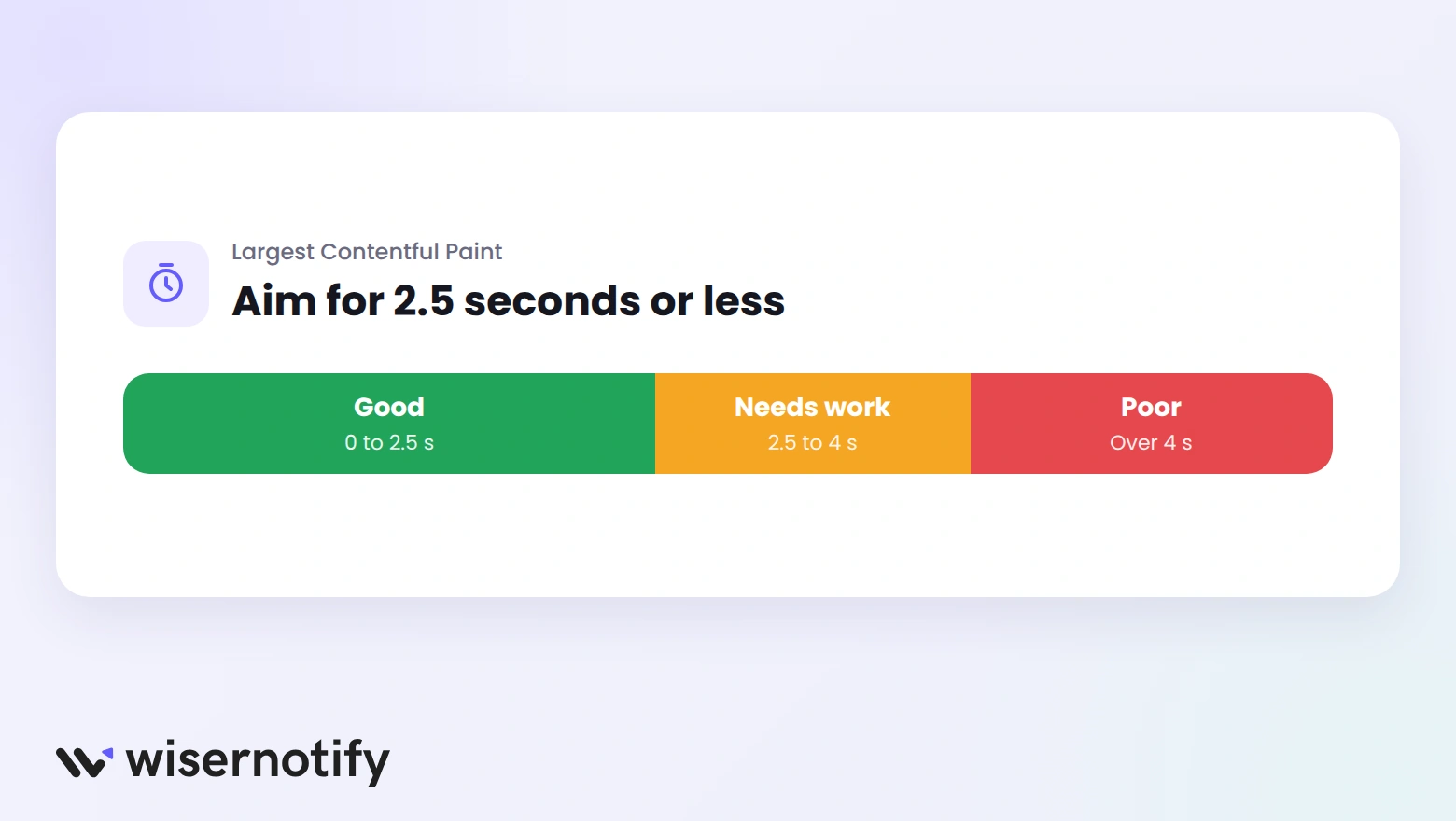
Visitors who wait for a page often leave before it appears, especially on mobile. Google treats a Largest Contentful Paint of 2.5 seconds or less as good, which is a fair target for any landing page.
Work through these steps in order:
- Test the page in Google PageSpeed Insights to see what slows it down.
- Compress images and serve them in WebP format.
- Lazy-load images and videos below the fold.
- Remove unused scripts, chat widgets, and tracking tags.
- Use a fast host or a CDN for visitors far from your server.
- Test again on a phone after each change.
Build trust & FOMO
Highlight real-time activities like reviews, sales & sign-ups.

Improve Forms and CTAs
The form and the button are where the conversion happens. Small changes here often move results more than a full redesign.
9. Write a Clear Call to Action
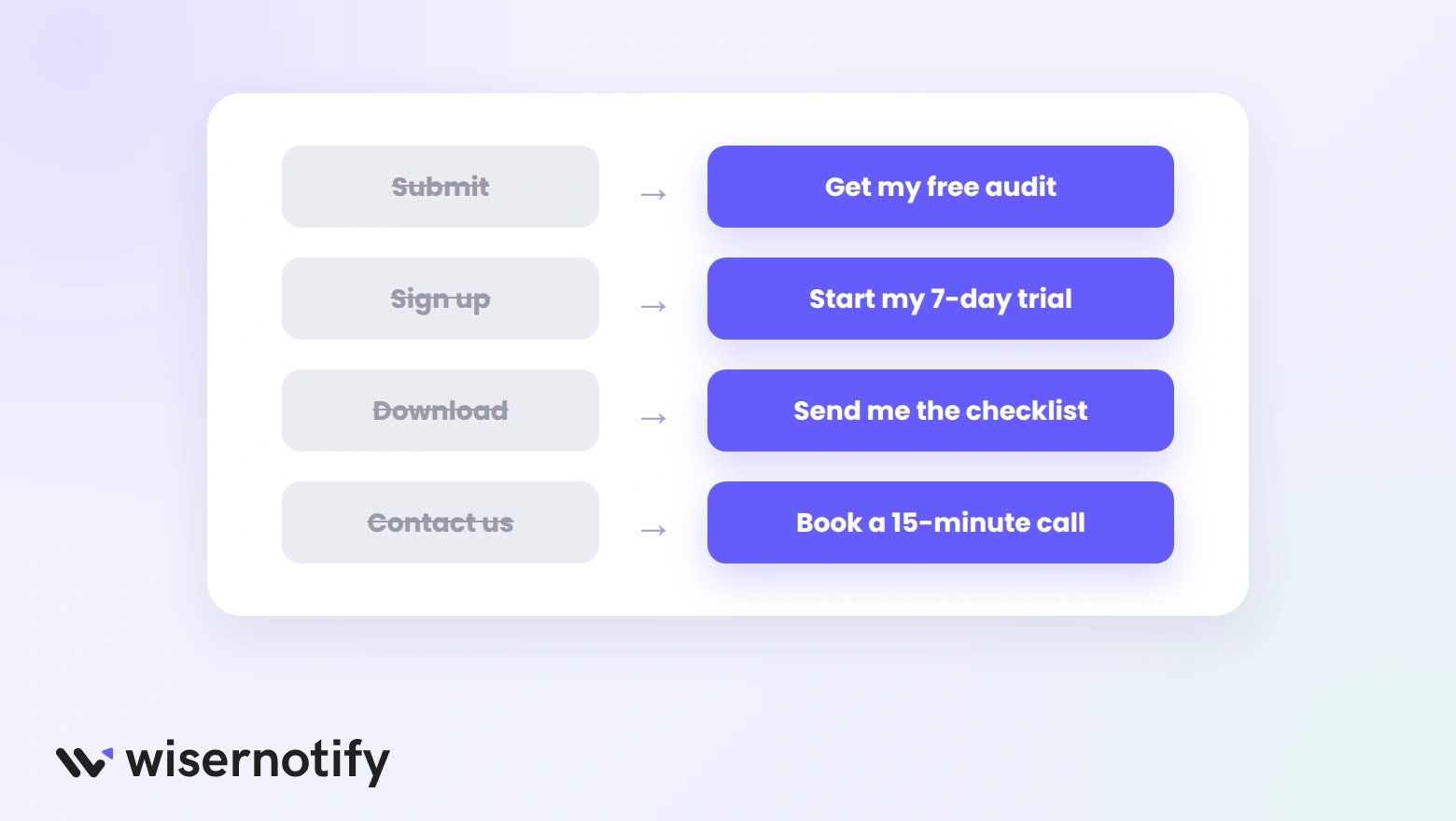
A good CTA tells visitors exactly what happens when they click. Generic labels like “Submit” or “Click here” give them no reason to act.
Write button labels as a verb plus what they get:
- “Submit” becomes “Get my free audit”
- “Sign up” becomes “Start my 7-day trial”
- “Download” becomes “Send me the checklist”
- “Contact us” becomes “Book a 15-minute call”
Place the first CTA above the fold, then repeat it after each major section so visitors never have to scroll back up. Our guide to an effective call to action has more examples.
10. Shorten Your Forms
Every field you add is another reason to quit. Ask only for what you need to deliver the offer today, and collect the rest later.
| Page goal | Fields you need |
|---|---|
| Newsletter or free guide | |
| Webinar registration | Name, email |
| Free trial | Email, password |
| Demo request | Name, work email, company size |
If you need more details, split the form into steps. Ask for the email first, then the rest on the next screen, so visitors have already committed before they see the extra fields.
11. Remove the Risk
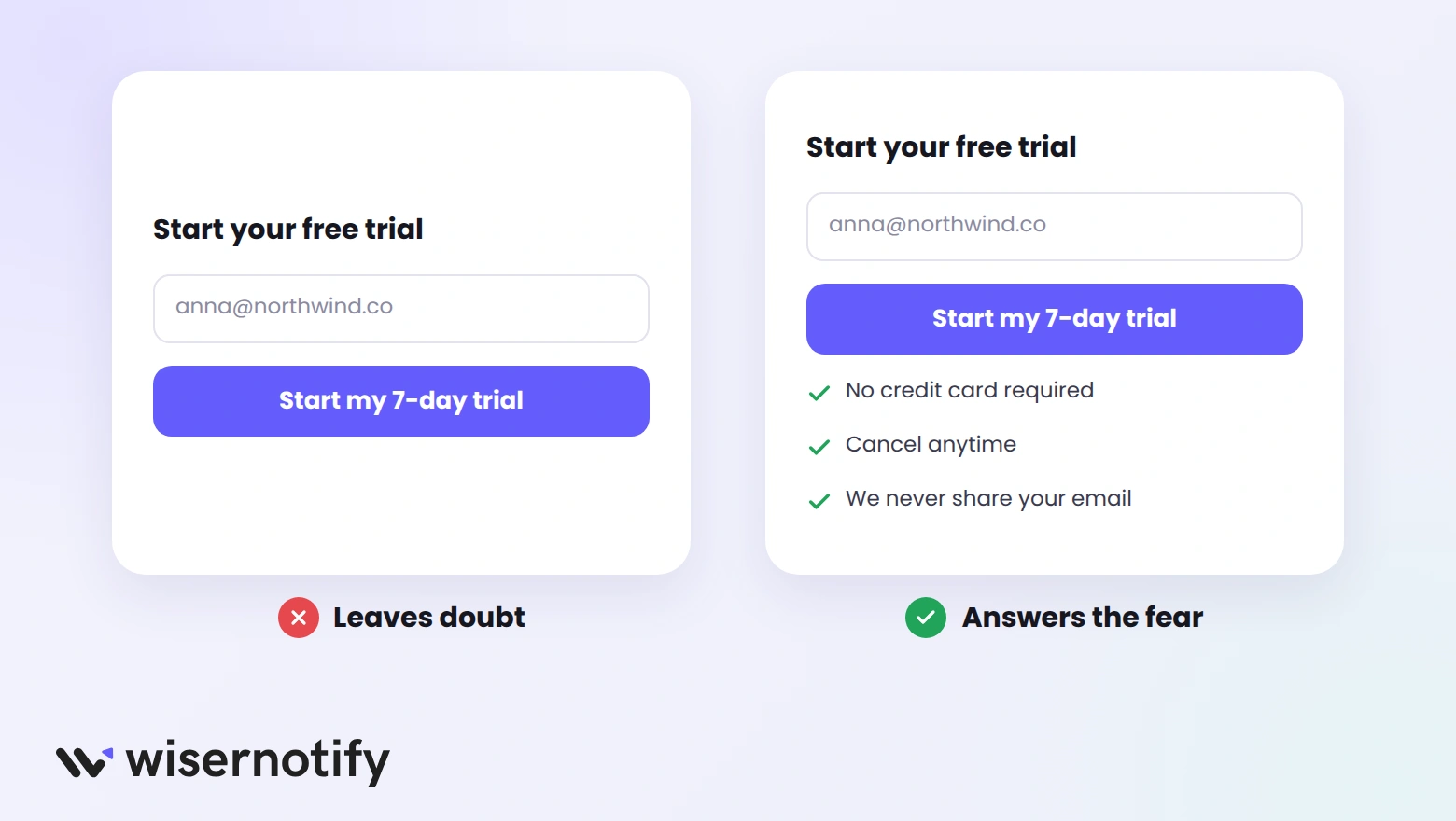
Most visitors hesitate because of a fear they don’t say out loud: being charged, getting spam, or wasting money. Answer that fear right next to the button.
- “No credit card required” for free trials.
- “Cancel anytime” for subscriptions.
- “30-day money-back guarantee” for paid offers.
- “We never share your email” for sign-up forms.
- Security badges near payment fields.
Only promise what you deliver. A guarantee buried in fine print, or a trial that quietly asks for a card, damages trust more than having no guarantee at all.
Add Trust and Proof
Visitors believe other customers more than they believe your copy. These two ways put that proof where it counts.
12. Add Testimonials and Reviews
A testimonial works when it sounds like a real person describing a real result. Vague praise like “Great product!” adds little.
The most convincing testimonials have:
- A full name and photo, so readers know the person exists.
- A role or company that matches your target visitor.
- A specific result, such as “Cut our onboarding time in half.”
- An answer to a common objection, such as “Setup took ten minutes.”
Place one or two right next to the CTA, where doubt peaks. Star ratings with a review count work well near the headline. See more landing page social proof ideas.
13. Show Real-Time Activity
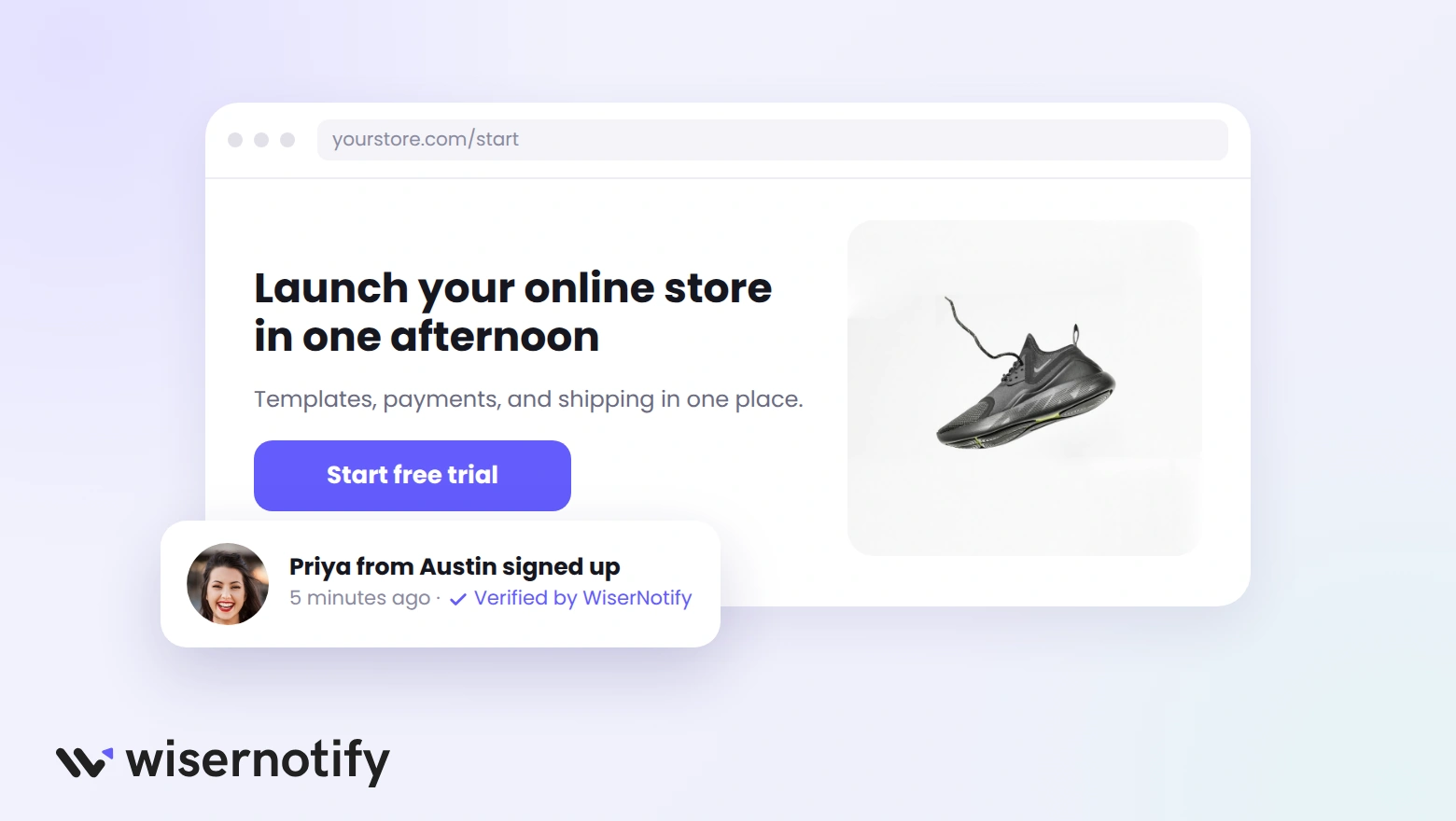
Small notifications like “Priya from Austin signed up 5 minutes ago” show that other people are acting right now. They answer the question “Does anyone else use this?” without a word of extra copy.
Common types include:
- Recent sign-ups or purchases on sign-up and product pages.
- Live visitor counts on event and sale pages.
- Review notifications that surface your best ratings.
Use only real activity, show one notification at a time, and keep them away from the form itself. Tools like WiserNotify pull these from your real sign-ups and sales, so the proof stays current.
Build trust & FOMO
Highlight real-time activities like reviews, sales & sign-ups.

Test and Follow Up
The last two ways keep a page improving after launch and recover the visitors who leave without converting.
14. A/B Test One Change at a Time
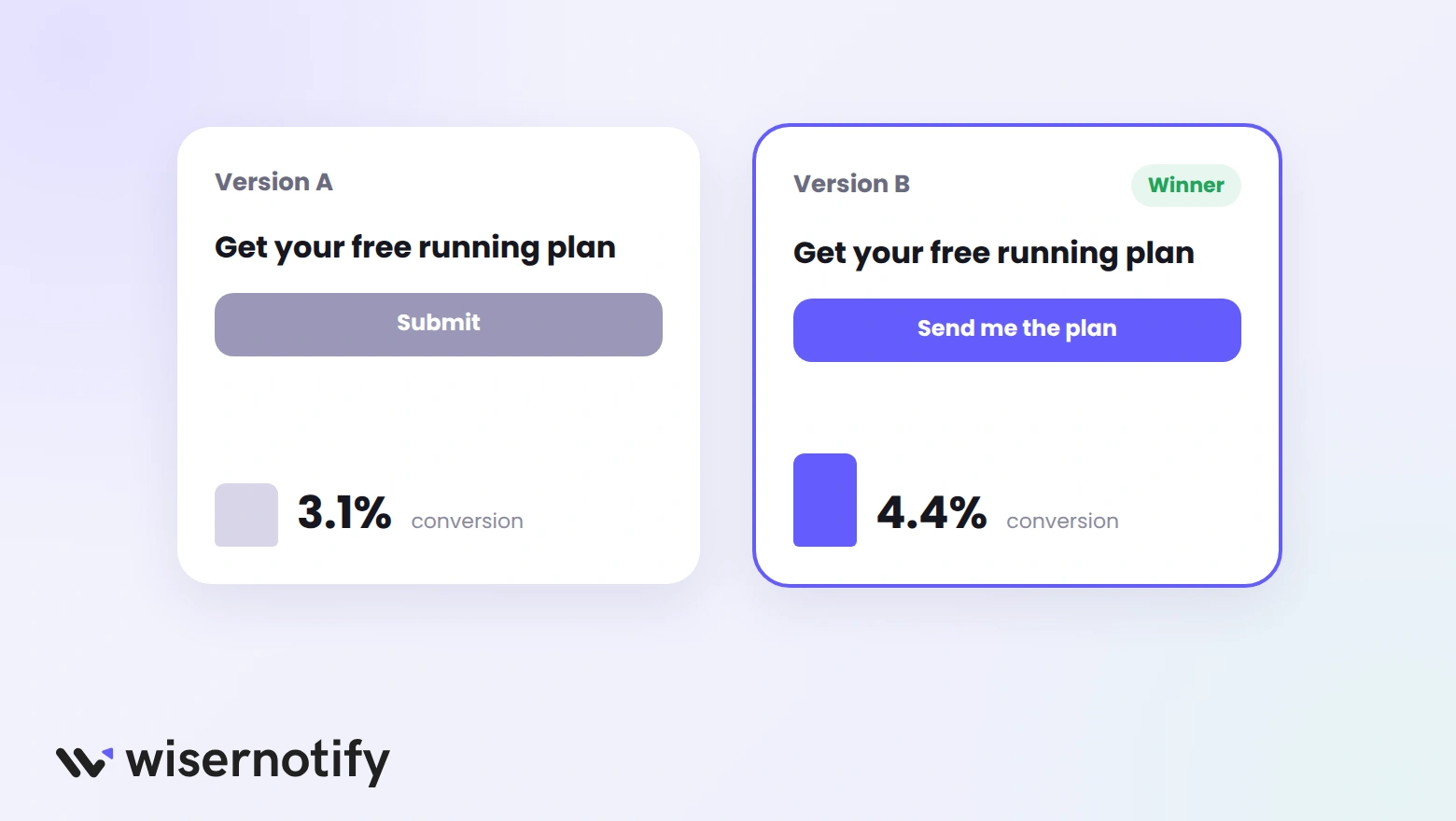
A/B testing shows half your visitors one version and half another, so you know which change made the difference. Test one element at a time, or you won’t know what worked.
Run each test in five steps:
- Pick one element, starting with the headline, offer, form length, or CTA.
- Write a hypothesis, such as “A button that says what visitors get will raise sign-ups.”
- Split traffic evenly between the two versions.
- Wait for enough conversions and at least one full week, so weekday patterns even out.
- Keep the winner, then test the next element.
The most common mistake is stopping a test the moment one version pulls ahead. Early leads often disappear. This guide to A/B testing walks through the setup.
15. Follow Up With Visitors Who Leave
Most visitors won’t convert on the first visit. A good follow-up plan brings many of them back.
- Retargeting ads that repeat the page’s offer to recent visitors.
- Form abandonment emails to anyone who entered an email but didn’t finish.
- Exit-intent popups with a smaller offer, such as a free guide instead of a demo.
- A useful thank-you page that gives new leads a clear next step.
See these exit intent popup examples for offers that win back leaving visitors.
A Real Landing Page Success Story
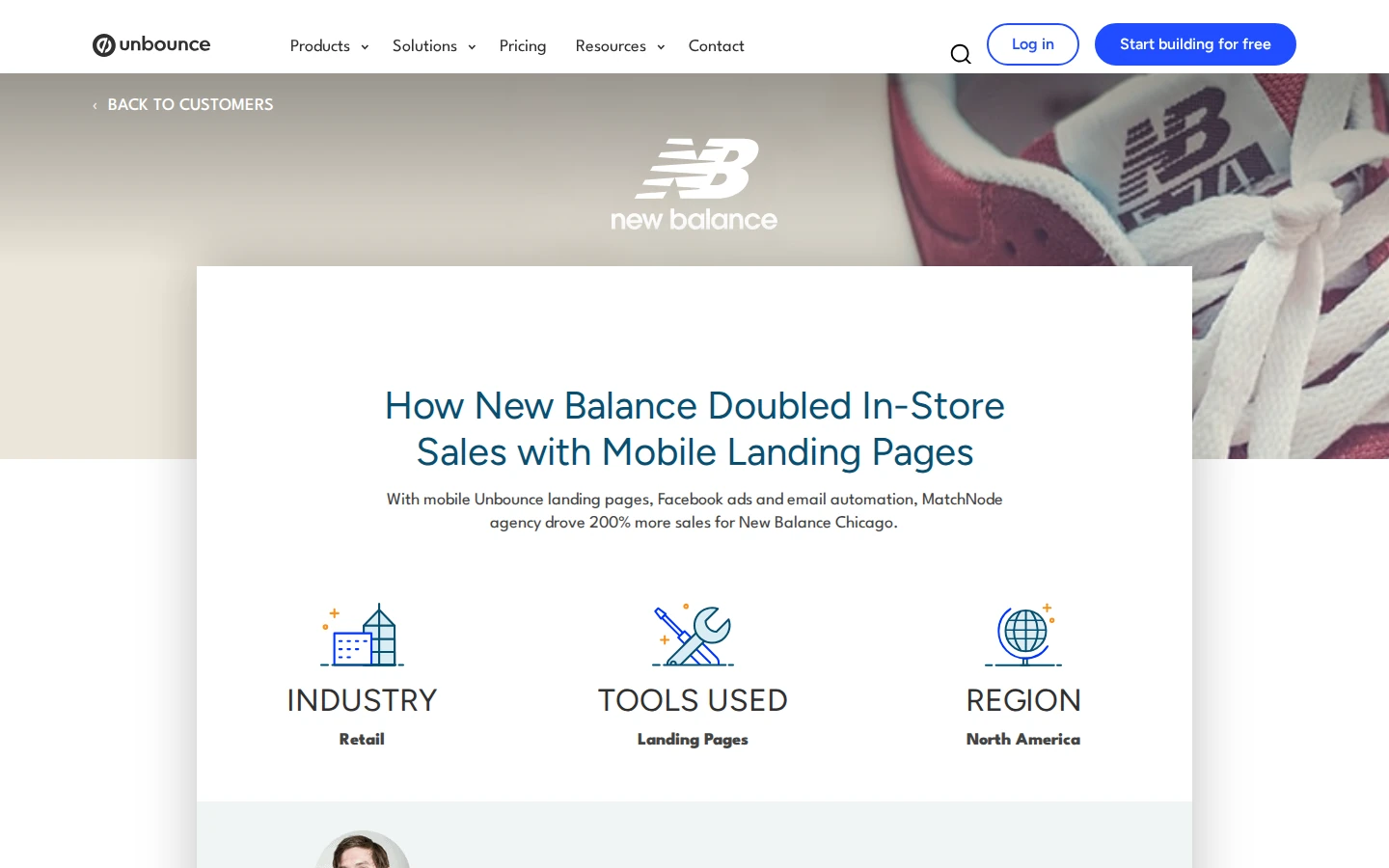
New Balance Chicago, working with the agency Matchnode, replaced Facebook Offers with mobile landing pages built in Unbounce. Each page offered an in-store discount in exchange for an email address, followed by reminder emails.
The result, according to the Unbounce case study: 50% less ad spend and 200% more in-store sales than the previous campaigns, plus a 10% larger email list in two months.
- Clear single offer: one discount, one form, one goal.
- Built for mobile: pages designed for the phones the ads ran on.
- Follow-up included: reminder emails turned sign-ups into store visits.
Landing Page Conversion Checklist
Before you send traffic to a page, run through these checks:
- Does the headline repeat the promise from the ad or link?
- Can a visitor tell what you offer within five seconds?
- Is there only one goal, with navigation and side offers removed?
- Is the CTA visible on a phone without scrolling?
- Does the form ask only for what you need today?
- Is there proof from a real customer near the CTA?
- Does the page load quickly on mobile data?
- Is conversion tracking set up for this page’s single goal?
For more numbers on how landing pages perform, see these landing page statistics.
Tools That Help
You don’t need many tools, but each of these covers a job that’s hard to do by hand:
- Landing page builders such as Unbounce and Instapage let you launch and edit pages without a developer.
- Heatmap tools such as Crazy Egg and Hotjar show where visitors click, scroll, and stop.
- A/B testing tools such as VWO split traffic between versions and report the winner.
- Social proof tools such as WiserNotify show recent sign-ups, sales, and reviews on the page.

Boost Conversion Instantly
Add Social Proof & Urgency to your website
Wrap Up
A landing page converts when the visitor sees what they came for, understands it fast, trusts it, and can act in one step.
Start with the message and the form, since those fix the most pages, then test your way up from there.
Frequently Asked Questions
How do you calculate landing page conversion rate?
Divide the number of conversions by the number of visitors and multiply by 100.
What is a good landing page conversion rate?
The median landing page converts at 6.6% across all industries, so beating your own industry’s median is a solid goal.
What is a good conversion rate for an opt-in landing page?
Opt-in pages that ask only for an email usually convert higher than purchase or demo pages, so aim above your industry median.
What is the fastest way to improve landing page conversions?
Match the headline to the ad that brought the visitor, cut the form to the fewest fields possible, and add a testimonial near the CTA.
Does page speed affect landing page conversion rate?
Yes. Slow pages lose visitors before they see the offer, especially on mobile data.
How long should you run a landing page A/B test?
Run each test until both versions have enough conversions to show a clear winner, and cover at least one full business cycle.

Krunal Vaghasiya is a marketing tech expert who boosts e-commerce conversion rates with automated social proof and FOMO strategies. He loves to keep posting insightful posts on online marketing software, marketing automations, and improving conversion rates.




 Capterra