
How to Get More Online Reviews for Your Spa & Wellness Center
The fastest way to get more reviews for your spa or wellness center is to ask within 2 hours of the appointment.
Send the request by SMS or WhatsApp with a one-tap link to your Google or Facebook review page. Clients are still relaxed, and one tap is all it takes.
The nine tactics below show how to make that ask automatic, personal, and consistent.
Key Takeaways
- Ask within 2 hours of the appointment, while the post-treatment glow is still there.
- Send a one-tap link by SMS, WhatsApp, or email. Every extra click costs you reviews.
- Asking works. In BrightLocal’s 2026 consumer survey, 83% of people who were asked for a review went on to leave one.
- Fresh reviews matter most. 74% of consumers in the same survey only care about reviews from the last three months, so keep requests running year round.
- Show the reviews you collect on your website and social media. Visible praise invites more of it.
How Do You Get More Reviews for Your Spa?
1. Ask Right After the Appointment
The best time to ask for a review is right after your client walks out feeling relaxed, refreshed, and happy. That post-treatment glow is your golden window, when emotions are high and the experience is still fresh.
Here’s how to make the most of that moment:
- Train your front desk team: A friendly reminder as the client checks out can go a long way.
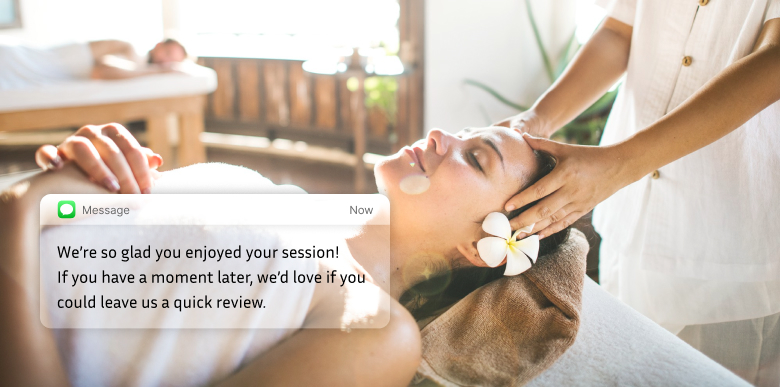
“We’re so glad you enjoyed your session! If you have a moment later, we’d love if you could leave us a quick review.”
- Use automated follow-ups: Within 2 hours of their appointment, send a thank-you text or email that links straight to your Google or Facebook review page.
- Build it into the booking flow: Include a review prompt in your booking confirmation or follow-up messages so asking becomes part of the visit, not an afterthought.
- Keep it simple: Skip the long message. A warm thank-you and one-click access to leave feedback is enough.
Timing decides whether a review gets written or never happens. BrightLocal’s 2026 survey found 83% of consumers who were asked for a review left one. Ask while the experience is fresh and you catch that positive energy in writing.
2. Make It Easy to Review You

Even the happiest clients won’t leave a review if the process feels like a chore. Your job is to remove every step between “I loved this” and a published review. No digging, no guessing, no extra clicks.
Here’s how to simplify the review experience:
- Offer multiple channels: Give clients several convenient ways to leave reviews, such as email, SMS, QR codes, and website links.
- Share direct links: In all follow-up emails, text messages, and booking confirmations, include a clickable link to your Google, Facebook, or Yelp review page.
- Use QR codes in the spa: Place them at the reception desk, in treatment rooms, or on printed thank-you cards so clients can scan and review on the spot.
- Add review buttons to your website: Put “Leave a Review” calls to action on your homepage, footer, or confirmation pages.
- Use friendly language:
“Loved your visit? We’d love your feedback. It only takes 30 seconds!” Make it feel casual, not transactional.
- Check it on mobile: Most reviews are left from phones. Make sure your review links open fast and work well on mobile devices.
The easier you make it, the more clients follow through. Remove the friction and more great experiences turn into public praise.
Build trust & FOMO
Highlight real-time activities like reviews, sales & sign-ups.


3. Personalize the Request for Existing Clients
Generic review requests often get ignored. A personal message makes your client feel valued and more likely to respond.
When asking for a review, mention their name, the service they received, or the staff member they saw. This shows the message is meant just for them, not part of a bulk send.
Examples:
- Email: Hi Sarah, we hope you’re feeling relaxed after your deep tissue massage with Anjali. If you enjoyed the session, would you mind sharing your experience with others? [Leave a review]
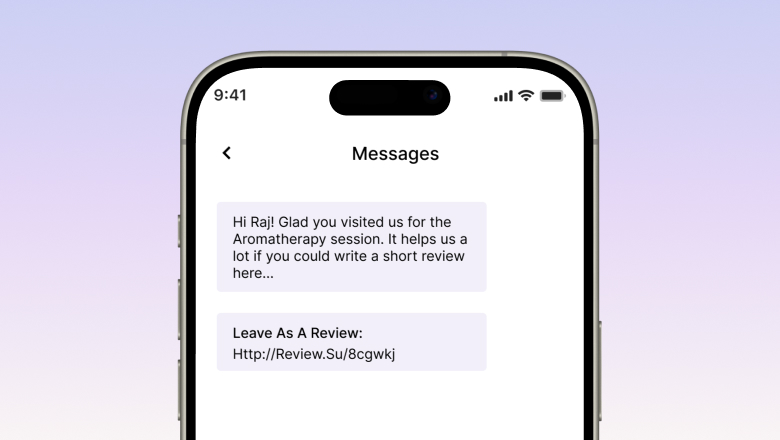
- SMS: Hi Raj! Glad you visited us for the Aromatherapy session. It helps us a lot if you could write a short review here: [link]
- In person: “It was lovely having you in today, Priya! If you have a moment later, a quick Google review about your facial would mean a lot.”
Tips to personalize well:
- Use the customer’s first name
- Mention the specific treatment or therapist
- Keep the tone warm, friendly, and grateful
- Start with loyal clients. They respond more often and tend to write fuller, kinder reviews.
A personal touch makes the request feel sincere, and sincere requests get answered.
4. Use Social Proof to Encourage More Reviews

When clients see others sharing positive experiences, especially when other clients tag your spa or join campaigns, they feel more confident doing the same.
That is social proof at work, and it fits spa and wellness businesses where trust and comfort matter.
You can use existing reviews to inspire new ones.
Ways to show social proof:
- Display recent reviews on your website. Add a review slider or testimonials section on your homepage or booking page so visitors see that real people love your services.
- Share reviews on social media. Post client testimonials (with permission) on Instagram or Facebook. Include before-and-after photos or relaxing session shots, and invite clients to post their own photos and tag your business.
- Showcase review counters. “Over 500 happy clients have rated us 5 stars on Google.” A message like this on your site or in emails makes others want to join that group.
- Use signs or posters in your spa. A display like “Rated 4.9 stars by 200+ guests” or a printed review wall in the reception area nudges others to add their own feedback.

Tag or thank reviewers publicly if they leave comments on your social media pages. This recognition encourages others to share their thoughts.
When people see that others enjoy your services and get appreciated for saying so, they are more likely to join in and leave a review themselves.
5. Train Your Team to Ask Naturally

Your front desk staff and therapists are your best review generators, if they know how to ask the right way. A natural, confident request feels like part of the guest experience, not a sales pitch.
The key is training your team to ask in a way that feels personal, warm, and aligned with your spa’s tone.
Here’s how to make it part of your service flow:
- Include review requests in staff scripts: Not robotic scripts, just friendly prompts they can use comfortably.
“We’re so glad you enjoyed your session. If you have a moment later, we’d love a quick review. It helps us grow.”
- Focus on regulars: Remind your team to ask current clients for reviews. Their feedback carries extra weight with new clients.
- Reinforce the “why”: Let your team know reviews reflect the care and quality they deliver every day, not just marketing.
- Make it conversational: After a guest compliments their service, it’s the perfect time to say,
“Thank you! If you’d be willing to leave that as a review, it would mean a lot.”
- Keep it optional and pressure-free: Never make it awkward or feel like a requirement. The more relaxed the ask, the better the response.
- Celebrate the wins: When a client names a staff member in a review, recognize and reward it. That keeps the team asking.
Your clients already love the service. More of that love turns into public praise when your team asks with confidence.
6. Automate the Review Process

You don’t need to follow up with every client by hand. Automation does the heavy lifting, sending timely review requests without adding work to your day.
The key is making it feel personal and consistent.
Here’s how to automate it effectively:
- Use your booking or CRM system: Platforms like Fresha, Mindbody, Vagaro, or Square often have built-in features to send follow-up emails or texts after appointments.
- Set it to trigger automatically: Schedule your review request to go out 1 to 3 hours after the client’s visit, when they’re still relaxed and appreciative.
- Fold requests into your email program: Automate short, timely review messages alongside your regular client emails so the ask never gets skipped.
- Keep the message short and friendly:
“Hi [First Name], thank you for visiting us today! If you enjoyed your experience, we’d truly appreciate a quick review. Here’s the link. It only takes a minute!”
- Include a direct link to your review page: No one wants to search. Give them one tap and done.
- Monitor and refine: Track which messages and timing get the best responses, and adjust if needed.
Automation means no opportunity slips through the cracks. With the right system in place, reviews keep coming in while you stay focused on delivering great care.
7. Build a Loyalty Program to Reward Regulars

A well-designed loyalty program helps spa owners lift both client retention and the number of online reviews.
Reward repeat visits with discounts on future services, complimentary add-ons, or a free service after a set number of appointments. Regulars who feel appreciated review more often and come back sooner.
One caution: Google and Yelp guidelines bar offering rewards in exchange for reviews, and the FTC’s rule on fake reviews treats paying for positive ones as a violation. Tie perks to visits, not to reviews, and simply keep asking your loyal clients for honest feedback.
Done this way, a loyalty program is a win-win. Clients enjoy extra perks, and your business gains repeat bookings plus a steady stream of honest reviews from your happiest regulars.
8. Promote Your Reviews on Social Media

Showcasing your best client testimonials on social media builds trust and attracts new clients.
When potential clients see real feedback from happy customers, it reassures them about the quality of your services and nudges them to book an appointment.
Create posts highlighting glowing reviews, share before-and-after photos, or feature video testimonials to make the content more relatable.
Use relevant hashtags and tag the clients (with their permission) to extend the reach of your posts.
Sharing positive reviews on social media shows your commitment to client satisfaction and drives more visitors to your website and booking pages. Done consistently, it turns satisfied clients into your best brand ambassadors.
9. Optimize Your Presence on Review Platforms

To attract new clients and build a strong online reputation, optimize your presence on major review platforms like Google Business Profile, Yelp, and Facebook Reviews.
Start by claiming and verifying your business listings so all information is accurate and current.
Consistency across platforms makes your business look more professional and trustworthy to potential clients searching for spa services.
Respond promptly to positive and negative reviews alike. It shows you value feedback and care about the client experience.
Review management software streamlines the process, making it easier for clients to leave feedback and for you to monitor your reputation.
An optimized presence on review platforms improves your visibility in search and raises the odds that new clients discover and choose your business.
How Does WiserReview Collect Spa Reviews?
Most spa clients leave happy. They feel refreshed after a massage or facial. That’s the best time to ask for feedback.
But if you don’t ask at the right time or in the right way, you may miss your chance.
WiserReview helps you collect, manage, and display honest reviews right after the service, when the experience is still fresh.
It’s quick to set up and easy for your clients to use. You can ask for reviews through SMS, WhatsApp, or email, or let customers scan a QR code on your counter.
Review Requests on Every Channel

Send the review request the way your client prefers. SMS and WhatsApp go out right after checkout, email follows a few hours later, and a QR code on the counter or mirror catches walk-ins.
Each request carries a one-tap link, so there is nothing to search for.
Text, Photo, and Video Reviews

Clients can write a few lines, attach a photo of their result, or record a short video. Richer reviews carry more weight with new visitors.
You approve what goes public, sort by rating, and reply when a review needs a follow-up.
Show Reviews Where Clients Book

Put a review slider on your homepage, a floating rating badge in your footer, and a review popup next to your booking form.
No coding needed. Copy one small line of code and the widgets match your site style.

Show Real Reviews That Build Trust
Collect and display photo, video, and text reviews with full design control.
Can Live Popups Bring You More Bookings?
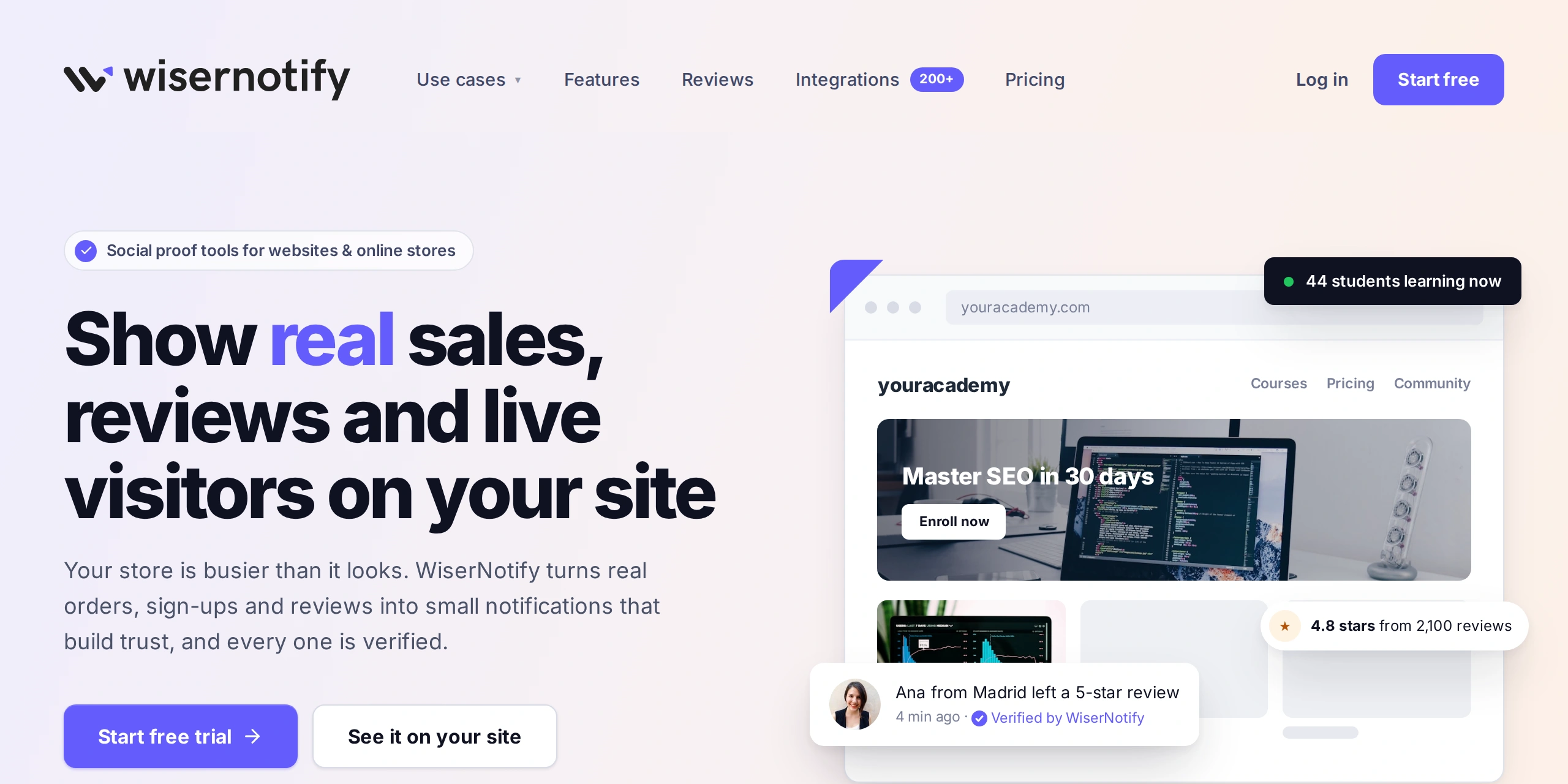
People trust businesses when they see others using them.
WiserNotify helps you show real-time activity on your spa or wellness website.
When someone books a service or leaves a review, a small pop-up appears on your site. New visitors see proof that your spa is busy and trusted, which nudges them to book. You can also run a live visitor counter on your booking page, so prospects see how many people are viewing your services right now.
Booking and Review Notifications

Show recent bookings, fresh five-star reviews, and a live visitor count on your pages. Each popup is pulled from real activity, so the proof stays honest.
Connects to Your Booking Tools

Link your booking system, review form, or CRM, or pull data from Google Reviews, Calendly, Shopify, and Zapier. WiserNotify works with 250+ integrations, so your existing stack feeds the popups.
Control Where Popups Appear

Pick the corner, the delay, and the pages each popup shows on, and match the colors to your brand. One small code snippet in your site header switches it all on.
The dashboard then tracks views, clicks, and conversions so you can see what each popup adds.

Boost Conversion Instantly
Add Social Proof & Urgency to your website
Wrap Up
Getting more reviews for your spa or wellness center isn’t about asking everyone. It’s about asking the right people at the right time.
Ask within a couple of hours of the visit, send a one-tap link, and let your team and your tools keep the requests consistent. Add social proof to the mix, and new customers will feel more confident booking with you.
Keep it simple, stay consistent, and always thank those who take the time to share their experience. The more happy voices you gather, the stronger your online reputation becomes.
Show Real Reviews That Build Trust
Collect and display photo, video, and text reviews with full design control.
Frequently Asked Questions
How can I ask spa customers for reviews without sounding pushy?
Politely ask after their visit—either in person, through email, or by WhatsApp. Keep the message short and thank them for their time.
What is the best time to ask for a review from a wellness client?
Ask right after their appointment when the experience is still fresh and positive in their mind.
Which platforms should a spa focus on for collecting reviews?
Focus on Google, Facebook, Yelp, and niche platforms like Treatwell or Fresha if they apply to your region.
Can I show reviews on my spa website automatically?
Yes. Tools like WiserReview help you collect and display reviews using badges, sliders, or popups with full design control.
Do real-time popups of reviews help boost bookings?
Yes. WiserNotify shows real-time booking or review popups which create urgency and trust, leading more visitors to book services.

Krunal Vaghasiya is a marketing tech expert who boosts e-commerce conversion rates with automated social proof and FOMO strategies. He loves to keep posting insightful posts on online marketing software, marketing automations, and improving conversion rates.




 Capterra