
Best Way to Add RSS Feed on GoDaddy in 2026

GoDaddy’s website builder makes creating a professional online presence simple, but many users face the challenge of keeping their sites dynamic and updated. Static pages can make even a polished GoDaddy website feel stale, which can hurt visitor trust and engagement.
Embedding an RSS Feed is the ideal solution. With Wisernotify, you can easily add a live RSS Feed to your GoDaddy website, showcasing your latest blog posts, updates, or podcast episodes. It helps maintain an active appearance without the need for constant manual updates.
In this guide, you’ll learn why adding an RSS Feed matters for GoDaddy and exactly how to do it with Wisernotify.
Why Add RSS Feed on GoDaddy?
Keep Content Fresh: Automatically showcase your latest updates to show visitors that your site is active.
Boost Engagement and SEO: Fresh content can keep visitors on your site longer and improve your site’s ranking in search engines.
Promote Your Expertise: Displaying new blogs, podcasts, or news reinforces your credibility and leadership in your field.
Example Use Cases:
- Display latest blog articles on your homepage.
- Show recent podcast episodes on your “About” or “Blog” page.
- Highlight press mentions and important news.
Relevant Stat: Fresh content can help increase website traffic by up to 55% (source: HubSpot).
How to Add RSS Feed on GoDaddy

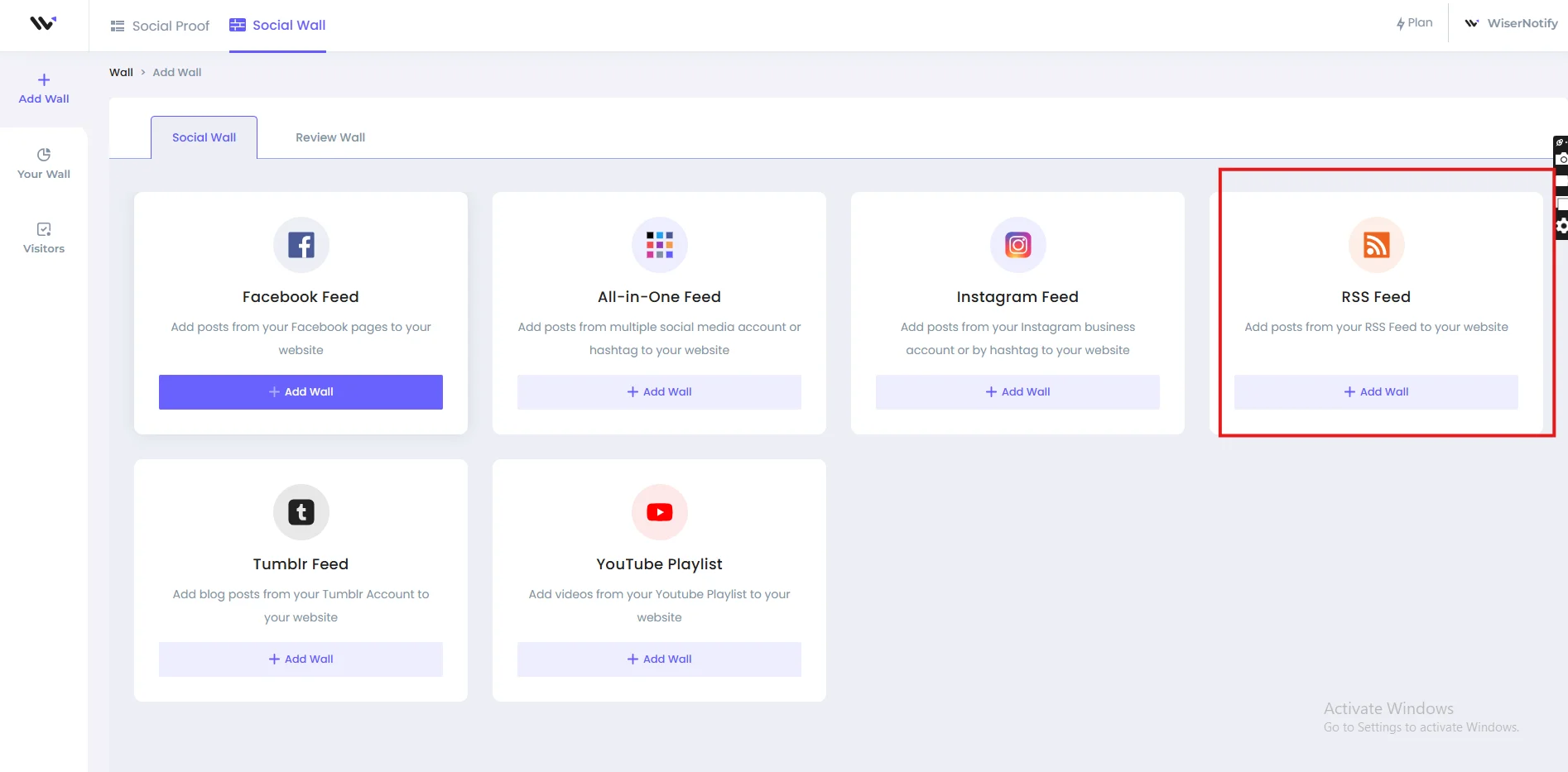

How to Embed RSS Feed on GoDaddy
Once you’ve created your RSS Feed widget with Wisernotify, follow these steps to embed it into your GoDaddy site:
- Log into your GoDaddy Website Builder.
- Select the Website and Page where you want to add the RSS Feed.
- Click “Edit Site.”
- Add a “HTML Section”:
- Click “Add Section.”
- Scroll down and choose “HTML” under “Advanced” sections.
- Paste Your Wisernotify Embed Code into the HTML block.
- Adjust the Placement if necessary by dragging the section where you want it.
- Preview and Publish your changes to go live!
Best Practices for Showcasing RSS Feed on GoDaddy
✅ Place It Strategically: Use the RSS Feed on high-traffic pages like your homepage, blog page, or landing pages.
✅ Customize to Match Your Brand: Use Wisernotify’s styling options to ensure the feed matches your site’s fonts, colors, and vibe.
✅ Limit Visible Posts: Display 5–7 items to keep the layout clean and focused.
✅ Highlight Conversion-Oriented Content: Feature posts that educate, inform, or promote your products and services.
Common Mistakes to Avoid When Adding RSS Feed to GoDaddy
Adding the Feed in the Wrong Section
Always use the “HTML” section in GoDaddy for proper rendering.
Skipping Mobile Optimization
GoDaddy sites are mobile-responsive—make sure your feed displays well on all devices.
Neglecting Design Customization
Unstyled widgets can disrupt your site’s aesthetic. Wisernotify offers easy customization.
Overloading the Page
Avoid showing too many posts in a small space; it can overwhelm visitors.
Wrap-Up
Adding an RSS Feed to your GoDaddy site with Wisernotify is an excellent way to boost credibility, engagement, and SEO without extra manual effort. Whether you want to showcase blogs, podcasts, or company updates, a live feed helps make your site more vibrant and trustworthy.
Ready to make your GoDaddy site feel fresh and dynamic? Start with Wisernotify today and create a more engaging online presence!
Related guides
Want to add a Rss feed on a different platform? These step-by-step guides walk through it:
Frequently Asked Questions
Can I embed different RSS Feeds on different GoDaddy pages?
Yes, Wisernotify allows you to create multiple widgets and embed them on different pages.
Will embedding an RSS Feed slow down my GoDaddy website?
No, Wisernotify’s widgets are lightweight and optimized for speed.
Can I customize how the RSS Feed looks on my GoDaddy site?
Absolutely. You can match the feed’s design with your site’s branding easily.
Is the RSS Feed mobile-friendly on GoDaddy?
Yes, Wisernotify’s widgets are responsive and adapt beautifully to mobile devices.
Do I need coding knowledge to embed an RSS Feed on GoDaddy?
Not at all. Simply paste the Wisernotify embed code into an HTML section—no technical skills required.

Krunal Vaghasiya is a marketing tech expert who boosts e-commerce conversion rates with automated social proof and FOMO strategies. He loves to keep posting insightful posts on online marketing software, marketing automations, and improving conversion rates.




 Capterra