
How to Add an Offer Widget to Your Website in Minutes
You’ve got a great product, your design looks solid, and your checkout works. Still, sales feel flat.
Most stores spend weeks polishing the storefront and forget the one thing that moves the needle: a timely, relevant offer shown at the right moment.
This guide covers what an offer widget is, why it works, the types of offers worth showing, exactly where to place them, and the mistakes that quietly kill conversions.
What Is an Offer Widget?

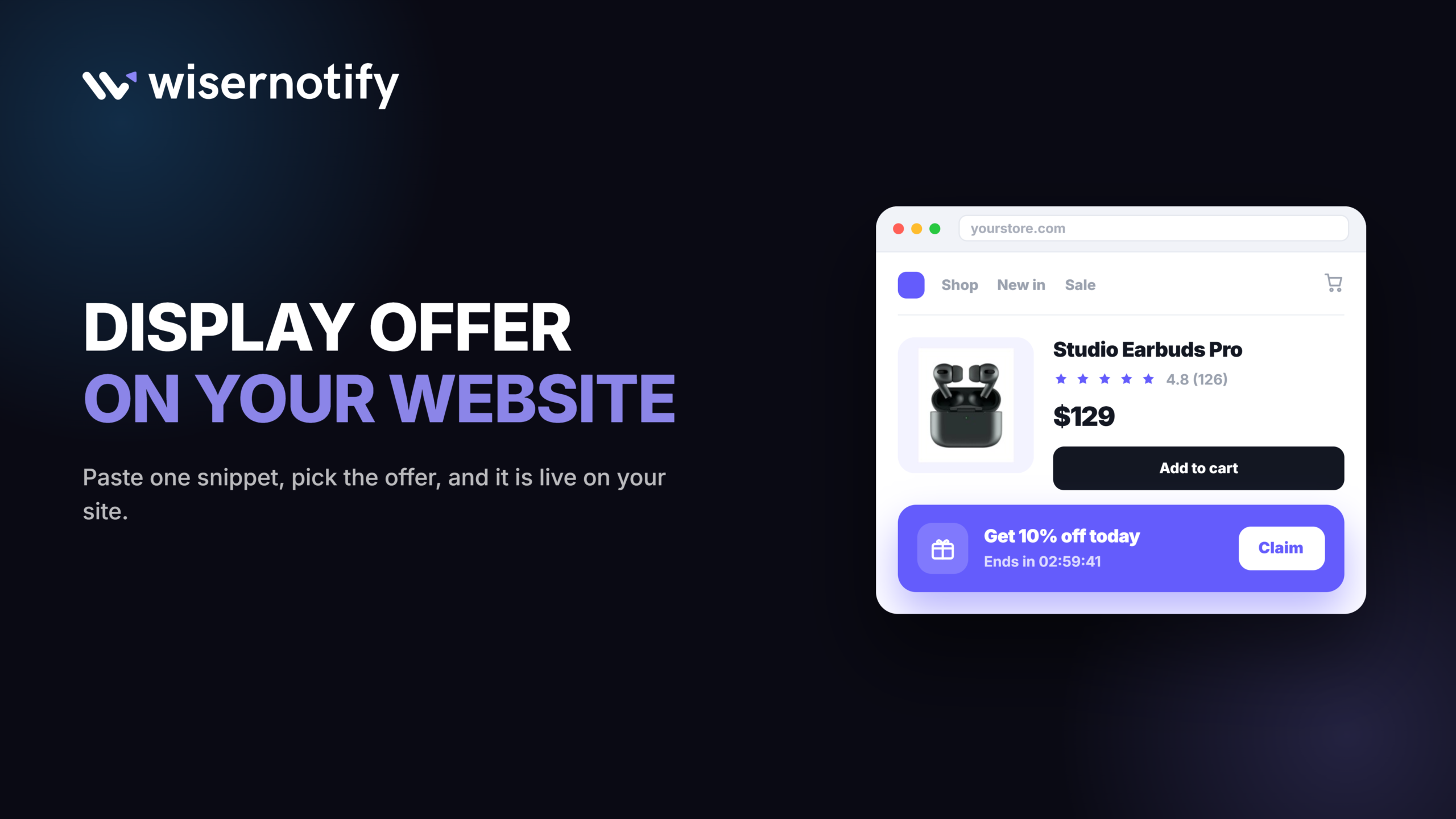
An offer widget is a small on-page element, a popup, banner, or floating box, that shows a specific deal to a visitor while they browse. It can display a discount code, a countdown, or a personalized message based on what that visitor is doing.
The point is not to interrupt. A well-placed offer answers a question the visitor already has, like whether now is a good time to buy.
4 Benefits of Using an Offer Widget

A good offer widget does more than show a discount. It changes how a visitor decides.
1. Bigger Orders
A well-timed upgrade or bundle offer gets more out of a visitor who is already buying, without touching your site design.
- Example: a widget on the product page suggesting “Add a case for $12 more” right after a laptop is added to cart
- Works because the visitor is already deciding to buy, so a small add-on feels like a natural next step, not a new decision, and it adds to customer lifetime value over time
2. Fewer Abandoned Carts
A visitor who was about to leave often just needs a reminder. Show the deal again right as they hesitate, and a share of them come back and finish the order.
- Example: an exit-intent widget offering 5% off the moment the cursor moves toward the back button
- Works because it shows up right when they are wavering, not days later in an email that may never get opened
3. Real Urgency, Not Fake
A live countdown tied to a real deadline pushes a decision without the trust damage a fake one causes.
- Example: a homepage banner showing “Sale ends in 04:12:36” where the timer is tied to a real expiring discount code
- Works because a visitor who checks back later and finds the deal really did end keeps trusting your next countdown
4. Offers That Adjust Themselves
Once it is set up, the widget adjusts the offer to what each visitor already did, a returning shopper, a cart left behind, a specific traffic source, with no new page to build.
- Example: a returning visitor sees “Welcome back, here’s 10% off,” while a first-time visitor from an ad sees a different intro offer, same widget
- Works because you set the rule once, and it keeps running on its own after that
Build trust & FOMO
Highlight real-time activities like reviews, sales & sign-ups.

Types of Offers and How to Present Them
Offers are not one-size-fits-all. Visitors land on your site for different reasons, and matching the offer to that reason is what makes it work.
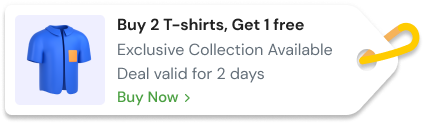
1. Time-Sensitive Deals

Think countdowns, flash sales, or a limited window to buy.
- Example: “Get 20% off if you purchase in the next 15 minutes,” shown with a real countdown
- Works because urgency prompts action, especially for a first-time visitor who has not decided yet
- Best spots: exit intent popups, product pages during an active discount, homepage banners
Pro tip: use exact language, “limited-time offer” paired with a countdown that is actively running, not a vague “hurry.”
2. Personalized Offers

Personalization works because it matches what the visitor already did, not because it looks nice.
- Base it on traffic source, first-time visit, location, or previous clicks
- Example: “Welcome back! Use code WELCOME10 to save 10%”
- Example: “You left items in your cart. Here’s 5% off to complete your purchase”
- Best spots: cart abandonment popups, the homepage for returning visitors, dashboard rules triggered by visit history
This makes the offer feel like a service, not a trick.
3. Loyalty and Referral Offers

Offers do not stop after the first sale.
- Loyalty discounts after a repeat purchase
- Referral coupons, such as “Give $10, Get $10”
- Example: on the order confirmation page, “Invite a friend and get 15% off your next purchase”
- Best spots: confirmation and thank-you pages, the account dashboard, floating widgets on product pages
4. Free Shipping Offers

Shipping cost is one of the top reasons a cart gets abandoned, which makes this one of the easiest offers to justify.
- Example: “Free shipping on orders over $50,” shown as a progress bar toward the threshold
- Works because it removes a cost objection instead of just lowering the price
- Best spots: cart page, a sticky bar on product pages, checkout
5. Seasonal and Holiday Offers

A deal tied to a real date on the calendar feels more relevant than a generic discount, and it gives you a natural reason to run it.
- Example: “Black Friday: 30% off sitewide, ends Monday”
- Works because the calendar itself supplies the urgency, no invented deadline needed
- Best spots: homepage banner, a themed popup, category pages tied to the occasion
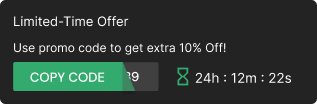
Build urgency
Add floating offers with countdown timer & coupon code.
How to Add an Offer Widget to a Website
Here is the quick build using WiserNotify’s Multiple Offers widget. Watch the full walkthrough below, or follow the steps.
1. Sign Up for WiserNotify
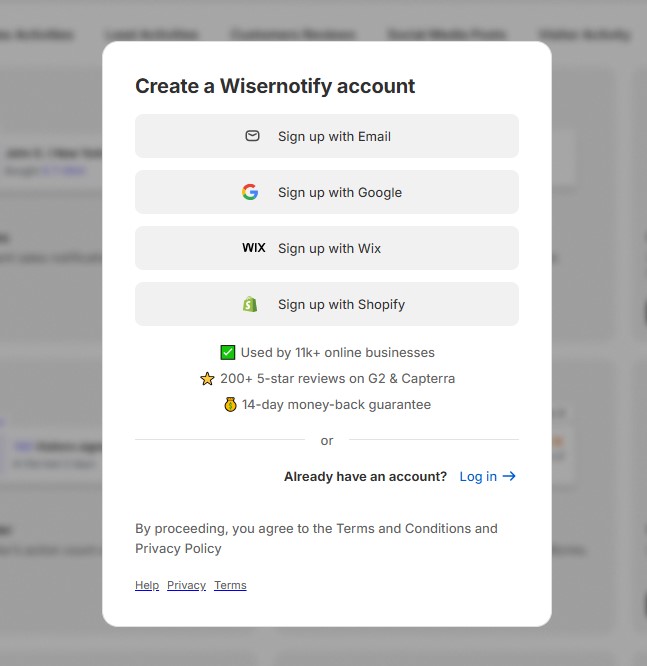
Create a free account and add your website.
2. Add a New Widget
Go to Widgets, click “Add Widget,” then pick Multiple Offers under the Call to Action tab.

3. Create and Customize
Name your widget and click “Create and Customize” to open the editor.

4. Build Your Offer List
Edit the pre-loaded offers, delete what you do not need, and click “Add item” for more.

5. Write the Heading and Message
Set a heading like “All Offers” in the Text Editor.
6. Customize the CTA Button
Set the button text, font, and color in Click Actions.
7. Set Position and Style
Pick where it sits on screen, then set colors and shadow in Style.

8. Set Data Control
Turn on “Skip Seen” so repeat visitors do not see it twice.
9. Set the Timing
Pick start and expiry dates, then set the display trigger and how long it stays visible.

10. Target Your Pages
Use the URL condition to show it only where you want, or add advanced targeting rules.

11. Publish and Go Live
Click “Publish,” then refresh your site to see it live.
12. Troubleshoot If It Does Not Appear
Use the Troubleshoot option on the widget list, or reach out to live chat support.
On Framer or Other No-Plugin Builders
Framer has no plugin system, so the widget goes in as embedded code instead of steps 2 through 11 above.
- Build the widget in WiserNotify as usual and copy its embed snippet from the publish screen.
- In Framer, open Site Settings > General > Custom Code and paste the snippet into the
<head>section to run it on every page, or add it to a single page’s own Custom Code panel to show it there only. - Publish the Framer site. The widget loads the same rules, offers, and styling set up in WiserNotify, since the snippet is the only thing Framer needs.

Boost Conversion Instantly
Add Social Proof & Urgency to your website
Design Principles for Offer Displays

1. Visual Hierarchy
- Use a background that stands apart from the page without clashing
- Keep the CTA button bold and action-based, like “Get My Discount” or “Claim Deal”
- Avoid tiny fonts, nobody should have to squint to read a promo code
- Lead with the value, save the fine print for after
2. Mobile Responsiveness
- Check how it loads on product pages, cart, and landing pages
- Use a preview tool to simulate mobile view before you publish
- Avoid a popup that takes over the whole screen without an exit-intent trigger
3. Consistency and Branding
- Match fonts, colors, and button styles to the rest of your site
- Match the offer’s tone to your brand voice, casual, serious, or playful
- Make sure the widget never looks like a third-party ad
Common Mistakes to Avoid

- Overloading pages with offers: show one offer that matters, not five at once. Rotate offers with smart rules instead of stacking them, and cap it at one offer per session.
- Poor timing and targeting: trigger on exit intent, scroll percentage, time on site, or traffic source. Show first-time offers only to new visitors, and never repeat a popup to someone who already claimed a deal.
- Lack of clarity: always show the coupon code, the discount amount, when it expires, and which products it applies to. Bad: “Save Big Today!” Good: “Get 15% off your order. Code: TODAY15. Expires at midnight.”
Wrap Up
Adding a deal to your site does not mean anyone will notice it. The right offer, placed where the visitor’s intent already points, is what moves sales.
Start with one clear offer on your homepage, match it to what that visitor wants, and keep refining from there.
Frequently Asked Questions
What is an offer widget?
An offer widget is a small on-page element, like a popup, banner, or floating box, that shows a specific deal to a visitor while they browse.
Where should I place an offer widget?
Match the offer to the page. Time-sensitive deals work best on the homepage and product pages, personalized offers work best in the cart and checkout, loyalty offers work best on the confirmation page.
Do personalized offers convert better than generic ones?
Yes. An offer that responds to what a visitor already did, like an abandoned cart or a return visit, feels like a service instead of a random discount.
How many offers should I show on one page?
One. Stacking several offers on the same page causes choice paralysis and lowers trust instead of raising conversions.
What is the biggest mistake people make with offer widgets?
Hiding the details. Always show the coupon code, the discount amount, when it expires, and which products it applies to.

Krunal Vaghasiya is a marketing tech expert who boosts e-commerce conversion rates with automated social proof and FOMO strategies. He loves to keep posting insightful posts on online marketing software, marketing automations, and improving conversion rates.




 Capterra