
13 Ecommerce Landing Page Examples (+ Why They Work)

I’ve spent the last five years building conversion tools at WiserNotify, and part of that job is looking at other people’s landing pages all day. Hundreds of them.
Most are forgettable. Same stock hero shot, same “Shop Now” button, same wall of features nobody reads.
But a small group of pages pull multiples of what everyone else gets. And they keep doing it with the same handful of moves.
Below are 13 ecommerce landing page examples, broken down into what each one does well and what you can copy tomorrow.
I’ve also added the parts most roundups skip. When you shouldn’t build one at all. The types of landing page you can build. What goes on the page, in what order. What a good conversion rate actually looks like in 2026. And what to test once it’s live.
Fair warning on the screenshots. A few of these campaigns have since been retired or replaced, which is normal for promo pages. The captures show how they looked while running, and the patterns are the point.

Boost Conversion Instantly
Add Social Proof & Urgency to your landing page
Ecommerce Landing Page vs Product Page: What Actually Changes
This trips people up constantly, so let’s settle it.
A product page lives inside your store. Menu bar, breadcrumbs, related products, category links, reviews tab. Its job is to inform someone who is browsing, and browsing means comparing.
An ecommerce landing page is a standalone page built around one action. Buy this. Claim this. Join this. Everything else gets stripped out.
The real difference is exits. A product page gives a visitor fifteen ways to wander off. A landing page gives them one thing to do.
That gap shows up in the numbers. Unbounce’s 2026 Conversion Benchmark Report puts the median dedicated landing page at 4.02%, against roughly 2.35% for a general website page. For ecommerce specifically you’re usually looking at 2% to 3% as the honest baseline.
So a landing page isn’t magic. It’s just fewer ways to leave.
Also check: 11 Product Landing Page Examples That Drive Sales
When You Don’t Need a Landing Page
Nobody selling landing page software will tell you this, so I will. Sometimes the product page is the right answer.
Skip the landing page when:
- The traffic is branded search. Someone typing your brand name already knows who you are. Send them to the real thing.
- You’d be duplicating a product page you can’t maintain. Two versions of the same offer means two places to update the price, and one of them will go stale.
- The ad is broad, not specific. A landing page works by matching one promise. If your campaign is a catch-all, there’s nothing to match.
- You get under a few hundred visits a month to it. You’ll never gather enough data to tell whether it worked.
The rule I use is simple. If the ad makes a specific promise, build a page that repeats it. If it doesn’t, fix the ad first.
The 6 Types of Ecommerce Landing Pages
Not every landing page has the same job. Picking the wrong type is the most common mistake I see, and no amount of design fixes it.
Here’s how they break down:
- Product landing page. One product, one offer, one buy button. This is the workhorse for paid traffic pointed at a hero SKU.
- Category landing page. A curated group rather than a single item. Think “gifts under $50” or “everything for cold sleepers.” Useful when the ad promises a theme, not a product.
- Offer or sale page. Built around a discount, bundle, or deadline. Short shelf life by design, so keep the build cheap and reusable.
- Lead capture page. No sale, just an email or an entry. Giveaways, waitlists, early access.
- Pre-sell page. Warms up cold traffic with a story, comparison, or explainer before sending them to buy. Works well for products people have to understand first.
- Subscription or box page. Sells a recurring commitment, so it has to answer “what do I actually get” and “can I cancel” on the page itself.
Quick tip. If you can’t say which of these six you’re building before you open the editor, stop and decide. The layout, the copy length, and the CTA all change depending on the answer.
What Goes on the Page, Top to Bottom
Most “ecommerce landing page design” advice hands you a list of ingredients and no recipe. Here’s the running order I’d use, split into the three jobs a page has to do.
The order matters more than the list. Proof placed after the final button is proof nobody reads.
Above the Fold: Earn the Scroll
You get a couple of seconds here. Four blocks, nothing else.
1. A headline that repeats the promise. Whatever your ad said, say it again in plain words. Try this: put your ad copy and your headline side by side. If they don’t share actual words, you’re losing people before they scroll, and message match is the cheapest fix in conversion work.
2. A hero visual showing the outcome. Not the box on white. The result. Casper shows people sleeping rather than foam layers, and that choice does more work than any headline on their page.
3. The offer and the price. Both visible without scrolling. Shoppers who can’t find a price assume it’s bad news, and they’re usually gone before you get to explain.
4. Your first CTA. Some visitors arrive already sold, especially off retargeting. Don’t make them read your benefits section to find a button.
The Middle: Answer the Doubts
Everyone still reading has a reason not to buy. This is where you take those away, in this order.
5. Three to five benefits, written as outcomes. “Ships in 2 days” beats “fast fulfillment.” Write each one from the buyer’s side of the transaction, not your operations team’s.
6. Proof. Reviews, star ratings, customer photos, press logos, order counts. Most stores bury this near the footer. Xpand puts it beside the button, which is the whole reason their page works.
7. Objection handling. Returns, sizing, delivery times, setup difficulty, ingredients. You already know what belongs here. Open your support inbox and read the last fifty messages.
The Close: Make It Easy to Act
By now they’ve decided. Your only job is not getting in the way.
8. A second CTA. Same button, same words as the first one. Anyone who read this far is your warmest visitor on the page, and repetition is not a flaw.
9. A short FAQ. Four or five questions, no more. Use the ones your sales or support team actually gets asked, not the ones that sound impressive.
10. A final CTA, and nothing else after it. No footer menu, no newsletter signup, no “you may also like.” You paid for this visitor. Don’t hand them an exit at the finish line.
You won’t need every block on every page. A $15 accessory can skip half of them, and Away proves it. A $900 mattress can’t skip any.
Also check: 50+ Landing Page Stats Every Marketer Should Know
13 Ecommerce Landing Page Examples (With Conversion Breakdowns)
Each one below gets the same treatment. What the page was selling, the single move worth copying, and how to apply it to your own store.
1. Tattly
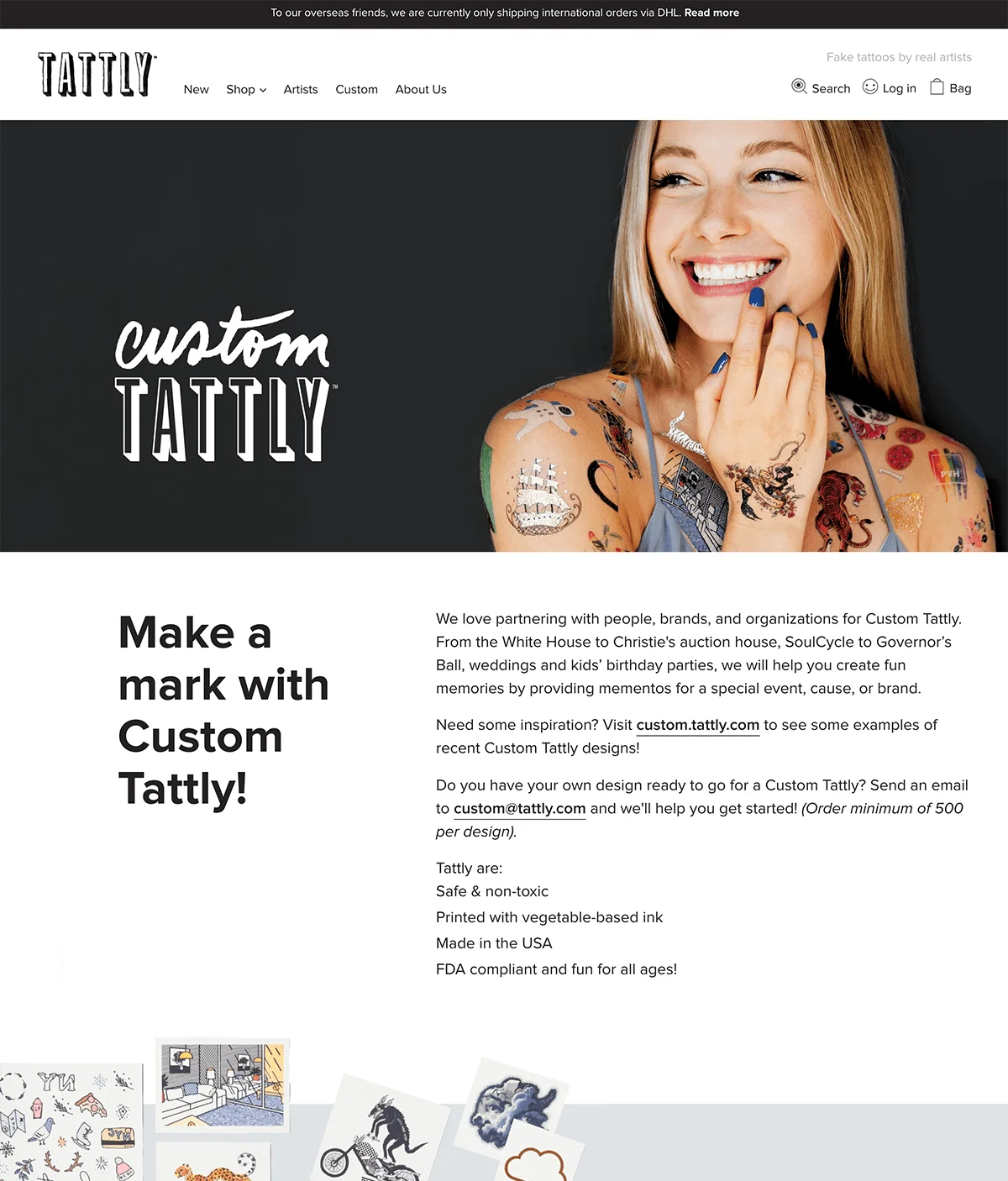
Best for: products that need zero explanation.
Tattly’s page for custom temporary tattoos does something rare. It makes the product feel personal before you read a word.
What works: The hero shows real tattoos on real arms, photographed like a snapshot rather than a catalog shot. You know instantly whether this is for you. No copy required.
Steal this: Shoot your product in use, not on white. A shopper should get the use case in about two seconds. If your hero image needs a caption to make sense, it isn’t doing its job.
Build urgency
Add floating offers with countdown timer & coupon code.

2. Ipsy
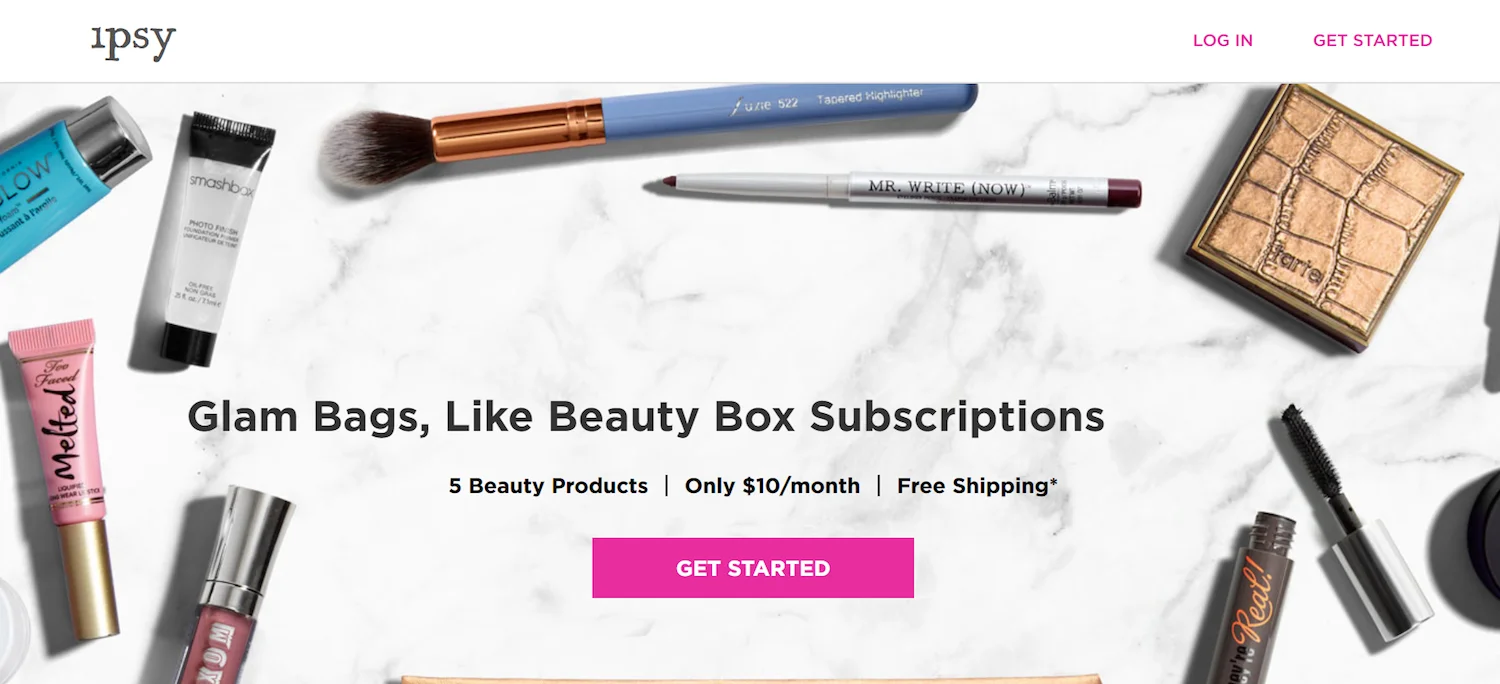
Best for: subscription boxes.
Ipsy’s page opens with the actual products you’d receive, laid out flat and lit properly.
What works: They show five named brands instead of promising “five beauty products.” Named things feel more valuable than counted things. That’s the whole trick.
Steal this: If you sell a box, photograph what’s inside it. A flat lay of real contents beats a picture of a sealed box every single time, and it’s a one-afternoon fix.
3. FabFitFun
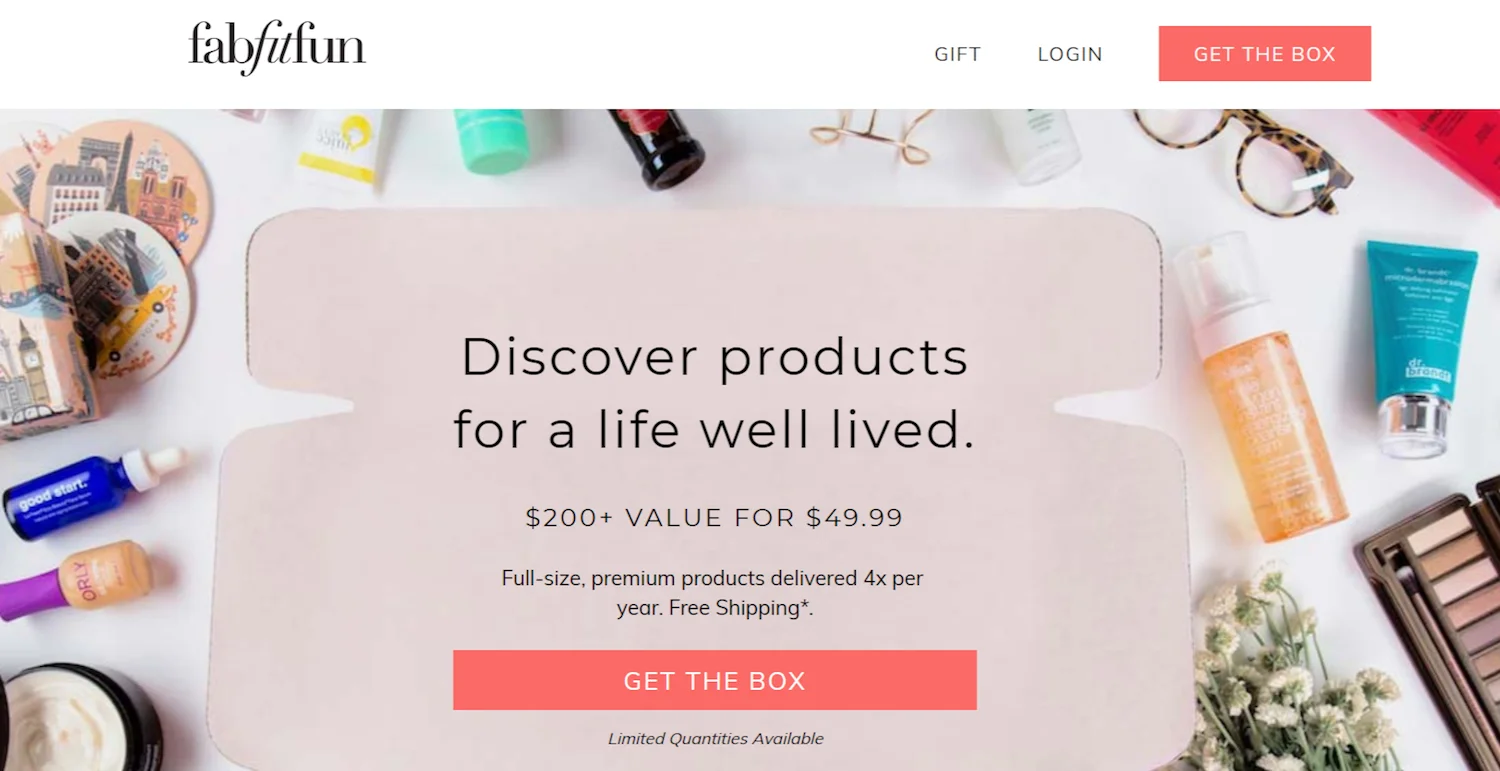
Best for: showing range, not just contents.
FabFitFun pushes the same idea further. Their page looks like someone tipped the box out onto a table.
What works: Variety. Beauty, wellness, fashion, and home goods all in one frame. That communicates value faster than any “$200 worth for $50” line could.
Steal this: Shoot the unboxing like a gift being opened, not a product catalog. And do it in bright, warm light. The emotional register of the photo is doing more work than the copy.
4. Casper
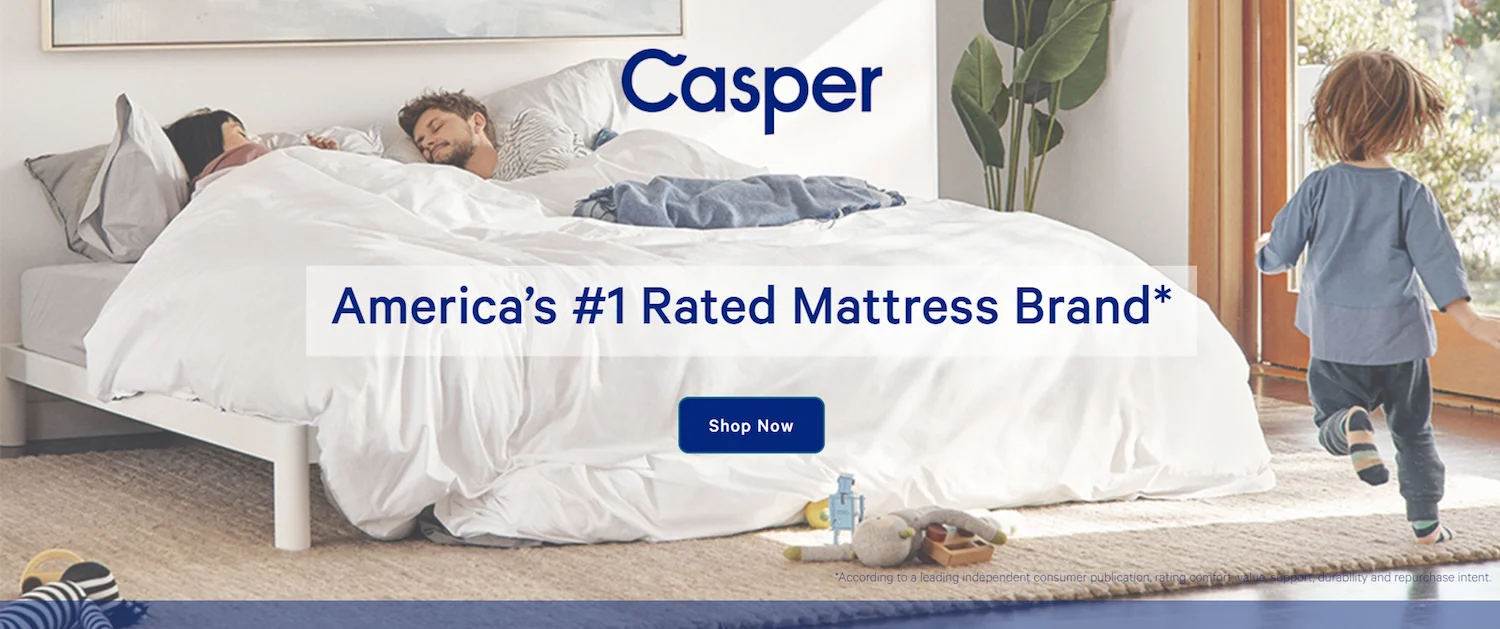
Best for: products you can’t try before buying.
Selling mattresses online should be impossible. You can’t lie down on a screen. So Casper stopped selling the mattress and started selling the result.
What works: The hero is people sleeping, not foam layers. That’s outcome selling, and the calm, white-space-heavy design reinforces it. The page feels like the thing it’s promising.
Steal this: If your product solves a problem, show the solved state. Save the construction diagrams and spec tables for further down, where the researchers will find them.
Build trust & FOMO
Highlight real-time activities like reviews, sales & sign-ups.

5. Onewheel
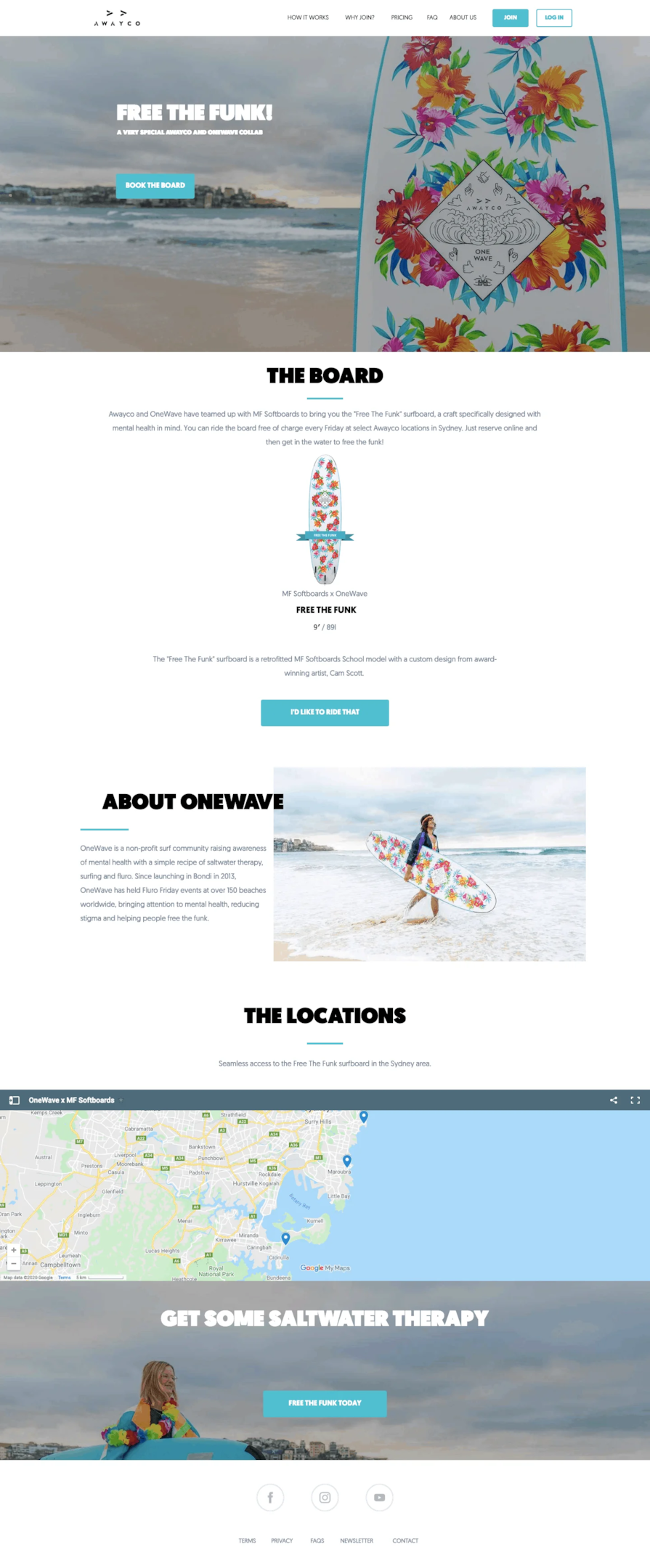
Best for: lifestyle and hobby products.
Onewheel isn’t selling an electric board. It’s selling being the person on the beach in that photo.
What works: Almost no copy. Bold colors, one CTA, and imagery carrying the whole message. Nobody buys one of these because of the motor spec.
Steal this: For anything bought on desire rather than need, cut your copy in half and double your image budget. The page should make someone feel something before it tries to inform them.
6. Away
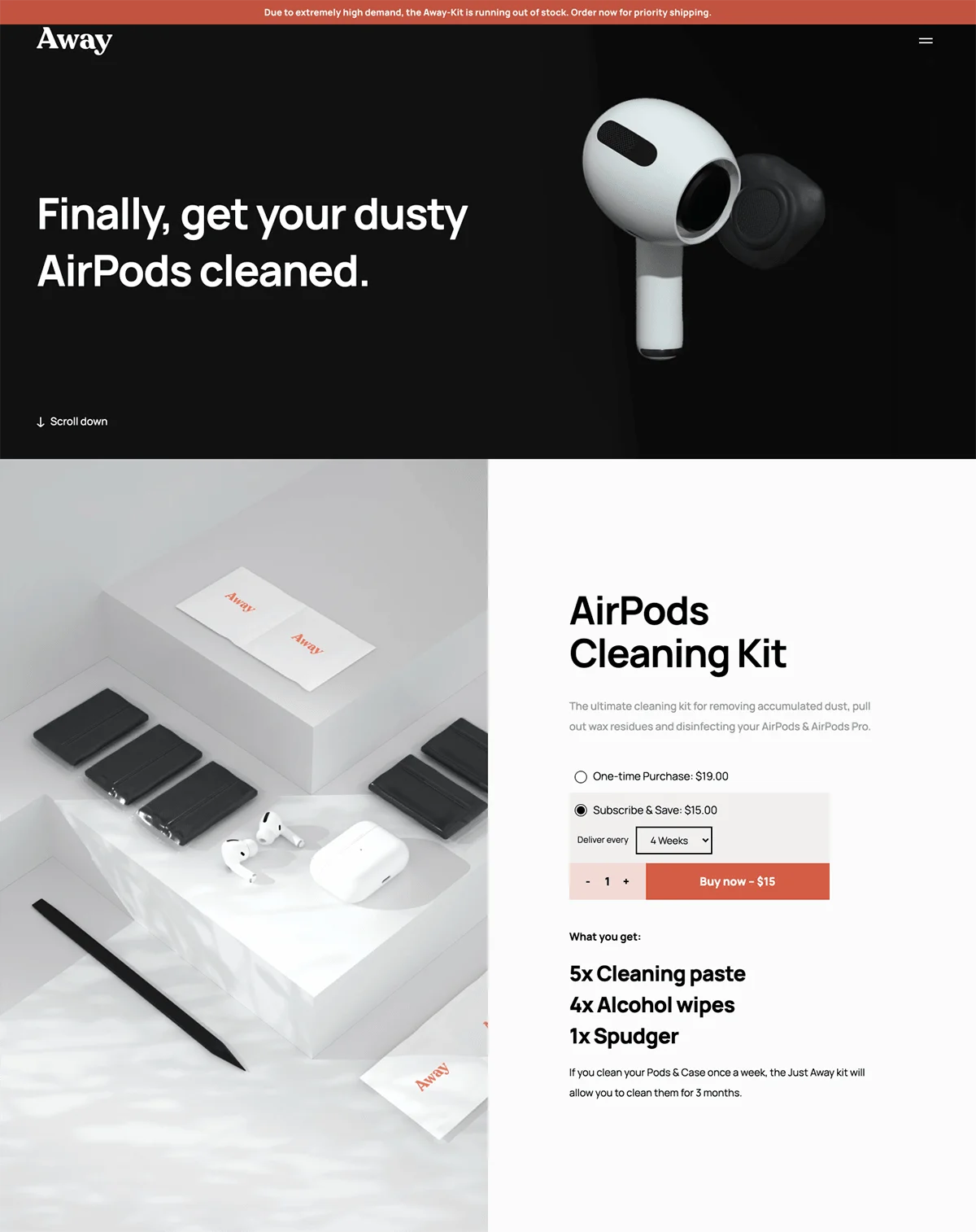
Best for: cheap add-ons and impulse buys.
This one’s interesting because it isn’t their luggage. It’s an AirPods cleaning kit, a low-ticket accessory.
What works: Problem, solution, price, button. No brand story, no mission statement, no founder letter. Your AirPods are grubby, here’s the fix, it’s this much.
Steal this: Match page length to price. A $15 product does not need a 2,000-word page, and padding it out actively hurts. Away proves you can sell small things in four blocks.
Build trust & FOMO
Highlight real-time activities like reviews, sales & sign-ups.

Also check: 10 Social Proof Landing Page Examples That Build Trust
7. Woodcraft
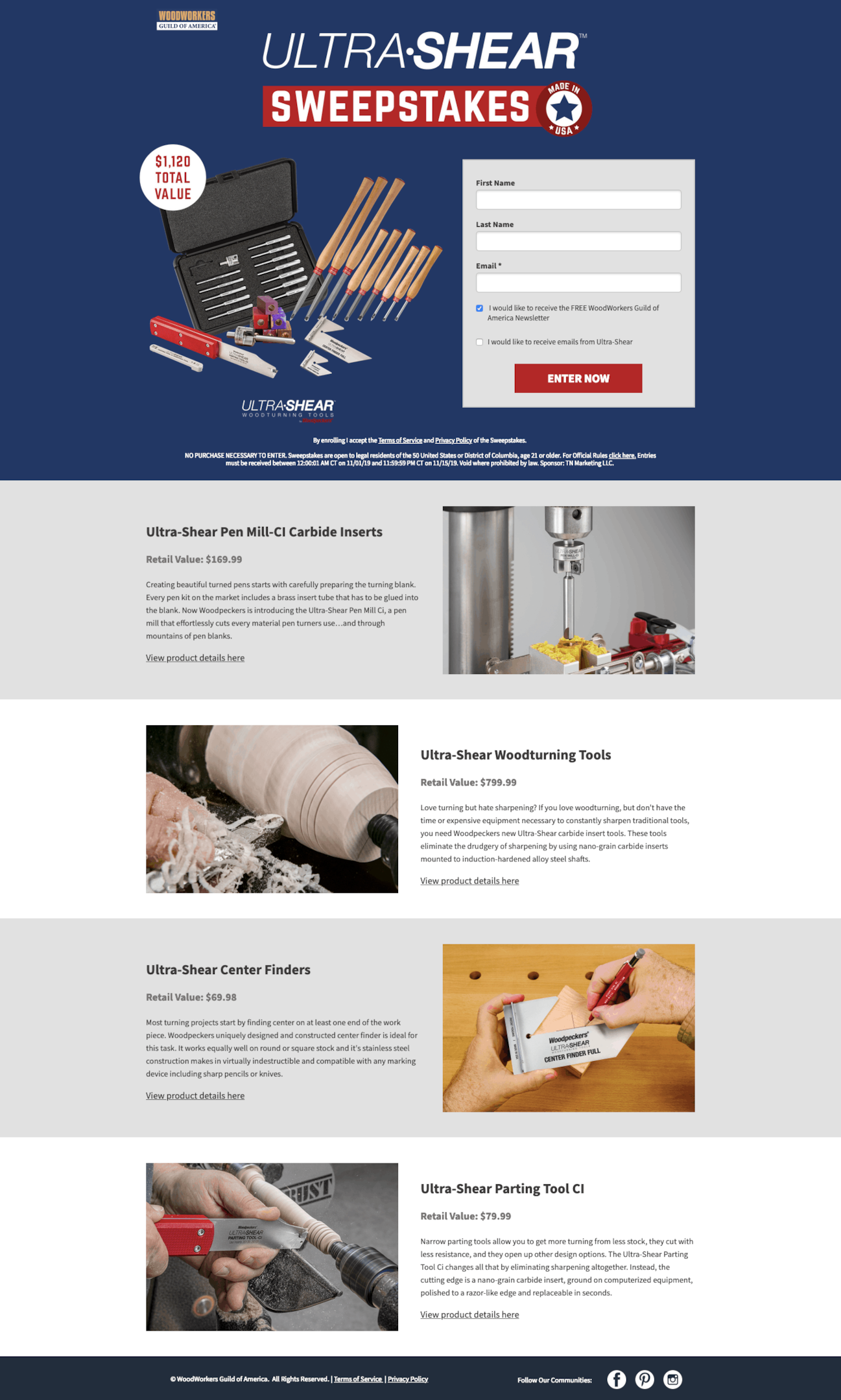
Best for: email list growth.
Woodcraft’s page isn’t selling anything. It’s a sweepstakes for a set of Ultra-Shear tools, and the simplicity is the point.
What works: Barely any friction. A short form, big prize photos, and nothing else competing for attention. Every extra field on a giveaway form costs you entries.
Steal this: A giveaway with a genuinely desirable prize will out-collect a “join our newsletter” box by a wide margin. Make the prize something your actual buyers want, not a generic gift card, or you’ll build a list of people who’ll never purchase.
8. Xpand
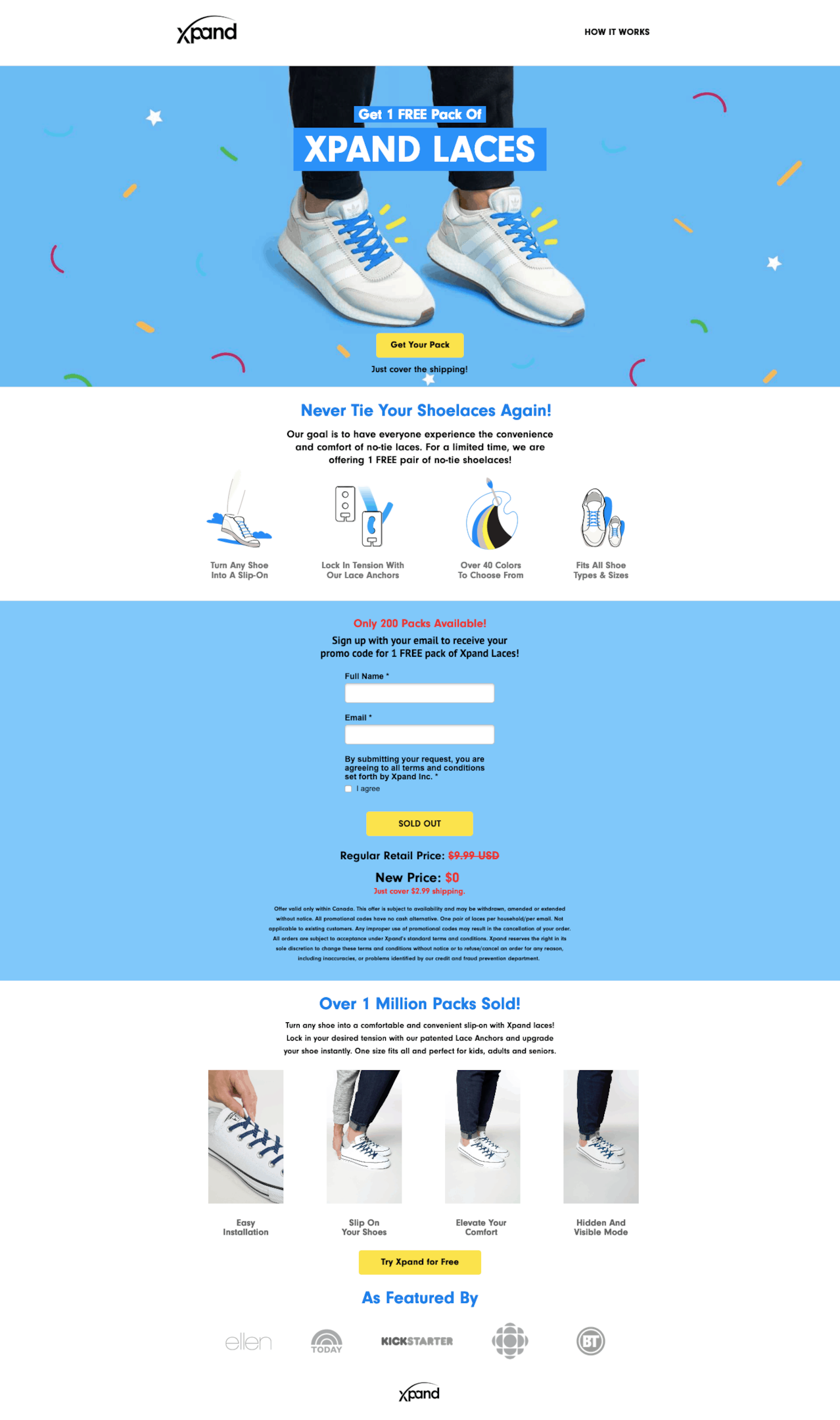
Best for: free plus shipping offers.
Xpand gives away the laces and charges for shipping. Old model, still works.
What works: Where the proof sits. User photos, star ratings, and review counts are right beside the button, not parked in a testimonials section at the bottom. By the time you’re deciding, the evidence is already in your eyeline.
Steal this: Move your proof next to your CTA. It’s a fifteen-minute change and it’s the single highest-return tweak I recommend to store owners.
Build trust & FOMO
Highlight real-time activities like reviews, sales & sign-ups.

9. Boiron
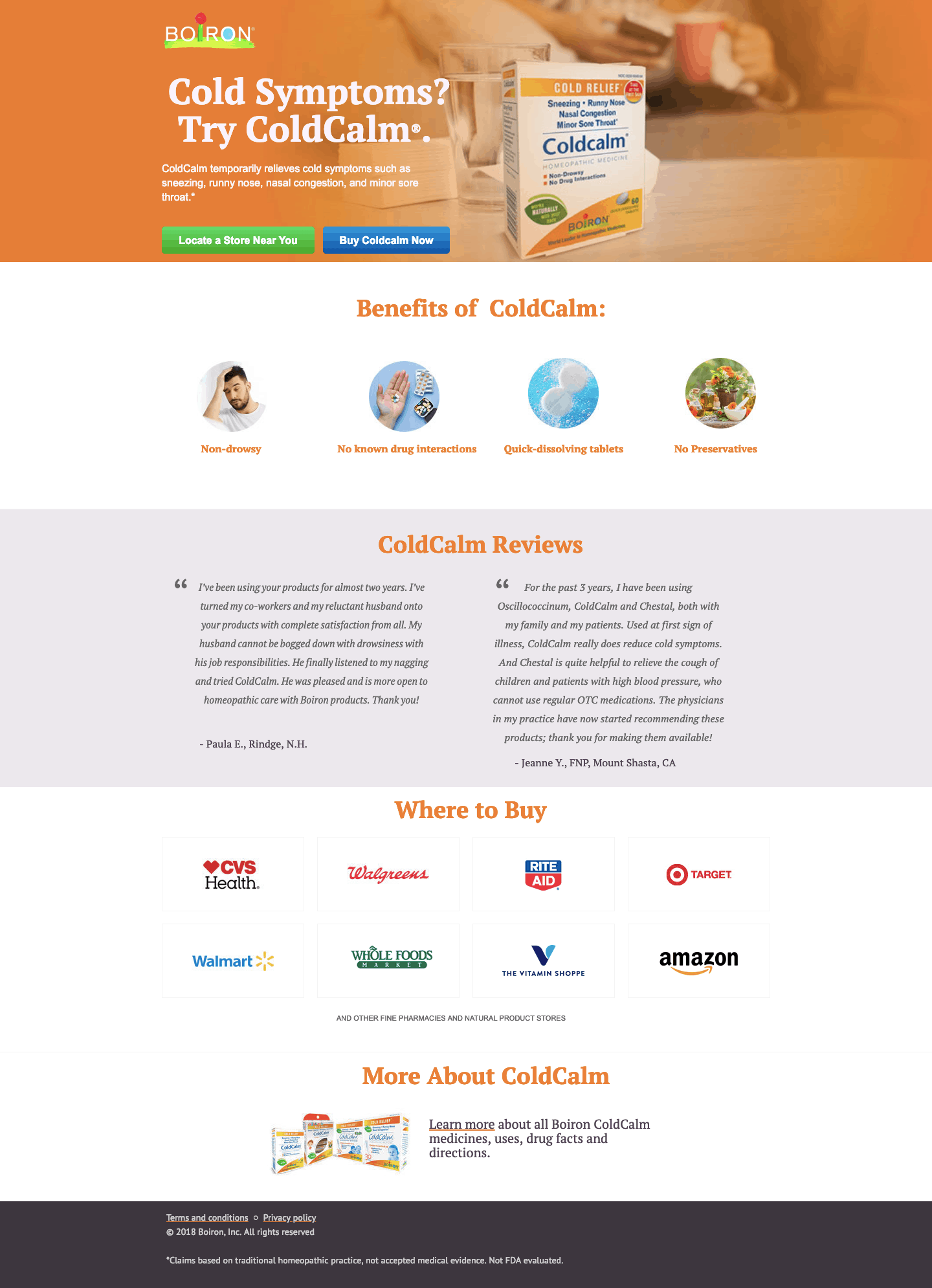
Best for: health, supplements, anything people are cautious about.
Boiron’s ColdCalm page is selling something you put in your body, so the entire page is built around trust.
What works: The order. Benefits, then testimonials, then ingredient transparency. That sequence matters more than the design. People need to know what it does, that others use it, and what’s in it, in that order.
Steal this: For anything with a health or safety question attached, lead with the outcome, follow with real customers, close with full disclosure. Flip that order and the page reads defensive.
10. Vanity Planet
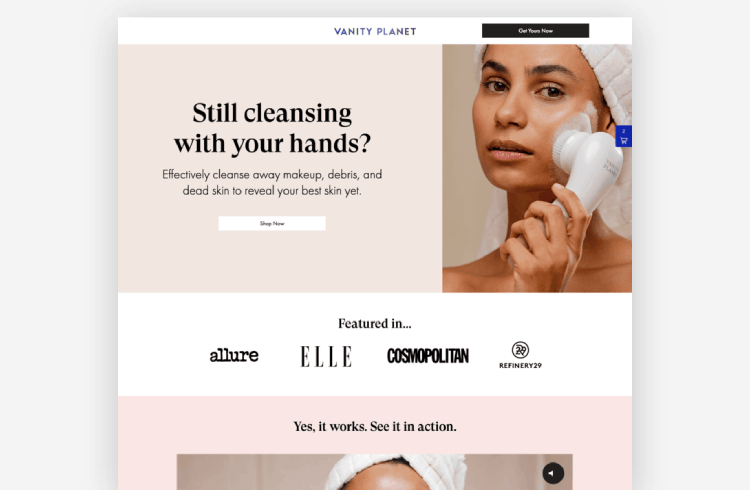
Best for: products that need demonstrating.
A facial cleansing brush is hard to sell in stills. Vanity Planet solved it with video.
What works: The demo isn’t buried in a tab. It’s the centerpiece. Watching the thing being used on an actual face kills the “does this even work” objection before it forms.
Steal this: If someone has to see your product working to get it, put a short clip above the fold. Phone footage that’s clear beats a polished ad that’s hidden.
11. Axis
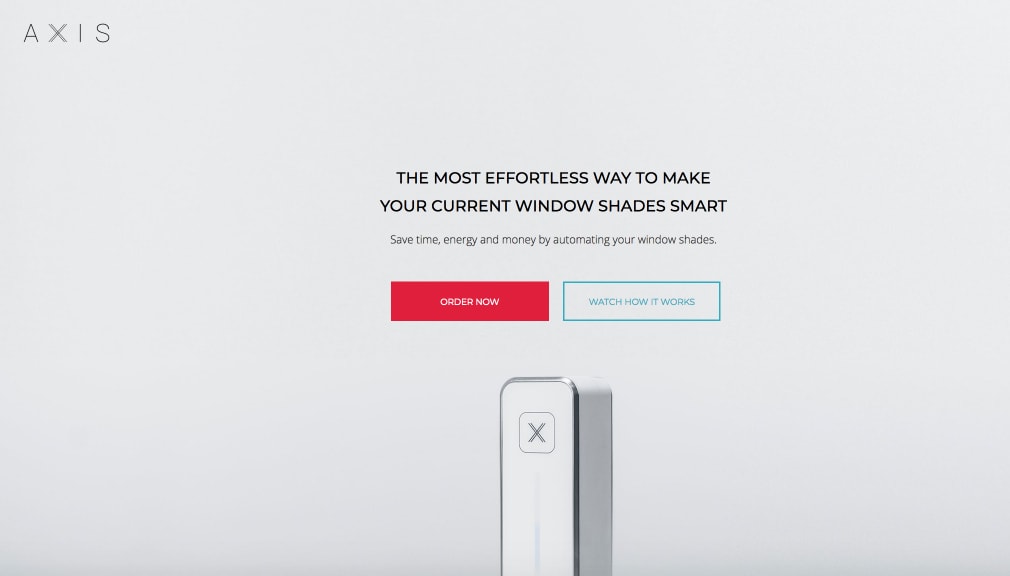
Best for: anything with an install step.
Axis sold retrofit smart window shades. Tricky product, because the buyer’s first thought is “this is going to be a nightmare to fit.”
What works: They attacked that head on. “No tools, no drilling” sits right up front, with the install shown visually. Short copy blocks, clear buttons, nothing intimidating.
Steal this: Find the fear that stops your buyer and answer it in the hero, not in an FAQ. For tech and home products, the fear is almost always complexity.
Build urgency
Add floating offers with countdown timer & coupon code.
12. Hims
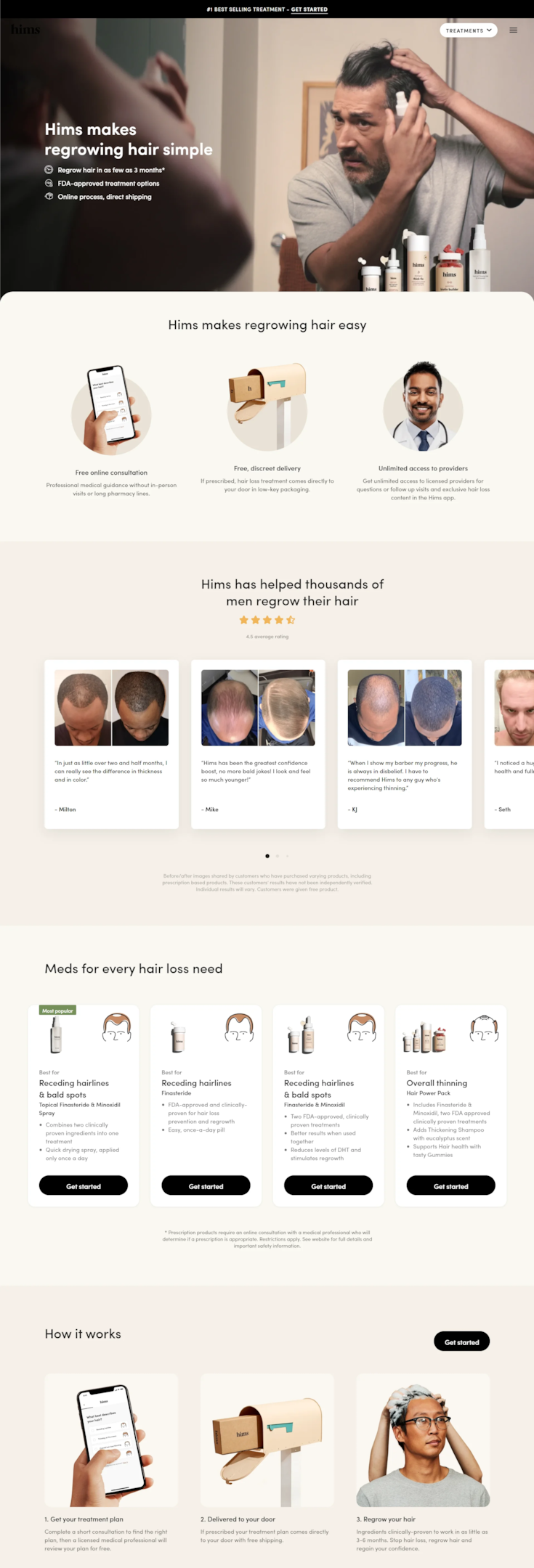
Best for: sensitive or awkward categories.
Hims sells hair loss treatment, and the page’s whole achievement is that it doesn’t feel like it.
What works: Tone. No scare tactics, no dramatic before-and-afters, no clinical coldness. It reads like a skincare brand. Clinical data and proof are present, just woven in rather than shouted.
Steal this: For anything people feel self-conscious buying, tone beats layout. Make the purchase feel routine and unremarkable. That’s the conversion lever.
13. Squatty Potty
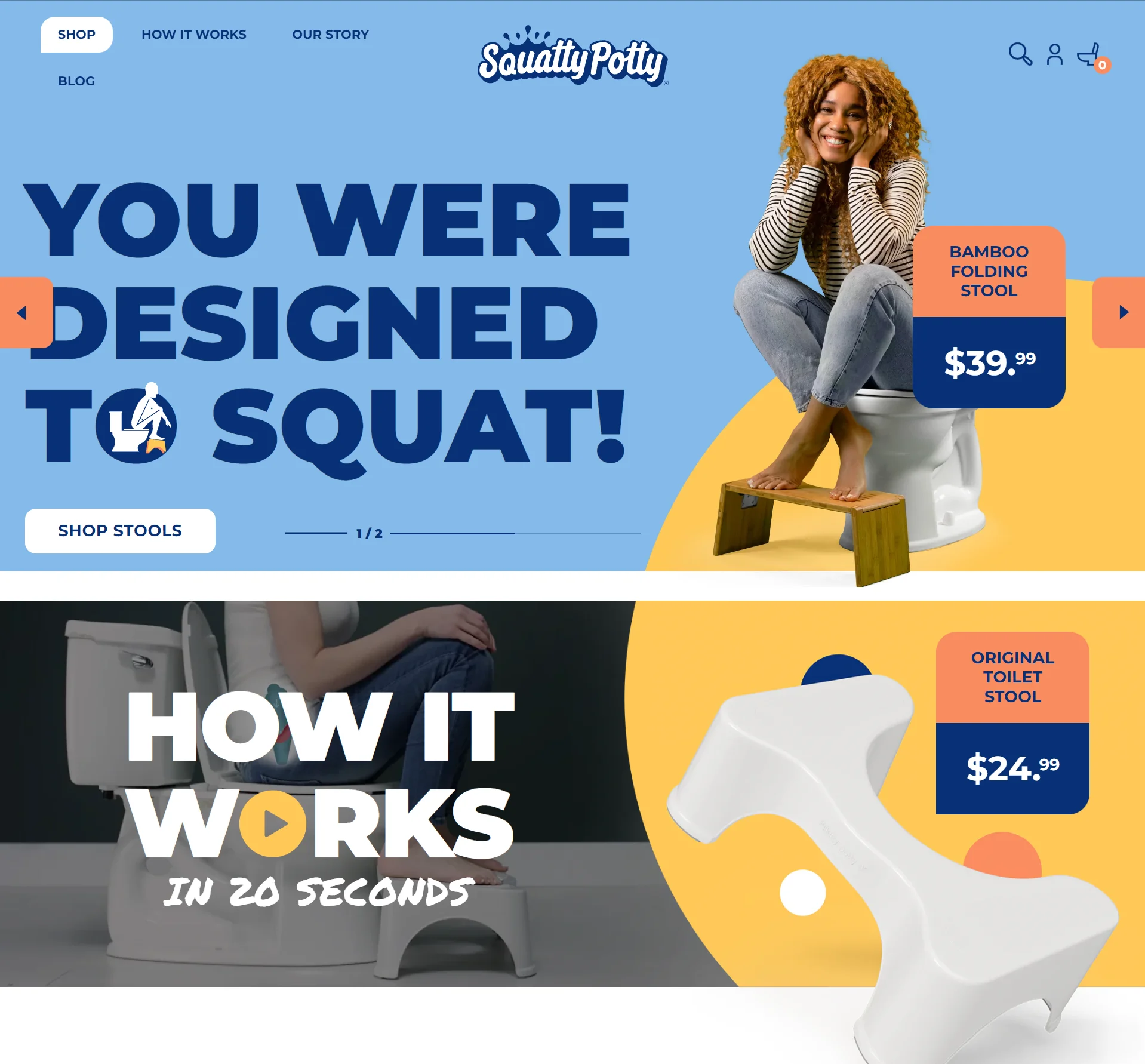
Best for: products that are hard to talk about.
Hardest brief on this list. They’re selling a toilet stool.
What works: They name the awkwardness instead of tiptoeing around it, then back it with actual posture science and diagrams. Humor gets you to keep reading. The science gives you permission to buy.
Steal this: If your product solves an embarrassing problem, say so out loud and then prove it works. “We know this is odd, and here’s why it isn’t” is a surprisingly strong one-two.
Boost Conversion Instantly
Add Social Proof & Urgency to your landing page
5 Conversion Patterns Every Ecommerce Landing Page Needs
Look at those 13 together and the same five things keep showing up.
1. The hero sells the outcome, not the object. Casper shows sleep. Onewheel shows a beach. Nobody leads with the product on white, and that’s not a coincidence.
2. Proof sits next to the button. Xpand puts ratings beside the CTA. Boiron places testimonials right before the buy. When the evidence and the action share screen space, more people act.
3. Navigation is gone. Not one of these has a full site menu. A logo linking home, maybe. Every other clickable thing is an exit you’re paying for. I’ve watched removing nav lift conversions by 20% to 30% on WiserNotify customer sites.
4. Price gets reframed, not hidden. “$2.65 a day” lands differently than “$79.” So does “six pairs for the price of three.” Same number, different maths in the reader’s head.
5. One page, one offer, one button. Not a single example tries to sell two things. Pick the offer, repeat the CTA, resist the urge to cross-sell.
And say what the button does. “Submit” and “Learn More” tell a visitor nothing. “Get 50% Off Today” or “Claim Your Box” tell them exactly what happens next, which is the whole job of a call to action.
If you only do three of these, do 2, 3, and 5.
What Counts as a Good Ecommerce Landing Page Conversion Rate
Every store owner asks me this, and most articles dodge it. So here are the numbers, with the caveat that a benchmark is a diagnostic, not a target.
| Page type | Typical rate | What it means |
|---|---|---|
| General website page | around 2.35% | Your starting point if you send ads to a product page |
| Dedicated landing page, all industries | 4.02% median | What a focused page buys you on average |
| Ecommerce landing pages | roughly 2% to 3% | Lower than average, because shoppers compare before buying |
| Top quartile pages | 11.45% and up | Realistic ceiling for a well-tested offer page |
Figures from Unbounce’s 2026 Conversion Benchmark Report and WordStream’s cross-industry dataset.
Two things worth saying plainly.
Ecommerce sits below the cross-industry median, and that’s normal. People price-check. A 3% ecommerce landing page is not a broken 6.6% page.
And the gap between median and top quartile almost never closes by buying more traffic. It closes through offer clarity, page speed, proof placement, and testing. Same page, better decisions.
What to Test First
Here’s the expensive mistake I see most. A store builds a page, launches it, and never touches it again. A landing page is a starting guess, not a finished asset.
But “just A/B test it” is useless advice on its own. Order matters, because the big levers move first and the small ones need traffic you probably don’t have.
Test in roughly this order:
- The offer. Free shipping versus 15% off will swing your numbers harder than anything else on this list. Start here.
- The headline. Match it tighter to the ad. This is usually the second biggest mover and it costs nothing.
- The hero image. Outcome shot versus product shot. Big visual changes show up in the data fast.
- Proof placement. Move ratings and reviews next to the button and see what happens.
- Button copy. Real change, not “Buy Now” versus “Buy now.”
- Colors and small layout tweaks. Last, and honestly only if you have the traffic to detect a difference.
One change at a time, two weeks minimum, and don’t call a winner on forty visitors. Most of the “we lifted conversions 300%” case studies you read are noise.
Also check: 30 A/B Testing Statistics Every Beginner Should Know
Mobile Is Where Most of This Gets Decided
Every example above looks great on a laptop. That’s not where your traffic is.
Most ecommerce landing page visits now come from a phone, usually straight off a paid social ad. So the desktop version is the preview, and the mobile version is the product.
Five things I check before any page goes live:
- Is the price visible without scrolling? On a phone the fold is tiny. Price and CTA should both make it.
- Does the hero image still read at thumb size? Detailed product shots turn to mush. Crop tighter for mobile.
- Are buttons reachable with one thumb? A CTA in the top right corner is a design decision made on a desktop.
- How heavy is the page? Big hero videos are the usual culprit. Every second of load costs you buyers who never saw the offer.
- Does the form fit? Every field is friction, and on mobile it’s roughly double.
If you want a shortcut, load the page on your own phone over mobile data with the wifi off. You’ll find the problems in about thirty seconds.
Also check: Mobile Landing Page Examples for Inspiration
Which Social Proof to Use, and Where to Put It
Go back through the 13 examples. Every single one proves something. Star ratings, customer photos, order counts, testimonials, press logos. Not one of them asks you to take the brand’s word for it.
But proof isn’t one thing, and the wrong kind is close to useless. Work out what your buyer is unsure about, then pick the proof that answers it.
- “Is this any good?” Star ratings and review counts. The default for most product pages.
- “Will it look like the photos?” Customer photos and video. Nothing else closes this gap, which is why Vanity Planet leads with a demo.
- “Does it work for someone like me?” Named testimonials with a job title, a location, or a use case attached. Anonymous praise does nothing here.
- “Is this brand real?” Press logos, order counts, and live activity. Useful for new stores where the review count is still thin.
- “Buy now or think about it?” Recent activity and a genuine deadline. This is the only place urgency belongs, and a timer that resets on refresh will cost you more trust than it buys.
One rule cuts across all of them. Proof works where the decision happens, which means next to the price and the button, not parked in a testimonials block near the footer.
Most of this you can set up by hand. Once volume grows, tools like WiserNotify keep it running without the manual upkeep.
Also check: Social proof examples that build instant trust
3 Ecommerce Landing Page Builders Worth Using
You don’t need a developer for any of this. Three tools cover most situations, and the pricing details below matter more than the feature lists.
1. Unbounce
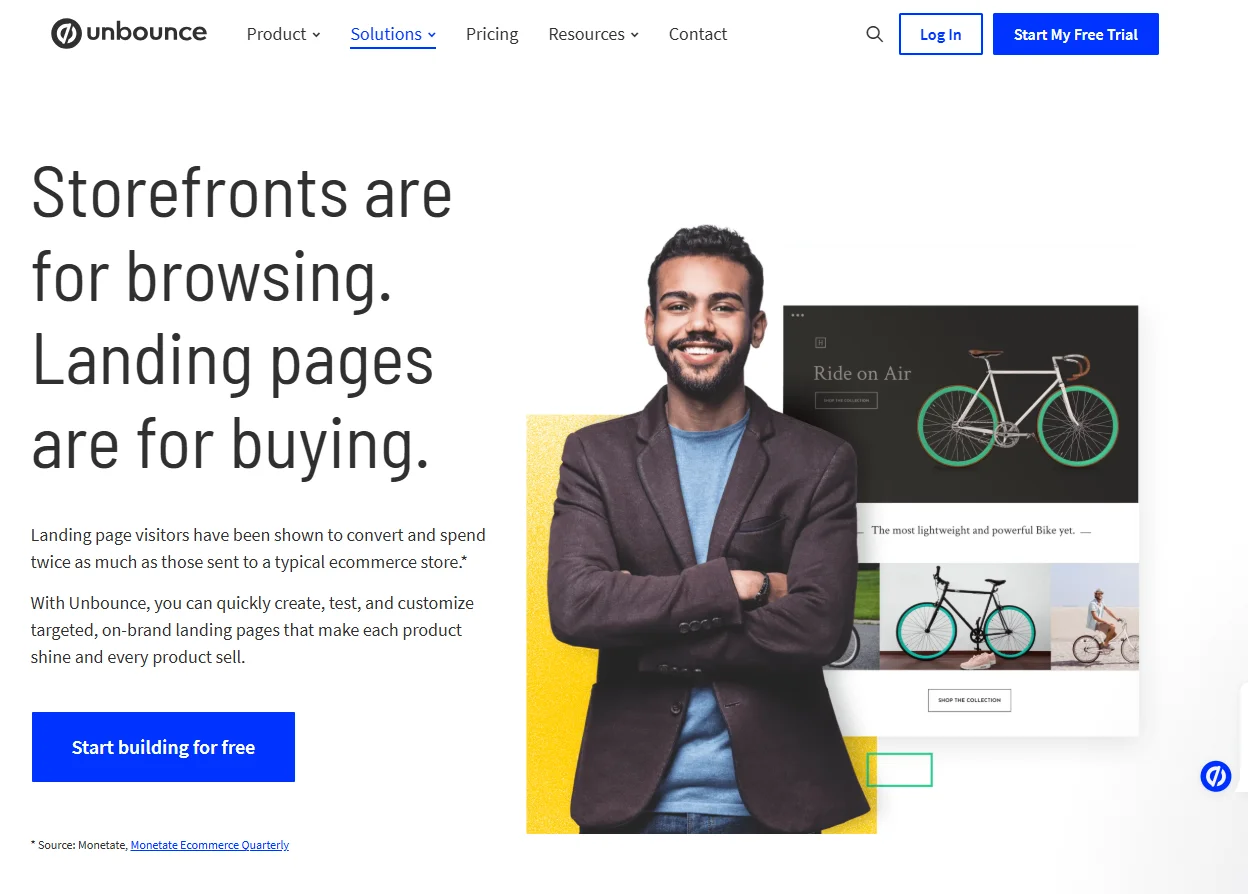
Unbounce is still my default recommendation for stores running serious paid traffic. The editor is genuinely pleasant, the template library is deep, and Smart Traffic routes visitors to whichever variant suits them.
One thing to know before you sign up, because the marketing doesn’t make it obvious. The $99 Build plan is a builder only.
A/B testing starts on the $149 Experiment plan. Smart Traffic lives on the $249 Optimize plan. Every tier meters monthly visitors too, with Build capped at 20,000.
So if testing is why you’re buying it, budget for $149, not $99. Annual billing knocks about 25% off.
2. ConvertFlow
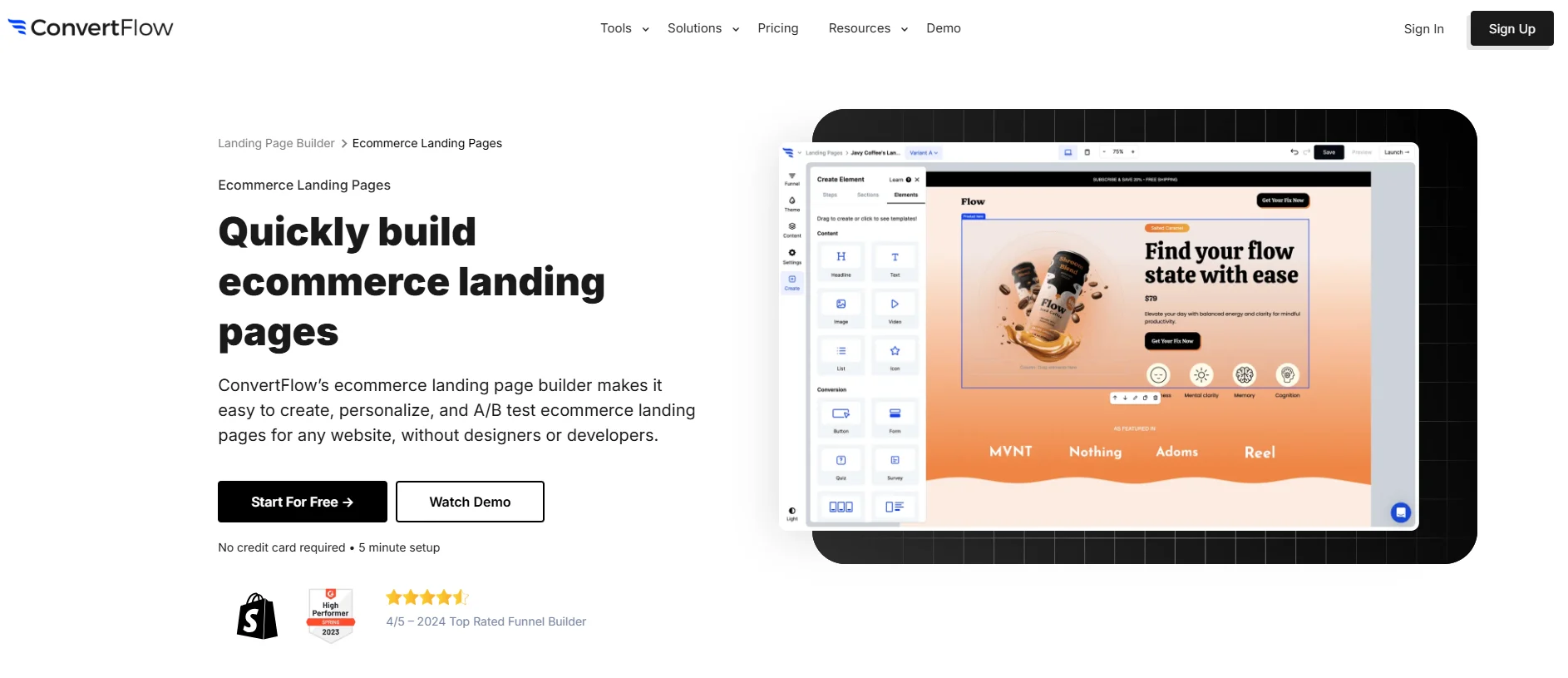
ConvertFlow is the one I point people to when they’re running several campaigns at once.
Its strength is personalization. One page can show different headlines, offers, and CTAs depending on traffic source, location, or whether someone’s been to your site before. If you’ve got four ad sets pointing at the same URL, that saves you building four pages.
There’s a free plan to try it on, with paid tiers starting around $99 a month. Worth it if you’re actually going to use the segmentation. Overkill if you just need one good page.
3. Shogun
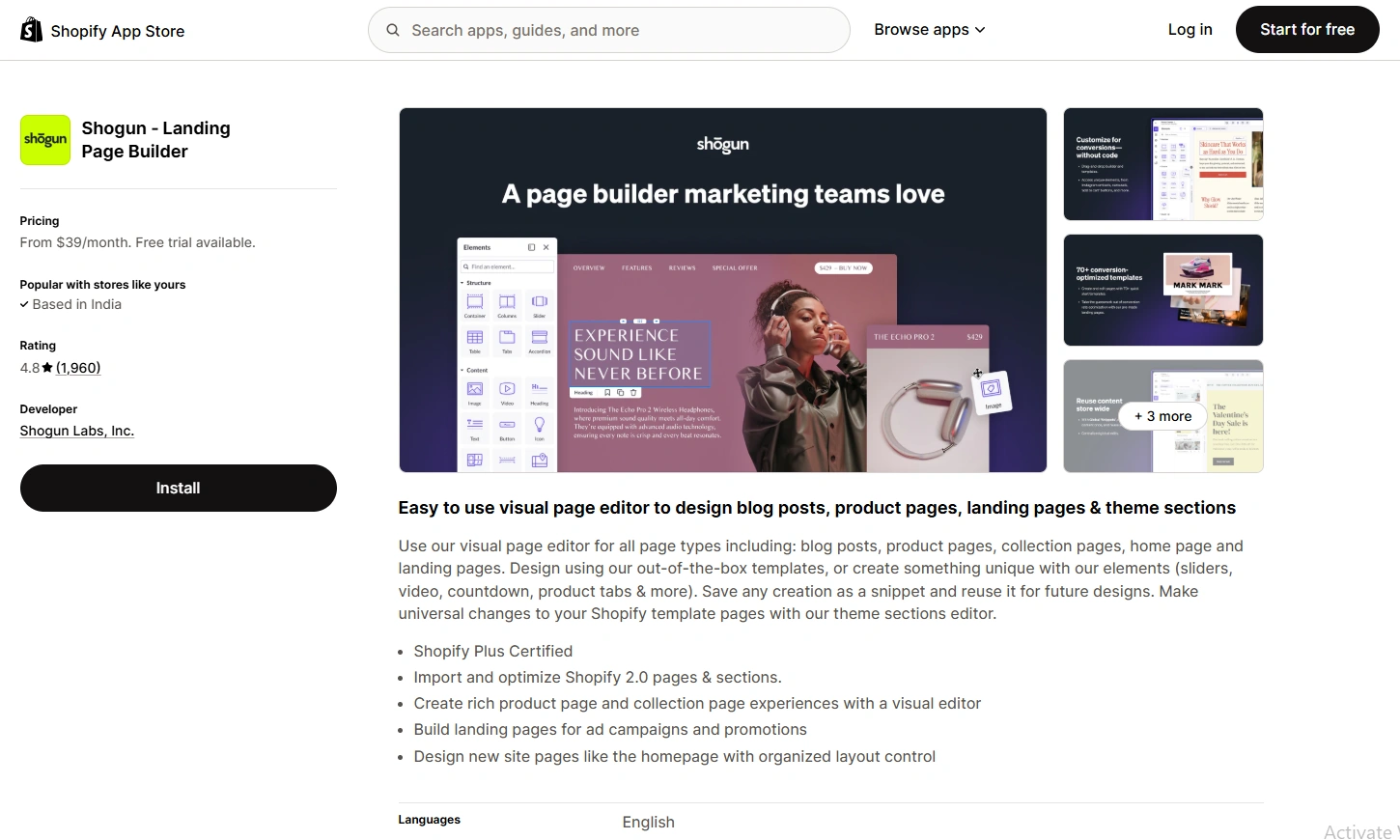
On Shopify, Shogun is the most complete option. It sits inside your admin, pulls your product catalog straight in, and gives you ecommerce-specific blocks that generic builders don’t have.
Correcting something repeated all over the internet, including an earlier version of this post: Shogun has no free plan.
There’s a 10-day trial, then Build starts at $39 a month with a 25 published page cap. Grow jumps to $199 and Advanced to $499.
For a store running a handful of campaign pages, Build is fine. For a large catalog, that 25-page ceiling arrives faster than you’d think.
Also check: 7 Best Ecommerce Tools for Scaling Brands
Wrapping Up
The 13 pages above aren’t there to be admired. They’re structural templates, and the patterns repeat because they work.
Strip the navigation. Sell the outcome in the hero. Put your proof beside the button. Show the price. One offer, one CTA.
Then measure against the right number. If you’re an ecommerce page sitting at 3%, you’re normal, not broken. Getting to the top quartile is a testing problem, not a redesign problem.
Pick one page, change the offer, wait two weeks. That’s the whole loop.
If you want the fastest version of that, adding social proof notifications and offers to your landing page takes minutes and doesn’t require touching your design.
Related Ecommerce Guides
Frequently Asked Questions
What is an eCommerce landing page, and how is it different from a regular webpage?
An eCommerce landing page is a standalone web page designed specifically to drive conversions, such as product purchases or sign-ups. Unlike regular webpages, it focuses on a single goal, often tied to a marketing campaign, and eliminates distractions like navigation menus to keep visitors focused.
What makes an eCommerce landing page effective?
An effective eCommerce landing page includes:
- A compelling headline.
- High-quality product images or videos.
- A clear call-to-action (CTA) like “Buy Now” or “Add to Cart.”
- Customer reviews or testimonials for social proof.
- A streamlined design that guides users to take action without distractions.
Can I use examples of successful eCommerce landing pages for inspiration?
Absolutely! Reviewing well-designed landing pages from top brands can provide valuable insights into layout, design elements, and conversion-focused strategies. Examples often highlight how businesses effectively showcase products, use CTAs, and build trust through customer testimonials.
What industries benefit most from eCommerce landing pages?
eCommerce landing pages are beneficial across industries, including fashion, beauty, electronics, food and beverages, fitness, and more. They are particularly effective for launching new products, seasonal promotions, and limited-time offers.
Are eCommerce landing pages mobile-friendly?
Yes, a successful eCommerce landing page should be optimized for mobile devices. With most customers shopping on their phones, responsive design ensures a seamless browsing experience, faster load times, and higher conversion rates.

Krunal Vaghasiya is a marketing tech expert who boosts e-commerce conversion rates with automated social proof and FOMO strategies. He loves to keep posting insightful posts on online marketing software, marketing automations, and improving conversion rates.




 Capterra