
Product Review Videos: Collect, Use & Convert (2026)

Most shoppers won’t take your word for it. They’ll take another customer’s, especially one on camera.
A buyer unboxing your product, testing it in their kitchen, and saying what surprised them does something no written testimonial can. It gives the next shopper proof they can watch.
The numbers agree. 85% of people say a video has convinced them to buy a product or service, per Wyzowl’s 2026 survey.
This guide covers what product review videos are, where they convert best, seven tools that collect them (with current pricing), how to film ones people trust, and how they feed SEO and AI search.

All your reviews in one place
Collect reviews, manage every response, and display them where they matter most.
What are Product Review Videos?
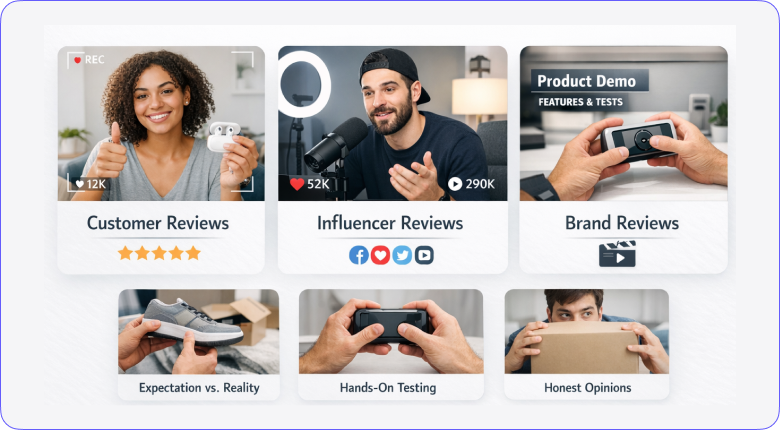
A product review video is a recording where a customer, creator, or brand shows a product in use and gives an honest take on how it performs.
The good ones feel unscripted. Someone holds the product, points at the stitching or the buttons, and answers the questions a listing never does. Does it look like the photos? Is it flimsy? Would they buy it again?
Three types show up in ecommerce:
- Customer videos: shot by real buyers on their phones. Lowest polish, highest trust.
- Creator and influencer reviews: structured, well-lit, and made for an existing audience. More reach, more production.
- Brand-made demos: produced by you. Full control, but viewers know it, so these persuade least on their own.
The mix matters. Customer videos carry the trust, creator videos carry the reach, and brand demos fill the gaps both leave.
Also check: What are product reviews and why they matter for ecommerce
Benefits of Product Review Videos for Online Stores
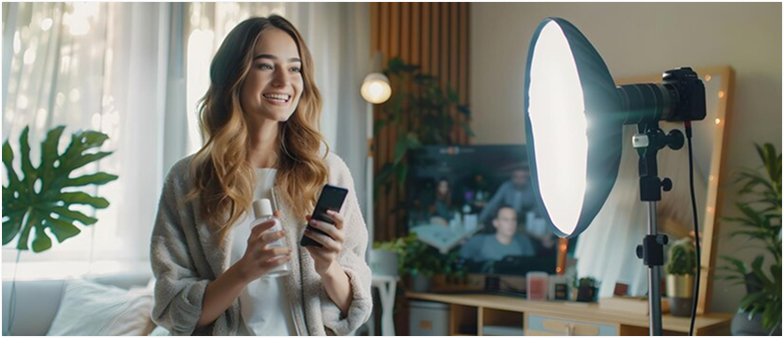
Video reviews build trust text can’t fake, answer questions photos can’t, hold visitors on the page longer, and give you content for every channel.
Trust you can’t fake with text
Anyone can type five stars. Nobody fakes the pause before “honestly, I wasn’t sure about this,” followed by a genuine turnaround. Tone, hesitation, and body language read as real in a way written reviews never will.
•A face and a voice are harder to fabricate than a paragraph, and shoppers know it
•Real homes and real lighting beat studio conditions for credibility
•One honest con in a video makes every pro in it more believable
They answer questions photos can’t
How loud is the blender? Does the jacket crease? What does the fabric do when you stretch it? These decide purchases, and only motion shows them.
•Scale, texture, and build quality come through in seconds of footage
•Setup and assembly on camera kills the biggest anxiety on complex products
•Fit and sizing shown on a real person cuts returns before they happen
Visitors stay on the page longer
A visitor who presses play sticks around. They reach the add-to-cart button more often than someone skimming bullet points, because the video walks them toward the decision.
•Watch time replaces bounce time at the exact point of evaluation
•When asked how they want to learn about a product, 63% of people pick a short video over reading
Search engines get more to rank
Pages with video earn longer dwell time, and videos hosted on YouTube rank on their own for product-name searches. One review can hold two spots in the same results page.
•Video schema can add a thumbnail to your search listing
•A YouTube review ranks for “[product] review” searches your product page never will
One video becomes a week of content
A single strong customer review clips into Reels, Shorts, and TikTok posts. It embeds in post-purchase emails. It runs as retargeting creative, where real customers outperform scripted ads.
•Cut 15-second clips for social from one 2-minute review
•Drop review clips into abandoned cart emails to revive hesitant buyers
Real Examples of Product Review Videos
Here’s one example of each type: customer-driven, brand-run, and creator-made. Each one earns trust a different way.
1. Dyson
Search any Dyson product on YouTube, and you’ll find thousands of customer and influencer reviews. A typical Airwrap review runs 8 to 15 minutes: unboxing, every attachment tested, before-and-after results on the reviewer’s actual hair.
Dyson then embeds curated reviews on product pages, so the videos do the selling at the decision point.
What to copy: specificity. Reviewers name their hair type, show real results, and call out heat and noise honestly. That detail is what makes the praise land.
2. Beardbrand
Beardbrand runs a deliberate program nudging customers to film themselves using beard oil and wash in their own bathrooms, as part of their real morning routine.
The setting is the persuasion. A regular guy in a regular mirror talking about scent and texture reads as truth, not marketing.
What to copy: ask for the routine, not a review. “Show us how you use it” produces more natural footage than “tell us what you think.”
3. Marques Brownlee (MKBHD)
The creator side of the format at its peak. Brownlee’s phone reviews reach millions of buyers, and brands send products knowing the verdict is out of their hands.
Notice the structure: verdict early, real usage footage throughout, cons stated plainly next to pros. Twenty minutes of it, and people watch to the end.
What to copy: the cons. His criticism is exactly why his praise converts. A review with zero downsides persuades no one.
Best Product Review Video Platforms
These seven tools handle collecting, managing, or displaying customer video reviews. Quick note on bias: WiserReview is our product, so read that entry knowing who wrote it. The pricing on the rest is exactly what we found in July 2026.
| Tool | Best for | Video review features | Starting price |
|---|---|---|---|
| WiserReview | Ecommerce stores on a budget | Video requests by email, SMS, and WhatsApp plus display widgets | $9/month (7-day free trial) |
| Stamped.io | Shopify stores | Video and photo collection in one review request | $23/month (no free plan) |
| Shapo.io | Small sites and service brands | Video testimonial forms and embeddable widgets | Free (10 testimonials), then $29/month |
| VideoAsk | Conversational collection | Video question and answer forms | Free (20 minutes/month), then $24/month |
| Vocal Video | Polished, edited testimonials | Auto-edited videos with branding and captions | Free (5 videos), then $69/month billed yearly |
| Boast | High-volume collection programs | Automated requests, reminders, and moderation | $50/month billed yearly (no free plan) |
| Yotpo | Enterprise ecommerce | Video reviews inside a full UGC suite | Free tier, Reviews from $79/month |
Prices are current as of July 2026. Vendors change plans often, so confirm on their pricing pages before you commit.
1. WiserReview

WiserReview covers the full video review workflow for ecommerce: collect videos from customers after purchase, moderate them with AI, and display them in widgets built to convert.
Customers record straight from their phone or desktop through a branded form. No app, no login, no friction. Requests fire automatically after purchase, so the ask lands while the excitement is still fresh.
Video review collection

•Automated post-purchase video requests over email, WhatsApp, and SMS
•Customers record from any device, no download required
•Import existing reviews from Google, Facebook, Trustpilot, and 20+ platforms
•Shopify, WooCommerce, and Zapier integrations trigger requests on their own
The request form is customizable: ask specific questions, set a video length limit, add your branding, and steer what customers actually record.
Video display widgets

•Video carousel and grid widgets for product pages and testimonial sections
•Floating video popup that plays a customer review mid-browse without breaking the page
•Review wall for a dedicated testimonials page where researchers go deep
•Star rating badge near pricing buttons for credibility at the point of decision
AI moderation at scale

•Sentiment detection: flags negative reviews for a fast response
•Spam filtering: blocks fake submissions before they hit your queue
•Reply suggestions: drafts a matched response per review, ready to approve

•Review translation: shows each review in the visitor’s browser language
•Review summaries: surfaces the themes so you skip reading every entry
•Topic tagging: sorts reviews by product, feature, or service
Trusted by 1,100+ brands across 20+ countries.
Best for: ecommerce stores that want video, photo, and text reviews collected automatically without enterprise pricing.
Main limit: reviews come from your own customers. There’s no creator marketplace inside it, so pair it with a creator platform if you need produced influencer content.
Pricing: from $9/month, tiered by monthly review requests. Every plan starts with a 7-day free trial. No free plan.
Build trust & FOMO
Highlight real-time activities like reviews, sales & sign-ups.


2. Stamped.io

Stamped.io is a reviews and UGC platform built for ecommerce, with video and photo reviews collected inside the same post-purchase email.
Videos display next to star ratings and verified-buyer badges in one review block, which keeps product pages clean. Google Shopping syndication is built in for Seller Ratings.
•Video and photo collection in a single review request
•Unified product page display: video, photo, text, and stars together
•Loyalty and rewards module on higher plans
Best for: Shopify stores that want video reviews at a lower price than Yotpo.
Main limit: SMS review requests need the separate Lifecycle product, which is its own subscription.
Pricing: from $23/month for up to 200 orders. Stamped dropped its free plan in 2025, and there’s no free trial either.
3. Shapo.io
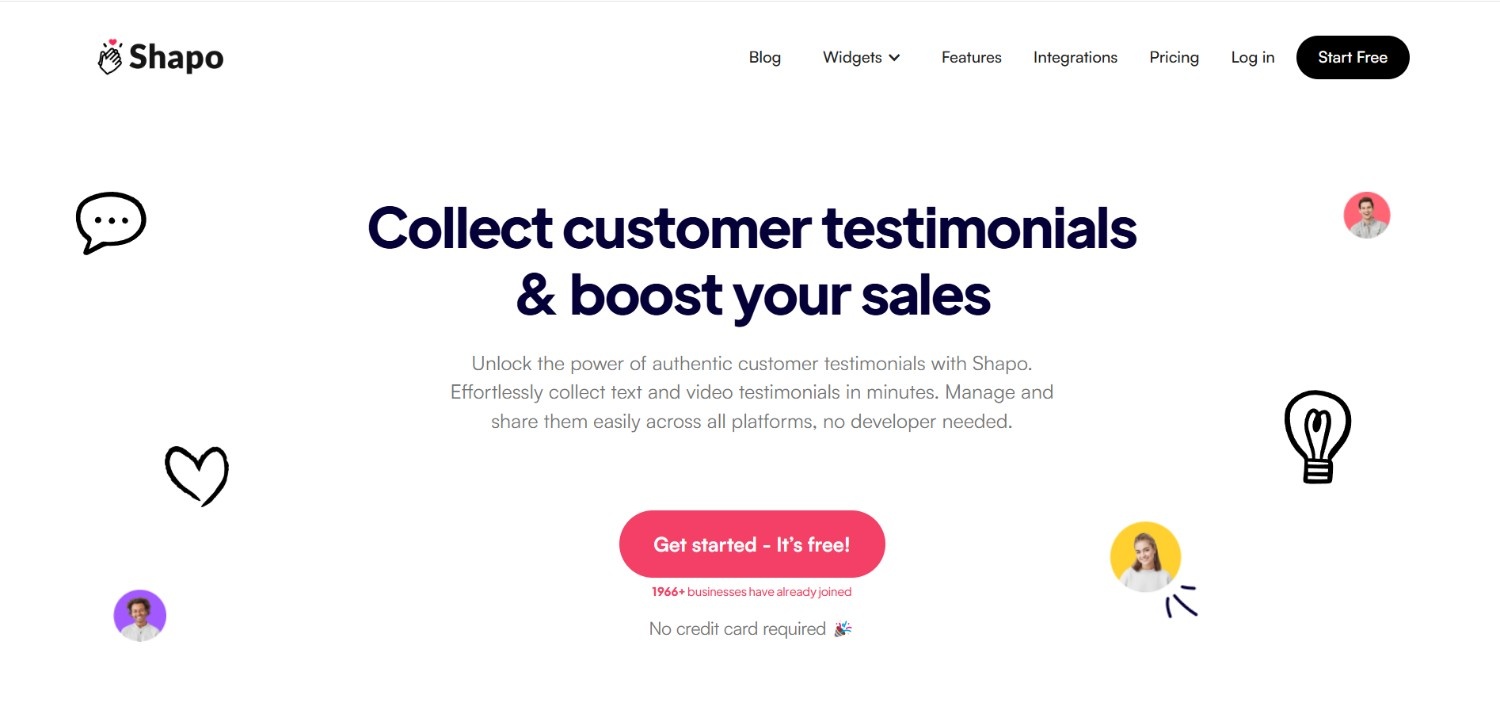
Shapo.io keeps it simple: build a branded form, share the link, and customers record video or text testimonials from any device.
Submissions land in one dashboard where you filter and publish the best through carousel, grid, and floating widgets.
•Branded submission forms customers can complete in a minute
•Imports testimonials from Google, Twitter, Capterra, and more
Best for: small sites and service brands that want video testimonials live today without a setup project.
Main limit: no automated post-purchase requests. You share a link and wait, so collection stays manual.
Pricing: free plan capped at 10 testimonials with Shapo branding. Pro is $29/month for unlimited.
4. VideoAsk by Typeform

VideoAsk turns collection into a conversation. You ask questions on camera, and customers reply with video, audio, or text.
The back-and-forth format pulls out longer, more personal answers than a static form ever does. Responses transcribe automatically.
•Conversational video question flows customers actually finish
•Mobile-friendly replies in minutes from any device
Best for: brands that want emotionally rich customer stories, not just star ratings.
Main limit: pricing is metered in video minutes, which burns fast at volume, and there are no ecommerce review widgets for product pages.
Pricing: free plan includes 20 minutes of video processing a month. Paid from $24/month, billed annually.
5. Vocal Video

Vocal Video solves the polish problem. Raw customer clips come out the other side with your branding, music, captions, and logo scenes added automatically.
For teams that find raw phone footage too rough to publish, the auto-editing is the whole pitch.
•Automatic edits: graphics, subtitles, and brand colors on every video
•Hosted video pages and embeds with no ads
Best for: teams that want publish-ready testimonial videos without touching an editor.
Main limit: every paid plan bills annually only, so the cheapest entry is a full-year commitment.
Pricing: free plan publishes 5 watermarked videos. Paid plans start at $69/month, billed yearly only.
6. Boast

Boast is built for volume. Automated requests and follow-up reminders run the collection sequence, and a moderation dashboard is organized so a teammate can own the pipeline without touching code.
•Automated email sequences with reminders handle the outreach
•Central dashboard for tagging, approving, and publishing at scale
Best for: high-volume programs where testimonial collection is a weekly workflow, not an occasional task.
Main limit: yearly response caps (600 a year on the base plan) push growing programs into higher tiers.
Pricing: from $50/month billed annually ($59 month-to-month). 14-day free trial, no free plan.
7. Yotpo

Yotpo folds video reviews into a full ecommerce suite: reviews, loyalty, SMS, and subscriptions under one roof, with syndication to Google and social.
If you’re already running Yotpo for text reviews, turning on video collection is the shortest path of anything on this list.
•Video and photo reviews inside the existing review request flow
•Syndication and deep integrations across the Yotpo suite
Best for: larger brands that want reviews, loyalty, and SMS from one vendor.
Main limit: pricing climbs quickly with order volume, which is why smaller stores usually look elsewhere first.
Pricing: free basic tier. Paid Reviews plans from $79/month.
Also check: 10 best product review software for ecommerce (2026)
How to Make a Product Review Video Customers Trust
Open with the verdict, show real use, admit one con, add captions, and keep it under two minutes. That’s the whole formula.
Whether you’re briefing customers, a creator, or filming yourself, the same five beats work:
•Verdict in the first 10 seconds. Who it’s for and whether it delivers. Viewers decide to keep watching right there.
•Real use, real conditions. The product in a kitchen or on an actual face beats a white backdrop every time.
•One honest con. A flaw stated plainly is what makes the rest believable.
•Captions on. Most product page viewers browse with sound off, especially on mobile.
•A next step. End with what to do: see all reviews, add to cart, or try it.
One legal note: if the reviewer got the product free or was paid, that has to be disclosed clearly, on screen and early. The FTC treats hidden material connections as deceptive advertising.
And keep embedded versions short. Front-load the strongest 90 seconds for product pages, then link the full cut for researchers who want depth.
How to Implement Product Review Videos on Your Ecommerce Site
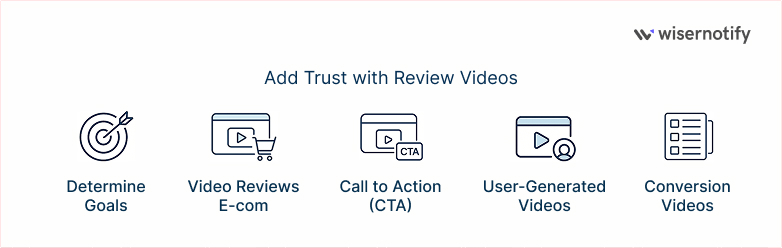
Pick one conversion problem, collect customer videos automatically, tag them by product, trim them for the page, and put a clear next step under each one.
1. Decide what the video has to fix
Bouncing product pages, high returns on one category, checkout hesitation: each calls for a different video in a different spot. Name the problem first, and the rest of the decisions make themselves.
•Pick one measurable goal per placement: bounce rate, return rate, or add-to-cart rate
•Match the KPI before filming anything, then check it quarterly
2. Collect customer videos on autopilot
A buyer’s honest reaction, shot on their phone in their home, beats any production budget. The job is to make submission effortless and time the ask right.
•Request 7 to 14 days after delivery, once they’ve actually used it
•Offer a small incentive: a discount, points, or a giveaway entry
•Set expectations in one line: under 2 minutes, show it in use, be honest
•Get explicit permission before the video goes on your site or in ads
3. Tag and organize from day one
A shopper on a specific product page needs reviews of that product, not a generic wall. Tagging early keeps the library usable when it hits hundreds of clips.
•Tag by product, category, use case, and customer type
•Build one testimonials hub page, then filter what each product page shows
4. Cut for the buying context
YouTube viewers browse. Product page visitors decide. The same footage needs a shorter, front-loaded edit before it earns a spot at the decision point.
•Keep product page embeds under 2 minutes with the best moment first
•Use a clear thumbnail showing the product, never a blurry mid-frame
5. Put a next step under every video
The seconds after someone finishes a review are peak trust. A button right there captures it. A button three scrolls down doesn’t.
•Place the CTA directly below or beside the player
•Echo the video: if the reviewer raves about fit, the button says “Find your size”
Where to Place Product Review Videos in Your Store

Product pages first, then homepage, testimonials hub, category pages, emails, and packaging inserts. Placement decides whether a video converts or gets scrolled past.
•Product pages: in or beside the image gallery, so the proof plays at the exact moment of evaluation.
•Homepage: one strong review just below the hero sets the trust tone before visitors go anywhere.
•Testimonials page: a single hub where research-mode buyers can binge your best customer proof.
•Category pages: a review clip helps shoppers narrow the shortlist before they ever open a product.
•Emails: a video thumbnail in post-purchase and abandoned cart flows outdraws text-only sends.
•Packaging inserts: a QR code to a review video reduces returns, then prompts the buyer to film their own.
Do Video Reviews Help SEO and AI Search?
Yes. Video holds visitors on the page, can earn a video thumbnail in Google, and gives AI assistants real customer proof to quote.
Three things make the difference between a video that helps and one search engines can’t see:
•Mark it up. Add VideoObject schema and a video sitemap so Google can show a thumbnail. Google’s own video structured data guide lists exactly what’s required.
•Put the words on the page. A short transcript or two key customer quotes in plain HTML next to the embed gives search engines and AI crawlers something to read. A bare player gives them nothing.
•Keep it out of tabs and scripts. Video and quotes hidden behind JavaScript tabs might as well not exist to a crawler.
The AI search angle is bigger than most stores realize. When shoppers ask ChatGPT or Google’s AI Mode about a product, the answers lean heavily on reviews and customer content.
Pages that pair real customer UGC with readable text are the ones that get quoted.
Your competitors’ spec sheets all say the same thing. A customer on camera saying “this survived my toddler” is information nobody else has. That’s what earns the citation, in video marketing and AI answers alike.
All your reviews in one place
Collect reviews, manage every response, and display them where they matter most.
Final Word
Product review videos work because they hand the next buyer the one thing they actually want: a real person’s honest experience with the thing they’re about to buy.
The playbook is short. Collect authentic customer videos with the right tool, tag them so the right clip shows on the right page, keep them under two minutes, and place them where hesitation peaks.
All seven tools above can run the collection for you. WiserReview handles the full collect-to-display loop for ecommerce, Stamped and Yotpo bundle video into bigger review suites, and the rest each own a niche.
Pick one, send your first batch of requests this week, and let your customers do the convincing.
Frequently Asked Questions
What is a product review video?
A video where a customer, creator, or brand shows a product in use and shares an honest opinion on how it performs.
How do I collect video reviews from customers?
Send an automated request 7 to 14 days after delivery with a link that lets customers record from their phone. A small incentive helps.
How long should a product review video be?
Under two minutes for product pages. Put the verdict in the first ten seconds so viewers get the point before they skip.
Where should I put product review videos on my website?
Product pages first, near the image gallery or reviews section. Then the homepage, a testimonials page, and post-purchase emails.
Do video reviews help SEO?
Yes. They keep visitors on the page longer, can earn video rich results with schema, and give AI search tools customer proof to cite.

Krunal Vaghasiya is a marketing tech expert who boosts e-commerce conversion rates with automated social proof and FOMO strategies. He loves to keep posting insightful posts on online marketing software, marketing automations, and improving conversion rates.




 Capterra