




10 Best Conversion Rate Optimization Tools I’m Using in 2026 (Free + Paid)

I’ve been obsessed with conversion rate optimization for the last 6 years.
Traffic is easy. Conversions are hard.
Anyone can run ads. Anyone can publish landing pages. But consistently turning website visitors into paying customers? That’s where real businesses are built.
I’ve tested 20+ conversion rate optimization tools across SaaS, eCommerce, lead generation funnels, and info products.
Some were complete fluff. Some were unnecessarily complex. And a few genuinely moved revenue.
In this guide, I’m breaking down the 10 best CRO tools I’m personally using in 2026.
These include free tools, enterprise platforms, analytics tools, personalization tools, session recording tools, and full-blown conversion rate optimization platforms.
No fluff. Just what actually increases conversions.

Boost Conversion Instantly
Add Social Proof & Urgency to your website
Quick Comparison: CRO Tools
| # | Tool | Best For | Key Impact | Pricing |
|---|---|---|---|---|
| Tier 1 — Revenue Multipliers | ||||
| 01 | Meta & Google Ads | Scaling acquisition with measurable ROAS | AI-powered predictive targeting + 24% more attributed conversions | Auction-based |
| 02 | FlexiFunnels | High-converting landing pages & funnels | AI-generated funnels + built-in A/B testing & upsells | From $38/mo |
| 03 | Stripe | Reducing checkout friction | 3× faster checkout · ~10% revenue lift | 2.9% + $0.30 |
| 04 | Klaviyo | Lifecycle conversion optimization | Automated flows consistently outperform campaigns | Free / $20/mo |
| 05 | Zoho PageSense | Backend experimentation & behavioral insights | Server-side tests + multi-armed bandit allocation | Free / $12/mo |
| Tier 2 — Conversion Boosters | ||||
| 06 | WiserReview | Building trust with social proof | 94% of shoppers read reviews before buying | Free / $9/mo |
| 07 | WiserNotify | Real-time urgency & FOMO | 17% avg. increase in conversion rate | From $59/yr |
| 08 | CleverTap | 1:1 hyper-personalization at scale | Gartner Leader 2026 · 35% higher conversions | From $65/mo |
| Tier 3 — Diagnostic / Insight Tools | ||||
| 09 | Google Analytics 4 | Conversion tracking & attribution | Up to 90% attribution accuracy when configured right | Free |
| 10 | Microsoft Clarity | Understanding why users drop off | Unlimited recordings + rage click detection | Free |
And if you want to understand CRO at its core, I recommend watching this video. I’ve learned a lot from it, and I continue to update my CRO knowledge through videos, real-life implementation, and testing.
Tools only work when you have the right strategy and understanding behind them.
Tier 1: Revenue Multipliers (Direct Conversion Impact)
These are the conversion rate optimization tools that directly affect revenue. They influence traffic quality, landing page performance, checkout flow, and lifecycle automation.
If you want measurable increases in conversion rates, this is where you start.
1. Meta & Google Ads (Traffic & Retargeting)

- Category: Paid Traffic & Retargeting
- Best for: Scaling acquisition with measurable ROAS
- Ease of use: Intermediate to Advanced
If conversion rate optimization tools are the engine, paid traffic is the fuel.
And in 2026, Meta and Google Ads are completely different beasts than before.
What Changed in 2026
Meta removed traditional Lookalike Audiences and replaced them with AI-powered predictive targeting using first-party data. Advantage+ is now the default. It auto-generates creatives, copy, and formats dynamically for each user.
When properly structured and consolidated, campaigns with healthy daily budgets often outperform fragmented ad sets in terms of CPA and overall efficiency.
Meta Pixel, combined with Conversion API, shows 24% more attributed conversions.
On the Google side, Performance Max is heavily AI-driven. It now supports up to 50 search themes and advanced segmentation across device, demographics, and intent signals.
CPA often improves when Smart Bidding is properly configured and supported by accurate conversion tracking.
If your attribution is broken, your optimization efforts are broken. That’s why integrating Google Analytics, Google Tag Manager, and server-side tagging is non-negotiable.
How I Use It for Conversion Optimization

Most people think ads are separate from conversion rate optimization.
They’re not.
Ads are the first step of the conversion funnel.
If you do not send high-intent traffic to optimized landing pages, no amount of ab testing will save you.
I use:
- Predictive audiences
- Retargeting with 7-day and 30-day windows
- Conversion-focused creatives
- Enhanced conversions for leads
- Event tracking for form submissions and checkout steps
The goal is simple: send qualified website visitors into optimized funnels.
Who It’s For
- eCommerce brands
- SaaS businesses
- Lead generation companies
- Info product sellers
- Agencies managing paid traffic
If you don’t have consistent traffic, conversion optimization tools won’t matter.
Pricing
Meta Ads generate demand. Google Ads captures existing demand. Both operate on an auction-based model, so pricing varies based on industry, targeting, competition, and campaign structure.
You pay per click, impression, or conversion, depending on your bidding strategy. There are no fixed monthly fees, but performance depends entirely on how well your campaigns are structured and optimized.
Pros
- Massive scale potential
- AI-powered targeting
- Strong retargeting capabilities
- Advanced attribution modeling
Cons
- Expensive if misconfigured
- Requires a strong tracking setup
- Privacy compliance required
2. FlexiFunnels (Funnel & Landing Pages)

- Category: Funnel Builder & Landing Page Optimization
- Best for: Building high-converting landing pages and funnels fast
- Ease of use: Beginner to Intermediate
If Meta and Google Ads bring traffic, FlexiFunnels is where conversion optimization actually happens.
In my experience, most businesses don’t have a traffic problem. They have a landing page optimization problem.
What Makes FlexiFunnels Different
FlexiFunnels is one of the first platforms that can generate an entire conversion-focused funnel from a single prompt using AI. Landing pages, upsells, order bumps, email sequences. All in minutes.
But what actually matters is performance.
Faster page speeds matter because they directly influence how users behave on your site.
Google research shows that as load time increases from 1 to 3 seconds, the probability that a visitor will bounce rises significantly, and over half of mobile visitors leave if a page takes more than 3 seconds to load, both of which can negatively impact conversions and revenue.
FlexiFunnels has built-in CRO tools:
- A/B testing with traffic split control
- Order bumps and one-click upsells
- Exit intent popups
- Countdown timers
- Built-in social proof notifications
- Facebook Conversion API integration
You don’t need multiple CRO tools stitched together. It’s a full conversion rate optimization platform.
This 48-minute video alone will give you enough knowledge to start building high-converting funnels. I watched it 6 months ago, and it’s still helping me with the funnels I’m building today.
Conversion Impact
Advanced funnel setups using upsells and order bumps can increase average order value by 10–30%.
Cart recovery sequences can recover a meaningful portion of abandoned carts when implemented correctly.
If you optimize conversion funnels properly, this tool alone can significantly increase revenue.
Who It’s For
- Coaches and course creators
- SaaS with simple acquisition funnels
- eCommerce brands running direct response ads
- Agencies building funnels for clients
If you are currently duct-taping landing pages with plugins, this simplifies your stack.
Pricing
- Professional Plan – $38/month
- Premium Plan – $59/month
Pros
- Fast-loading landing pages
- Built-in testing tool
- Lead capture tools included
- Reduces the need for multiple subscriptions
Cons
- Less flexible than custom-coded sites
- Not ideal for large content-heavy websites
3. Stripe (Checkout Optimization)

- Category: Checkout & Payment Optimization
- Best for: Increasing completed transactions
- Ease of use: Beginner to Advanced
Stripe is not traditionally grouped under conversion rate optimization tools.
But it should be.
Because checkout friction kills revenue.
Updates That Matter
Stripe’s Optimized Checkout Suite now includes:
- Stripe Link accelerated checkout
- Dynamic payment method sorting
- 100+ global payment methods
- A/B testing of payment methods
- Express checkout buttons like Apple Pay and Google Pay
Returning customers using Stripe Link can check out 3x faster.
Supporting region-specific payment methods helps remove checkout friction and can positively impact conversions.
Businesses migrating to Stripe’s optimized suite have seen revenue increases of around 10%.
This is pure checkout optimization.
Why This Is CRO
You can have perfect landing pages, great ads, and strong email flows.
But if users drop at checkout, none of that matters.
Stripe reduces friction points in the final stage of the conversion funnel.
Dynamic payment sorting ensures mobile users see the most relevant payment option first.
And yes, mobile users matter more than ever.
Who It’s For
- eCommerce stores
- SaaS platforms with subscriptions
- Marketplaces
- Businesses accepting international payments
Pricing
- Standard Plan – 2.9% + $0.30 per successful transaction for domestic cards.
- Custom Plans – Custom pricing based on volume discounts, multi-product discounts, and country-specific rates.
Pros
- Extremely optimized checkout flow
- Global payment flexibility
- Built-in testing of payment options
- Strong fraud prevention
Cons
- Requires proper integration
- Transaction fees apply
Here’s more: 12 Actionable Tactics to Increase Checkout Conversion Rates
Build trust & FOMO
Highlight real-time activities like reviews, sales & sign-ups.
4. Klaviyo (Email & Lifecycle Automation)

- Category: Email & Marketing Automation
- Best for: Lifecycle conversion optimization
- Ease of use: Intermediate
Most businesses underestimate the power of marketing automation for conversion optimization.
Klaviyo is not just email software. It’s a full lifecycle conversion optimization tool.
Performance Benchmarks
Flow-based emails consistently outperform one-off campaigns based on industry benchmarks.
• Automated flows generate higher click rates than standard campaigns
• Behavior-triggered emails drive stronger placed order rates
• A significant share of email revenue comes from automated sequences
Well-structured automation flows typically convert better than general campaign averages when built around real user behavior.
AI-powered product recommendations also improve click-through performance when properly personalized.
This is advanced segmentation and behavioral personalization in action.
How I Use It

Core flows:
- Welcome flow
- Browse abandonment
- Cart abandonment
- Post-purchase follow-up
- Review request flow
Remember this stat: 69% of consumers wrote at least one business review in the past 12 months. That feeds into social proof, which in turn drives higher conversion rates.
It’s all connected.
Who It’s For
- eCommerce brands
- Subscription businesses
- SaaS companies
- Lead generation businesses
If you rely only on paid traffic and ignore lifecycle automation, you’re leaking revenue.
Pricing
- Free Plan
- Paid Plans start at $20/month
Pros
- Advanced segmentation
- Predictive analytics
- Deep integration with Shopify and Stripe
- Strong personalization tools
Cons
- It can get expensive as the list grows
- Requires thoughtful setup
5. Zoho PageSense (A/B Testing & CRO)

- Category: Testing & Optimization
- Best for: Backend experimentation and behavioral insights
- Ease of use: Intermediate
If you’re serious about conversion rate optimization cro, you need a proper testing tool.
Zoho PageSense is one of the more underrated conversion optimization tools in the market.
Features That Matter
- Server-side experimentation
- Multi-armed bandit testing
- Bayesian and Frequentist statistical models
- Variation-specific heatmaps
- Visual editor for non-technical users
- Form analytics
- Session recordings
- Funnel drop-off analysis
Server-side testing is huge. Unlike older tools like Google Optimize or frontend-heavy visual website optimizers, this does not slow down your landing pages.
And speed equals revenue.
Multi-armed bandit testing automatically reallocates traffic to winning variations. This helps increase conversions faster without waiting weeks.
Why This Matters
Most businesses guess.
Proper AB testing and multivariate testing remove guesswork.
You can:
- Identify friction points
- Analyze user behavior
- Optimize form submissions
- Improve landing page optimization
- Reduce where users drop
This is how you make data-driven decisions.
Who It’s For
- SaaS companies
- eCommerce brands
- Agencies
- Growth teams
Pricing
- Forever Free
- Professional Plan – $12/month
- Enterprise Plan – $30/month
Pros
- Advanced testing capabilities
- Heatmaps + session recordings
- Backend experiments for speed
- Strong data analysis tools
Cons
- Learning curve
- Requires traffic volume for meaningful results
Build trust & FOMO
Highlight real-time activities like reviews, sales & sign-ups.
Tier 2: Conversion Boosters (Trust & Engagement Lift)
These are not always direct revenue drivers, such as ads or checkout optimization.
But they have a massive influence on user behavior, customer experience, and buying decisions.
If Tier 1 drives traffic and transactions, Tier 2 increases trust and persuasion.
6. WiserReview (Reviews & UGC)

- Category: Reviews & User-Generated Content
- Best for: Increasing trust and social proof
- Ease of use: Beginner to Intermediate
If you’re not actively collecting and displaying reviews in 2026, you’re operating at a disadvantage.
Conversion rate optimization tools are great. But nothing increases conversions like trust.
Conversion Data That Matters
Online reviews directly influence buying decisions.
- 69% of consumers wrote at least one review in the past year
- 94% of shoppers read reviews before purchasing
- 45% leave local reviews on Google
- 89% expect businesses to respond
Displaying reviews increases trust, improves purchase likelihood, and strengthens visibility in search.
That’s not marginal. That’s structural.
Reviews are not decoration. They are infrastructure.
How WiserReview Helps

WiserReview automates review collection through:
- QR codes
- Direct shareable links
It includes:
- SEO-friendly rich snippets
- Q&A functionality
- Photo and video reviews
- Floating widgets and review walls
- Smart filtering and moderation
From a website optimization standpoint, reviews reduce bounce rate and improve user behavior insights because users engage longer.
It also improves organic visibility when combined with structured review schema.
Who It’s For
- eCommerce brands
- SaaS companies
- Service businesses
- Agencies managing client sites
If you care about conversion optimization, this is non-negotiable.
Pricing
- Free Plan
- Starter Plan – $9/month
- Pro Plan – $19/month
- Pro + AI Plan – $31/month
Pros
- Automated review collection
- Improves SEO
- Strong integration ecosystem
- Builds trust instantly
Cons
- Requires multiple integrations to work seamlessly.
- Needs a consistent collection effort
Explore more: I Tested 21 Review Management Software (Here Are the Top 5 for 2026)

All your reviews in one place
Collect reviews, manage every response, and display them where they matter most.
7. WiserNotify (Social Proof & FOMO)
(Take an image from the media and add 3-4 images in this section related to it)
- Category: Real-Time Social Proof
- Best for: Creating urgency and increasing engagement
- Ease of use: Beginner
WiserNotify is one of those cro tools that looks simple.
But simple.
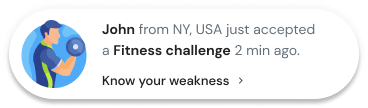
Real-time notifications of recent purchases, signups, bookings, or downloads dramatically increase conversions when implemented correctly.
Conversion Impact
Real-time social proof implementations have shown up to a 98% lift in conversion compared to static pages.
Now, I’ll say this carefully.
That does not mean your overall conversion rates double automatically. But for certain product pages and landing pages, the impact can be significant.
It works because it influences user interactions at the exact moment of decision.
Features That Matter
- Recent sales popups
- Live visitor counters
- Countdown timers
- Form submission notifications
- Inline social proof
- Built-in A/B testing
You can test placement, timing, and frequency to avoid being annoying.
The key is subtle persuasion, not spam.
Why It Works
It taps into:
- FOMO
- Validation
- Social confirmation
- Scarcity
When users engage and see others buying, they feel safer moving forward in the conversion funnel.
Who It’s For
- eCommerce
- Course creators
- SaaS
- Booking platforms
- Lead generation funnels
Pricing
- Basic Plan – $59/year
- Pro Plan – $16/month
- Growth Plan – $65/month
Pros
- Easy implementation
- Fast results
- Strong integrations
- Budget-friendly
Cons
- Can be hurtful if overused
- Needs thoughtful placement
Build trust & FOMO
Highlight real-time activities like reviews, sales & sign-ups.
8. CleverTap (Personalization & User Engagement)

- Category: Personalization & Omnichannel Engagement
- Best for: Advanced segmentation and hyper-personalization
- Ease of use: Advanced
- Pricing: Enterprise level
CleverTap is not for beginners.
But if you want real 1:1 personalization at scale, this is one of the most powerful conversion optimization tools available.
Recognition & AI Engine
CleverTap was named a Leader in the 2026 Gartner Magic Quadrant for Personalization Engines.
Its CleverAI decisioning engine enables real-time personalization across:
- Web
- Push notifications
- In-app messaging
- SMS
Brands using advanced personalization report up to 35% higher conversion rates across core funnels.
That’s significant.
What Makes It Different
CleverTap focuses heavily on:
- User behavior analysis
- Advanced segmentation
- Predictive intent detection
- Next-best-action recommendations
- Real-time orchestration
Instead of static user segments, it dynamically adapts based on how users interact during the session.
This is a deeper data analysis of user behavior patterns.
It helps you:
- Identify friction points
- Deliver contextual nudges
- Optimize conversion funnels automatically
- Personalize based on customer journey stage
Who It’s For
-
- Enterprise eCommerce
- Fintech
- Media platforms
- Telecom
- Large SaaS companies
If you have high traffic and complex user segments, personalization tools like this unlock serious growth.
Pricing
- Essentials Plan – $65/month
- Advanced & Cutting Edge Plans – Custom pricing
Pros
- Enterprise-grade personalization
- AI-powered decision engine
- Omnichannel orchestration
- Strong behavioral analytics
Cons
- Expensive
- Requires implementation expertise
- Overkill for small businesses
Tier 3: Diagnostic / Insight Tools
These tools don’t directly increase conversions.
They help you understand user behavior, identify friction points, and make smarter optimization efforts.
If Tier 1 drives revenue and Tier 2 increases persuasion, Tier 3 gives you clarity.
Without diagnostics, you’re guessing.
9. Google Analytics (Analytics & Tracking)

- Category: Analytics & Attribution
- Best for: Conversion tracking and performance analysis
- Ease of use: Intermediate to Advanced
- Pricing: Free
If you’re doing conversion rate optimization without proper analytics tools, you’re flying blind.
Google Analytics 4 is the backbone of modern conversion optimization.
Why GA4 Matters
Tracking has changed.
With privacy regulations and cookie limitations, you must configure:
- Consent Mode v2
- Enhanced conversions
- Server-side tagging
- Google Tag Manager implementation
- Event tracking for key actions
GA4 allows you to track:
- Session conversion rate
- User conversion rate
- Funnel drop-offs
- Assisted conversions
- ROAS trends
- Conversion rates by campaign
If you configure it properly, you can reach up to 90% attribution accuracy.
And when integrated correctly with Google Ads, it can help improve attribution clarity and reduce wasted ad spend.
How I Use GA4 for CRO
I don’t just look at traffic.
I look at:
- Where users drop
- Which landing pages underperform
- Conversion rates by device, especially for mobile users
- Form submissions
- Scroll depth
- Engagement events
GA4 provides deeper data analysis and valuable insights into visitor behavior across the entire customer journey.
It helps you analyze user behavior patterns at scale.
Who It’s For
Everyone.
SaaS. eCommerce. Lead generation. Agencies. Content sites.
If you have a website, this is mandatory.
Pricing
Google Analytics 4 is completely free to use.
There are no monthly fees. You only pay if you implement advanced enterprise setups or external integrations.
Pros
- Completely free
- Advanced attribution modeling
- Event-based tracking
- Strong integration ecosystem/li>
Cons
- Learning curve
- Easy to misconfigure
- Data can be misleading without a proper setup
Pro Tip
Do not mark every event as a conversion. Only track revenue-driving actions. Otherwise, your optimization tools will optimize for noise.
10. Microsoft Clarity (Session Recording & Heatmaps)

- Category: Session Recording Tools & Heatmaps
- Best for: Qualitative user behavior insights
- Ease of use: Beginner
- Pricing: Free
If Google Analytics shows you what is happening, Microsoft Clarity shows you why.
And it’s completely free.
Most session recording tools charge $40 to $200+ per month.
Clarity gives you:
- Unlimited session recordings
- Click heatmaps
- Scroll maps
- Rage click detection
- Dead click tracking
- Live session viewing
- AI summaries
This is qualitative user research at scale.
Why This Matters for Conversion Optimization
Numbers alone don’t tell the full story.
You need to watch how users interact.
You need to see:
- Where users hesitate
- Where users rage click
- Where forms break
- Where friction points occur
- How mobile users behave differently
Clarity gives you visual data and user behavior insights that analytics tools alone cannot provide.
You can literally watch users drop off in your conversion funnel.
That’s powerful.
Use Cases
- Landing page optimization
- Checkout optimization
- Form analytics
- Identify error tracking issues
- Test new page layouts
- Improve mobile experience
Clarity is one of the best free CRO tools available today.
Pricing
Microsoft Clarity is 100% free.
Unlimited session recordings, heatmaps, and behavioral insights at no cost.
No traffic caps. No paid upgrades
Pros
- Completely free
- Unlimited recordings
- Strong filtering
- Lightweight implementation
Cons
- Not as advanced as enterprise qualitative tools
- Requires time to review recordings
Pro Tip
Filter by rage clicks and long session duration first. That’s where friction usually hides.
Where to Start and How to Choose the Right CRO Tool
If you’re overwhelmed, start simple.
Here’s how I’d approach it.
Step 1: Fix Tracking
Set up:
- Google Analytics properly
- Google Tag Manager
- Event tracking
- Clear conversion goals
If your data is broken, nothing else matters.
Step 2: Improve Landing Pages
Use a strong testing tool like Zoho PageSense.
Run basic AB testing on:
- Headlines
- CTAs
- Forms
- Hero sections
Focus on high-traffic pages first.
Step 3: Optimize Checkout
If you’re eCommerce or SaaS, optimize payment flow with Stripe.
Reduce friction.
Speed up checkout.
Increase payment flexibility.
Step 4: Add Social Proof
Install WiserReview.
Then add WiserNotify for real-time persuasion.
Trust compounds.
Step 5: Layer Personalization
Once you have traffic and data, implement marketing automation and personalization tools like Klaviyo or CleverTap.
Do not start with advanced segmentation if you don’t have volume.
Build trust & FOMO
Highlight real-time activities like reviews, sales & sign-ups.
Final Thoughts: Is Conversion Rate Optimization Still Worth It?
Yes.
But not the way people used to do it.
You can’t just install multiple cro tools and hope conversion rates magically improve.
Conversion rate optimization is not about tools.
It’s about understanding user behavior.
It’s about identifying friction points.
It’s about making data-driven decisions.
And most importantly, it’s about improving customer experience.
If you combine:
- Strong tracking
- Fast landing pages
- Optimized checkout
- Trust signals
- Smart personalization
You will increase conversions.
Not because a tool promised you.
But because you understood how users interact with your website and removed what stopped them.
That’s how you win with conversion optimization in 2026.
Frequently Asked Questions
What are conversion rate optimization tools?
Software that helps more visitors take a desired action, by showing where they drop off, testing fixes, or building trust at the moment of decision.
What is the best free CRO tool?
Microsoft Clarity for heatmaps and recordings, paired with Google Analytics 4 for conversion tracking. Both are free.
Which CRO tool is best for A/B testing?
VWO suits high-traffic teams running ongoing tests, while Zoho PageSense Enterprise is a lower-cost option for smaller teams.
How many CRO tools do I need?
Usually one per job: tracking, behavior research, testing and trust. Four well-chosen tools beat ten overlapping ones.
Do social proof tools improve conversion rate?
They can, by showing real reviews and recent activity near the buy button. Test placement and keep notifications to a few well-timed ones.

Written by Krunal Vaghasiya
Krunal Vaghasiya is a marketing tech expert who boosts e-commerce conversion rates with automated social proof and FOMO strategies. He loves to keep posting insightful posts on online marketing software, marketing automations, and improving conversion rates.




 Capterra