
Christmas Marketing: 15 On-Site Tactics That Convert (2026)
The best Christmas marketing strategies for retailers run on the site itself. A festive theme and a gift page bring shoppers in. Reviews, live purchase notifications, stock alerts, and countdowns turn them into buyers. Free shipping keeps them at checkout.
Fifteen tactics below, each with the widget that runs it. No ad campaigns, no email sequences, no shop windows.
Everything here can be live before mid-October and left running until the returns window closes.
Key takeaways
- Two in five shoppers start before November and three in five are still buying in December. The tactics below run for the whole stretch, not one weekend.
- Unexpected shipping cost is the single largest reason carts are abandoned. A visible free-shipping threshold is the highest-return change on the list.
- Almost every shopper reads reviews before buying, and most ignore reviews older than three months. December reviews need collecting in October.
- Live purchase notifications and stock alerts do the work a busy shop floor does in person. They show the visitor that other people are buying now.
- Every countdown on the page must be real. A timer that resets teaches your December traffic to ignore your January one.
The 15 Tactics and the Widget Behind Each
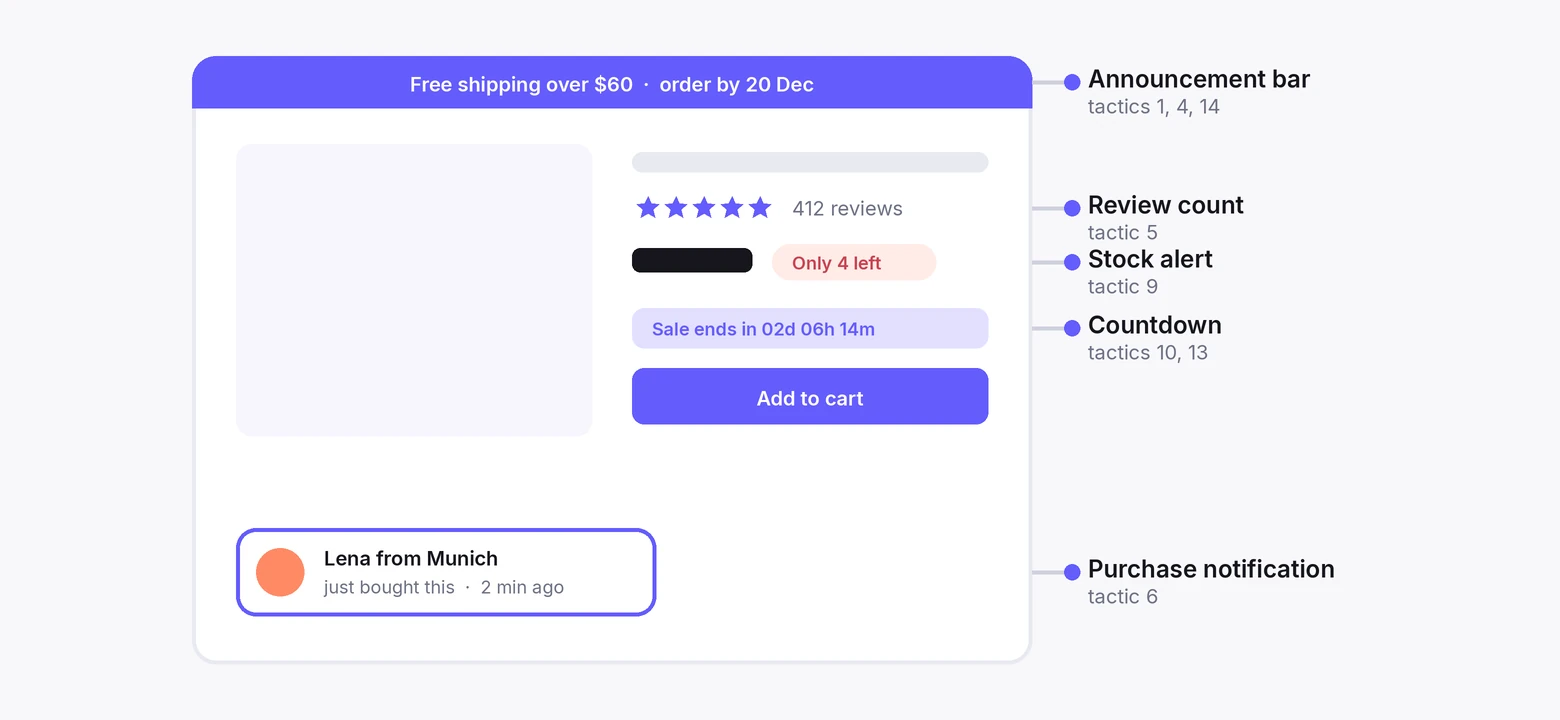
Every tactic on this page maps to a widget or a store setting. The table says which, and what the example on the page shows.
Twelve run on a WiserNotify widget or sit under one. Three are things the store does itself.
| Tactic | Runs on | Example on this page |
|---|---|---|
| 1. Festive theme | Store theme, plus a WiserNotify announcement bar | Macy’s homepage |
| 2. Christmas landing page | Store page | Target |
| 3. Gift price filters | Collection filters | Urban Outfitters |
| 4. Free shipping and returns | Announcement bar with the threshold | Scheels |
| 5. Reviews on product pages | Review notifications and review count | Amazon, and The Online Dog Trainer running WiserNotify |
| 6. Real-time purchases | Recent sales notifications | WiserNotify purchase widget |
| 7. Customer photos | Review notifications with photos | Travel gear brand ad |
| 8. Awards and credentials | Inline social proof badge | The Big Event Photography |
| 9. Stock levels | Low-stock alert | WiserNotify stock widget |
| 10. Limited-time offer | Coupon widget with a countdown | Carter’s |
| 11. Loyal-customer deal | Coupon widget, targeted by page or list | Sephora VIB Rouge |
| 12. Urgency phrases | Product copy and notification text | Copy examples |
| 13. Sale countdown | Countdown timer, floating or bar | Countdown widget |
| 14. Free-shipping deadline | Countdown timer in the announcement bar | West Elm |
| 15. Advent calendar | Daily coupon widget, scheduled | Your store |
Get the Site Ready
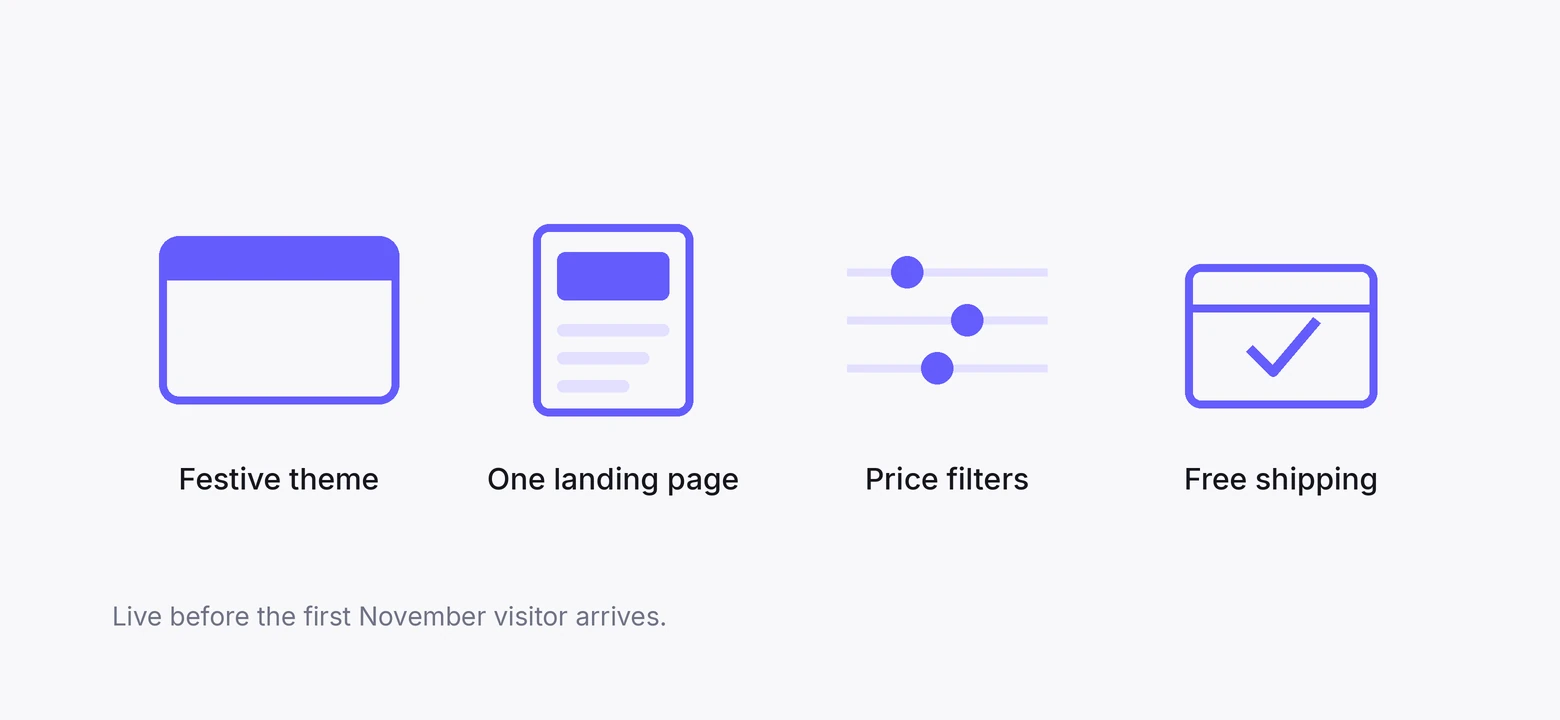
Four changes to the store itself. None needs a developer, and all four should be live before the first November visitor arrives.
1. Give the Site a Festive Theme
A seasonal theme tells the visitor the store is awake for Christmas. It also tells them the prices and shipping they see are the holiday ones.
- Swap the hero image and the top banner. Leave the navigation alone.
- Use the season’s colours in one place, not everywhere.
- Photograph your bestsellers with holiday styling and use those on the collection pages.
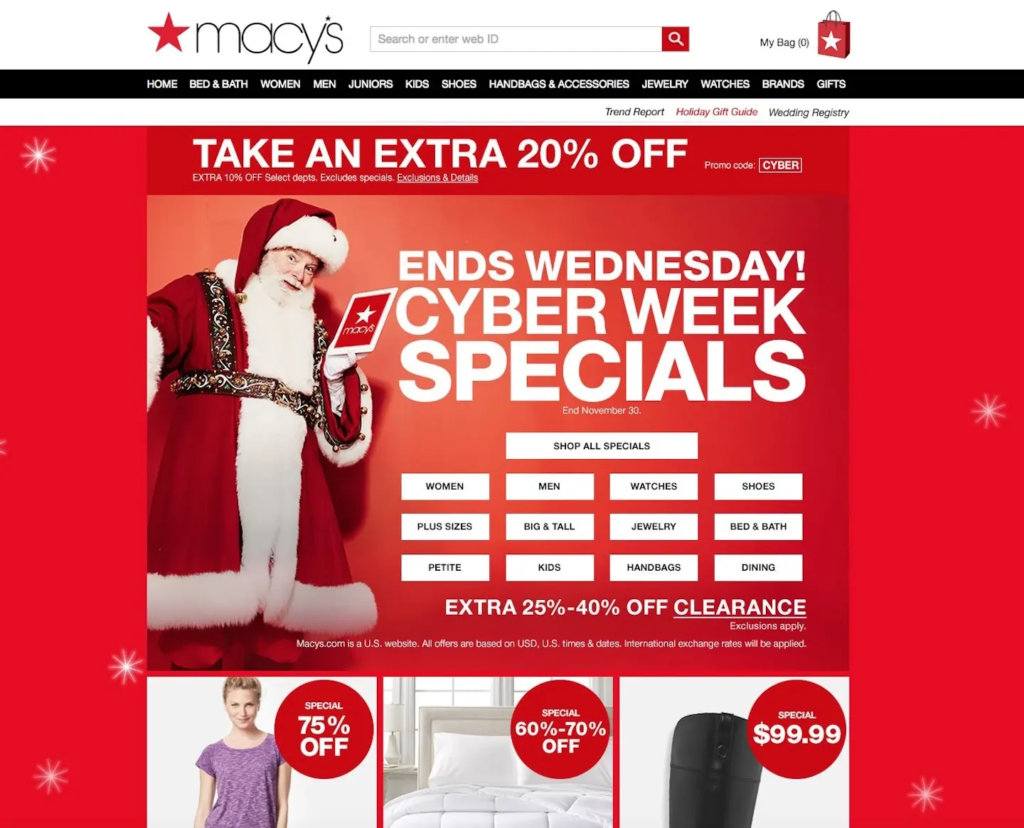
Macy’s does the version worth copying. One red hero, one offer, “Take an Extra 20% Off”, and the rest of the page unchanged. The theme is a frame around the offer, not decoration on top of it.
The mistake is snowflake animations and a Santa cursor. If a visitor notices the theme more than the products, it is too much.
2. Build One Christmas Landing Page
One page that holds every holiday offer, gift guide, and bestseller, so a visitor from any ad or email lands on the same thing.
- Offers and discounts at the top.
- Gift guides split by person, price, or interest.
- Bestsellers, with review counts showing.
- The shipping cutoff date, in large type.
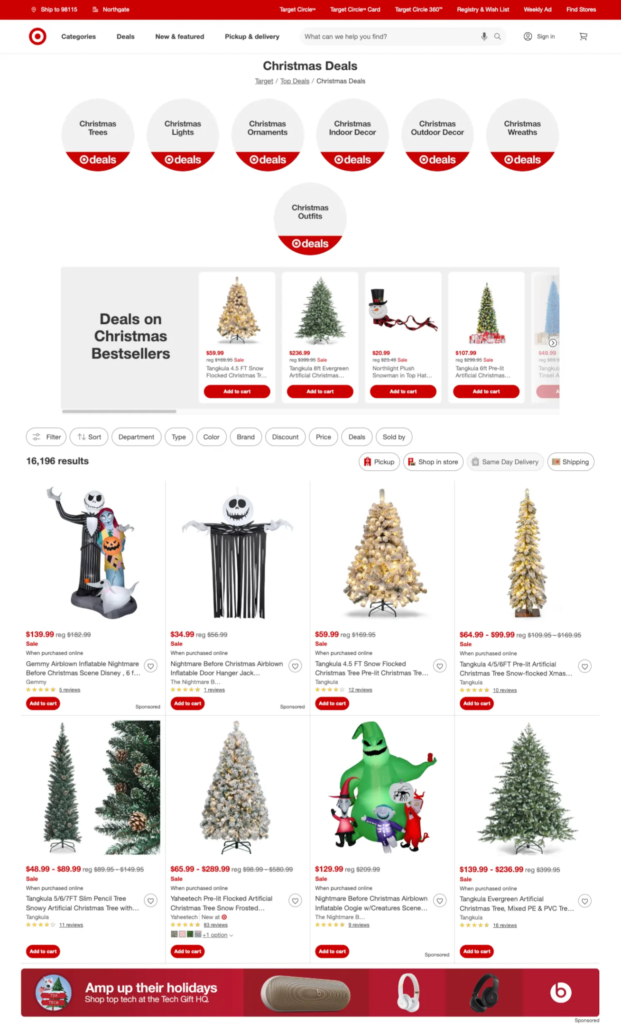
Target’s page is a menu. “Christmas Trees,” “Christmas Lights,” deals by category, and nothing that needs scrolling to find. A shopper with ten minutes finds their section in one.
Keep the URL the same every year. Inbound links and last year’s rankings carry over, and the page starts December with a head start instead of from zero.
3. Implement Gift Price Filters
Gift shoppers arrive with a budget, not a product. Give them the budget as a filter.
- Gifts under $25
- Gifts under $50
- Gifts under $100
- Something special
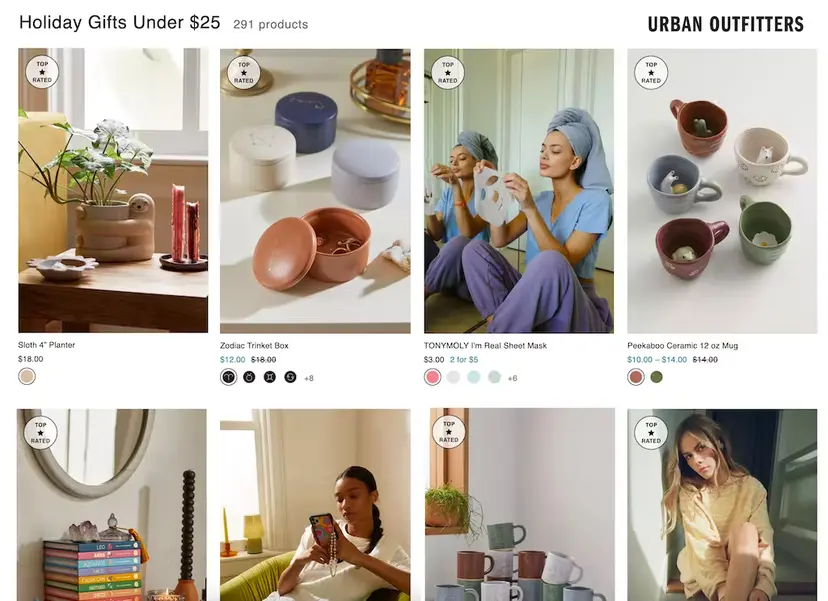
Urban Outfitters runs “Gifts Under $25” as its own collection, with prices on every card. The shopper never has to open a product to find out it is over budget.
Add a “Gifts for” filter alongside, by recipient. Under-$50-for-dad narrows a thousand products to the twenty a shopper will consider.
4. Offer Free Shipping and Returns
This is the highest-return change on the page. Four in ten abandoned carts trace back to a cost the shopper did not expect at checkout, and shipping is the cost they mean.
- Free shipping above a threshold set 20 to 30% over your average order.
- Free returns to the end of January, stated on the product page.
- The threshold pinned to the top of every page, so it is a target from the first click.
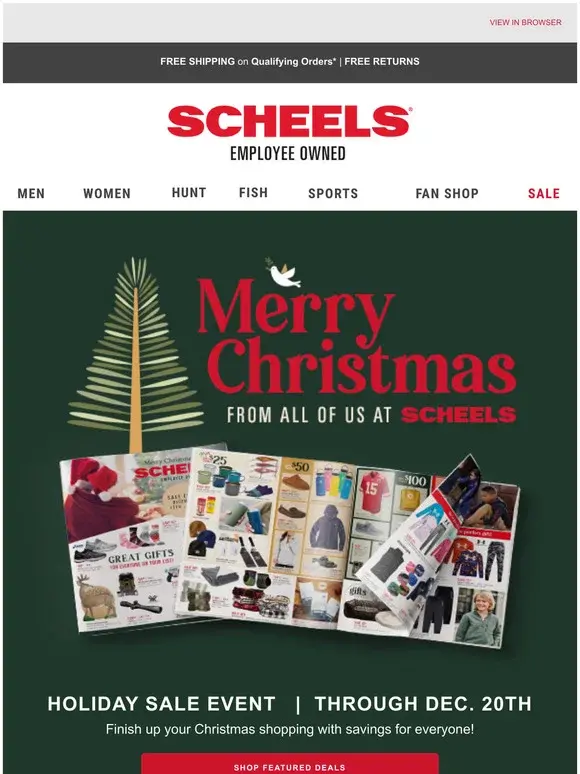
Scheels puts free shipping and returns in the holiday banner itself, above the sale. The shopper knows the delivery cost is zero before they know what is on sale.
WiserNotify’s announcement bar carries the threshold line across the site, and a countdown on it handles the shipping cutoff later in the month. More on that under tactic 14.
Related post: How to Reduce Cart Abandonment
Show Shoppers They Are Not Alone
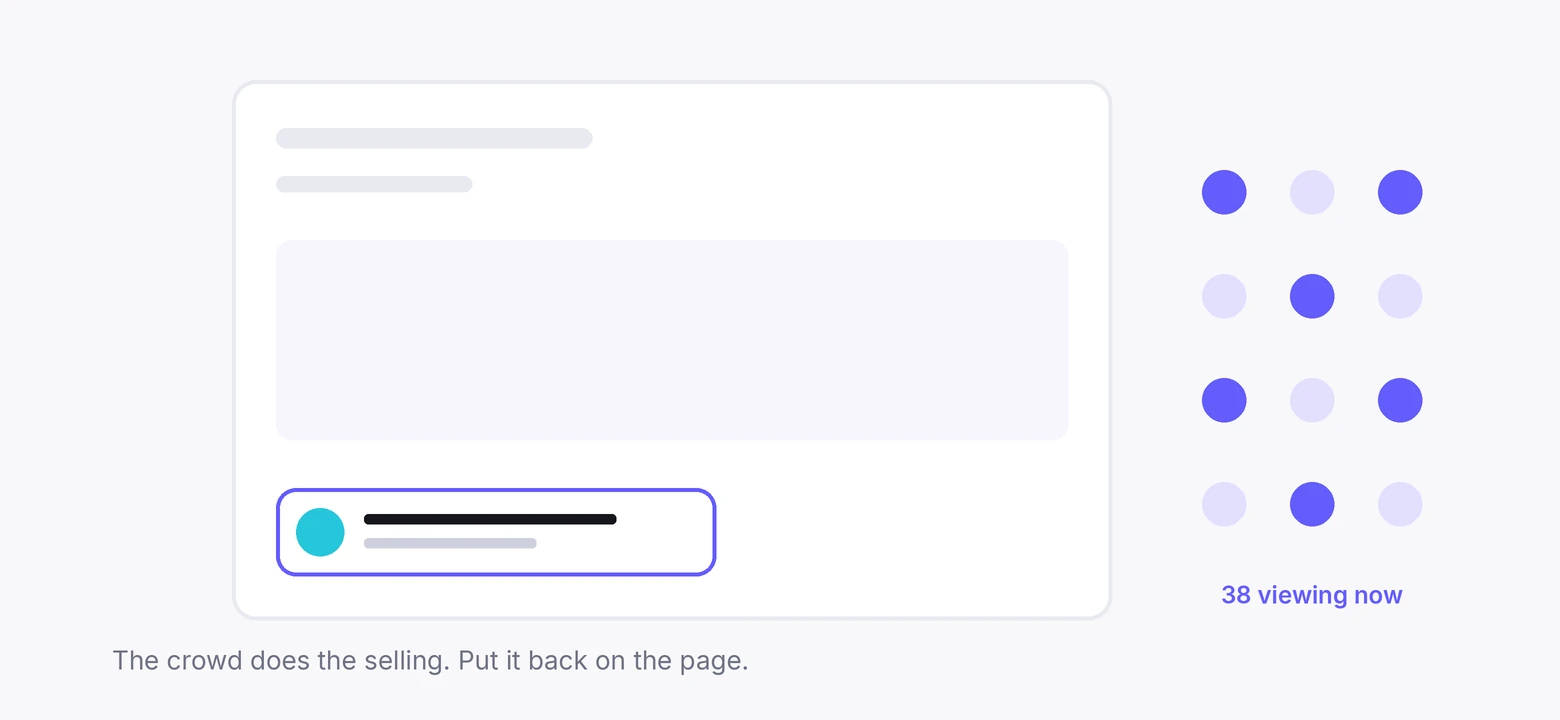
A physical shop in December is full, and the crowd does the selling. An online store is empty by default. These four tactics put the crowd back.
97% of consumers read reviews before they buy, and 74% only trust ones from the last three months. So the reviews that sell in December have to be collected in October.
5. Put Reviews on Product Pages
Reviews go on the product page, above the fold, with the count visible. Recent ones first. A review from last week says the store is open and shipping now.
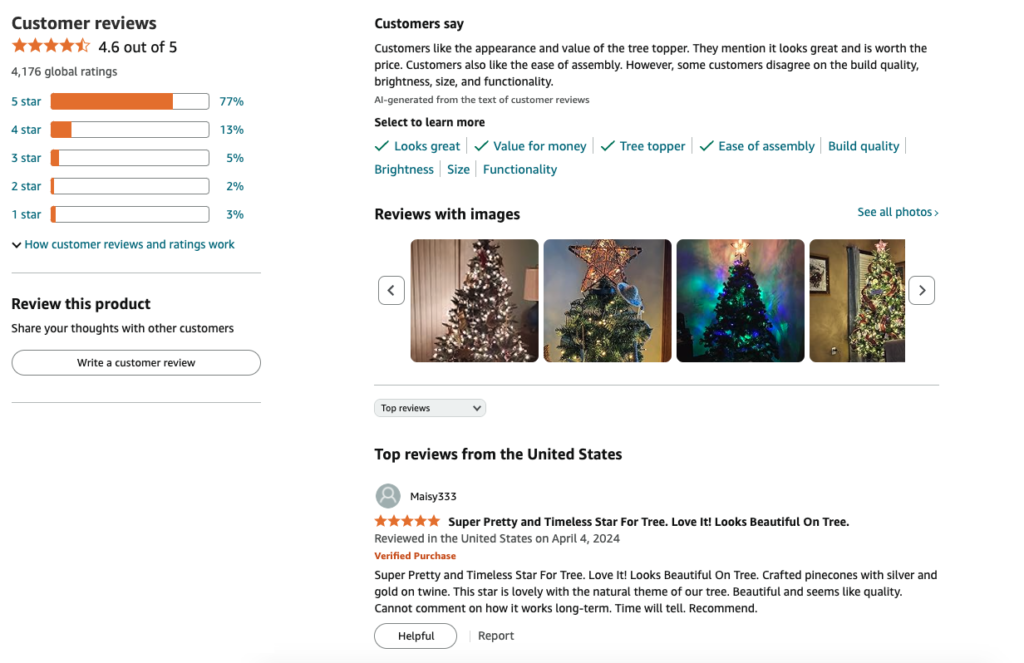
Amazon’s tree topper page shows the shape. A 4.6 average, the count, and customer photos of the thing on an actual tree. The photos do more than the stars.
The Online Dog Trainer runs review notifications through WiserNotify on its course pages, so a visitor deciding whether to buy sees what the last customer said, at the moment they are deciding.
The same widget on a product page shows the latest review as a notification in the corner.
Build urgency
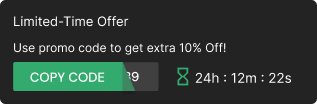
Add floating offers with countdown timer & coupon code.

6. Display Real-Time Purchases
A purchase notification is a small message in the corner of the page. “Someone in Brisbane bought the yellow dish plate, 2 minutes ago.” It is the online version of seeing someone else at the till.
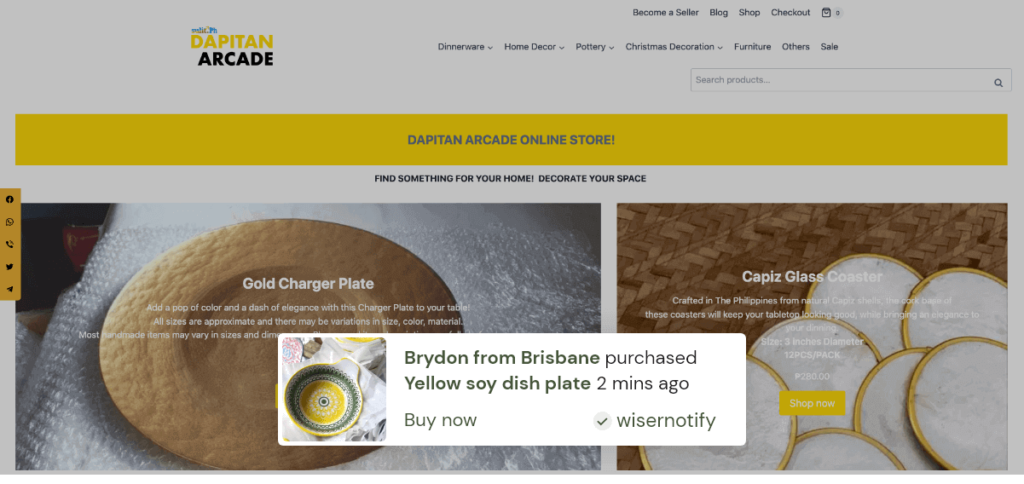
WiserNotify pulls the order from your store and shows it within seconds, with the product image and the buyer’s first name and city.
On a collection page it shows the stream. On a product page it shows purchases of that product.
Set it to show real orders only, with real timestamps. Cap it at one notification every thirty seconds or it stops being noticed.
7. Highlight User-Generated Content
Customer photos beat studio photos for one reason. They show the product in a real house, at a real size, next to real things.
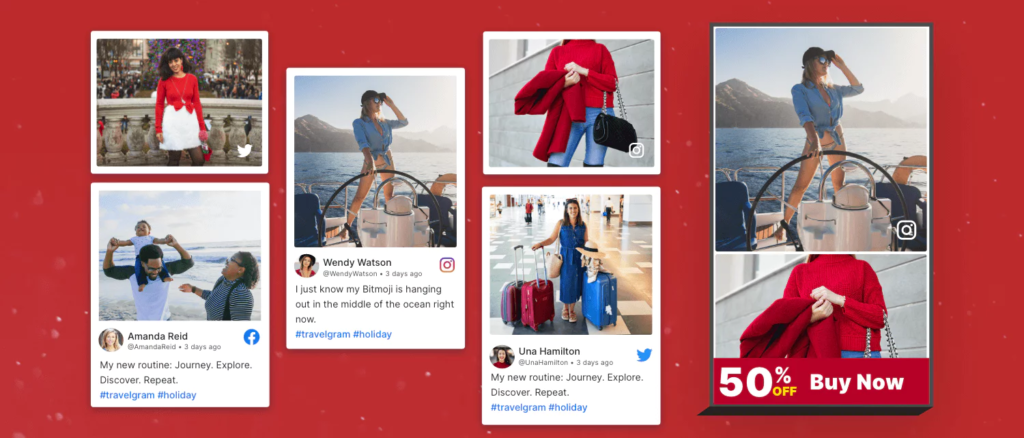
This travel brand built its holiday ad from customer photos on beaches and family outings. On site, the same photos go in the review notification, so the widget shows a face and a product rather than five stars.
Ask for the photo in the review request. Most customers will not think to add one unless the form has a place for it.
8. Show Off Awards and Recognitions
Any badge that says someone other than you has checked the business. Years trading, an award, a platform rating, a press mention.
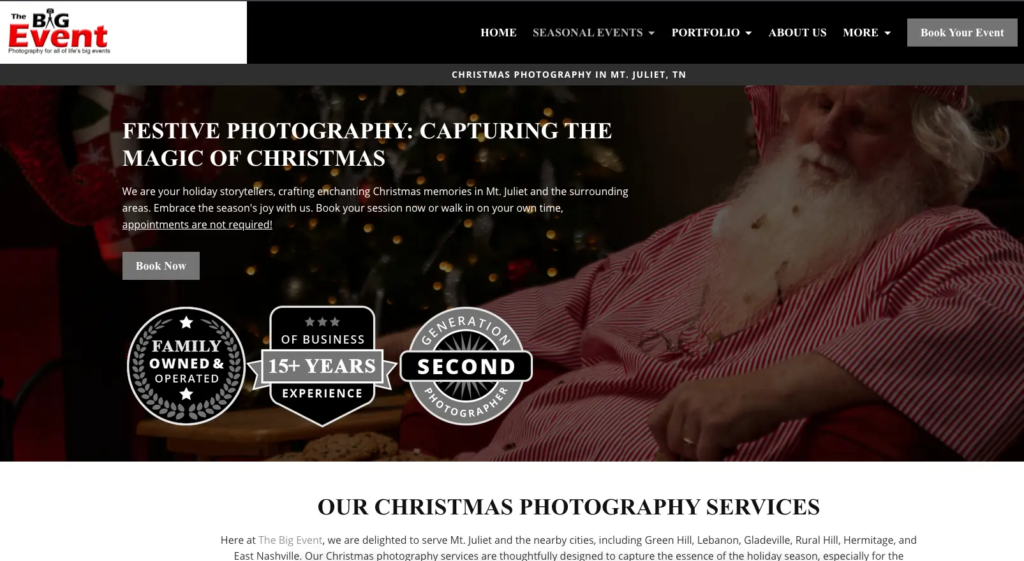
The Big Event Photography leads with “family business, 15 years.” For a Christmas photo booking, that line answers the question a nervous customer is asking.
Put the badge next to the price, not in the footer. It is doing its work at the moment of doubt.
Make Waiting Cost Something
Most December shoppers who leave intend to come back. Most do not. These four tactics give them a reason not to leave.
9. Show Stock Levels
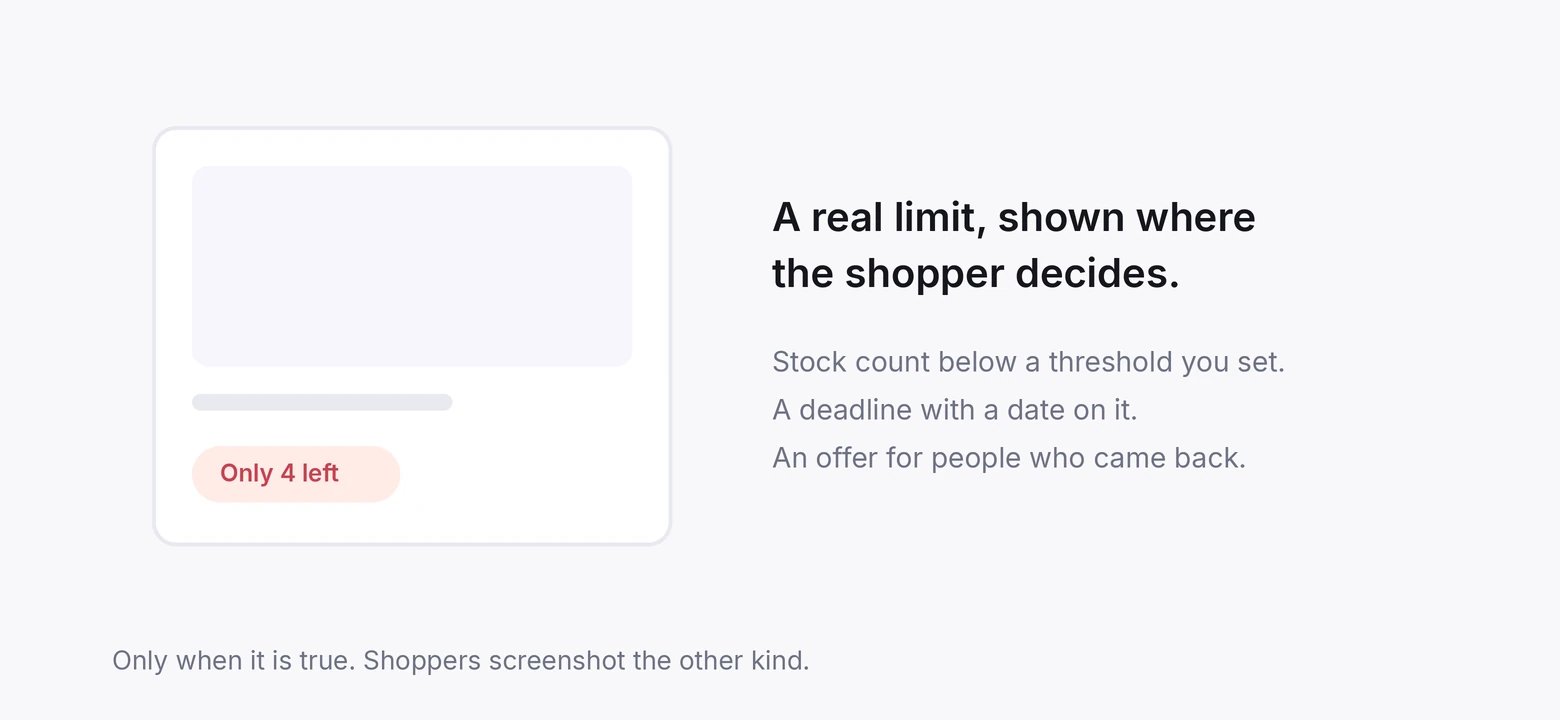
“Only 4 left” on a product with four left is the most honest urgency there is. It is also the one shoppers act on fastest in December, because a sold-out gift is a real problem.
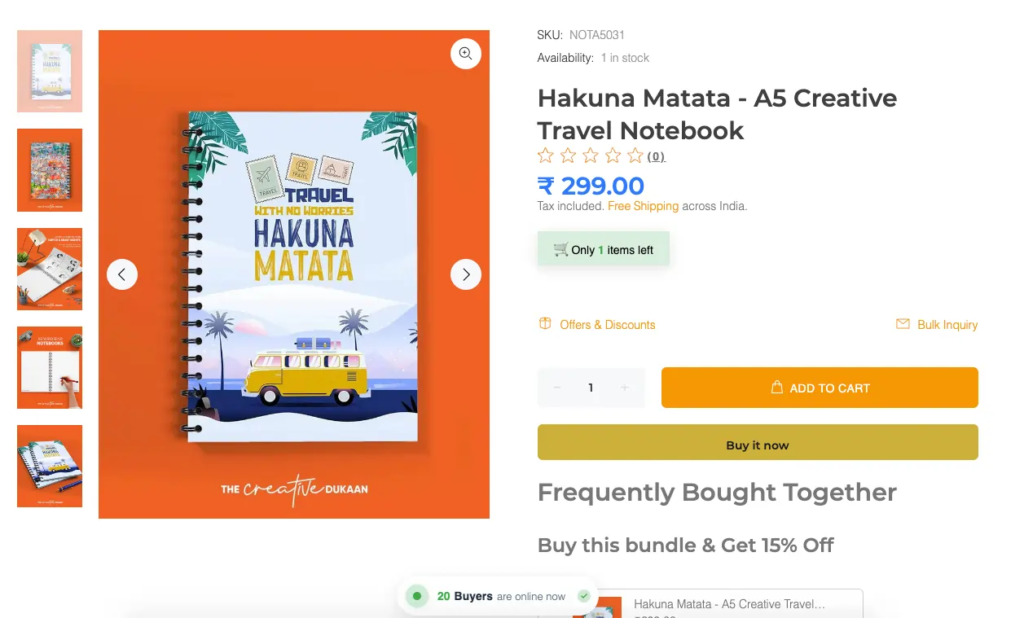
WiserNotify’s stock alert reads the live inventory count and shows it when it drops below a number you set. Above the threshold it stays hidden, so it only appears when it is true.
Set the threshold per product, not per store. Four left of a bestseller is urgent. Four left of something you sell twice a year is not.
10. Limited-Time Offers
A discount with an end date. The end date is the tactic, not the discount.
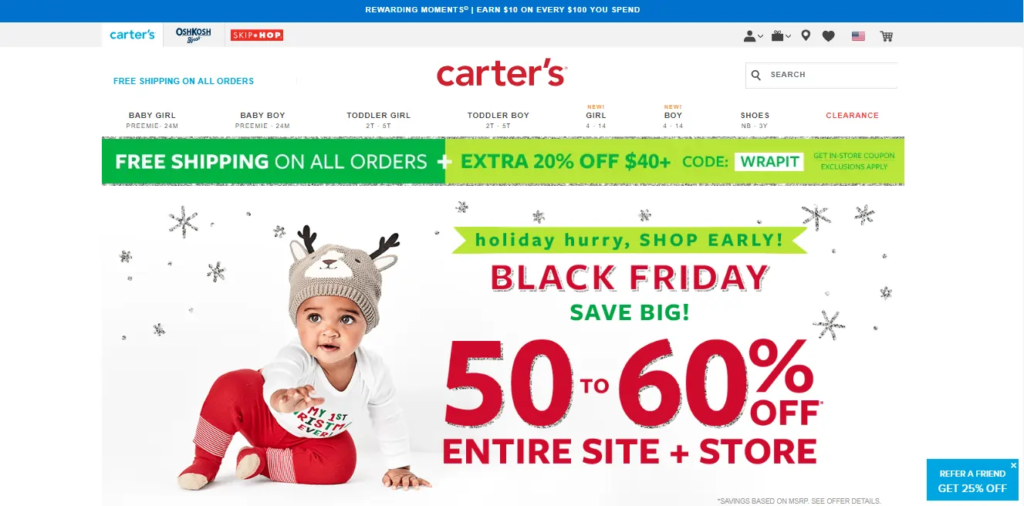
Carter’s stacks a sitewide sale with a code, WRAPIT, for an extra 20% over $40. The code has a deadline and the deadline is on the page.
WiserNotify’s coupon widget shows the code on the page with a countdown to its expiry, so the shopper does not have to remember it or go looking for an email.
Related post: 9 FOMO Marketing Examples That Work
11. Exclusive Deals for Loyal Customers
Returning customers get a better deal or an earlier one. It rewards them, and it gives everyone else a reason to become one.

Sephora gives VIB Rouge members a $25 reward card with a limited-time window. Members feel it. Non-members see the tier they are missing.
The coupon widget targets by page or by list, so the loyal-customer offer shows only to people arriving from the loyalty email, and the rest of the site does not see it.
12. Use Phrases That Trigger Urgency
The words in product descriptions and notifications do part of the job. Use them where they are true.
- “Limited edition” on the holiday version only.
- “Ships by 20 December” with the real cutoff.
- “Back in stock” when it is, with the date it went out.
Skip “don’t miss out.” It has been on every sale banner since banners existed and nobody reads it.
Put a Clock on It
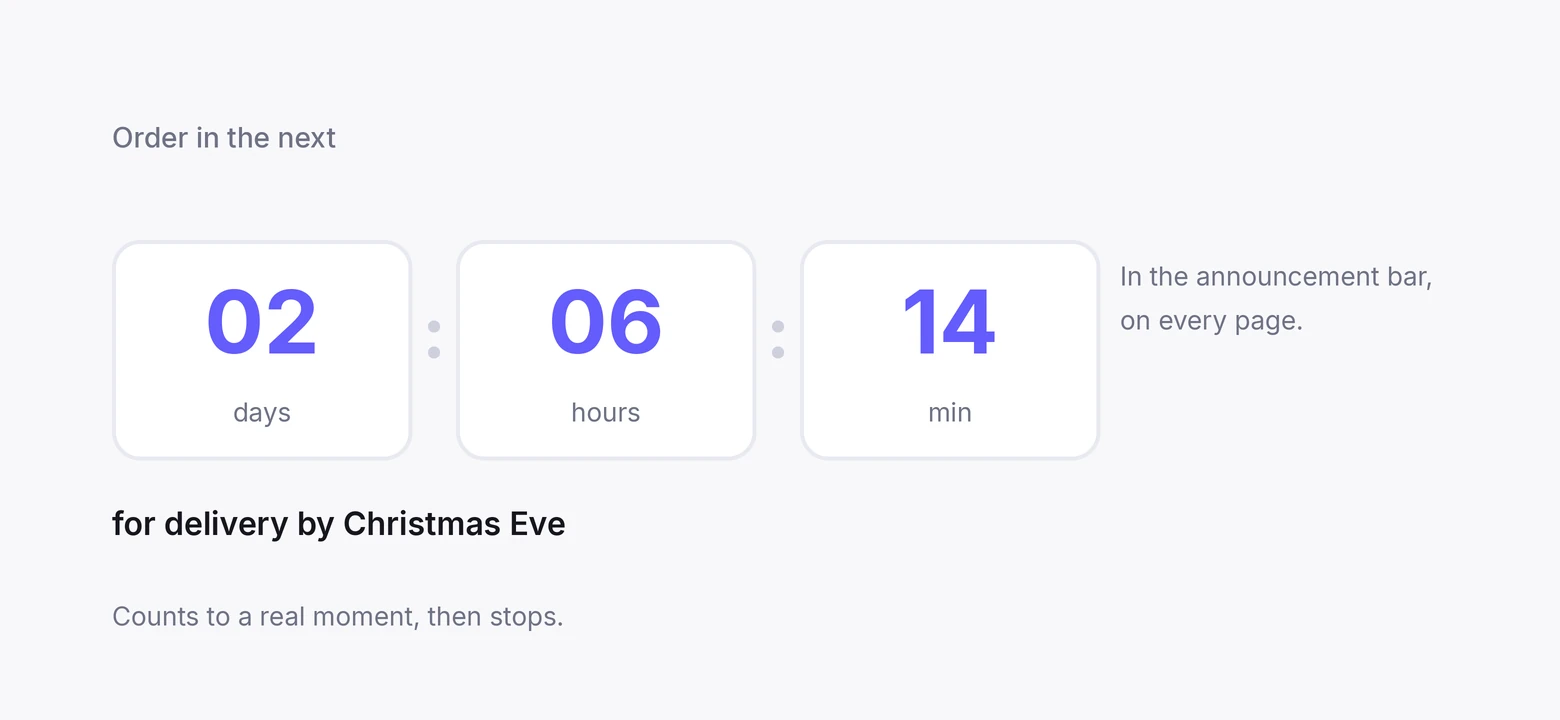
A countdown is urgency with a number attached. It works because it is checkable. Three ways to use one, and one rule: every timer counts to a real moment and then stops.
Related post: 21 Countdown Timer Examples That Work
13. Countdown to the End of a Sale
The sale ends Sunday at midnight. Put a timer next to the offer that says so, to the second.
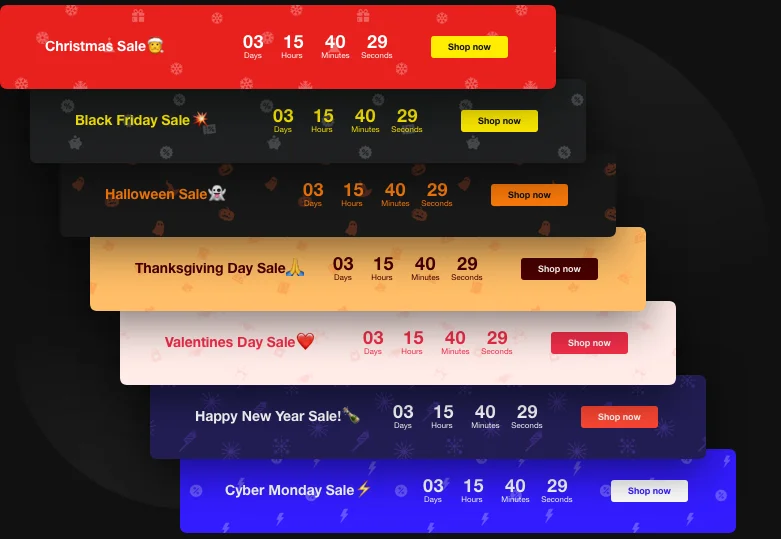
Floating in the corner on collection pages, as a bar above the add-to-cart button on product pages. When it hits zero, the offer goes and the timer goes with it.
14. Limited-Time Free Shipping
The most useful countdown in December is the shipping cutoff. “Order in the next 2 days 6 hours for delivery by Christmas Eve.”
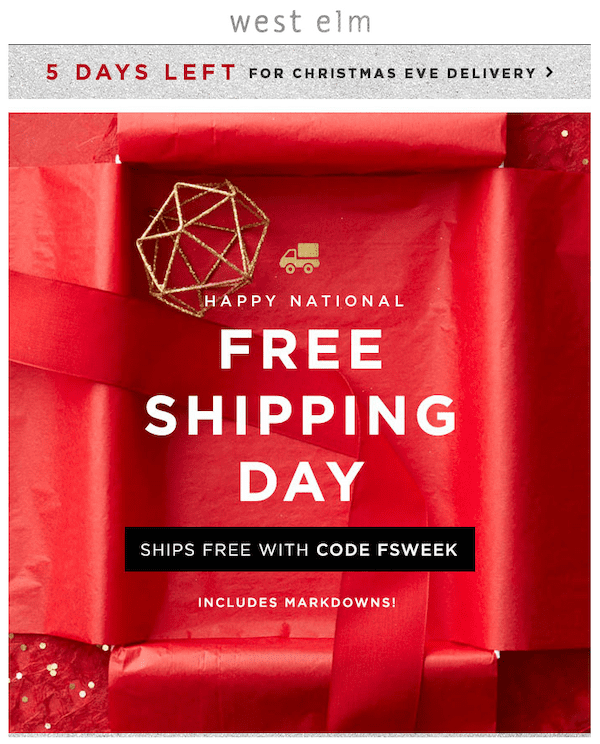
West Elm runs free shipping as an event with its own code, FSWEEK, and a window. The window is the reason to order today rather than Thursday.
Run the countdown in the announcement bar so it is on every page. Change it to “last day for Christmas delivery” on the final day, then to “ships after Christmas” the day after.
Shoppers keep buying after the cutoff. They just need to know.
15. Advent Calendars with Daily Deals
One offer a day from 1 December, each live for 24 hours. It gives a visitor a reason to come back tomorrow, which is the hardest thing to get in December.
Schedule 24 coupon widgets in advance, one per day, each with a 24-hour countdown. The page does the rest. Announce the calendar once, in early November, and let the daily timer carry it.
Build trust & FOMO
Highlight real-time activities like reviews, sales & sign-ups.

When to Switch Each One On
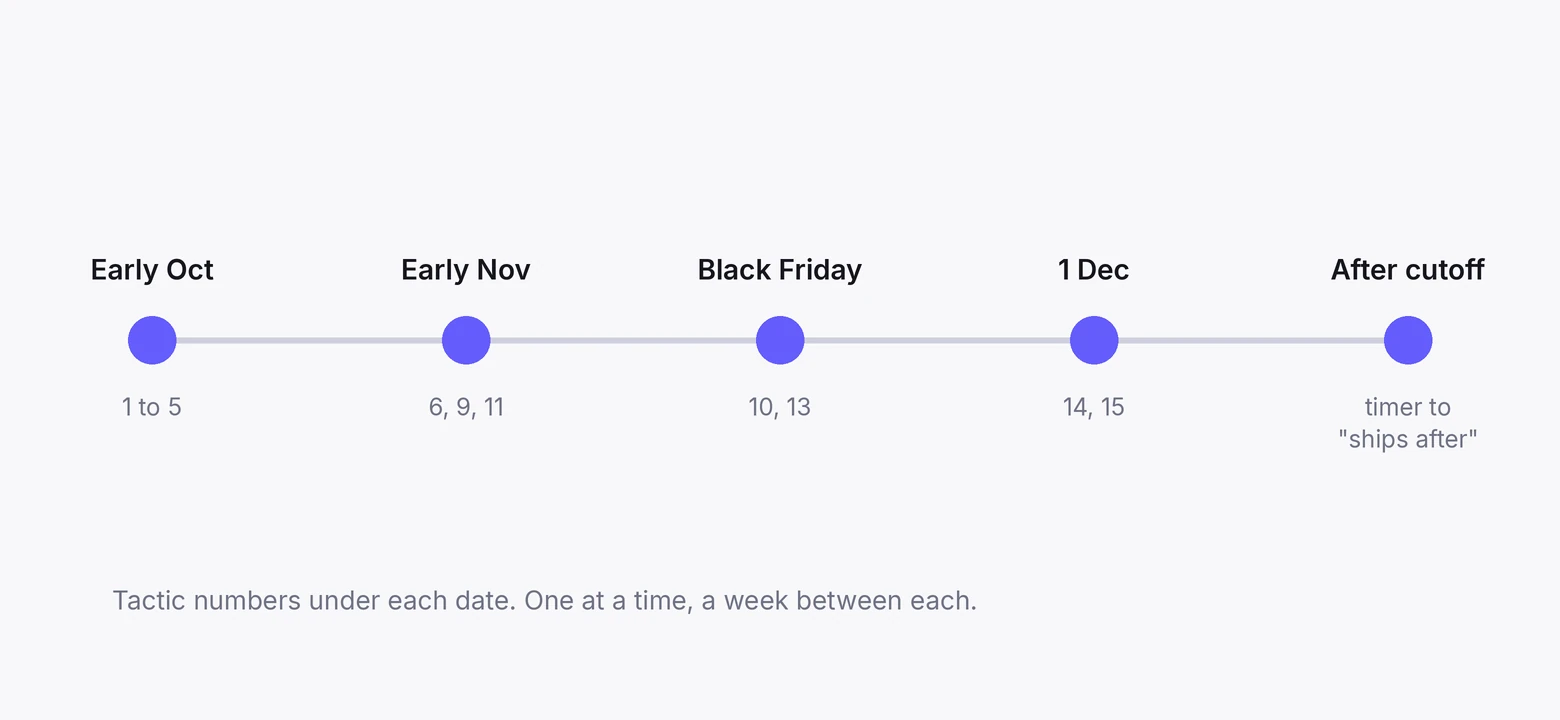
NRF’s October 2025 survey found 42% of holiday shoppers start before November and 60% are still buying in December.
The season is ten weeks, not one weekend, and the tactics come on in order.
Early October. Theme, landing page, price filters, free-shipping threshold, review collection running. Tactics 1 to 5.
Early November. Purchase notifications, stock alerts, and the loyal-customer offer. Tactics 6, 9, and 11. The traffic is there to make the notifications real.
Black Friday week. Limited-time offers and the sale countdown. Tactics 10 and 13.
Our Black Friday and Cyber Monday guides cover the weekend itself. The Thursday before it has a different job, and the Thanksgiving marketing guide covers the thank-you email, the dated sale and the early look at Black Friday.
1 December. Advent calendar starts, shipping-cutoff countdown goes up. Tactics 15 and 14.
The day after the cutoff. Timer changes to “ships after Christmas.” Everything else stays on into January for gift-card and returns traffic.
Switch each one on alone and watch the number it touches for a week before adding the next. A page with all fifteen lit at once reads as panic.
Wrap Up
Christmas marketing for a store is mostly on-site work. The ads and emails bring people to the page. What the page shows them in the next half minute is what sells.
Get the site ready in October. Put the crowd back with reviews and live purchases. Make waiting cost something with stock alerts and real deadlines. Put a clock on the shipping cutoff.
Then leave it running. The shoppers who arrive on 23 December need the same page as the ones who arrived on 1 November.
Frequently Asked Questions
What are good Christmas marketing strategies for retailers?
The ones on the site itself. A visible free-shipping threshold, recent reviews on product pages, live purchase notifications, stock alerts, and a countdown on the shipping cutoff. Ads and email bring people in; those five decide whether they buy.
When should a store start Christmas marketing?
Early October. Two in five shoppers start before November, so the theme, landing page, and free-shipping threshold need to be live before they arrive.
Do countdown timers work for Christmas sales?
Yes, when they count to a real moment. A shipping-cutoff timer is the most useful one in December. A timer that resets teaches visitors to ignore every future one.
How do I show social proof on a Christmas landing page?
Recent reviews with photos above the fold, a live purchase notification in the corner, and stock alerts on products running low. One of each, not all three stacked.
Should I offer free shipping at Christmas?
Above a threshold, yes. Unexpected shipping cost is the single largest reason carts are abandoned, and a threshold set 20 to 30% over your average order raises order value while removing the surprise.
What should stay on the site after Christmas?
Everything except the sale timers. Gift-card and returns traffic runs through January, and the reviews, stock alerts, and free-shipping threshold keep working for it.

Krunal Vaghasiya is a marketing tech expert who boosts e-commerce conversion rates with automated social proof and FOMO strategies. He loves to keep posting insightful posts on online marketing software, marketing automations, and improving conversion rates.




 Capterra