
How to Add a Visitor Counter to Your WooCommerce Store
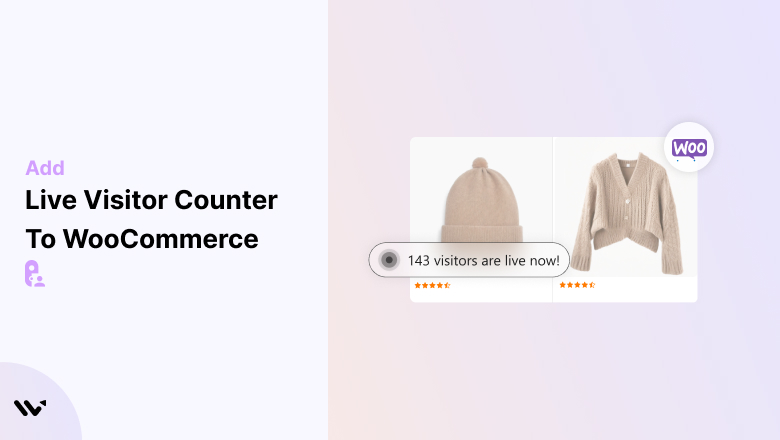
Most shoppers have no idea how many other people are browsing your store, unless you show them. A live visitor counter does exactly that.
It displays real activity, like how many people viewed a product or visited in the last 24 hours, so new shoppers see your store is active and busy.
A live visitor counter is a simple piece of social proof that builds trust, nudges people to buy, and helps cut cart abandonment.
Social proof statistics show most people look for it before they act.
Here’s how to add one to your WooCommerce store with WiserNotify, plus tips to get the design and placement right.
3 Visitor Notification Types for Your Store
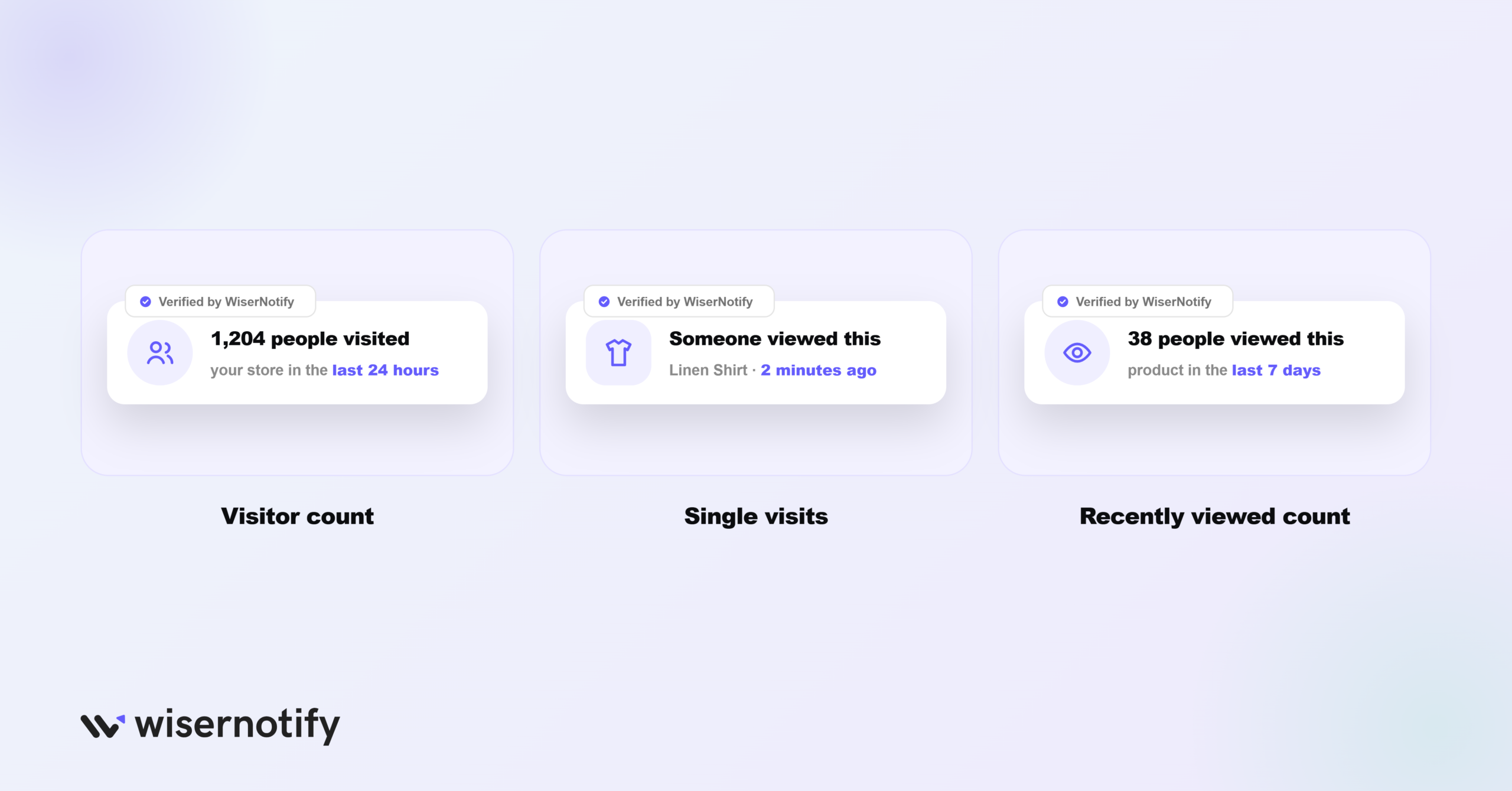
WiserNotify gives you three ways to show visitor activity on WooCommerce, so you can pick what fits your store:
- Visitor count: shows total visits across your store in the last 24 hours.
- Single visits: highlights recent visits to a specific product, so shoppers see what others are viewing.
- Recently viewed count: shows how many people viewed a product over a time period you set.
Build trust & FOMO
Highlight real-time activities like reviews, sales & sign-ups.


How to Add a Visitor Counter to WooCommerce
The setup is no-code: install the WiserNotify plugin on WordPress, connect it with your API key, then build the visitor notification in the dashboard.
The video below walks through creating it, and the steps are written out under it.
Step 1: Install the WiserNotify Plugin
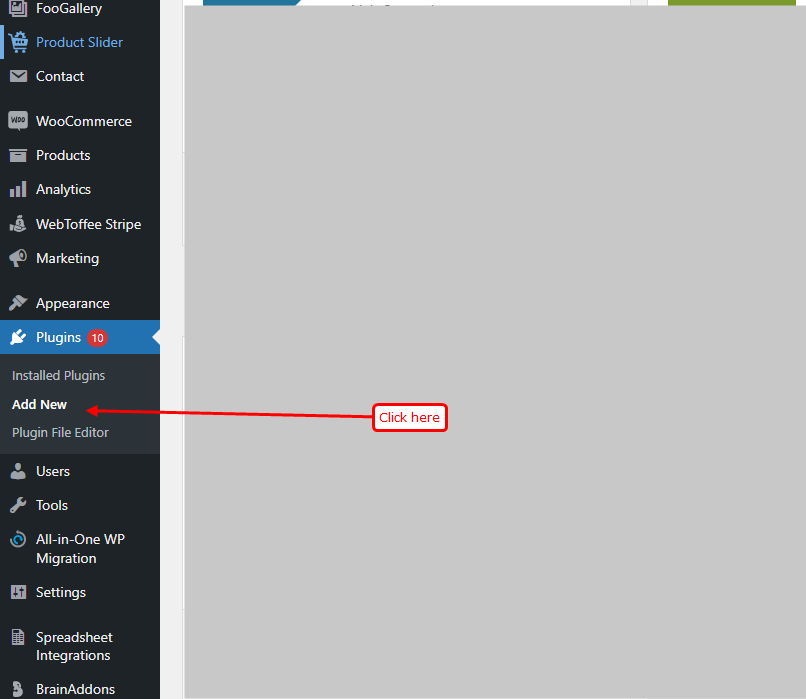
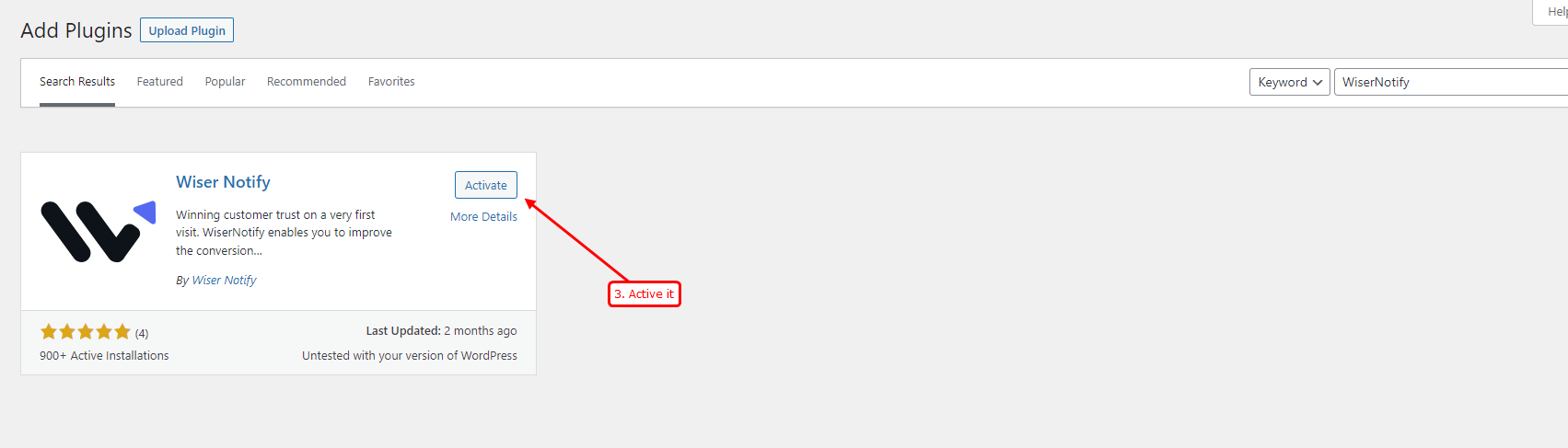
In your WordPress admin, go to Plugins > Add New and search for WiserNotify. Click Install, then Activate.
Step 2: Connect Your API Key
Create a free WiserNotify account or log in, and copy your API key from the Install Pixel page.
In WordPress, open the Wiser menu, paste the key, and click Submit.
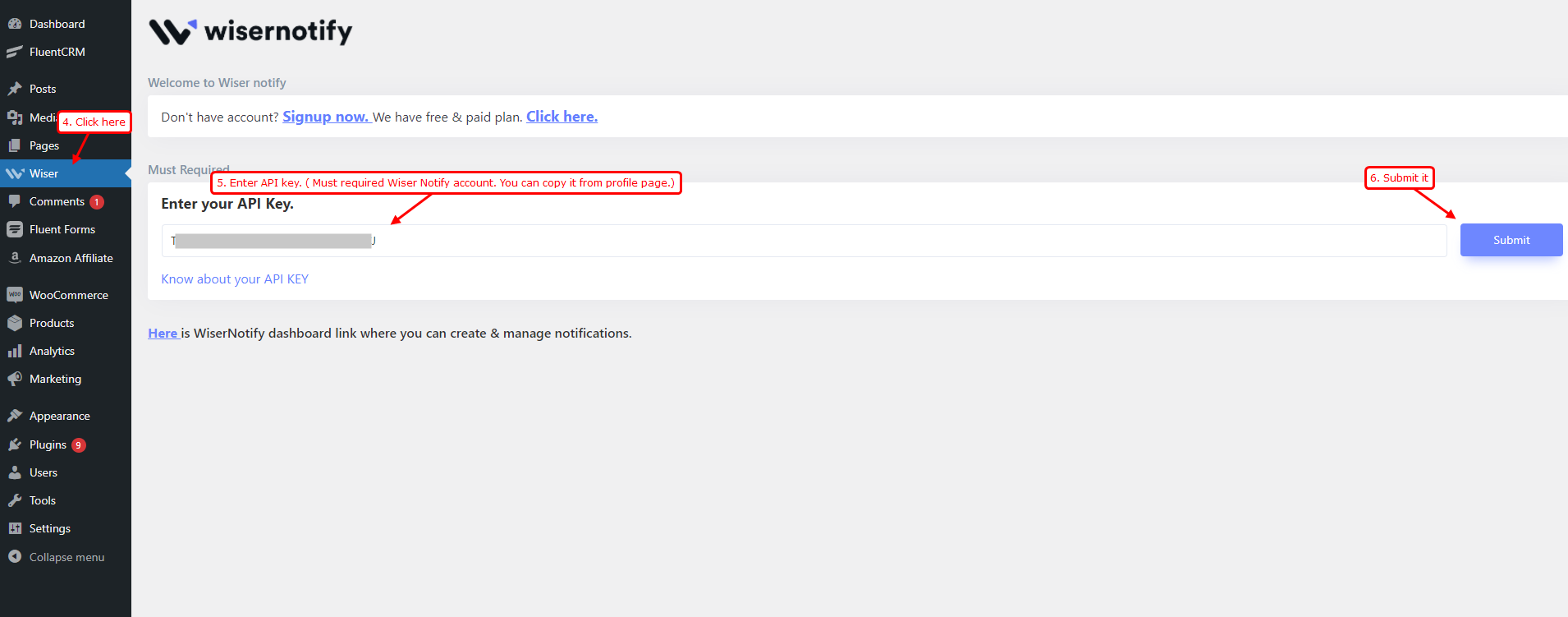
Step 3: Verify the Pixel
Once the key is verified, the plugin adds the pixel to your store automatically, no manual code needed.
Open the pixel page and click Verify pixel installation to confirm it shows a detected status for your store.
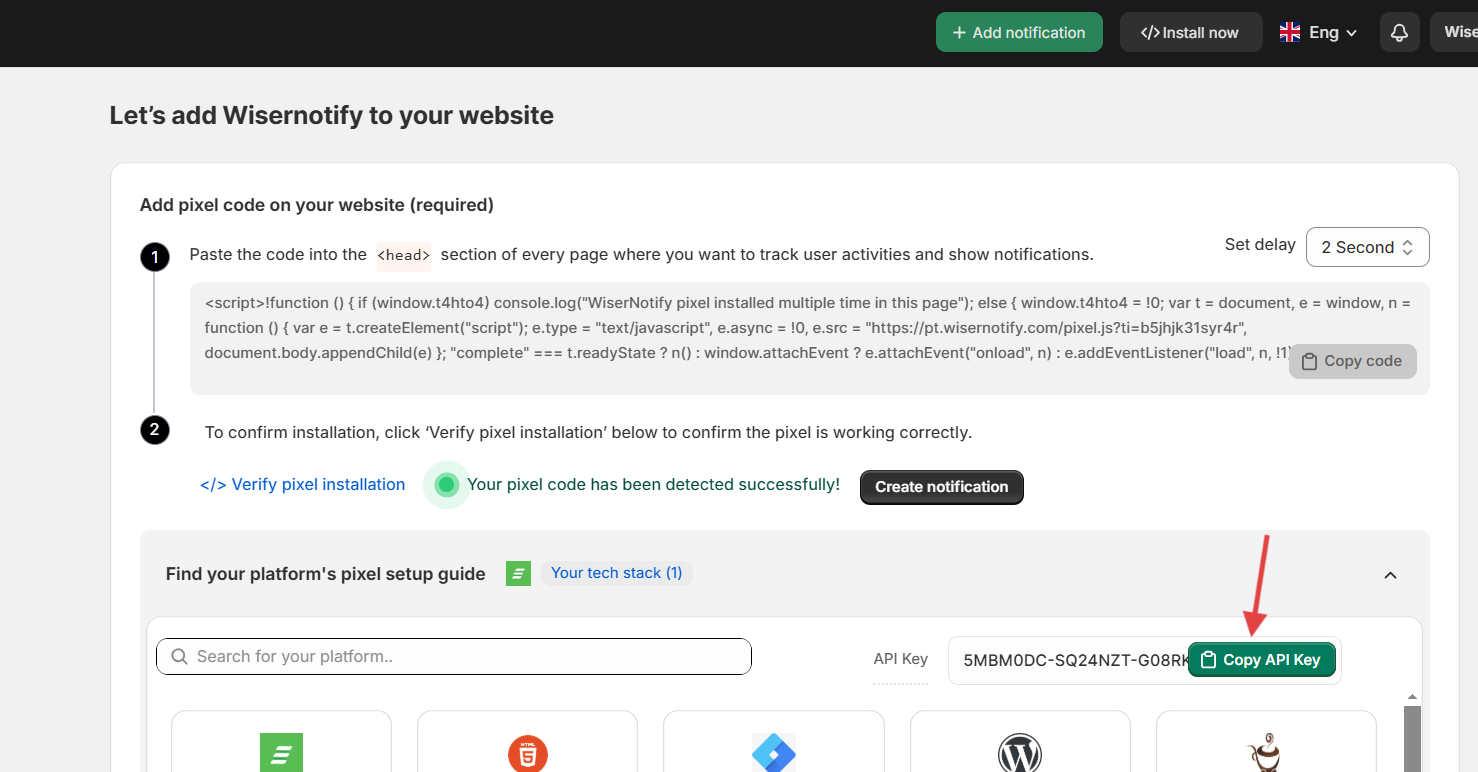
Step 4: Create the Visitor Notification
In WiserNotify, click Add Notification and pick the type you want: Visitor Count, Single Visits, or Recently Viewed Count. Enter your store URL and click Create & Customize.
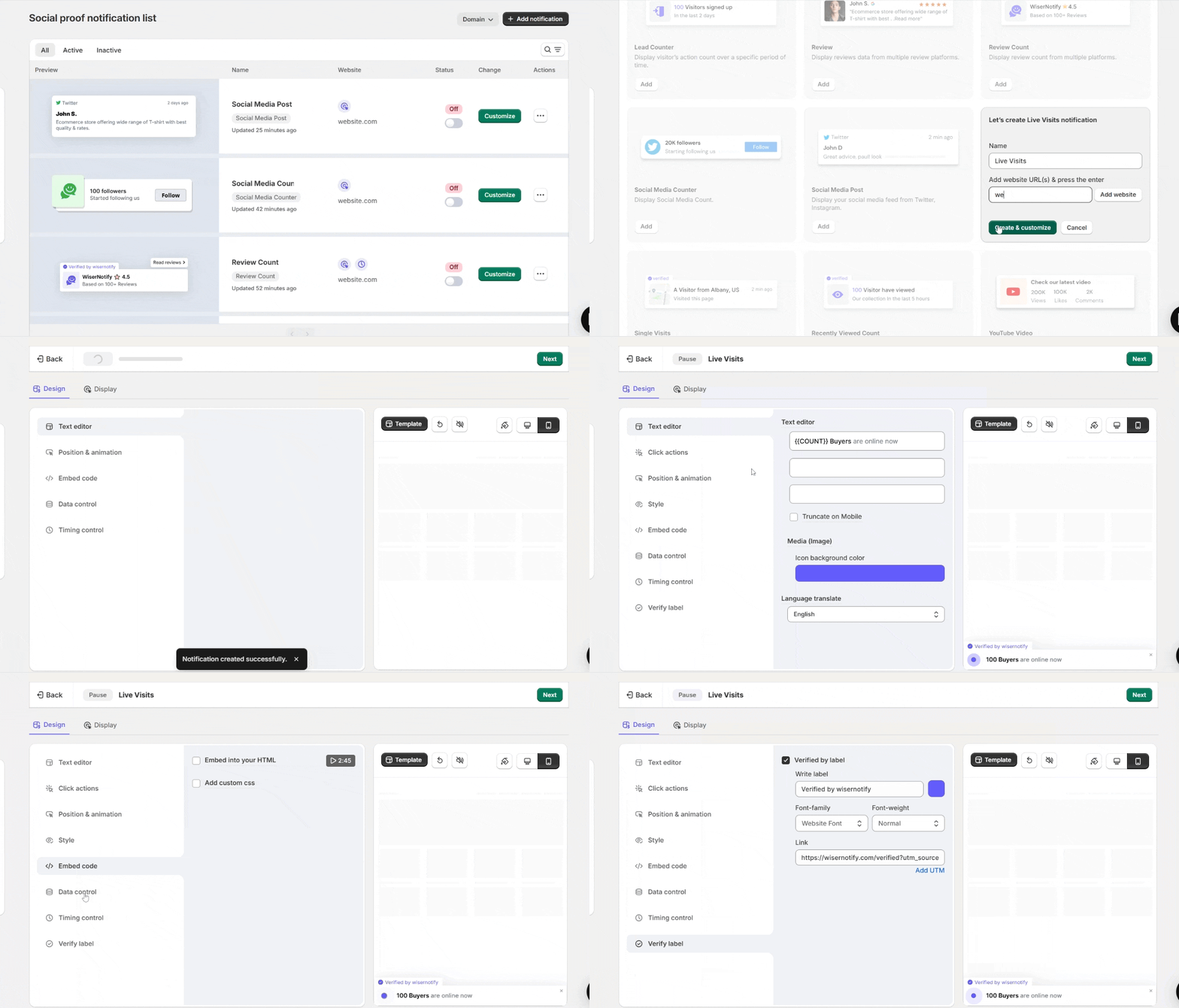
Step 5: Design the Notification
In the design editor, use the Text editor to set the wording, icon, colors, and language.
Turn on Click actions to link it to a product, use Position & style to match your brand, and click Template to pick from ready-made designs.
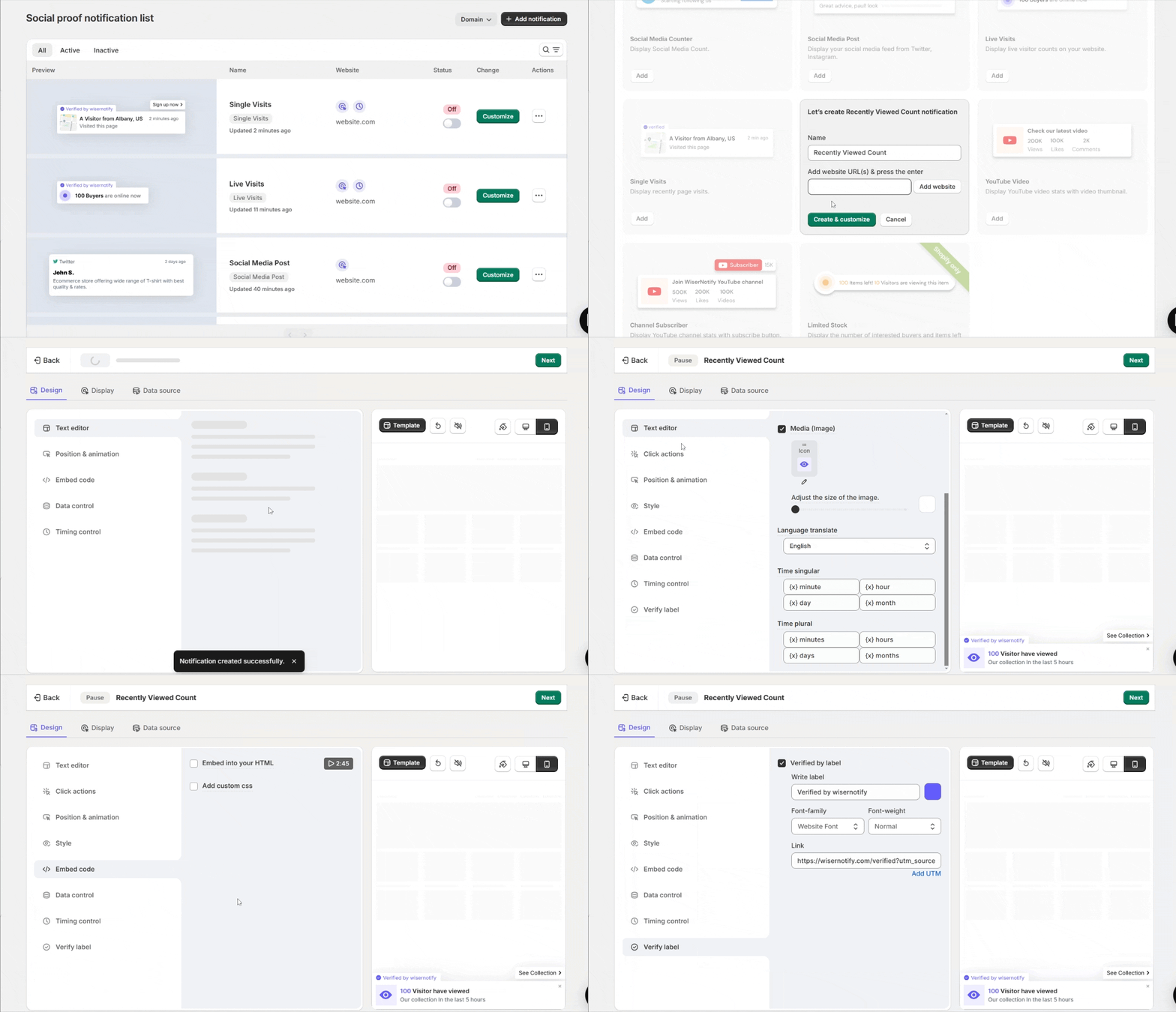
Step 6: Set the Data Control
In Data Control, choose how many hours back to count visitors from, and set it to hide if the count falls below a number you pick.
Turn on page-specific count if you want per-product numbers.
Step 7: Set the Timing
Use the Timing control to set when the notification appears, how long it stays, and the delay between notifications. Save your changes when it looks right.
Step 8: Set Display and Data Source
In the Display tab, choose which store pages it shows on, or target by visitor type, UTM, cookies, or referrer.
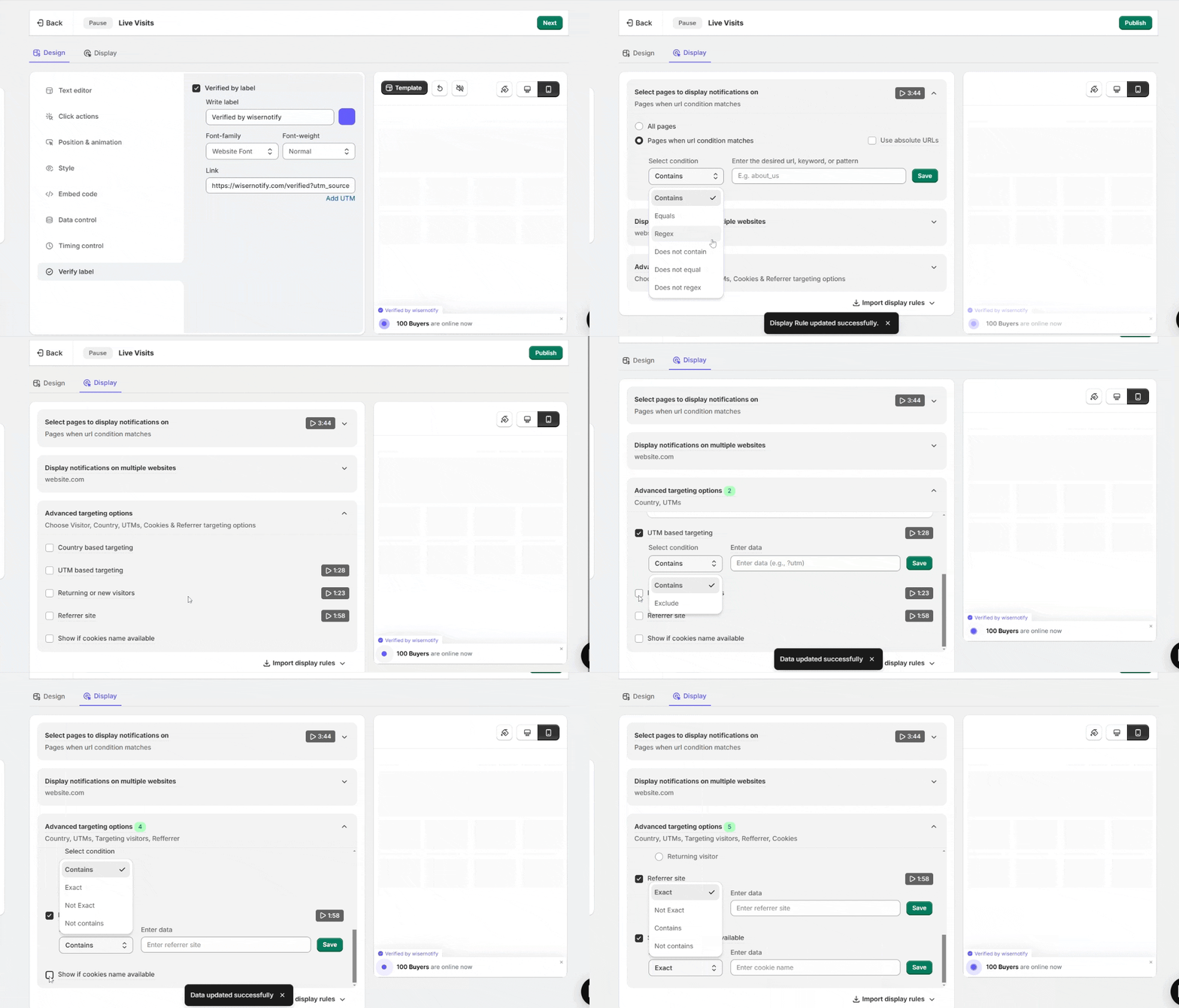
In Data Source, select your WooCommerce integration so it counts real visits.
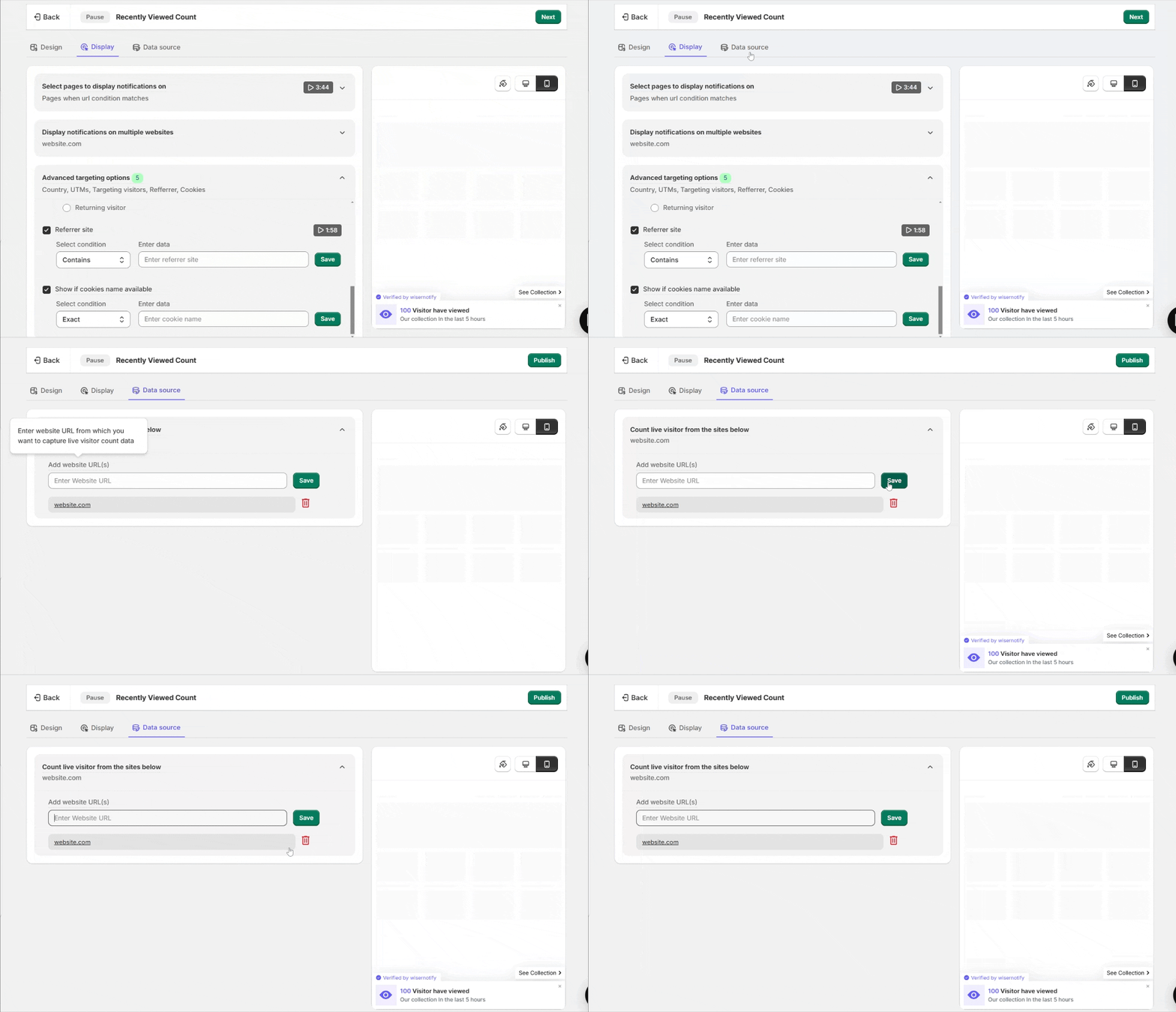
Step 9: Publish
Click Publish, then open your store and refresh once or twice to see the visitor counter live.
Counter Not Appearing on Your Store? Fix It
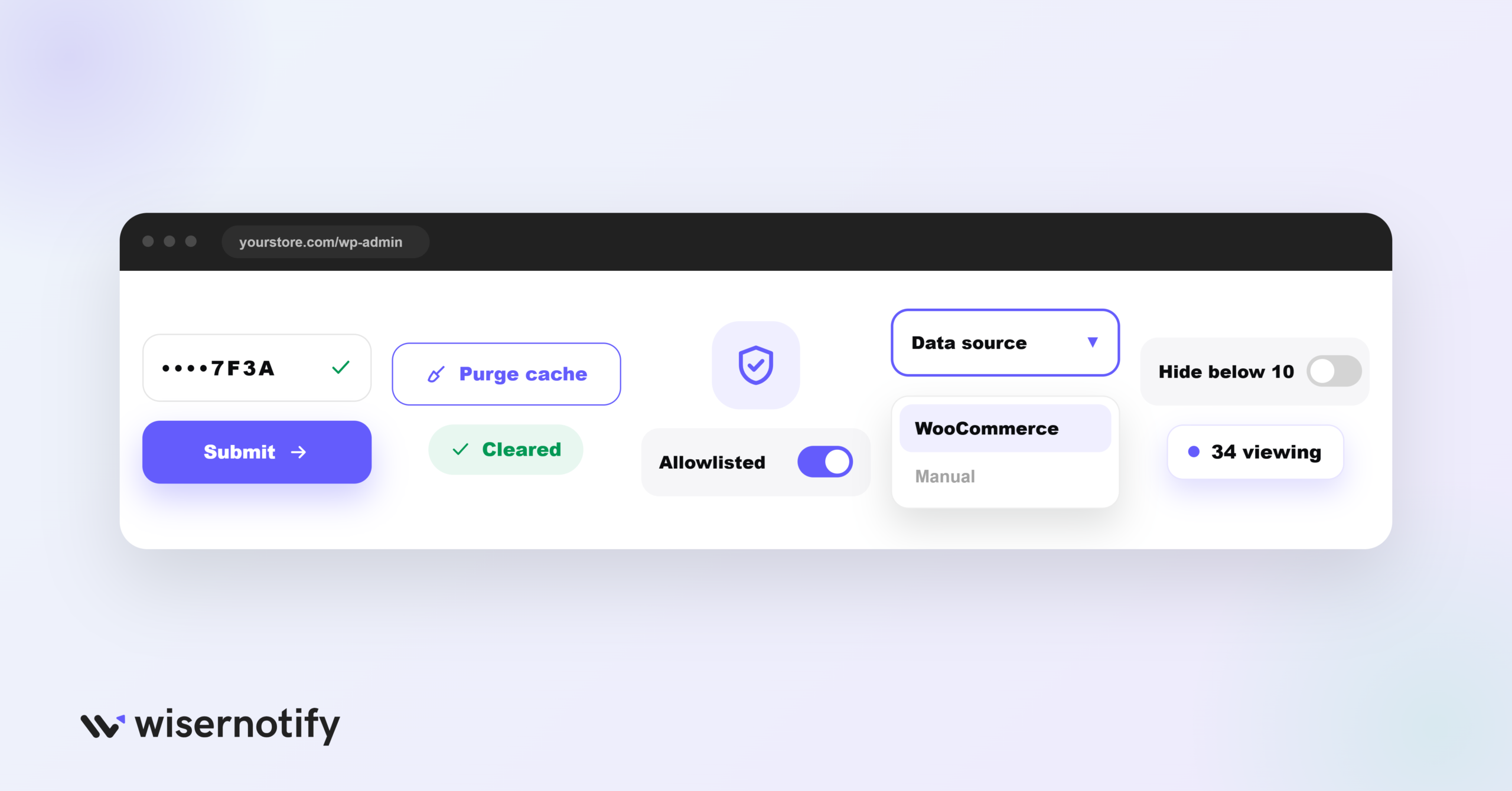
If the counter isn’t appearing on your live store, check these first:
- API key not verified: open the Wiser menu, re-paste your API key, and click Submit until it verifies.
- Caching plugin: if you use LiteSpeed, WP Rocket, or similar, clear the cache after verifying the plugin.
- Security plugin: if you use Wordfence or similar, whitelist the WiserNotify plugin, then verify again.
- Wrong data source: in the notification’s Data Source, confirm your WooCommerce integration is selected.
- Hidden by your count rule: if you set it to hide below a number, a low count will keep it hidden.
Still stuck? Use the troubleshoot option in your notification list, or reach out to WiserNotify live chat.
What Does the Visitor Counter Cost?
You can try it free. WiserNotify offers a 7-day free trial.
You can install the plugin, set up a visitor counter, and see how it performs before you pay anything.
The WiserNotify WordPress plugin is free to install.
After the trial, you pick a paid plan based on your monthly visitor traffic, and higher tiers add more widgets and features.
For most stores, the trial is enough time to run a live visitor counter and see whether it lifts conversions before committing.
Tips to Get More From Your Visitor Counter
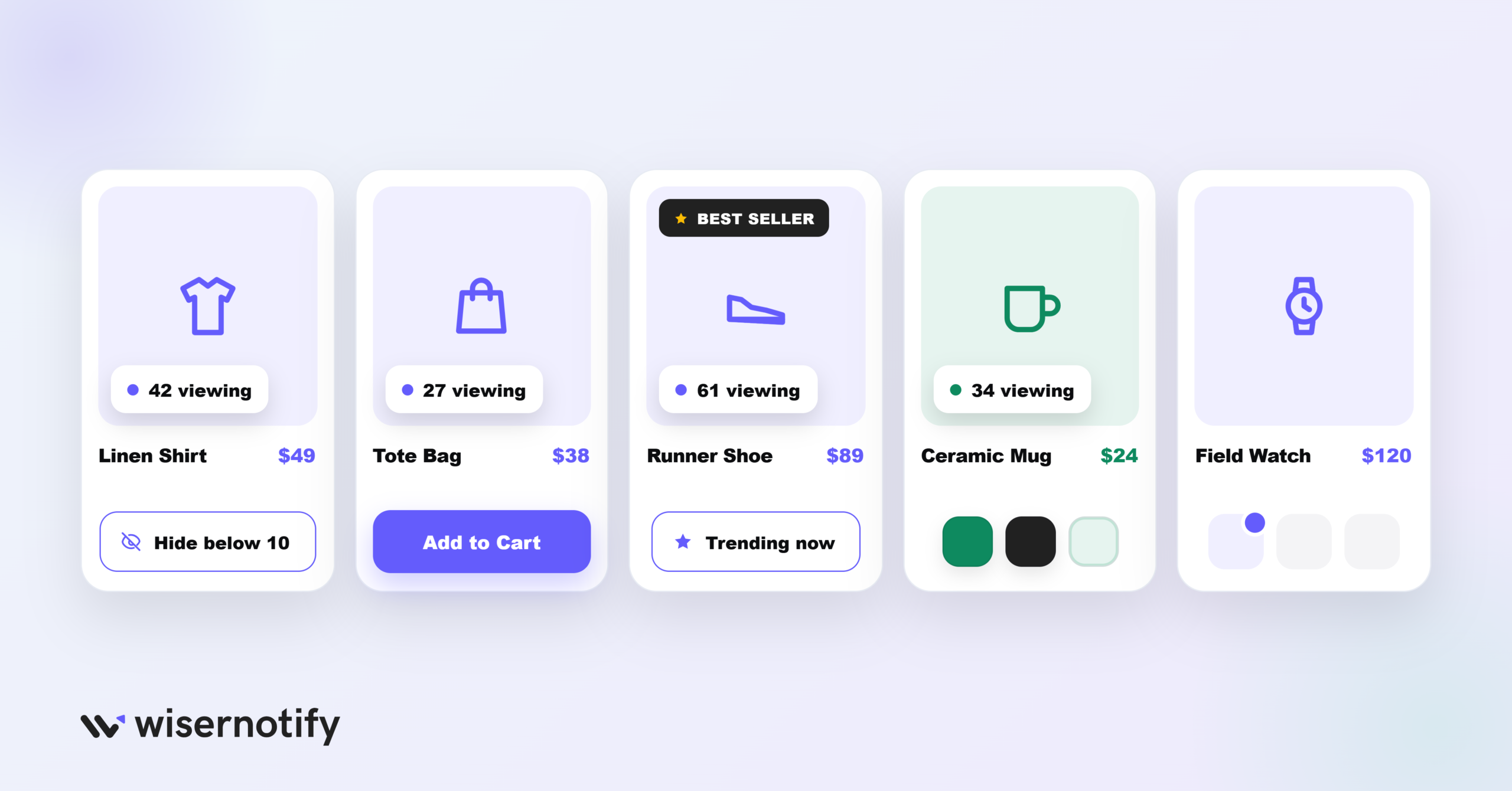
- Show real numbers only: use the hide-below rule so a low count never makes your store look quiet, real numbers are what make FOMO marketing work.
- Put it on product pages: a visitor count on product detail pages is great for creating urgency in sales right where people decide to buy.
- Feature your best sellers: show visitor activity on trending or high-stock products to draw attention.
- Match your store theme: use your WooCommerce colors and fonts so the counter looks like part of the page.
- Don’t overdo it: focus on key products so you don’t overwhelm shoppers with counters everywhere.
Visitor Counter Mistakes That Hurt Sales
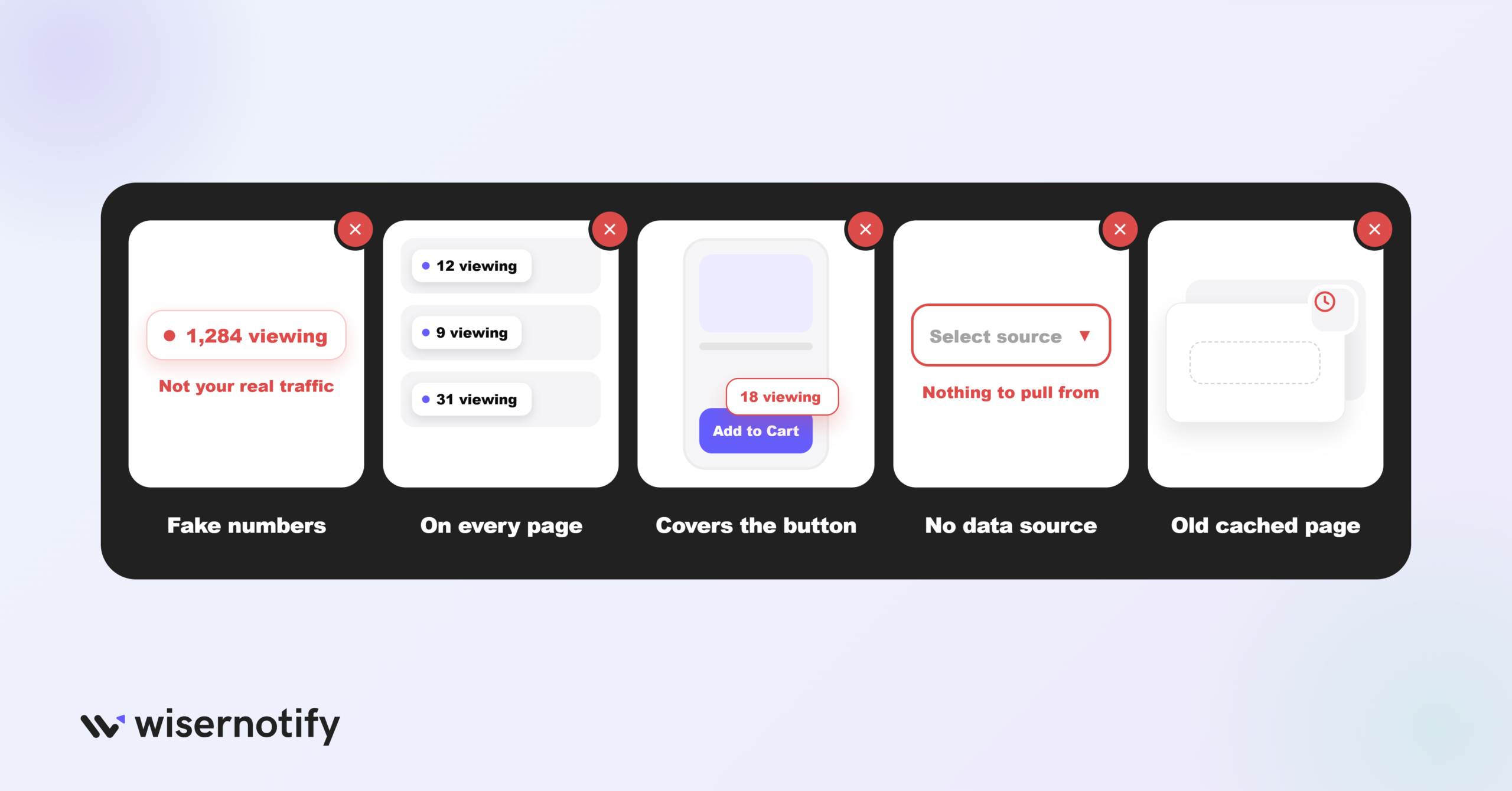
A visitor counter helps, but a few common slip-ups can backfire. Avoid these:
- Faking the numbers: made-up counts break trust fast if shoppers sense it. Show real data and use the hide-below rule when traffic is low.
- Putting it everywhere: a counter on every page turns into noise. Keep it on product and high-intent pages where it supports a purchase.
- Ignoring mobile: most shoppers are on phones, so check the counter doesn’t cover buttons or the price on small screens.
- Forgetting the data source: if you skip selecting your WooCommerce integration, the counter won’t pull real visits and may show nothing.
- Letting cache hide it: a caching plugin can serve an old page without the counter. Clear the cache after you publish.
Build trust & FOMO
Highlight real-time activities like reviews, sales & sign-ups.
Wrap-Up
A visitor counter is a simple way to show your WooCommerce store is active and get shoppers to act.
With WiserNotify, you can add one in minutes through the WordPress plugin, no code needed.
Pick the right notification type, set an honest time frame, match your branding, and place it where it supports a purchase.
Set up your WiserNotify visitor counter on WooCommerce and let real activity do the convincing.
Related guides
Frequently Asked Questions
Does WooCommerce have a built-in visitor counter?
WooCommerce has no native live visitor counter like this. You add one with WiserNotify by installing its free WordPress plugin and connecting your API key, then build the counter from the dashboard.
How do I add a visitor counter to WooCommerce?
Install the WiserNotify plugin from Plugins > Add New, activate it, then open the Wiser menu, paste your API key, and click Submit. The plugin adds the pixel automatically.
What visitor notifications can I show on WooCommerce?
Three: visitor count (total visits in 24 hours), single visits (recent visits to a product), and recently viewed count (views of a product over a time period you set).
Why isn't the visitor counter showing on my store?
Most often a caching or security plugin is blocking it. Clear your cache after verifying, whitelist the WiserNotify plugin, and confirm the API key shows as verified.
Is the WooCommerce visitor counter free?
The WordPress plugin is free to install, and WiserNotify offers a free 7-day trial so you can set up a visitor counter and test it before choosing a paid plan.

Krunal Vaghasiya is a marketing tech expert who boosts e-commerce conversion rates with automated social proof and FOMO strategies. He loves to keep posting insightful posts on online marketing software, marketing automations, and improving conversion rates.




 Capterra