
OpenCart Visitor Counter Module: Quick Setup (2026)
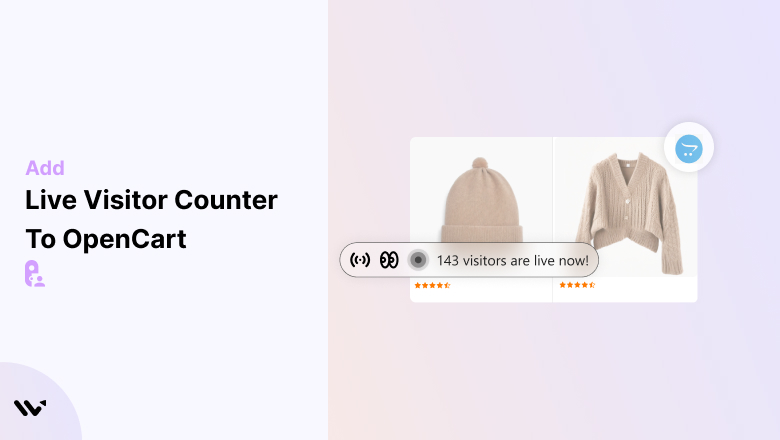
A live visitor counter shows shoppers how many people are viewing your OpenCart store or a product right now. You can add one without buying a marketplace module. Install the free WiserNotify plugin, connect your API key, and publish the counter widget, about 10 minutes end to end.
OpenCart tracks visitors for you in the admin, but your shoppers never see that number. Putting a live count on the page itself turns quiet traffic into visible proof that the store is busy.
Key takeaways
- OpenCart shows “people online” only inside the admin dashboard. The storefront has no visitor counter of its own.
- The WiserNotify OpenCart plugin goes in with a single zip upload plus an API key.
- The counter can sit inline on product and category pages, or run as a small popup with no theme edit at all.
Does OpenCart Show Visitor Counts?
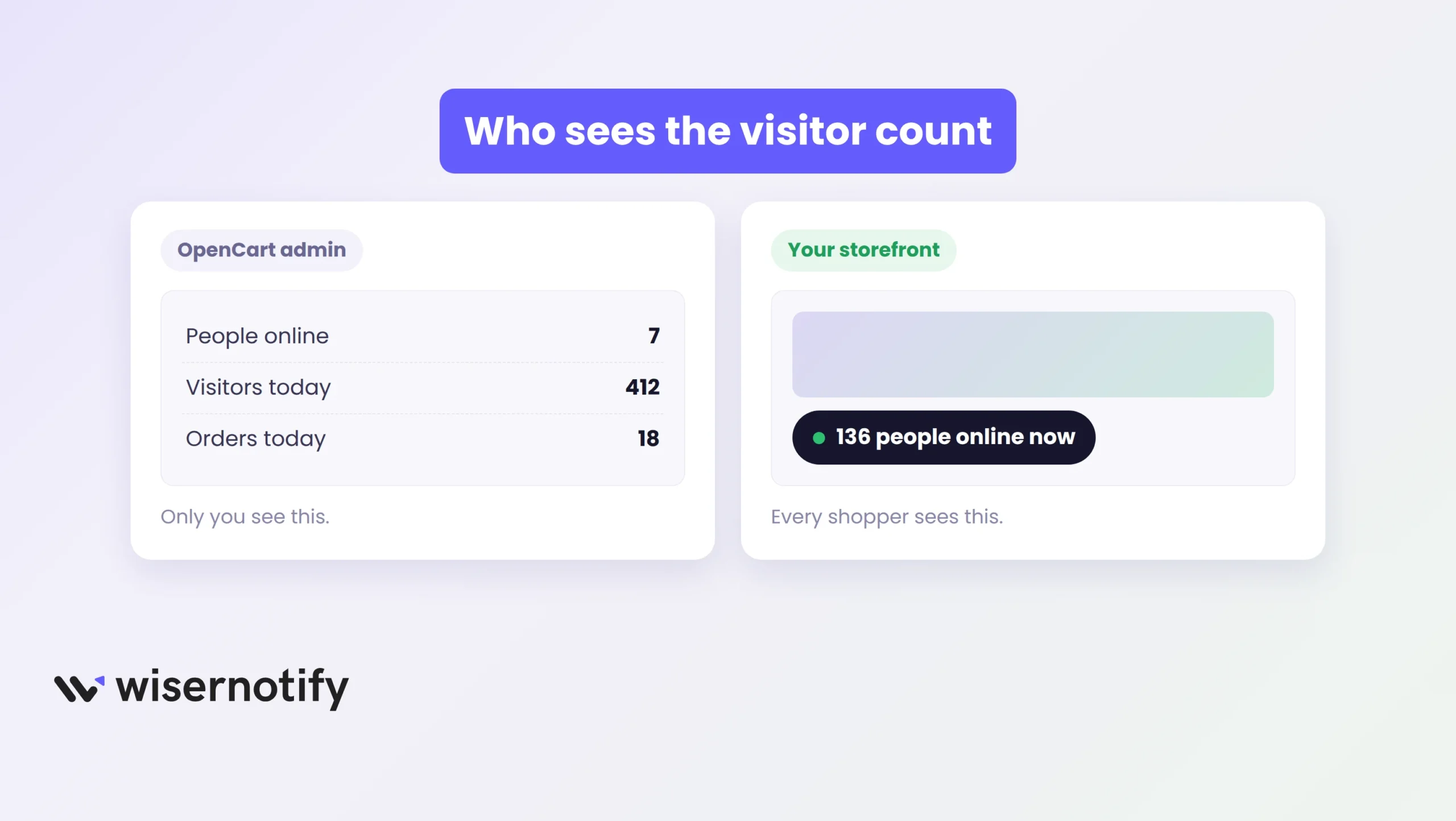
Only to you. The OpenCart admin dashboard has a “people online” tile, so you always know how many visitors are browsing. Shoppers see none of it.
The marketplace carries a handful of old hit-counter modules, but most were built years ago, print a lifetime page-view total, and look like a relic from an older web.
A live count tied to the current moment reads differently. “136 people online now” tells a shopper the store is active today, not that it has existed for a while. That is the version this guide sets up.
Why Show a Live Visitor Counter?
- It answers the trust question fast. A busy store feels safe to buy from, even for a first-time visitor.
- It adds urgency on product pages. “18 shoppers are viewing this” nudges the fence-sitters.
- It makes popular products obvious on category pages, steering browsers toward items already moving.
- It runs on real traffic. Nothing is typed in by hand, so the number stays honest.
How to Add a Visitor Counter to OpenCart
Everything below runs on WiserNotify’s official OpenCart plugin. One upload, one key, and the counter itself is built inside the dashboard. The only theme edit is one short placement line, and a popup version skips even that.
Here is the full flow on video if you would rather watch it once first:
1. Install the WiserNotify Plugin
- Download the plugin zip from the OpenCart integration guide.
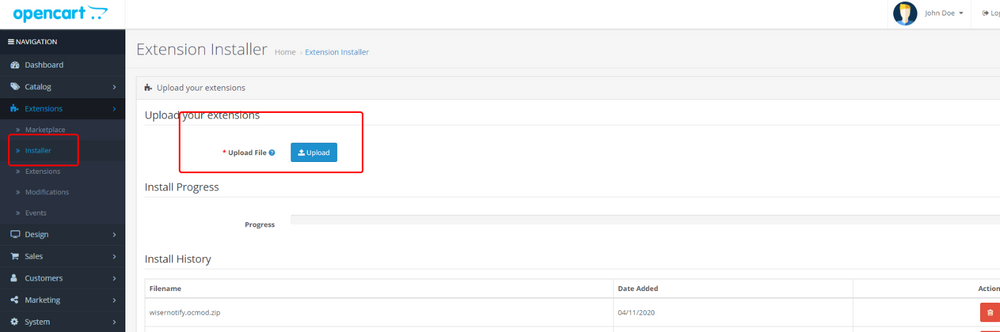
- In your OpenCart admin, go to Extensions, then Installer.
- Upload wisernotify.ocmod.zip.
2. Copy Your API Key
- Create your WiserNotify account to start the 7-day trial.
- Head to the pixel page and find the native app and API key section.
- Click Copy API Key next to the OpenCart tile.

3. Enable the Module, Paste the Key
- Back in OpenCart, go to Extensions, then Extensions, and pick Modules from the dropdown.
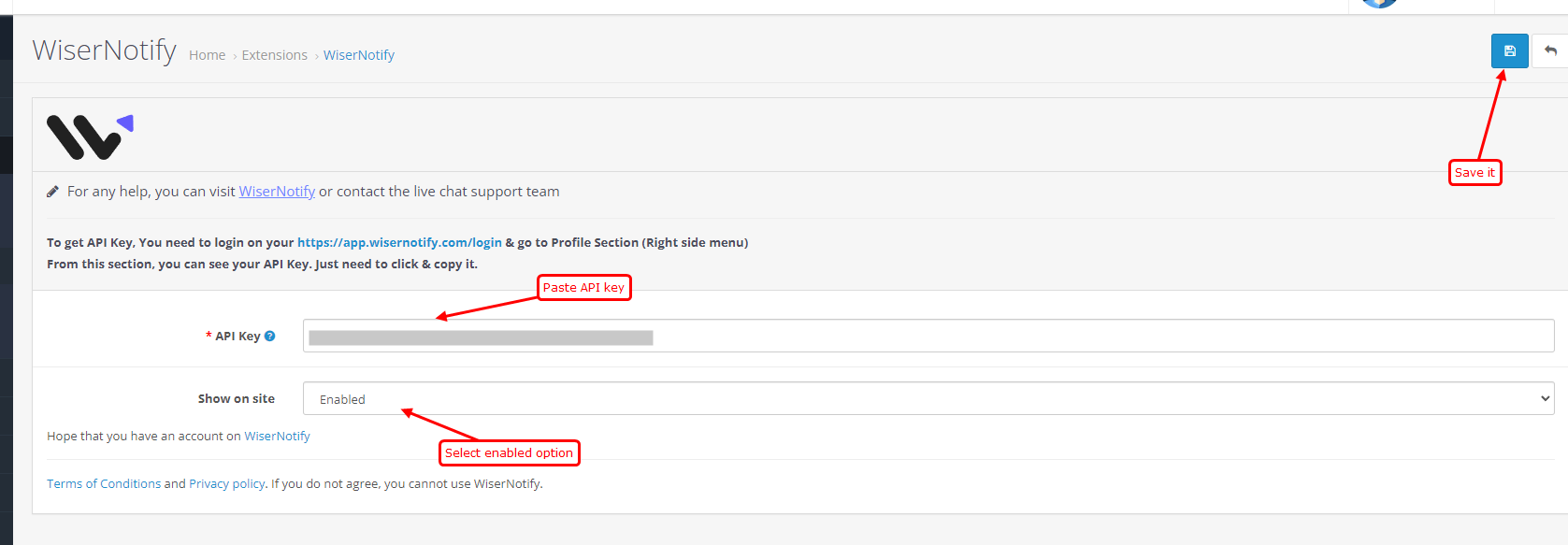
- Install the WiserNotify module and click Edit.
- Paste the API key, set Show on site to Enabled, and Save.
4. Open Inline Social Proof
- In WiserNotify, click Add notification.
- Choose the Inline social proof card and hit Explore. This is the counter type that sits inside your page instead of floating over it.

5. Pick the Product Page Placement
- Choose Product detail page for per-product counts, or Collection page for category listings.
- Click Start creating inline. WiserNotify generates a short placement code for the spot you picked.

6. Add the Code to Your Theme
- Copy the placement code.
- In OpenCart, open Design, then Theme Editor, select your store, and open product/product.twig under Template.
- Paste the code where the counter should sit, like under the price, and save.
Rather not touch the theme? Pick the Social proof popups card in step 4 instead and choose the live visitor count. The popup version floats over the page, so no code placement is needed.

7. Design the Counter and Publish
- Pick the Live Visitor notification from the product detail page list and click Customize.
- Write the line shoppers will read, like “100 shoppers are checking this.”
- Match the colors and font to your theme, set which pages show it under Display, and Publish.


Boost Conversion Instantly
Add Social Proof & Urgency to your website
Visitor Counter Not Showing Up?
Work down this list. The fix usually sits in the first three.
- Confirm the WiserNotify module shows Enabled under Extensions, Modules, and that you clicked Save after pasting the key.
- For the inline counter, make sure the placement code was saved in product.twig and your theme cache was refreshed.
- Check the widget status in your dashboard. A counter left in draft never reaches the store.
- Compare your Display URL rules with the exact live address. A missing https or a www mismatch is enough to block it.
- View the page from a private window. Cached pages are the usual culprit when a brand-new widget stays invisible.
Where to Show Live Visitor Counts
Here is the counter in the wild, sitting next to the quantity picker on a product page:

- Product pages, near the price or add-to-cart button, where the buying decision happens.
- Category pages, as a “50 viewed now” tag that marks which products are drawing attention.
- Landing pages during a launch or sale, where a visible crowd sets the tone.
- Skip the checkout. By then the shopper has decided, and extra elements only distract.
Common Mistakes to Avoid
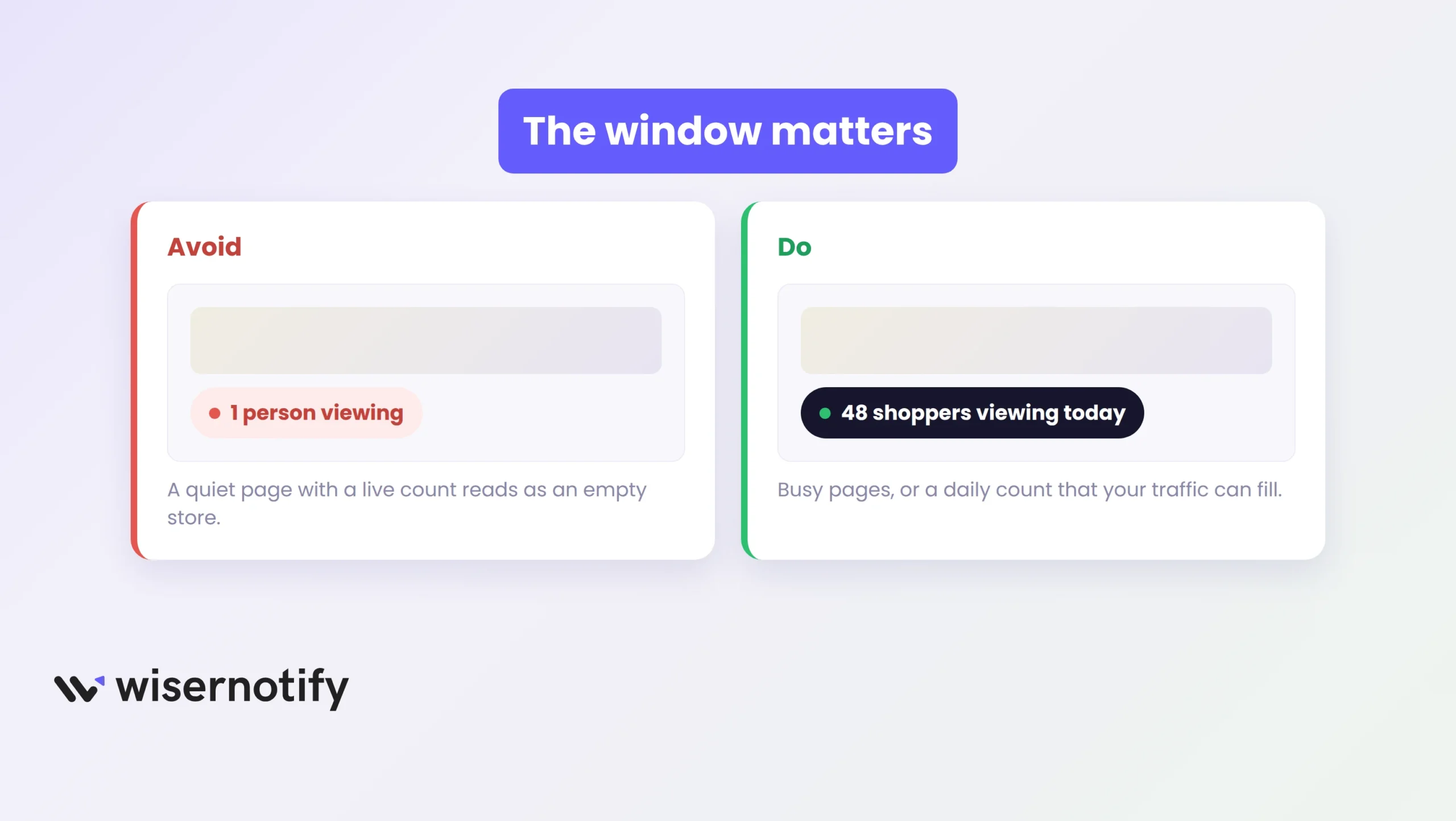
- Running a live count on a quiet store. “1 person viewing” works against you. Start the counter on your busiest pages, or show a recent-activity message instead.
- Inflating the number. The count comes from real traffic, and that is the point. A faked figure risks every other claim on your page.
- Stacking the counter with three other popups on the same screen. One clear signal beats a crowd of them.
- Forgetting mobile. Preview the counter on a phone, since most OpenCart themes stack page elements differently there.
How to Measure the Impact
WiserNotify tracks views, clicks, and conversions per widget, so you can tell whether shoppers who saw the counter went on to buy.
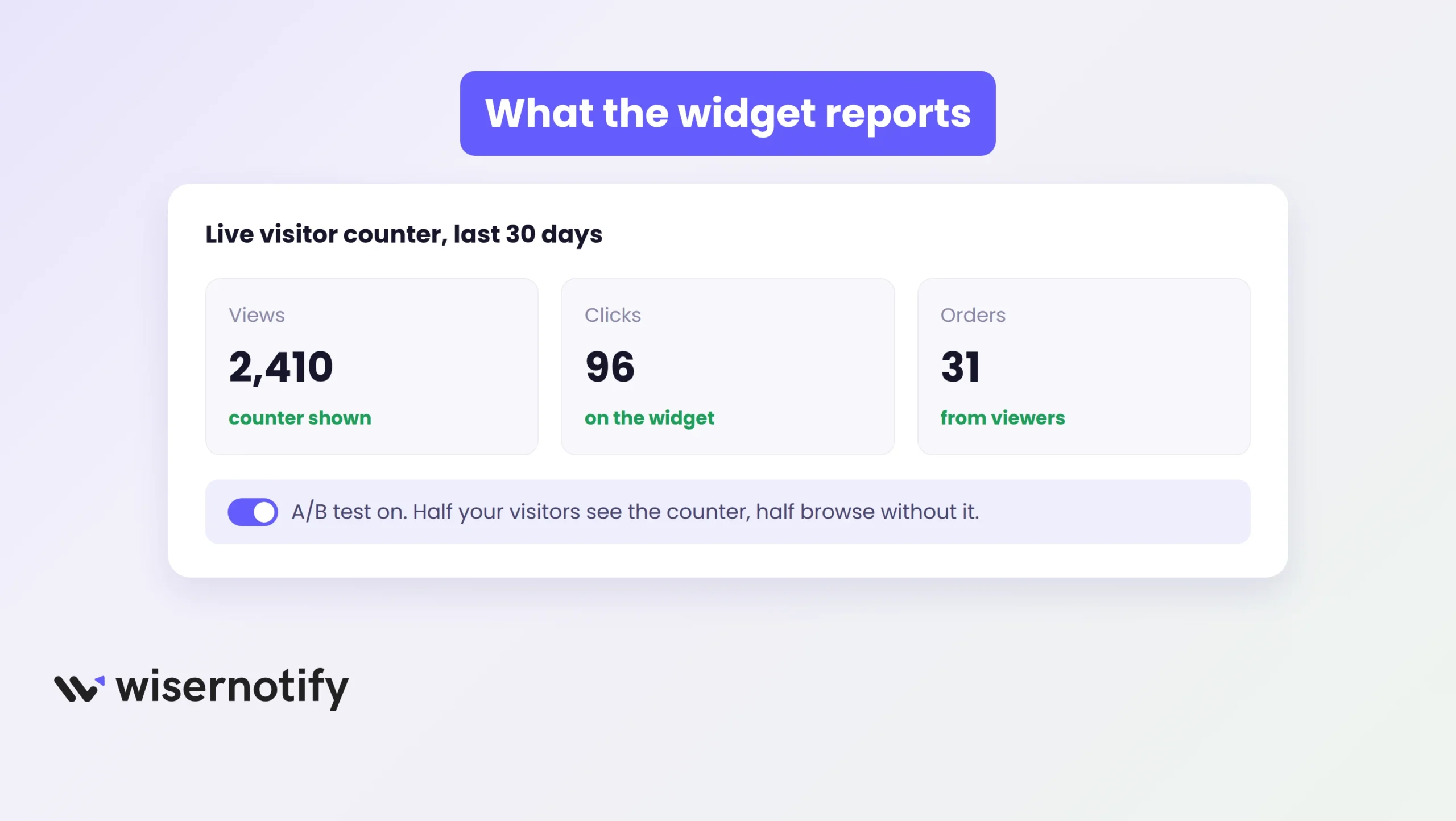
For a cleaner read, use the built-in A/B test to show the counter to half your visitors. Compare orders across the same dates in your OpenCart admin, and the counter either earns its place or it doesn’t.
Visitor counts pair well with order-based proof. A view count says the store is busy, a sold counter on OpenCart says people are placing orders, and together they cover both doubts. For the wider playbook, see social proof on OpenCart.
Boost Conversion Instantly
Add Social Proof & Urgency to your website
Wrap Up
OpenCart keeps visitor numbers locked in the admin where they persuade nobody. A single plugin upload and one key put that activity in front of shoppers instead.
Start with the popup version if you want zero theme edits, then move the count inline once you see it pulling clicks. Either way, the number works for you from the first visitor it shows.
Related Posts:
Frequently Asked Questions
Do I need a marketplace visitor counter module for OpenCart?
No. WiserNotify’s own OpenCart plugin adds the counter, and you build and manage everything from the WiserNotify dashboard.
What is a live visitor counter?
A widget that displays how many people are viewing your store or a product right now, giving shoppers visible proof the site is active.
Are free visitor counters available for OpenCart?
WiserNotify includes the live visitor counter in every plan, and the 7-day free trial lets you run it on your store before paying.
Will a visitor counter slow my OpenCart store?
No. The widget loads through one lightweight async script, so the effect on page speed stays minimal.
Can I customize how the counter looks?
Yes. You can change the text, colors, fonts, and position, and choose exactly which pages show the counter.

Krunal Vaghasiya is a marketing tech expert who boosts e-commerce conversion rates with automated social proof and FOMO strategies. He loves to keep posting insightful posts on online marketing software, marketing automations, and improving conversion rates.




 Capterra