
How to Add a Countdown Timer to Framer (No Code)

Picture a visitor on your Framer site, halfway sold on a deal, who tells themselves “maybe later” and clicks away. That “later” rarely comes back. When nothing on the page signals the offer is about to end, hesitation wins.
A countdown timer changes the math. Watching the seconds tick down turns a vague “someday” into a decision now, right while the visitor is still on the page.
Framer has no built-in timer, but wiring one up through WiserNotify takes about five minutes.
How to Add a Countdown Timer to Framer
The whole thing is no-code. A single WiserNotify pixel goes on your Framer site, and from that point on you build, style, schedule, and place the timer entirely inside the WiserNotify dashboard.
Since the same pixel powers all your other WiserNotify widgets too, you handle this part only once. The flow is the same on other site builders, so it lines up closely with adding a countdown timer on Wix.
Watch the walkthrough for the widget build, then follow the Framer-specific steps under it.
Step 1: Copy Your WiserNotify Pixel Code
Sign up free at wisernotify.com (or log in), head to the Install Pixel page, and hit Copy Code to grab your script.

Step 2: Paste the Pixel into Framer
Open your project in Framer and go to Settings.
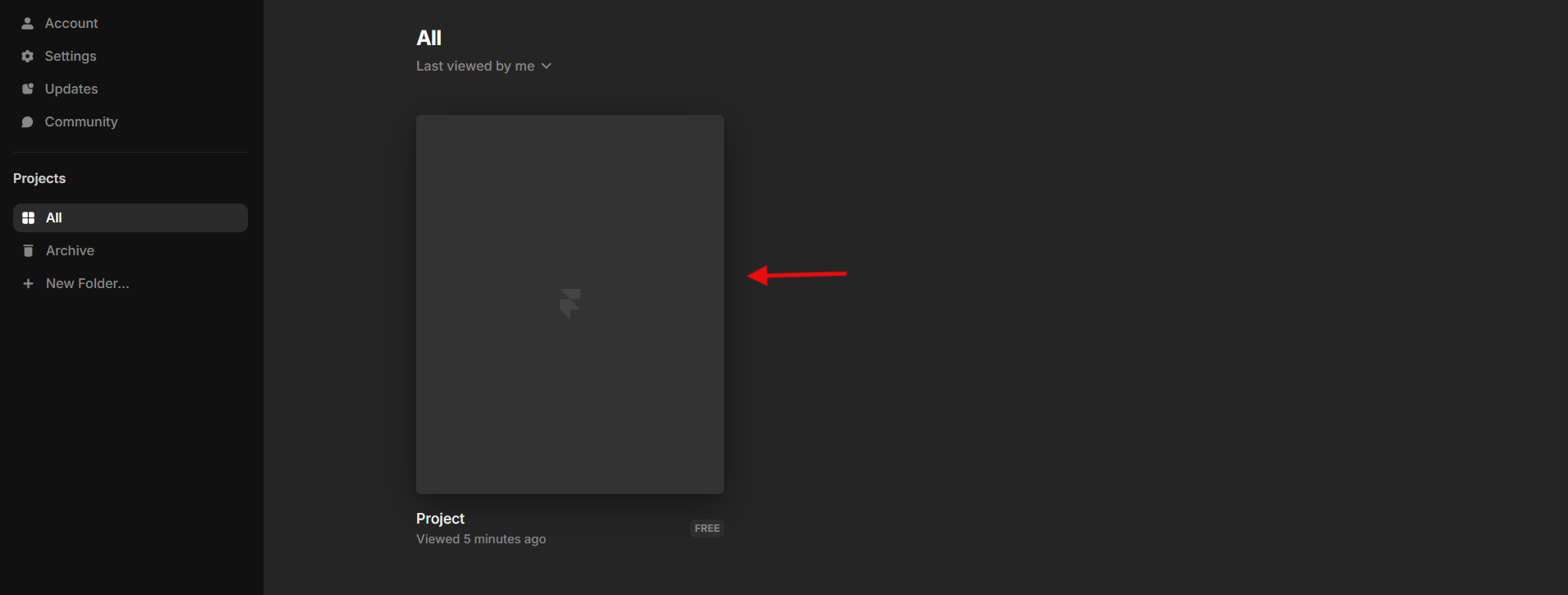
Inside the Code section you’ll find a Custom Code field split into Head and Body, drop the pixel into the End of <head> tag box and you’re set.
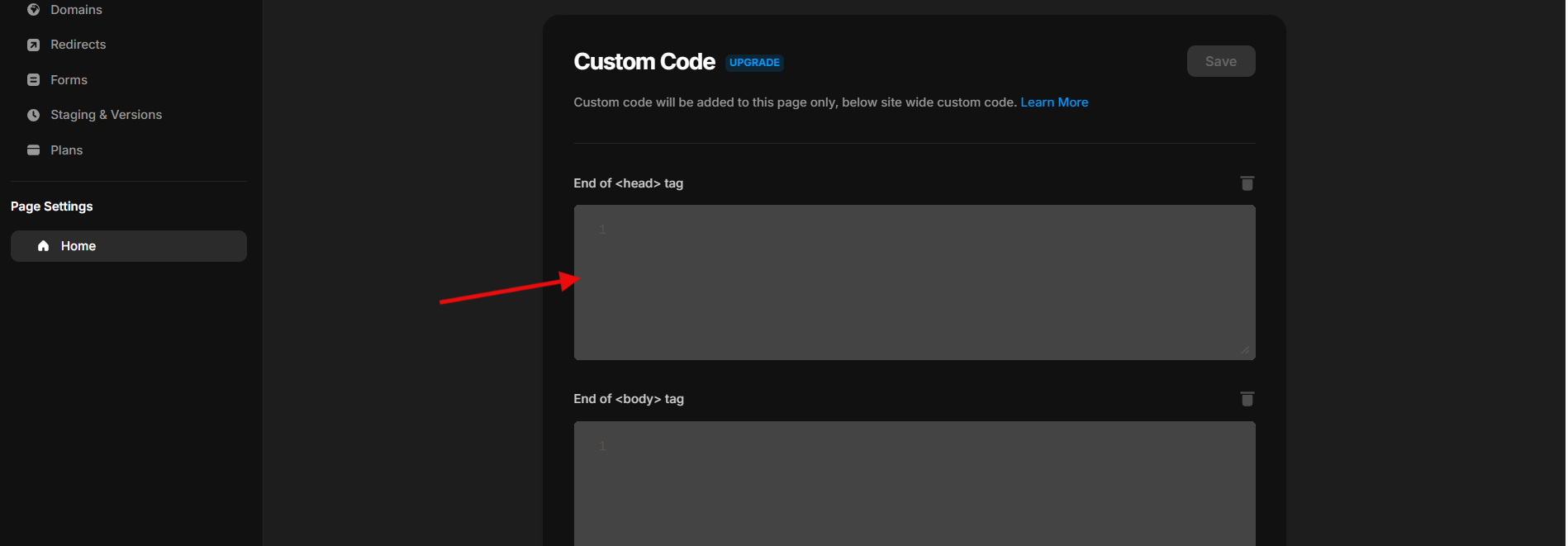
The Framer integration guide covers this step in full if you want the detail.
Step 3: Confirm It’s Working
Publish the site and load a page so the pixel fires, then return to your WiserNotify pixel page and hit Verify pixel installation. A “Pixel Active” message means you’re good.

Step 4: Build and Style the Timer
Back in WiserNotify, open Widgets, hit Add Notification, and switch to the Countdown tab. Choose a template, click Add, name it, and enter the page URL it should appear on. Then the editor handles the rest:
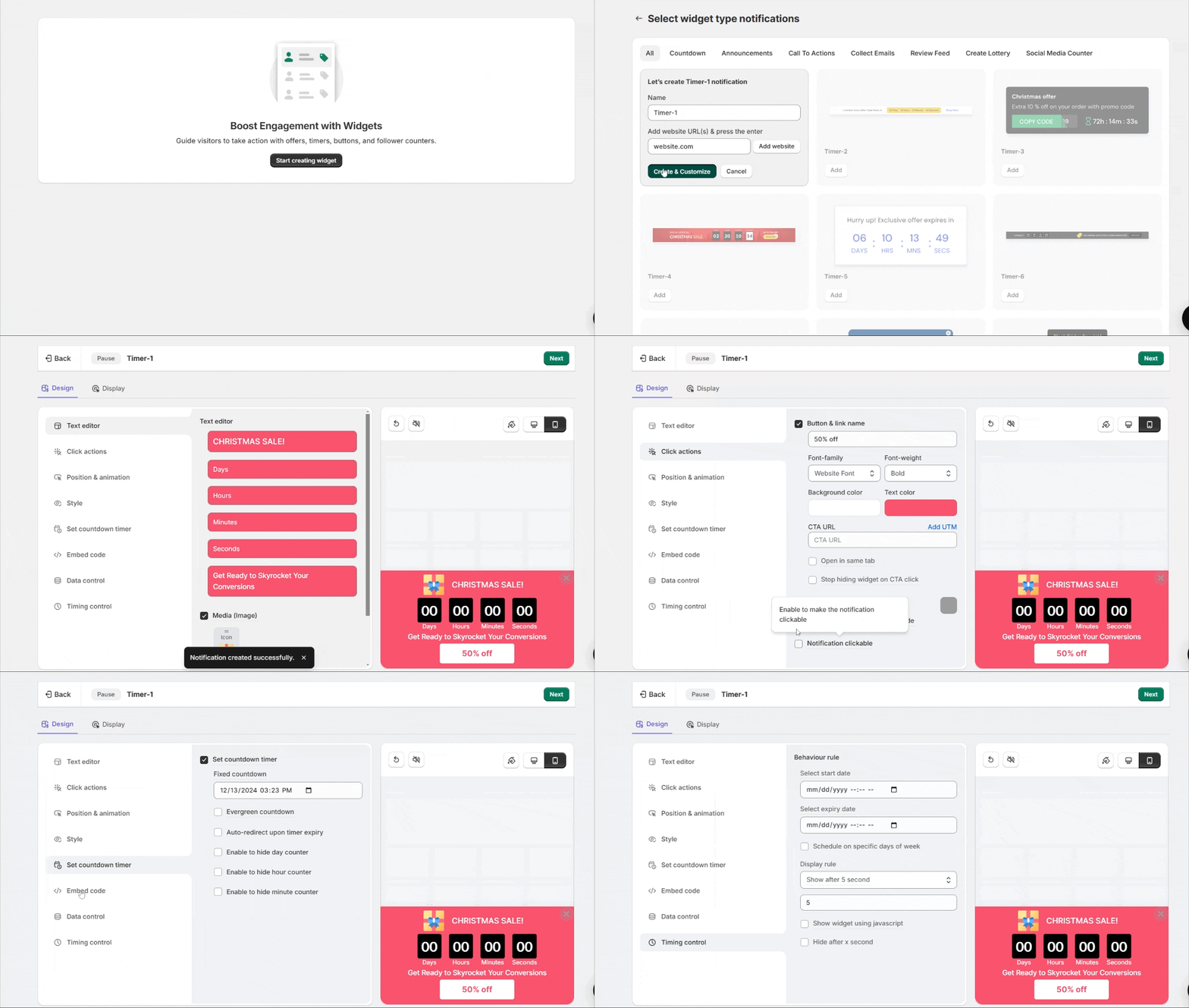
- Text Editor: word the message however you like, such as “Offer ends in” or “Last chance,” plus any detail about the deal.
- Click Actions: switch on a button like “Shop Now” and send it wherever you want the visitor to go next.
- Position and Animation: set the spot on screen and choose a slide or fade entrance for desktop and mobile separately.
- Style: dial in colors, size, and shape so the timer echoes your Framer layout rather than clashing with it.
- Set Countdown Timer: go Fixed for a hard end date (launches, live events) or Evergreen to restart the clock for each new visitor (steady scarcity), then set the duration.
- Timing Control: decide how soon it appears and how long it lingers.
Step 5: Choose Where It Runs, Then Publish
Display is where you choose the pages, all of them or a select few, and you can narrow the audience by visitor location, UTM tag, or referring source when a campaign needs it.
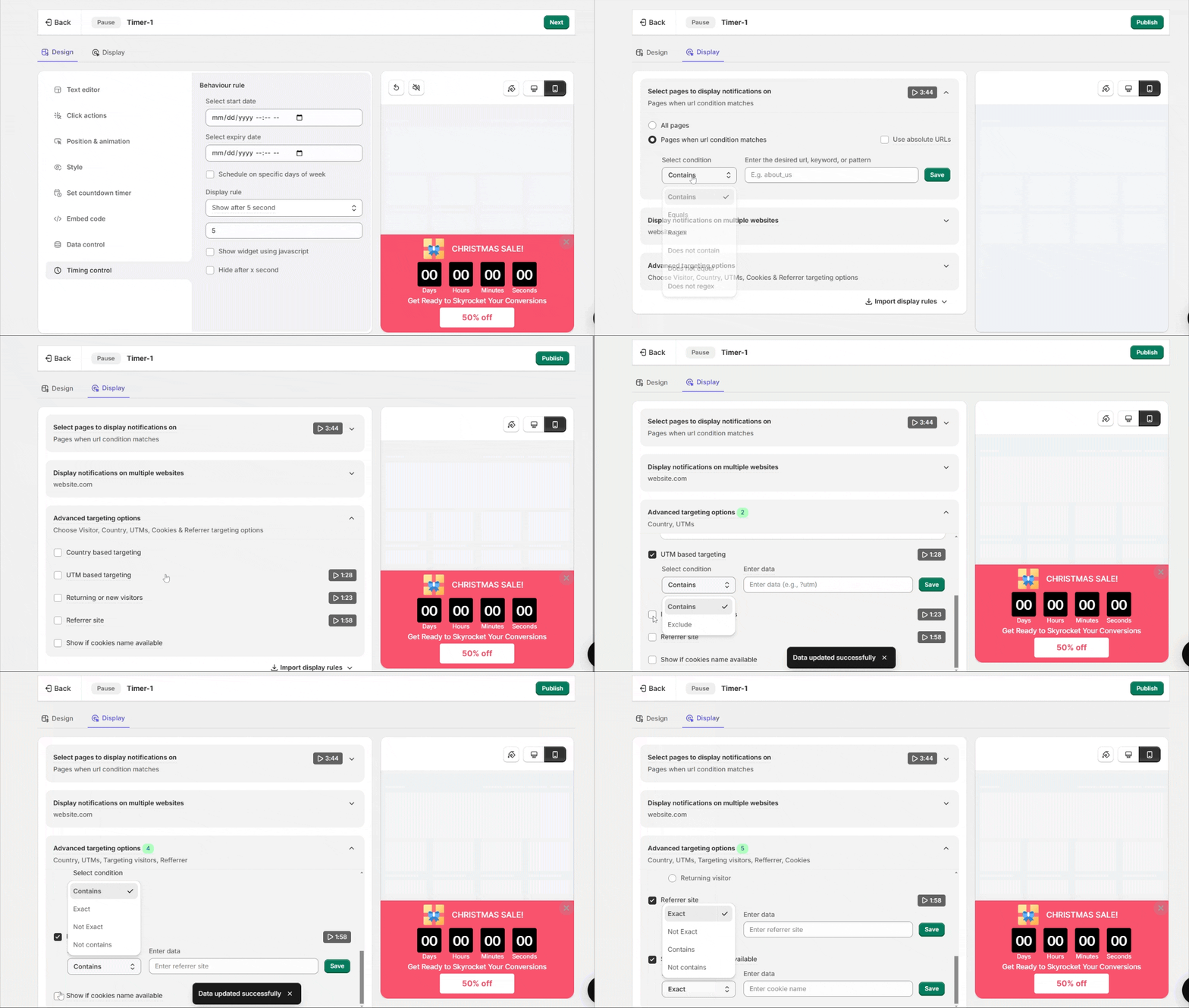
Hit Save and Publish, then view the page in an incognito window so an old cache doesn’t mask it.
Every setting in this editor is spelled out in the timer widget guide.
Build trust & FOMO
Highlight real-time activities like reviews, sales & sign-ups.

Timer Not Showing? Try This
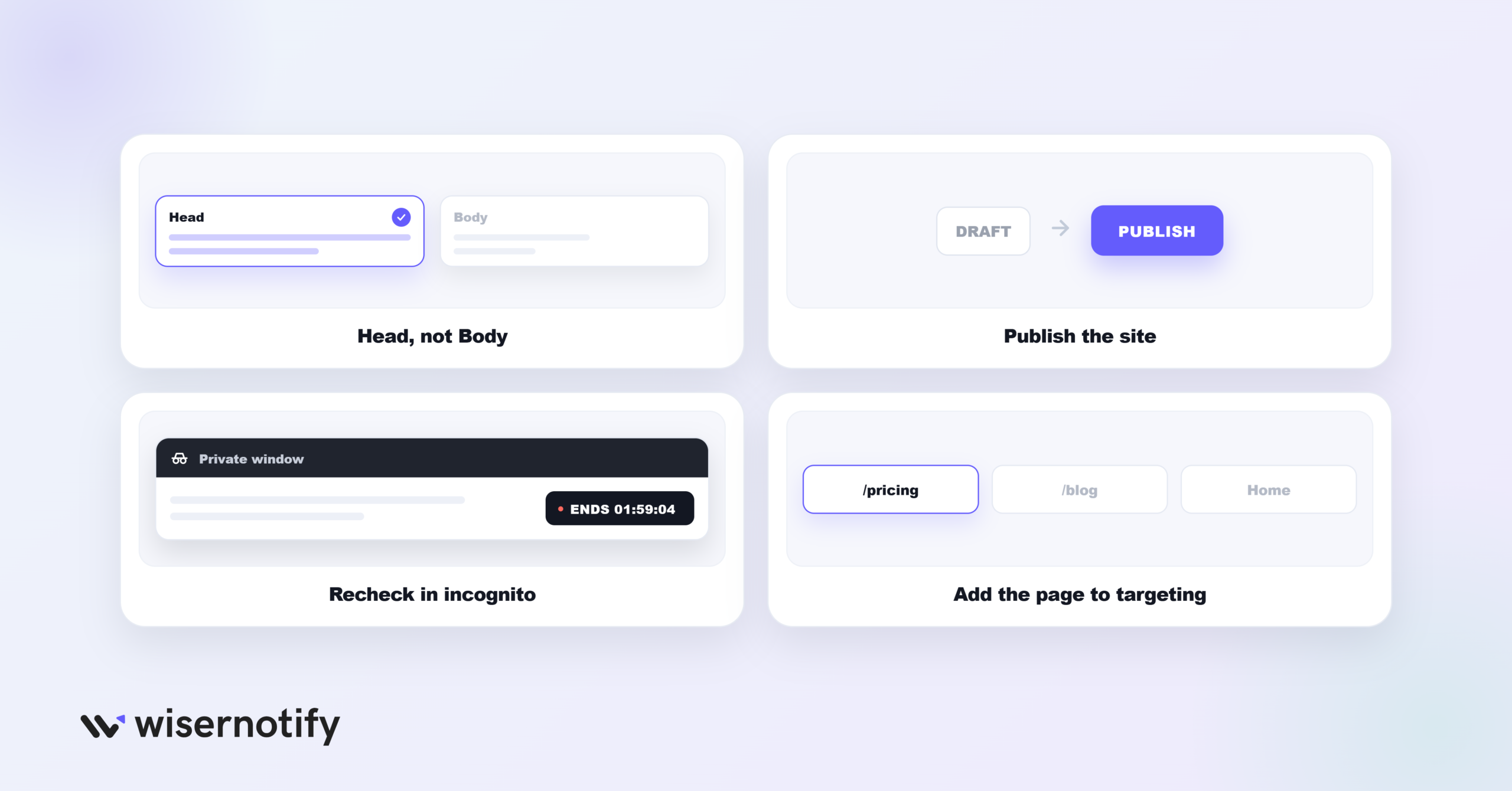
When a timer refuses to appear on the live site, the cause is almost always one of these:
- Pixel in the Body box: it belongs in the Head field under Settings > Code. Drop it in Body and it won’t fire.
- Forgot to republish: Framer keeps edits as a draft until you publish, so push the site live after adding the pixel.
- Old cache loading: view the page in incognito to rule out a stale version sitting in your browser.
- Page left out of targeting: open Display and make sure the page you’re testing is on the timer’s list.
No luck? WiserNotify’s widget list has a built-in checker that flags what’s wrong, and live chat can jump in if you need a hand.
Where to Put Your Countdown Timer
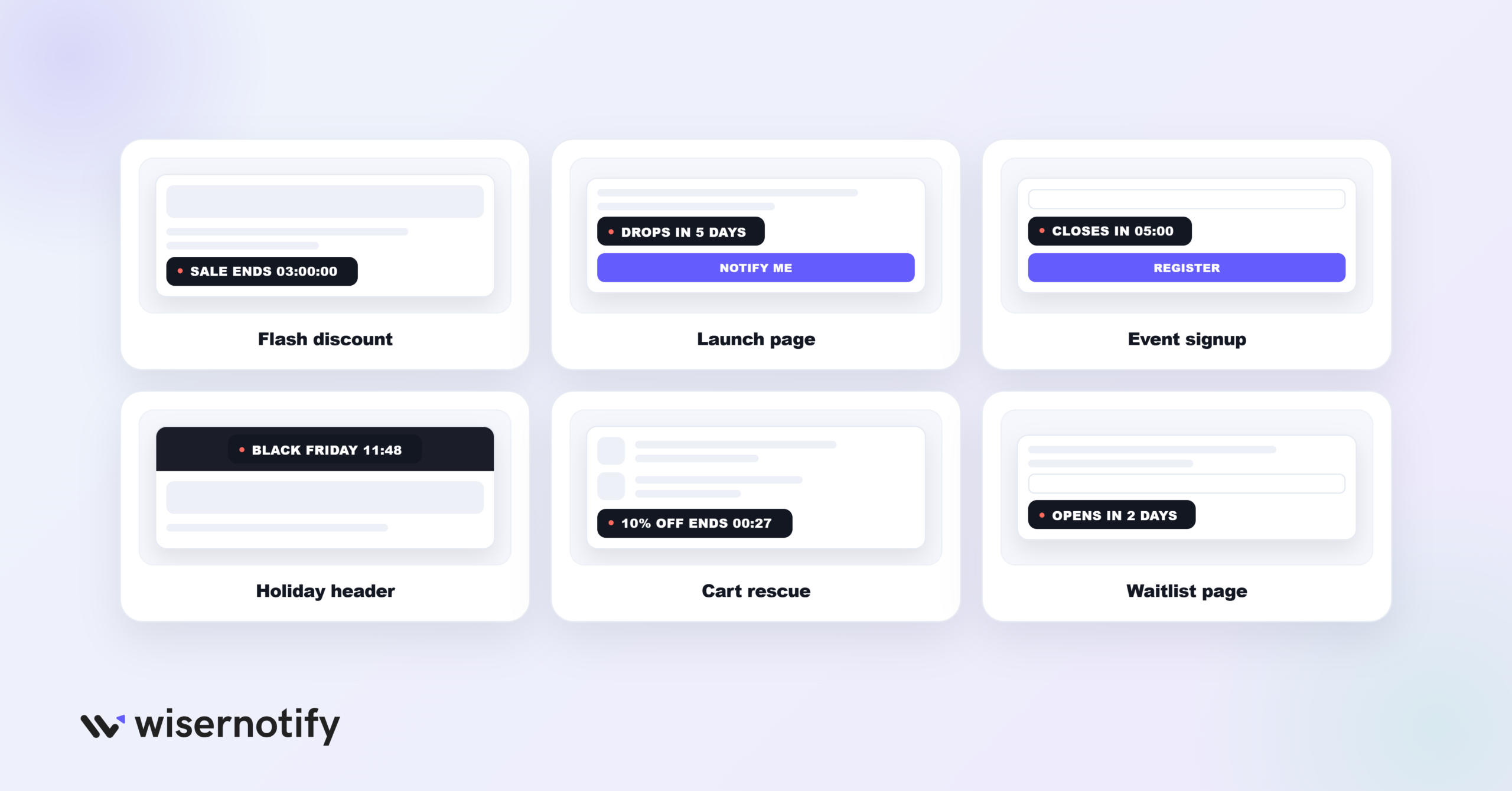
- Flash discounts: drop a timer on the homepage or a product page so a brief sale reads as urgent, think “Sale ends in 3 hours.” It’s FOMO marketing at its simplest.
- Launch pages: counting down to a release date warms people up before the product is even live, like “Drops in 5 days.”
- Event and webinar signups: a clock ticking toward the cut-off gets the on-the-fence crowd to finally register.
- Holiday pushes: for Black Friday or seasonal deals, a timer in the header keeps the end date front of mind while people shop around.
- Rescuing carts: attach a timer to a discount that’s about to lapse and give a stalled buyer a reason to check out, a practical dent in cart abandonment.
- Waitlists and pre-orders: a countdown to an opening date gives a slow landing page a pulse and a reason to revisit, and it pairs well with other landing page social proof.
Tips for a Timer That Converts
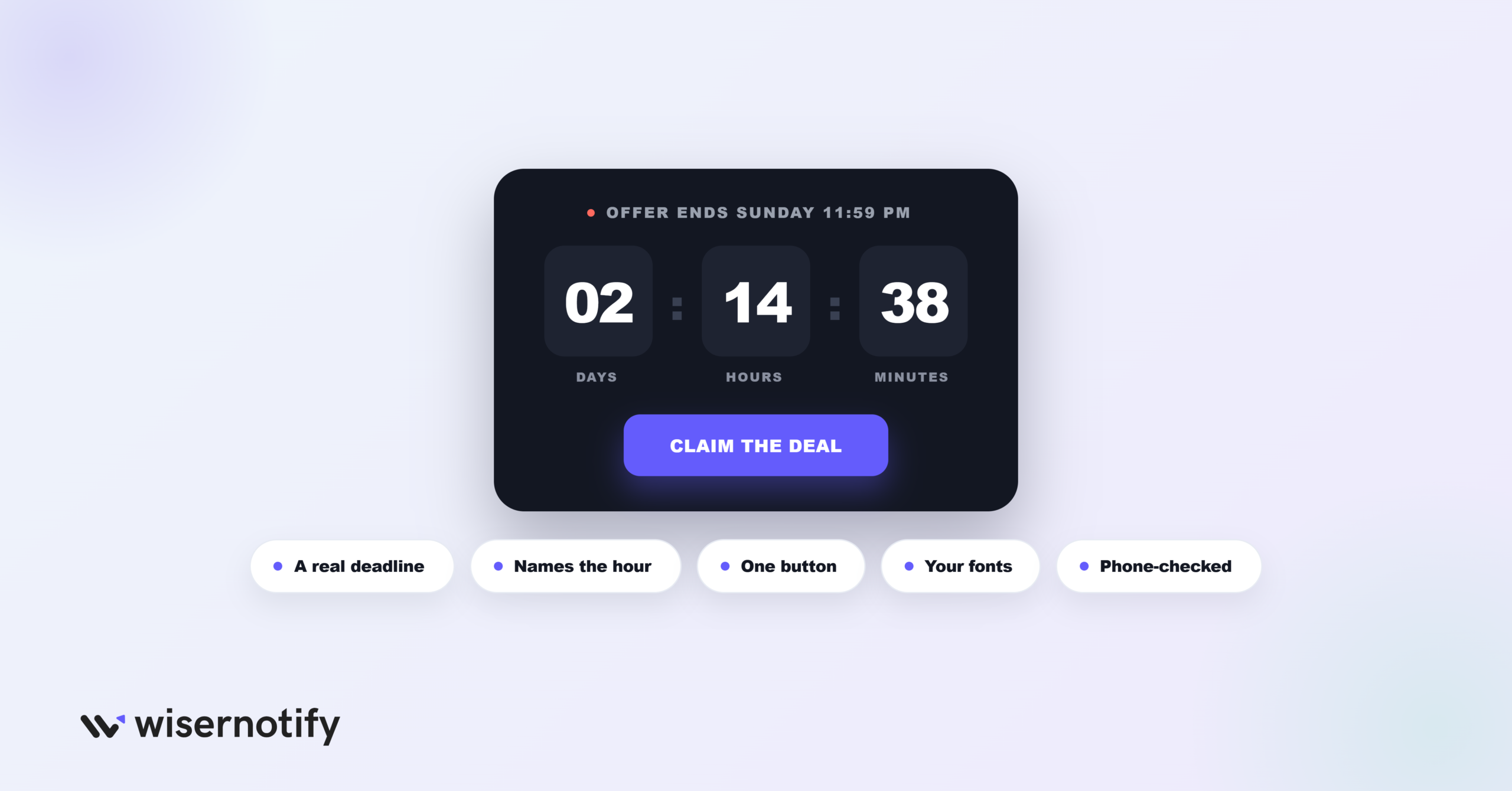
- Back it with a real deadline: the timer only lands if the offer truly closes. A clock that quietly resets on reload teaches people to ignore it.
- Be specific: “Ends Sunday at midnight” carries more weight than a fuzzy “limited time.”
- Give it one job: a timer paired with a single clear button beats one hovering next to three competing links.
- Blend it into the design: borrow your Framer fonts and palette so the timer feels native to the page instead of pasted on.
- Test on a phone: since most Framer visits are mobile, confirm the timer fits the screen and stays clear of your main button.
Mistakes That Waste a Timer
- No offer behind the clock: a countdown pointing at nothing just puzzles people. Anchor every timer to a named sale, launch, or event.
- Expired timers left up: a clock frozen at zero from last week signals a neglected site. Kill it or reset it the moment the deal ends.
- Too many at once: pile several timers on one page and they cancel each other out. One, in the right place, is plenty.
- Never checking mobile: a timer that looks crisp on a desktop can spill off the edge of a phone screen.
- A clock with no next step: without a button beside it, the timer is just a number counting down to nowhere.
How to Know If It’s Working
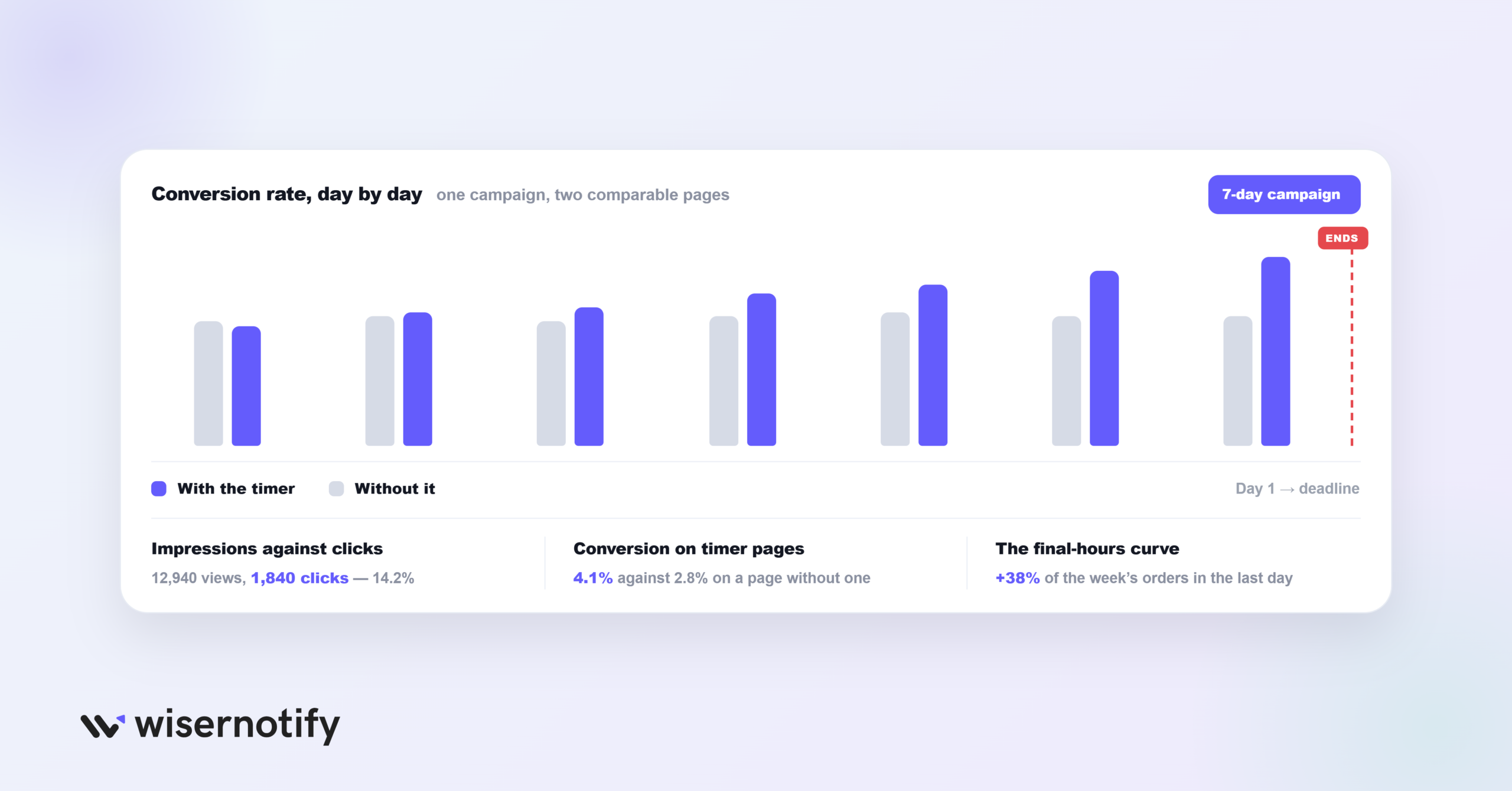
Shipping the timer is step one; knowing it moves the needle is another. Keep an eye on:
- Impressions versus clicks: the dashboard logs every view of the timer alongside every button tap, so you can read whether the offer is resonating.
- Conversions on timer pages: set a page carrying the timer next to a comparable one without it and watch how they differ over the same stretch.
- The final-hours curve: real urgency shows up as a bump in sales or signups as the clock winds down, not a flat line.
Wrapping Up
A countdown timer hands your Framer visitors a reason to act today rather than filing it under “someday.” It goes up fast, and once the pixel is live, every timer runs from WiserNotify without another line of code.
Keep every timer honest, sit a clear button beside it, and watch the results as each campaign plays out. Handled that way, it more than pays for the space it takes.
Related Posts:
Frequently Asked Questions
Does Framer have a built-in countdown timer?
No, Framer has no native countdown timer. You can add one with WiserNotify in a few minutes without any code.
Do I need code to add a countdown timer to Framer?
No. You paste one WiserNotify pixel into Framer’s Custom Code (Head), then build and manage the timer from the WiserNotify dashboard.
Can I customize the countdown timer to match my Framer design?
Yes. You can change the text, colors, shape, position, and animation so the timer matches your Framer design.
What's the difference between a Fixed and an Evergreen timer?
Pick Fixed for a set end date, good for launches and live events, or Evergreen, which resets per visitor for ongoing scarcity.
How do I track how my countdown timer is performing?
Your WiserNotify dashboard shows views, clicks, and how the timer affects conversions on the pages it runs on.

Krunal Vaghasiya is a marketing tech expert who boosts e-commerce conversion rates with automated social proof and FOMO strategies. He loves to keep posting insightful posts on online marketing software, marketing automations, and improving conversion rates.




 Capterra