
Browse categories
How to Install pixel code on the EverWebinar site?
If you’re using EverWebinar for automated webinars, you can easily install WiserNotify by adding the tracking code to your webinar pages. Follow these steps:
Step 1: Copy the WiserNotify Pixel Code
- Go to Install Pixel page
- Click Copy Code to copy your script.

Step 2: Add the Pixel Code to EverWebinar
Login with EverWebinar,
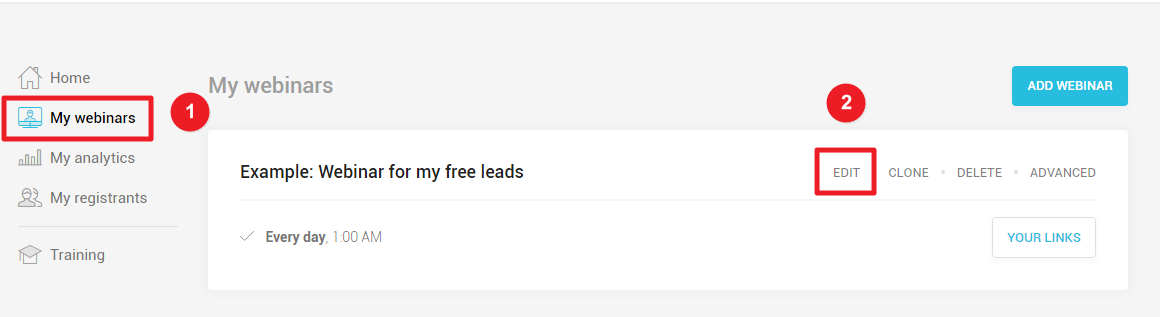
1. Click on My webinars.
2. Edit your webinar.
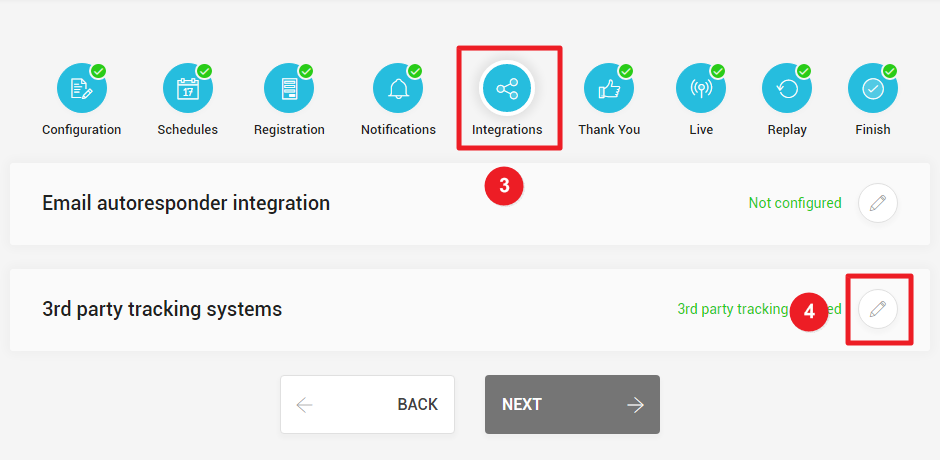
3. Click on Integrations.
4. Edit 3rd party tracking systems.
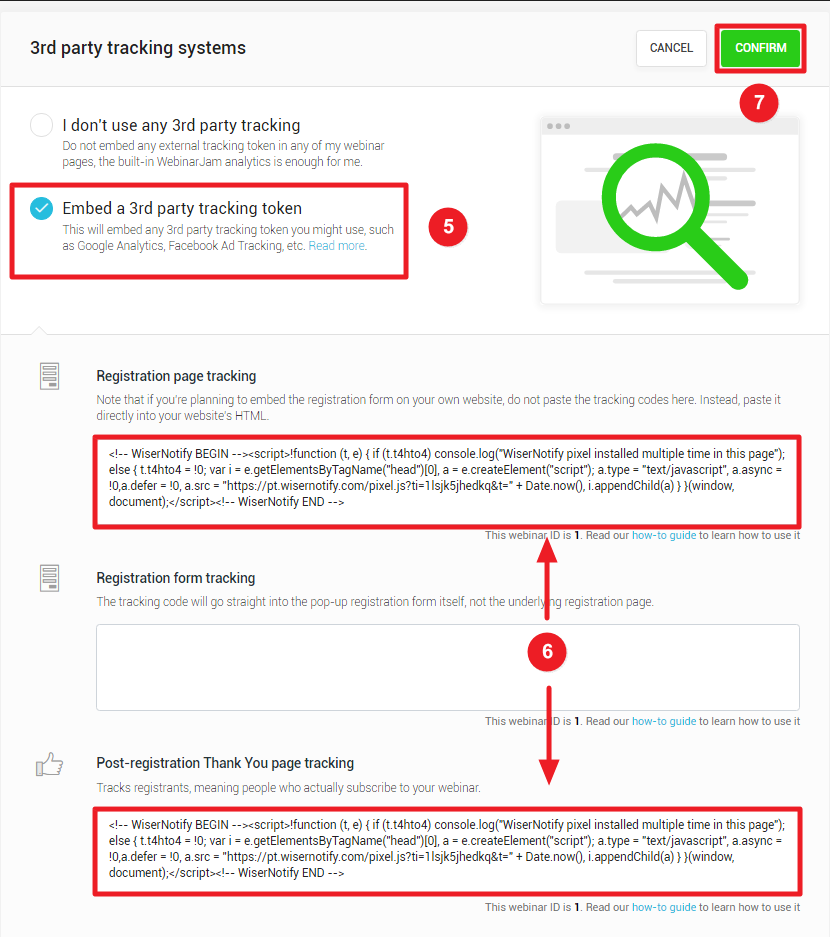
 5. Embed a 3rd party tracking token.
6. Paste copied WiserNotify pixel code into Registration page tracking and Post-registration Thank You page tracking box.
7. Click on CONFIRM button.
Step 3: Verify Installation
- Go back to your Wisernotify pixel page.
- Click on verify pixel installation to check if the pixel is active.
- If installed correctly, you will see a “Pixel Active” successfully message.

Note: This pixel script tag is required on every page wherever you want to track visitor activities, capture form submit events & display notifications.
Now, visit your site & reload or refresh it.
After that, return to the WiserNotify panel & recheck the install pixel page & Wait for 5 seconds; it should show pixel detected popup. If not, then click on the verify my pixel button. It should display if installed correctly.
Related integration guides
Setting up a different integration? These related WiserNotify integration guides walk through it:
- How to install pixel code on the OptimizePress site? :Wisernotify Support Docs
- How to install pixel code on the Spayee site? :Wisernotify Support Docs
- How to install pixel code on the X-Cart site? :Wisernotify Support Docs
- How to install pixel code on a BigMarker site? :Wisernotify Support Docs
- How to install pixel code on a Bookmark site? :Wisernotify Support Docs
Still stuck? A human will do it with you
Live chat from your dashboard — real answers in minutes, every day of the year.




 Capterra