

How to install pixel code on Duda
On this page · 5 sections
The quickest way to add WiserNotify to a Duda site is the WiserNotify app from the Duda App Store. When you install it, the app adds the pixel to your site’s header for you, so there is no code to paste.
If the app isn’t available on your Duda plan, add the pixel yourself in the site’s Head HTML setting (Steps 1 and 2 below).
Follow these steps:
Recommended: Install the WiserNotify App
- In your Duda dashboard, open the App Store and find WiserNotify.
- Click to install it on your site and approve the permissions.
- Sign in to WiserNotify or create your account when asked. The app adds the pixel to your site’s header automatically.
- Go to Step 3 below to check that the pixel is active.
Manual Install (Without the App)
Use Steps 1 and 2 only if you are not using the app.
Step 1: Copy the WiserNotify Pixel Code
- Go to Install Pixel page
- Click Copy Code to copy your script.

Step 2: Add the Pixel Code to Duda
Login with Duda.
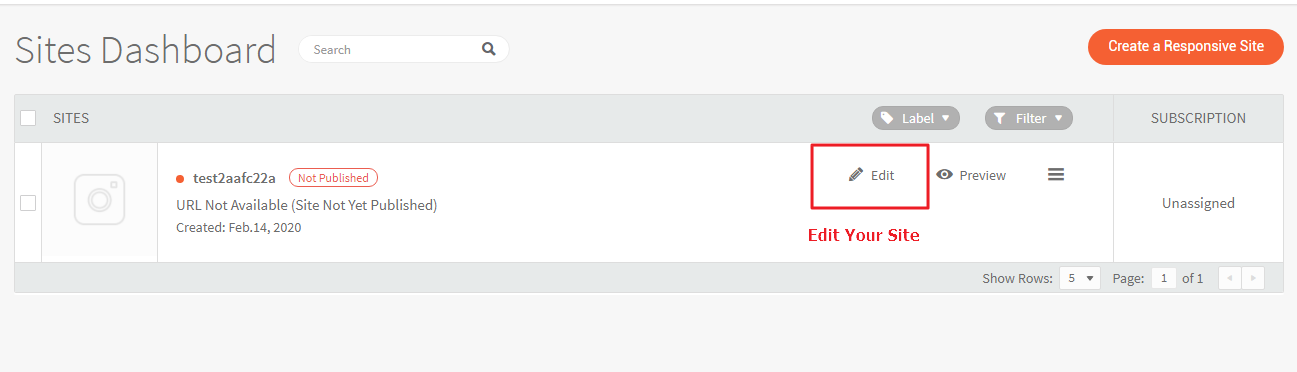
- Edit your Duda Site.
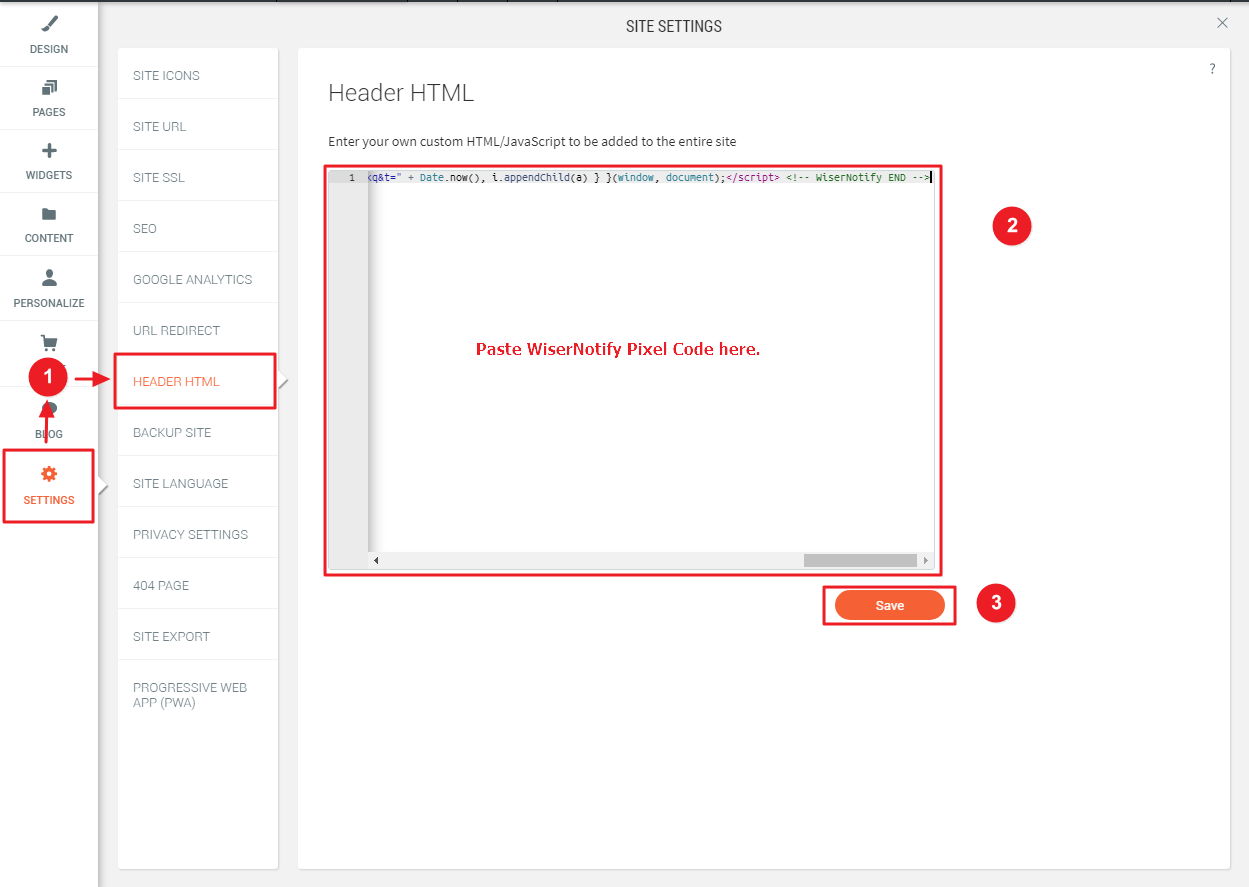
1. Navigate to SETTINGS > HEADERS HTML.
2. Paste copied WiserNotify Pixel Code here.
3. Click on the Save button.
Step 3: Verify Installation
- Go back to your Wisernotify pixel page.
- Click on verify pixel installation to check if the pixel is active.
- If installed correctly, you will see a “Pixel Active” successfully message.

Note: This pixel script tag is required on every page wherever you want to track visitor activities, capture form submit events & display notifications.
Now, visit your site & reload or refresh it.
After that, return to the WiserNotify panel & recheck the install pixel page & Wait for 5 seconds; it should show pixel detected popup. If not, then click on the verify my pixel button. It should display if installed correctly.
Related guides
 Still stuck? We'll set it up with youLive chat or a free screen-share call, every day of the year.Chat with support




 Capterra