
Browse categories
How to connect WiserNotify with Optingun?
1 min read
This guide will walk you through:
- Capturing Lead Activities: Connect Optingun with WiserNotify using a webhook to fetch real-time subscriber and signup data.
Add Webhook Integration to Connect Optingun to pull the events lead data
Step 1: Get the Webhook URL from WiserNotify
- Go to WiserNotify > Optingun Integration.
- Click on the Integrate button inside the Integration box.
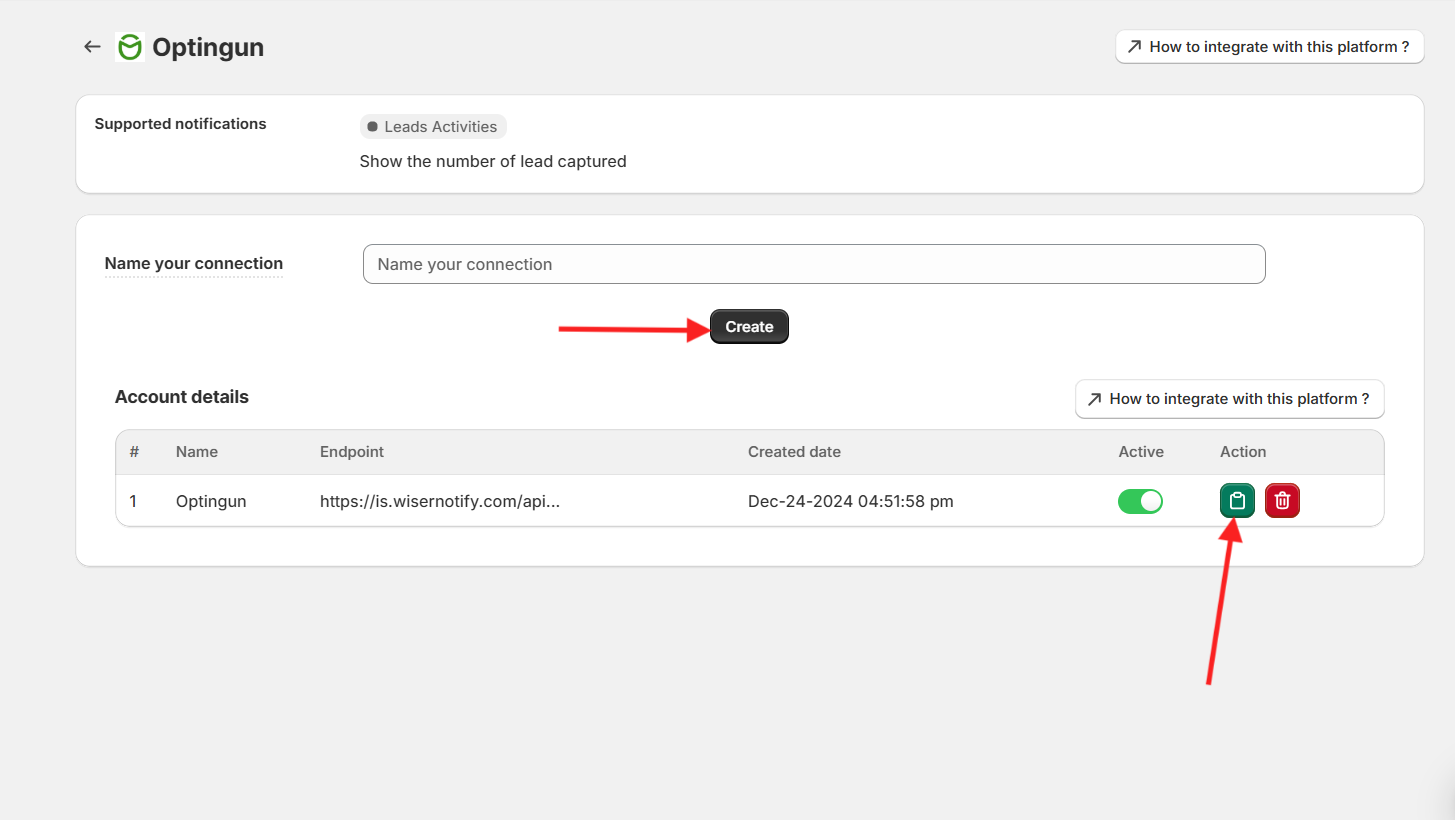
- Enter your Connection Name
- Copy the URL and click on the Optingun logo.
Step 2: Configure Webhook in Optingun
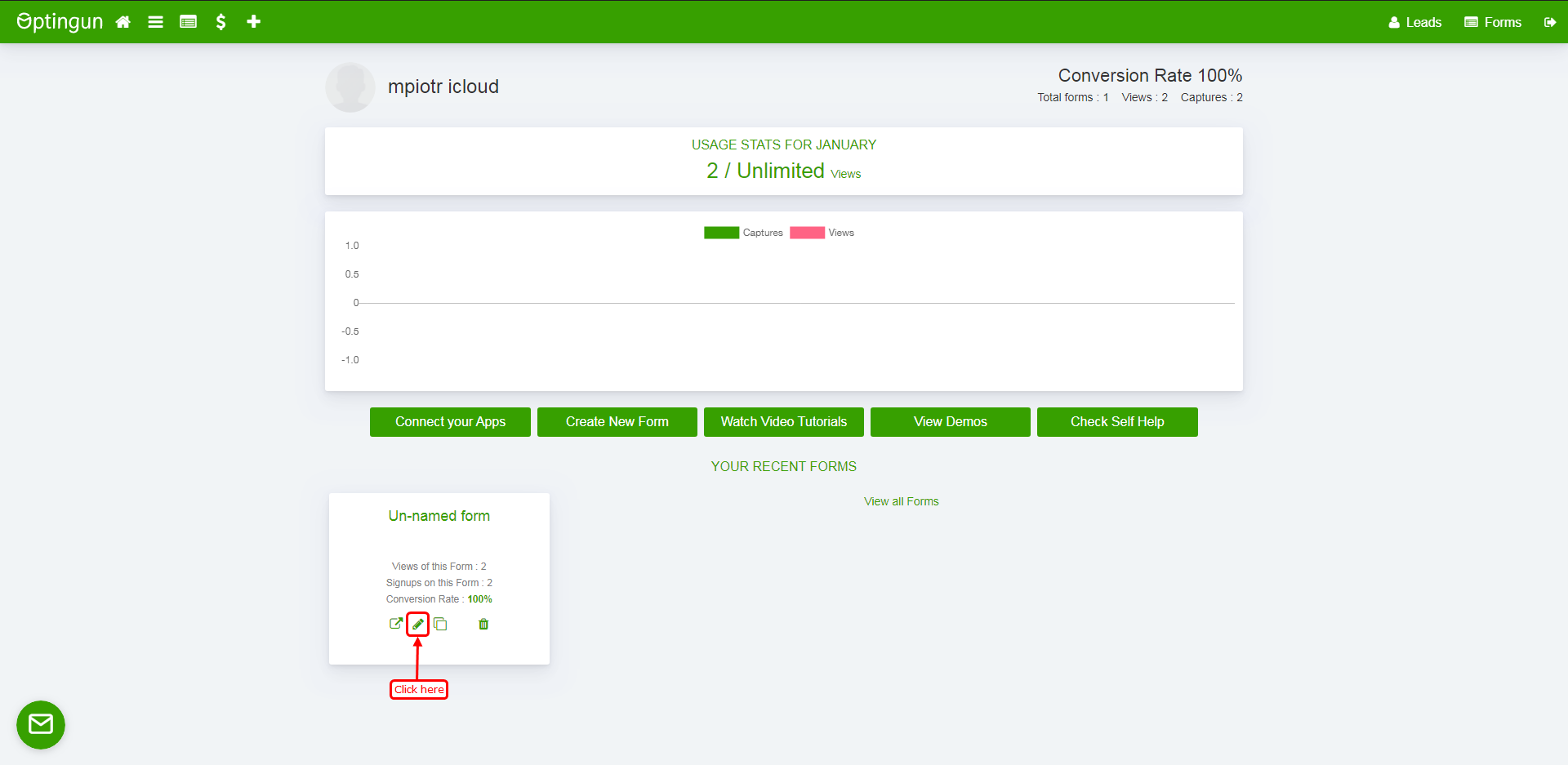
- Navigate to your form setting.
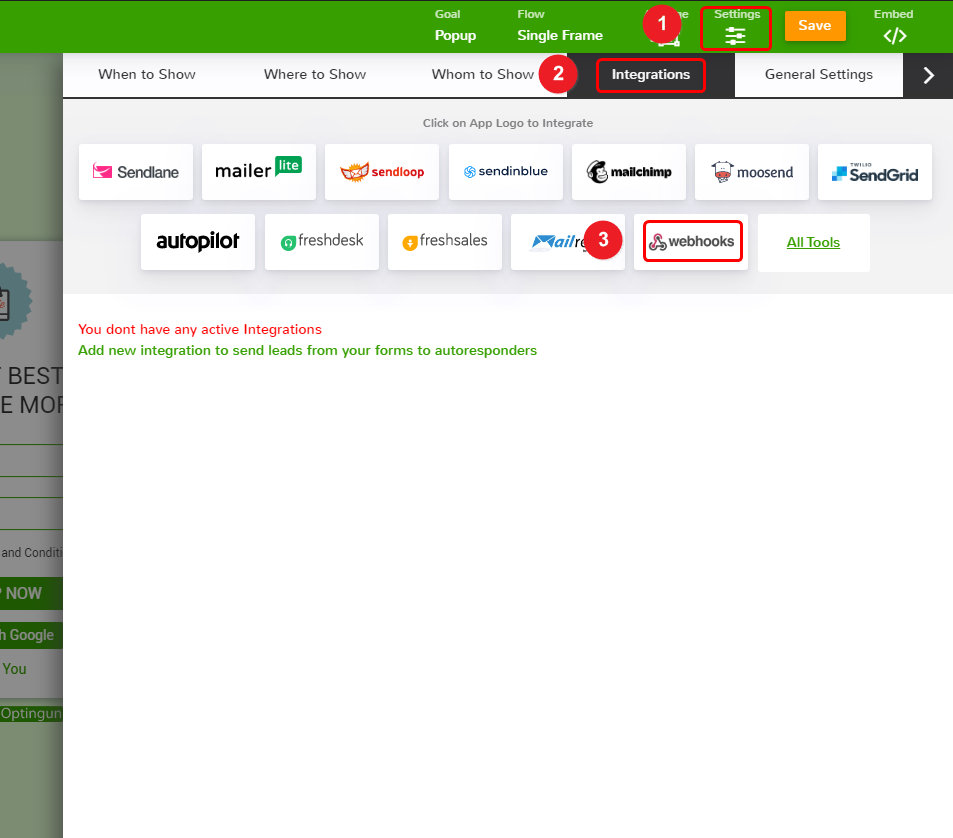
1. Click on the setting.
2. Click on Integration.
3. Click on the webhook box.
4. Paste the copied URL here.
5. Click on the add integration button.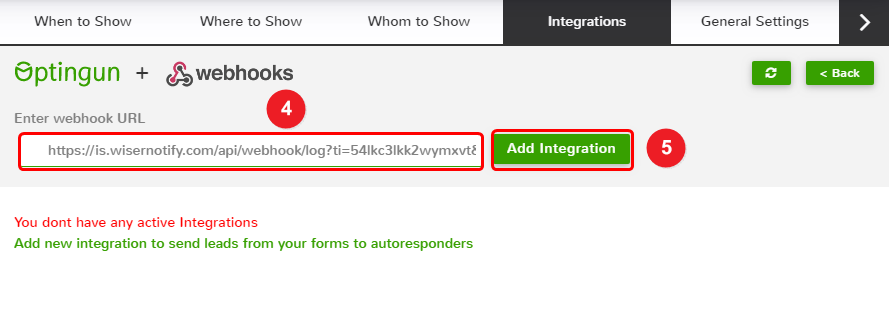
Please test by adding a new data & visit the WiserNotify – Dashboard Data page. Here, You can see all the captured/ received data with its source name.
Related integration guides
Setting up a different integration? These related WiserNotify integration guides walk through it:
- How to connect WiserNotify with ActiveCampaign? :Wisernotify Support Docs
- How to connect WiserNotify with Activechat? :Wisernotify Support Docs
- How to connect WiserNotify with Agile CRM? :Wisernotify Support Docs
- How to connect WiserNotify with Agiled? :Wisernotify Support Docs
- How to connect WiserNotify with AidaForm? :Wisernotify Support Docs
Still stuck? A human will do it with you
Live chat from your dashboard — real answers in minutes, every day of the year.




 Capterra