
11 Product Listing Page Examples and Best Practices (2026)
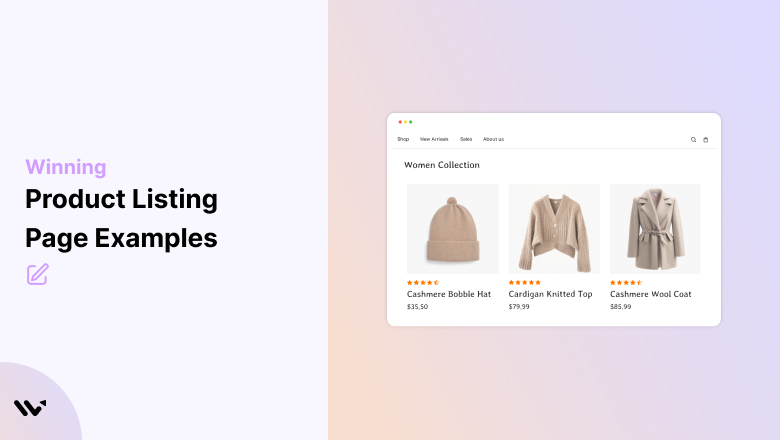
A product listing page (PLP) needs five things to convert. Those are clear product images, visible prices, filters and sorting, social proof like star ratings, and a fast way to reach the product or add it to the cart.
Get those right and shoppers find what they want in a few clicks. Get them wrong and they leave before they ever see a product page.
Below you’ll find what a PLP is, how it differs from a product detail page, 11 real examples with one idea to steal from each, and the design rules behind them.
Key takeaways
- A PLP is any page that shows several products: category, collection, search results and sale pages.
- Its job is to help shoppers narrow down and click through, not to close the sale.
- Filters built around how customers think beat generic price and color filters.
- Star ratings with review counts on each card help shoppers judge quality before clicking.
- Keep grids to 3 or 4 columns on desktop and 2 on mobile, and match the density to your catalog size.
What Is a Product Listing Page (PLP)?
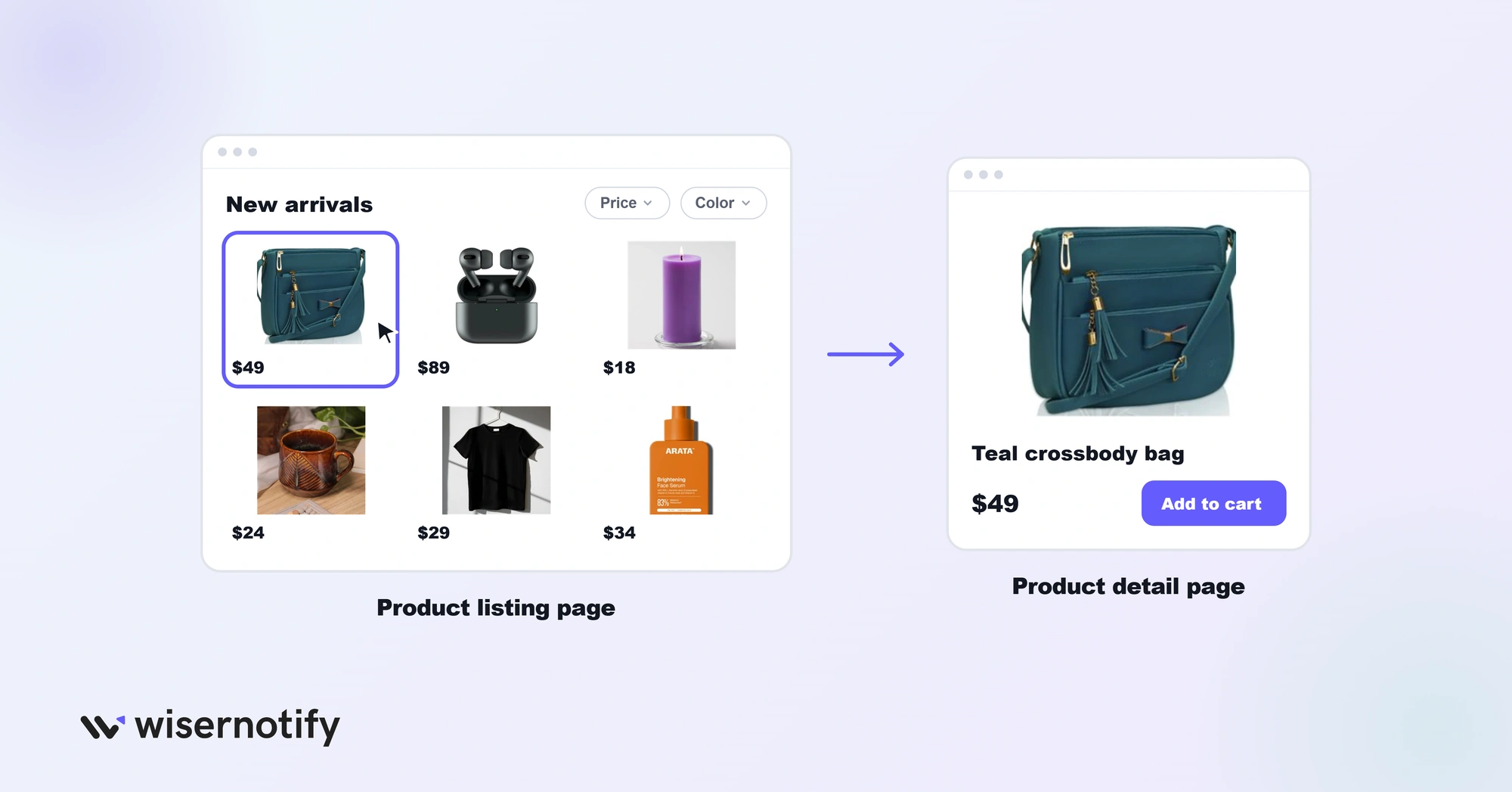
A product listing page is any page on an ecommerce site that shows multiple products. Category pages, collection pages, search results and sale pages are all PLPs.
When someone lands on “Women’s Running Shoes” on Nike.com, that’s a PLP. When you search for “wireless headphones” on Amazon and see a grid of results, that’s a PLP too.
The job of a PLP is simple: help shoppers find the right product fast and send them to the product detail page. Every element on the page, from filters to badges, either helps or hurts that goal.
Product Listing Page vs Product Detail Page
The two pages do different jobs. The PLP helps shoppers compare and narrow down. The product detail page (PDP) gives them everything they need to buy one item.
| Feature | Product listing page | Product detail page |
|---|---|---|
| Shows | Many products in a grid or list | One product in full detail |
| Main job | Help shoppers compare and choose | Convince shoppers to buy |
| Key elements | Filters, sorting, product cards, badges | Gallery, description, variants, reviews, add to cart |
| Success looks like | A click through to the right product | An add to cart or purchase |
| Examples | “Women’s Running Shoes,” search results, “Sale” | “Pegasus 41 Women’s Road Running Shoe” |
For tips on the next step in the journey, see our guide to product page design.
Why Product Listing Pages Matter
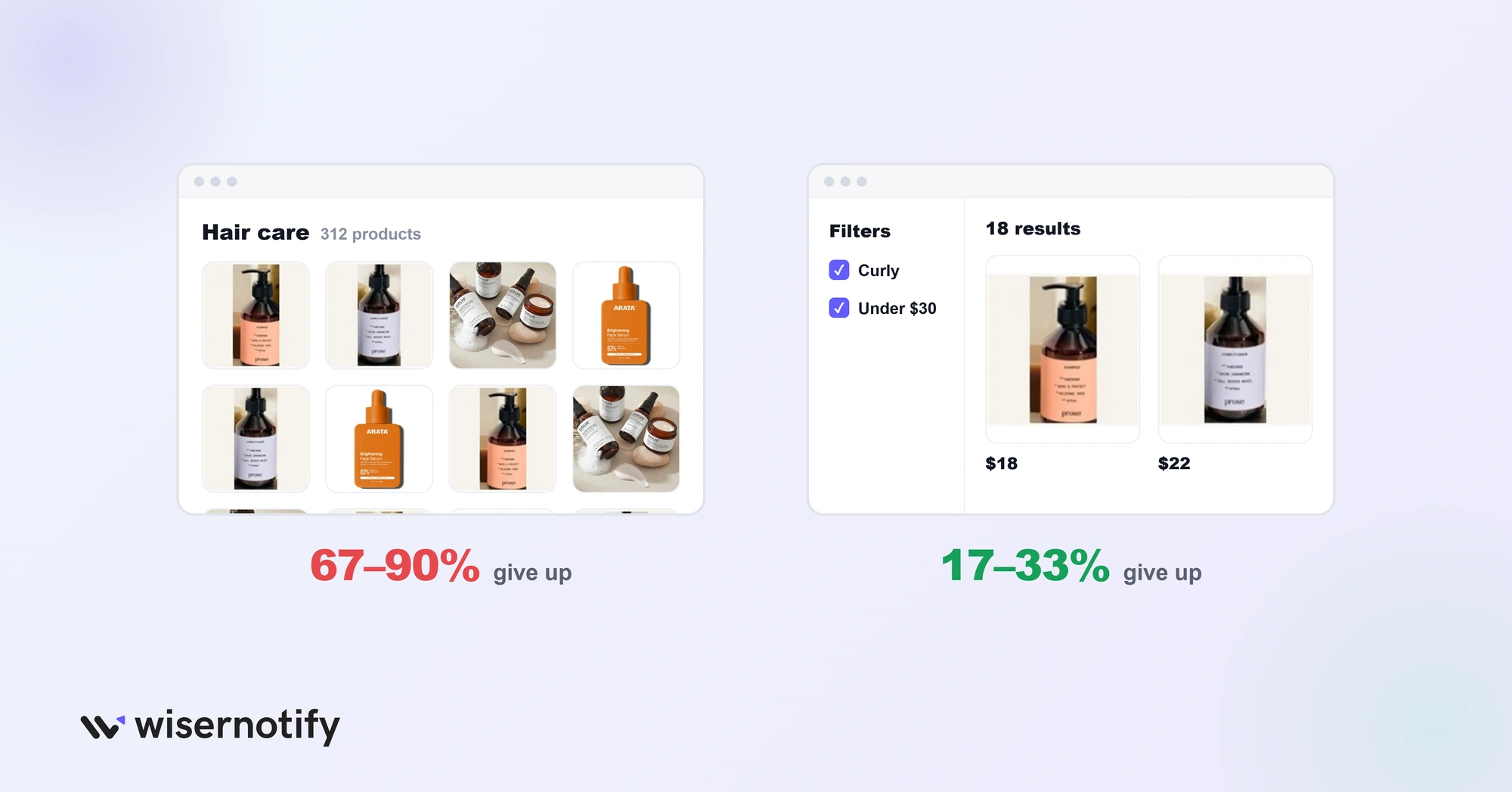
Most shoppers pass through at least one PLP before they buy, and weak ones quietly drive people away.
In Baymard Institute’s product list research:
- Sites with mediocre product list usability saw 67% to 90% of users give up while looking for a product.
- Sites with only slightly better filtering and lists saw 17% to 33% give up on the same tasks.
- 36% of the sites reviewed had flaws severe enough to actively harm shoppers’ ability to find products.
In other words, small fixes to filters and listings can decide whether a shopper ever reaches your product page.
Product Listing Page Examples at a Glance
| Brand | What it nails | Steal this |
|---|---|---|
| Perfect Keto | Clean, consistent product cards | Show review counts, not just stars |
| Nutribullet | Two-column grid for a small range | Match columns to catalog size |
| Master and Dynamic | Premium spacing and one-line descriptions | Fewer columns for premium products |
| Aura Bora | Brand personality on every card | Let your brand voice show |
| Figs | Lifestyle photos on real people | Show products in use |
| Spacegoods | Texture shots and bundle savings | Show savings as an amount |
| Allbirds | Use-case filters and Quick Add | Filter by how customers think |
| Wild One | Navigation by activity | Group products by use case |
| Fabletics | Deep, category-specific filters | Add filters your niche cares about |
| Fable and Mane | One bold discount badge | Use badges sparingly |
| ASOS | Urgency labels and wishlists | Add a save-for-later heart |
Examples With Standout Layout and Design
1. Perfect Keto
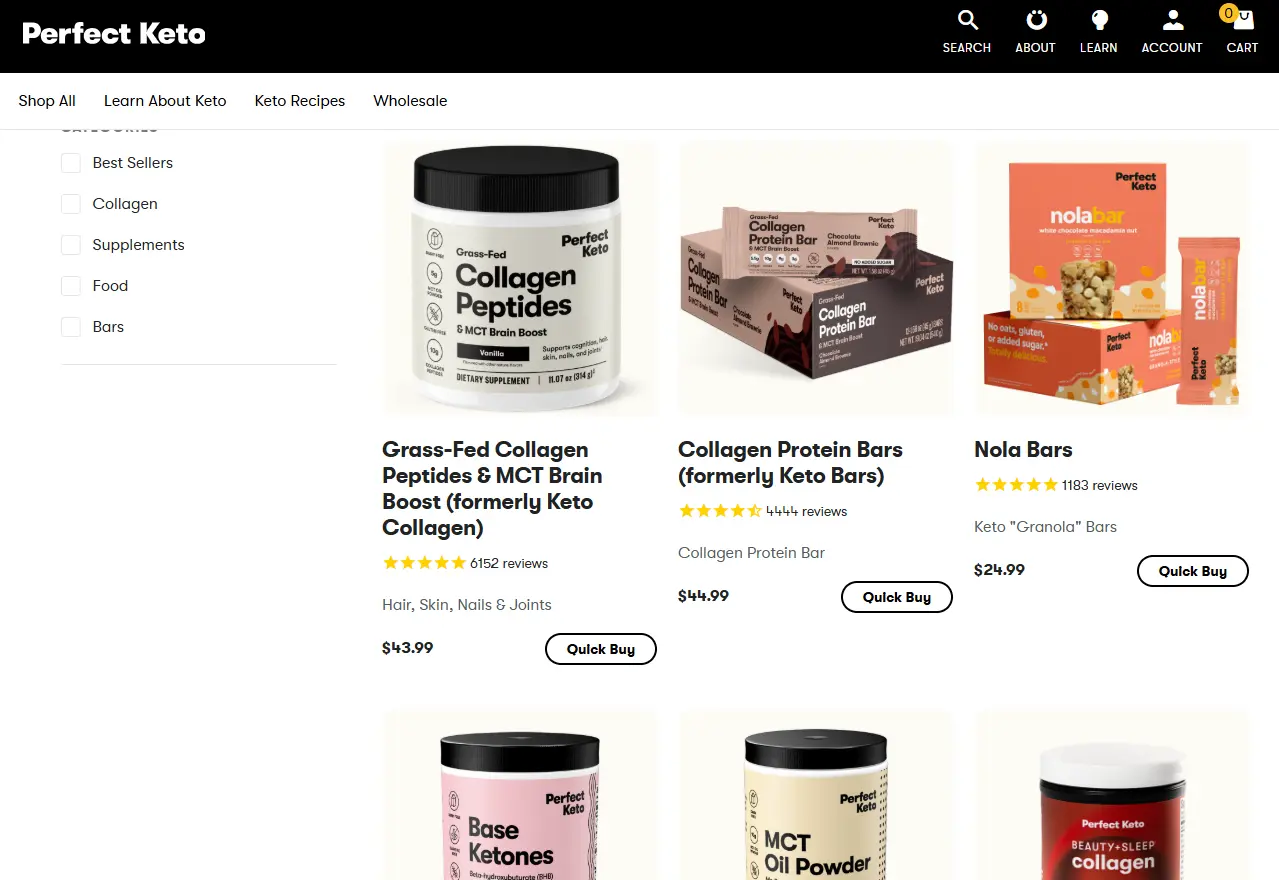
What they nail: A clean grid with zero visual clutter.
Every product card follows the same structure: image, title, star rating with review count, price and a buy button, all on a white background.
Why it works: Consistency lowers the effort of scanning. Shoppers learn the card layout once and can compare products at a glance. The review counts add social proof before anyone clicks.
Steal this: Show review counts, not just stars. “4.8 stars” is good. “4.8 stars (2,341 reviews)” is far more convincing.
2. Nutribullet
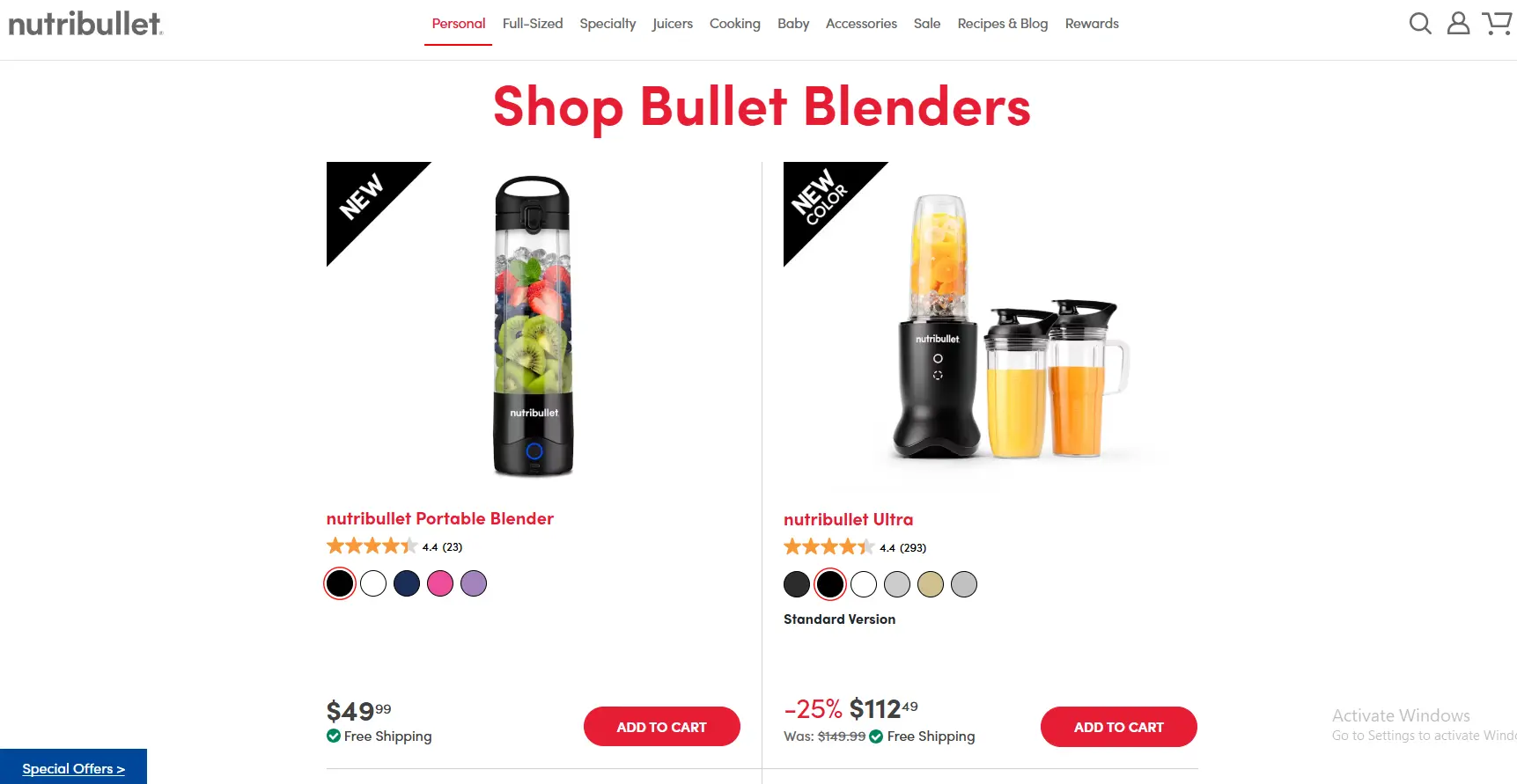
What they nail: A two-column layout for a small product range.
This page shows only two featured blenders. Each gets a large image, a descriptive name, a star rating, highlighted sale pricing and an “Add to Cart” button.
Why it works: With few products, a wide layout gives each one room to breathe. Bigger images show details that would get lost in a four-column grid.
Steal this: Match your columns to your catalog. Use 4 columns for 20+ products and 2 to 3 columns for fewer than 10.
3. Master and Dynamic
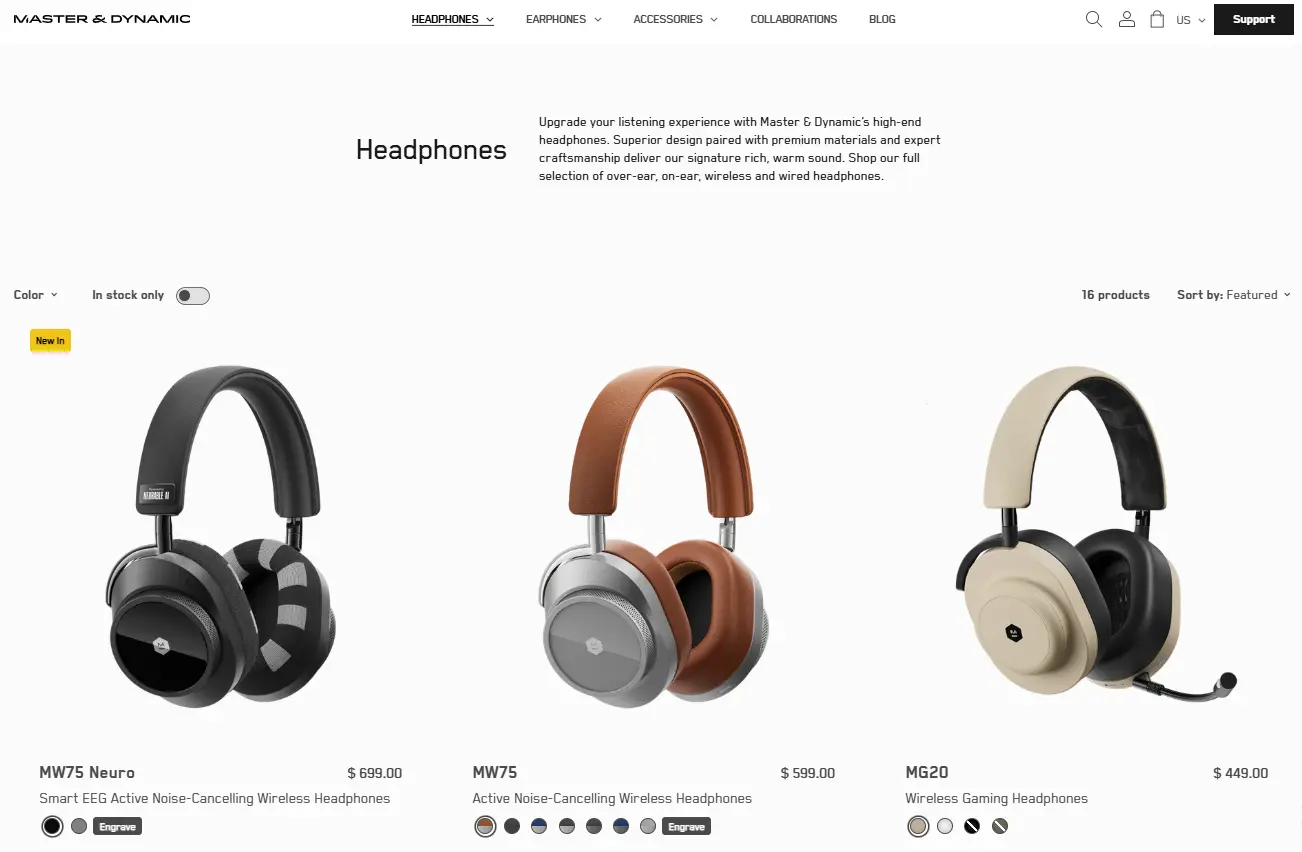
What they nail: Premium presentation with short, useful descriptions.
The three-column grid uses large images and generous spacing. Each card adds a one-line description, such as “Active Noise-Cancelling Wireless Headphones,” plus color options and a “New In” label.
Why it works: White space signals quality before the shopper reads a word. The one-liner helps people tell similar-looking products apart without clicking.
Steal this: For higher-priced products, use fewer columns and more space. Dense grids feel like a bargain bin.
4. Aura Bora
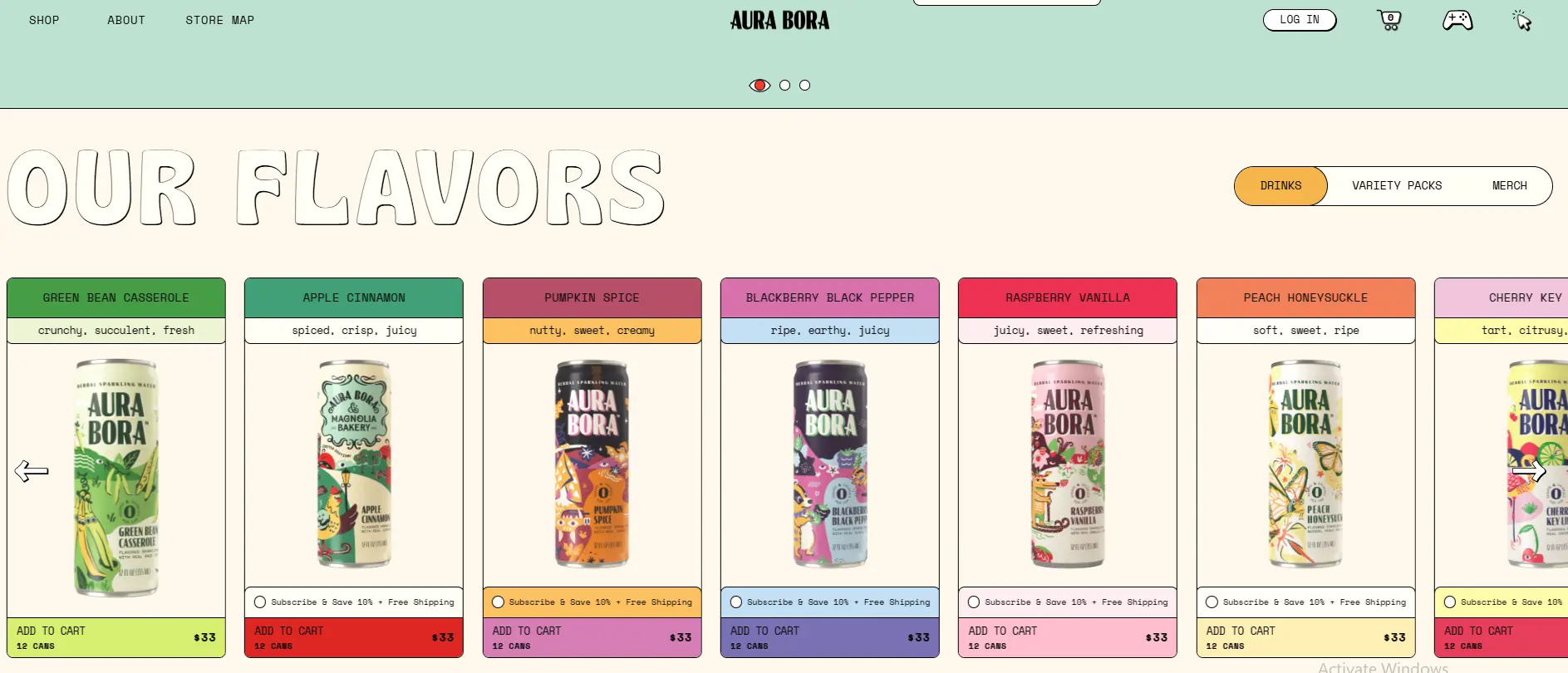
What they nail: Brand personality that jumps off the page.
The page is colorful and playful. Each can sits next to offbeat flavor notes that read nothing like typical drink copy, with an “Add to Cart” button right on the card.
Why it works: In a crowded drinks market, the personality is the difference. Unexpected copy makes shoppers curious enough to click.
Steal this: If your brand has a strong voice, let it show on your PLP. Most listing pages look interchangeable.
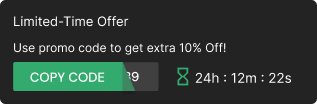
Build urgency
Add floating offers with countdown timer & coupon code.

Examples With Photography That Sells
5. Figs
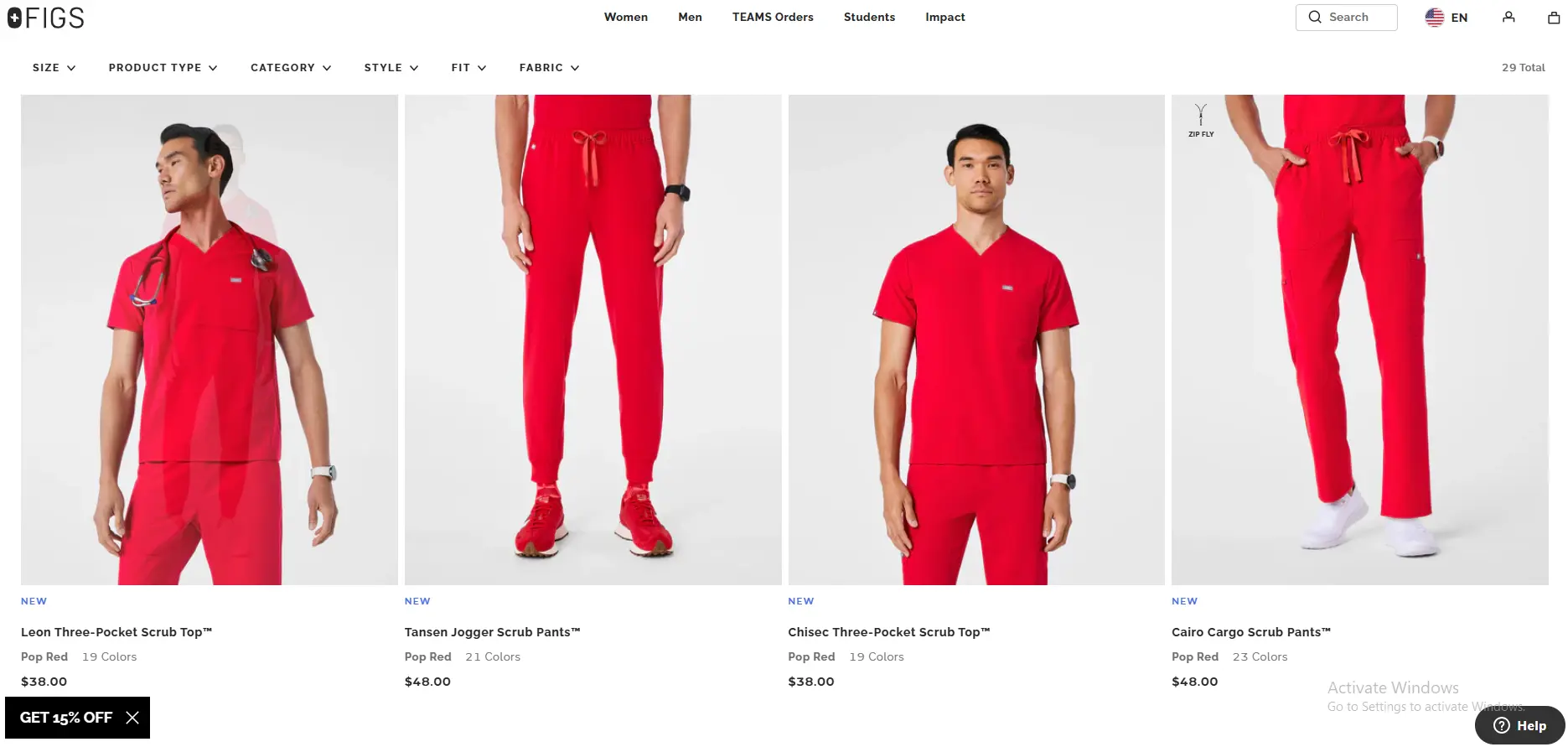
What they nail: Lifestyle photography that sells the experience.
Figs shows its medical scrubs on real models in professional settings. “New” labels mark recent styles, and a color count hints at variety without cluttering the card.
Why it works: For clothing, a product on a person sells the feeling of wearing it. A flat photo of scrubs does not.
Steal this: If you sell clothing, home goods or anything people judge by look, add lifestyle shots to your listing images.
6. Spacegoods
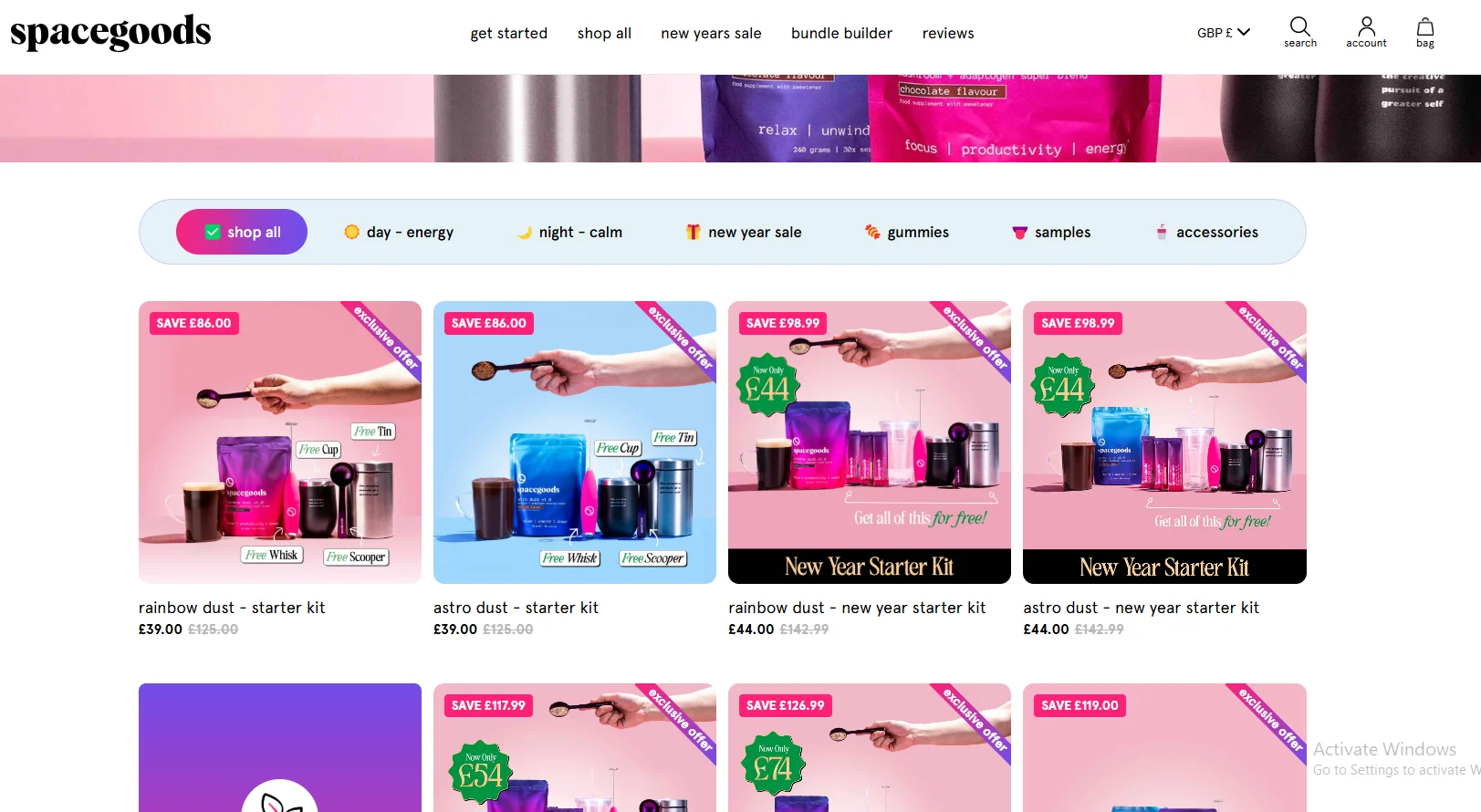
What they nail: Texture photography and clear bundle savings.
Close-up shots of hands scooping the powder make the product feel real. Bundle offers show the exact amount saved in pounds, not just a percentage.
Why it works: For consumables, seeing the product in use builds confidence. A money amount also feels more concrete than “30% off.”
Steal this: Show savings as an amount, and show consumable products being used, not just the packaging.
Examples With Smart Filters and Navigation
7. Allbirds
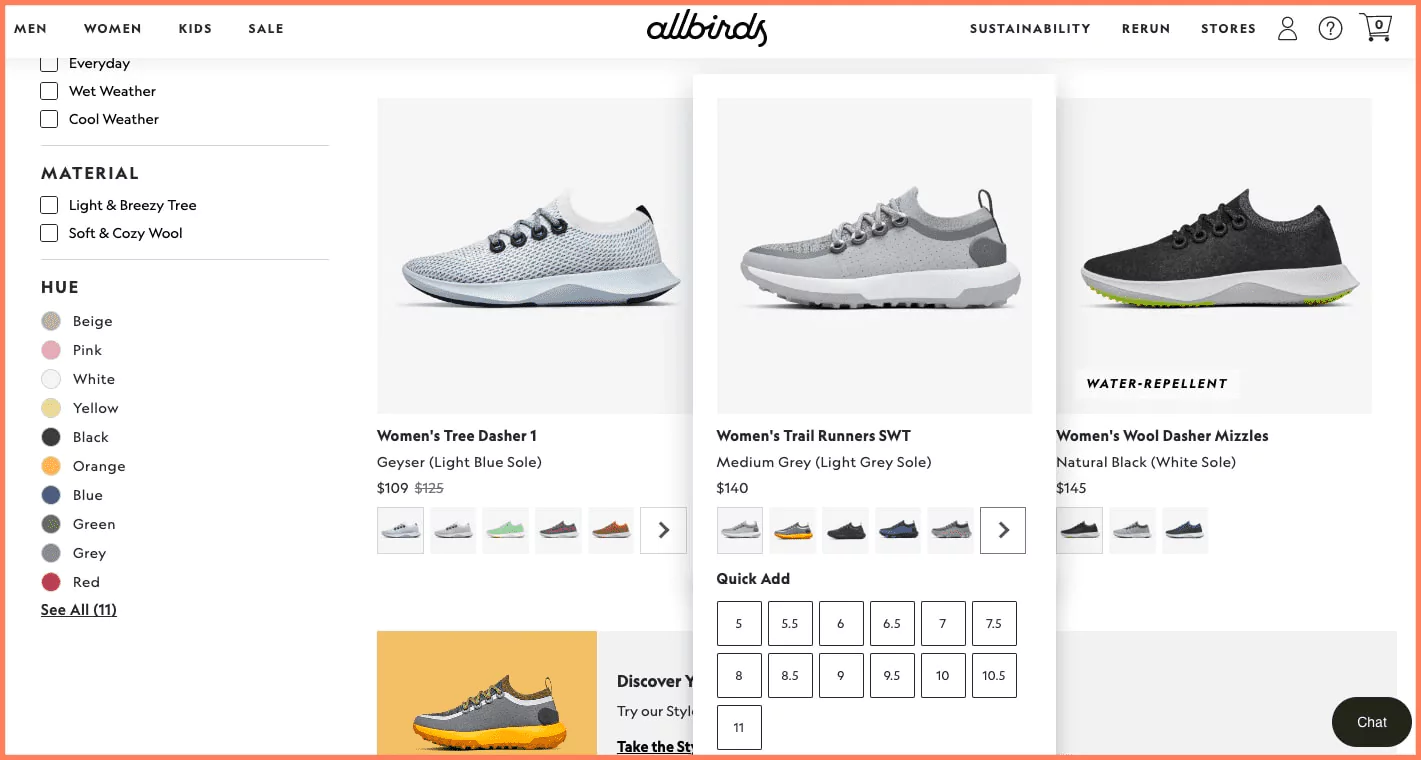
What they nail: Use-case filters and inline “Quick Add.”
The sidebar filters by situation, such as everyday wear or wet and cool weather, alongside material and color. Hovering a product opens a “Quick Add” with size selection.
Why it works: People think “I need shoes for rainy commutes,” not “shoes between $100 and $150.” Quick Add also lets decided shoppers skip the product page.
Steal this: Build filters around how customers think about your products, not how your database stores them.
8. Wild One
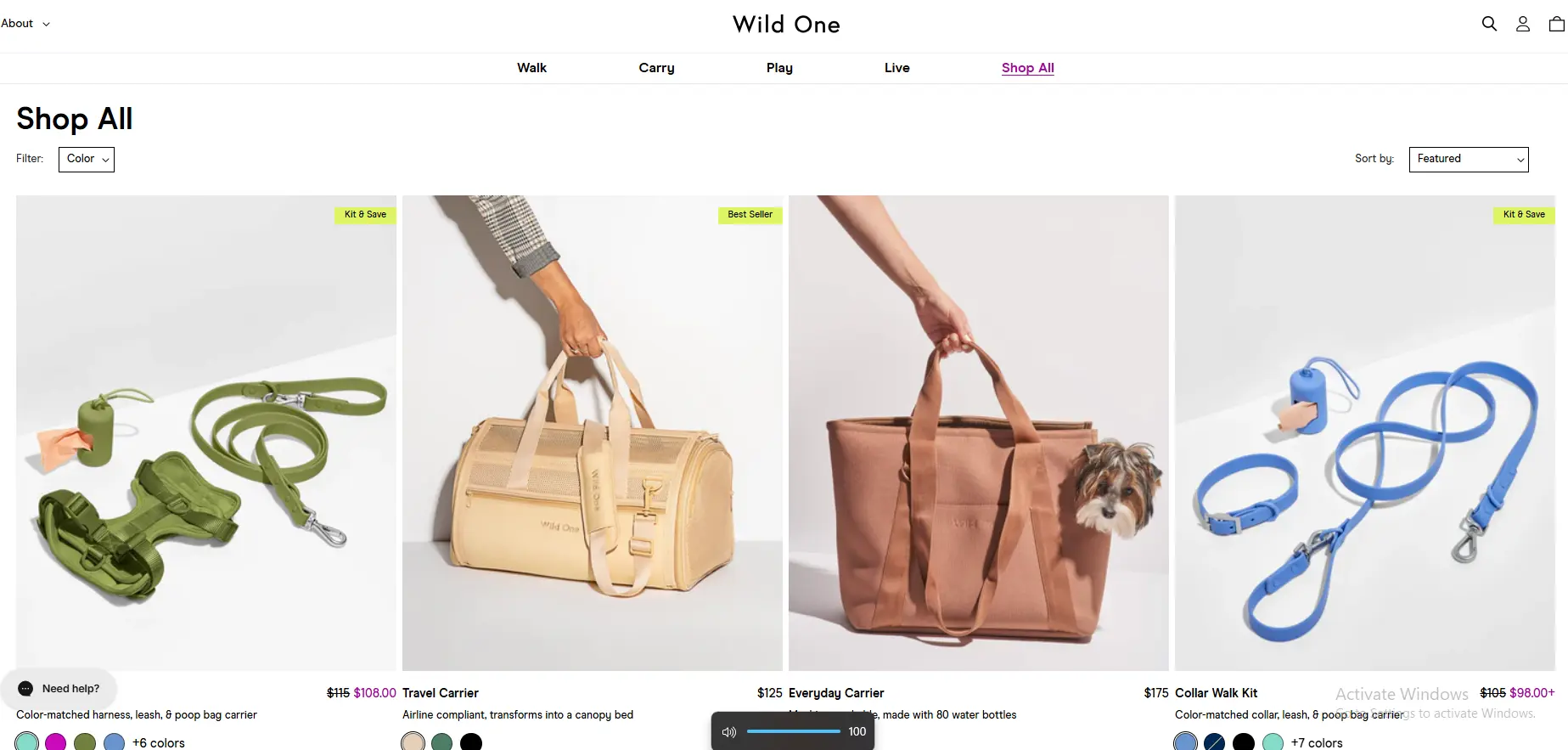
What they nail: Navigation by activity and color-matched sets.
Products are grouped by what pet owners do, such as Walk, Carry, Play and Live. Harnesses, leashes and bag carriers come in matching colors.
Why it works: Owners think “I need things for walks,” not “I need a leash.” Matching colors quietly encourage buying the full set.
Steal this: Group products by use case in your navigation, not just by product type.
9. Fabletics
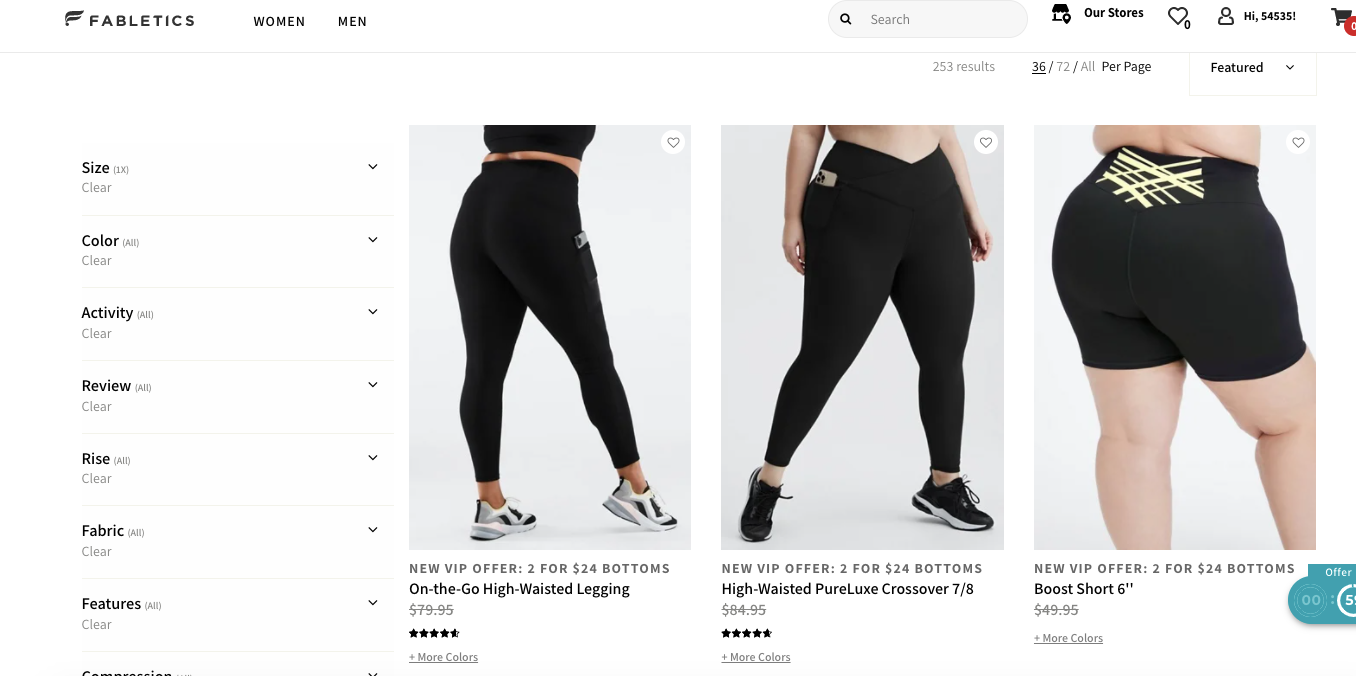
What they nail: Deep, category-specific filters plus membership pricing.
Beyond size and color, the sidebar filters by activity, rise, fabric, compression level and review rating. A VIP offer banner sits above the grid.
Why it works: Filters like “compression level” only matter for activewear, and that is exactly why shoppers value them. The VIP banner turns browsers into members.
Steal this: Ask customers which attributes matter most, then add those filters. Price, color and size are not enough for specialty products.
Examples That Use Urgency and Offers
10. Fable and Mane
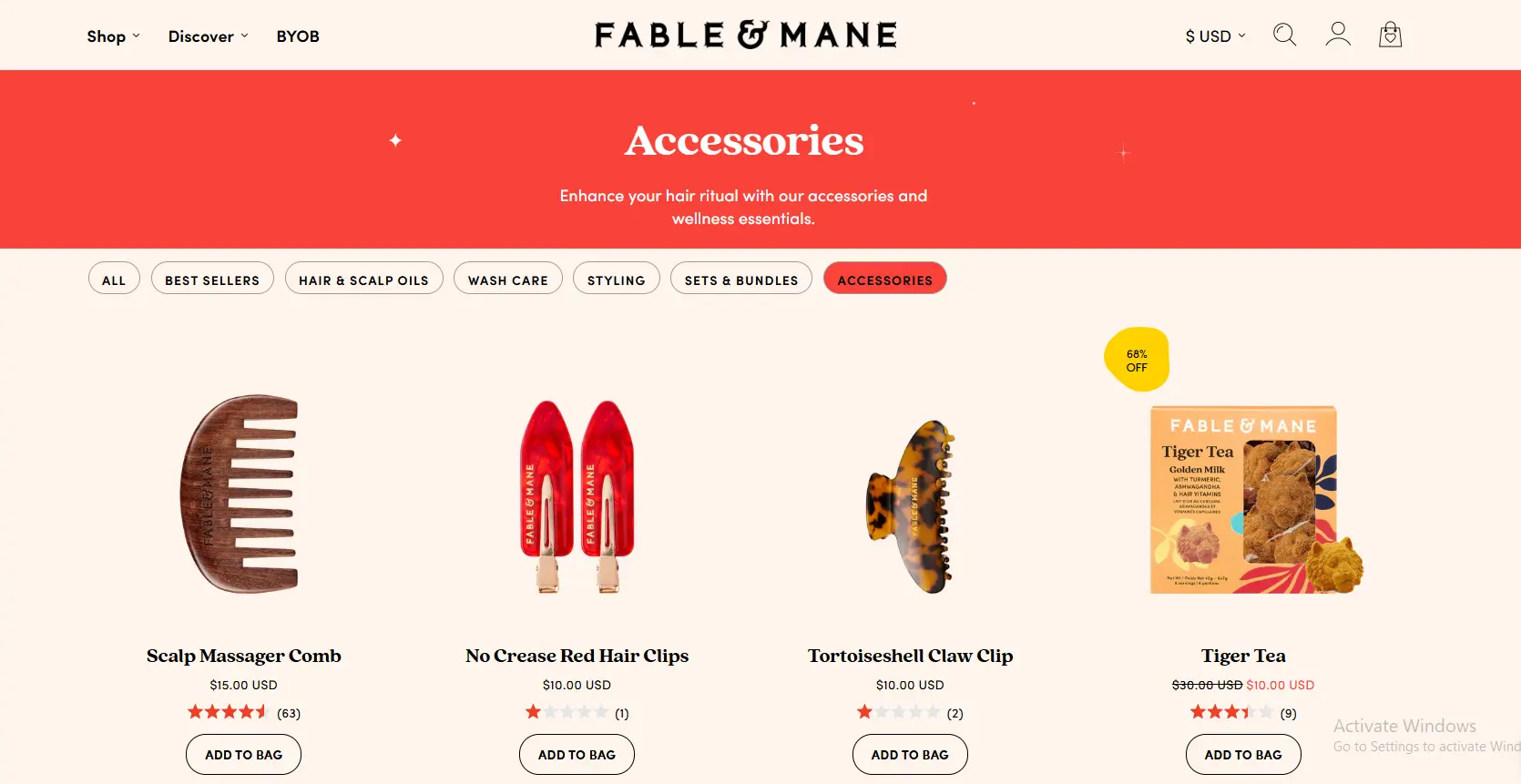
What they nail: A minimal grid with one bold discount callout.
Cards stay simple: name, price, rating and “Add to Bag.” A single percentage-off badge on the discounted product draws the eye straight to it.
Why it works: When everything else is calm, one badge becomes the focal point. If every product had a badge, none would stand out.
Steal this: Use badges sparingly. Limit sale badges to a few products per page.
11. ASOS
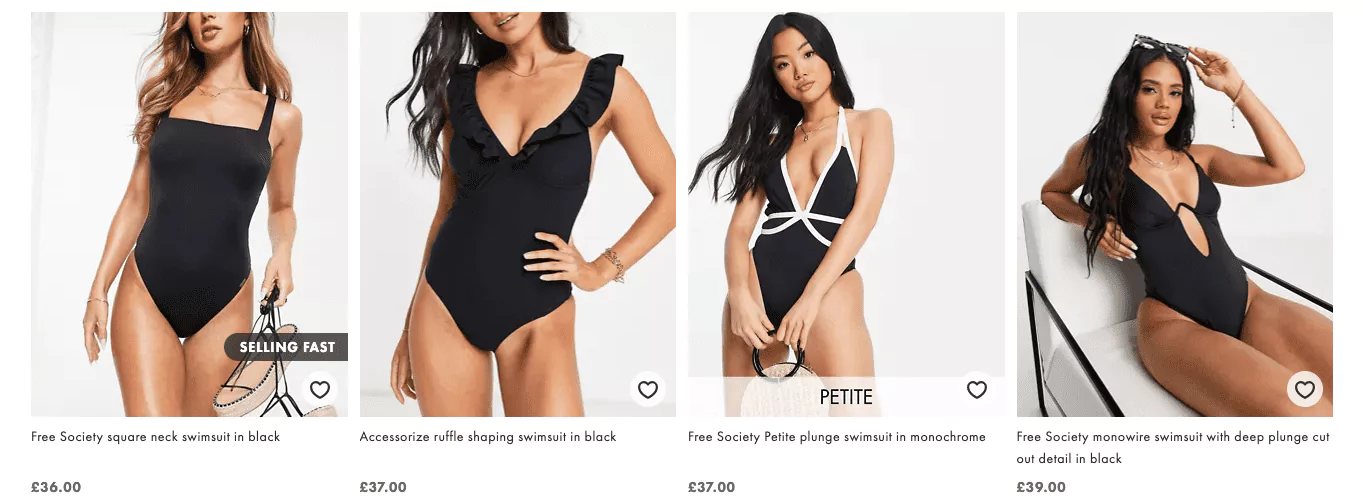
What they nail: Urgency labels and wishlist hearts.
Cards carry labels like “Selling Fast” and a heart icon to save items. The four-column grid packs in many products while staying readable.
Why it works: “Selling Fast” shows other people are buying, which adds urgency through social proof. The wishlist keeps undecided shoppers connected instead of leaving.
Steal this: Add a save-for-later heart to your cards, then send reminder emails for saved items.
Build trust & FOMO
Highlight real-time activities like reviews, sales & sign-ups.

Anatomy of a High-Converting Product Listing Page
These are the elements the best examples share, starting with the ones shoppers notice first.
Product Images That Sell
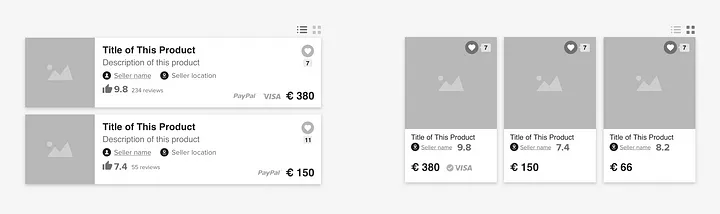
Shoppers scan images first, then price, then everything else.
- Grid view suits visual products like fashion, home decor, food and beauty. Most stores should default to a grid.
- List view suits technical products where specs matter more than looks, such as electronics and B2B supplies.
- Swap images on hover to show a second angle or a model shot without a click.
Pricing and Discount Display
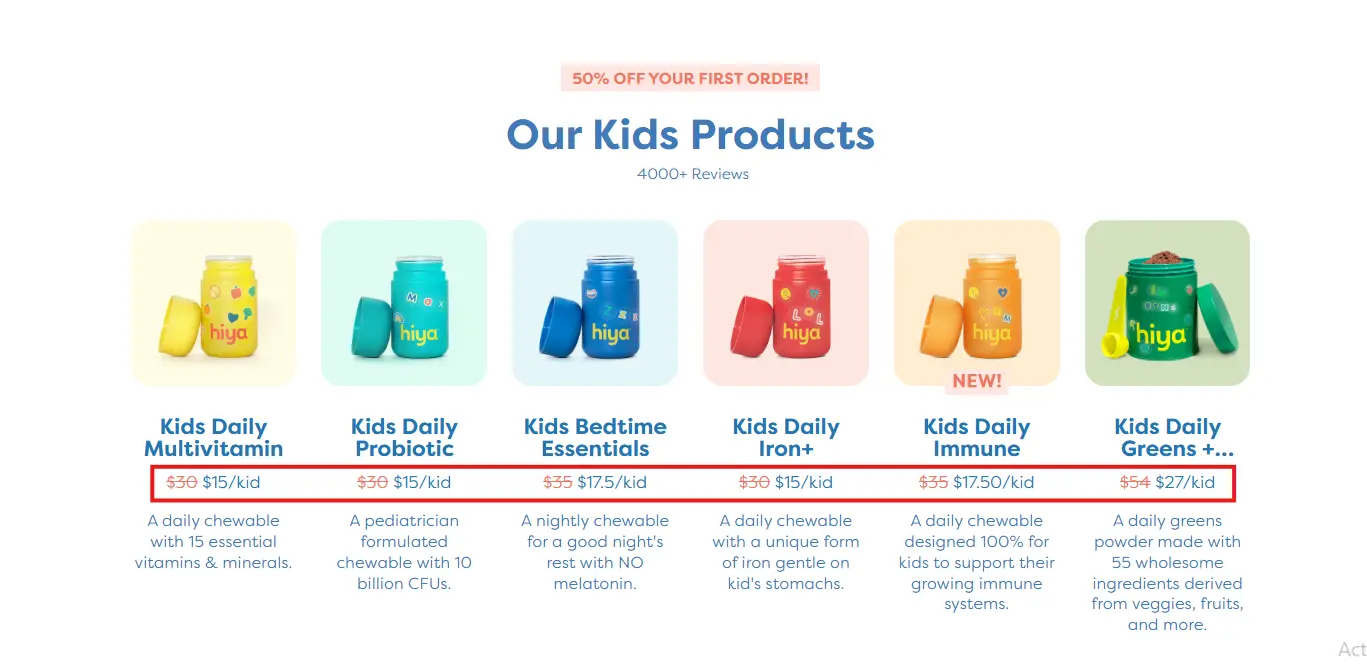
Price is usually the second thing shoppers check.
- Show the original price crossed out next to the sale price.
- Use a contrasting color for the sale price and show the amount saved.
- For products with variants, show a starting price or range, such as “$49 to $99.”
- If you offer installments, mention them on the card, such as “from $12/month.”
See how stores use product recommendation examples to lift order value from the same pages.
Filters That Match How People Think
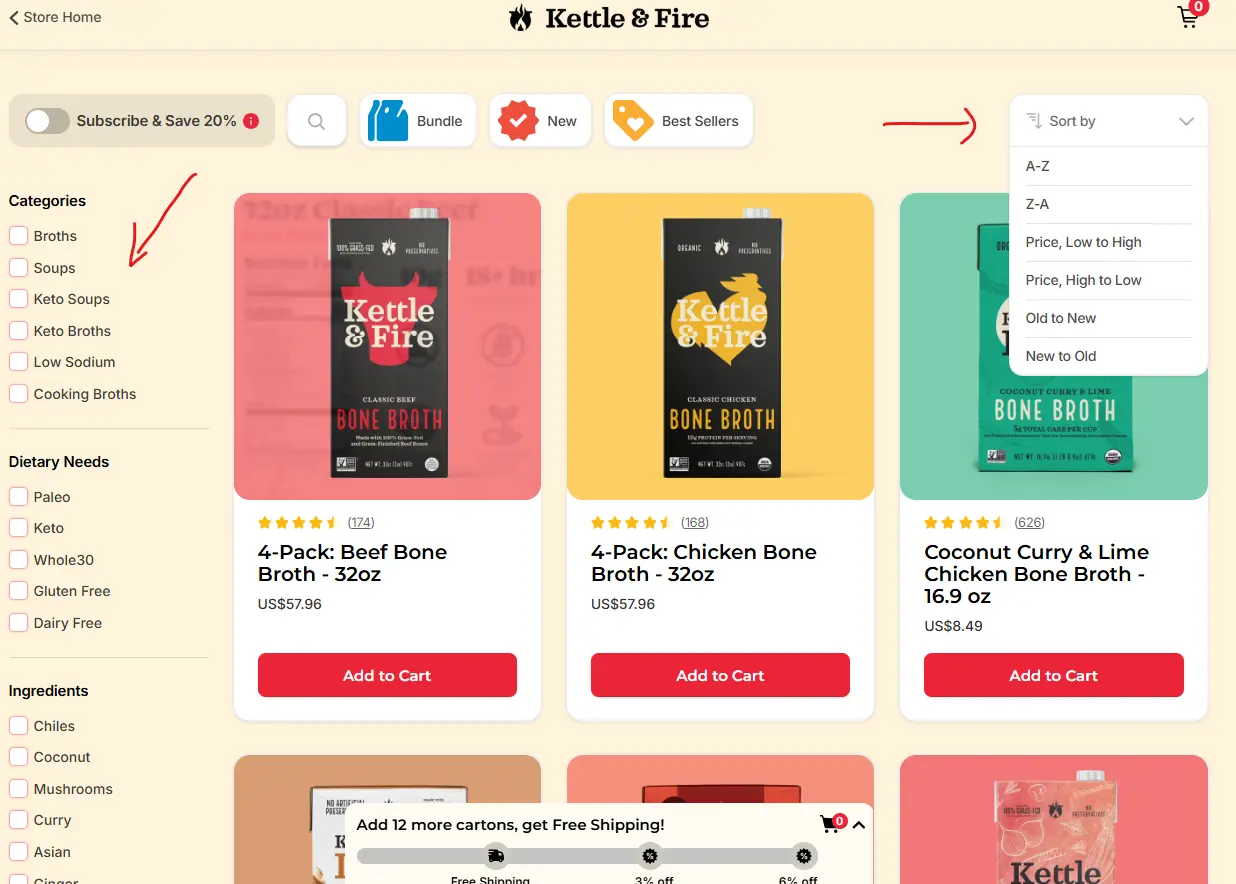
Price and color alone are not enough for a large catalog. Use the attributes your customers care about:
- Clothing: size, color, style, occasion and material.
- Electronics: brand, price range, features and compatibility.
- Food: dietary needs, flavor and pack size.
Offer sorting by relevance, price, newest, best selling and customer rating. Put the filter people use most at the top.
Breadcrumbs for Navigation
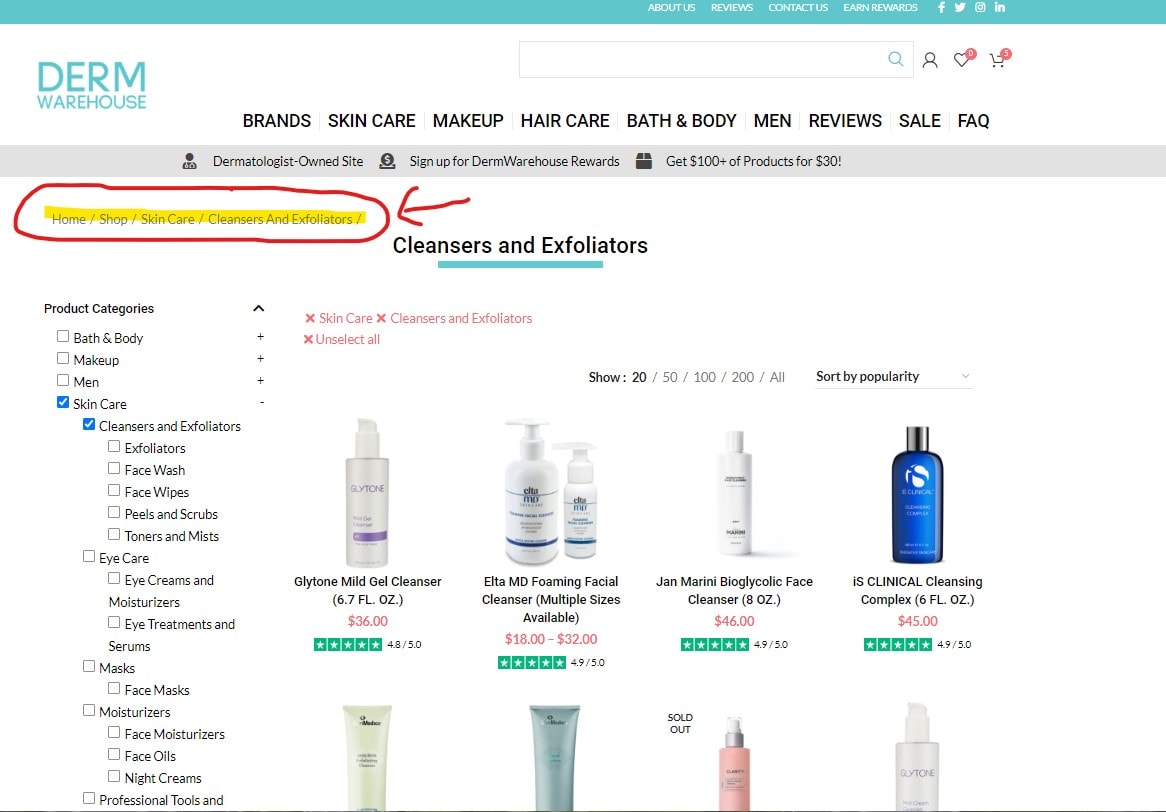
A trail like “Home > Women > Shoes > Running Shoes” tells shoppers where they are and lets them jump back up a level in one click.
Breadcrumbs also give search engines a clear site structure, and Google can show them in search results. If your store has more than three category levels, add them.
Product Titles and Descriptions
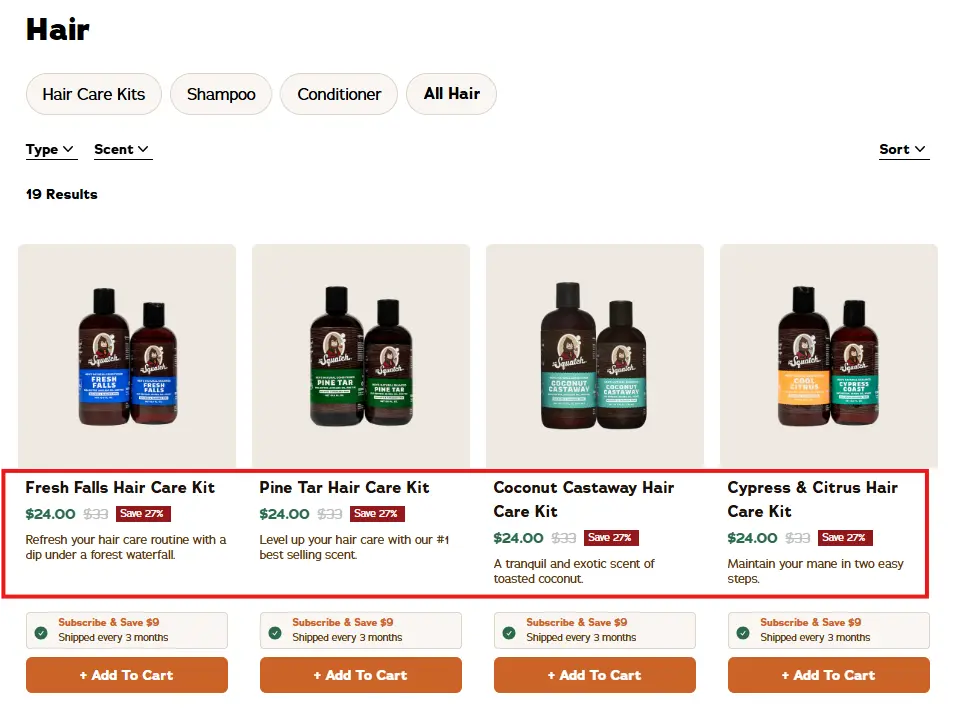
Titles should be clear enough to tell products apart without clicking.
- Good: “Men’s Ultralight Running Shoe, Breathable Mesh.”
- Bad: “Product #4821 Running Shoe.”
Save long descriptions for the product page. On the PLP, one benefit line is enough.
Search Within the PLP
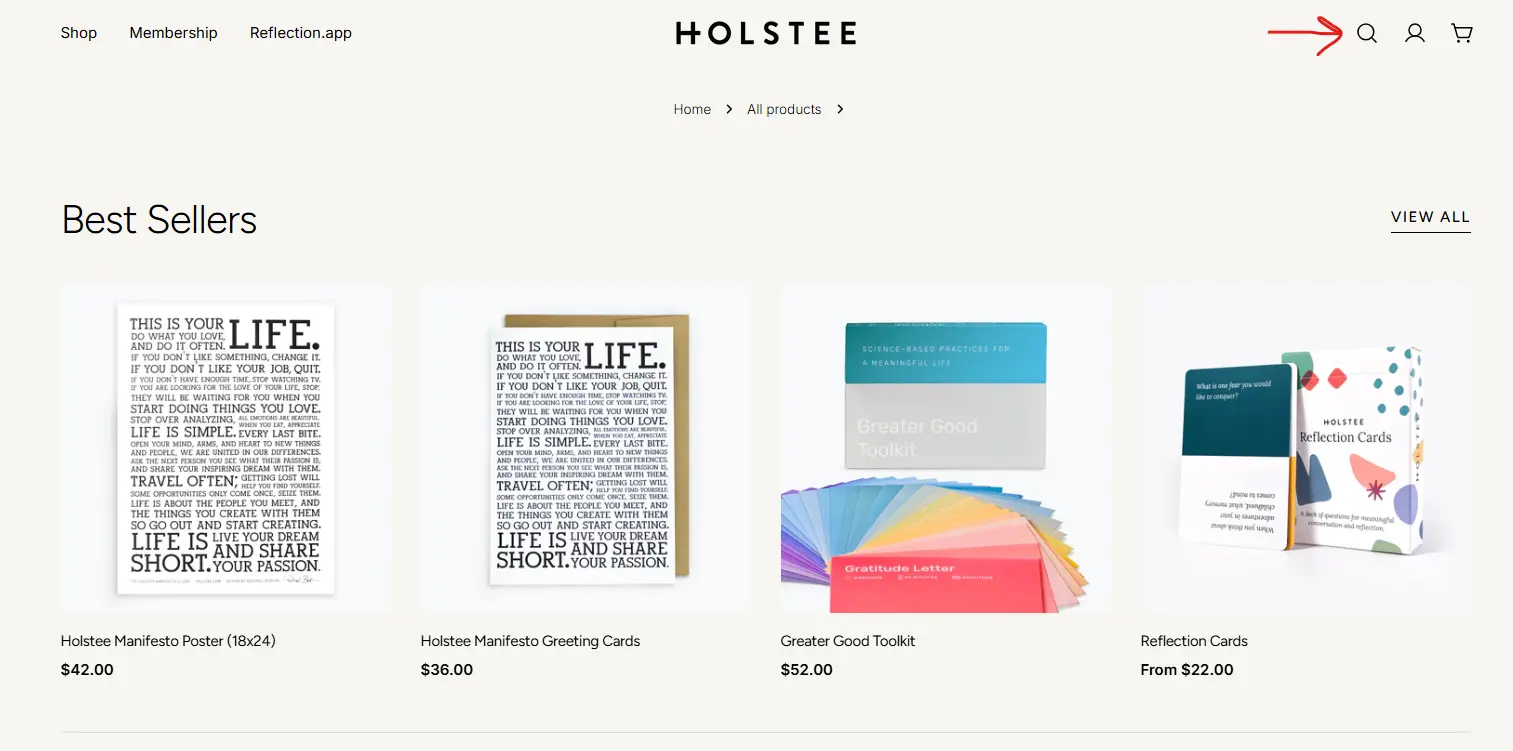
For categories with 50 or more products, let shoppers search inside the filtered results instead of starting over. Add auto-suggest as they type and a “Did you mean?” fallback for typos.
Product Labels and Badges
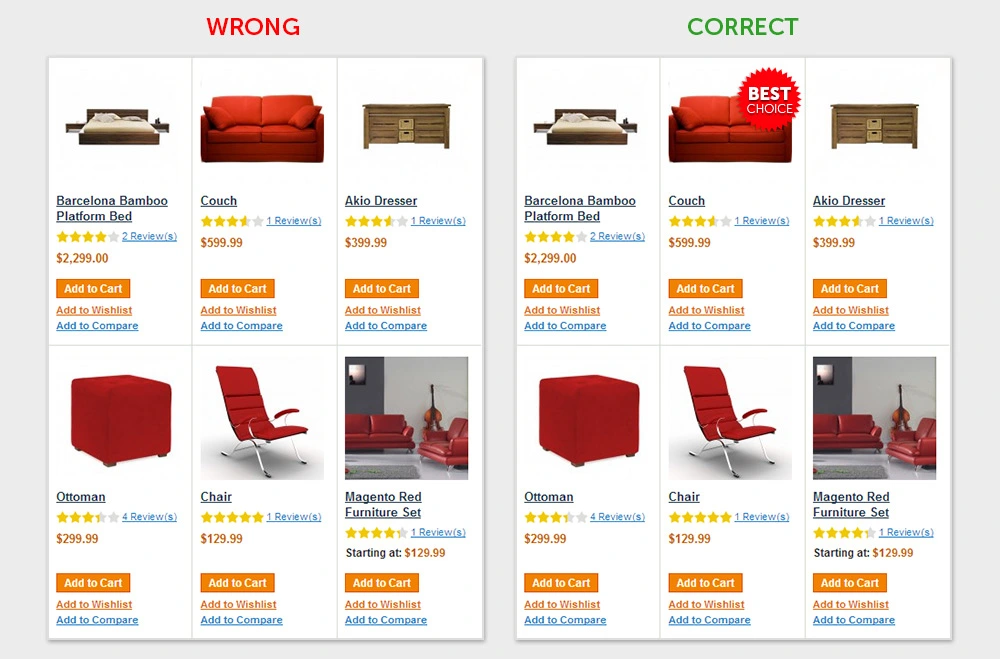
Each badge sends a different signal:
- Low Stock: urgency to buy now.
- Best Seller: proof that others chose it.
- New: curiosity.
- Free Shipping: one less reason to hesitate.
Use one or two badges per product at most, or they stop standing out.
Clear Call-to-Action Buttons
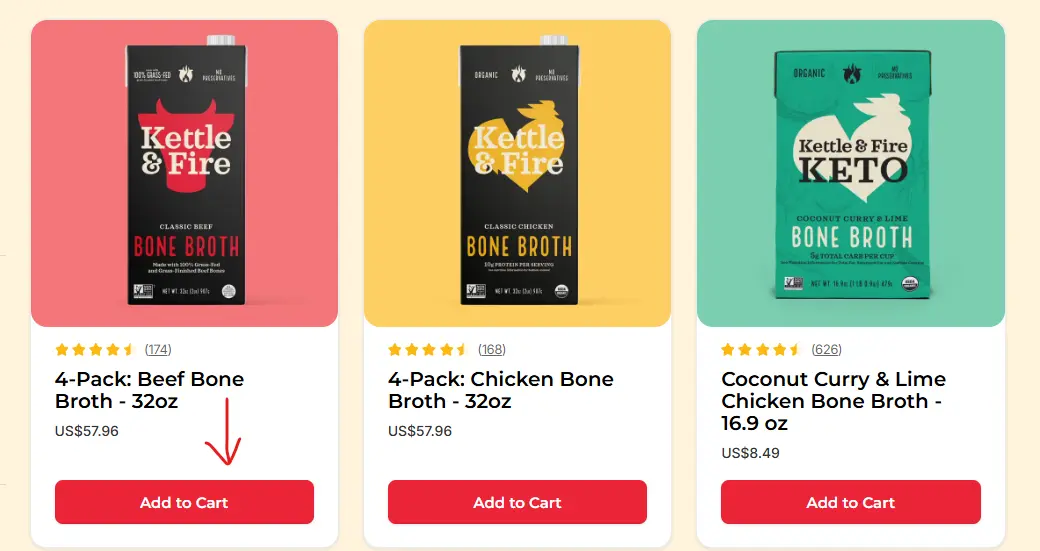
Every card needs a clear action. “Add to Cart” is standard, and “Quick Add” can work even better because it skips the product page for decided shoppers.
Give the button a contrasting color, enough padding and clear text. On mobile, make tap targets at least 44 by 44 points, as Apple’s design guidelines recommend.
How Social Proof Improves Product Listing Pages
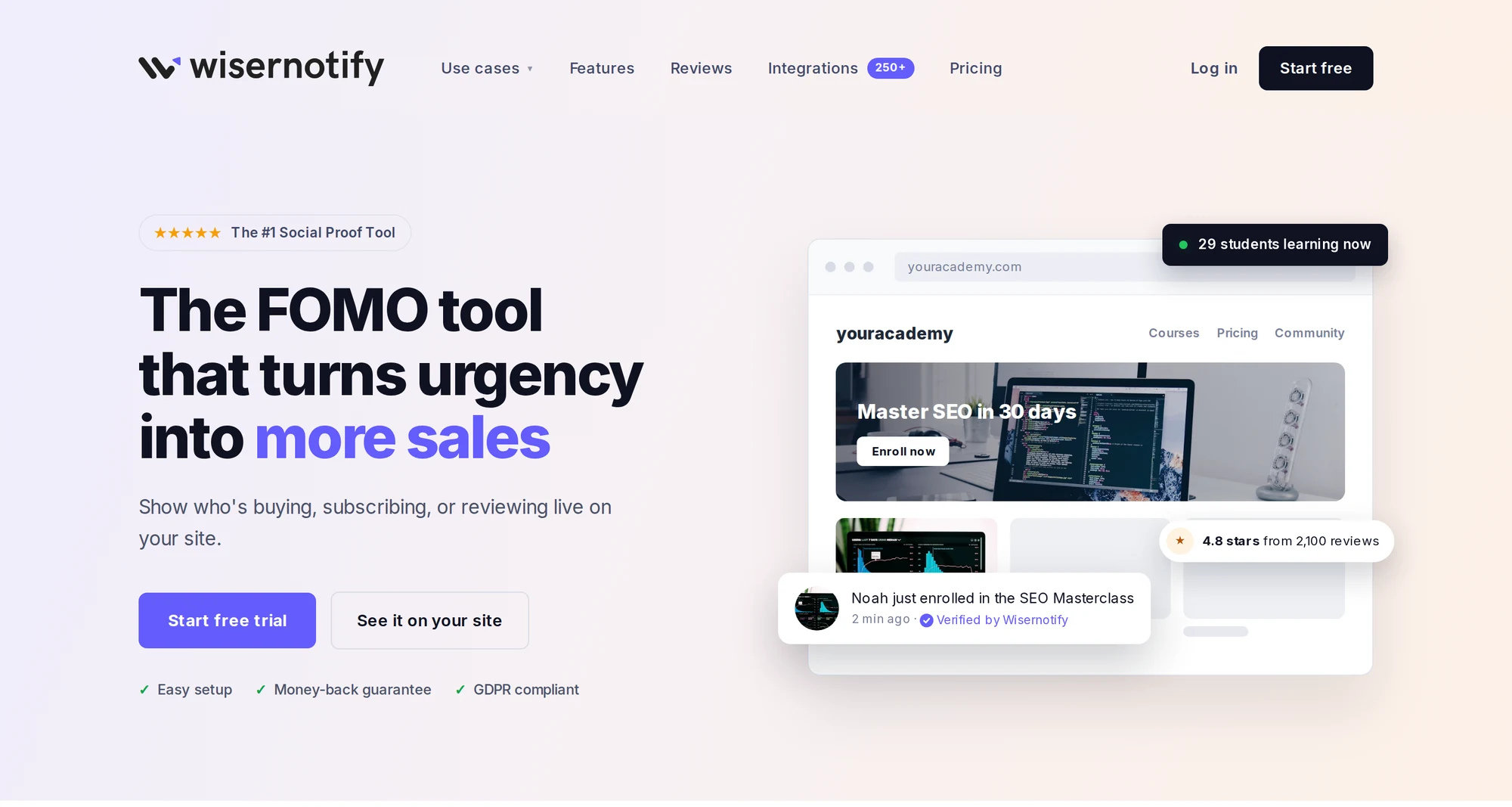
Most examples above use social proof somewhere: star ratings, review counts or “Selling Fast” labels. You can add more of it while people browse.
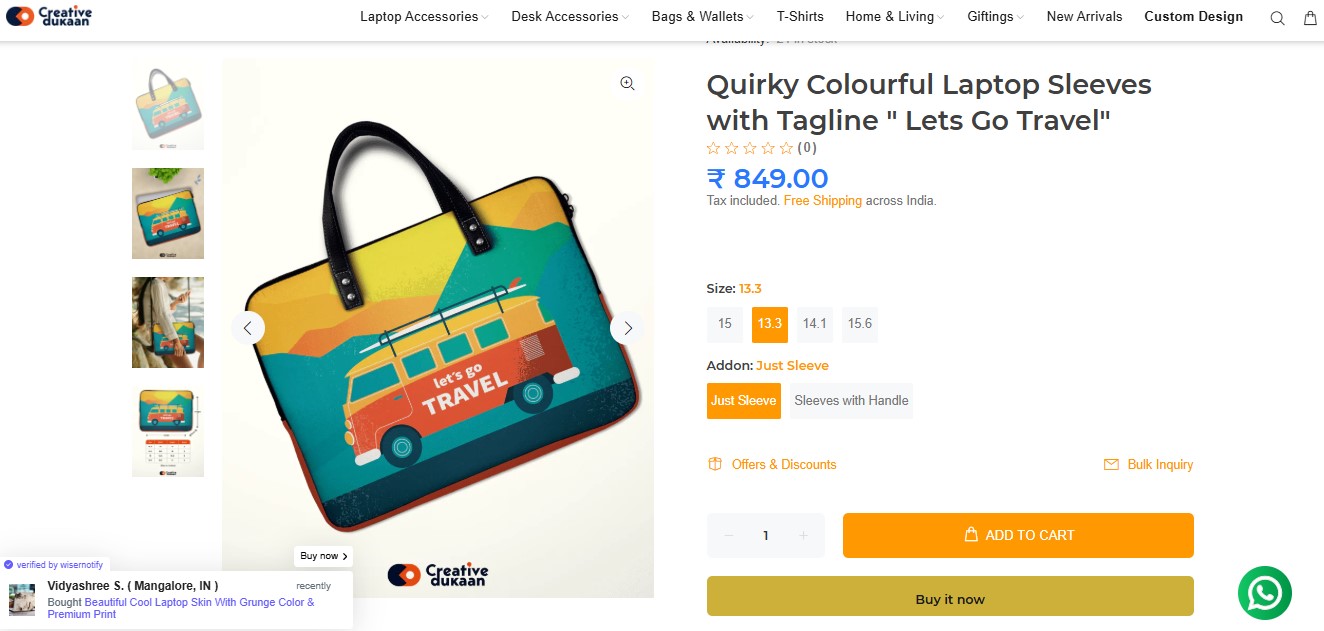
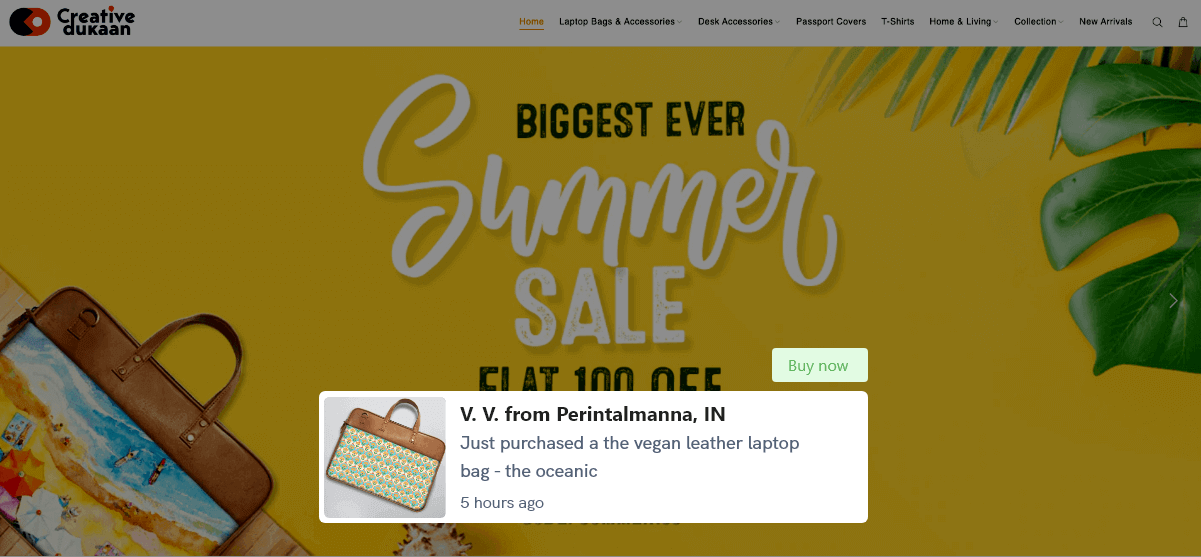
Recent purchase notifications: small popups like “Sarah from Austin just bought this” show that real people are buying.
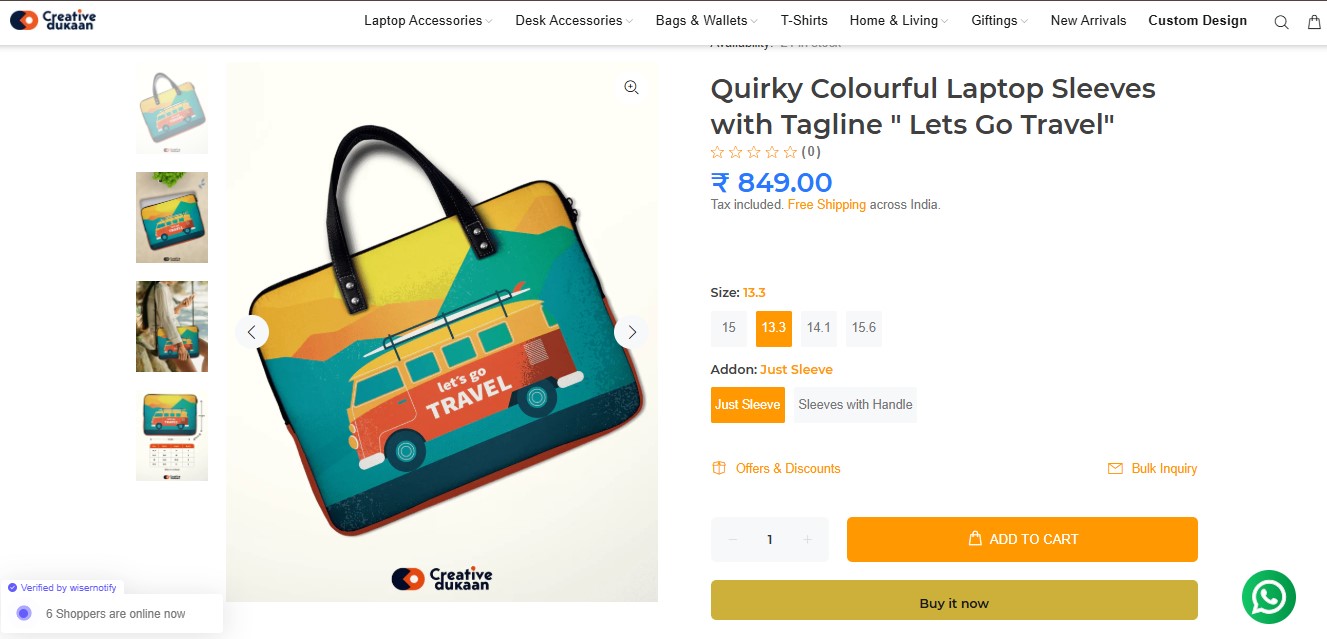
Live visitor counts: “47 people are viewing this right now” adds urgency during sales and launches.
Ratings on product cards: visible stars help shoppers judge quality before they click.
WiserNotify adds recent purchase popups, live visitor counts and review notifications to your listing pages, styled to match your brand.
Product Listing Page Best Practices
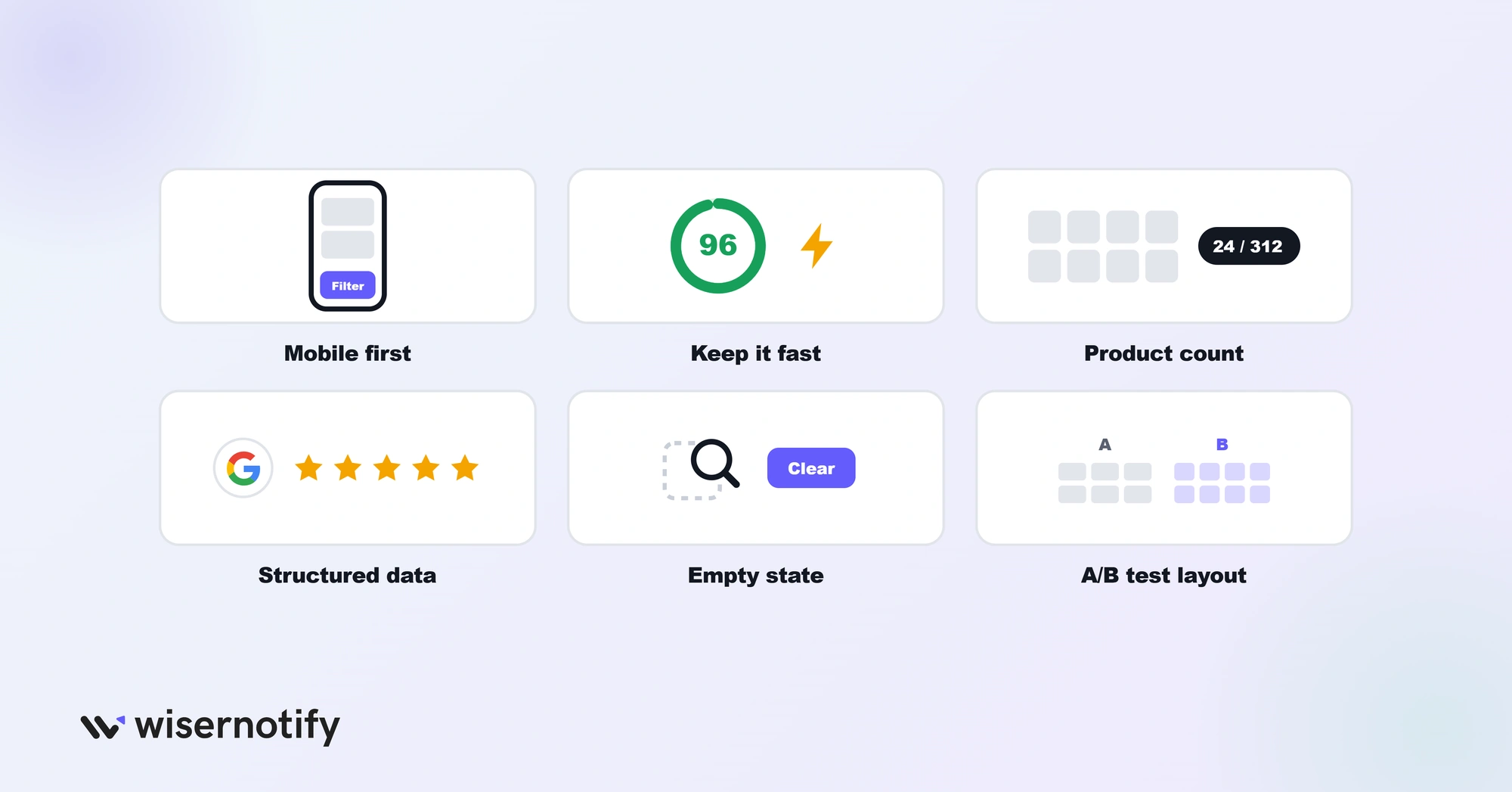
Use this checklist when you design or review a PLP:
- Design for phones first. Most shopping traffic now comes from mobile, so make filters easy to tap and test on real devices.
- Keep it fast. Compress images, lazy-load products below the fold and keep scripts light.
- Show the product count. “Showing 1 to 24 of 312 products” sets expectations, and a per-page option lets fast scanners see more.
- Add structured data. Schema markup for product reviews and prices can earn richer search results.
- Design the empty state. When filters return nothing, suggest broader filters or popular products instead of a blank page.
- Test your layout. A/B test column counts, image sizes, filter placement and button text.
Common PLP Mistakes and How to Fix Them
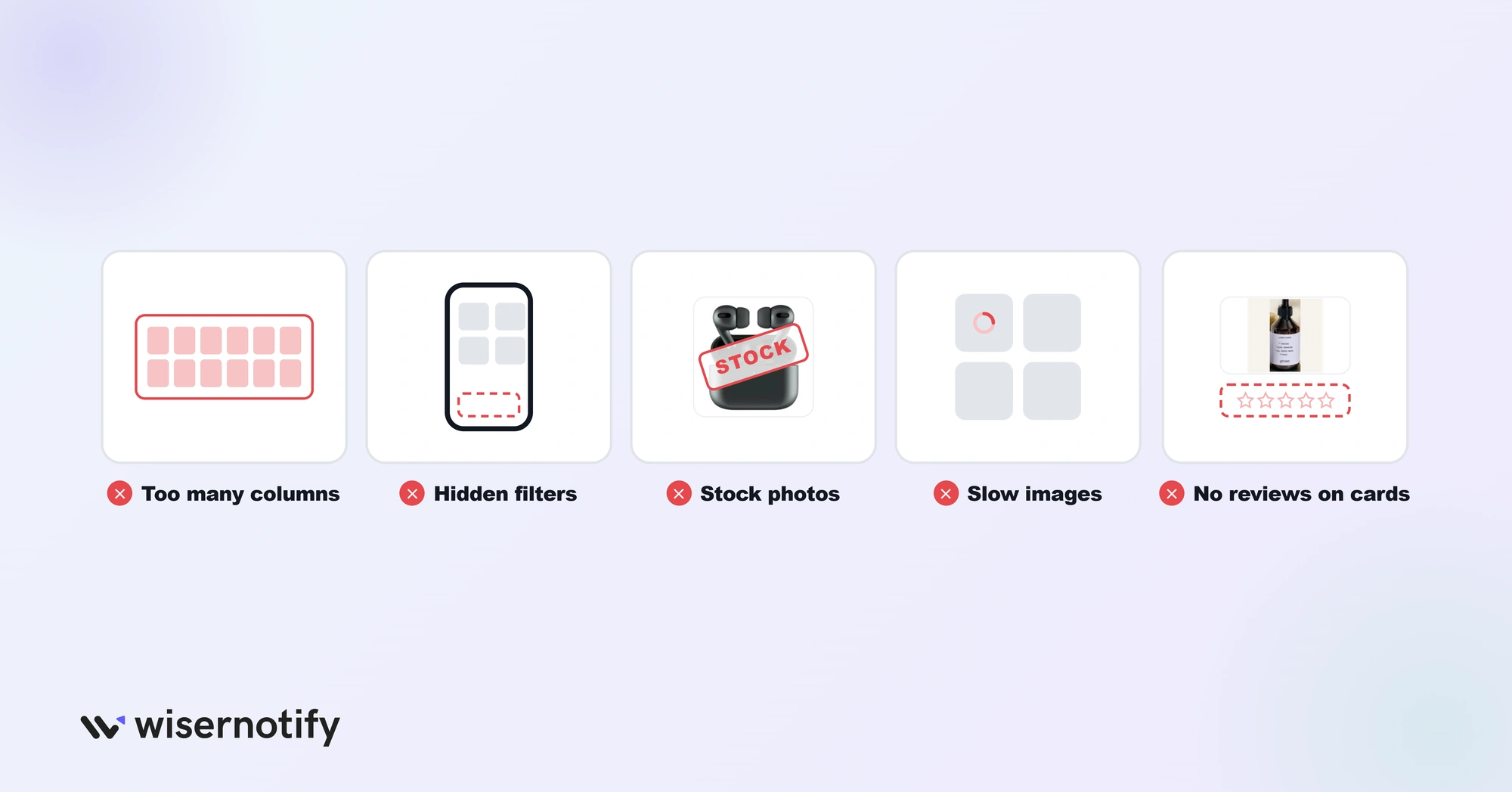
- Too many products per row. Five or more columns overwhelm shoppers. Stick to 3 or 4 on desktop and 2 on mobile.
- Hidden filters on mobile. Use a sticky “Filter” button that opens a full-screen panel.
- Generic stock photos. Every competitor uses the same manufacturer images. Add your own lifestyle shots.
- Slow image loading. A page with 48 products loads 48 or more images. Use WebP, lazy loading and correct sizes.
- No social proof on cards. Ratings only on product pages come too late. Social proof widgets work best while shoppers browse.
Wrap Up
Your product listing page decides whether shoppers ever reach a product. Start with the examples closest to your store: Figs and ASOS for fashion, Master and Dynamic for premium goods, Aura Bora and Perfect Keto for food and drink.
Then fix the basics: clear images, visible prices, filters that match how customers think, and social proof on every card.
Frequently Asked Questions
What is the difference between a product listing page and a product detail page?
A product listing page shows many products so shoppers can compare and choose. A product detail page shows one product in full so they can buy it.
What should a product listing page include?
Clear product images, visible prices, filters and sorting, star ratings with review counts, and an add-to-cart or quick-add button on each card.
How many products should a PLP show per row?
Three or four on desktop and two on mobile work best for most stores.
Is a category page the same as a product listing page?
Yes. Category, collection, search result and sale pages are all types of product listing pages.
How do you improve a product listing page?
Add filters based on how customers shop, show ratings on every card, speed up image loading, and A/B test your grid layout.

Krunal Vaghasiya is a marketing tech expert who boosts e-commerce conversion rates with automated social proof and FOMO strategies. He loves to keep posting insightful posts on online marketing software, marketing automations, and improving conversion rates.




 Capterra