
12 Product Badges That Convert (+ Examples and Placement)
Product badges are small labels on product images, like “Best Seller,” “Only 3 Left” or “Free Shipping,” that tell shoppers why an item deserves a closer look.
Used on a few products and backed by real data, they help shoppers decide faster.
Below are 12 product badges grouped by the job they do, from social proof and urgency to value and trust. Each one comes with an example, where to place it and when to leave it off.
Key takeaways
- Badge only a small share of your catalog. When everything has a badge, nothing stands out.
- Tie every badge to real data: sales rank, stock level, review score or a real deadline.
- Use one badge per product and pick the one that answers the shopper’s biggest doubt.
- Test one badge type at a time and track clicks from the category page.
Build trust & FOMO
Highlight real-time activities like reviews, sales & sign-ups.


What Are Product Badges?
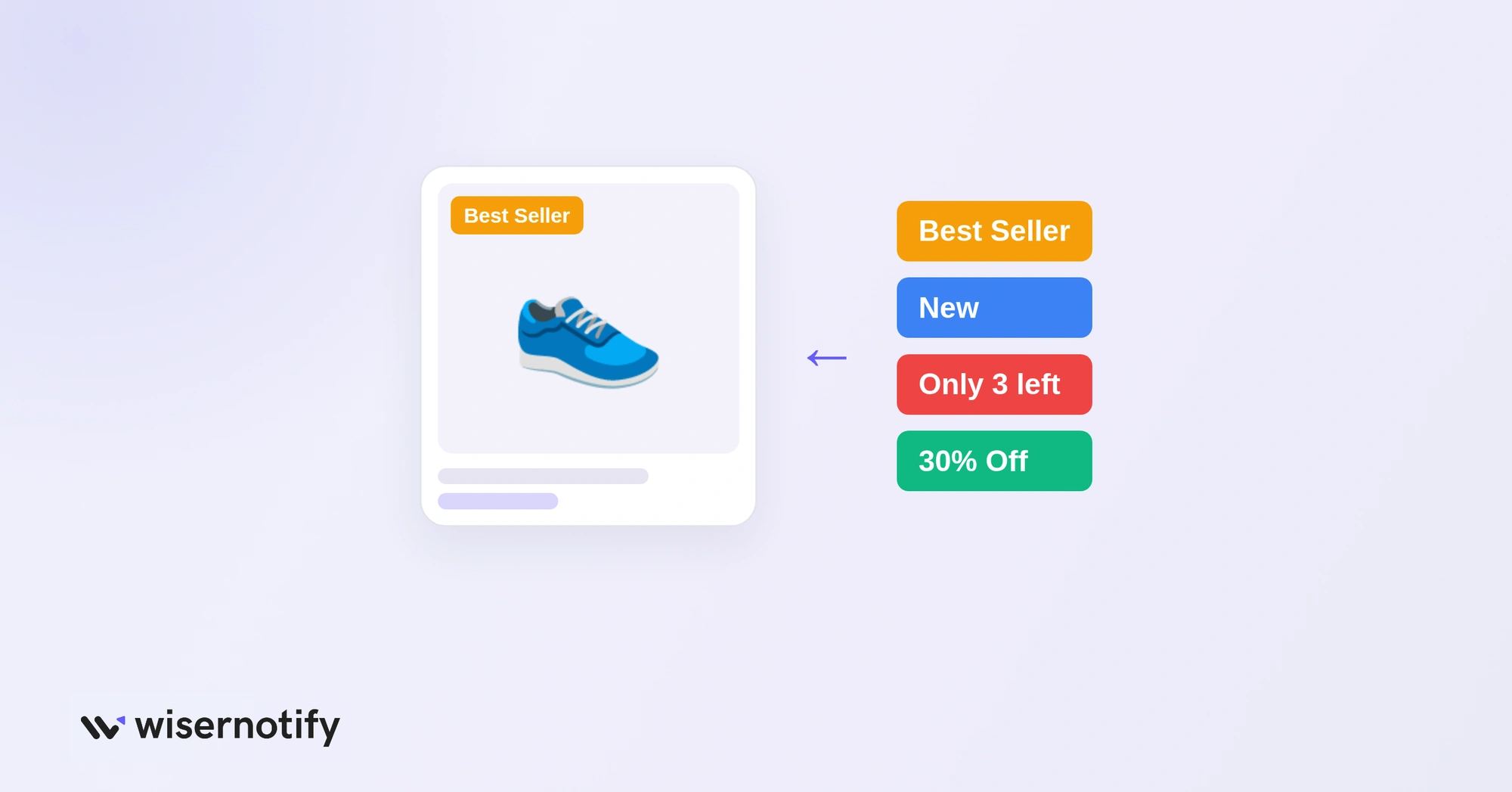
Product badges are small visual labels placed on or next to product images in an online store. They call out one fact, like “Best Seller,” “New Arrival,” “Limited Stock” or “30% Off.”
Think of them as digital shelf tags. In a physical store, you’d see a red “Sale” sticker or a “Staff Pick” card. Online, badges do the same job in a product grid that shoppers scan in seconds.
A good badge does three things at once. It breaks up the grid so the eye stops, it says why the product matters right now, and it removes a small doubt before the shopper clicks.
They’re different from site-wide trust seals in the footer. For those, see our guide to the best trust badges.
Why Do Product Badges Increase Sales?
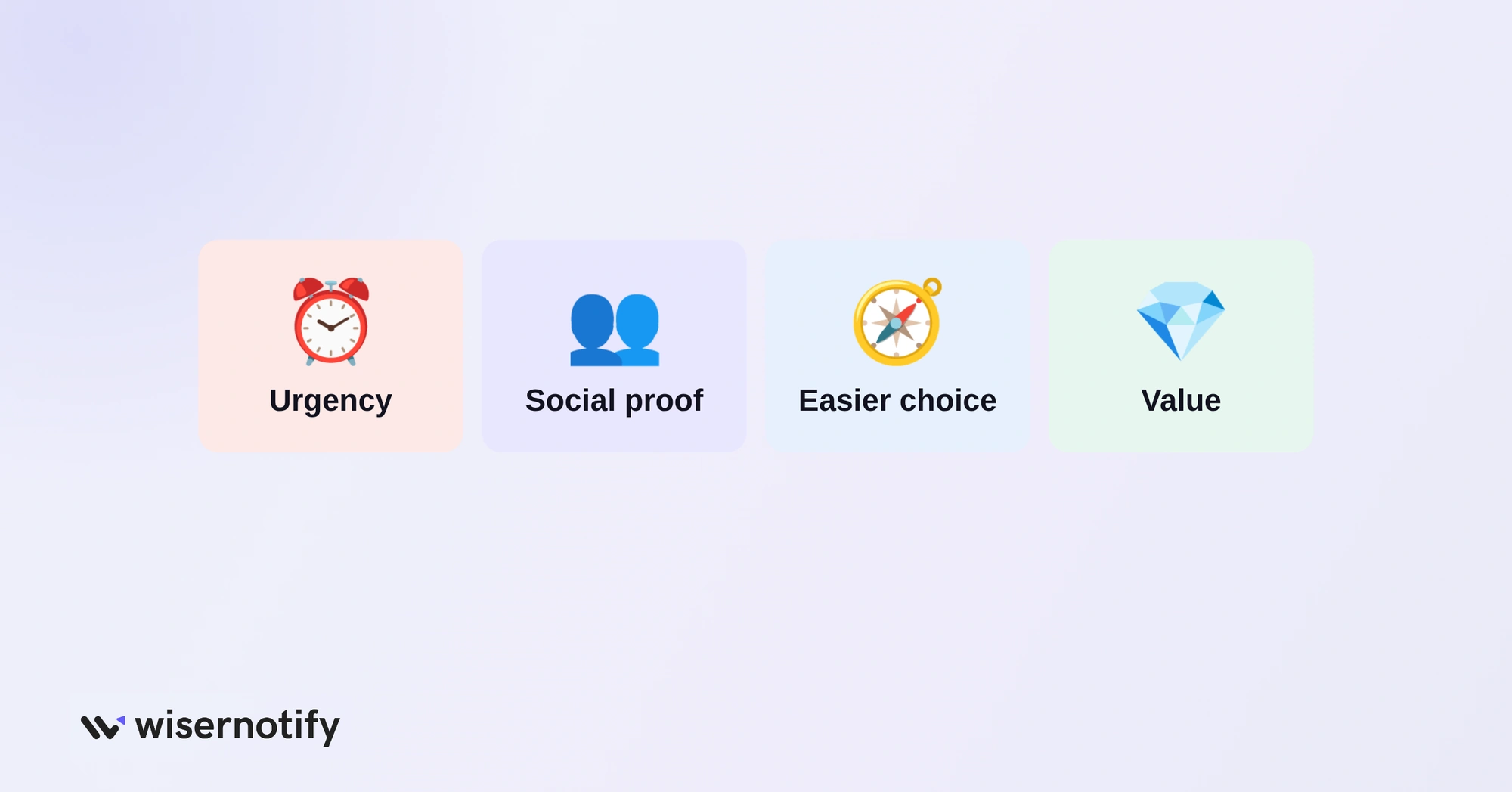
Badges work because they answer the question a shopper is already asking, without making them read a product description.
- They create urgency: “Only 3 left” and “Sale ends tonight” give shoppers a reason to act now instead of later, which matters when about 70% of carts are abandoned.
- They add social proof: “Best Seller” and “Top Rated” tell first-time visitors that other people already chose this product.
- They simplify choice: in a long grid, badges act as filters that point to the safe pick, the new pick or the deal.
- They show value without discounting: “Eco-Friendly,” “Handmade” or “Award Winner” give a reason to buy without cutting margin.
- They remove cost surprises: extra costs like shipping are the top reason shoppers abandon carts, and a free shipping badge answers that early.
12 Product Badges at a Glance
Here’s every badge in one table, with the trigger it uses, where it works best and when to leave it off.
| Badge | Trigger | Best placement | When not to use |
|---|---|---|---|
| Best Seller | Social proof | Category and product pages | On items that don’t lead sales |
| New Arrival | Novelty | Homepage and category pages | After 30 to 60 days |
| Top Rated | Social proof | Near the price on product pages | With thin or no reviews |
| Low Stock | Scarcity | Next to Add to Cart | When stock isn’t low |
| Sale Ends Soon | Urgency | Product and cart pages | Without a real deadline |
| Seasonal | Event intent | Homepage and gift pages | Once the event is over |
| Discount | Value | Category cards and price area | On most of the catalog |
| Free Shipping | Value | Category cards near price | When a threshold is hidden |
| Clearance | Value plus urgency | Clearance pages and filters | Mixed into full-price grids |
| Secure Payment | Trust | Near Add to Cart and checkout | On every product card |
| Money-Back Guarantee | Risk removal | Below Add to Cart | With a fine-print policy |
| Award or Certification | Third-party trust | Near the description | Without a real certificate |
Which Product Badges Build Social Proof?
These badges borrow trust from other shoppers. They work best for first-time visitors who don’t know your brand yet.
1. Best Seller Badge
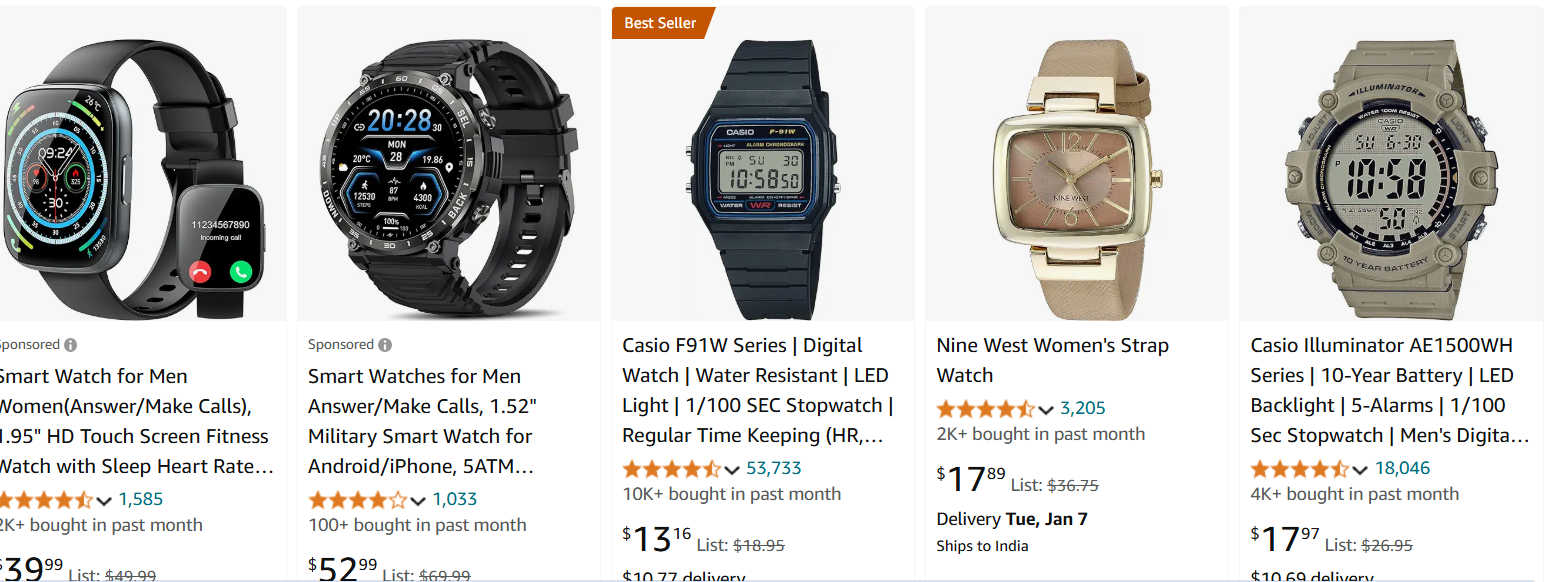
“Best Seller” is the most familiar social proof badge in ecommerce. It tells an undecided shopper that plenty of people already picked this item, which lowers the risk of choosing it.
Amazon’s orange “Best Seller” tag is the best-known example. It shows on search results and product pages and marks the top seller in a category.
Best placement: category pages, product listing pages and product pages. Use it only on items that lead sales.
2. New Arrival Badge
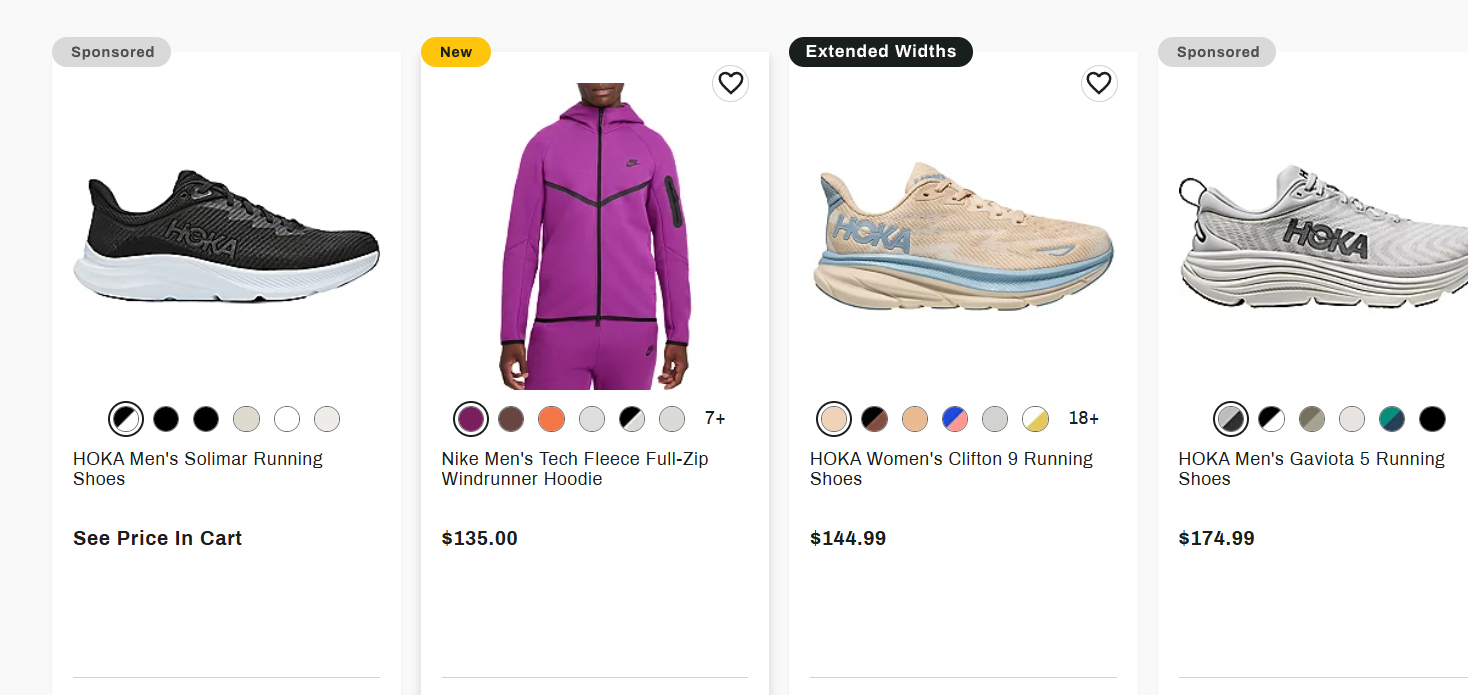
“New” badges pull in two groups: early adopters who want the latest item and returning customers who check back for fresh stock.
Retailers like Dick’s Sporting Goods use a short “New” tag that doesn’t compete with price or ratings. Short wins here.
Best placement: homepage features, category pages and emails. Remove it 30 to 60 days after launch so it stays believable.
3. Top Rated Badge
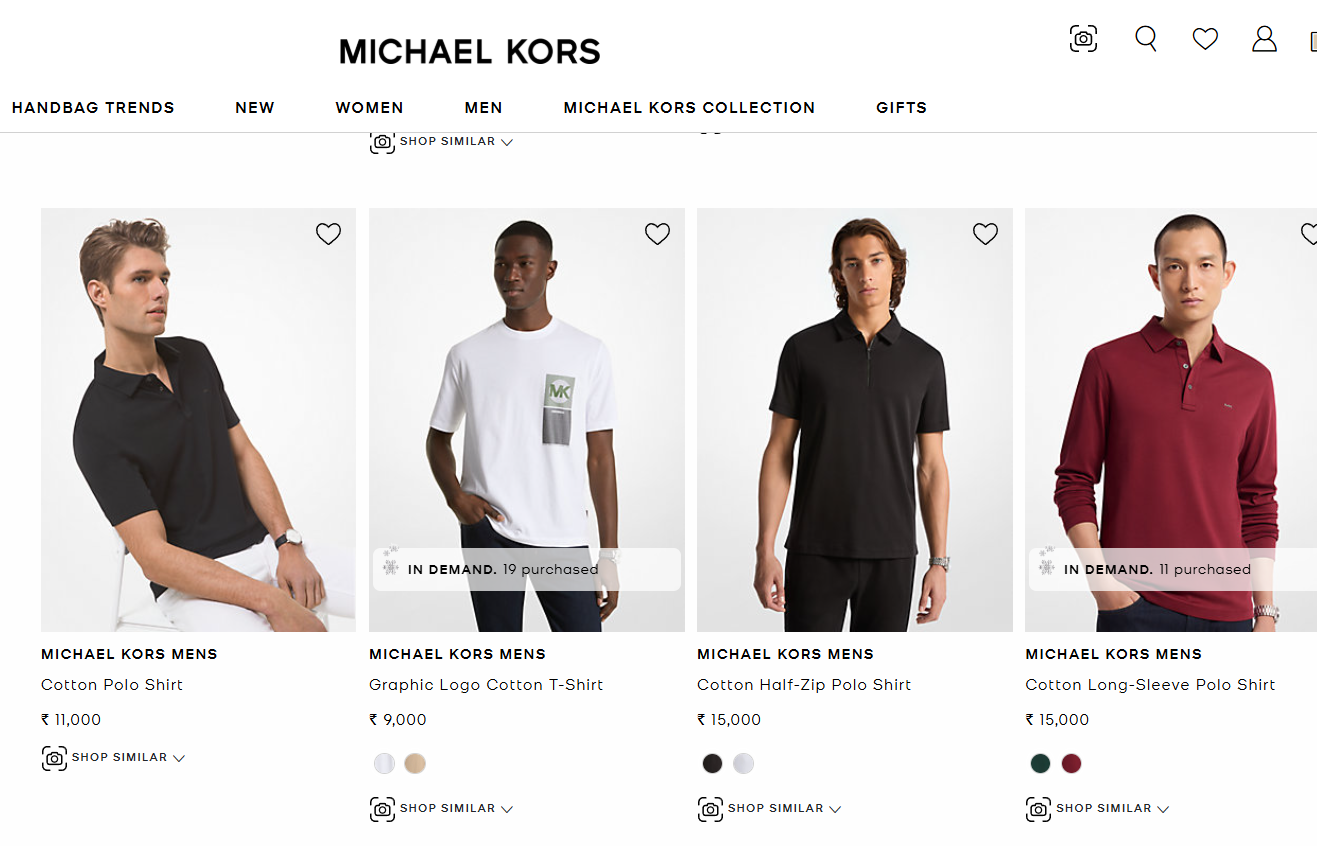
“Top Rated,” “Customer Favorite” and star rating badges turn reviews into a quick signal. They only work when real review data sits behind them.
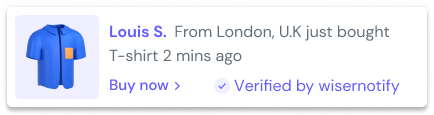
Pair them with live social proof notifications like “Sarah just bought this” or “42 people viewing now.” A static badge says what happened before, and a live alert shows what’s happening right now.
Best placement: near the price on product pages, category cards and landing pages for higher-priced items.
Build trust & FOMO
Highlight real-time activities like reviews, sales & sign-ups.
Which Product Badges Create Urgency?
Urgency badges give shoppers a reason to buy today. They only work when the limit is real.
4. Low Stock Badge
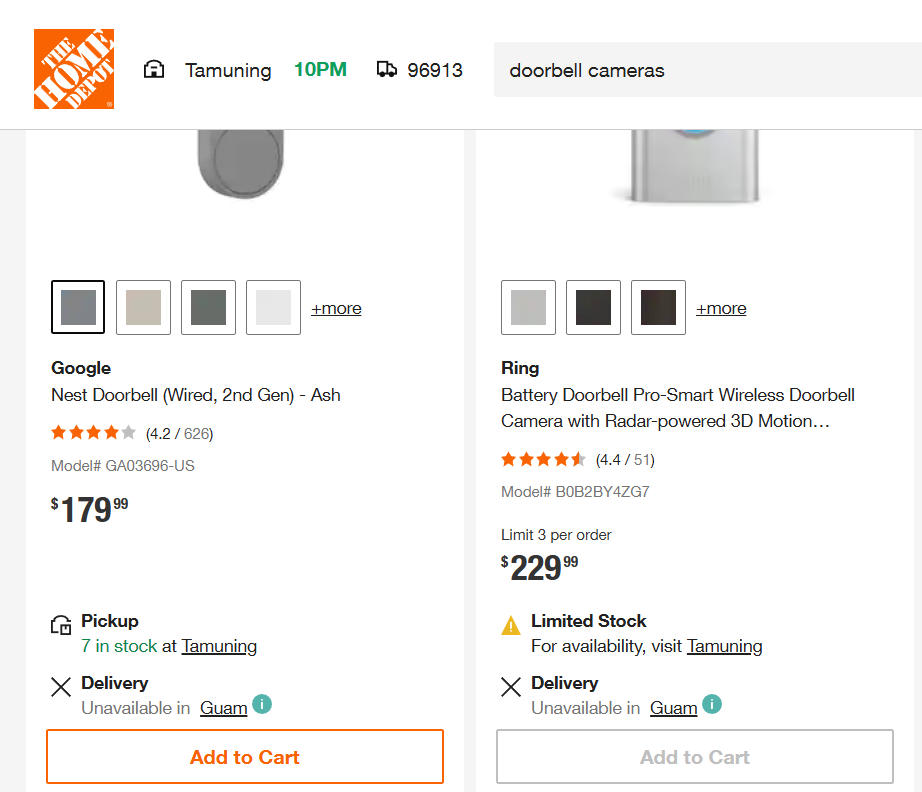
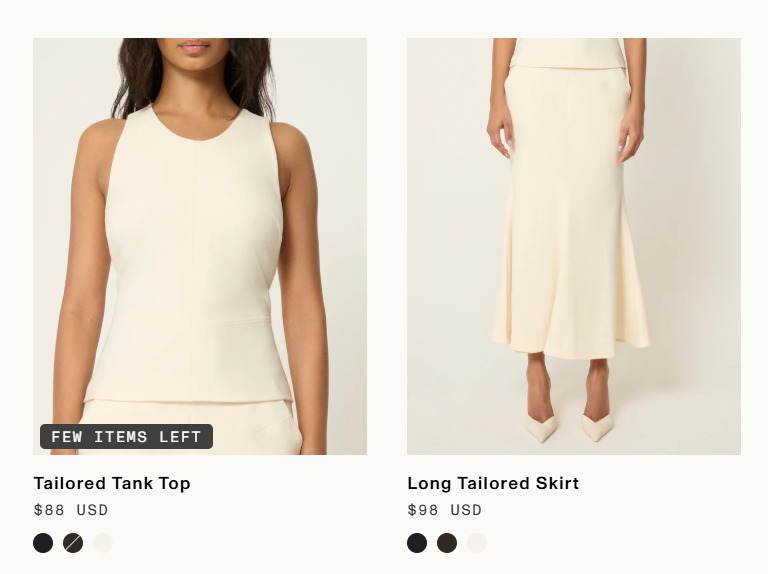
“Only 3 left in stock” beats a vague “Limited stock” because a number feels real. Home Depot, for example, flags limited stock on popular items to nudge quick decisions.
Connect the badge to live inventory. Showing “Only 3 left” on everything is the fastest way to lose trust.
Best placement: next to the Add to Cart button and on category cards for fast-moving items.
5. Sale Ends Soon Badge
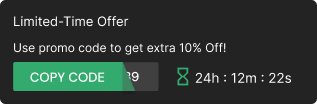
“Sale ends tonight,” “Last chance” and countdown timer badges add time pressure. A specific deadline like “Flash sale: 6 hours left” feels more real than “Limited time offer.”
For store-wide promotions, repeat the deadline in an announcement bar at the top of the page.
Best placement: product pages, cart pages and site-wide bars during a sale.
6. Seasonal or Holiday Badge
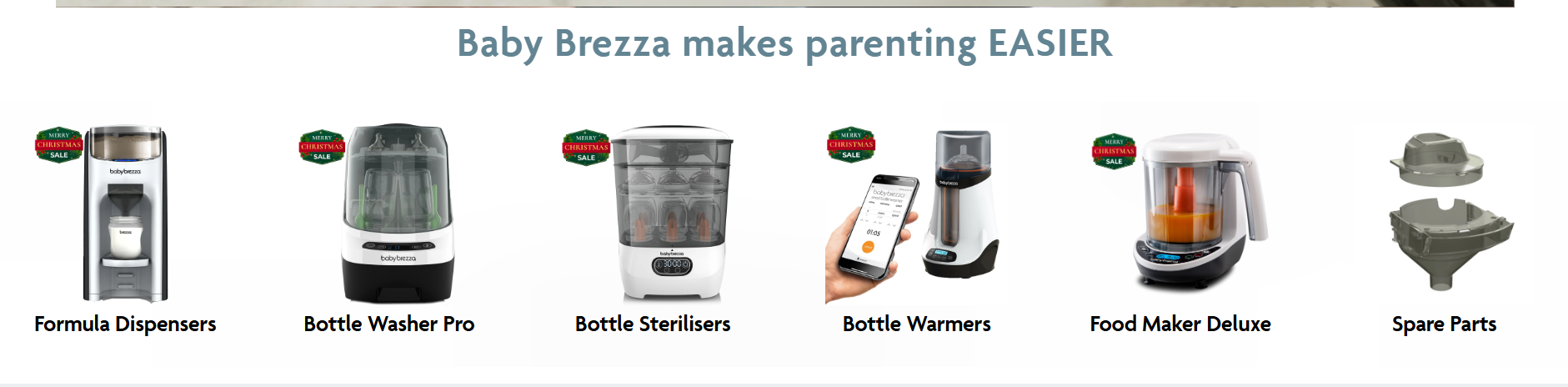
“Valentine’s Gift,” “Black Friday Deal” or “Back to School” badges catch shoppers who are already hunting for a specific occasion.
Timing is everything. Add them when the season starts and pull them the week it ends, because a “Christmas Special” badge in February looks neglected.
Best placement: homepage features, gift guides and seasonal category pages.
Build urgency
Add floating offers with countdown timer & coupon code.
Which Product Badges Highlight Value?
Value badges make the saving or the extra benefit obvious at a glance.
7. Discount Badge
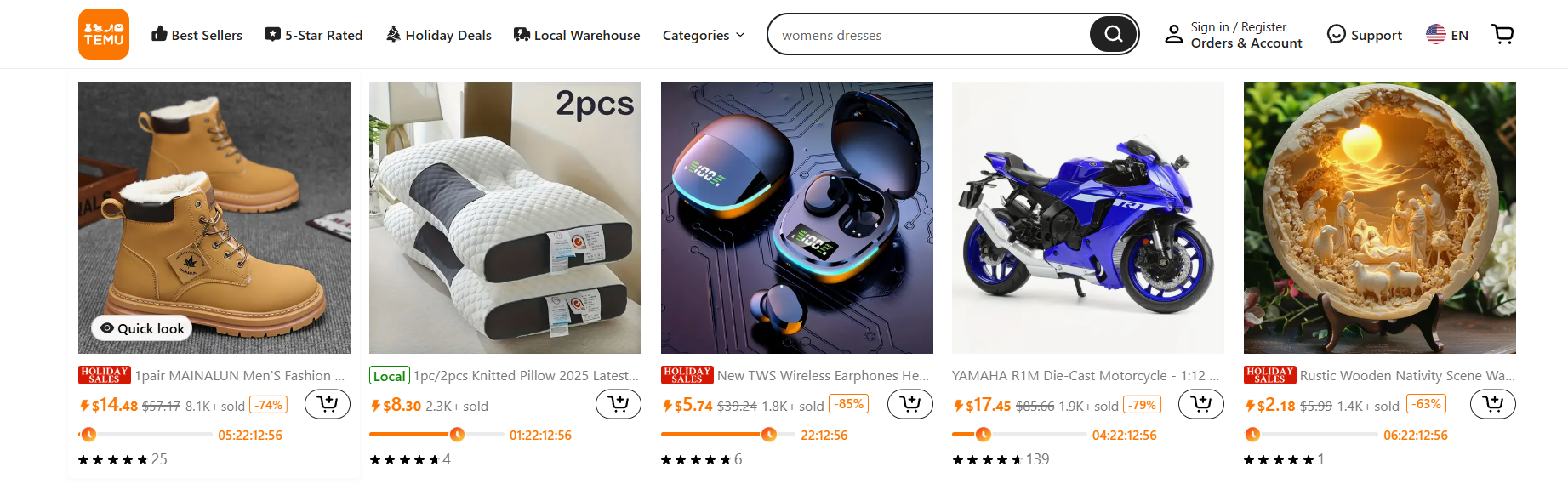
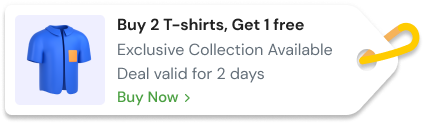
“30% Off,” “Save $50” or “Buy one, get one” badges show the saving before the shopper does the math. A specific number beats a plain “Sale” label.
Walmart’s clearance and rollback tags show the price drop next to the product, so the deal is clear without a click.
Best placement: category cards, near the price on product pages and in the cart. Keep it to a minority of products or it stops standing out.
8. Free Shipping Badge
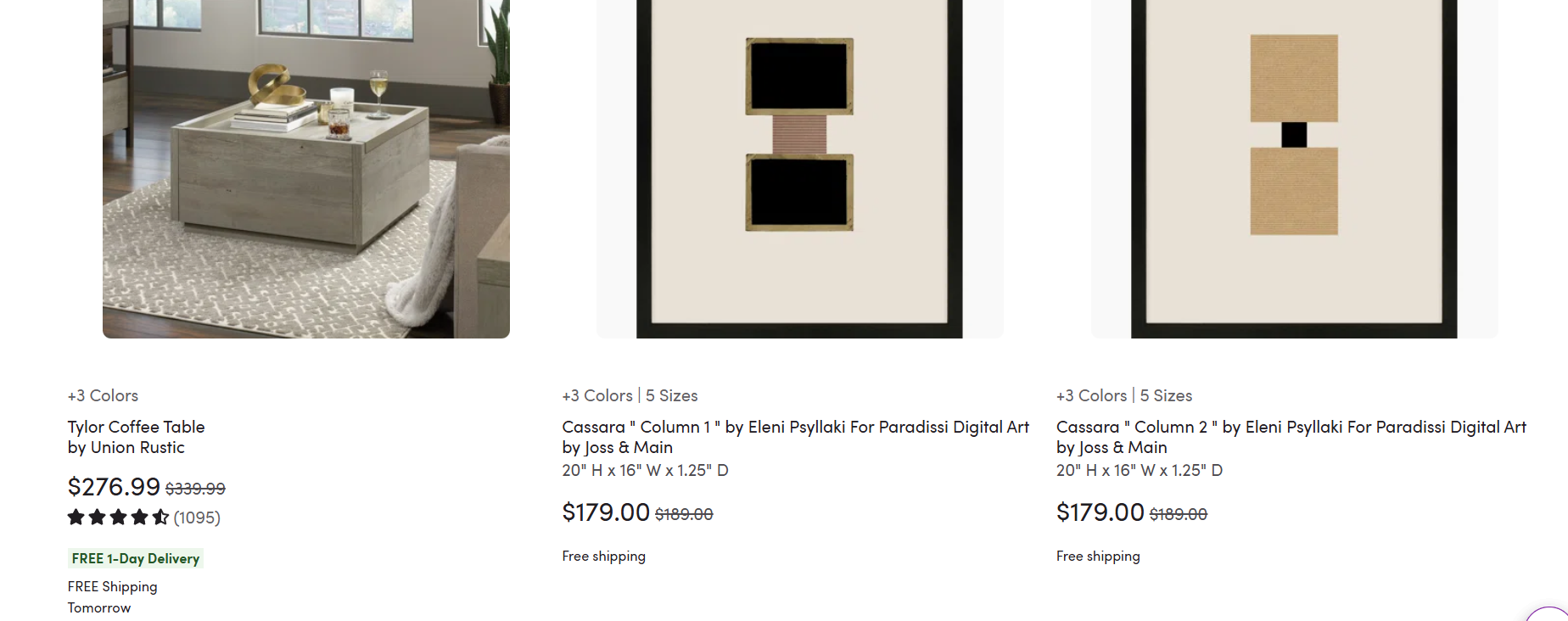
Extra costs like shipping are the most common reason shoppers abandon a cart, cited by about 40% of them. A free shipping badge answers that worry while they’re still browsing.
If free shipping only applies above a threshold, put the threshold on the badge, like “Free shipping over $50.”
Best placement: category cards near the price, product pages and checkout pages.
9. Clearance Badge
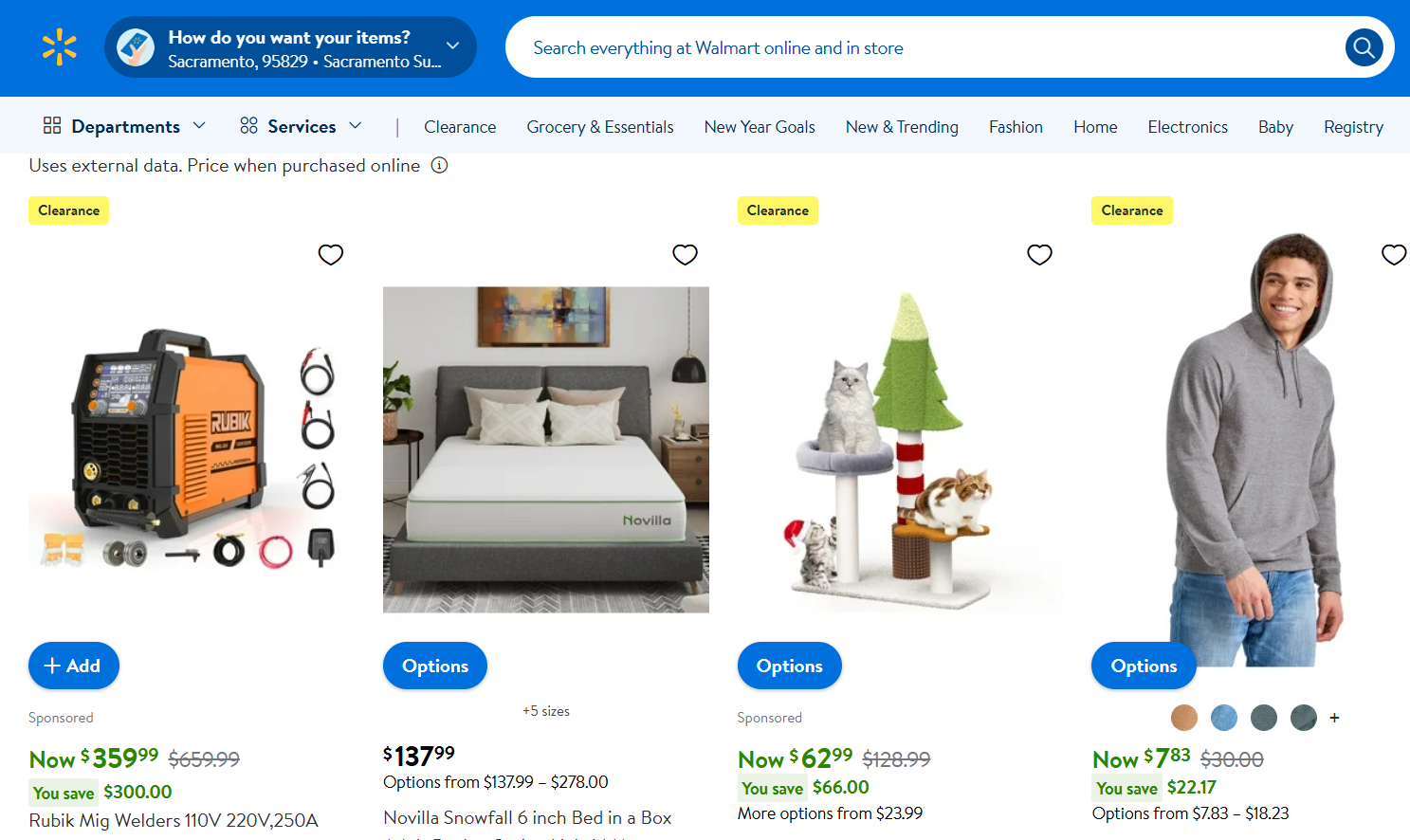
Clearance badges mark the deepest discounts. They pull in deal hunters and help you move slow stock, mixing value with a quiet “once it’s gone, it’s gone.”
Show the original price crossed out next to the new one. The visual gap feels bigger than a percentage alone.
Best placement: a dedicated clearance page and filters, kept apart from full-price products.
Build trust & FOMO
Highlight real-time activities like reviews, sales & sign-ups.
Which Product Badges Build Trust?
Trust badges remove the last worries before checkout: payment safety, returns and quality.
10. Secure Payment Badge
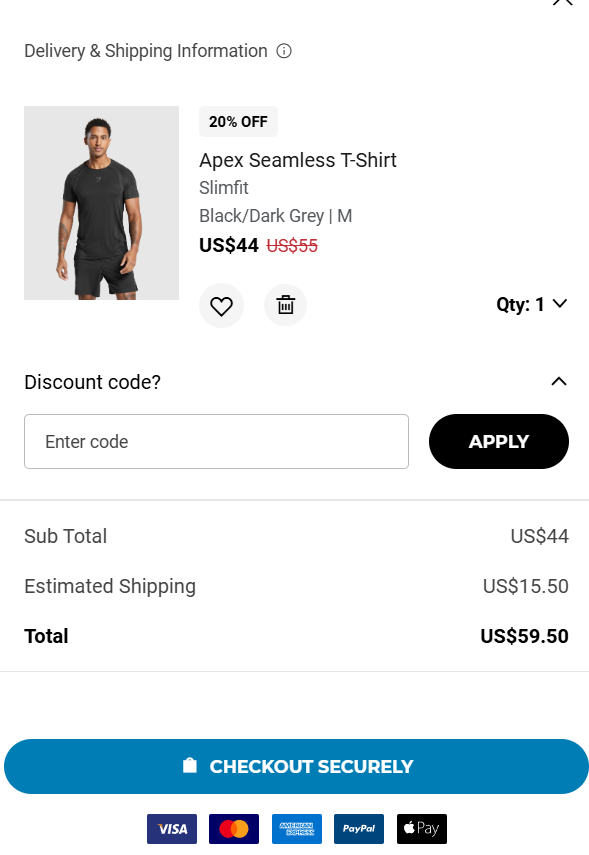
“Secure checkout,” SSL notes and payment logos reassure shoppers that their card details are safe. Nearly 1 in 5 shoppers who abandon a cart say they didn’t trust the site with their card.
Gymshark, for example, shows accepted payment methods like Visa, Mastercard and Apple Pay close to checkout.
Best placement: near Add to Cart, on the checkout page and in the footer. Keep it off product cards.
11. Money-Back Guarantee Badge
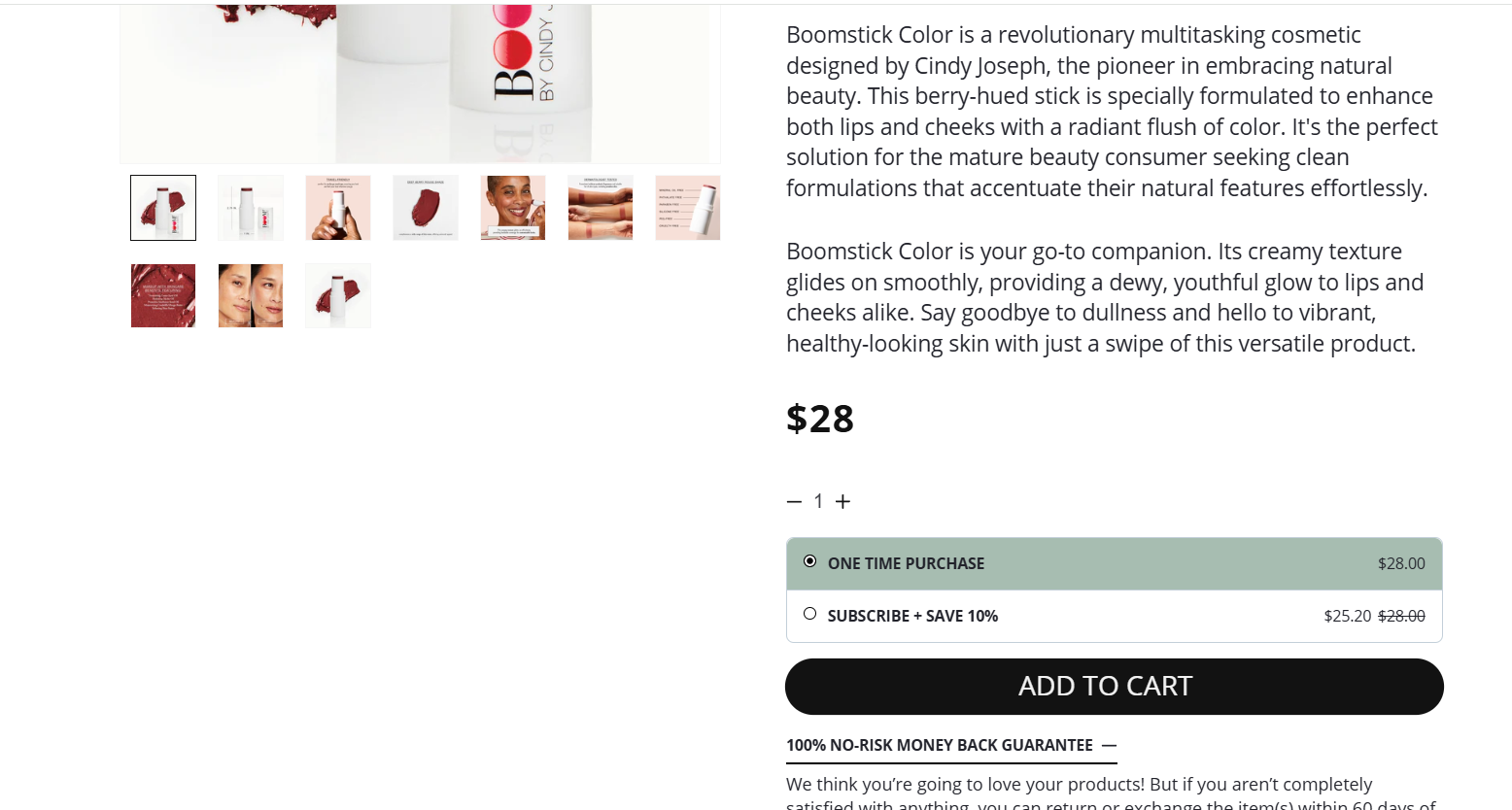
A guarantee answers the biggest online shopping worry: “What if I don’t like it?” Specific beats vague, so “60-day no-questions-asked returns” builds more confidence than “Money-back guarantee.”
Make sure the policy page says the same thing as the badge, or the badge backfires.
Best placement: right below Add to Cart, on the checkout page and on the about page.
12. Award or Certification Badge
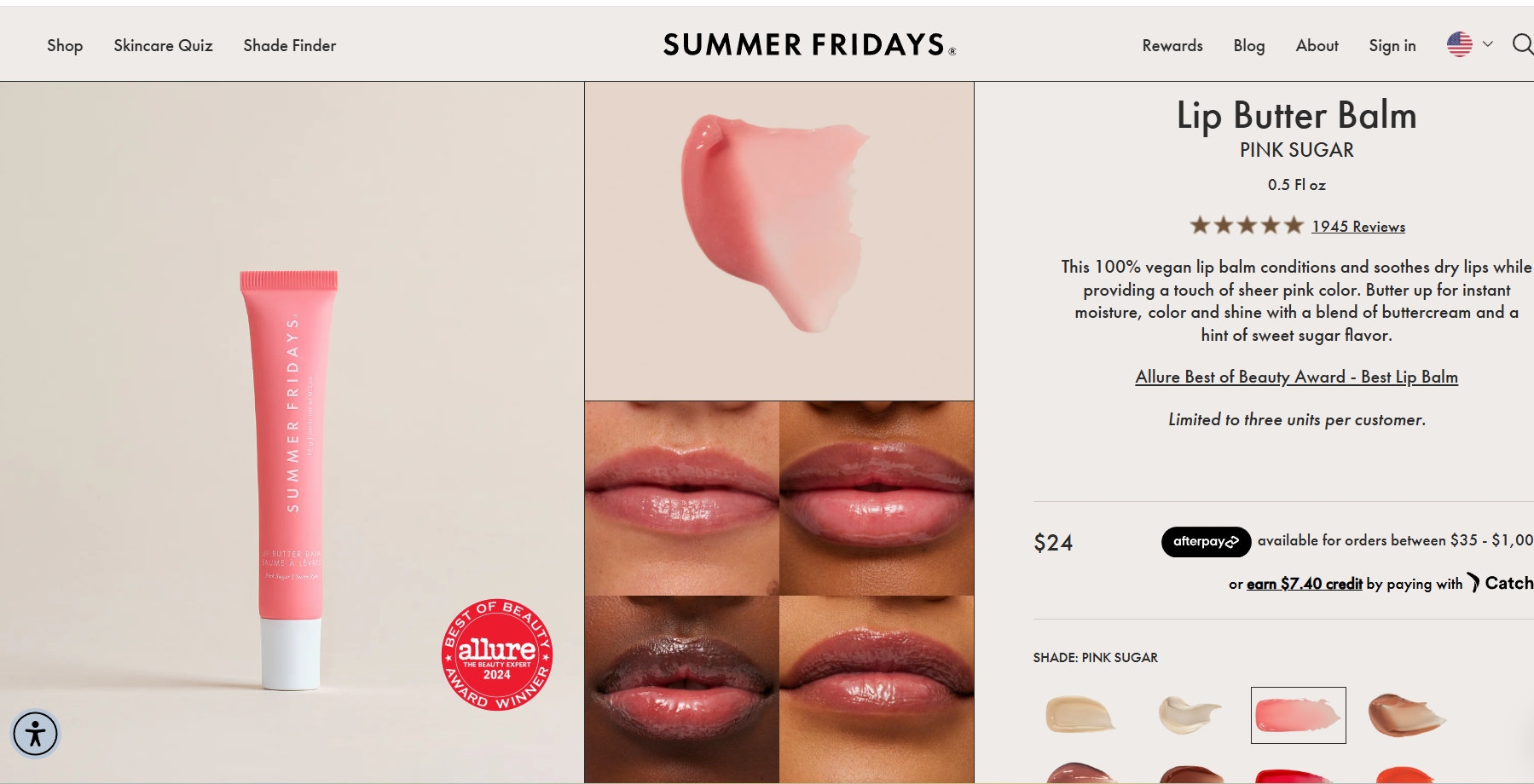
“Editor’s Choice,” “USDA Organic” or “Cruelty-Free” badges move the source of trust from your claims to an outside authority. A “USDA Organic” seal carries more weight than your own “natural ingredients” line.
They matter most where quality, ethics or sustainability drive the purchase.
Best placement: near the product description, on category cards and on landing pages for premium products.
What Are Dynamic and AI Product Badges?
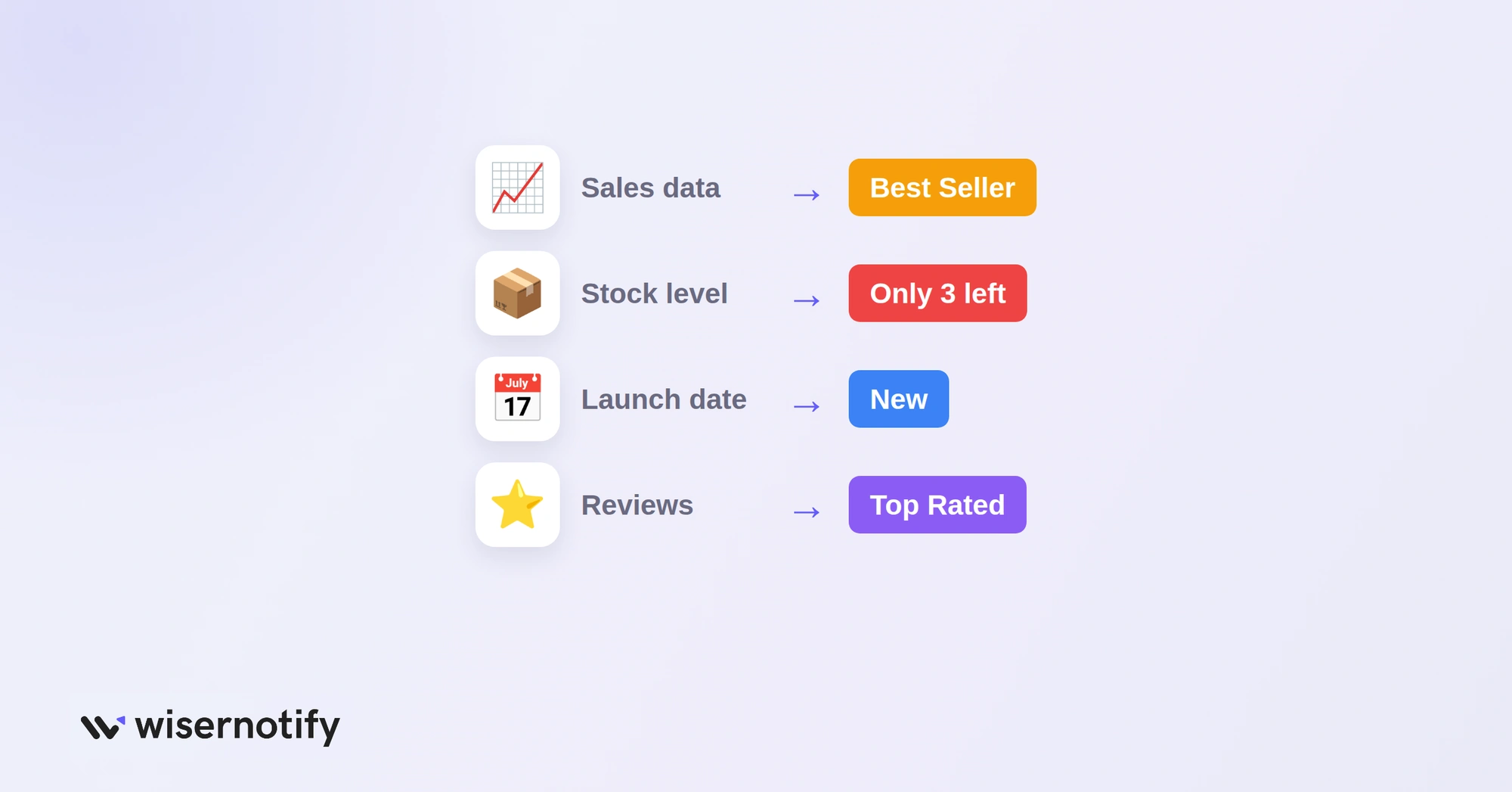
Static badges are set by hand. Dynamic badges switch on and off from your store data, so they stay accurate without daily edits.
- Sales rules: show “Best Seller” on the top products in each category by recent sales.
- Inventory rules: show “Only X left” when stock drops below a set number.
- Date rules: show “New” for a set number of days after a product goes live.
- Review rules: show “Top Rated” only above a set rating and review count.
- AI suggestions: some apps now pick which badge to show each shopper based on browsing and purchase patterns.
Rules keep badges honest, because the label disappears the moment it stops being true.
How Do You Use Product Badges Effectively?
The gap between badges that convert and badges that get ignored is strategy, not design.
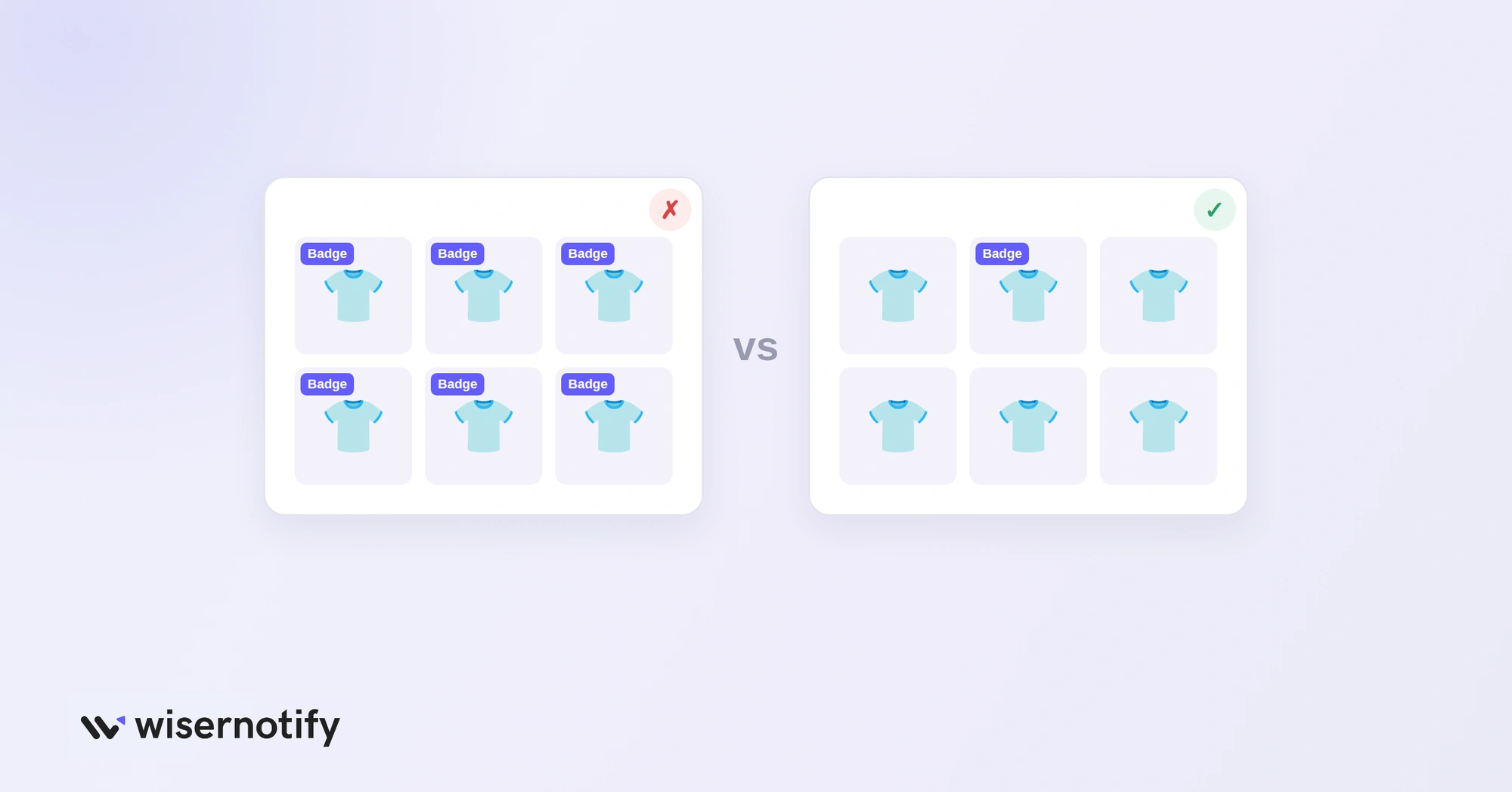
- Badge a small share of products: reserve badges for real best sellers, real low stock, live promotions and new arrivals.
- Use real data: connect badges to sales, stock and reviews. Tools like WiserNotify add live social proof data next to your static badges.
- Match badge to category: “New” suits fashion and seasonal items, “Only X left” suits popular items, free shipping suits higher-priced products.
- Test one type at a time: add one badge type, track click-through and conversion for 2 to 3 weeks, then decide.
- Design for mobile first: most shoppers browse on phones, so check that the badge is readable and doesn’t hide the product.
- Layer static and live proof: pair “Best Seller” with recent sales popups to show both past popularity and current activity.
What Product Badge Mistakes Should You Avoid?
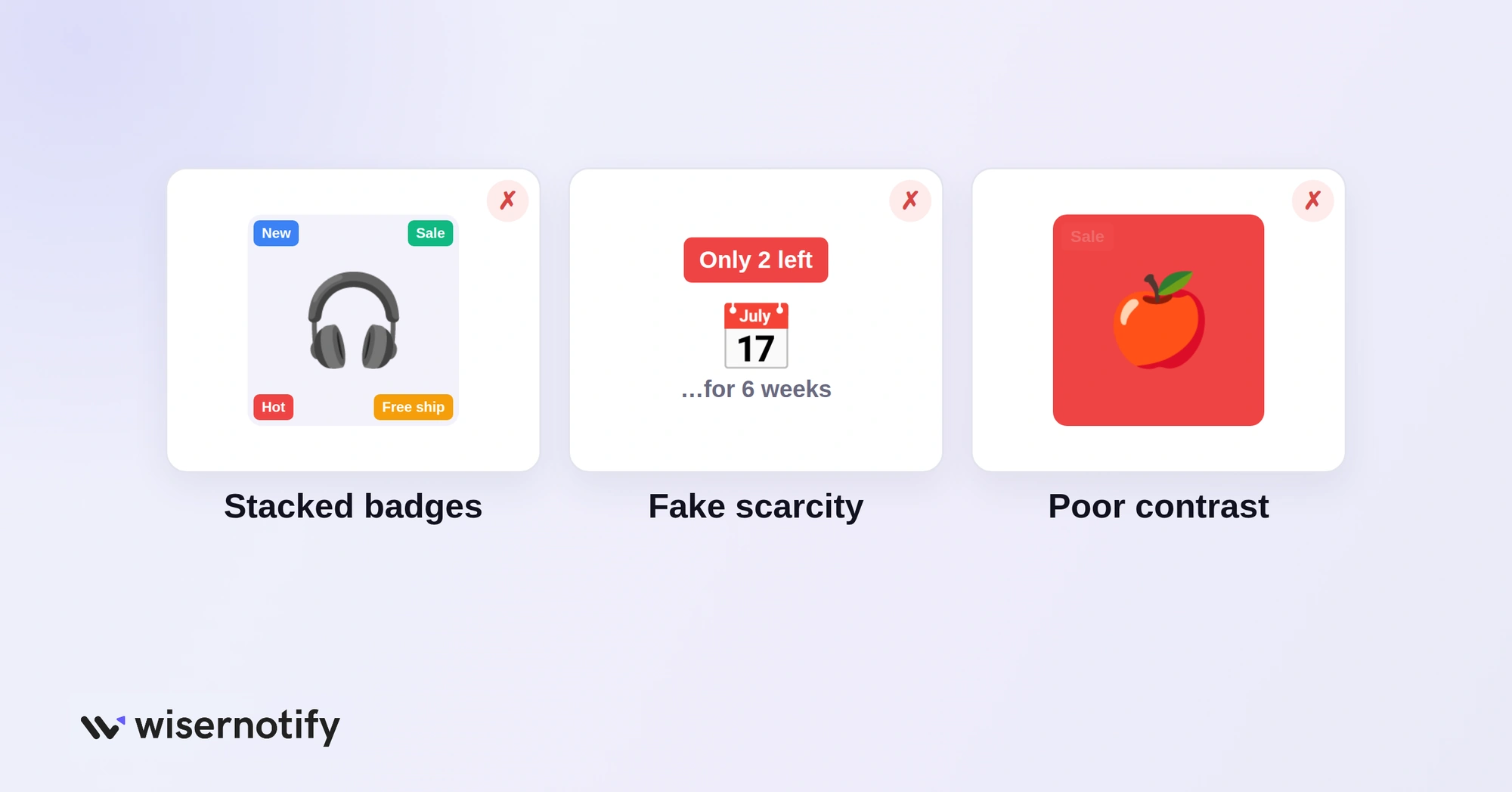
- Badging everything: if most of the grid has a badge, shoppers stop seeing them.
- Fake scarcity: “Only 2 left” on the same item for weeks teaches returning shoppers to distrust every badge.
- Stacking badges: “New,” “Best Seller,” “Free Shipping” and “30% Off” on one card is clutter. Pick one.
- Stale badges: a six-month-old “New” badge isn’t credible. Set expiry rules.
- Poor contrast: a red badge on a red product disappears. Test colors against real product photos.
- No testing: compare products with and without badges. Sometimes removing a weak badge lifts sales.
Wrap Up
Product badges work when they’re rare and true. Pick the one badge that answers each product’s biggest doubt, tie it to real data and take it down when it stops being true.
Start with one badge type, measure the clicks, then add the next.

Boost Conversion Instantly
Add Social Proof & Urgency to your website
Frequently Asked Questions
What are product badges in ecommerce?
Small labels on product images, like Best Seller or Free Shipping, that show shoppers why an item is worth a look.
Do product badges increase conversions?
They can when used on a few products and backed by real data. Test them against products without badges to confirm.
How many products should have a badge?
Only a small share of your catalog. If most products carry a badge, shoppers stop noticing them.
Where should product badges go?
On the product image corner in category grids, and near the price or Add to Cart button on product pages.

Krunal Vaghasiya is a marketing tech expert who boosts e-commerce conversion rates with automated social proof and FOMO strategies. He loves to keep posting insightful posts on online marketing software, marketing automations, and improving conversion rates.




 Capterra