
6 Best Online Reputation Management Tools, Tested (2026)
The right online reputation management (ORM) tool depends on your business type.
Small stores and local businesses get the most from WiserReview, service trades from NiceJob, text-first local businesses from Podium, and multi-location brands from Birdeye or ReviewTrackers. RightResponse AI fits teams that already get reviews but can’t keep up with replies.
Every tool below was set up and used hands-on, and the screenshots come from those accounts. Below is a comparison table, a breakdown of each tool, and a framework for picking by team size and budget.
How we tested
We set up WiserReview, Podium, Birdeye, NiceJob, ReviewTrackers and RightResponse AI and ran each through the same checklist:
- Connecting a Google Business Profile and pulling in existing reviews
- Sending review requests by email or SMS
- Replying to reviews, including AI-drafted replies
- Reporting, alerts and multi-location views
- Showing reviews on a website
- Published pricing and how the price scales (per location, per seat or per credit)
ORM Tools Compared
| Tool | Starting price | Best for | Key strength |
|---|---|---|---|
| WiserReview | $6.75/mo billed yearly; 7-day trial | Small businesses and online stores | Review collection, replies and website widgets in one tool |
| Podium | Quote-based | Dealers, clinics, home services | Text inbox with leads, payments and reviews |
| Birdeye | Quote-based, by location | Multi-location brands | Reviews, listings, surveys and messaging in one suite |
| NiceJob | $75/mo (Starter) | Local service trades | Review requests that turn into referrals |
| ReviewTrackers | Quote-based, by location | Franchises and enterprise | Monitoring 100+ review sites with competitor data |
| RightResponse AI | $8.33/mo per location, billed yearly (PAYGO, plus usage credits) | Teams behind on replies | AI replies, theme tagging and map rank tracking |
Top 6 Online Reputation Management Tools
1. WiserReview

WiserReview takes a focused approach to reputation management.
Rather than trying to be an everything-platform, it covers the three jobs that move results for small businesses: collecting Google reviews, managing them, and showing them as trust signals on your website.
You aren’t paying for a large feature set you’ll never touch. You’re paying for a system that gets more reviews in front of more potential customers.
Collect Google Reviews
Setup starts with linking your Google Business Profile or Maps listing, which takes a few minutes.
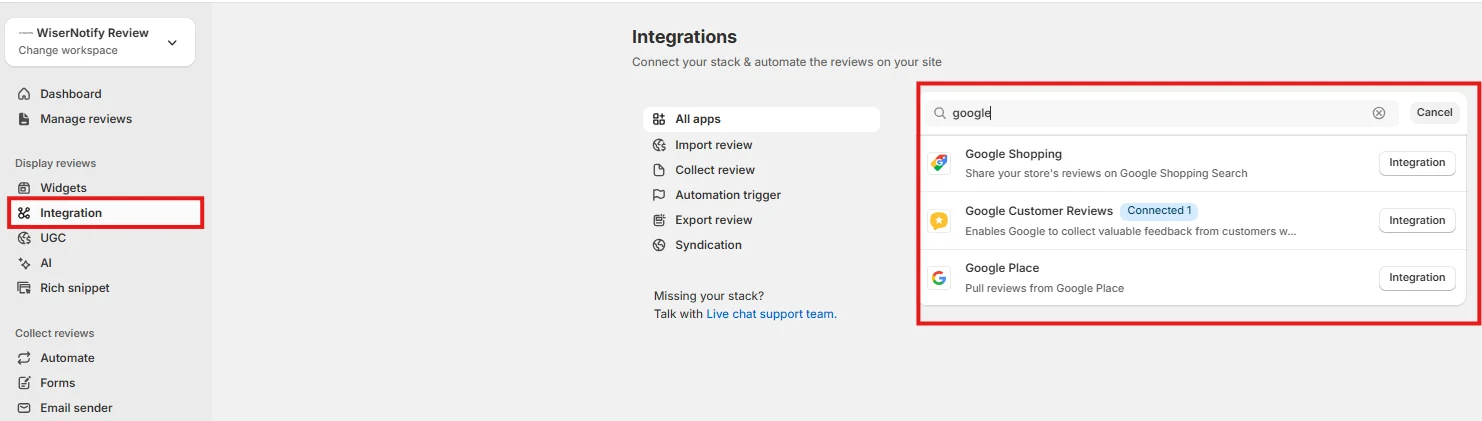
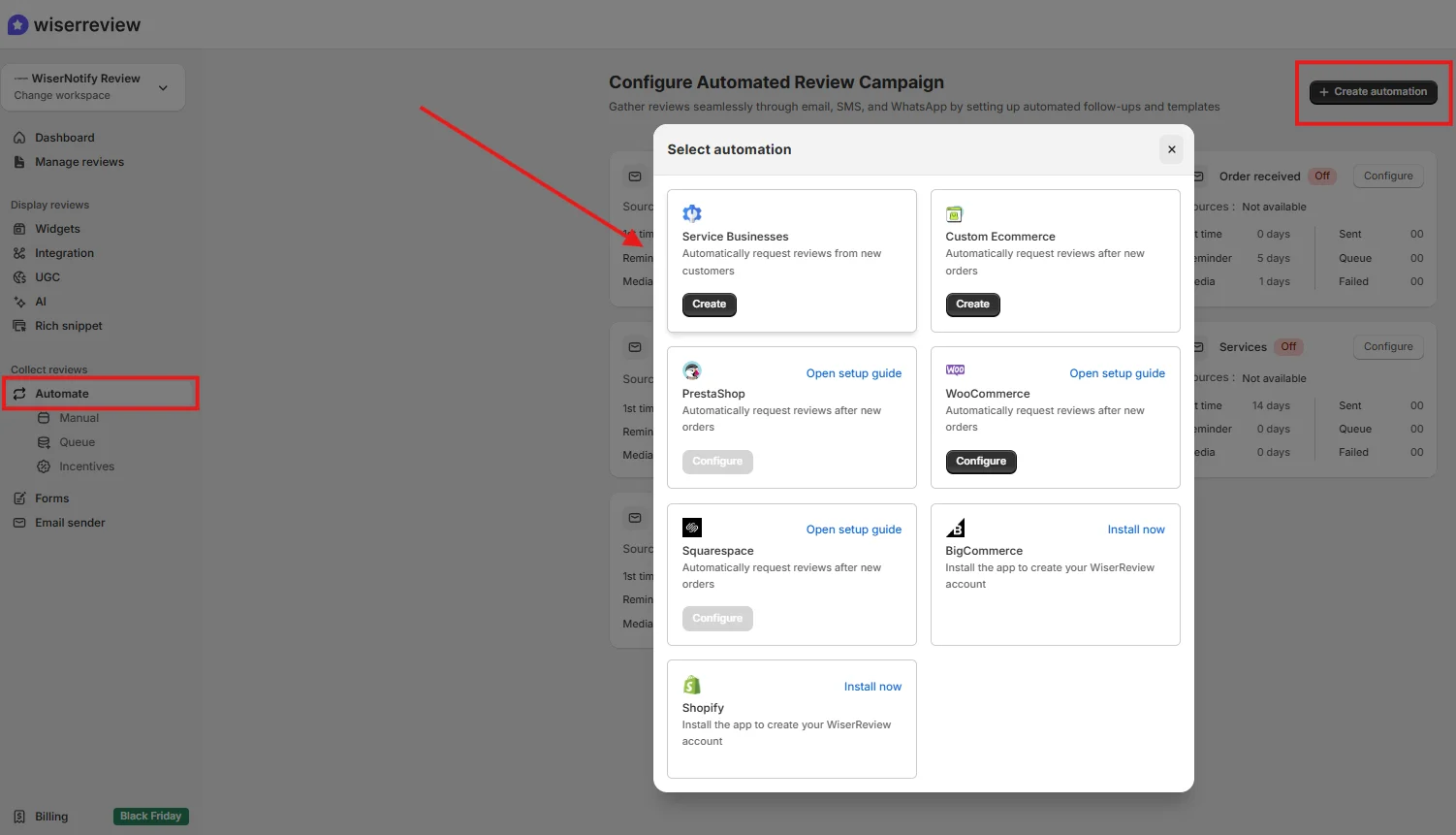
Once connected, WiserReview syncs with your Google Business Profile and also supports online stores, including WooCommerce and Shopify.
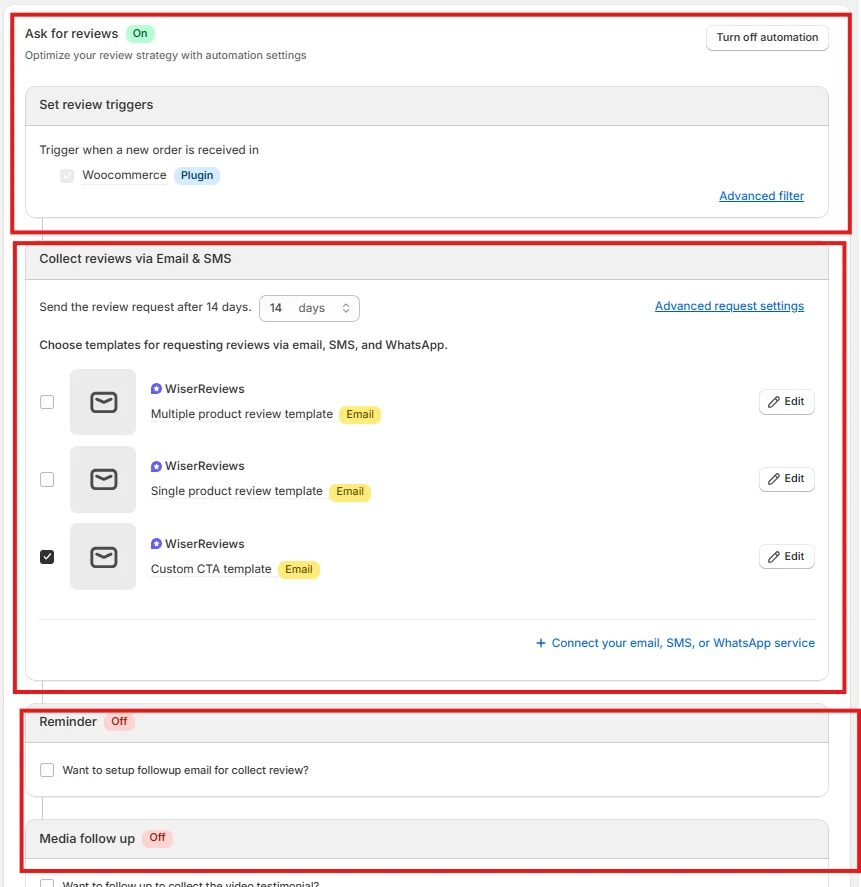
What sets it apart from emailing customers by hand is trigger-based automation.
You choose when a request goes out, for example 48 hours after purchase or right after delivery, customize the email or SMS, and the system does the rest.
Automation means every customer gets asked at the right moment, which is where most manual review programs fall down.
Building a custom review form happens in the Forms section:
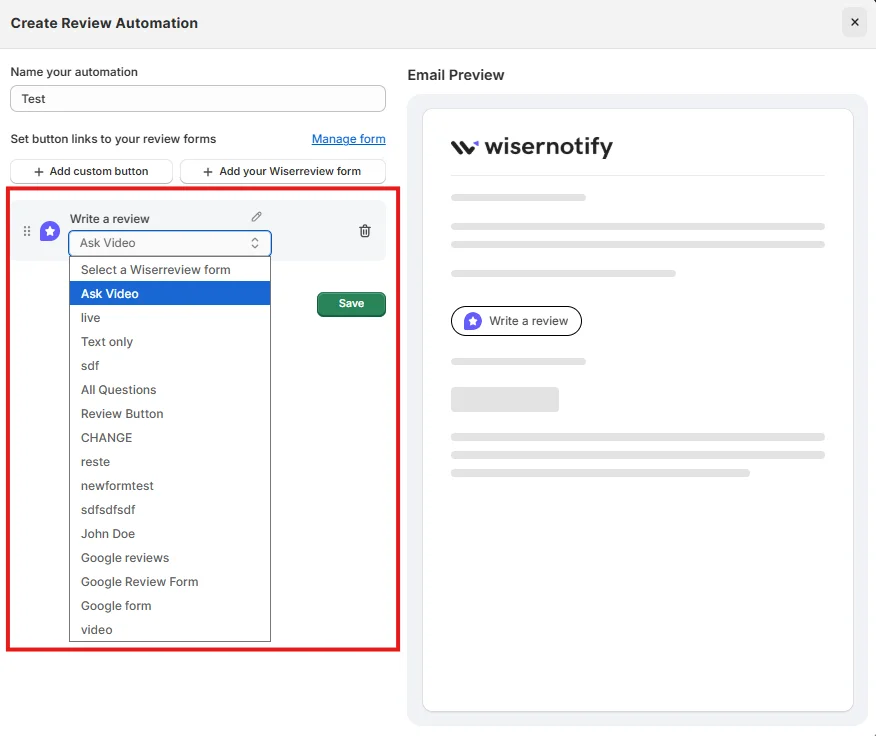
Each step of the flow is customizable, from the first prompt to the star rating screen to the thank-you message:
Review Management
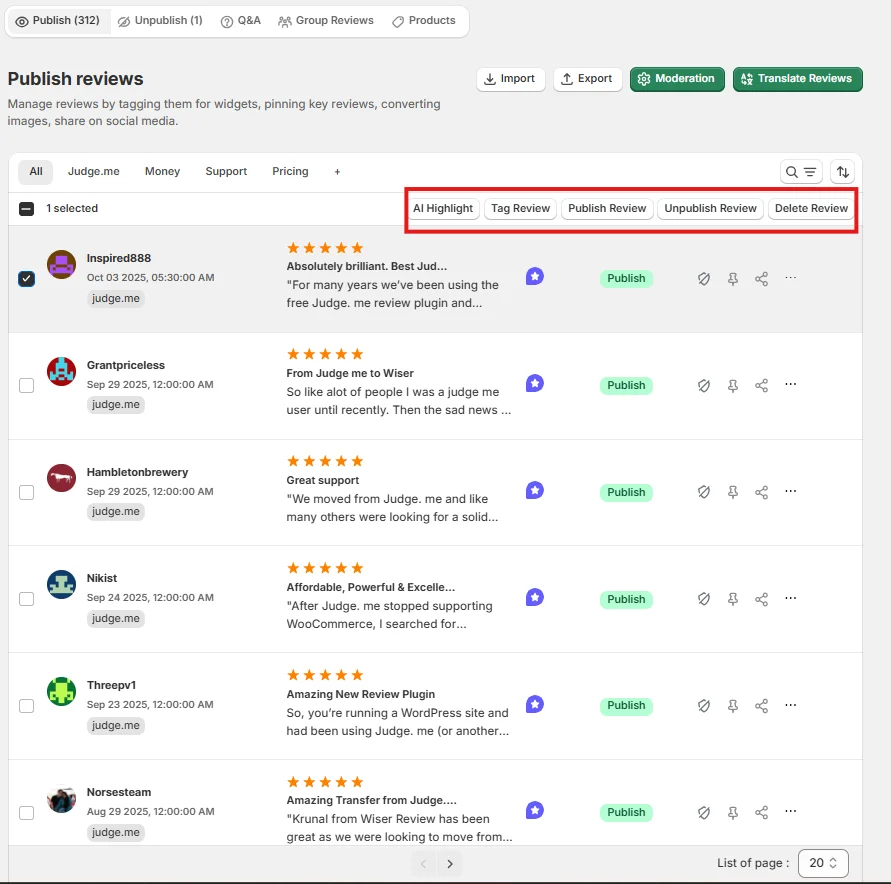
The Review Management dashboard pulls every review into one timeline. No more switching between Google, your store and email.
Three features stood out:
- One-click moderation: Approve on-site reviews or remove spam instantly, with no buried settings.
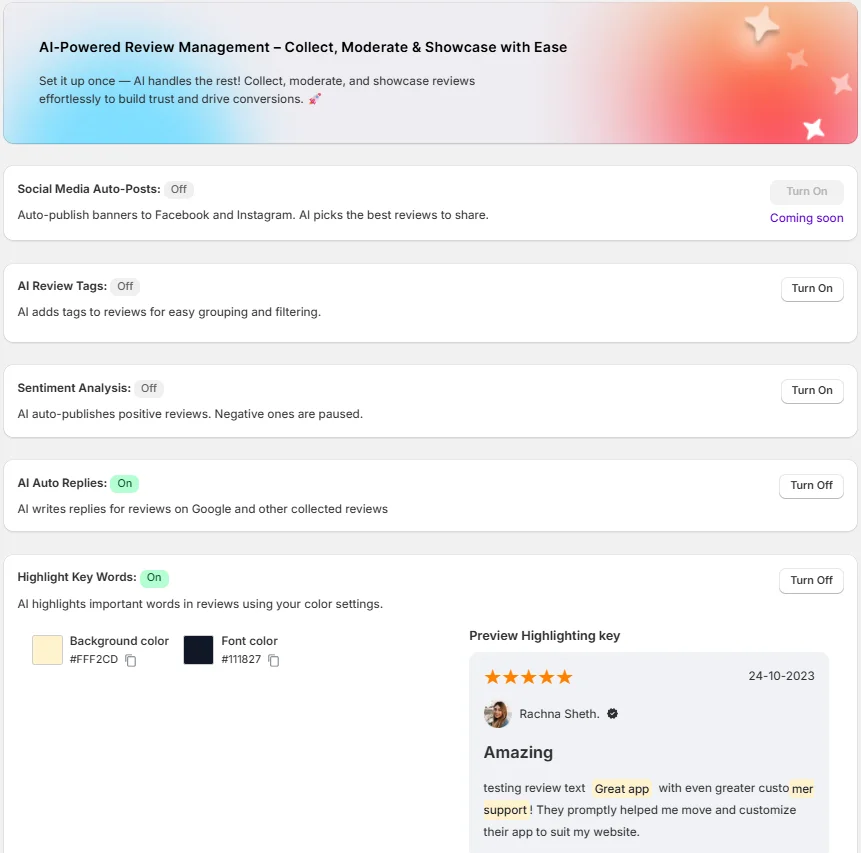
- AI replies and sentiment: The platform reads each review, scores its sentiment and drafts a reply. Negative reviews are flagged so your team can respond quickly.
- Keyword highlighting: Recurring terms are color-coded. If five customers mention “shipping delay” in a week, you see the pattern early.
Here’s a closer look at the AI tools in the dashboard:
Display Reviews
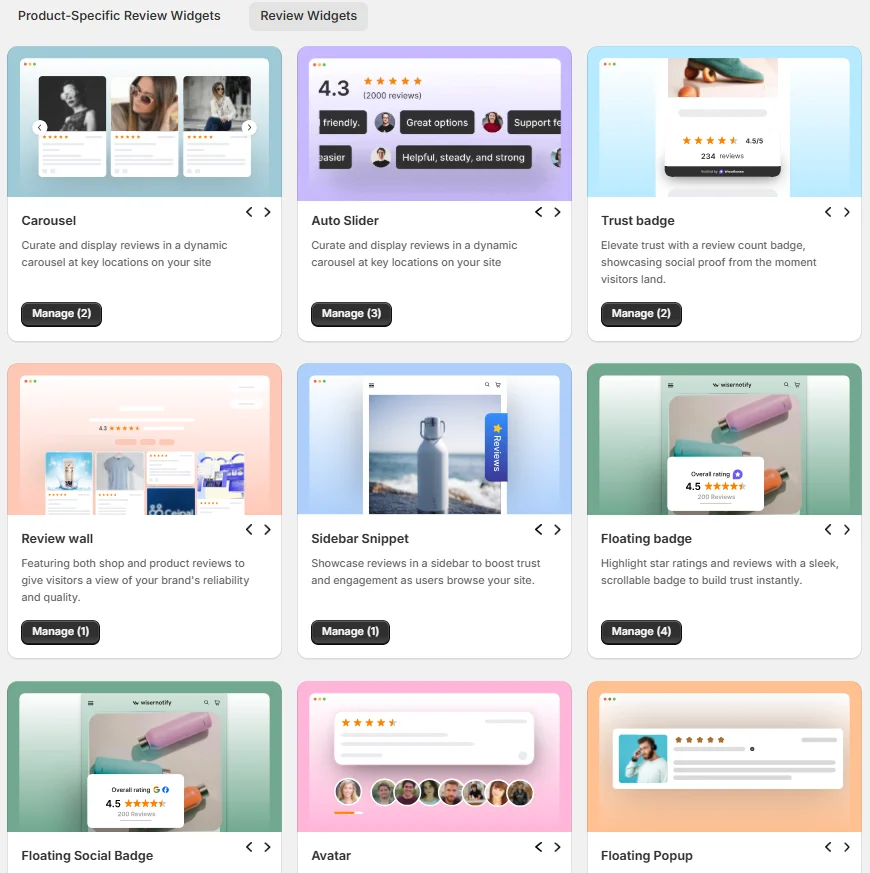
Collecting reviews means little if nobody sees them.
WiserReview’s Display Reviews section offers 15+ embeddable widgets, including carousels, auto sliders, floating badges and grids. They put real customer words on product pages, the homepage and checkout.
Most shoppers read reviews before they buy, so placing them one scroll from the “Add to Cart” button is one of the simplest wins a store has.
WiserReview Pricing
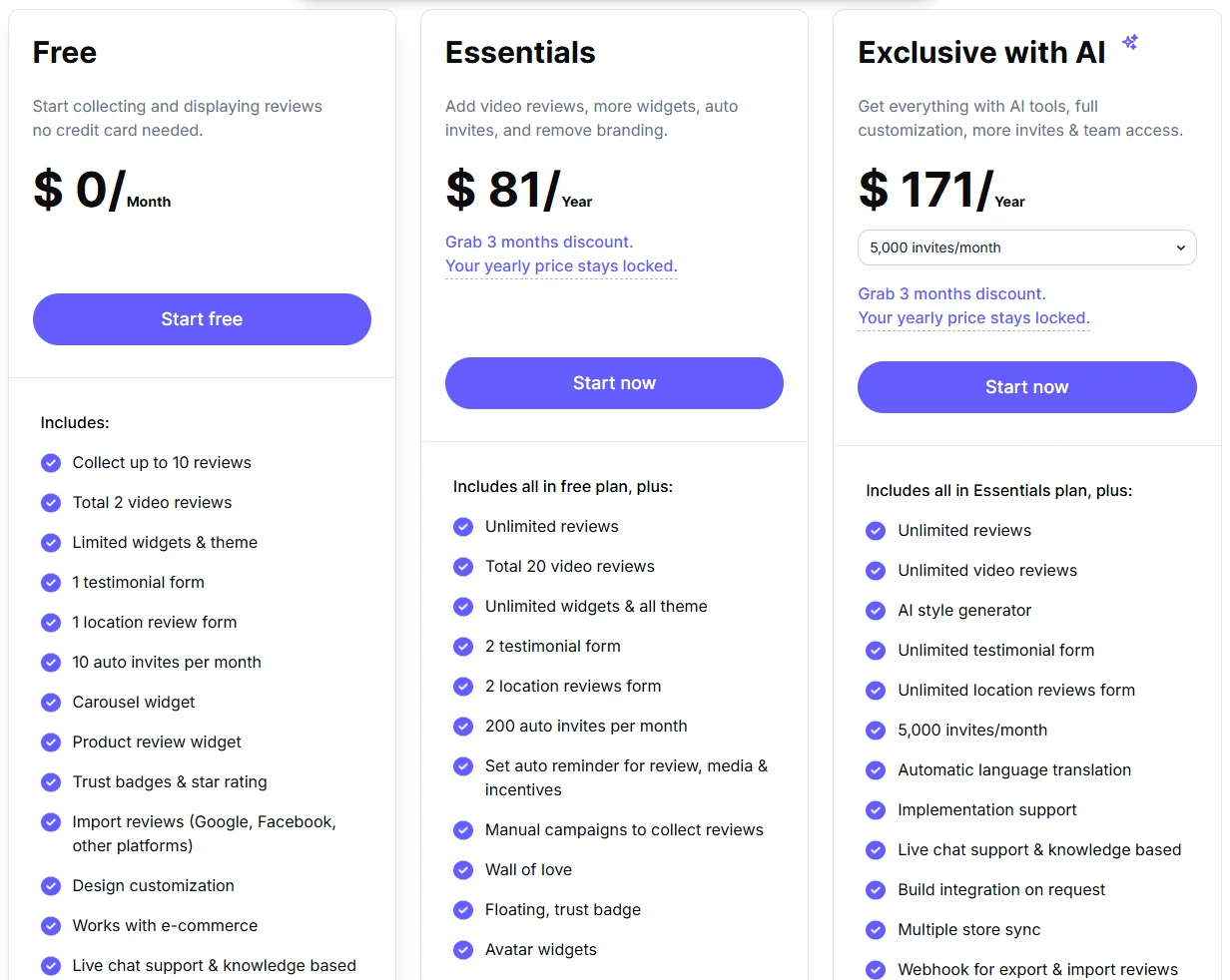
Starter is $6.75/month billed yearly for 100 review requests a month, Pro is $19/month and Pro + AI is $31/month, with a 7-day free trial. A free plan exists only through the Shopify and Wix app stores.

All your reviews in one place
Collect reviews, manage every response, and display them where they matter most.
2. Podium
Podium isn’t just a reputation tool. It’s a customer messaging platform that happens to include review management.
If your revenue depends on customer conversations, as it does for auto dealers, dental offices and home services, Podium puts text messaging at the center of all of them.
Best for: High-touch local businesses that want to capture leads by text, close deals in the same thread, collect reviews and take payments without switching apps.
Unified Inbox
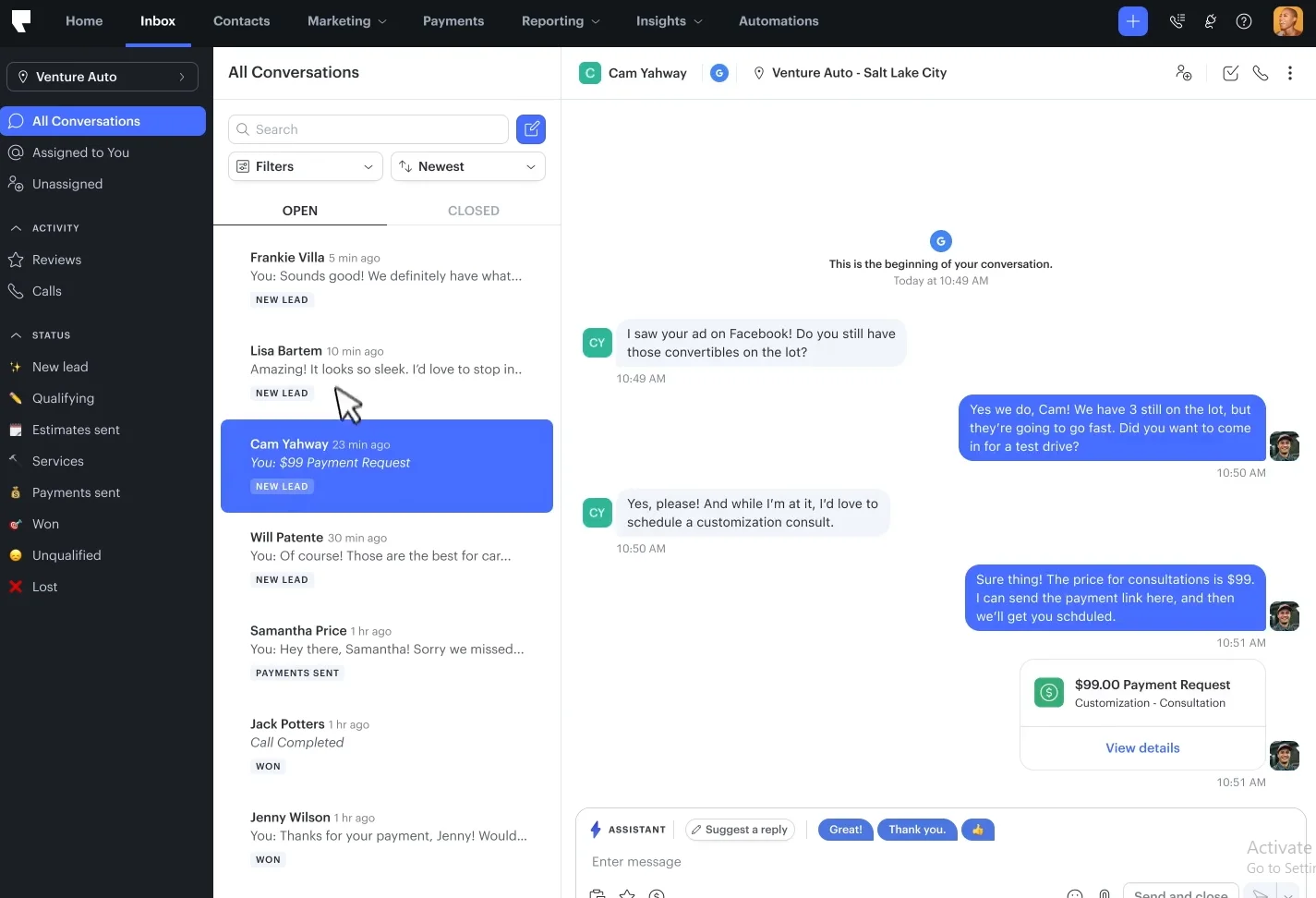
The All Conversations inbox is Podium’s standout. Incoming texts, website chat, social DMs and review notifications flow into one thread per customer.
That means you can trace a customer from first question to sale to review.
A lead who asks “Is this car still available?” becomes a tracked deal, gets a payment link by text, and then gets a review request, all in one conversation.
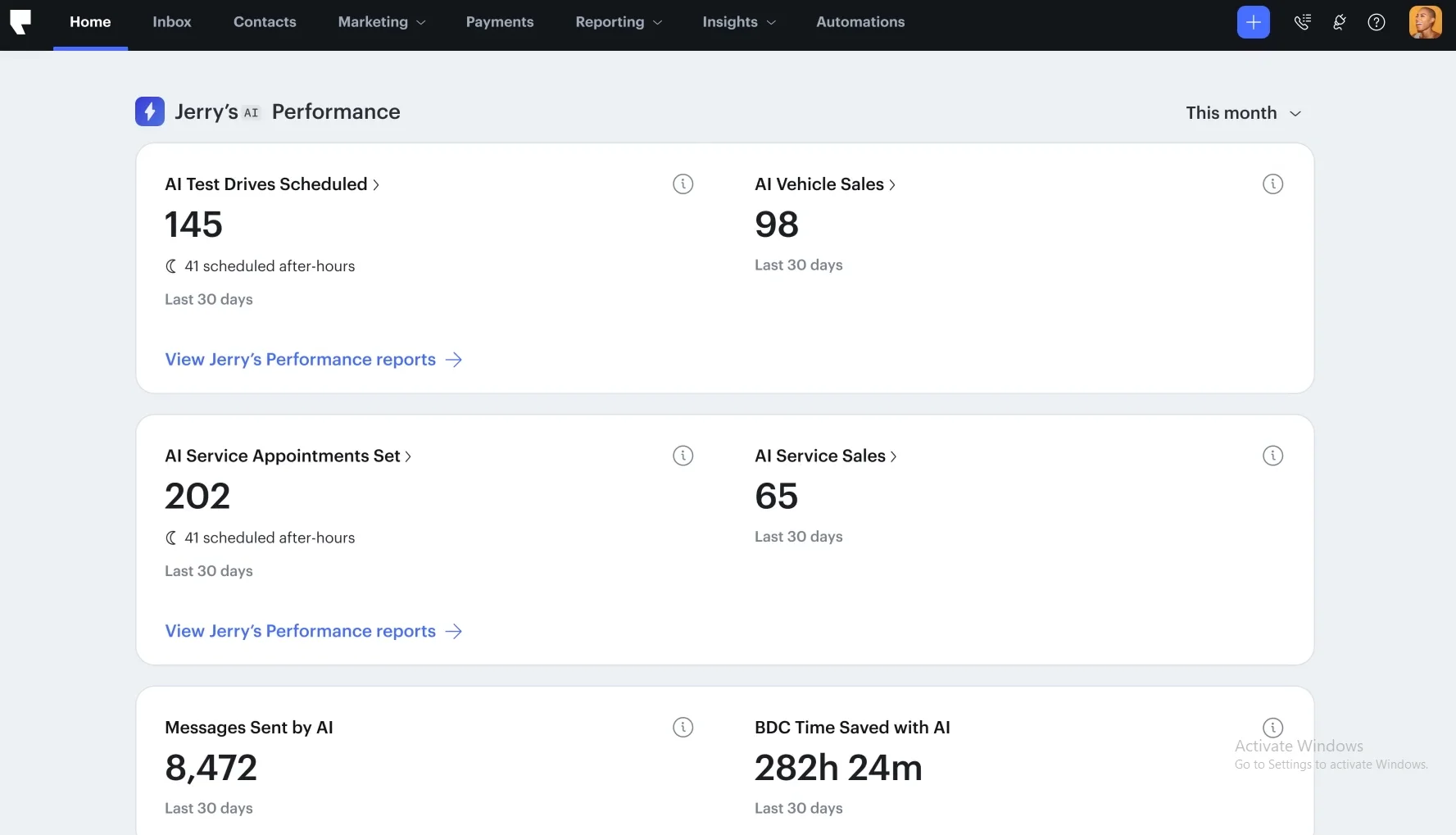
The Performance dashboard focuses on numbers that justify Podium’s price rather than vanity metrics:
- Appointments scheduled by AI: Bookings, not just clicks
- Revenue attributed to text campaigns: Dollars, not engagement rates
- Team hours saved: Time the team gets back
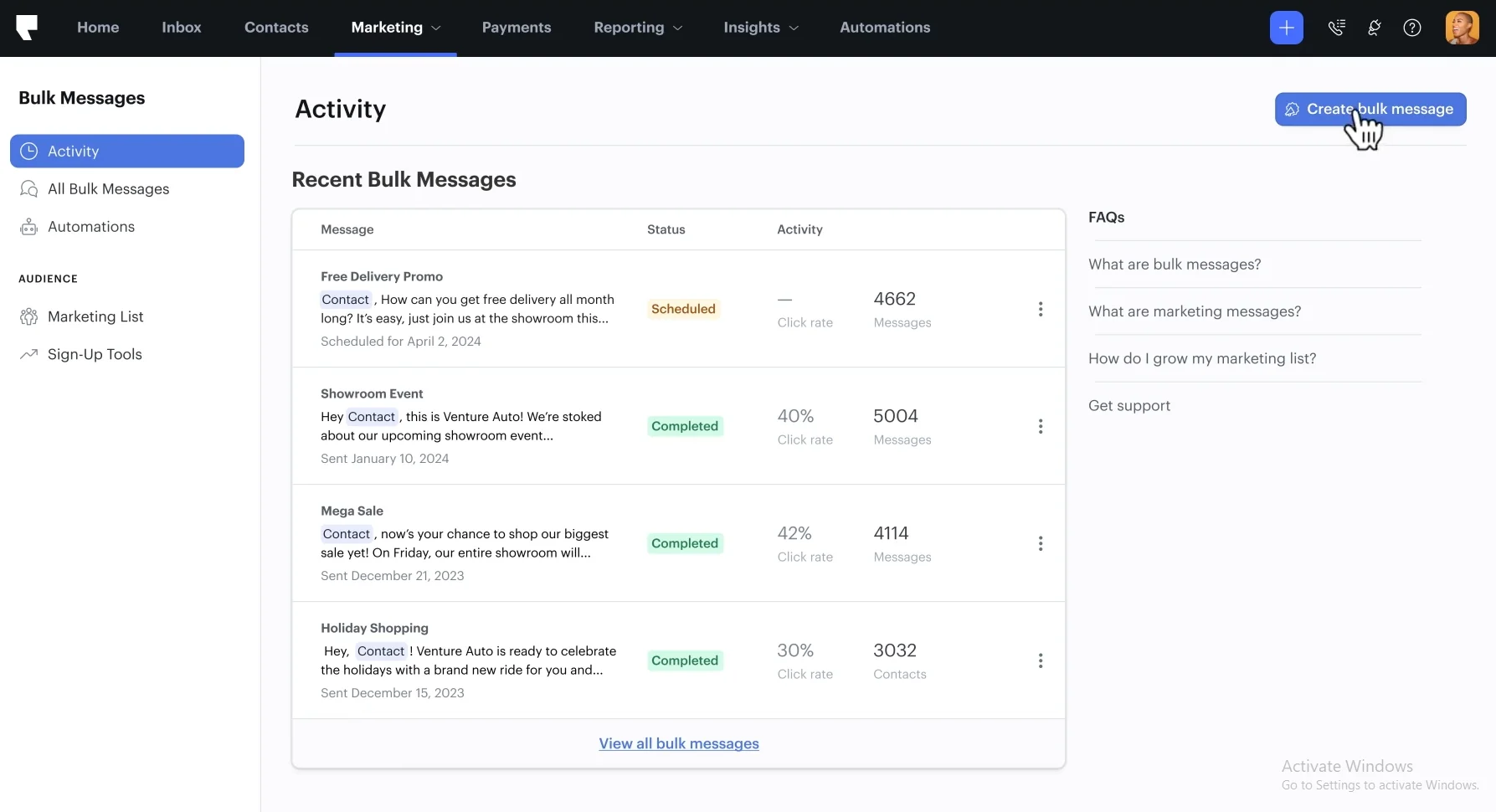
The Marketing tab moves Podium from reacting to reviews into outreach. You can send bulk SMS campaigns with personalization, schedule them around business hours, and track responses. Think of it as email-style campaigns, but by text.
Review Management
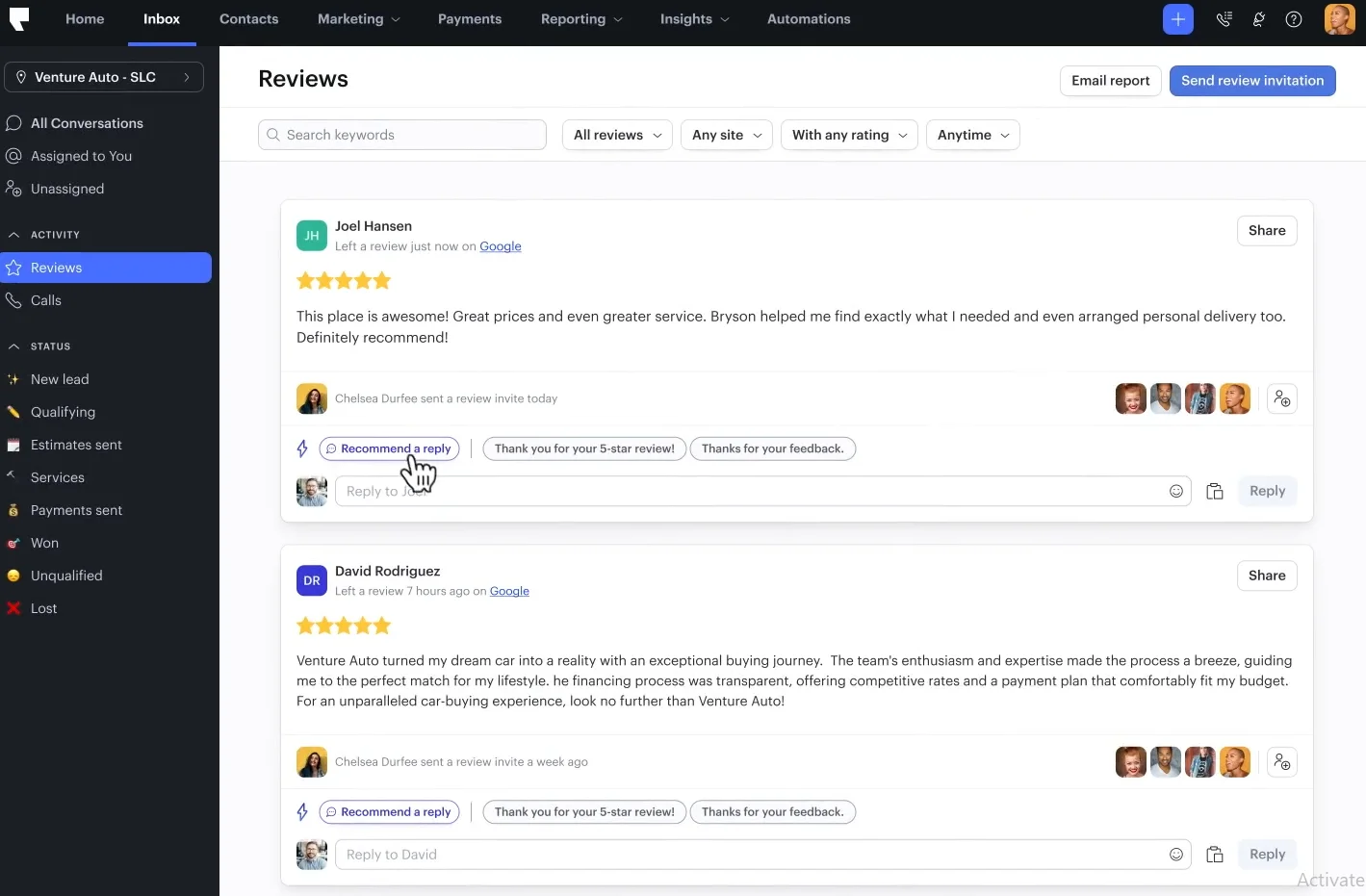
Google and Yelp reviews land in the same inbox as your conversations. AI drafts a reply in seconds, and you can edit it or post it with one tap.
For busy teams, that removes the constant switching between review sites and the inbox.
Podium Pricing
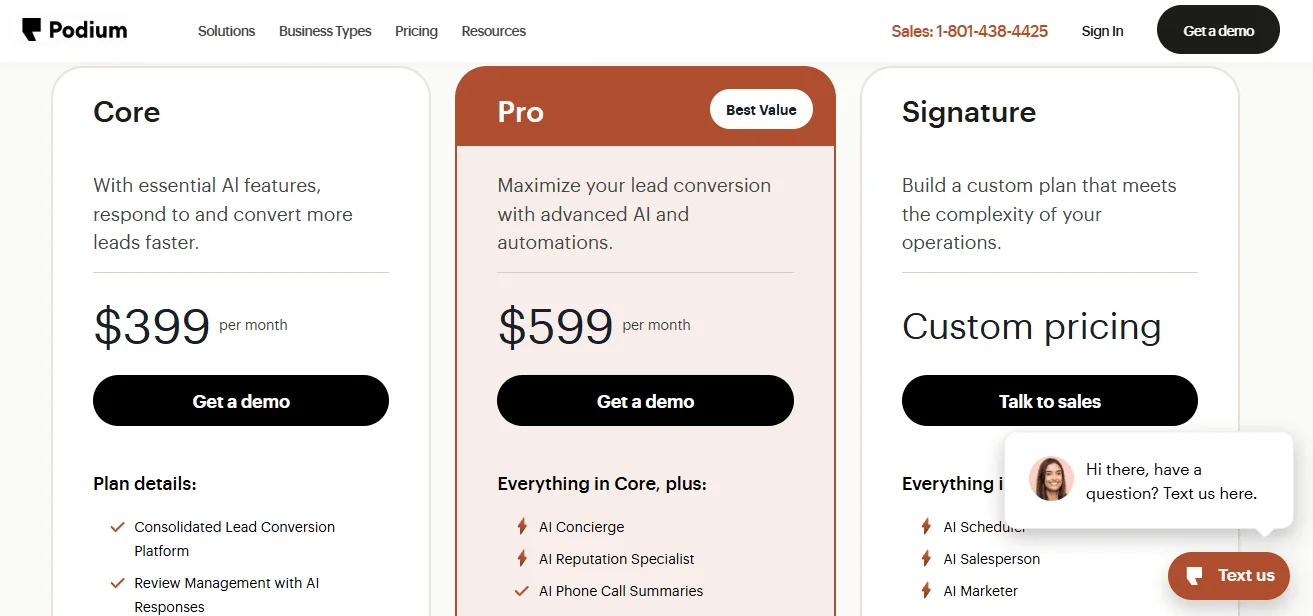
Podium no longer lists prices publicly. Plans are quoted after a demo and sit well above small-business review tools.
3. Birdeye
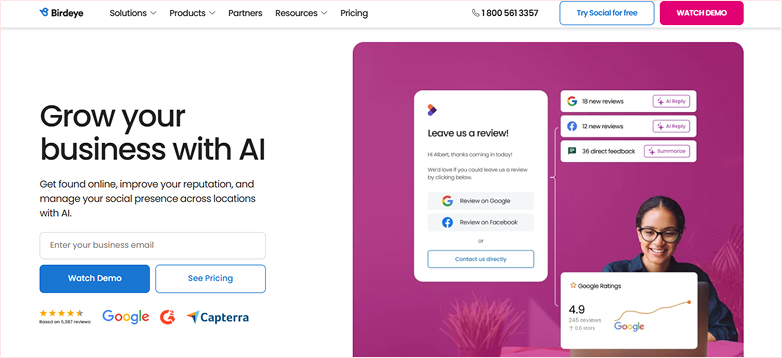
Birdeye has been in reputation management longer than most tools here, and it shows in the breadth of the platform. It’s the closest thing to one vendor for everything.
Reviews, listings, surveys, social media, messaging and ticketing all live under one roof.
Best for: Enterprise and multi-location brands that want reputation, customer experience, messaging and social in one platform with heavy AI automation.
Review Monitoring
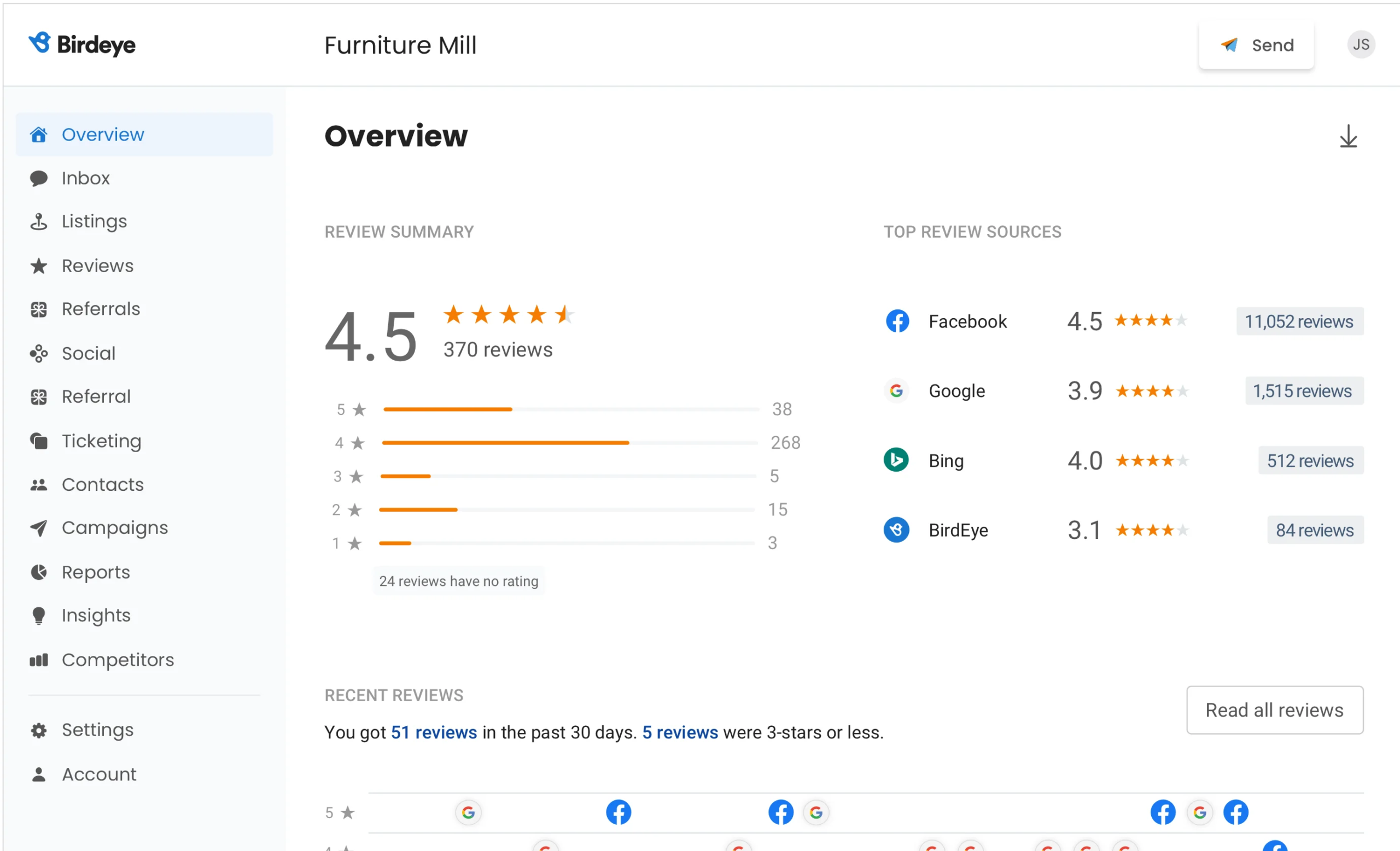
The Review Monitoring screen gives you an overview: your overall star rating and review count up front, with a breakdown by star level.
Below that, the “Top Review Sources” panel shows which sites bring in the most reviews. For a clinic that might be Google, Healthgrades and Vitals; for a restaurant, Google, Yelp and TripAdvisor.
Knowing where reviews come from keeps you from wasting effort on sites that don’t matter for your industry.
Review SMS
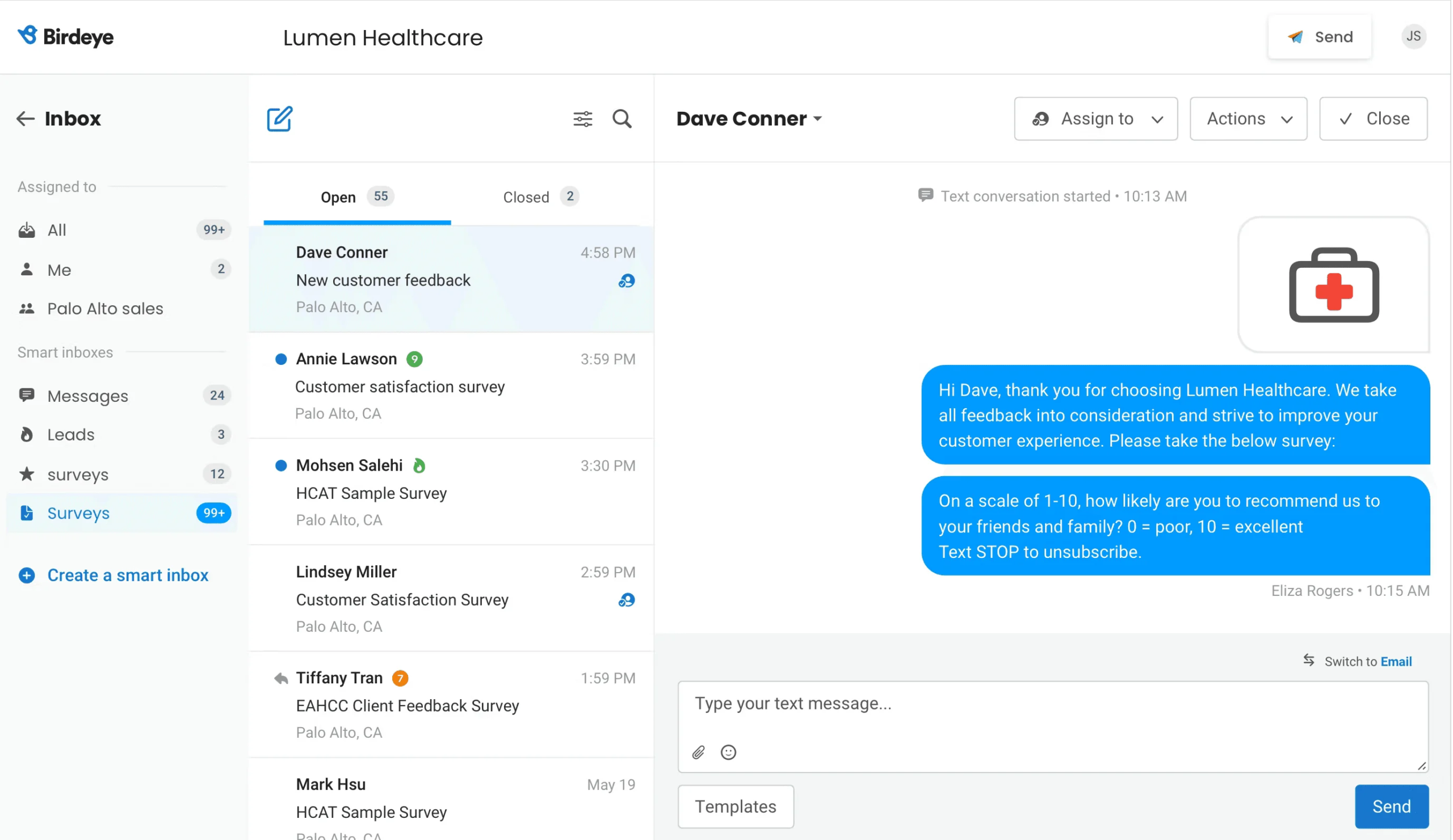
Birdeye’s SMS engine texts customers after a visit with a short feedback survey, so problems surface while you can still fix them.
One caution. Google doesn’t allow review gating, which means sending only happy customers to your public review page. If you use the survey step, make sure every customer still gets the option to leave a Google review.
Reporting
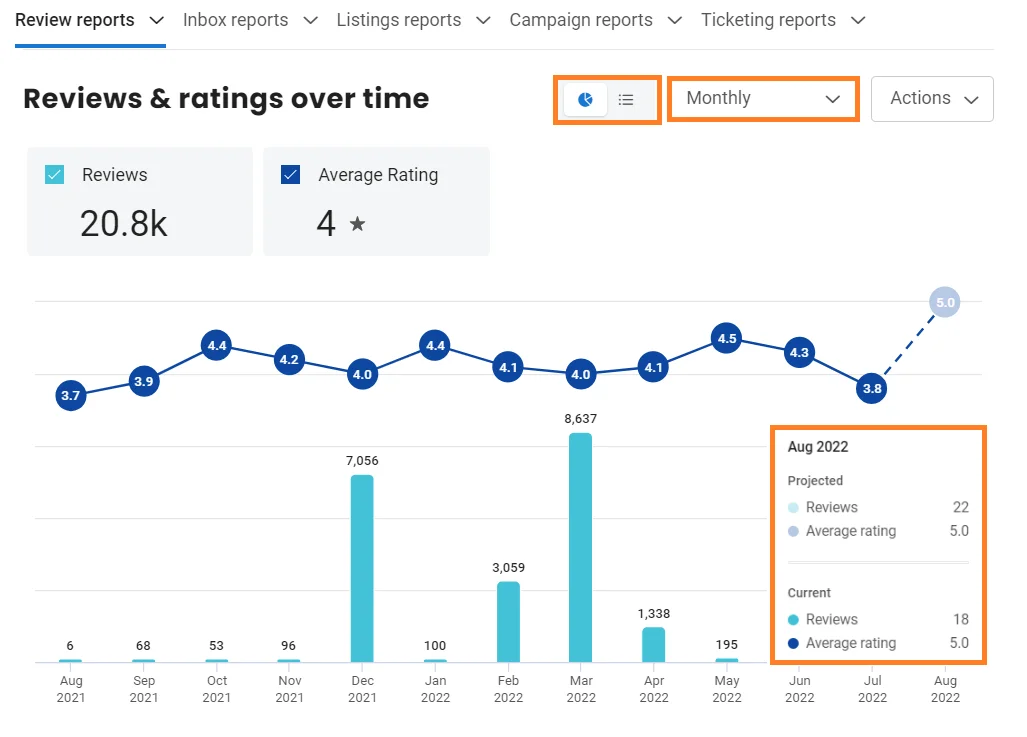
The Reporting tab charts reviews and ratings over time, with one feature I haven’t seen elsewhere: a projected total for the current month based on your pace so far.
That projection works as an early warning. If you normally get 200 reviews a month and the projection shows 140, something changed, like a follow-up campaign that stopped or a location that slipped.
Seeing it mid-month gives you time to fix it.
Birdeye Pricing
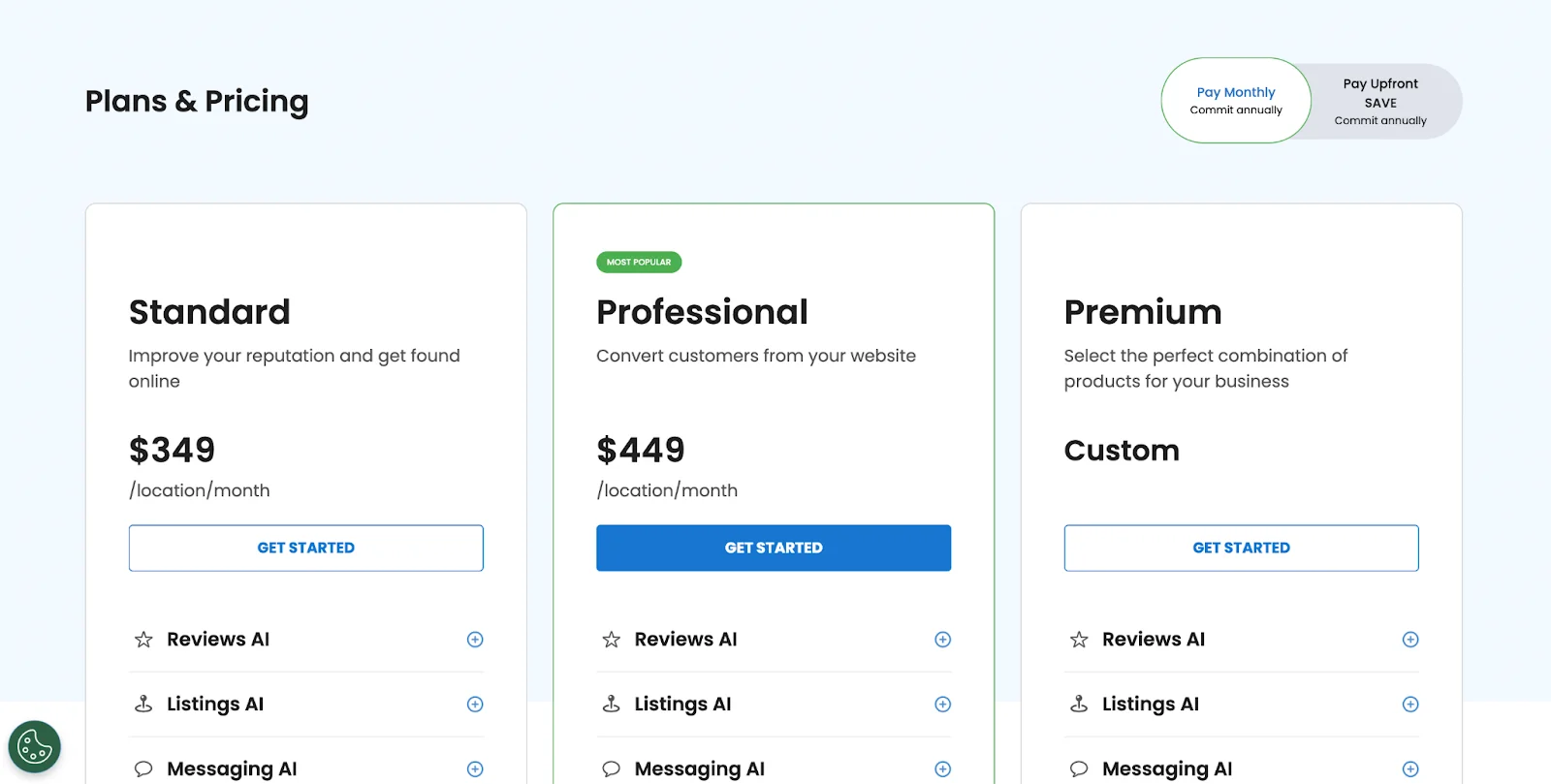
Birdeye quotes pricing per location after a demo, so the total depends on how many locations and modules you add.
4. NiceJob

NiceJob was built by people who understand service businesses. Plumbers, electricians, cleaners and landscapers don’t have time to build marketing funnels. NiceJob turns happy customers into reviewers and referral sources with little manual work.
Best for: Local service businesses and trades that want reviews and word-of-mouth referrals to grow on their own.
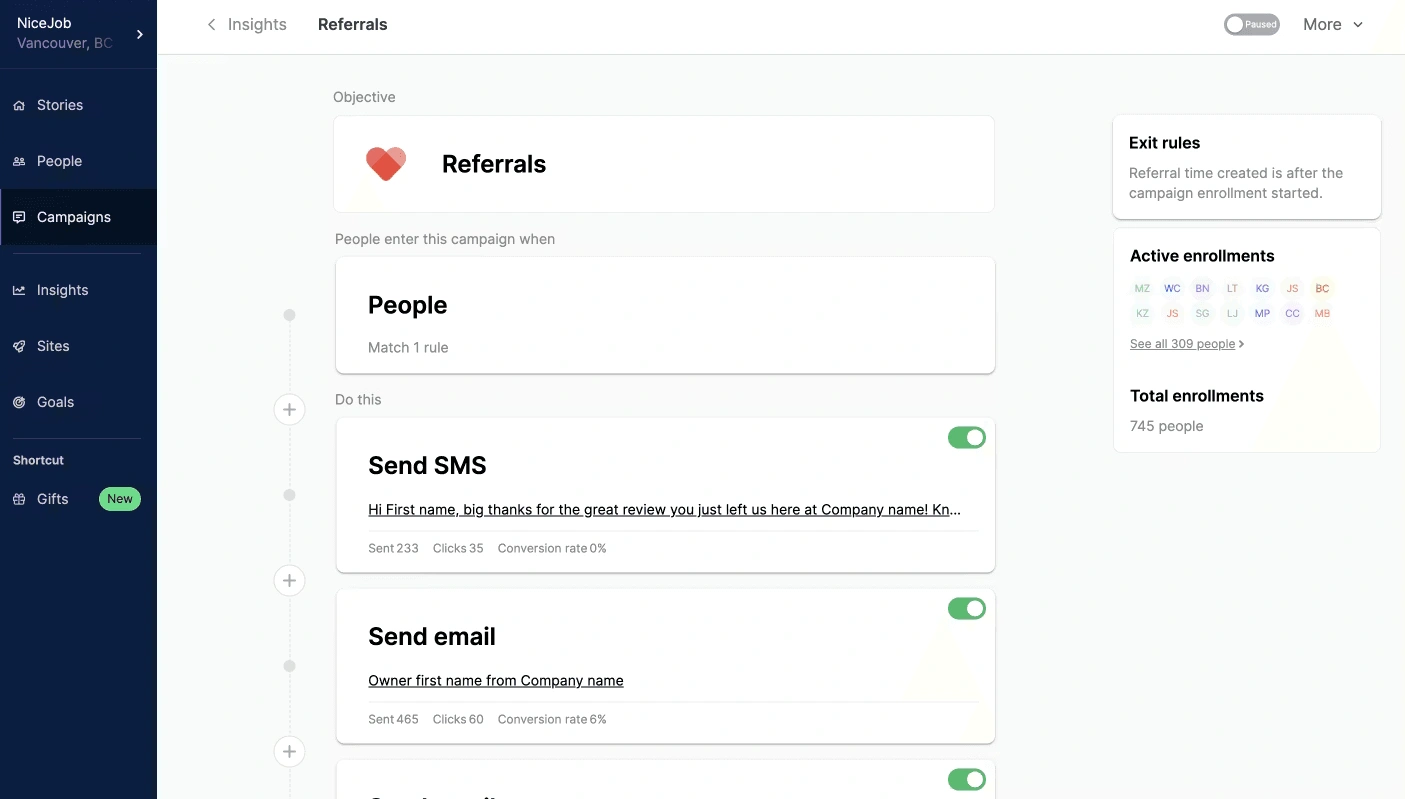
NiceJob’s key idea is that reputation management shouldn’t stop at the review. The Campaigns section has three goals:
- Get Reviews: Automated sequences after each job that nudge customers toward Google or Facebook.
- Referrals: Customers who leave reviews get a personal SMS asking them to recommend you, with tracking to show who sends the most referrals.
- Welcome New Customers: First-time customers get a branded message that sets expectations from day one.
The referral campaign is where NiceJob stands apart. Most ORM tools stop at the review. NiceJob turns it into a loop: review, then referral, then new customer, then new review.
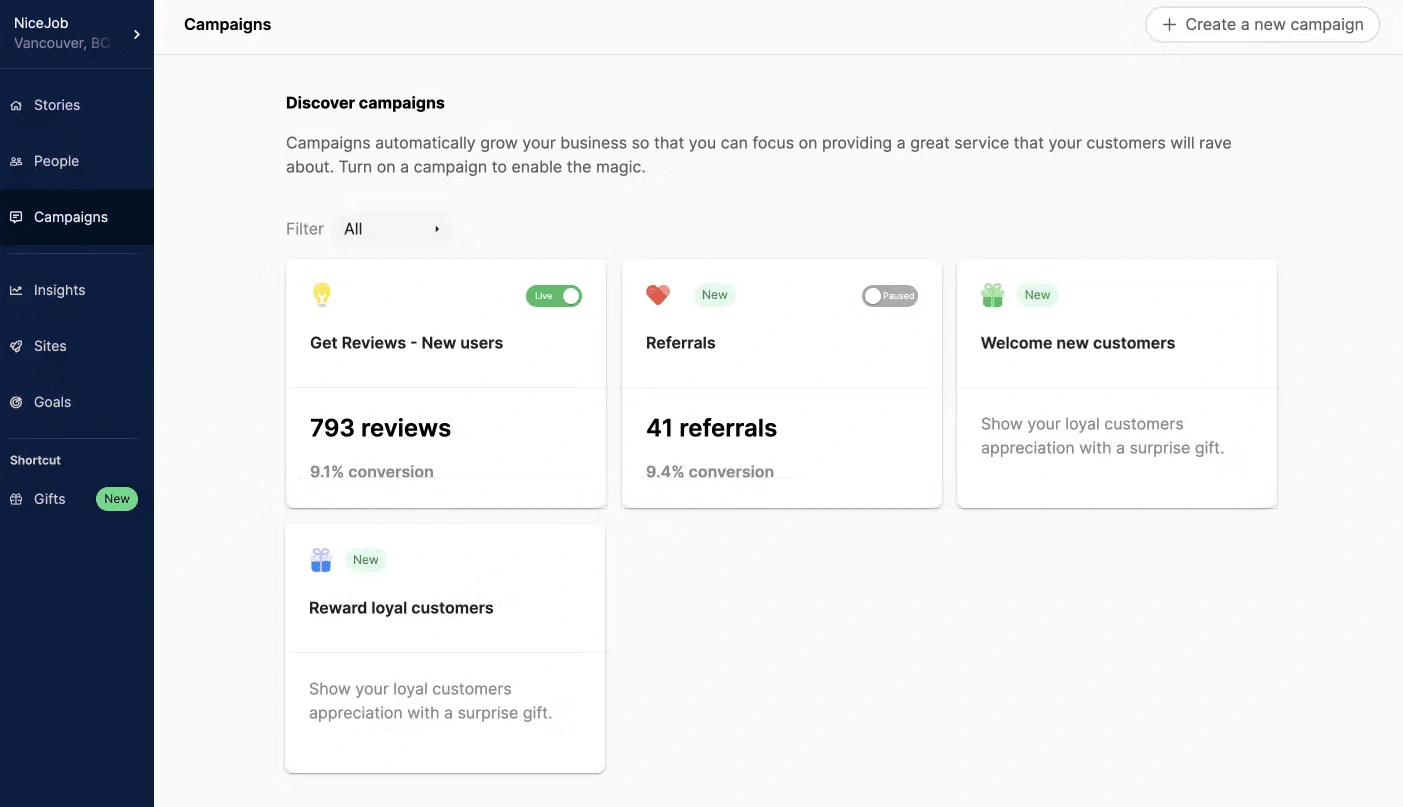
The campaign dashboard shows more than how many messages went out. It shows the conversion rate from request to published review for each campaign, so you can see which sequence is working.
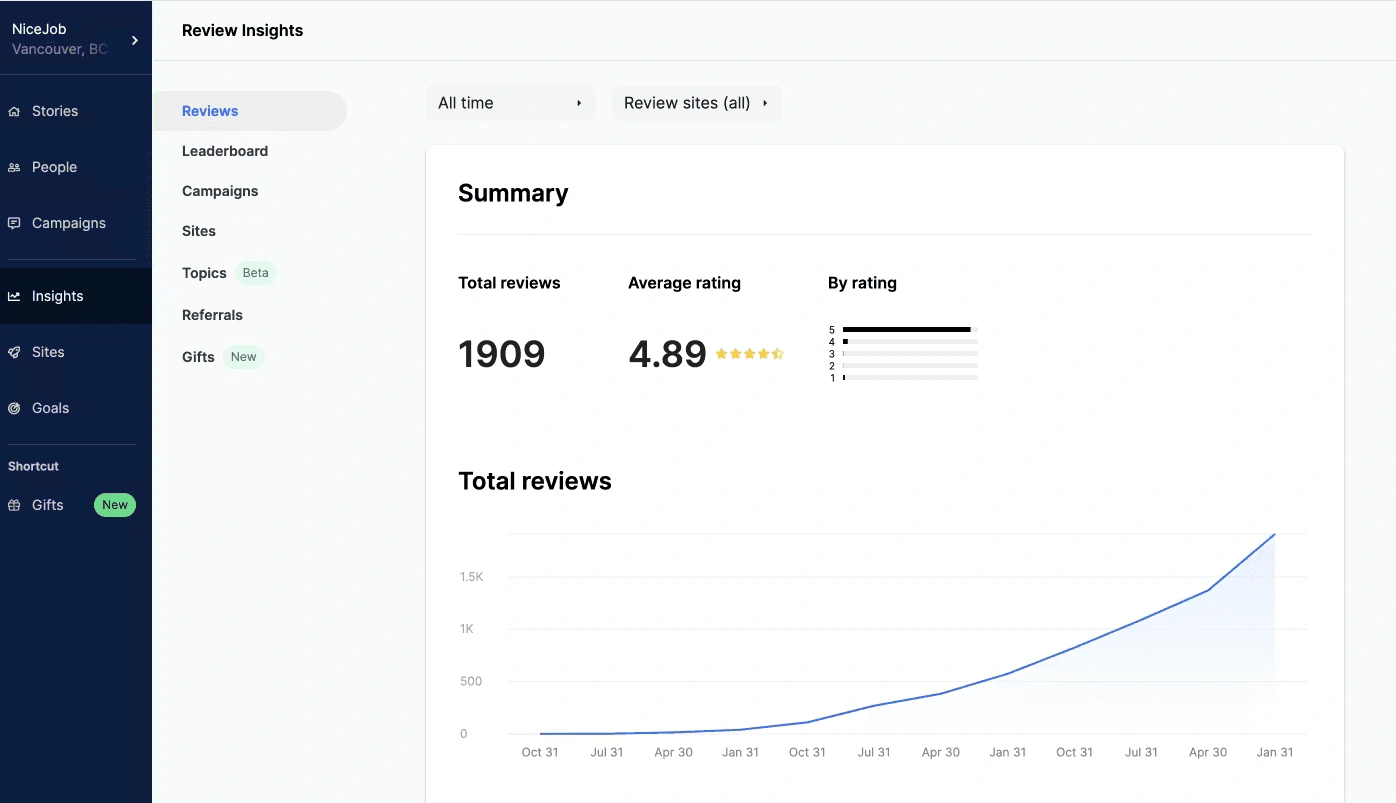
The Insights tab charts total review growth over time. The value is in seeing whether growth is speeding up or leveling off. If the curve flattens, it’s time to refresh your request templates or timing.
Build a Review System That Runs Itself
From collection to display, manage your entire reputation from one place.
NiceJob Pricing
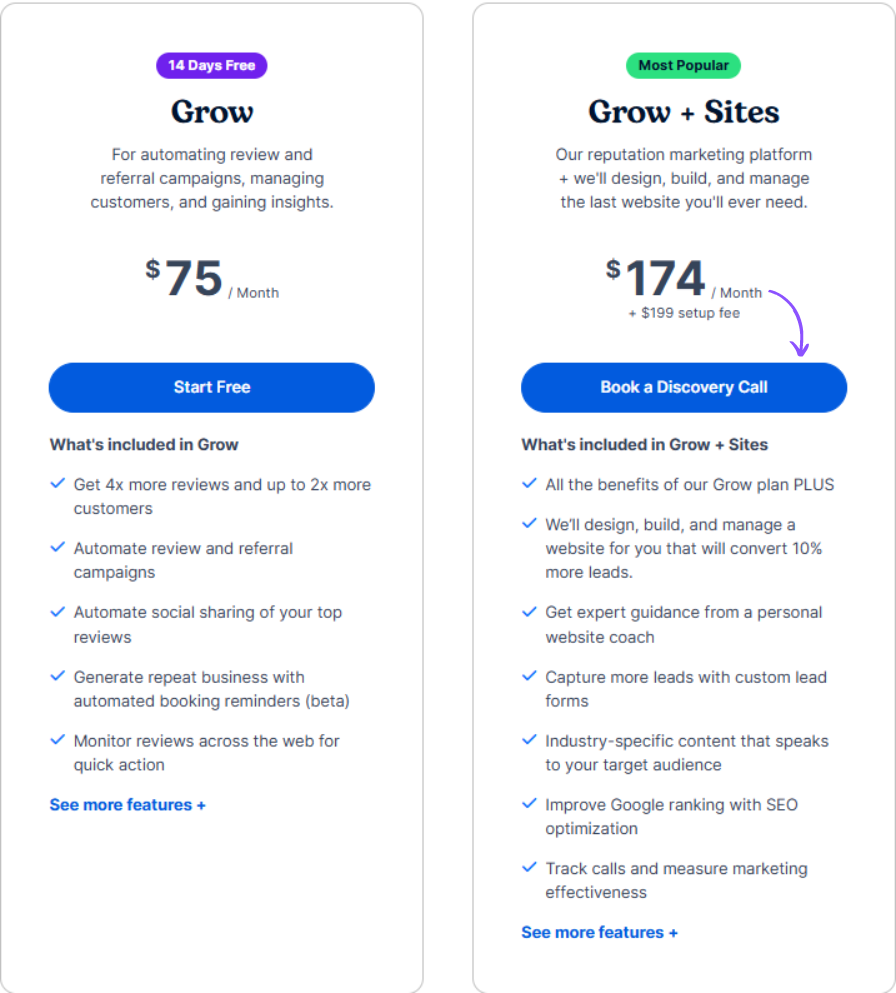
Starter is $75/month and Pro is $125/month, with no contracts. A managed website is an add-on.
5. ReviewTrackers

ReviewTrackers works like a radar for your whole online footprint. It’s built for brands with 10, 50 or 500+ locations that need to see patterns across all of them.
Best for: Multi-location brands and franchises in industries like healthcare, hospitality and automotive, where reviews come from many specialized sites.
Review Collection
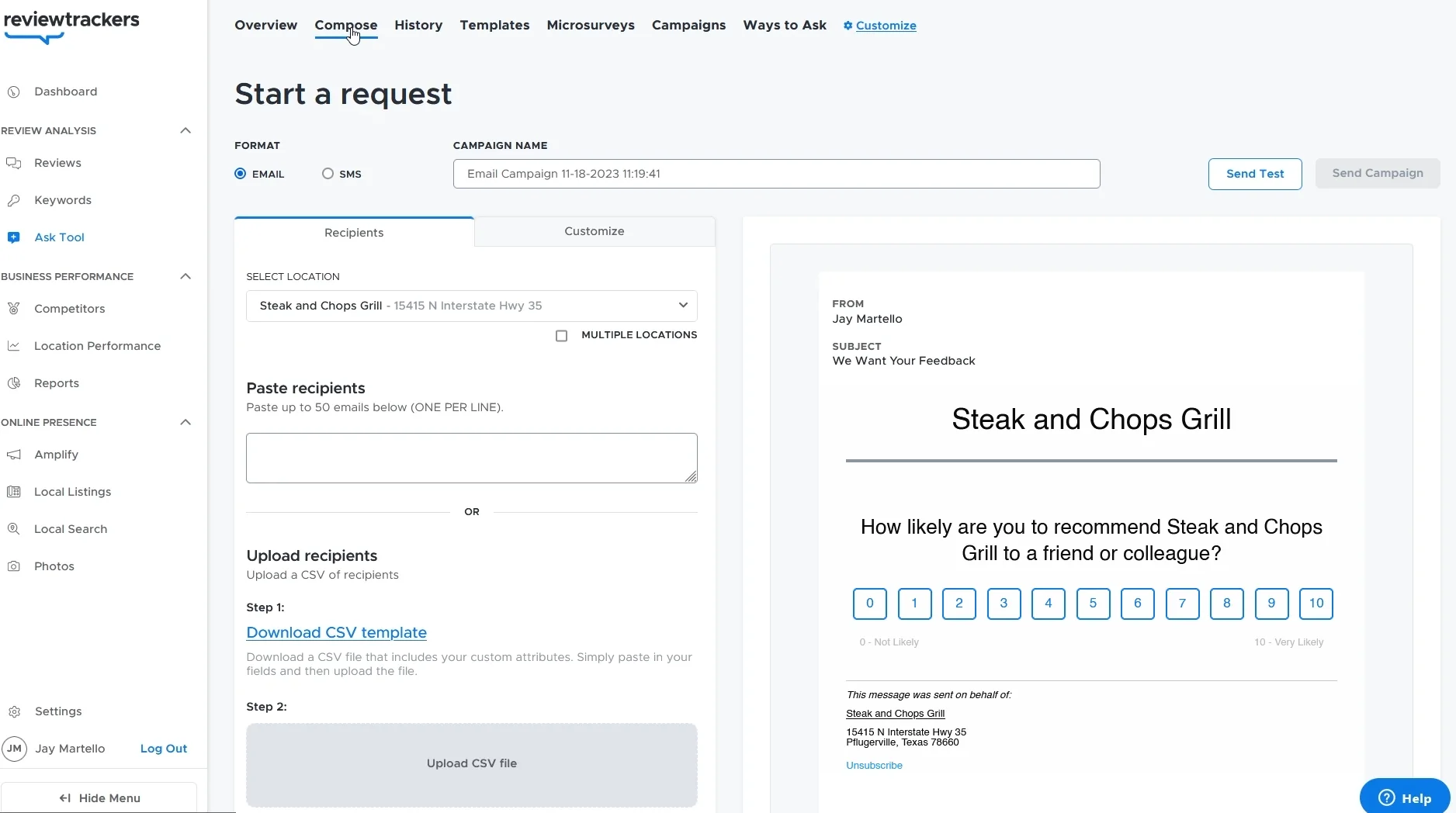
ReviewTrackers supports email and SMS campaigns segmented by location, customer type and service category.
Review Management
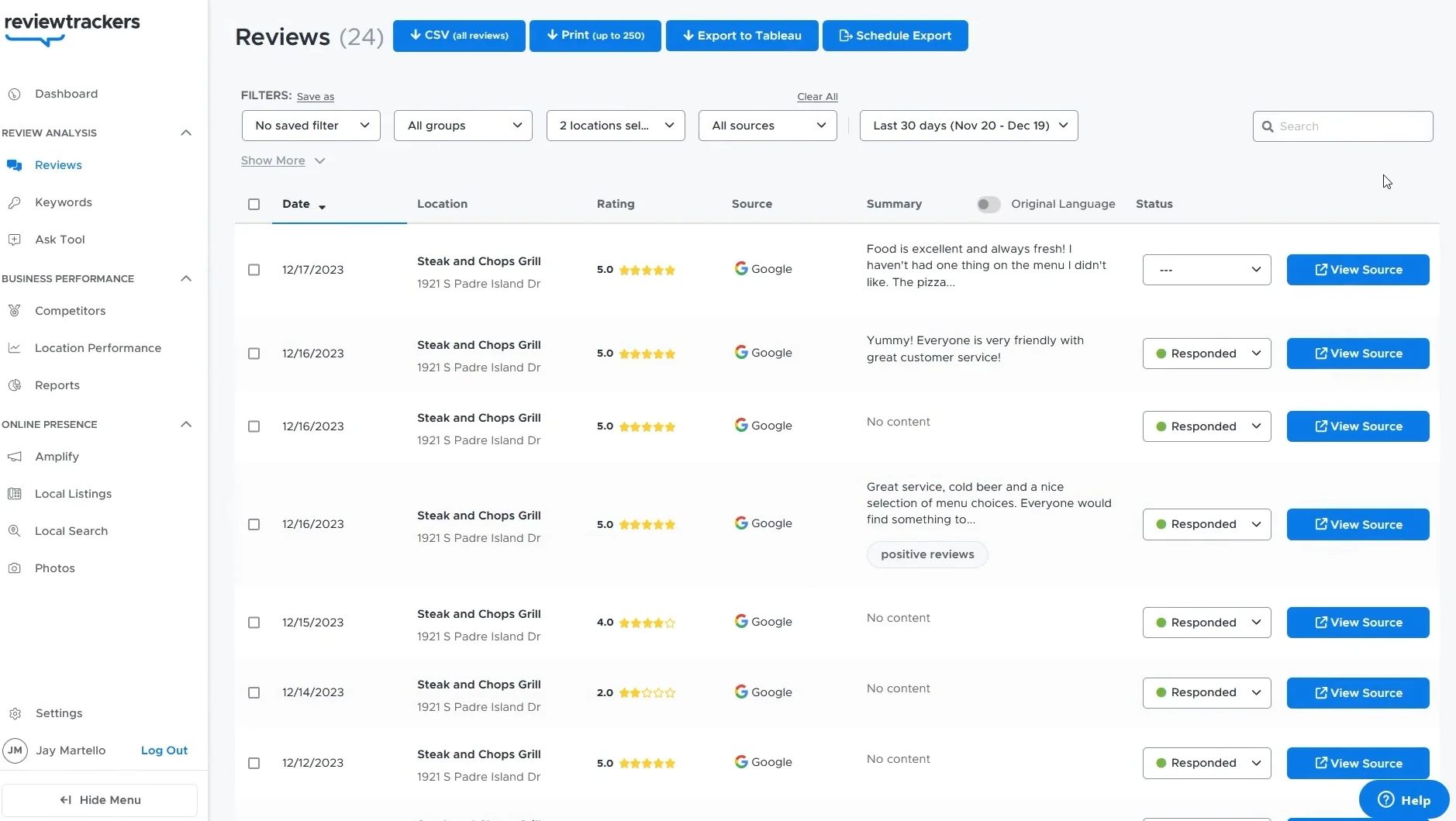
This is where ReviewTrackers pulls away from lighter tools. The management view collects reviews from over 100 sources into one feed. Each review shows its source, location, rating, date and response status.
The filters are detailed:
- By rating: Find one- and two-star reviews that need attention now
- By source: See whether Yelp or Healthgrades is pulling your average down
- By location: Spot which branches are ahead or behind
A “Responded” badge on each review creates accountability. Managers can pull up response rates by location and see who’s falling behind.
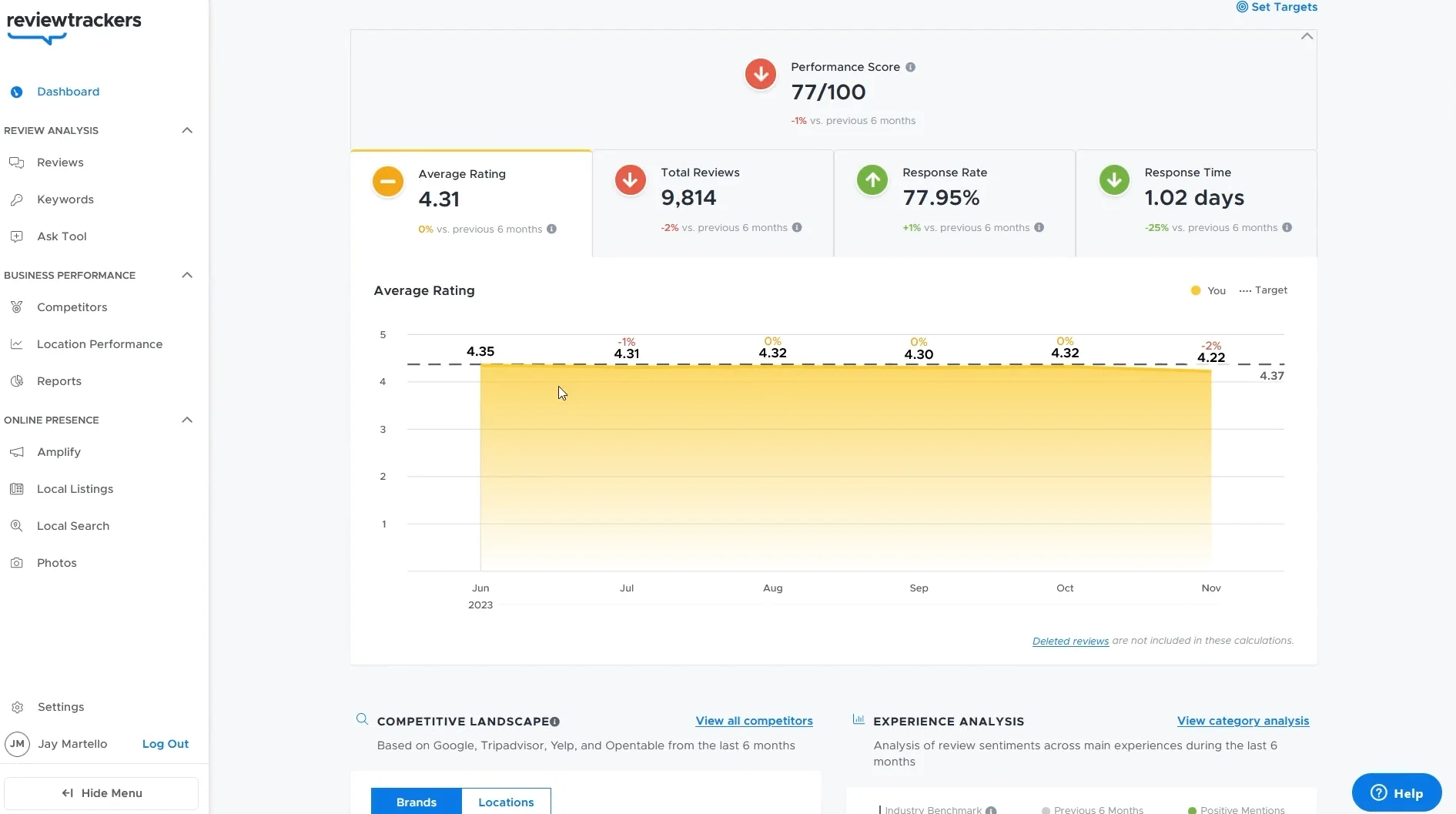
The analytics dashboard tracks four numbers: average rating, total reviews, response rate and response time. The trend lines matter most, because a sudden jump in response time usually points to a staffing or process change at one location.
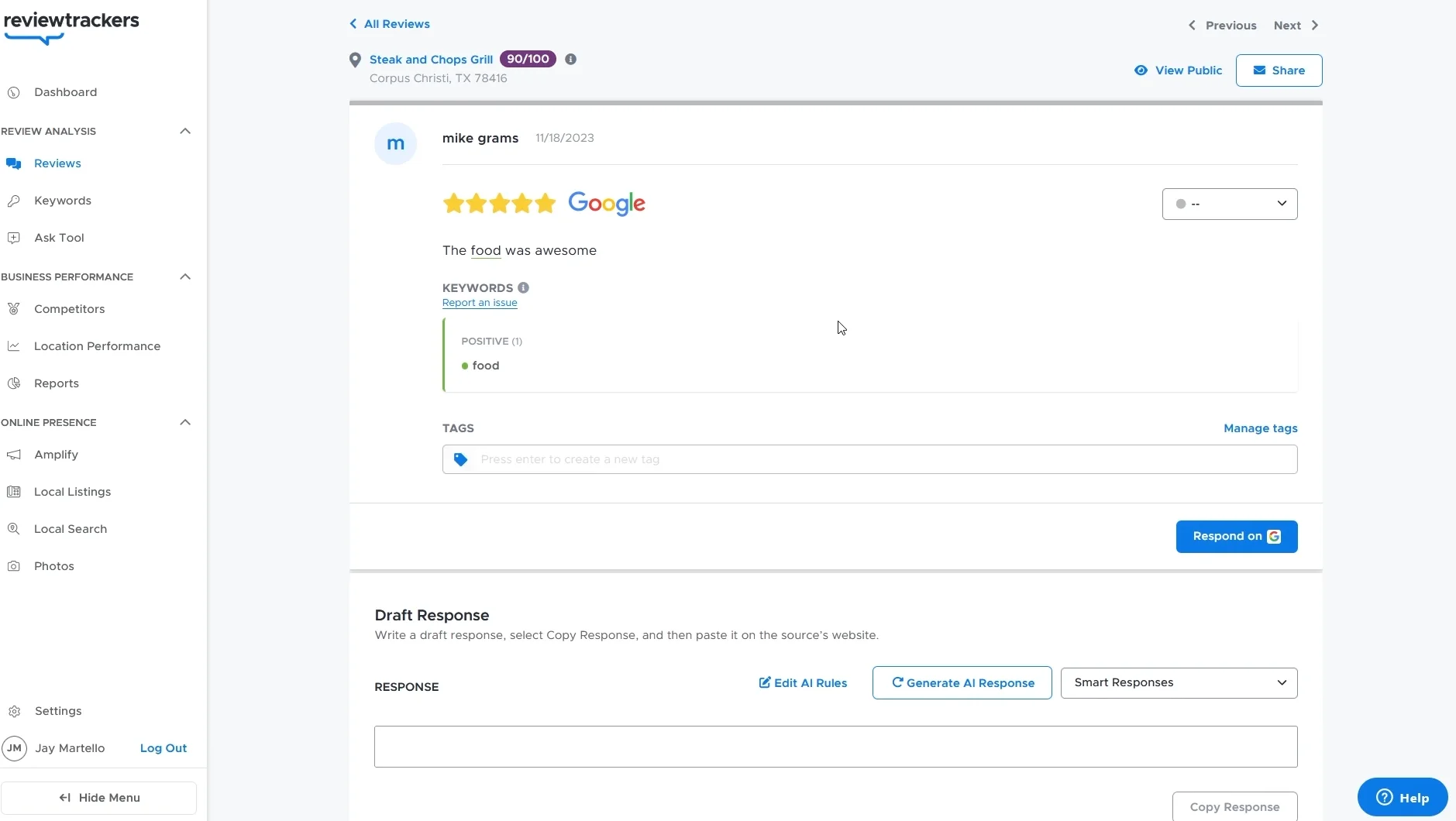
Replies can be drafted with AI using your own tone rules. You review the draft, edit it and post it straight to Google or Yelp without copy and paste.
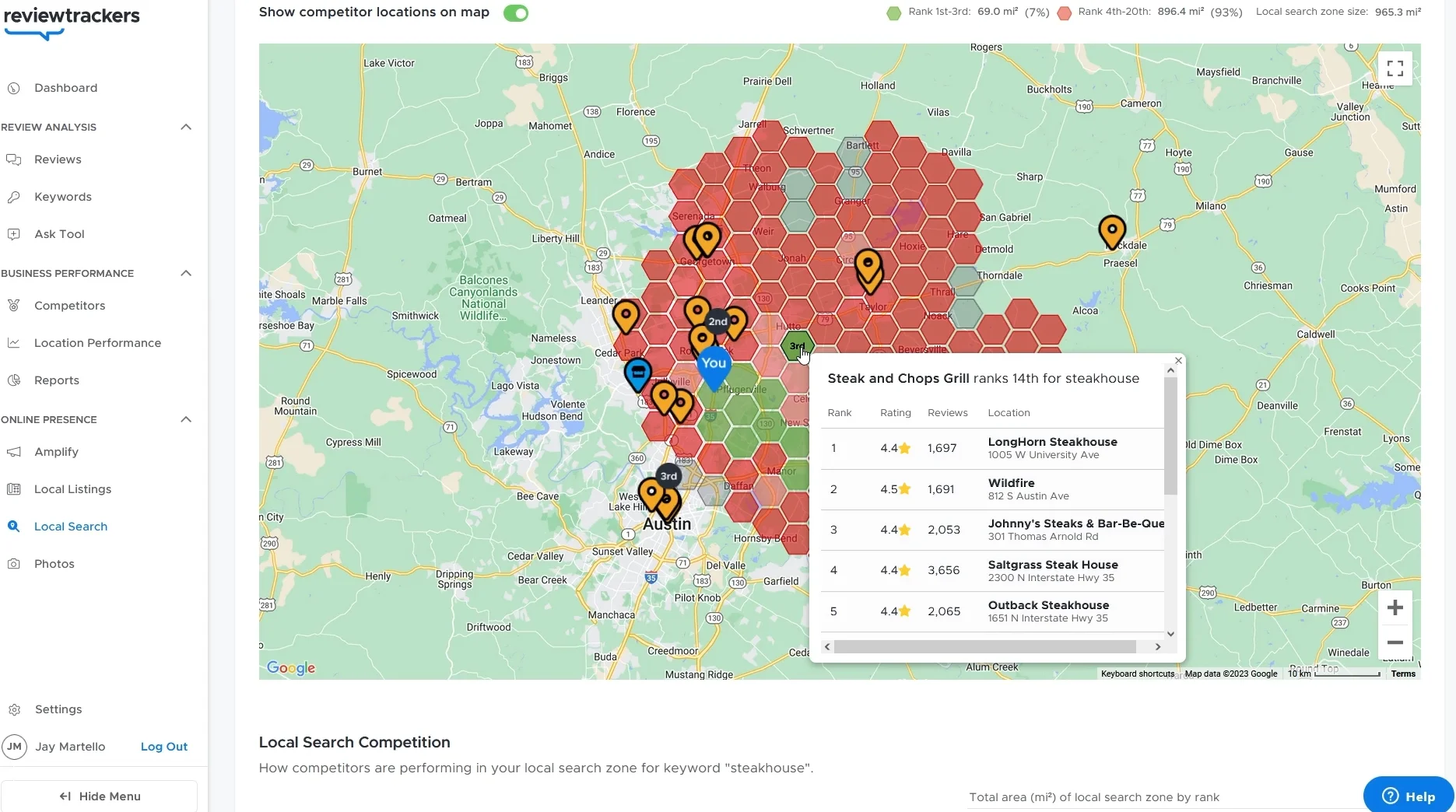
The Local Search tab adds competitor intelligence. A map view shows competitors’ locations with their ratings, review counts and rankings for chosen keywords, which is useful for a restaurant group competing on “best steakhouse” across several cities.
Display Reviews
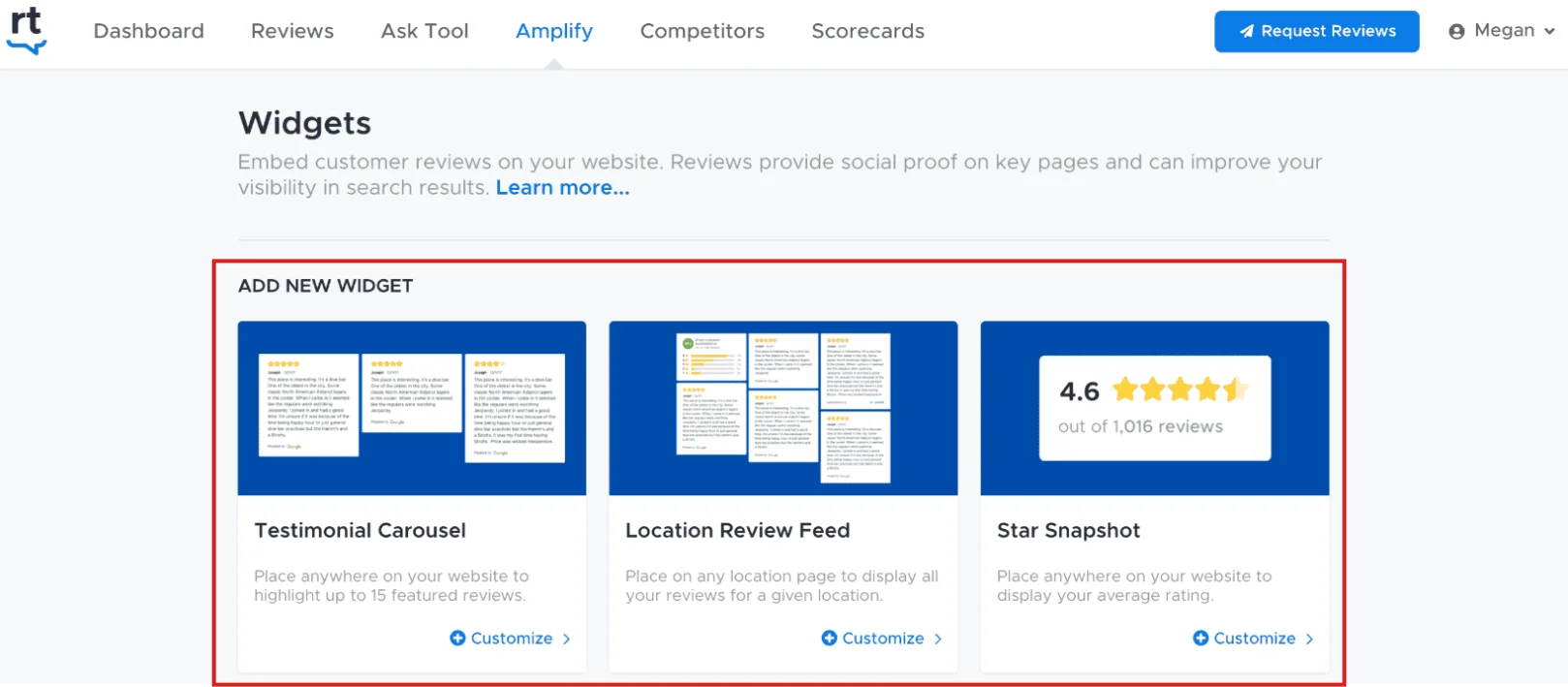
ReviewTrackers offers testimonial carousels, location-specific review feeds and star badges for your site.
It also includes listing management that keeps your name, address and phone number consistent across directories, which Google considers in local rankings.
ReviewTrackers Pricing
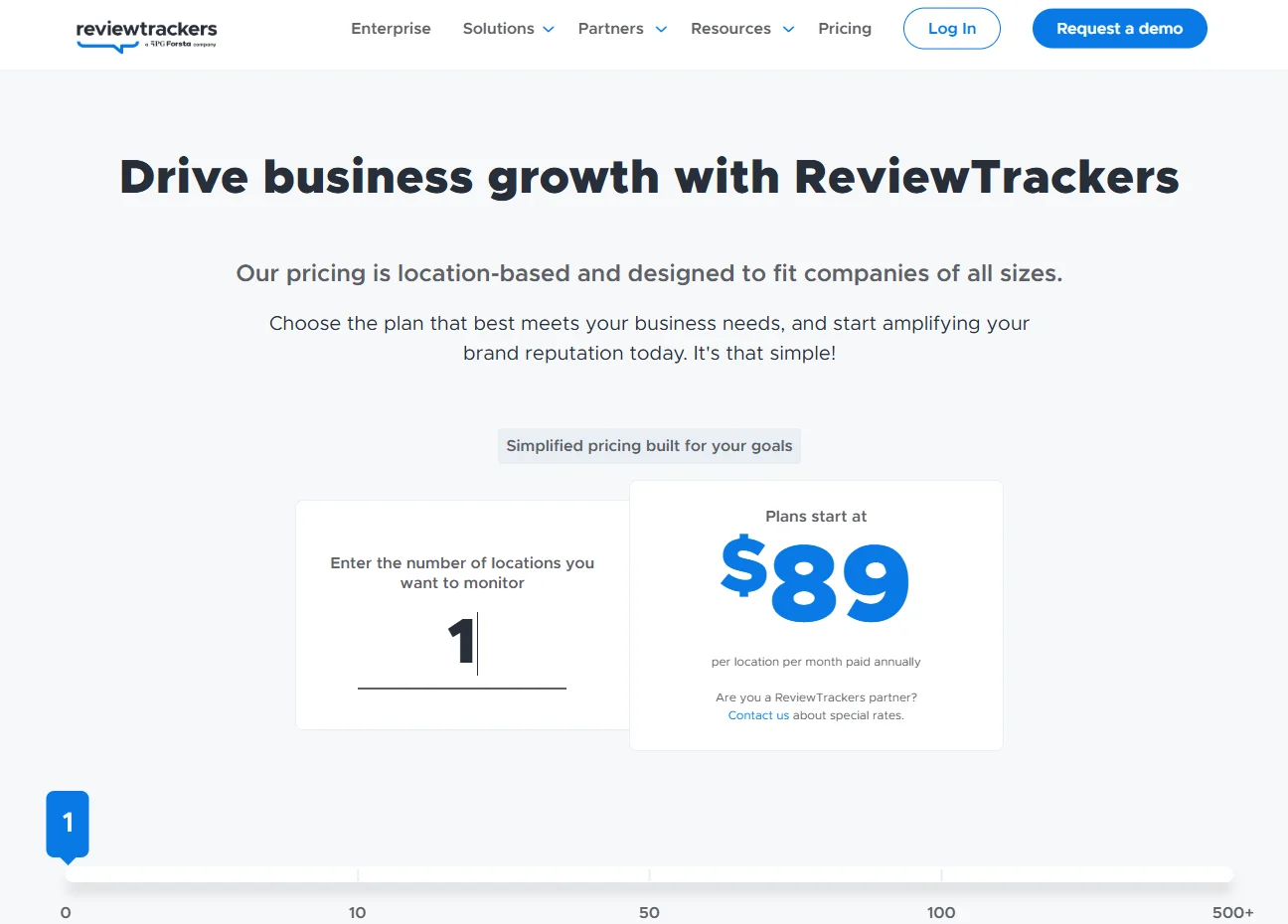
ReviewTrackers quotes pricing by location and package after a sales call.
6. RightResponse AI
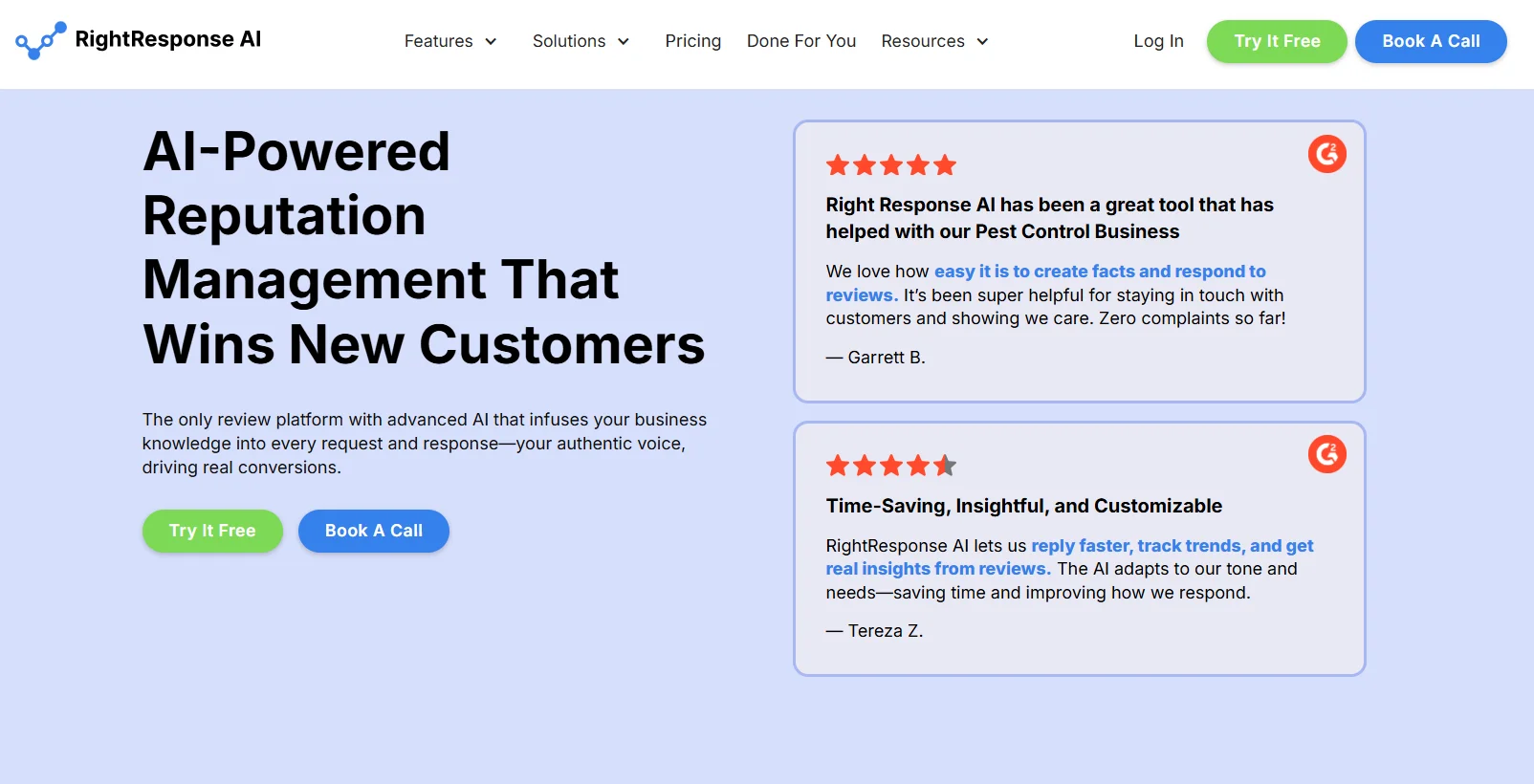
A common situation: a business gets plenty of reviews, but nobody has time to reply.
Unanswered reviews, especially negative ones, tell prospects nobody’s listening. RightResponse AI solves that at a price small businesses can manage.
Best for: Businesses that already get reviews and need an affordable AI assistant to write replies and pull insights from feedback.
RightResponse Dashboard
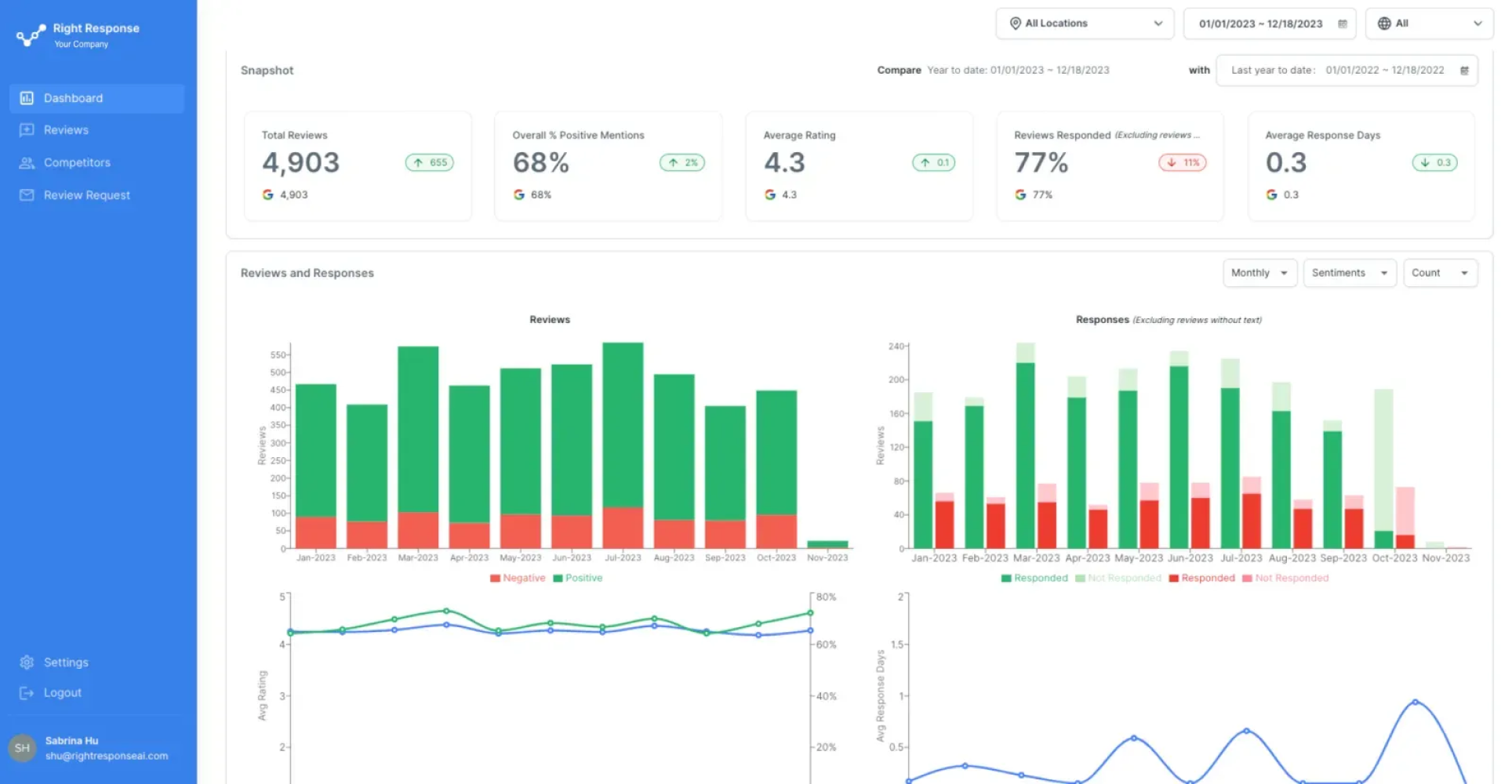
The dashboard answers one question: are we keeping up? It shows total reviews, positive mention rate, average rating, response rate and average response time.
Two charts compare monthly reviews with responses, and rating with response speed, so you can see a slip before customers do.
Review Response Overview
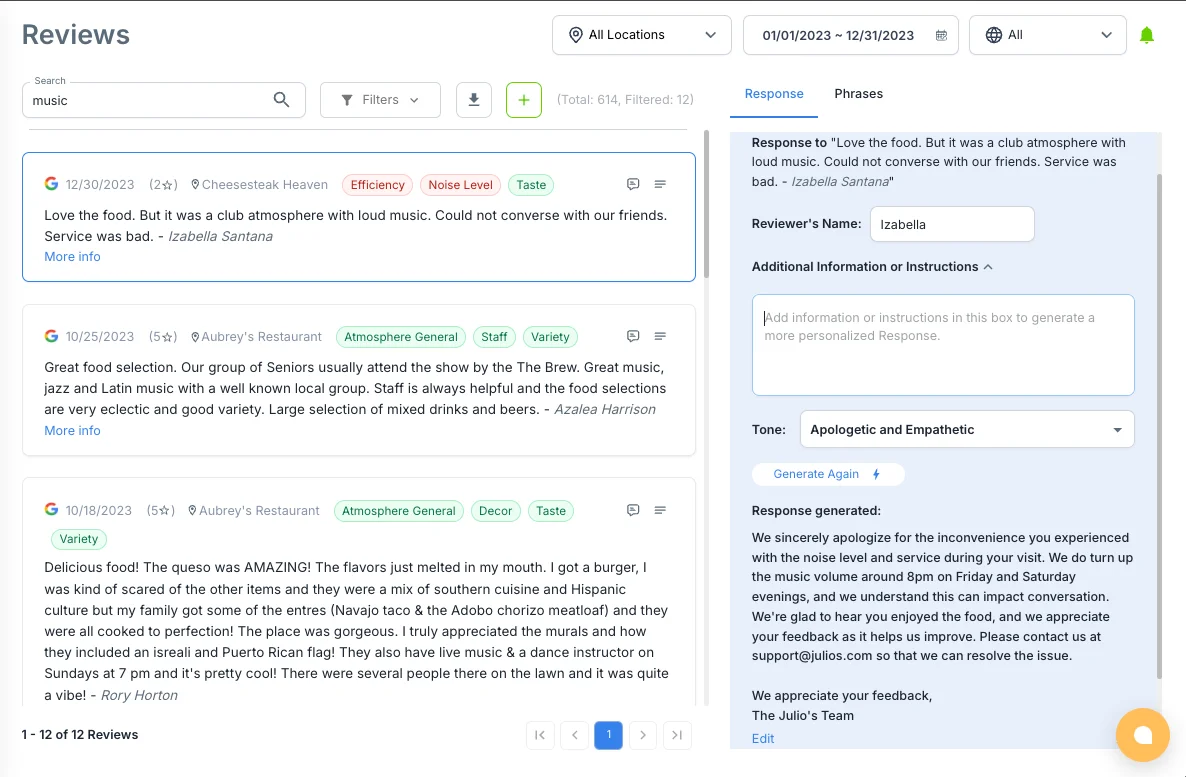
This is why you’d choose RightResponse over writing replies by hand.
Theme tagging: Each review is tagged with themes like Wait Time, Staff Friendliness, Product Quality or Cleanliness. Over time, the tags show what drives good and bad feedback more reliably than reading reviews one by one.
AI replies: Based on the sentiment and themes, the AI drafts a fitting reply. A one-star complaint about noise gets a specific apology; a five-star review about the food gets a thank-you that names the dish.
Your team edits if needed and approves.
Stop Leaving Reviews Unanswered
Collect, respond, and showcase customer feedback with smart automation.
Map Rank Tracker
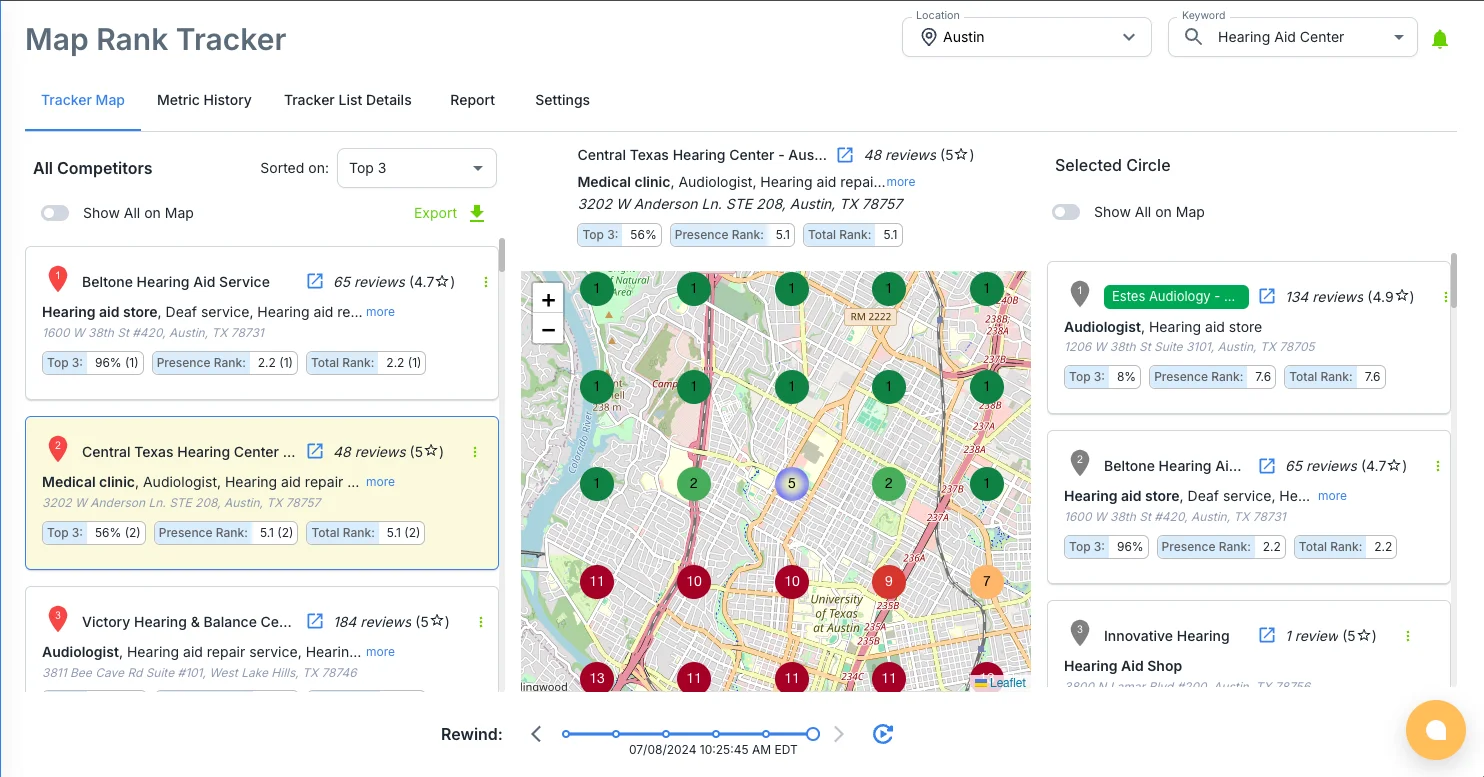
This feature links reputation with local SEO. The Map Rank Tracker lays a grid over your area and shows your Google Maps ranking for target keywords at each point, alongside competitors.
It answers a question most owners can’t: if someone two miles south searches “pizza near me,” do I show up? It also shows whether a stronger review profile is moving that ranking.
RightResponse Pricing
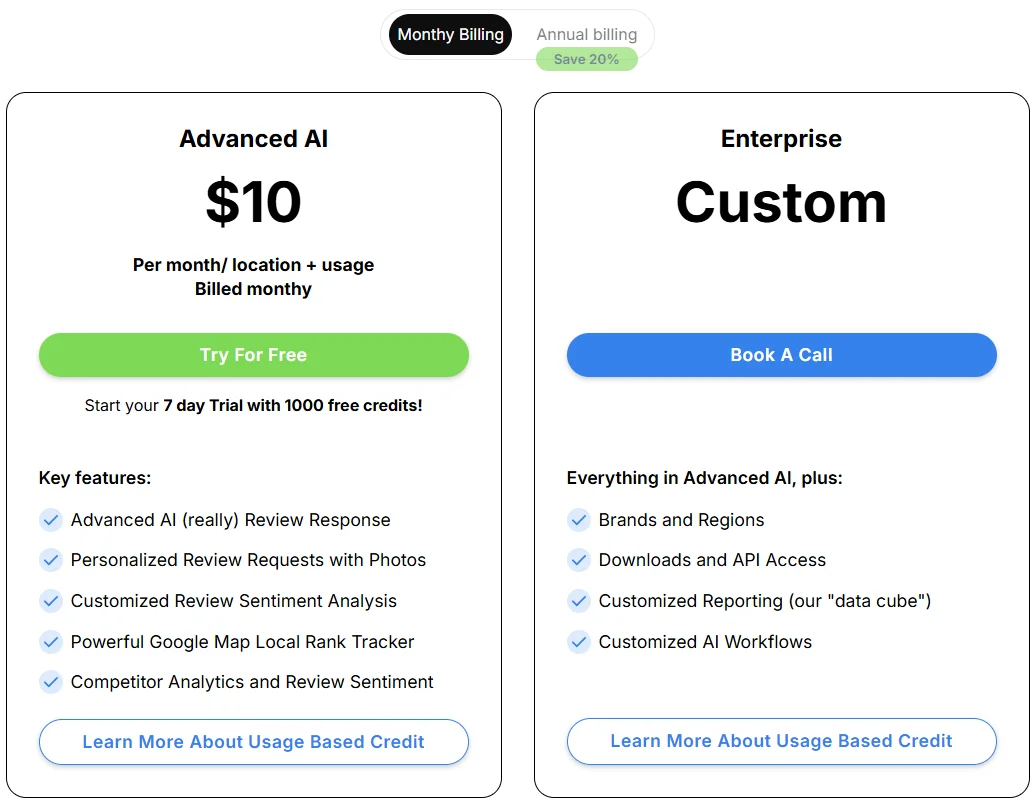
The PAYGO plan is $100 per location a year (about $8.33 a month), with usage credits and SMS charged separately. Core, Pro and Pro+ plans add more features.
ORM Tool vs Review Management Tool
The two terms overlap, but they aren’t the same.
A review management tool handles reviews: asking for them, replying, and showing them on your site. WiserReview and NiceJob sit here.
An ORM tool covers your wider online presence: reviews plus listings, social mentions, messaging, surveys and competitor tracking. Birdeye, Podium and ReviewTrackers sit here.
For most small businesses, reviews are most of their reputation, so a review management tool covers the bulk of the need at a fraction of the price.
For a deeper look at review-only tools, see our list of review management software.
How to Choose the Right ORM Tool
Businesses unhappy with their ORM software usually made the same mistake: they picked on features instead of fit. Use this framework instead.
Start With Where Your Reviews Come From
Be honest about where feedback lives. If most of it is on Google and your own website, WiserReview, NiceJob, Podium or RightResponse AI will cover what you need.
ReviewTrackers or Birdeye make sense when you need to monitor specialized review sites, like Healthgrades for medical, TripAdvisor for hospitality or Avvo for legal. Without that need, you’re paying for coverage you won’t use.
Match the Tool to Your Team Size
One person doing everything: Choose automation over analytics. WiserReview and NiceJob keep working even if nobody checks the dashboard daily. Add RightResponse AI if reviews come in faster than you can reply.
A marketing team with regional managers: Now dashboards matter. ReviewTrackers and Birdeye give you the scorecards, benchmarks and drill-down reports that multi-location oversight needs.
Do You Need Messaging and Payments?
If your business runs on real-time conversations like scheduling, quoting and closing, Podium combines those with reputation management. Birdeye offers a similar approach.
If you already have a CRM, scheduler and payment tool you like, don’t add another. Pair WiserReview with RightResponse AI, or use ReviewTrackers on its own.
Set a Realistic Budget
Under $20 a month: WiserReview Starter or RightResponse AI’s PAYGO plan. For a bootstrapped local business, this is the place to start.
$20 to $150 a month: WiserReview Pro + AI or NiceJob. This range adds AI replies, referral campaigns and stronger reporting.
Quote-based: Podium, Birdeye and ReviewTrackers. They make financial sense when one extra five-star review is worth thousands, like a dealership or a dental practice. If your average sale is $50, the math rarely works.
Wrap Up
The software is the easy part. The hard part is a team that asks every customer for feedback, replies to every review, and uses what customers say to fix things.
No tool replaces that habit, but the right one removes what gets in its way. Pick the tool that fits your team, budget and workflow, not the one with the longest feature list.
Frequently Asked Questions
What is an online reputation management tool?
Software that helps you monitor, collect and reply to reviews and mentions of your business across sites like Google, Yelp and Facebook.
What is the difference between an ORM tool and a review management tool?
A review management tool handles asking for, replying to and displaying reviews. An ORM tool adds listings, social mentions, messaging and competitor tracking on top.
How much do ORM packages cost?
Review-focused tools start under $20 a month, while full ORM suites like Podium and Birdeye are quote-based and cost far more per location.
Are there free online reputation management tools?
Google Business Profile lets you reply to reviews for free. Most paid tools offer a trial, and WiserReview has a free plan on the Shopify and Wix app stores.
Which ORM tool is best for small businesses?
WiserReview or NiceJob, since both automate review requests without needing someone to watch a dashboard every day.

Krunal Vaghasiya is a marketing tech expert who boosts e-commerce conversion rates with automated social proof and FOMO strategies. He loves to keep posting insightful posts on online marketing software, marketing automations, and improving conversion rates.




 Capterra