
Hotel Reputation Management: Boost Hotel Trust & Bookings
Reputation management is a cornerstone of success in the hospitality industry. It directly influences a hotel’s online reputation and ability to attract potential guests.
Nowadays, travelers rely heavily on guest reviews, social media posts, and ratings on review sites to make booking decisions, making effective reputation management more crucial than ever.
By actively monitoring and influencing a hotel’s online presence, hotels can improve guest satisfaction, increase positive reviews, and drive direct bookings.
Reputation management involves a strategic approach to handling guest feedback, addressing complaints, and showcasing positive experiences.
Reputation management software can streamline this process, helping hotels stay on top of their online presence and respond promptly to guest feedback.
In this post, we’ll show you how to take control of your online presence, earn guests’ trust before they even walk through the door, and turn satisfied customers into vocal advocates.

Why Hotel Reputation Matters More Than Ever
Today’s travelers don’t just look at your website—they look at what others say about you. Reviews, ratings, social posts, and guest photos shape your reputation in real-time. And that reputation drives decisions. Whether someone’s booking a luxury resort or a budget city hotel, they want reassurance. They want to know-
- Is it clean?
- Is the staff helpful?
- Did past guests have a good experience?
Meeting and exceeding guest expectations is crucial for maintaining a positive reputation.
That trust isn’t built through marketing. It’s built through consistently strong guest feedback and how your hotel publicly handles praise and complaints.
Here’s what a substantial online reputation impacts
- Occupancy rate – Hotels with better ratings get more bookings
- Room rate – Guests will pay more for a trusted experience
- Guest loyalty – A good first impression = repeat visits
- SEO & visibility – Higher ratings = better rankings on Google, OTAs, and TripAdvisor
- Revenue – More trust = less hesitation = faster conversions
- Review score – A higher review score can significantly influence booking decisions and guest trust
Conversely, a few unresolved negative reviews or unanswered complaints can quietly damage your bookings without notice. Reputation spreads fast—and silence looks like negligence.
The bottom line is that people book based on trust, and trust is built (or broken) through reputation. Managing reputation isn’t optional—it’s a core part of running a profitable hotel.
Also Read: Google reviews for hotels: A complete guide
Improve Your Hotel’s Online Reputation Without Extra Work

WiserReview helps hotels collect and manage guest reviews automatically. After checkout, you can send a review request by email, WhatsApp, or link. Guests can leave a review in seconds—no sign-in needed.
You can collect text, photo, or video reviews and display them on your website using sliders, popups, or badges. The setup is quick, and you don’t need a developer.
WiserReview keeps your reviews coming in and visible, so future guests can see what others liked, without you needing to follow up manually.
How WiserReview Works – Step by Step for Hotels
Sign Up for Free
Create a free account on WiserReview.
You can start testing the features right away without a credit card.
2. Connect Your Hotel Website
Add the WiserReview widget to your website.
It works with platforms like WordPress, Webflow, Wix, and others.
Setup is simple and doesn’t require coding.
3. Create a Guest Review Form
Set up a custom review form that includes:
Star rating
Text feedback
Option to upload photos or videos
Optional guest name or room type fields
4. Send Review Requests After Checkout

Share your review link with guests through:
Email after they check out
WhatsApp with a friendly message
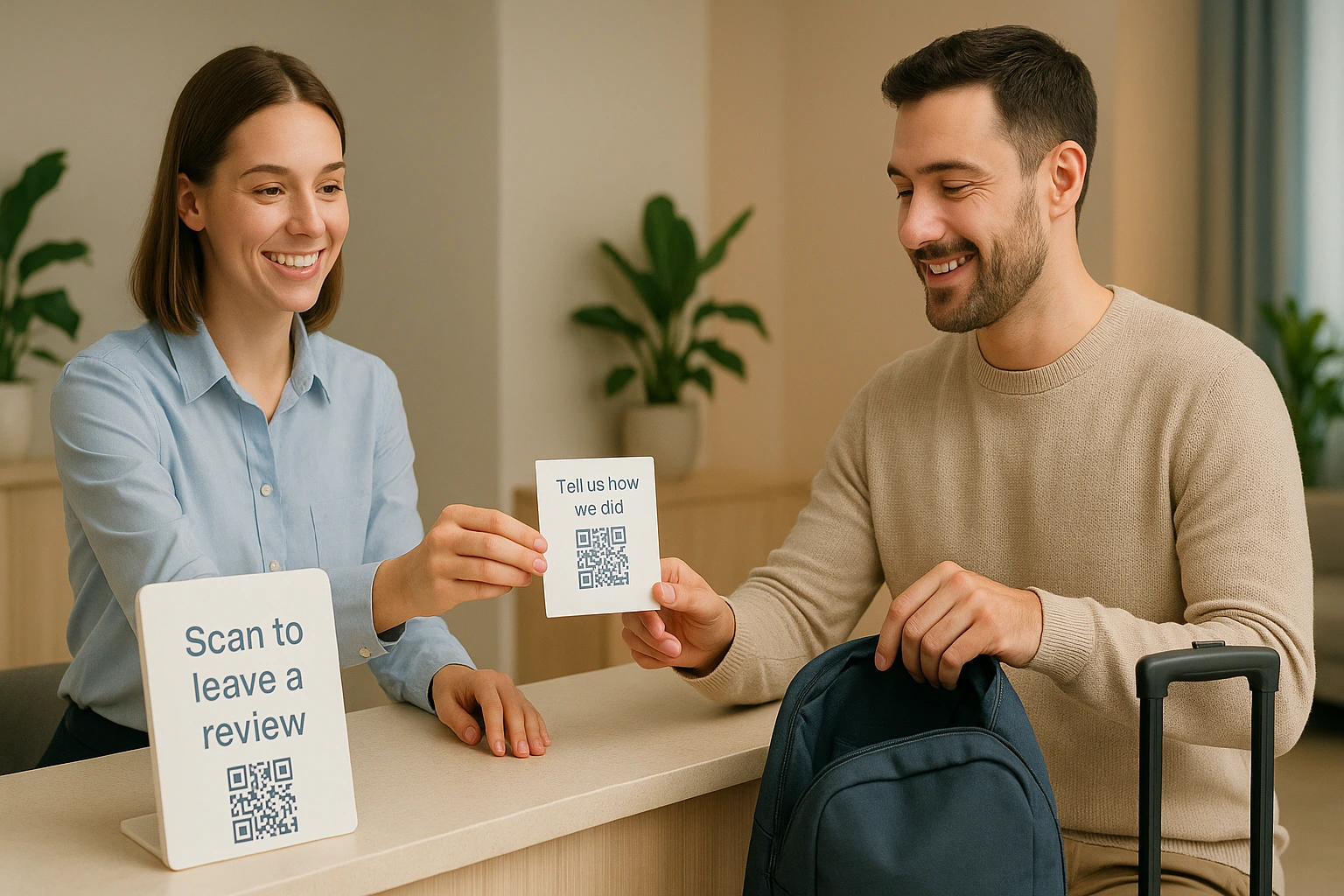
QR code printed on key cards, receipts, or room displays
Direct link on thank-you pages or booking confirmations
Guests can leave a review in seconds—no login needed.
5. Manage Reviews

New reviews appear in your WiserReview dashboard.
You can:
Approve or hide reviews
Filter by rating or keyword
Organize by room type or stay dates
6. Show Reviews on Your Website

Choose how reviews appear:
Slider on your homepage
Popup during site browsing
Badge near your booking form
Carousel on your rooms or testimonials page
All display options are fully customizable and easy to install.
7. Let It Run Automatically
Once set up, WiserReview keeps collecting, managing, and showing your reviews without extra work.
It helps new visitors see that others trust your hotel, leading to more bookings.

Show Real Reviews That Build Trust
Collect and display photo, video, and text reviews with full design control.
Turn Guest Activity into Social Proof with WiserNotify

WiserNotify helps you show real-time activity from your guests—like recent bookings, check-ins, or reviews—directly on your website.
These small popups let new visitors see that people are choosing and trusting your hotel right now.
You can decide what to show, where to show it, and how often. The setup takes only a few minutes and doesn’t require coding.
This live activity builds trust and encourages more visitors to book. It gives people proof that others had a good stay, making them more confident in their decision.
How WiserNotify Works – Step-by-Step for Hotels
1. Sign Up for a Free Account
Visit WiserNotify and create a free account.
2. Add WiserNotify to Your Website
You’ll get a small code snippet to add to your hotel website.
It works with platforms like WordPress, Wix, Webflow, Shopify, and custom sites.
No coding skills are needed.
3. Choose What to Display
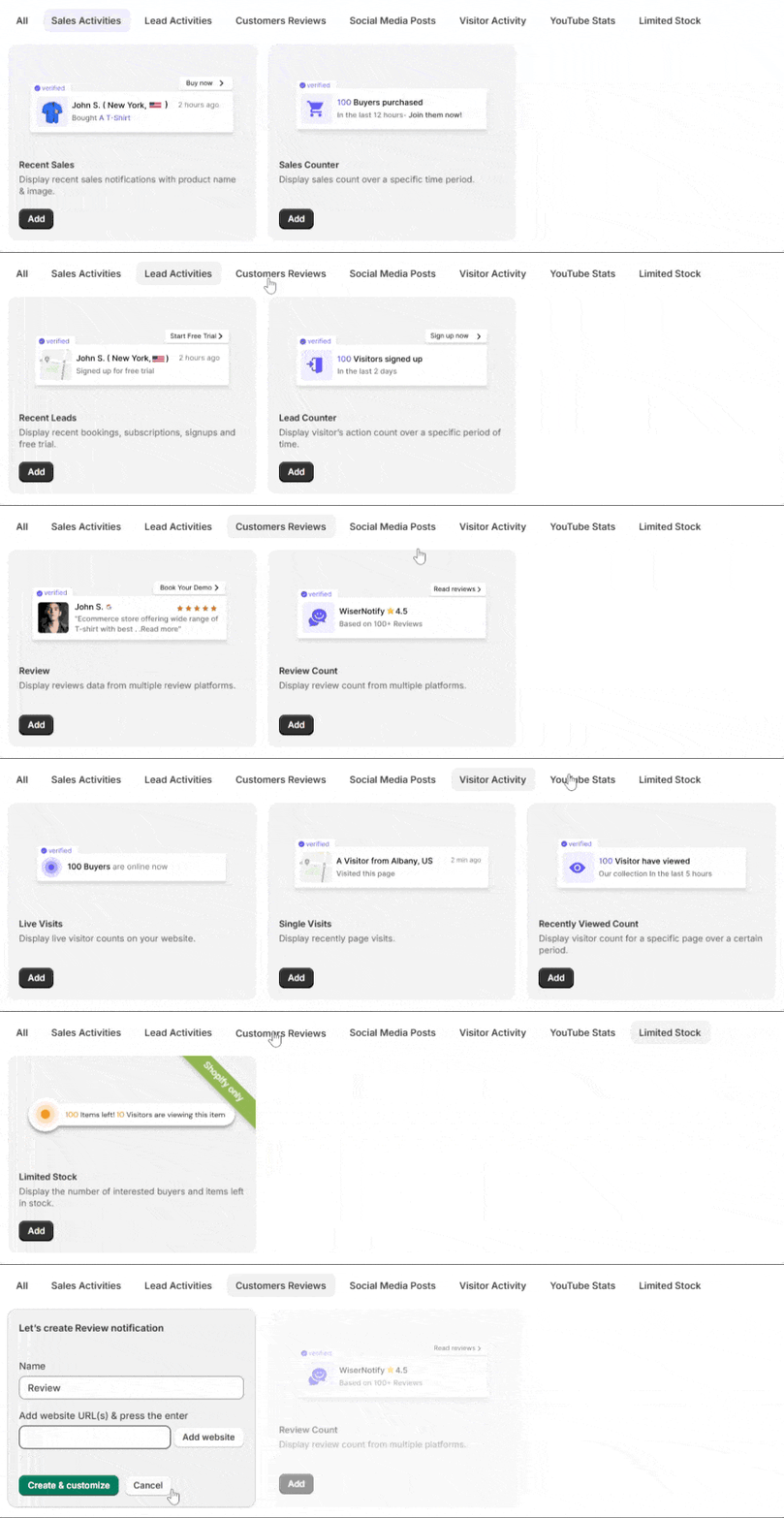
Select the type of guest activity you want to show, such as:
Recent bookings
New guest reviews
Total guests who booked recently
Real-time check-in notifications
4. Customize Your Popups
Edit the design, text, and layout to match your website.
You can choose the size, position, color, and timing of each pop-up.
5. Set Display Rules
Control where and when popups appear:
Only show on booking or room pages
Display after a delay or on scroll
Set specific time windows (e.g. show only during peak hours)
6. Go Live
Once you finish the setup, turn on the notifications.
WiserNotify will start showing live guest actions on your site automatically.

Boost Conversion Instantly
Add Social Proof & Urgency to your website
Where Your Hotel Reputation Is Built
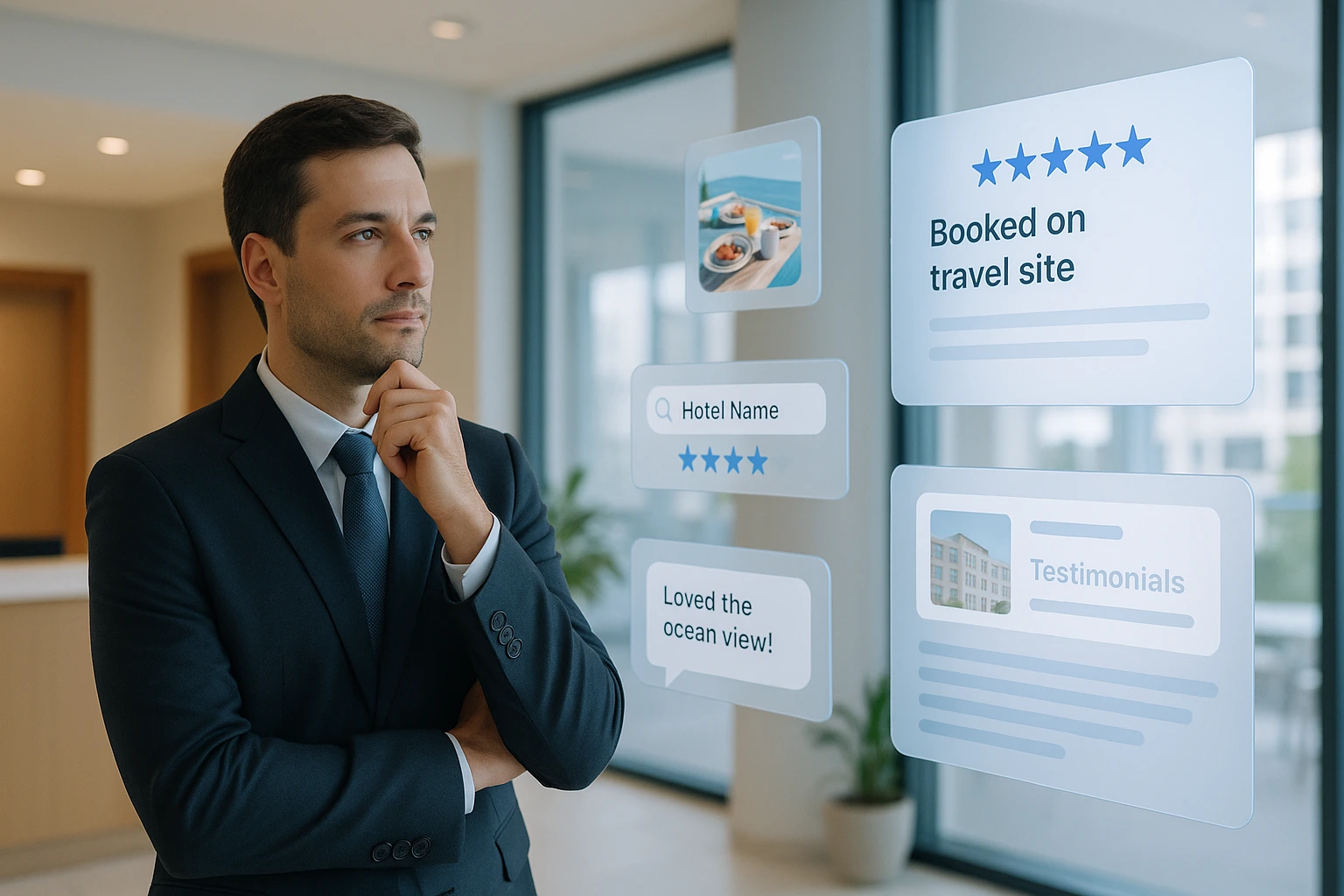
Your reputation isn’t built behind the front desk anymore—it’s built online, 24/7, across platforms you don’t fully control.
Every review, rating, photo, or social comment adds to (or subtracts from) how potential guests see your hotel.
Even one bad experience, if visible enough, can shape the story for hundreds of future guests.
Effective online reputation management is essential to ensure that every piece of feedback contributes positively to your hotel’s image. Here’s where your reputation lives and grows-
1. Review Sites
These are the first places most travelers check:
- Google Reviews – Often the top result when someone searches your hotel name. Critical for SEO and trust.
- TripAdvisor is one of the most influential hospitality platforms. Rankings and ratings here drive global bookings.
- Booking.com, Expedia, and Agoda – OTAs don’t just sell rooms; they also collect and display guest feedback prominently. These platforms also ensure that only verified reviews are displayed, adding credibility to the feedback.
Must Read: 11 Simple Ways to Collect More Hotel Reviews from Guests
2. Social Media
Guests don’t just write reviews—they post photos, tag your location, and share real-time experiences on various social media platforms:
- Instagram & TikTok – Visual content of rooms, views, or breakfast buffets shapes brand perception.
- Facebook – Reviews and comments often influence older demographics and locals.
- Twitter/X – Used less for discovery but quick to surface complaints or call-outs.
3. Search Engines
Your Google Business Profile includes a review section; those ratings appear right in search results and Maps. If guests don’t go to TripAdvisor, they’ll see your Google rating by default.
Ensuring your Google Business Profile has up to date information is crucial for making a positive first impression.
4. Messaging & Forums
Sometimes, reputation spreads in places you don’t expect:
- Reddit travel threads
- WhatsApp/Telegram travel groups
- Private Facebook travel communities
Effective guest communication in these forums can help manage and improve your hotel’s reputation.
People trust word-of-mouth—even when it’s digital.
5. Your Website
Believe it or not, your website plays a role too. If it’s outdated, missing guest testimonials, or slow to load, that reflects poorly—before anyone reads a review.
An updated and informative website can significantly influence a potential guest’s booking decision.
How to Monitor Your Hotel’s Online Reputation
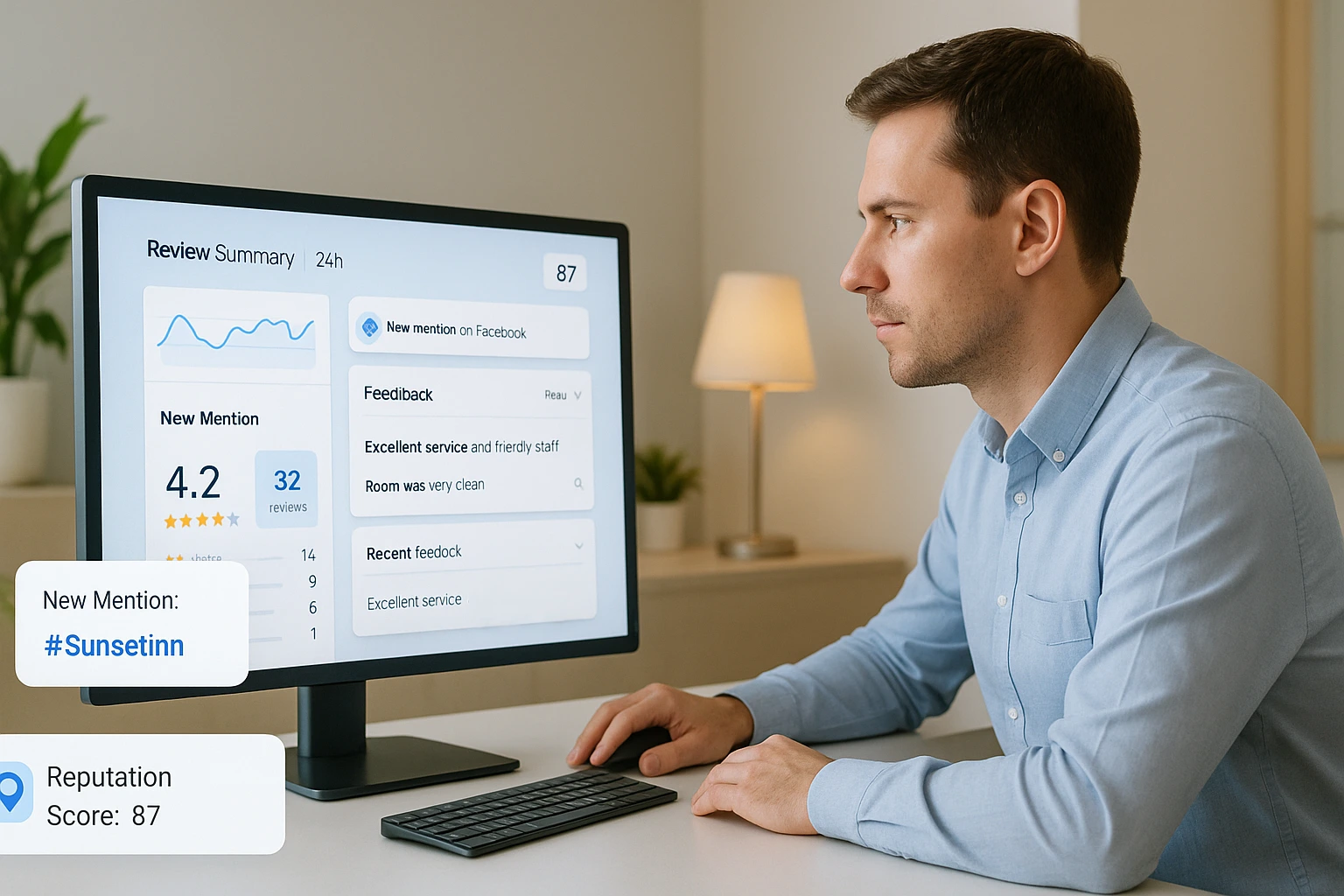
Your hotel’s reputation is shaped by what people say—across review platforms, social media, and even messaging apps, making it essential to track reviews consistently.
Monitoring it ensures that terrible reviews, missed praise, and patterns that could impact bookings do not blindside you.
The goal is to stay informed, respond quickly, and use feedback to improve perception and performance.
- Start by setting up alerts and notifications. Google Alerts is an easy way to get notified whenever your hotel is mentioned online. Most major review platforms like TripAdvisor, Booking.com, and Expedia offer email alerts for new reviews, so make sure those are enabled. To stay on top of social mentions, use tools like Hootsuite, Brand24, or Mention, which track posts, hashtags, and keywords across Instagram, Twitter/X, and Facebook.
- A centralized reputation management tool can save you time and give better insights if you’re active across multiple platforms. Tools like ReviewPro, TrustYou, and Revinate allow you to view all your reviews in one place, analyze guest sentiment, and track performance trends over time. Smaller hotels may prefer lighter options like Wiserreview, which provides essential features without complexity.
Even with the right tools, you need a clear routine. Assign someone on your team—such as your front desk manager, guest relations lead, or marketing person—to check and log feedback consistently. A simple process might look like this:
- Daily: Scan for new reviews and social mentions
- Weekly: Summarize common themes (positive or negative)
- Monthly: Report trends and make recommendations for service improvements
Lastly, keep an eye on your competitors. Tracking reviews of nearby hotels helps you understand what guests love—or hate—elsewhere. Use this to your advantage by learning from their mistakes and doubling down on things they’re missing.
Build trust & FOMO
Highlight real-time activities like reviews, sales & sign-ups.

How to Encourage More Positive Guest Reviews
The easiest way to get more positive reviews is to give guests a great stay—and then ask for feedback at the right time, in the right way. Most happy guests won’t leave a review unless you make it simple and timely.
Utilizing guest surveys can also help gather valuable feedback and encourage more positive reviews.
Send your review request within 24–48 hours of checkout. Use automated email or SMS and keep it personal, short, and direct. Don’t wait too long—the response rate is higher when the experience is still fresh.
Make it effortless:
- Include a direct review link (no login required)
- Keep the form mobile-friendly
- Let them choose the platform (Google, TripAdvisor, Booking.com)
Ask in more than one place:
- In-room cards or QR codes
- Checkout thank-you message
- Follow-up WhatsApp or app notification
Your staff can help too. A simple line like, “We’d love your feedback online—it really helps us,” goes a long way when said at the right moment.
You can also offer a light incentive, like:
- A discount on a future stay
- Entry into a monthly prize draw
- Loyalty points (if applicable)
Just make sure it’s for honest feedback—not just 5-star reviews.
Conclusion
Today’s travelers don’t just book hotels—they research, compare, and decide based on what others have experienced.
That’s why your online reputation isn’t just an add-on to your business strategy—it is the strategy.
Managing it well means being present where guests talk, responding when it counts, and creating the kind of stay that naturally earns great reviews.
It’s not about chasing five stars—it’s about delivering a consistent experience and making it easy for guests to share their feedback.
With the right systems, tools, and habits, reputation management becomes part of your daily flow—not another item on your to-do list.
Effective digital marketing strategies can also play a crucial role in enhancing your hotel’s online reputation. The payoff? More trust, visibility, and bookings.
Show Real Reviews That Build Trust
Collect and display photo, video, and text reviews with full design control.
Frequently Asked Questions
How can I collect guest reviews after checkout?
You can send a review link by email, WhatsApp, or QR code using tools like WiserReview. Guests can leave a review without signing in.
Can I show guest reviews on my hotel website?
Yes. WiserReview lets you display reviews as sliders, popups, badges, or carousels on your homepage, room pages, or booking sections.
Do I need technical skills to set up a review system?
No. WiserReview is easy to set up. You can add it to your website in minutes without any coding.
What types of reviews can I collect?
You can collect text, photo, and video reviews from your guests. WiserReview supports all three on every plan.
How does showing reviews help increase hotel bookings?
When potential guests see real reviews from other visitors, they trust your hotel more. This helps them feel confident in booking with you.

Krunal Vaghasiya is a marketing tech expert who boosts e-commerce conversion rates with automated social proof and FOMO strategies. He loves to keep posting insightful posts on online marketing software, marketing automations, and improving conversion rates.




 Capterra