
Easily Add Visitor Counter to Your Weebly Site
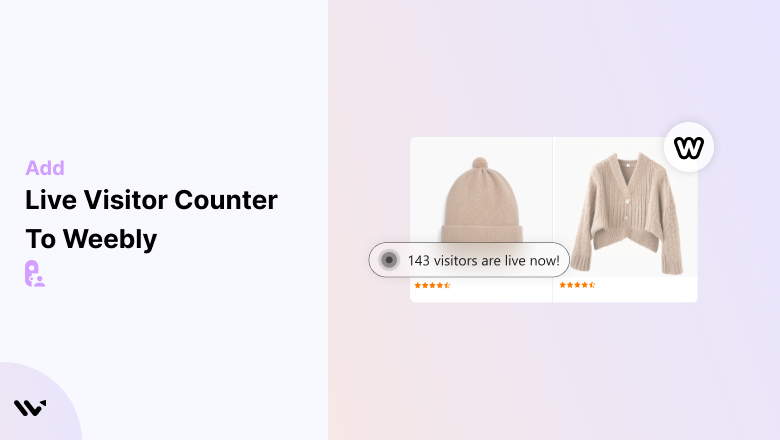
Adding a visitor counter to your Weebly website is an effective way to build trust, track engagement, and increase conversions. By showcasing real-time or cumulative visitor numbers, you provide social proof and demonstrate activity on your site, motivating potential customers to take action.
This guide explains the benefits of using a visitor counter, the steps to add one, and best practices for maximizing its effectiveness.
Key Benefits of Adding a Visitor Counter to Weebly
1. Builds Trust
- A visible visitor counter reassures visitors that your site is active and popular, increasing confidence in your offerings.
2. Tracks Engagement
- Monitor visitor activity to assess the popularity of pages, products, or promotions on your website.
3. Creates Social Proof
- Show that others are browsing your site, making products or services appear more desirable.
4. Improves Conversion Rates
- Highlighting visitor activity encourages hesitant customers to act quickly, leveraging FOMO (Fear of Missing Out).
5. Customizable for Branding
- Adapt the counter’s design to seamlessly match your Weebly website’s style and branding.
Add Visitor Counter to Weebly
First, Add WiserNotify App On Weebly
- Go to WiserNotify and log in to your account.
- Once logged in, you’ll be redirected to the Dashboard.


Best Practices for Using a Visitor Counter on Weebly
➲ Display Accurate Data
Use real-time visitor statistics to maintain trust and credibility with your audience.
➲ Position Counters Strategically
Place the counter on high-traffic pages, such as the homepage, product pages, or landing pages for maximum impact.
➲ Use Engaging Text
Incorporate dynamic and motivating messages like “20 people are viewing this product right now!” to create urgency.
➲ Keep the Design Minimalistic
Ensure the counter integrates seamlessly with your Weebly site’s design and doesn’t overwhelm the user experience.
➲ Pair with Other Features
Combine the visitor counter with countdown timers, promotional banners, or discount offers to amplify engagement.
➲ Optimize for Mobile Devices
Ensure the counter is responsive and displays well across all devices, especially on mobile.
➲ Monitor Performance Metrics
Track impressions, clicks, and conversions to evaluate the effectiveness of the visitor counter. Make adjustments as needed.
➲ Avoid Overuse
Use counters sparingly to focus on key products, pages, or campaigns and avoid cluttering your site.
Conclusion
Adding a visitor counter to your Weebly website is a powerful way to build trust, track engagement, and encourage conversions. With Wisernotify, you can create a dynamic, customizable counter that aligns with your branding and boosts your site’s performance.
By following the steps and best practices outlined in this guide, you can enhance your Weebly site’s user experience, showcase activity, and motivate visitors to take action.
Related Posts:
Frequently Asked Questions
What is a visitor counter?
A tool to track and display the number of visitors, useful for monitoring traffic and boosting social proof.
How do I add one to Weebly?
Add a visitor counter using the Weebly App Center or embed HTML/JavaScript code from a counter service.
Are free visitor counters available for Weebly?
Yes, options include StatCounter, Hit Counter by Powr.io, and other free online tools.
Will adding a counter affect my site’s performance?
Lightweight counters usually have no significant impact, but test your site speed after implementation.
Can I customize the counter?
Many tools allow customization of colors, fonts, and display style to match your site’s design.

Krunal Vaghasiya is a marketing tech expert who boosts e-commerce conversion rates with automated social proof and FOMO strategies. He loves to keep posting insightful posts on online marketing software, marketing automations, and improving conversion rates.




 Capterra