
How to Add a Live Visitor Counter to Podia (2026)
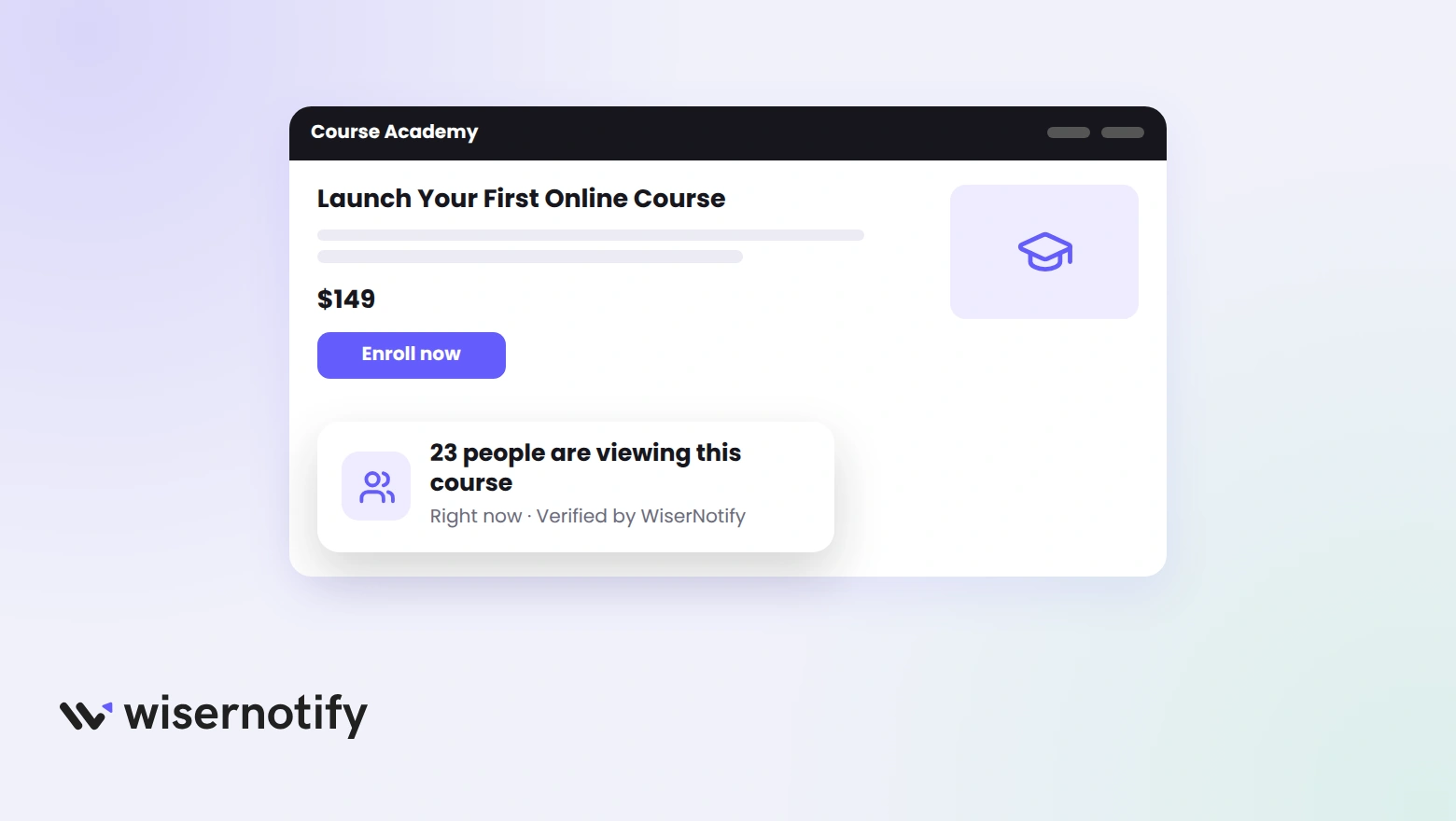
When a visitor lands on a course sales page, they look for signs that other people trust it. A small live count in the corner, showing how many people are on the page right now, gives them that sign.
Podia does not have a visitor counter built in. You can still add one. The whole setup is a short script in Podia’s Analytics settings and a notification you build to show the count.
This guide walks through the 9 steps with screenshots, the pages where the counter can run on Podia, and what to check if it does not show.
Does Podia Have a Visitor Counter?
No. Podia’s dashboard reports visits and sales to you, but there is no block or setting that shows a visitor count on a public page.
What Podia does allow is third-party code on every public page, including checkout, on its Mover and Shaker plans. That is the door the counter comes through.
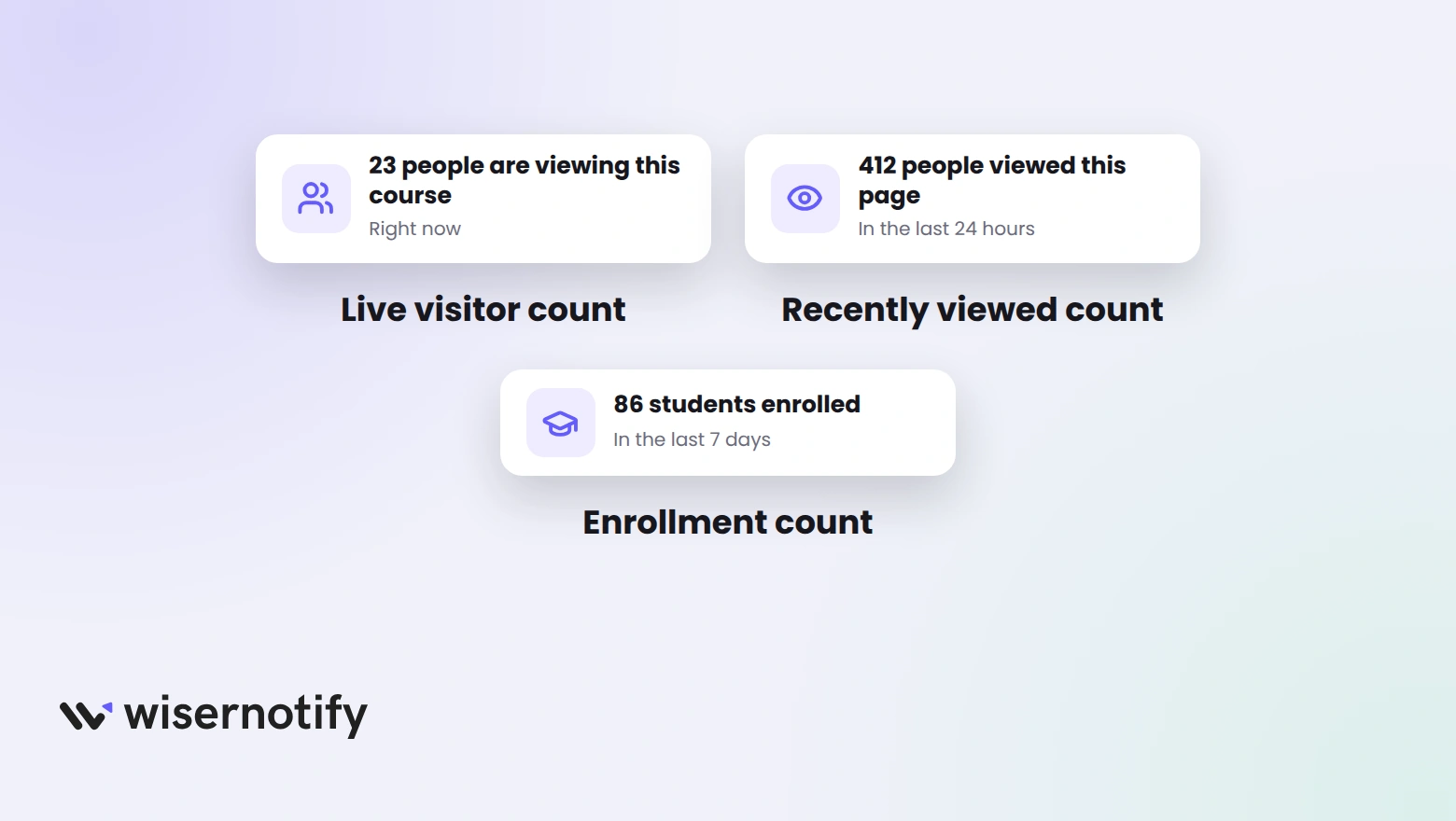
| Counter | What it says | Best Podia page |
|---|---|---|
| Live visitor count | 23 people are viewing this course right now | Sales page of your main course |
| Recently viewed count | 412 people viewed this page in the last 24 hours | Pages with steady but modest traffic |
| Enrollment count | 86 students enrolled in the last 7 days | Checkout page and launch pages |
This guide builds the live visitor count. The other two use the same pixel and the same steps, with a different notification picked in Step 5.
Build trust & FOMO
Highlight real-time activities like reviews, sales & sign-ups.


How Do You Add a Visitor Counter to Podia?

The counter comes from WiserNotify. It needs the pixel on your Podia site once, then every notification you build runs through it. The video covers the pixel install on Podia, and the steps follow it.
Step 1: Copy Your WiserNotify Pixel

- Sign up for WiserNotify and open Install Pixel.
- Click Copy code.
Step 2: Open Podia Store Settings
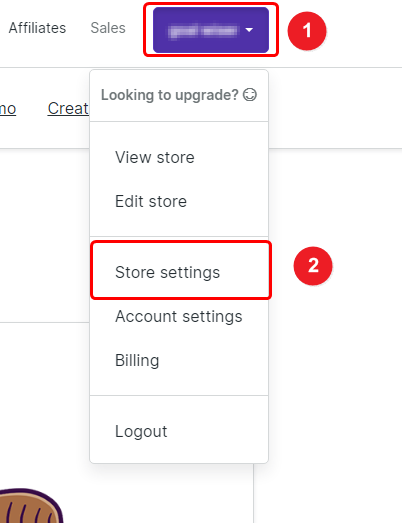
- Log in to Podia and click your name at the top right.
- Click Store settings. On newer accounts the same page sits under Settings, then Analytics, in the Admin sidebar.
Step 3: Paste the Pixel and Save
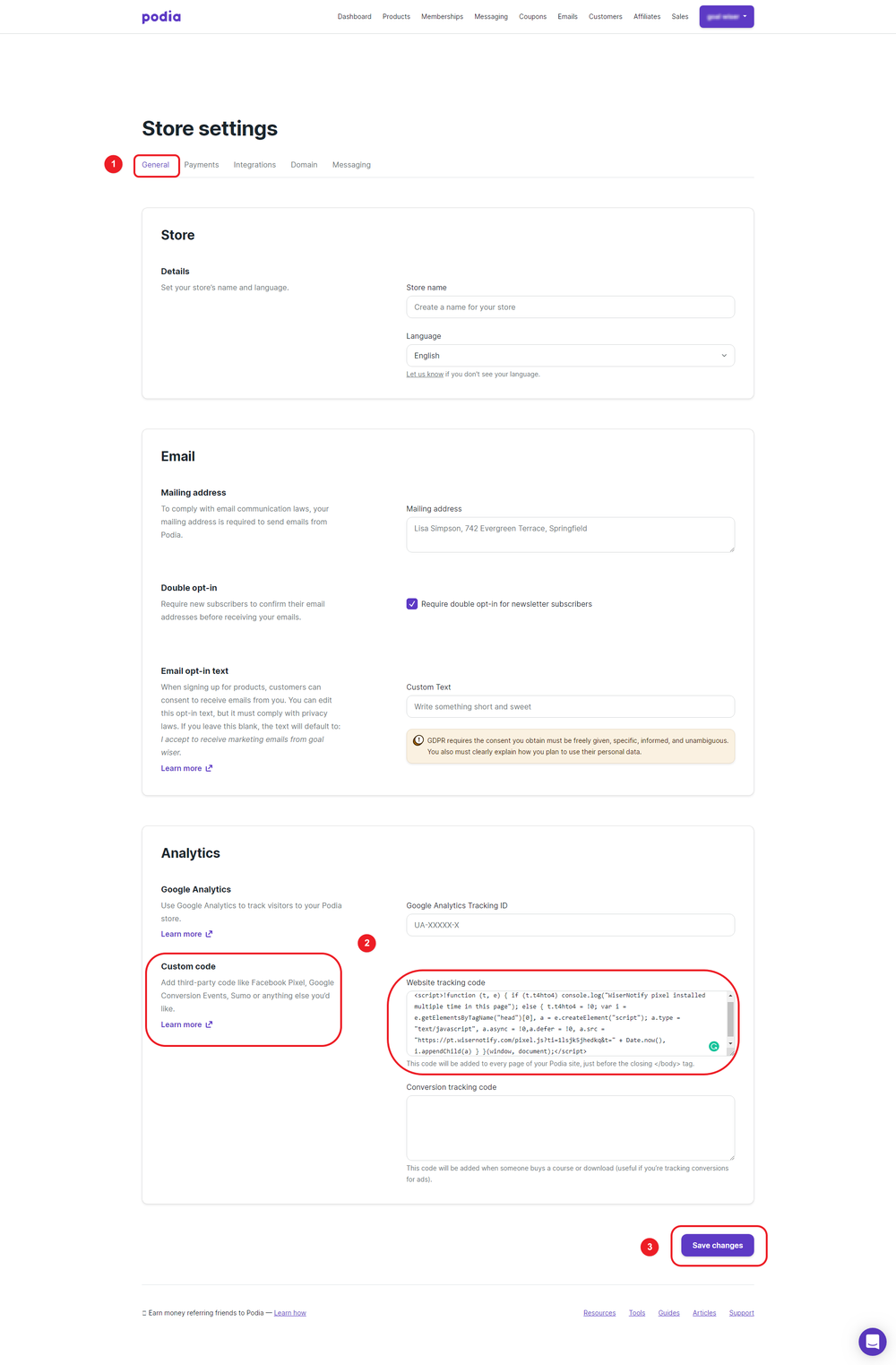
- Scroll to the Analytics section. If you see Third-party code, click Edit next to it.
- Paste the pixel into the Website tracking code box, not the Conversion tracking code box below it.
- Click Save changes.
Third-party code is available on Podia’s Mover and Shaker plans. Podia adds it before the closing body tag on every public page, which is all the pixel needs.
The full doc is how to install the pixel code on Podia.
Step 4: Verify the Pixel

- Open your Podia site in a new tab so the pixel loads once.
- Back in WiserNotify, click Verify pixel installation. It should report the pixel as active.
Step 5: Add Live Visits
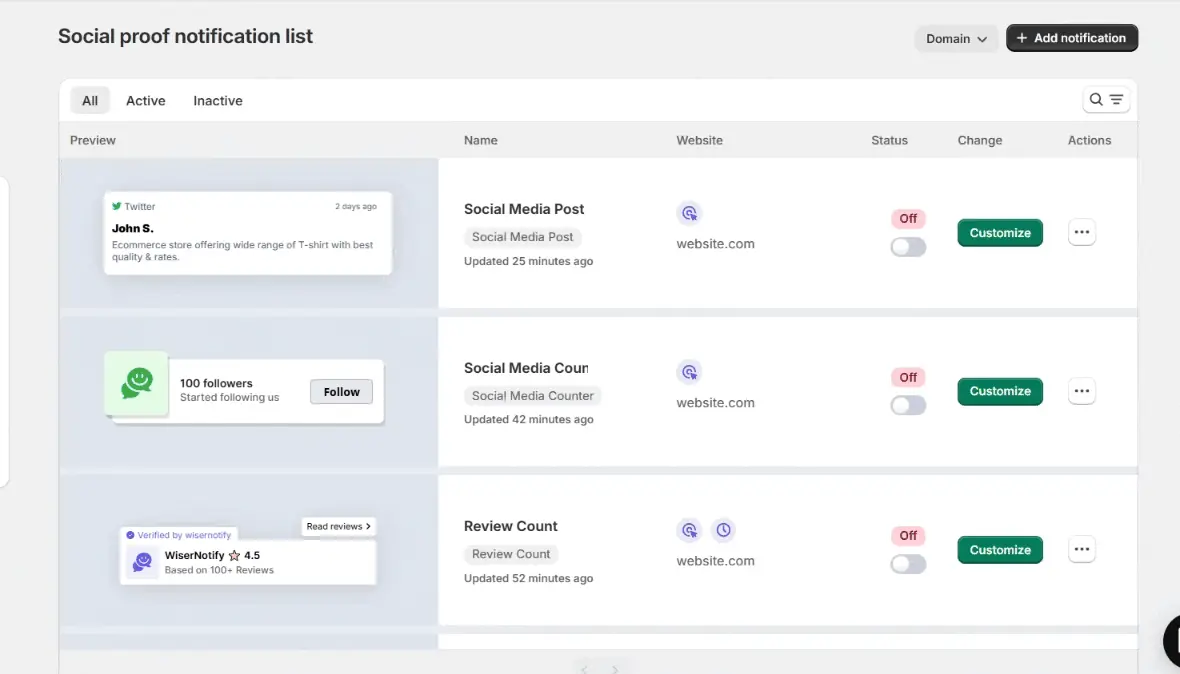
- Go to Notifications and click Add notification.
- Find Live Visits in the gallery and click Add.
- Name it and enter your Podia site URL.
Step 6: Write the Message
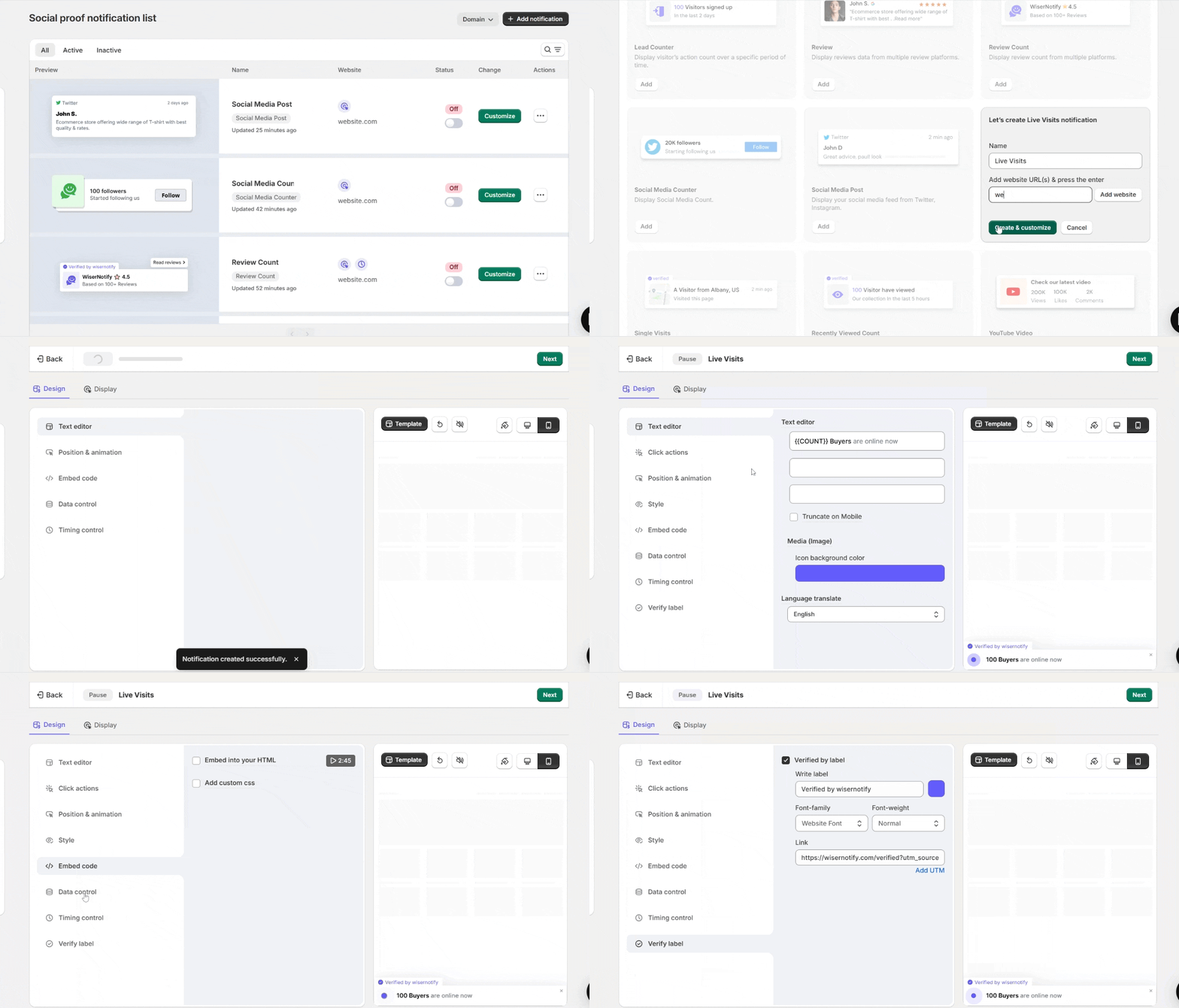
- In the Design tab, open Text editor and change the line to something like {{COUNT}} people are viewing this course.
- Under Style, match the colors and font to your Podia theme.
- Under Position and animation, choose bottom left so the counter sits below the enroll button on desktop.
Step 7: Set the Timing
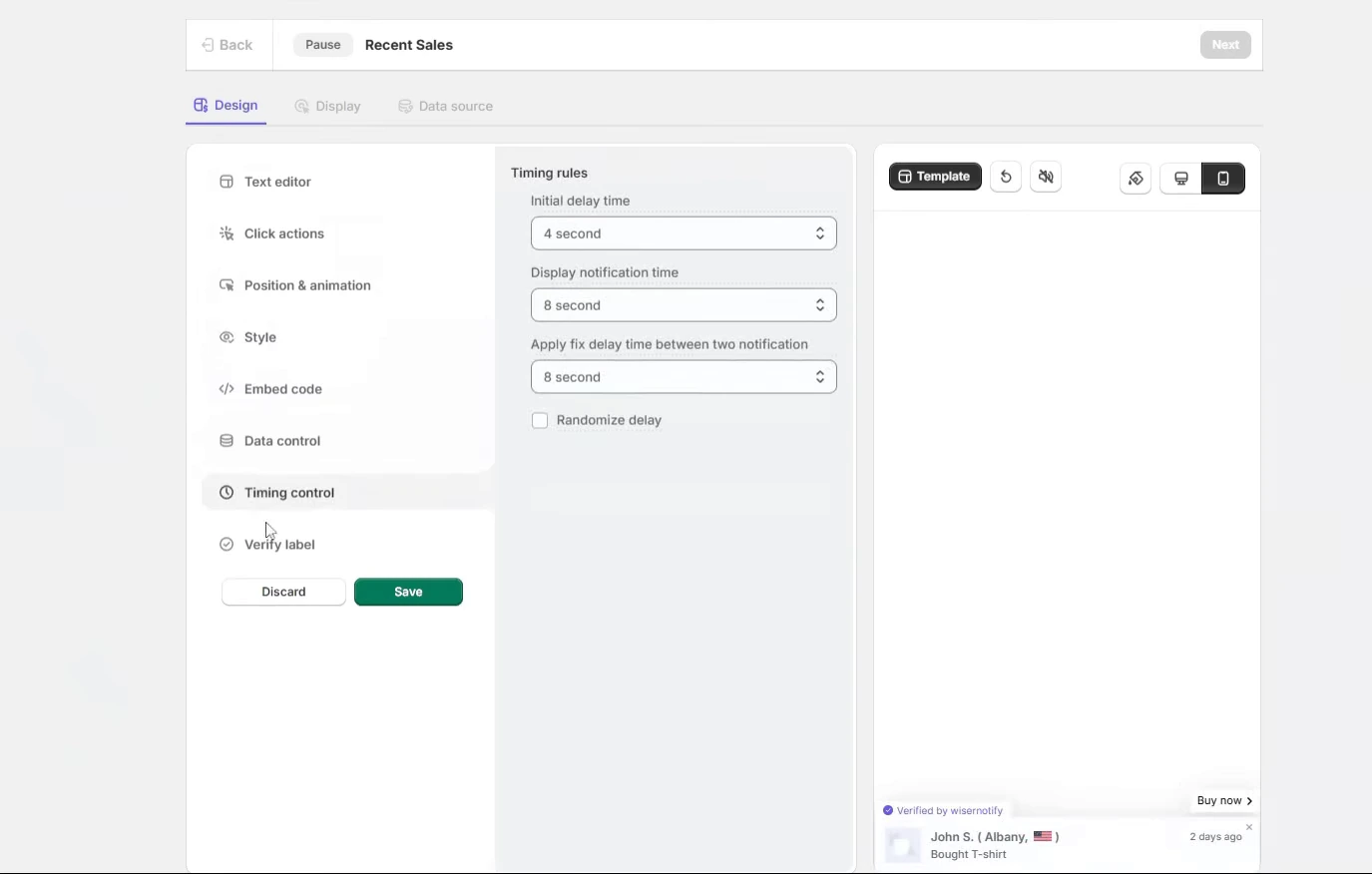
- Open Timing control.
- Set a short initial delay, a few seconds, so the page settles before the counter appears.
- Keep it on screen rather than cycling, since a count is a status, not a stream of events.
Step 8: Choose the Pages
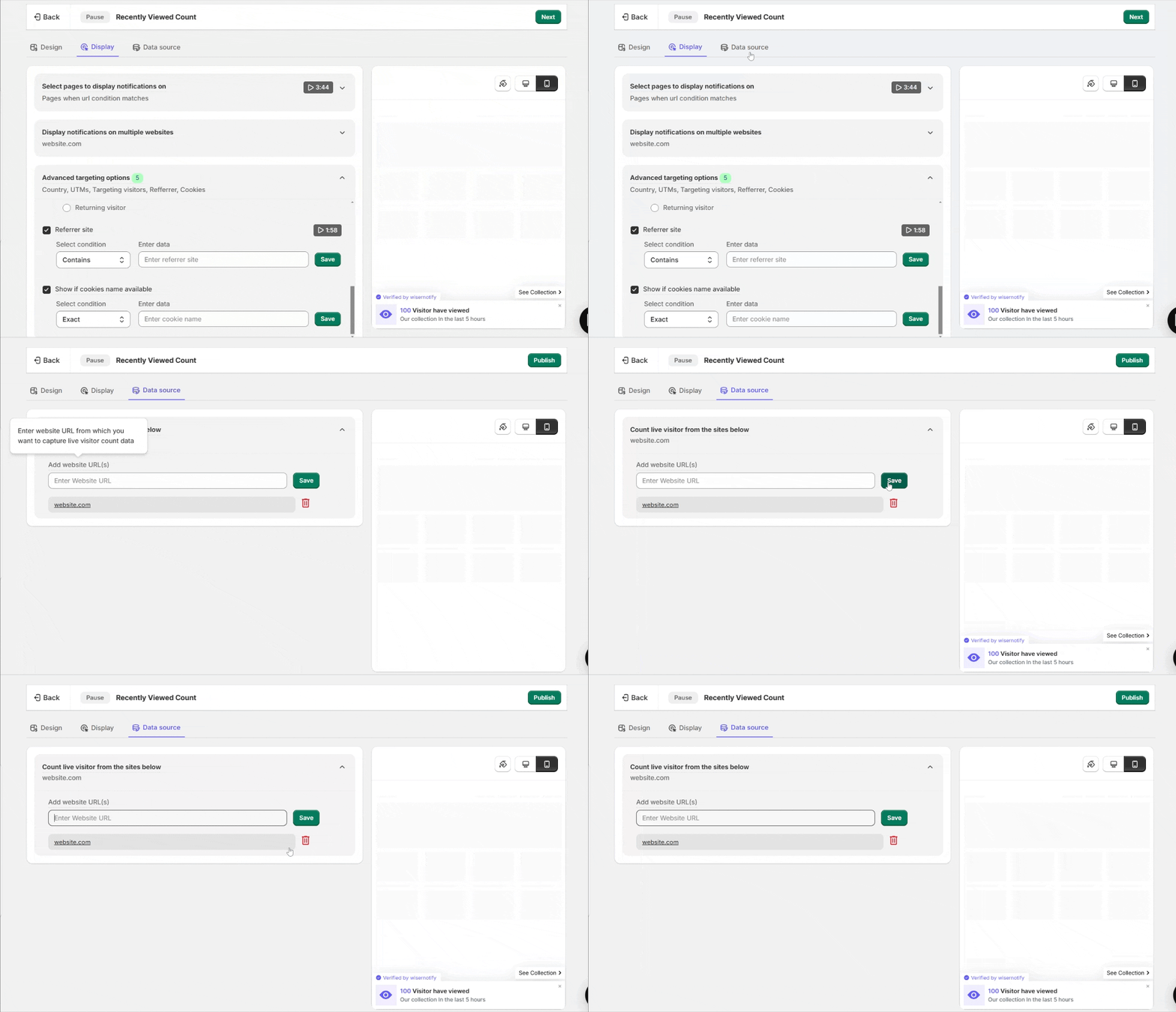
- Open the Display tab.
- Choose the pages to show the counter on. Course sales pages and checkout are the ones that matter. Use Contains with the course slug to cover the page in one rule.
- Leave the member area out. Podia does not run third-party code there anyway.
Step 9: Publish and Check
- Click Save, then Publish.
- Open the sales page in a private window. The counter appears after the delay you set.

Boost Conversion Instantly
Add Social Proof & Urgency to your website
Where Does the Counter Show on Podia?
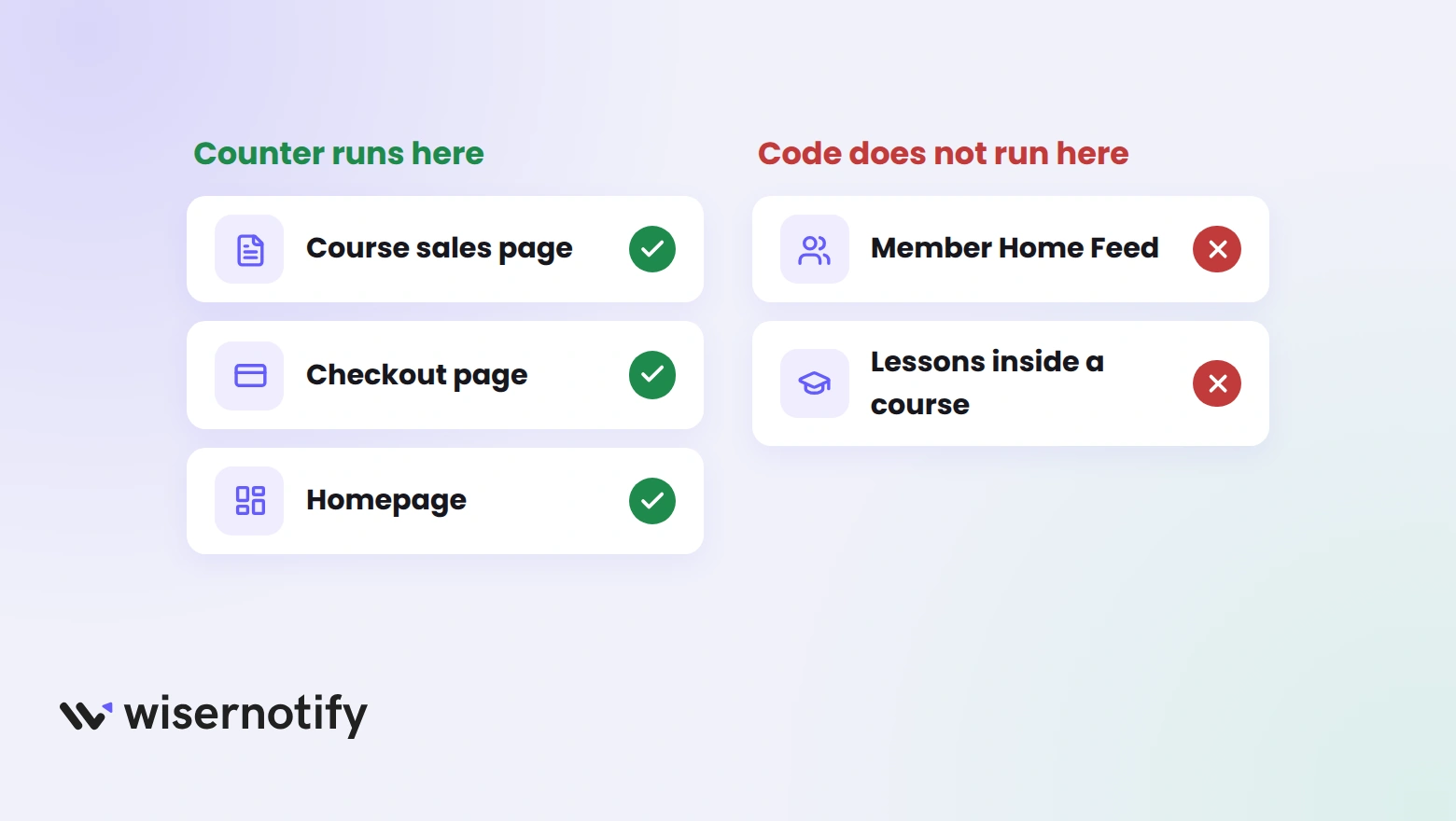
Podia runs third-party code on its public pages only. That decides where a counter can and cannot appear.
- Course sales pages: the main spot. The count sits next to the price and the enroll button.
- Checkout: the pixel runs here too, so a count or an enrollment counter can follow the shopper to the last step.
- Homepage and webinar pages: good for a sitewide live count during a launch.
- Member Home Feed and lessons: no. Podia keeps third-party code off the logged-in area, so nothing shows to existing students.
Pick one counter per page. A live count and a recently viewed count on the same sales page compete for the same corner.
Do Visitor Counters Help Sell Courses?

They help when the number is true and worth showing. A course page with a steady stream of visitors gives a buyer the same signal as a busy webinar room, and that is what moves people off the fence.
Two settings keep it honest. Show the counter only on pages that get traffic, and switch to the recently viewed count, which looks back over hours, on pages that are quiet at any one moment.
Pair the counter with a sales popup on Podia during a launch, so visitors see both who is looking and who just enrolled.
Build trust & FOMO
Highlight real-time activities like reviews, sales & sign-ups.

Visitor Counter Not Showing on Podia?
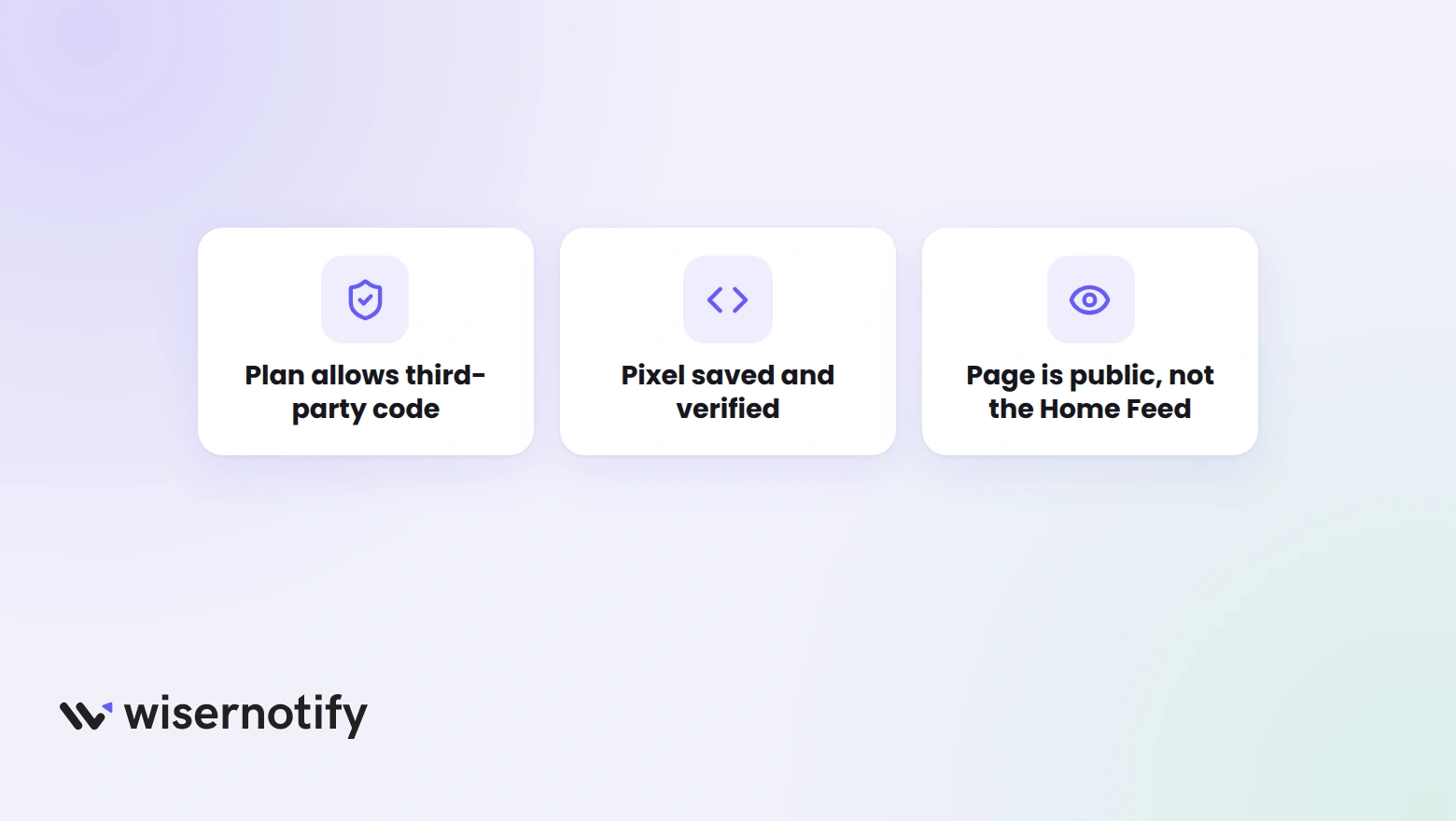
- Third-party code locked: the option is only on Podia’s Mover and Shaker plans. The free tier cannot save the pixel.
- Pixel not verified: load a public page of your site, then run Verify pixel installation again.
- Wrong box: the pixel belongs in Website tracking code. Conversion tracking code only runs on the thank-you page.
- Logged-in page: the Home Feed and lessons never load third-party code. Test on the sales page while logged out.
- Page rule too narrow: check the sales page URL matches your Display rule.
- Cached page: open the page in a private window after publishing.
Wrap Up
One pixel in Podia’s Analytics settings is the whole install. After that, the counter is a notification you build and point at the right pages.
Start on your best-selling course page and watch the enrollments there before adding more.
Related Post
Frequently Asked Questions
Does Podia have a built-in visitor counter?
No. Podia shows visits in your dashboard but has no counter for visitors to see. A third-party counter like WiserNotify adds one through the Third-party code setting.
Which Podia plan allows a visitor counter?
Third-party code is available on Podia’s Mover and Shaker plans, so the pixel needs one of those.
Where do I paste the WiserNotify pixel in Podia?
Under Settings, then Analytics, click Edit next to Third-party code and paste it into the Website tracking code box.
Can the counter show on the Podia checkout page?
Yes. Podia runs third-party code on every public page, including checkout, so a live or enrollment count can show there.
Will students see the counter inside my course?
No. Podia keeps third-party code off the logged-in Home Feed and lessons, so the counter only shows on public pages.

Krunal Vaghasiya is a marketing tech expert who boosts e-commerce conversion rates with automated social proof and FOMO strategies. He loves to keep posting insightful posts on online marketing software, marketing automations, and improving conversion rates.




 Capterra