
How to Add a Video Popup to OptimizePress (2 Easy Ways)

OptimizePress can show a video popup two ways. Build it natively with the Pop Overlay feature, where a button or image opens your video in a lightbox, or add a floating video popup across your pages with WiserNotify through one pixel in Page Scripts.
The native overlay suits one video on one page. The widget adds timing control, page targeting, and view and click tracking.
Both methods are below, step by step with screenshots.
Key Takeaways
- OptimizePress builds video popups natively. Create a Pop Overlay with your video and link a button or image to it.
- The native overlay can fire on click, after a delay, or on exit intent, but it lives on one page at a time.
- WiserNotify’s video popup floats across any pages you target and reports views and clicks. One pixel paste sets it up.
- Keep popup videos short and muted on open. The popup earns the click, the video earns the watch.
What to Show in a Video Popup
A video popup works when the video answers something the page copy can’t.
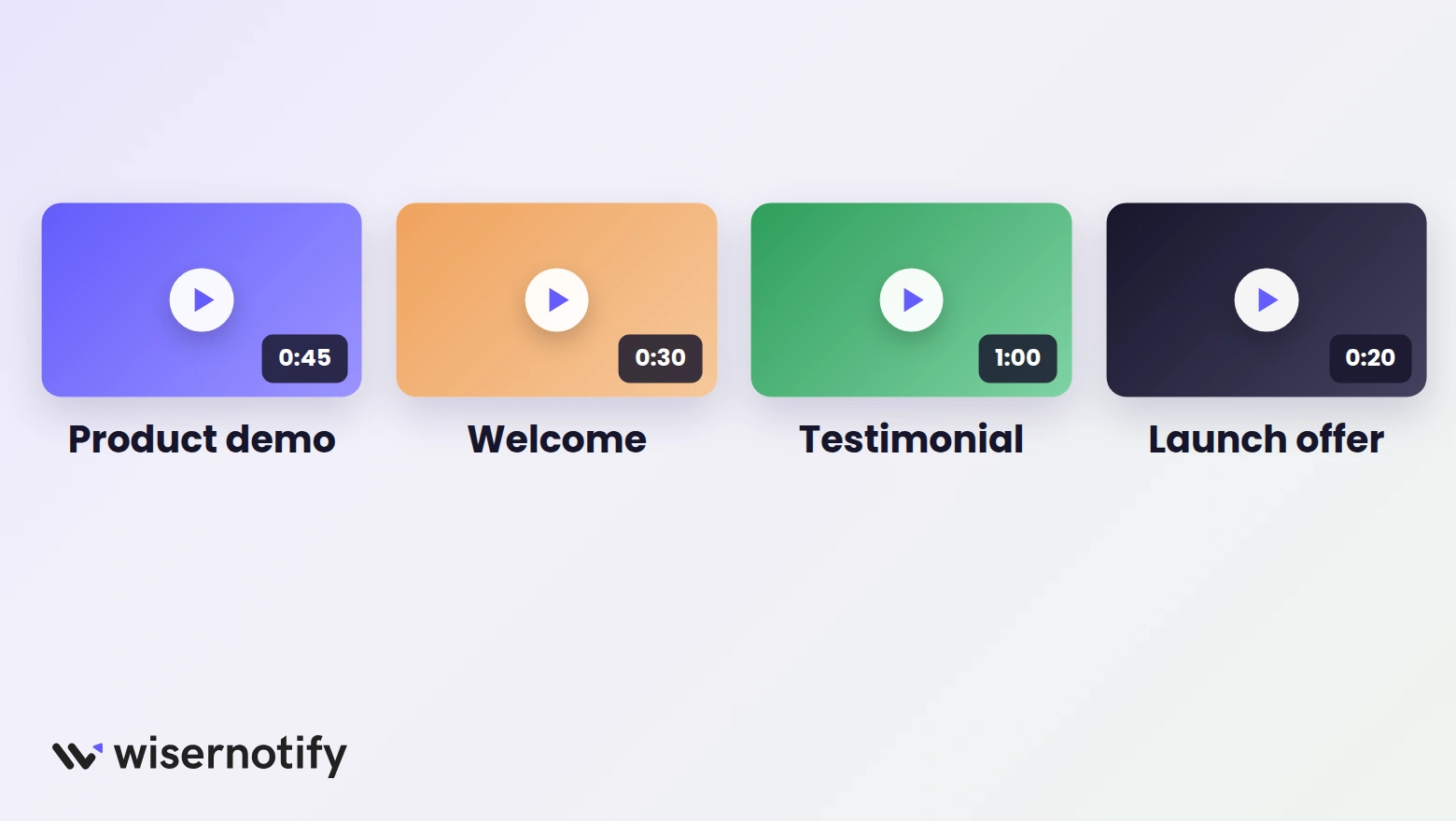
- Product demos: show the thing working instead of describing it, right at the buying decision.
- Welcome videos: a short founder or coach intro puts a face on the page and warms up cold traffic.
- Testimonials: a customer saying it on camera beats the same words as text.
- Launch offers: a quick pitch video behind a “watch this” button carries urgency without crowding the page.
Method 1: Use the Built-In Pop Overlay
OptimizePress 3 ships with Pop Overlays, a lightbox you can fill with anything, your video included. There is also a dedicated Video Popup element in the builder for the same job. Three steps.
Step 1: Create the Overlay
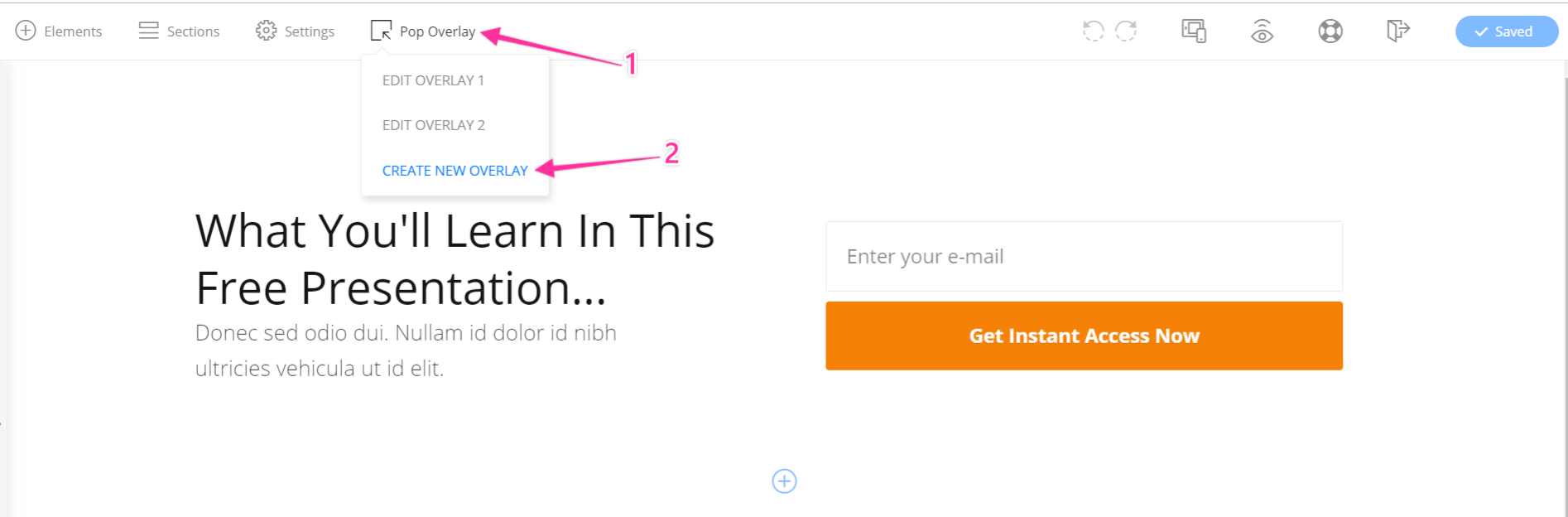
Open your page in the OptimizeBuilder, click Pop Overlay in the top toolbar, and pick Create New Overlay. The default design is an opt-in form, so delete that section and drop in a Video element with your YouTube or Vimeo URL instead.
Step 2: Link a Button or Image to It
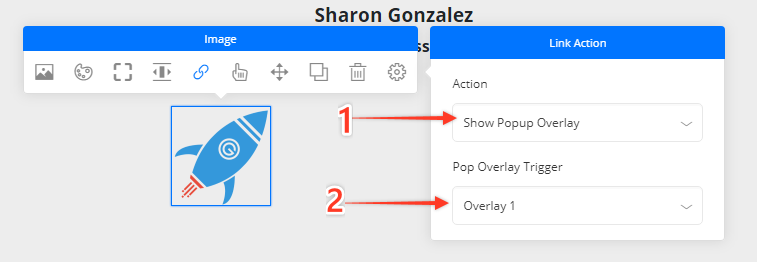
Click the button or image that should open the video, open its link options, set the Action to Show Popup Overlay, and pick your overlay in the Pop Overlay Trigger dropdown. A video thumbnail image makes the most natural trigger.
Step 3: Set Timing and Check Sizing
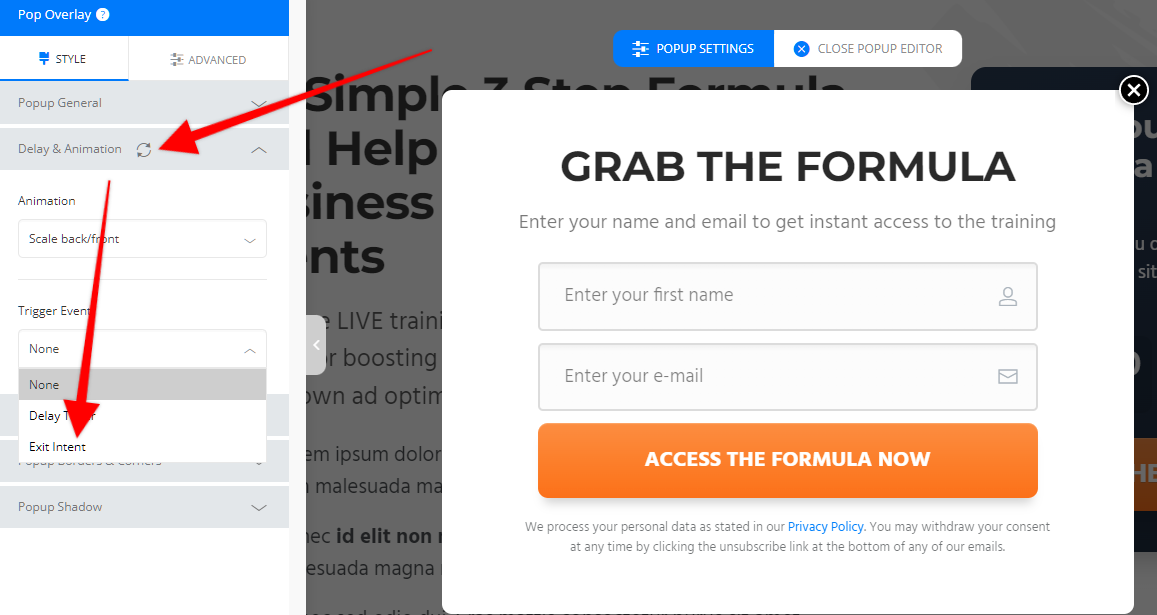
In the overlay’s Delay & Animation tab you can also fire it on a timer or on exit intent instead of a click. Then preview the overlay on tablet and mobile in the builder’s device view, and resize it per device so the video fits every screen.
That is the whole native route. Its limits are the reason for Method 2. The overlay lives on one page, repeats nothing across your funnel, and reports no numbers on who opened it.
Build trust & FOMO
Highlight real-time activities like reviews, sales & sign-ups.

Method 2: Add a Video Popup With WiserNotify
With WiserNotify, the video popup floats on any pages you target, plays on click, and logs views and clicks. Here is what it looks like in action.

Start with the 7-day free trial and follow along.
Step 1: Copy Your Pixel Code

On the Install Pixel page in your WiserNotify dashboard, hit Copy code.
Step 2: Paste It Into Page Scripts
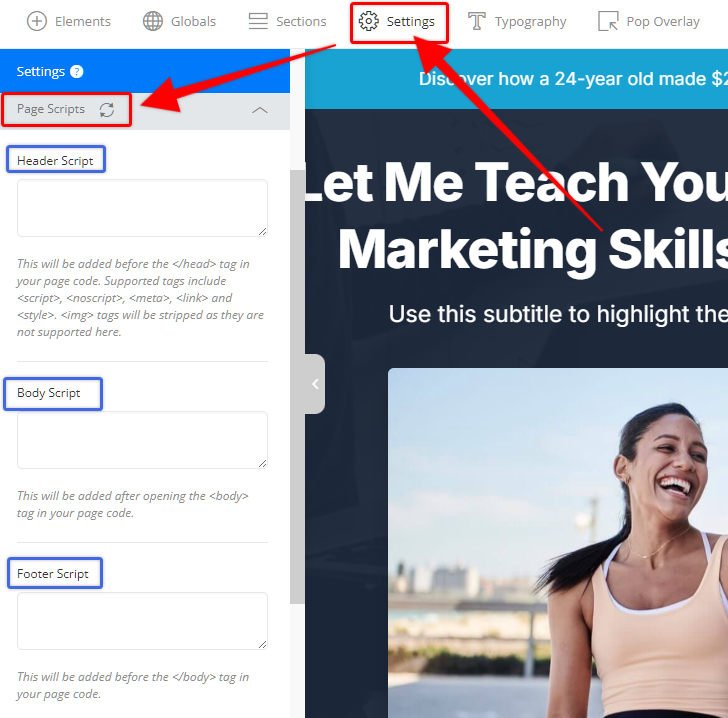
In the OptimizeBuilder, open Settings > Page Scripts and paste the pixel into the Header Script box, then save. Repeat on each page that should show the popup, or use a headers plugin to cover the whole site. The OptimizePress pixel guide walks the same screens.
Step 3: Verify the Pixel

Back in WiserNotify, hit Verify pixel installation and reload your published page once if the check doesn’t pass on the first try.
Step 4: Create the Video Popup Widget

In the Social Proof section, pick the Video popup widget and hit Add, then Customize.
Step 5: Add Your Video and Style It

Drop in your video, write the text line, set a click action such as a “Watch now” button link, and match position, animation, and colors to your page. Check the mobile preview before moving on.
Step 6: Target Pages and Publish

Pick the pages the popup shows on, set the timing delay, and publish. Open the page in a private window and the popup is live. The dashboard counts its views and clicks from day one.
Pop Overlay vs WiserNotify Video Popup
| Feature | Pop Overlay (OptimizePress) | Video popup (WiserNotify) |
|---|---|---|
| Trigger options | Click, delay, exit intent, one page | Timing rules plus page and visitor targeting |
| Autoplay | Via the video URL settings, muted in most browsers | Plays when the visitor taps the popup |
| Analytics | None built in | Views and clicks in the dashboard |
Short version. One video on one sales page, use the Pop Overlay. A video that should follow visitors across pages with numbers behind it, use the widget.
Where to Trigger the Video Popup
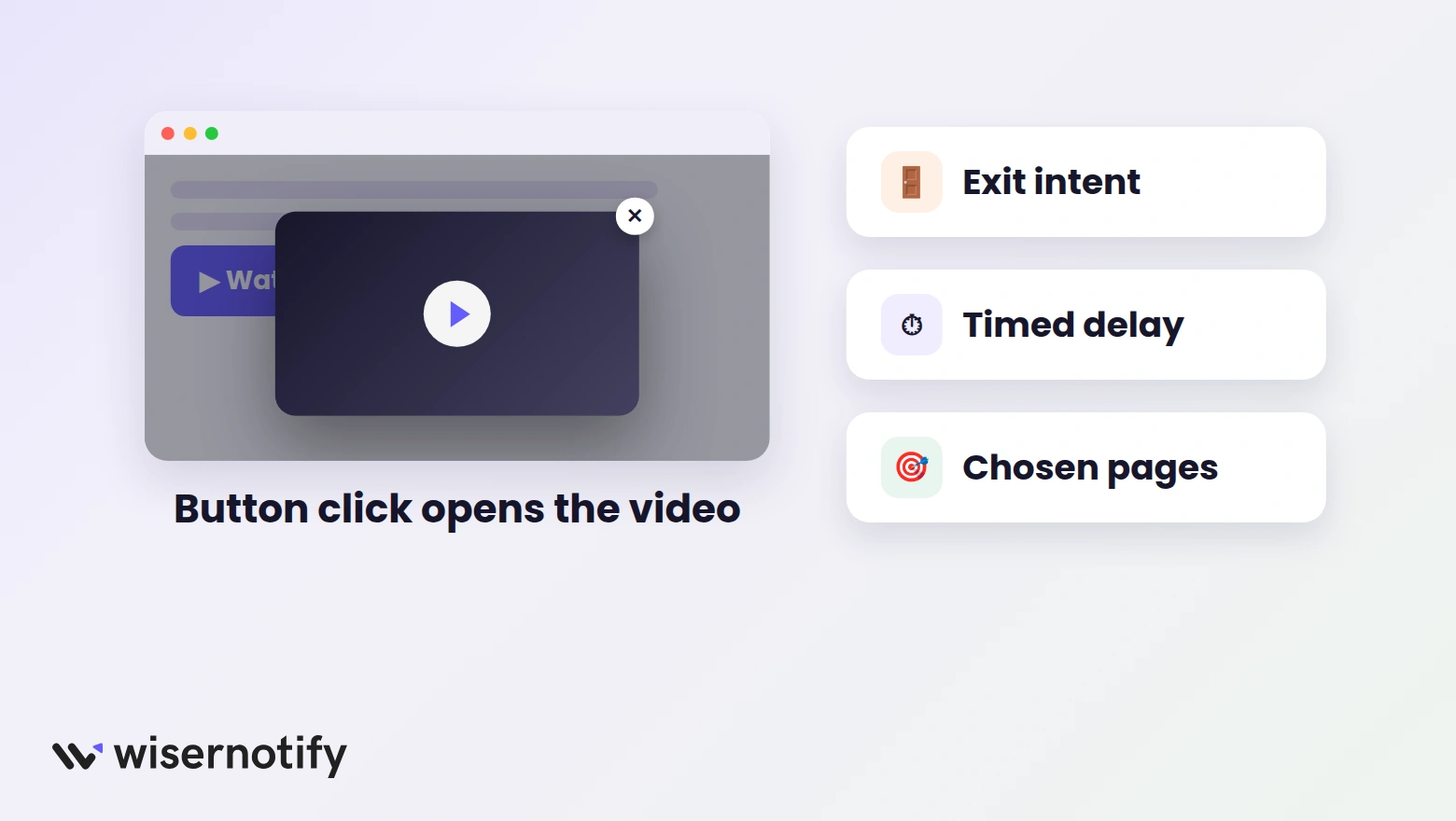
- A “watch the demo” button: the strongest trigger, because the visitor asked for the video.
- Exit intent: a last testimonial or offer video for visitors about to leave a sales page.
- Timed delay: a welcome video a few seconds after landing, long enough to let the page load first.
- Chosen pages only: match the video to the page. A course pitch belongs on the course page, not the blog.

Boost Conversion Instantly
Add Social Proof & Urgency to your website
Common Mistakes to Avoid
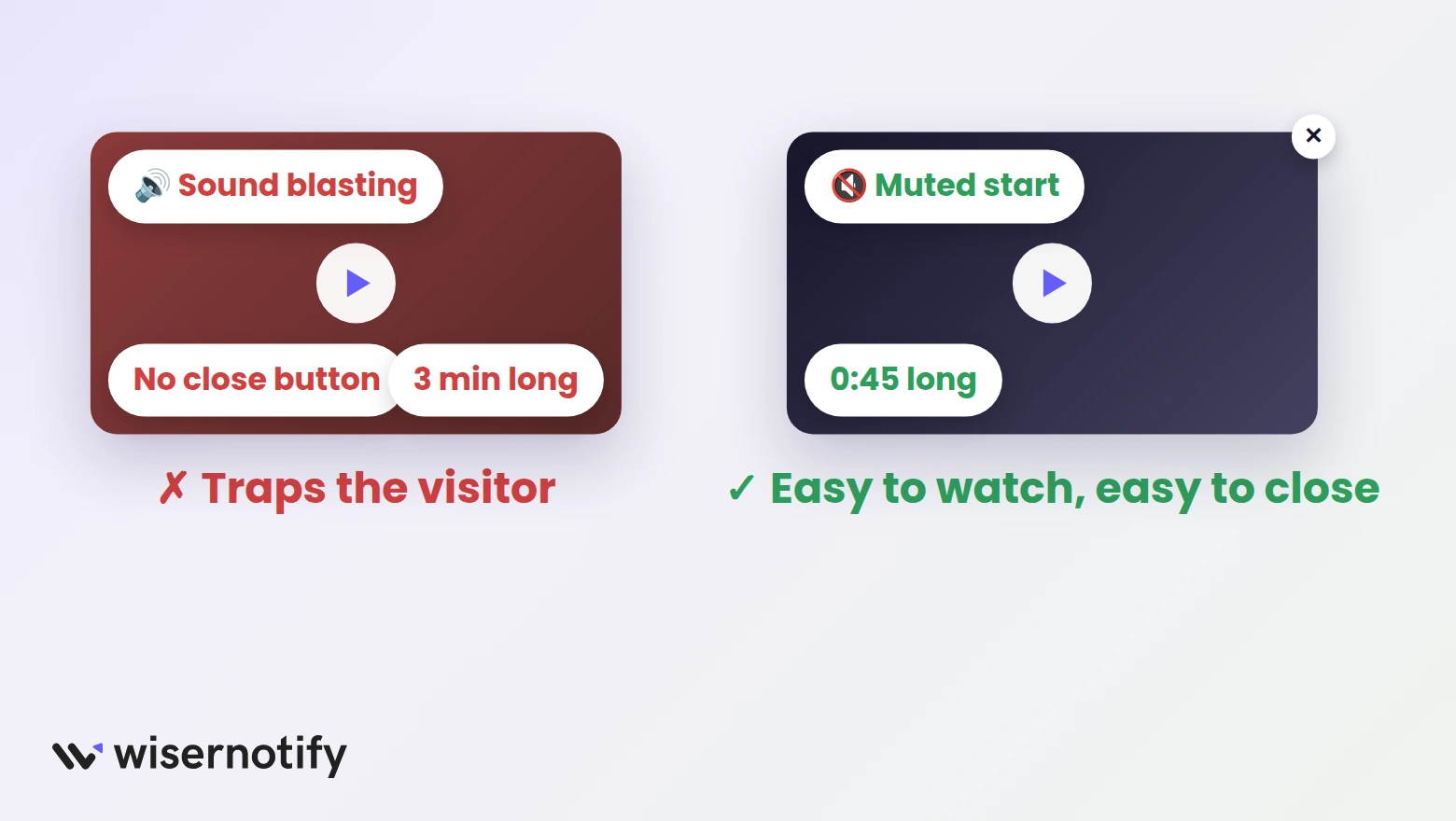
- Autoplaying with sound. Browsers block it and visitors hate it. Start muted or play on click.
- Hiding the close button. A popup that traps people costs more trust than the video earns.
- Running long. Keep popup videos under a minute with one clear next step.
- Skipping the phone check. A popup sized for desktop can swallow a mobile screen.
- Firing the popup the instant the page loads. Give the visitor a beat before you interrupt.
Wrap Up
A video popup on OptimizePress is either a Pop Overlay with your video and a linked button, or one pixel paste plus a WiserNotify widget that works across pages.
Start with the page where video answers the biggest objection, trigger it on a click, and keep it short enough that people finish it.
Related Posts:
Frequently Asked Questions
How do I add a video popup to my OptimizePress page?
Two ways. Create a Pop Overlay in the OptimizeBuilder with your video inside and link a button to it, or install the WiserNotify pixel and publish a floating video popup widget.
Can the video autoplay when the popup opens?
In the Pop Overlay, add autoplay through your video URL’s settings, and browsers mute it by default. The WiserNotify popup plays when the visitor taps it, which keeps sound intact.
How do I trigger the popup with a button or image?
Yes. Open the button’s link options, set the Action to Show Popup Overlay, and pick your overlay in the trigger dropdown. Images work the same way.
Can I customize how the video popup looks?
Yes. The Pop Overlay styles inside the OptimizeBuilder, and the WiserNotify widget has its own design tab for colors, position, and animation.
Will a video popup slow down my OptimizePress page?
No. Hosted players like YouTube or Vimeo carry the video, and the WiserNotify widget loads through one lightweight script.

Krunal Vaghasiya is a marketing tech expert who boosts e-commerce conversion rates with automated social proof and FOMO strategies. He loves to keep posting insightful posts on online marketing software, marketing automations, and improving conversion rates.




 Capterra