Table of Contents

Get Summary On :

Testimonial to Kajabi

Need Higher Conversion? Add Testimonial to Kajabi

Many Kajabi users struggle to build immediate trust with potential customers for their courses, memberships, or digital products.

Without trust, visitors are hesitant to sign up, even if your offering is valuable. This results in lost revenue and wasted marketing efforts.

Adding testimonials to your Kajabi site can establish credibility, provide social proof, and drive conversions by showcasing the real value of your offerings.

Why Add Testimonials to Kajabi?

Testimonials play a crucial role in showcasing the success of your products or services. Here’s why they matter specifically for Kajabi users:

Build Trust Instantly: Testimonials highlight the success stories of real customers, which helps potential buyers overcome skepticism.

Improve Course Sign-Ups: Kajabi is a platform for selling courses and memberships. Testimonials reassure visitors that others have benefited, driving them to sign up.

Boost Landing Page Conversions: With testimonials strategically placed, your landing pages can experience up to a 34% higher conversion rate​.

Enhance Brand Credibility: Sharing customer success stories demonstrates your authority and effectiveness in your niche.

Optimize Marketing Efforts: Testimonials support your marketing campaigns by reinforcing claims made in your sales copy.

Build trust & FOMO

Highlight real-time activities like reviews, sales & sign-ups.

First Image Second Image Add to My Website Now

Try for free (No card required)

How to Add Testimonials to Kajabi
Now let’s get into how to embed a testimonial on your site or store, whether it’s text, photo, or video.

First, sign up for WiserReview. There is a free plan if you are just starting, but there are also upgrades available for SMBs and enterprise businesses.

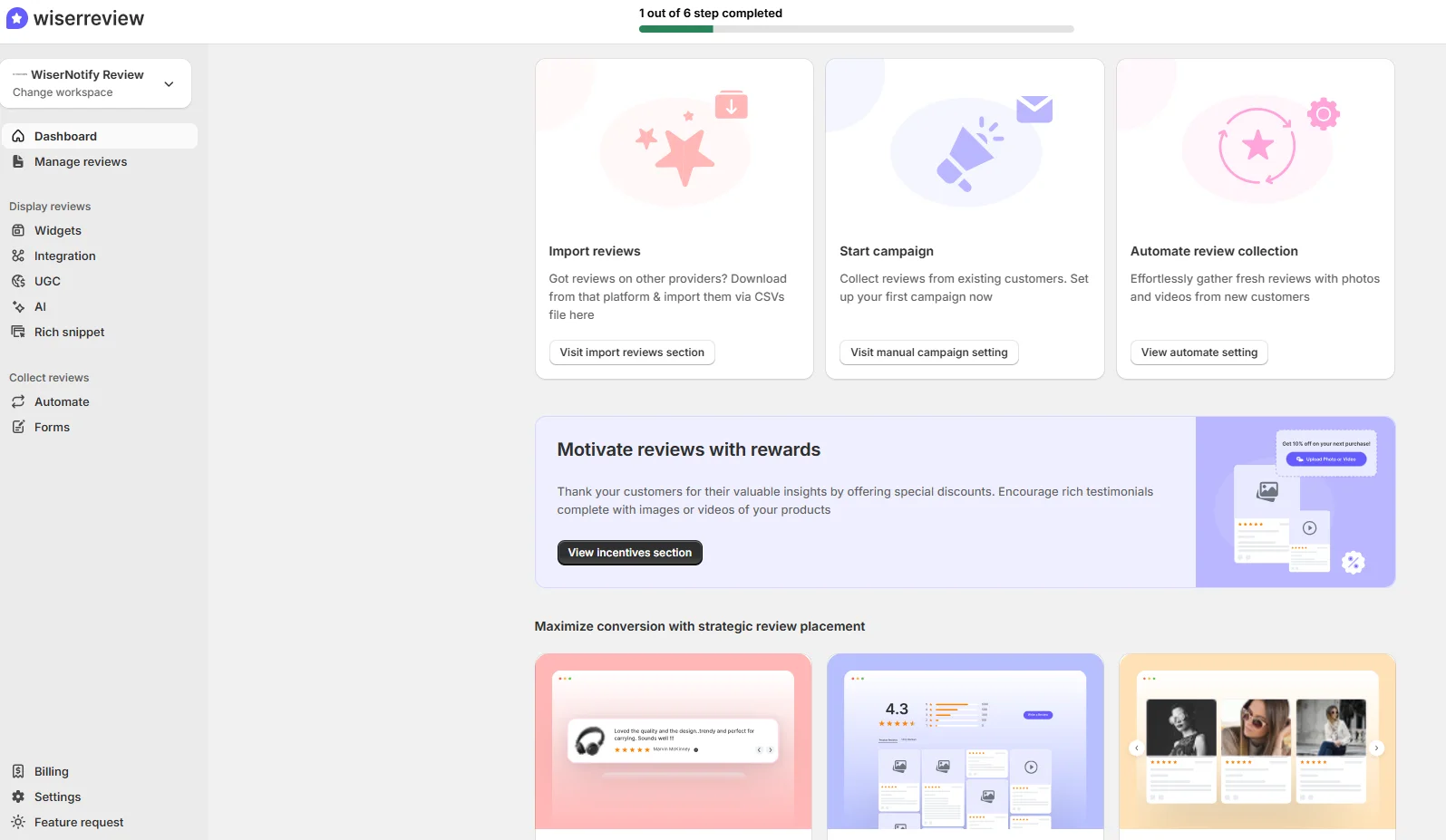
Once you sign up for your account, you can see the WiserReview dashboard.

This dashboard is your control center, where you can manage all aspects of your testimonial management. It provides a clear overview of your testimonial collection, moderation, and display processes.

Don’t be overwhelmed. WiserReview is a comprehensive testimonial management software that not only helps you add testimonials but also collects and moderates them.

And the best part? It’s designed to be user-friendly, so you’ll find it easy to navigate and use.

From the dashboard:

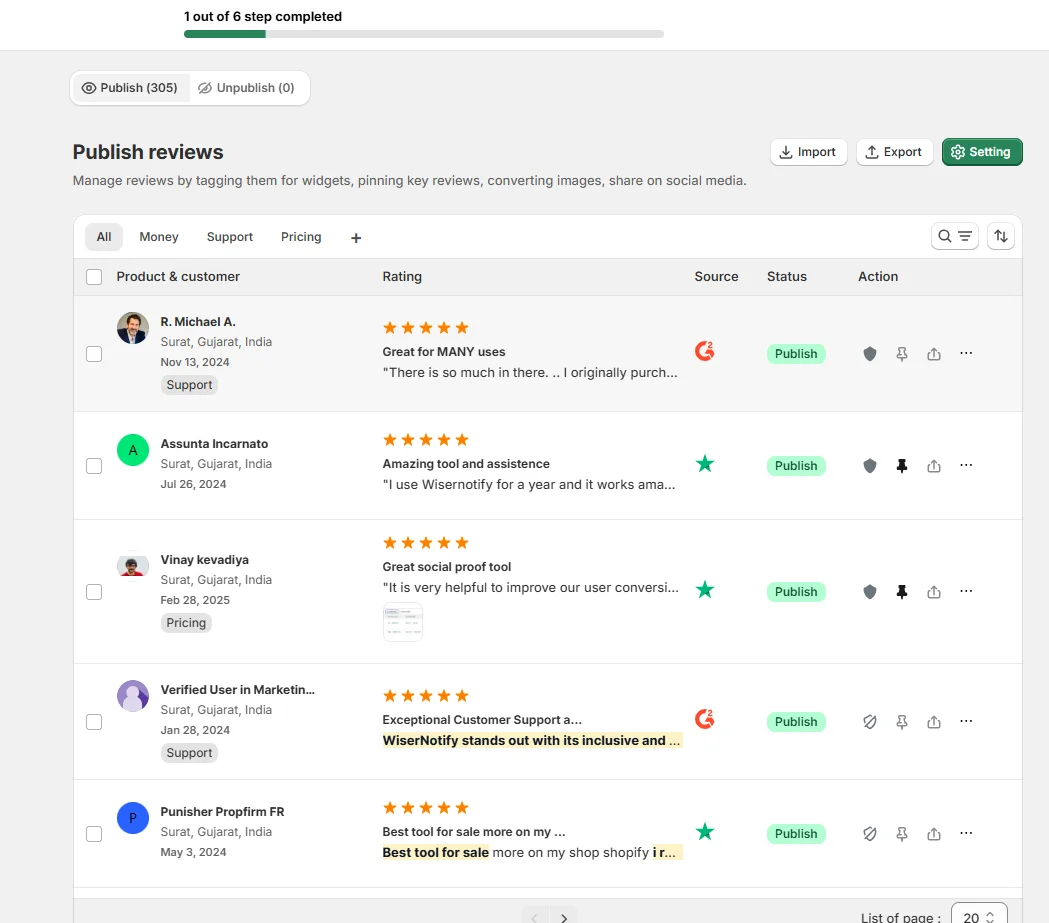
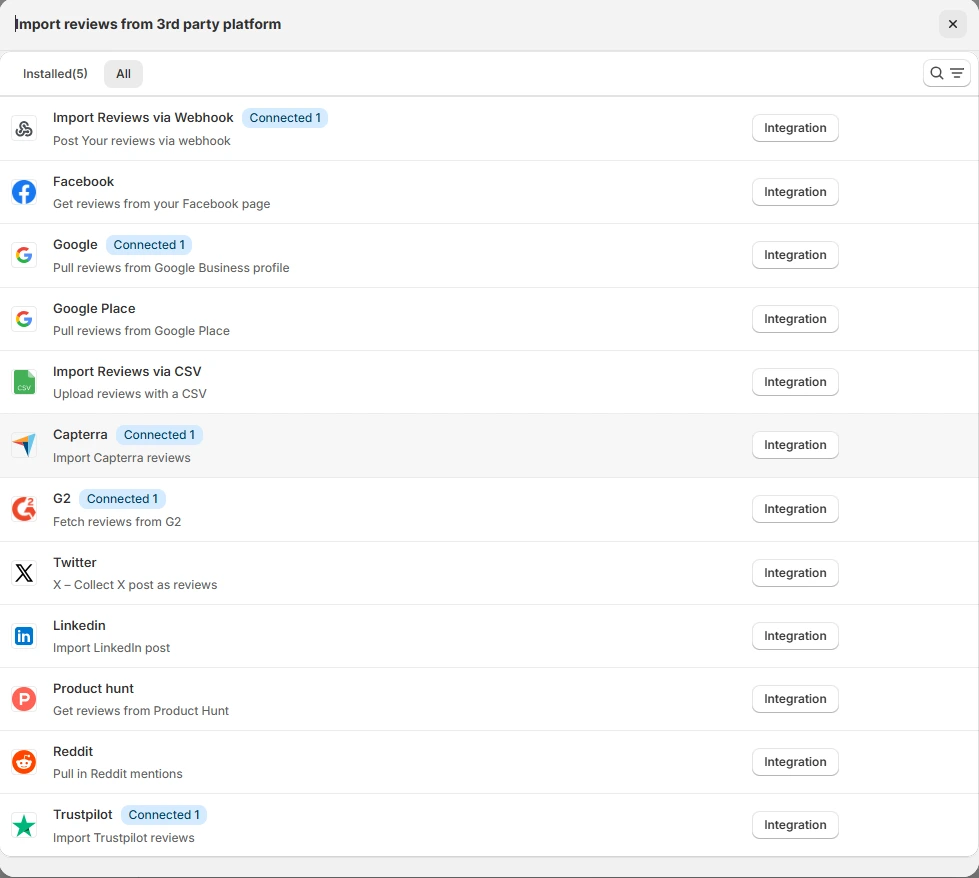
Go to → Manage reviews section and click on the “Import” button.

From there, you have many options to import testimonials from; select any of them.

Once done, you have a testimonial showing in the manage reviews section.

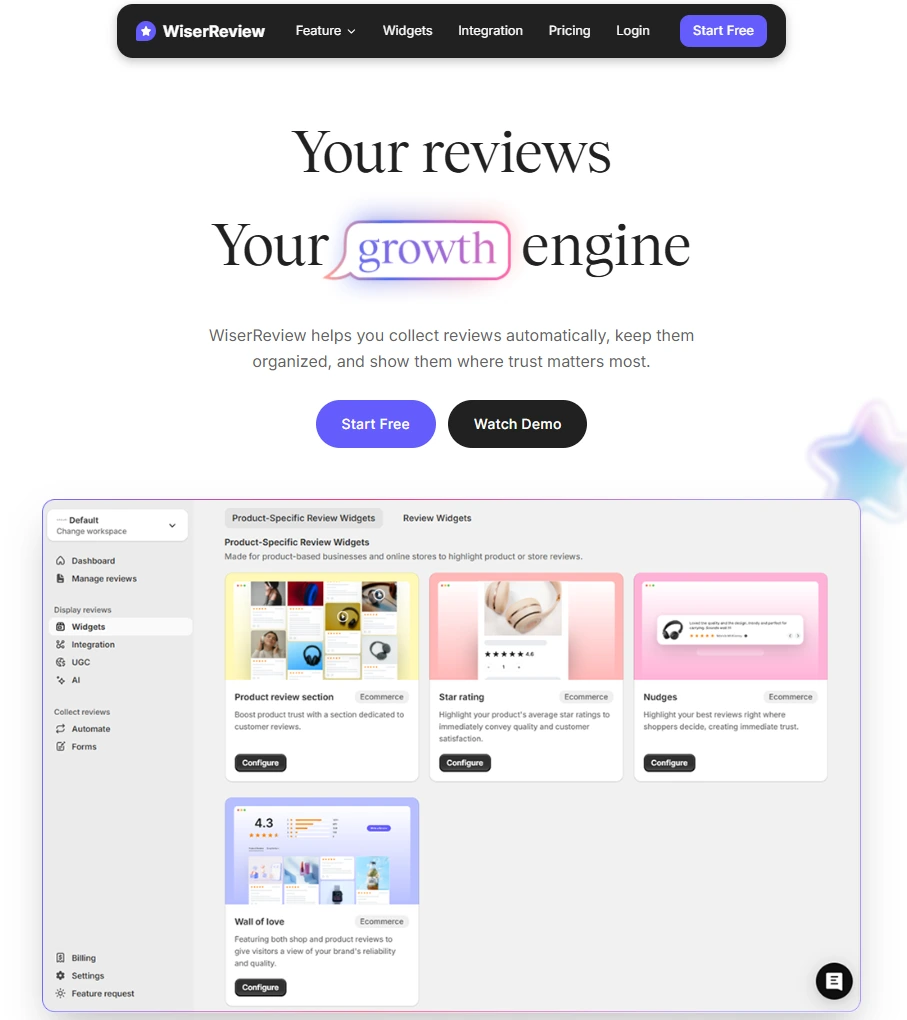
Now let’s go to the “Widget” section.

Here, you have a wide range of widgets to choose from. Simply click on “configure” for any widget you need.

Each one is designed to build trust, credibility, and drive more conversions and sales through immediate consumer decision-making.

For example, we chose the “Review wall” widget for our second product.

This widget displays a dynamic wall of your testimonials, creating a visually appealing and trustworthy display for your potential customers. And yes, we use Wiserreview’s testimonial widget for this purpose.

Once you click on configure, you can see the widget customization dashboard. In it, click on “Filter”.

In it, select the Review source.

Now your testimonial appears on the widget, and you can easily customize the widget to match your brand’s style.

It’s a straightforward process, and we’re confident you’ll find it intuitive and user-friendly.

Now, once it’s done, click on “Install” and choose from any of the three options.

  • JavaScript – Insert this script where you want the testimonial widget to appear on your website.
  • Iframe – Use this iframe code to embed the testimonial widget in a specific section of your site.
  • URL – Share this URL to display the testimonial widget on a separate page.

Now the widget is live and ready to build trust and drive conversions.

We are also using this on our site, WiserReview, and Wisernotify.

Here is an example of it:

And wait, that’s just the tip of the iceberg of what Wiserreview can do for testimonial management.

WiserReview can:

Automated testimonial collection

Create a smart testimonial form with the following setup:

  • Set up your testimonial submission link.
  • Add buttons for easy interaction.

Display a star rating or feedback question on the first screen to assess intent. If the feedback is low, prompt for detailed comments. If the feedback is positive, direct the user to submit their testimonial.

WiserReview simplifies the process of requesting testimonials, automating personalized requests via email, SMS, or other messaging channels, making it easier for businesses to collect testimonials.

Integrate the testimonial form link with your existing POS, email, and SMS systems.

You can also post new sales data to the WiserNotify webhook API to automate the process. This streamlines testimonial requests and enhances customer engagement through your existing channels.

Centralized Testimonial Management

Testimonial Aggregation: WiserReview aggregates testimonials from various platforms (emails, forms, social, etc.), bringing them into one central dashboard. This helps businesses track their testimonials and gain real-time insights.

Testimonial Monitoring: The platform notifies businesses whenever a new testimonial is submitted, allowing them to stay up-to-date with feedback.

AI reply: WiserReview helps businesses respond to customer testimonials automatically with AI.

AI-powered testimonial display and sharing

  • Automatically select positive sentiment testimonials.
  • Publish them live on your site.
  • Convert these testimonials into graphics and post them on your social media channels.

This enhances customer trust and promotes positive feedback across platforms.

Embed Testimonials on Kajabi

1. Use Kajabi’s Built-In Sections

  • Navigate to the page editor and choose a “Testimonial” section from the block options.
  • Customize the layout, fonts, and colors to match your brand style.

2. Integrate WiserNotify

  • Sign up for WiserNotify and copy the JavaScript code provided.
  • In Kajabi, go to your page settings, add a custom code block, and paste the WiserNotify script.
  • Save and preview to ensure proper functionality.

3. Add Video Testimonials

  • Record customer testimonials or ask users to submit their own.
  • Embed videos directly into your Kajabi pages using the video block.

3 Testimonial Optimization Tips for Kajabi

Feature Specific Outcomes: Highlight how your courses or memberships solved real problems or delivered measurable results.

Incorporate Visuals: Add client photos, logos, or screenshots to make testimonials more relatable.

Use Storytelling: Frame testimonials as success stories, detailing the customer’s journey and how your product played a role.

Best Places to Show Testimonials on Kajabi

Sales Pages

  • Place testimonials near your pricing section to reassure users right before they make a purchase decision.

Homepage

  • Include a slider or static section of testimonials to catch attention as visitors explore your site.

Checkout Pages

  • Reduce cart abandonment by adding testimonials that address common objections, such as “It’s worth the investment.”

Course Overview Pages

  • Show testimonials from past students to establish the value of your course content.

Thank-You Pages

  • Encourage upsells by featuring testimonials about additional products or services.

Other Ways to Add Testimonials to Kajabi

Dynamic Testimonials

  • Use WiserNotify to display real-time reviews, recent sign-ups, or user actions to create FOMO and trust.

Email Campaigns

  • Add testimonials to your Kajabi email sequences, especially during launch periods or promotions.

Social Proof Widgets

  • Display a pop-up with rotating testimonials to engage users as they navigate your site.

Dedicated Testimonial Page

  • Create a standalone page on Kajabi showcasing detailed testimonials, success stories, and case studies.

Interactive Carousels

  • Use Kajabi’s design tools to create sliders that display multiple testimonials dynamically.

3 Testimonial Mistakes on Kajabi

Using Generic Testimonials

  • Avoid bland statements like “Great course!”—focus on detailed reviews that highlight specific benefits.

Ignoring Mobile Optimization

  • Ensure that testimonial sections look appealing and are easy to read on all devices, especially mobile.

Overloading Testimonials

  • Showcase the most impactful testimonials and rotate them dynamically to avoid cluttering your page.

Wrap-Up

Adding testimonials to your Kajabi website is a proven way to increase trust, engagement, and conversions. By strategically placing testimonials and optimizing them for maximum impact, you can turn hesitant visitors into loyal customers.

Related Posts:

FAQ's

You can add testimonials to your Kajabi website by using the built-in text or image blocks. Navigate to your website editor, choose the section where you want to display testimonials, and add a text or image block. Customize it with your customer reviews or feedback.

Yes, Kajabi allows you to embed video testimonials. You can upload videos directly to Kajabi or embed them from platforms like YouTube or Vimeo using the custom code or video block.

The best way is to use a dedicated testimonial section with a clean design. Highlight key customer quotes, add customer photos for authenticity, or use a carousel to display multiple reviews in one area.

Kajabi doesn’t have a built-in testimonial collection tool, but you can integrate third-party apps like Typeform or Google Forms to gather reviews. Once collected, you can manually add them to your site.

Testimonials build trust and credibility by showcasing real customer experiences. Highlighting positive feedback can make potential customers feel more confident about purchasing your courses or products on Kajabi.

Picture of Krunal Vaghasiya
Krunal Vaghasiya
Krunal Vaghasiya is a marketing tech expert who boosts e-commerce conversion rates with automated social proof and FOMO strategies. He loves to keep posting insightful posts on online marketing software, marketing automations, and improving conversion rates.
Wisernotify
Struggling with low conversions?
Use Social Proof & FOMO
Social Media icon