


The best video testimonial tools help you collect customer videos easily and display them on your website to increase trust and sales.
Video testimonials work better than text reviews because people can see real customers sharing real experiences. This makes your business feel more honest and reliable.
If you want more conversions, you need a simple system that lets customers record videos without technical steps. The right tool should let you send a link, collect videos, manage submissions, and publish them on product or landing pages.
In this guide, you will find 9 video testimonial tools that help businesses collect, manage, and showcase customer stories effectively.

Show Real Reviews That Build Trust
Collect and display photo, video, and text reviews with full design control.
Why do Video Testimonials Matter?

Video testimonials are powerful because they show real people sharing real experiences. Buyers can see facial expressions, hear tone of voice, and judge authenticity in seconds. This builds trust faster than written reviews.
When a customer watches someone explain how your product helped them, it feels more believable. Video removes doubt because it is harder to fake emotion and detail.
Video testimonials also keep visitors on your page longer. More time on the page increases engagement and improves conversion chances.
- Studies show that people remember about 95% of what they see in a video but only about 10% of what they read in text.
- Video testimonials can also drive real business results. Many brands with video testimonials see conversion increases of up to 80% when those videos appear on sales or landing pages.
- Also, about 64% of consumers say they are more likely to buy a product after watching a testimonial video, compared to written reviews.
1. WiserReview
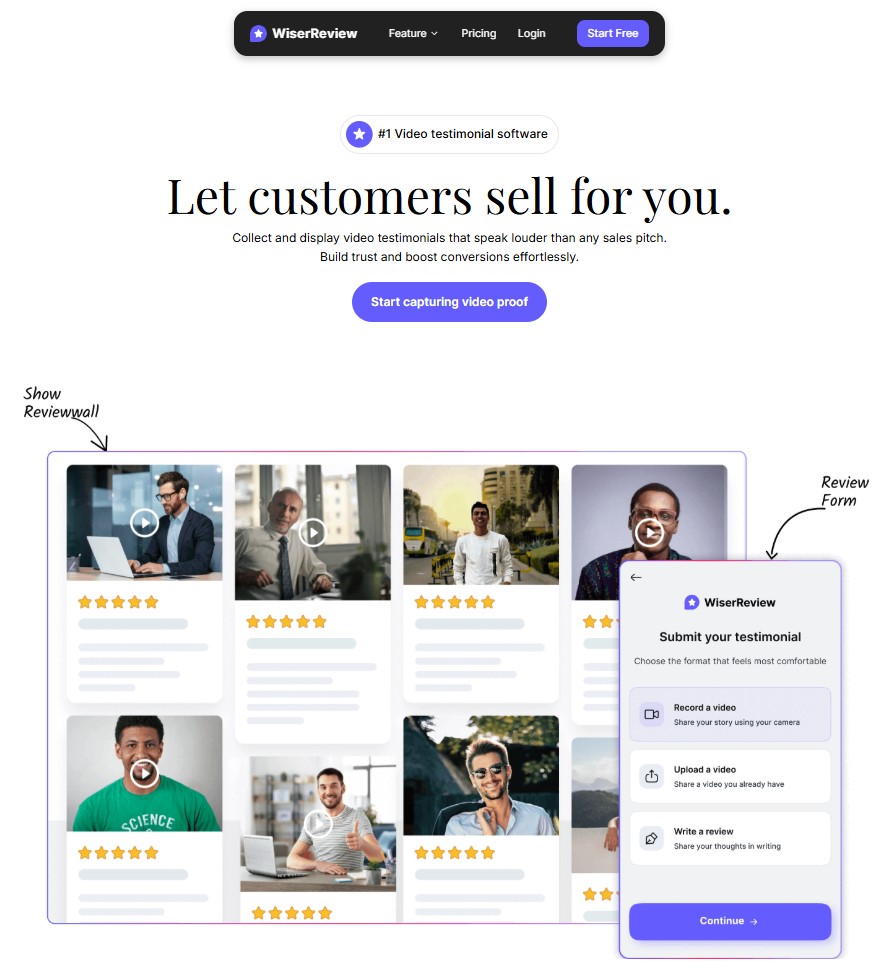
WiserReview is a video testimonial tool that makes capturing and sharing customer stories simple and effective for growing businesses.
It lets you send a recording link by email, SMS, or WhatsApp so customers can record video testimonials without technical steps.
Once customers submit videos, WiserReview organizes them in one dashboard. You can filter, moderate, and approve videos before publishing. You can also add captions, tags, or notes to keep content organized.
WiserReview offers display options that help you share video testimonials where they matter most. You can embed videos on product pages, landing pages, or dedicated testimonial sections. The platform also supports review widgets that automatically show the latest captured videos.
Integration with your website is easy and requires no coding. You can quickly start collecting video stories, manage submissions in one place, and turn customer feedback into visible social proof that boosts trust and sales.
Easy Video Capture Options
- Send recording links by email, SMS, or WhatsApp
- Generate QR codes for live video capture
- Built-in video recorder with mobile-friendly interface
Smart Organization and Moderation
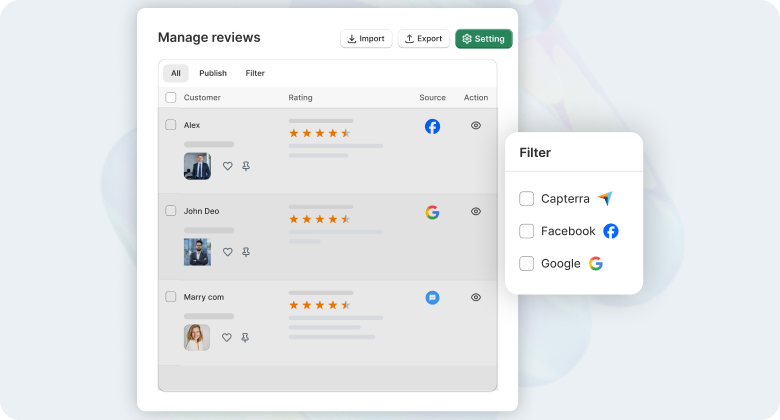
- Central video dashboard with filtering and tagging
- Review approval before publishing
- Add internal notes and labels to videos
- Sort testimonials by product, date, or sentiment
Powerful Display Tools
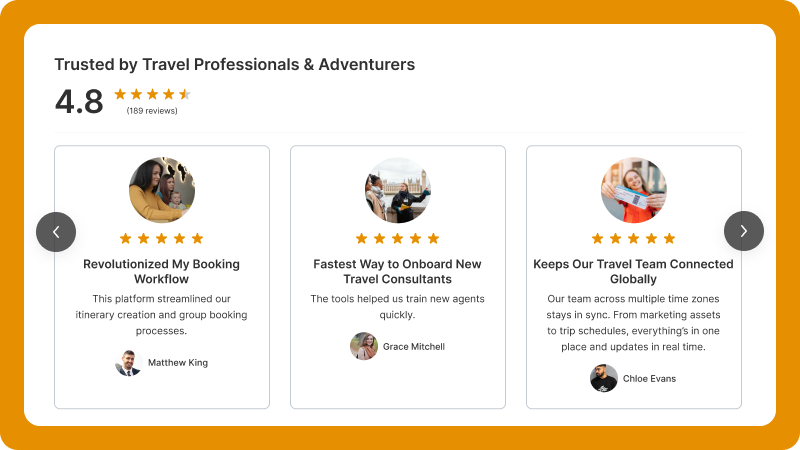
- Embed video testimonials on product, landing, or homepage
- Video widget carousels that rotate customer stories
- Custom layouts that match your brand style
- Auto-rotate and featured video sections
Automation and Follow-Ups
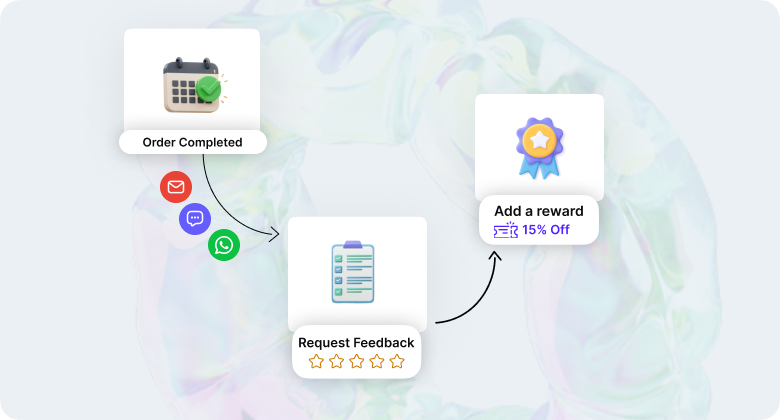
- Automatic request sequences after purchase or interaction
- Reminder messages to increase video submissions
- Incentive triggers like discount offers for video feedback
Insight and Engagement Tools
- View count and engagement metrics for each video
- Tag positive themes to highlight success stories
- Track which videos generate the most clicks and conversions
Seamless Integration
- One-click connection with BigCommerce, Shopify, and other platforms
- Sync videos with product pages automatically
- Export video lists for use in email campaigns or ads
These unique features make WiserReview a strong video testimonial tool for businesses that want not just capture, but meaningful use of customer stories to grow trust and sales.
Pricing: Start free; paid plan start at just $9/month
All your reviews in one place
2. StoryPrompt

StoryPrompt is a video testimonial tool that helps businesses gather real customer videos with simple steps and clear prompts. It focuses on making it easy for customers to record their stories without confusion or technical hurdles.
With StoryPrompt, you can share a recording link by email, embed a capture form on your site, or send it through SMS. When customers click the link, they see guided prompts that help them speak naturally about their experience. This improves response rates and gets you clear, usable testimonial videos.
StoryPrompt also includes tools to organize and edit the videos once they arrive. You can review submissions in one dashboard, tag videos by product or campaign, and trim clips before publishing.
Main Features
- Guided video recording prompts that increase responses
- Multiple capture methods (link, embed form, SMS)
- Mobile-friendly recording interface
- Central dashboard for review and approval
- Built-in trimming and basic editing tools
- Product and campaign tagging for sorting
- Flexible display review widgets and video galleries
- Custom branding on recording pages
- Automated email follow-ups for higher participation
- Request scheduling to send invites at optimal times
StoryPrompt is a strong choice for businesses that want easy video collection and organized management without heavy setup.
Pricing: Start free; paid plans start at $49/month
3. Famewall
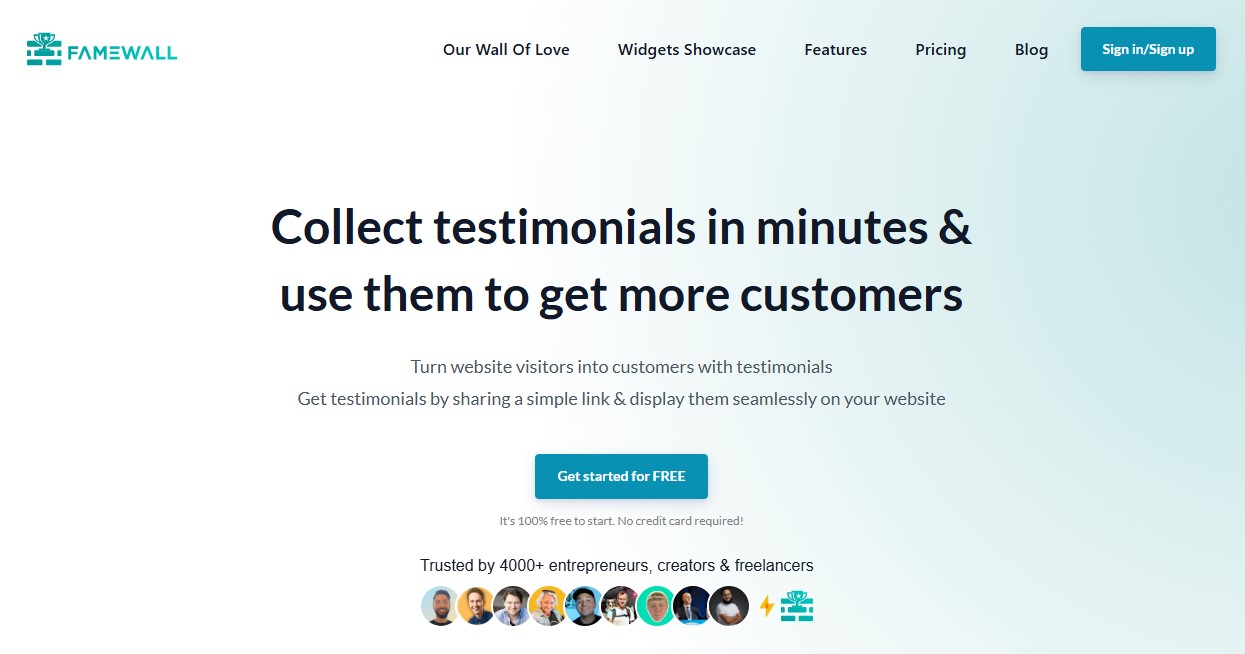
Famewall is a video testimonial tool that helps businesses collect and showcase customer stories in a polished and branded way. It focuses on turning user-generated videos into social proof that builds trust and drives conversions.
With Famewall, you can create custom capture pages where customers record their testimonial in a few clicks. These pages can match your brand look and feel, so the experience stays consistent. You can also send direct links or QR codes to make recording easy for customers on mobile or desktop.
Once videos are submitted, Famewall stores them in a central dashboard. You can review, tag, and organize videos by product, campaign, or customer type.
Main Features
- Branded video capture pages
- Multiple collection methods (link, QR, embed)
- Central dashboard for review and organization
- Tagging by product, campaign, or category
- Basic trimming and video preview tools
- Embed widgets for galleries and featured displays
- Mobile-friendly recording interface
- Automated reminders to increase submissions
- Cloud storage and secure video hosting
- Custom branding on capture forms and player
- Comment and reaction tools for visitors
- Category-based video filters for display pages
- Analytics showing views, engagement, and conversions
- Auto-rotate testimonial walls based on performance
Pricing: Start free; paid plan start at $12/month
4. VideoAsk

VideoAsk is a video testimonial tool that lets you collect customer stories through interactive video conversations. Instead of a static form, VideoAsk guides users with simple questions they can answer with short video responses.
You can share a VideoAsk link in an email, on social media, or embed it on your website. When a customer clicks the link, they see a series of guided prompts that feel natural and conversational. This reduces hesitation and makes recording feedback easier.
Once customers submit their videos, VideoAsk stores them in a dashboard where you can review and organize submissions. You can then publish these videos on landing pages, product pages, or embed them in marketing content to build trust.
Main Features
- Interactive video prompts that guide customers step by step
- Multiple share options (link, embed, email, social)
- Central dashboard for managing submissions
- Simple tagging and categorization of videos
- Mobile-friendly recording on any device
- Embed options for sites, landing pages, and blogs
- Automatic follow-ups to increase response rates
- Basic trimming and review tools
- Analytics showing completion and engagement rates
- Conditional logic to personalize questions
- Voice-to-text transcription for responses
- Custom branding on the recording interface
- Multi-language support for global audiences
- Scheduling options for timed prompts
- Email and SMS reminder triggers
Pricing: Start free; paid plans start at $30/month
#1 Video Testimonial Software
Collect video reviews, manage every response, and display them where they matter most.
5. Vocal Video

Vocal Video is a video testimonial platform that helps brands collect, edit, and share customer stories with ease. It focuses on guiding customers through the recording process so they can share their experience in a natural and confident way.
With Vocal Video, you can send customers a link to record their testimonials or embed the recording form on your website. Customers see simple prompts and record videos right from their phone or computer. This reduces hesitation and helps you gather more authentic feedback.
Once videos are submitted, Vocal Video stores them in a central dashboard. You can review each video, trim it, add captions, and prepare it for display.
Main Features
- Guided recording prompts that help customers share stories
- Multiple capture links and embed options
- Central dashboard for video review and organization
- Basic trimming and editing tools
- Caption and subtitle support for accessibility
- Embed widgets for galleries and featured video sections
- Export video files for marketing campaigns
- Easy sharing to social platforms and email
- Performance tracking and simple analytics
- Mobile-friendly recording experience
- Custom branding on the recording interface
- Automated reminders to increase submissions
- Guest recording without login requirements
- Download original and trimmed video files
Pricing: Start free; paid plans start at $99/month
6. ShoutOut
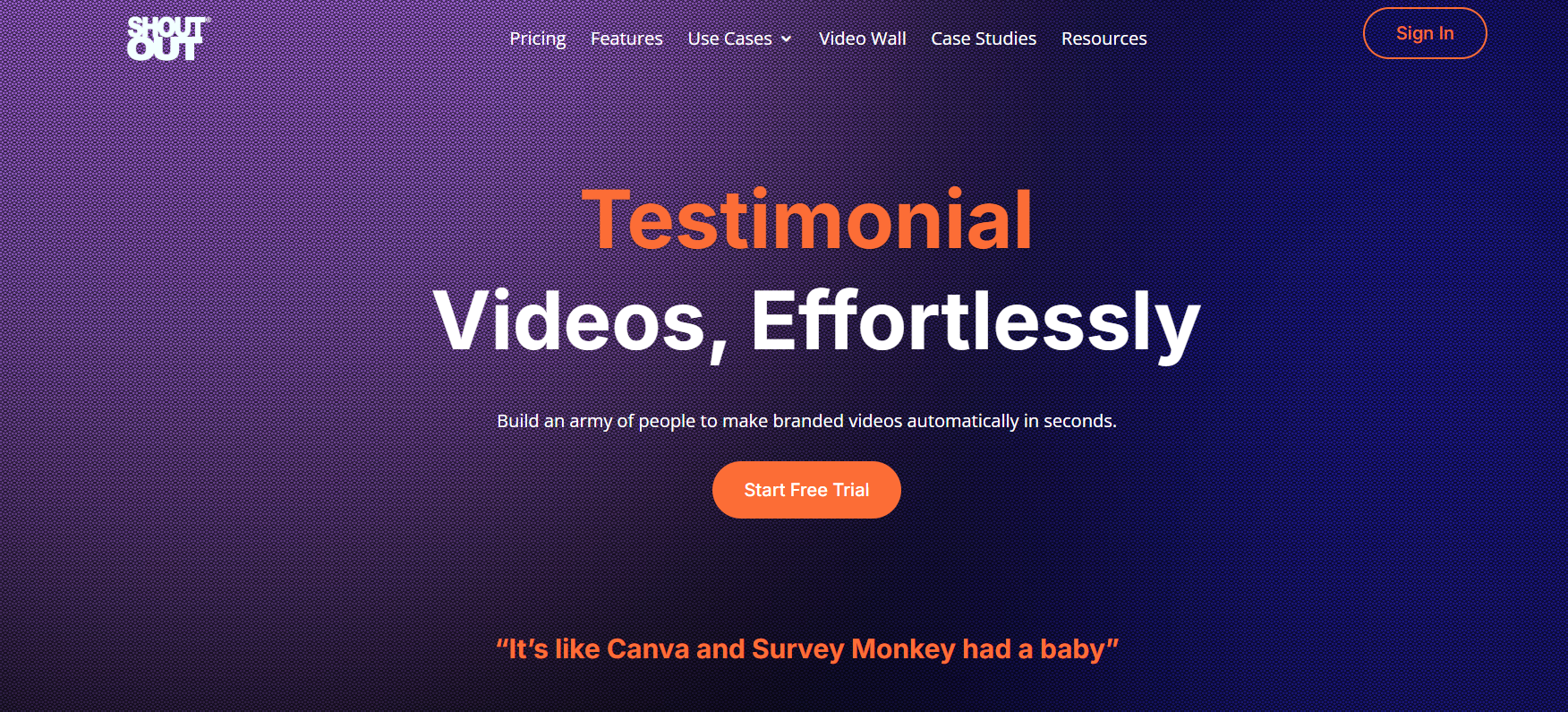
ShoutOut is a video testimonial and review platform that helps businesses capture customer feedback and turn it into compelling video stories. It focuses on simplicity and ease of use so that businesses can start collecting videos without technical hurdles.
With ShoutOut, you can send customers a direct recording link or embed a capture form on your site. When customers click the link, they see simple instructions and can record a testimonial using their phone or computer. This makes the process smooth and increases participation rates.
All submitted videos go into a central dashboard where you can manage review. You can tag, sort, and approve videos before they go live. You also have the option to trim or edit clips within the platform if adjustments are needed.
ShoutOut offers flexible display options so you can embed video testimonials on product pages, landing pages, or dedicated testimonial sections.
Main Features
- Simple recording link to collect video testimonials
- Embed capture forms on your website
- Central dashboard to review and manage submissions
- Tagging and sorting for organization
- Basic trimming and editing tools
- Display widgets for product and landing pages
- Mobile-friendly recording on any device
- Automated reminders to increase video submissions
- Export and share videos for social and email campaigns
- Custom branding on capture pages
- QR code generator for in-store or live events
- Multi-format export (MP4, web, social sizes)
- Video playlists for site testimonial sections
- Analytics showing views and engagement levels
- Guest recording without login requirements
Pricing: Start free; paid plans start at $1400/year
7. Boast.io
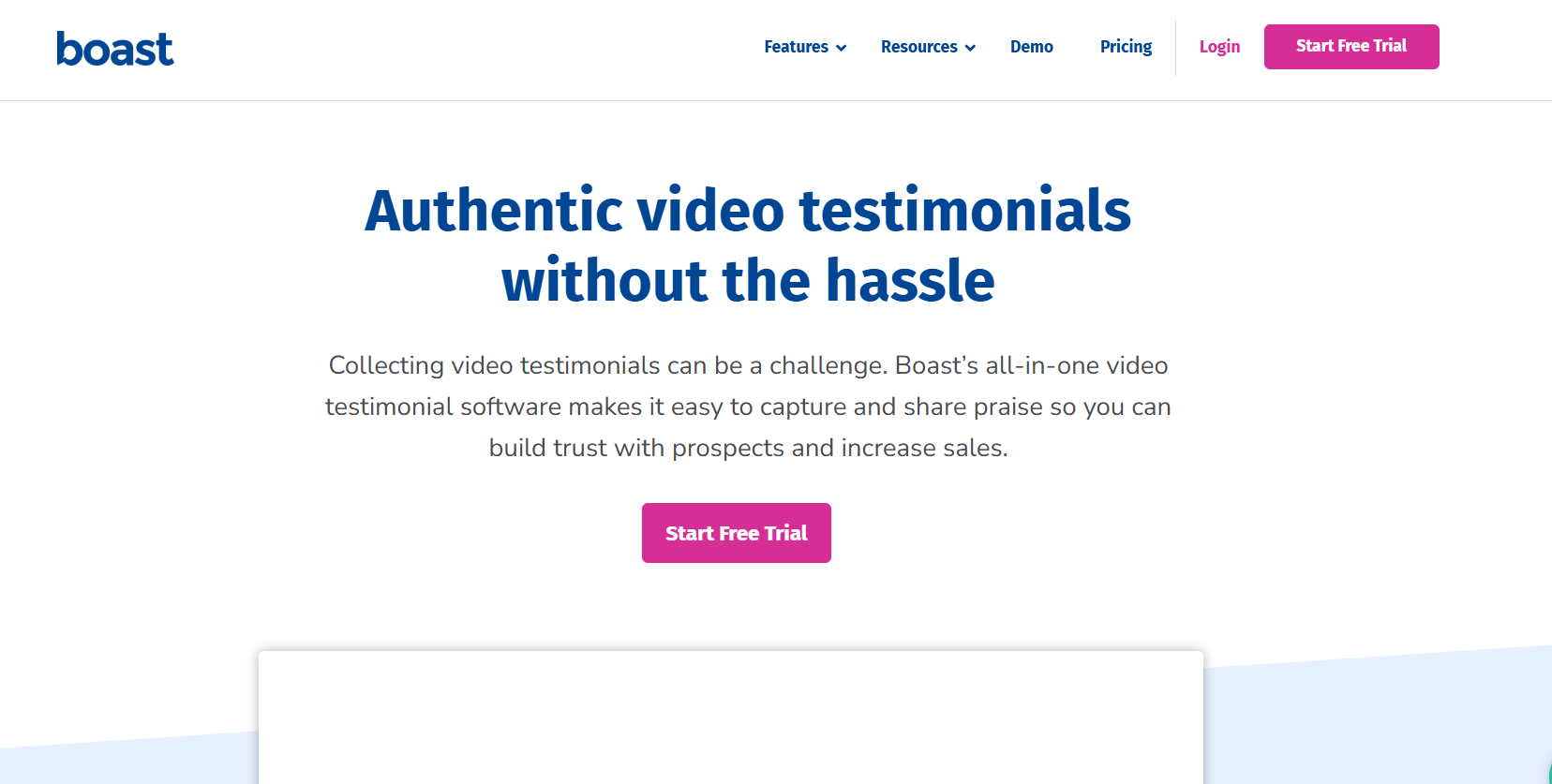
Boast.io is a video testimonial tool that helps businesses collect, manage, and share customer videos with minimal setup. It focuses on giving teams a straightforward system to capture video stories and show them where they matter most.
With Boast.io, you send customers a link to record their testimonials or embed a capture form on your website. When a customer clicks the link, they can record a video directly from their phone or desktop without logging in or installing apps. This convenience increases response rates and makes it easy for customers to share honest feedback.
Boast.io lets you display customer videos on product pages, landing pages, or dedicated testimonial sections using customizable widgets.
Main Features
- Simple recording links that customers can use without login
- Embedded video capture forms
- Central dashboard for review and organization
- Basic trimming and video editing tools
- Tagging and sorting by product, campaign, or category
- Customizable display widgets for websites
- Mobile-friendly recording interface
- Automated reminders to increase submissions
- Export options for social media and email campaigns
- QR code capture for in-person or live events
- Multi-format video download (MP4, web sizes)
- Analytics dashboards showing views, engagement, and trends
Pricing: Paid plans start at $59/month
#1 Video Testimonial Software
Collect video reviews, manage every response, and display them where they matter most.
8. Senja.io
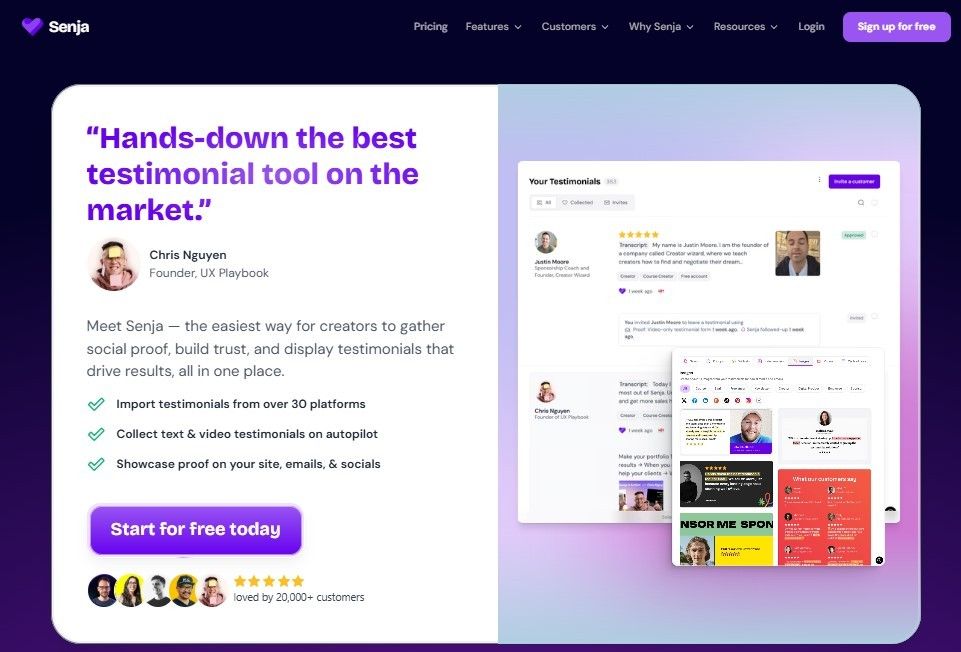
Senja.io is a video testimonial and review tool designed to help businesses collect and display customer feedback easily. It offers both video and text testimonial capture, making it flexible for brands that want different types of social proof in one place.
With Senja.io, you can send customers a recording link or embed the capture form on your website. Customers can record testimonial videos right from their phone or computer without extra steps. The interface is simple, so people can share their stories without confusion.
Senja.io also provides customizable display widgets that fit product pages, landing pages, and other sections of your site. These widgets help you show video testimonials where visitors are most likely to notice them.
Main Features
- Multiple capture options (link, embed form, email)
- Support for video, text, and photo testimonials
- Central dashboard for review and organization
- Tagging and sorting by product, campaign, or customer segment
- Approval workflow before publishing
- Customizable widgets for displaying testimonials
- Mobile-friendly recording interface
- Automated reminders to increase submission rates
- Export video files for marketing use
- Analytics showing engagement and views
- QR code generator for in-person capture
Pricing: Start free; paid plans start at $29/month
9. Testimonial.to

Testimonial.to is a simple and effective video testimonial tool that helps businesses collect and publish customer stories without complicated setup. It focuses on making the process easy for both you and your customers.
You can share a recording link, embed a capture form on your site, or send invites by email. When customers click the link, they can record a video directly on their phone or computer. The interface is clean and easy, so customers are more likely to complete recordings.
All submitted videos appear in a central dashboard where you can review and manage them. You can approve submissions, trim clips, and organize videos by product, campaign, or category. Testimonial.to also lets you add tags or labels to help find clips later.
Main Features
- Simple recording links and embed forms
- Central dashboard for reviewing and managing videos
- Basic trimming and editing tools
- Tagging and sorting by product or campaign
- Mobile-friendly video capture interface
- Embed widgets for galleries and featured clips
- Automated reminders to boost submission rates
- Export options for use in social and email campaigns
- Downloadable video files for offline use
- Multi-format export (MP4, web-optimized, social sizes)
- Review routing to assign videos to team members
- Analytics dashboard showing views and engagement levels
- Approval workflows for team collaboration
Pricing: Start free; paid plans start at $25/month
How to Choose the Right Video Testimonial Software
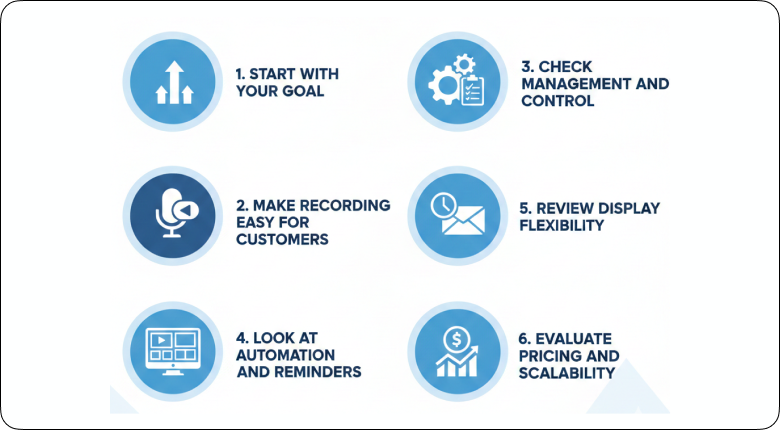
Choosing the right video testimonial software is not about picking the most popular name. It is about finding a tool that fits your workflow and helps you turn customer stories into sales.
1. Start With Your Goal
Ask yourself why you need video testimonials.
Do you want more conversions on product pages?
Do you want stronger social proof for ads?
Do you need customer stories for case studies?
Your goal should guide your decision.
2. Make Recording Easy for Customers
If recording takes too many steps, people will not complete it.
Look for tools that:
-
Work on mobile without downloads
-
Do not require login
-
Use simple guided prompts
-
Allow quick video submission
Ease of use directly affects how many testimonials you collect.
3. Check Management and Control
After you collect videos, you need to manage them.
Choose software that allows you to:
-
Review and approve videos
-
Tag and organize by product or campaign
-
Trim or edit clips
-
Assign videos to team members
You should control what gets published.
4. Look at Display Flexibility
Video testimonials must appear where they influence decisions.
The tool should let you:
-
Embed videos on product pages
-
Create testimonial galleries
-
Add featured videos on landing pages
-
Customize layout to match your brand
Good display increases impact.
5. Review Automation and Reminders
Automation saves time.
The right tool should:
-
Send automatic request emails
-
Trigger follow-up reminders
-
Schedule requests after purchase
This keeps testimonials coming in without manual work.
6. Evaluate Pricing and Scalability
Finally, check long-term cost.
Make sure the pricing fits your current size and future growth.
Look at storage limits, export options, and integration support.
Also Read:- 8 Best Testimonial Software to Grow Your Business (2026)
Additional Resources
For further reading and to deepen your understanding of video testimonials and customer feedback, check out these additional resources:
Over to You
The best way to grow your business with video testimonials is to use software that keeps recording simple, management clear, and publishing fast.
Video testimonials work because they show real people sharing real results. That builds trust faster than text reviews and reduces buyer hesitation.
Choose a tool that lets customers record without downloads, gives you control over approvals, and allows you to display videos on product and landing pages easily. Automation should handle reminders so you collect videos consistently.
The right software will help you capture more authentic stories, organize them without confusion, and turn them into proof that drives sales.
WiserReview is the #1 choice because it offers easy video capture, strong management tools, seamless display options, and reliable growth support for your business.
Show Real Reviews That Build Trust
Collect and display photo, video, and text reviews with full design control.


