
Add Yelp Reviews to Instapage in 5 Minutes
 Krunal Vaghasiya|Feb 6, 2025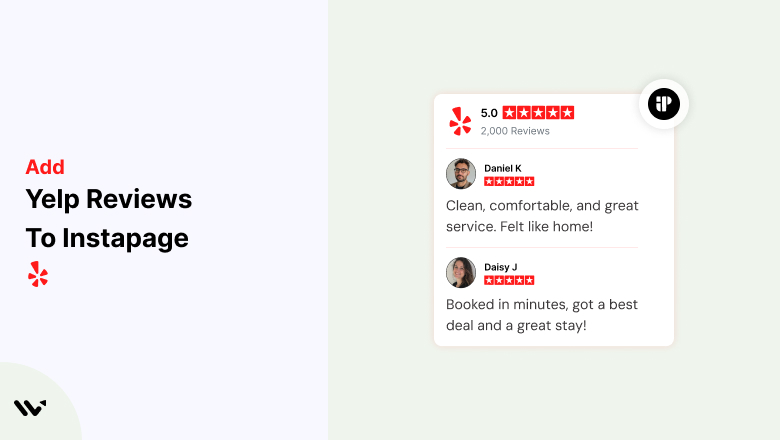
In today’s digital landscape, social proof is a critical factor in building trust with potential customers. Reviews from platforms like Yelp help businesses establish credibility, improve engagement, and increase conversions.
However, integrating Yelp reviews effectively into Instapage, a leading landing page builder, requires a strategic approach.
In this guide, we will explore why adding Yelp reviews to Instapage is beneficial and provide detailed instructions on how to do so efficiently using Wisernotify.
Why Add Yelp Reviews to Instapage?
Enhance Credibility and Trust: Yelp reviews provide authentic customer feedback, which can significantly influence a visitor’s purchasing decision. A landing page with genuine customer testimonials fosters trust and encourages conversions.
Increase Engagement and Conversions: Displaying positive Yelp reviews on Instapage helps potential customers see real-world experiences, reducing hesitation and increasing the likelihood of them taking action.
Improve SEO and Local Business Visibility: Yelp reviews contribute to local search rankings. By showcasing them on Instapage, businesses can reinforce their credibility while indirectly boosting SEO efforts.
How to Add Yelp Reviews to Instapage


How to Embed Yelp Reviews on Instapage
1. Sign Up on Wisernotify
- Go to Wisernotify and create an account.
- Connect your Yelp account to Wisernotify.
2. Generate Your Yelp Review Widget
- In Wisernotify, navigate to the “Widgets” section.
- Choose “Yelp Reviews” as your source.
- Customize the appearance of the review widget to match your Instapage branding.
- Generate the embed code.
3. Add the Widget to Instapage
- Log in to your Instapage account.
- Select the landing page where you want to add Yelp reviews.
- Click on “Widgets” and select the “HTML” element.
- Paste the Wisernotify-generated embed code into the HTML box.
- Save and preview your page to ensure the Yelp reviews appear correctly.
Best Practices for Showcasing Yelp Reviews on Instapage
Choose High-Impact Reviews
- Select Yelp reviews that are positive, detailed, and showcase specific benefits of your product or service.
Optimize Placement for Maximum Impact
- Place reviews near call-to-action (CTA) buttons to reinforce trust.
- Feature them in a testimonial section to create a seamless user experience.
Customize the Design to Match Your Branding
- Ensure the review widget aligns with your Instapage theme by adjusting colors, fonts, and layout for a cohesive look.
Use Real Photos and Reviewer Names
- Displaying genuine user photos and names (where permitted) enhances credibility and relatability.
Common Mistakes to Avoid When Adding Yelp Reviews to Instapage
Overloading the Page with Reviews
- Adding too many reviews can clutter your page and distract visitors from the main CTA. Limit reviews to a handful of the best ones.
Ignoring Mobile Responsiveness
- Since many users access landing pages via mobile devices, ensure that the review widget displays correctly on all screen sizes.
Using Generic or Unverified Reviews
- Avoid using reviews that lack authenticity or context. Verified customer feedback builds stronger trust and engagement.
Wrap-Up
Adding Yelp reviews to Instapage is a powerful way to boost conversions by building trust and credibility.
By following best practices and leveraging Wisernotify, businesses can seamlessly integrate customer testimonials into their landing pages for a more persuasive user experience.
Start enhancing your Instapage with Yelp reviews today and see the difference in engagement and conversions!
Related Posts:
Krunal Vaghasiya is a marketing tech expert who boosts e-commerce conversion rates with automated social proof and FOMO strategies. He loves to keep posting insightful posts on online marketing software, marketing automations, and improving conversion rates.




 Capterra