
8 Best WooCommerce Review Plugins (Free and Paid, 2026)

WooCommerce comes with basic reviews. Customers can leave a star rating and a comment, but only if they come back to your store on their own.
A review plugin changes that. It asks every buyer for a review after the order arrives, lets them add photos and videos, and shows those reviews where shoppers make decisions.
Below, we compare eight WooCommerce review plugins, free and paid, so you can pick the one that fits your store.
Key takeaways
- Customer Reviews for WooCommerce is the most installed option here, with 80,000+ active installs and a free version.
- WiserReview, ReviewX and YITH add photo and video reviews plus automated review requests.
- Product Reviews Pro and YITH have no free version.
- Judge.me closed its WooCommerce plugin in August 2025, so it is not on this list.
- If you offer coupons for reviews, never tie them to positive ratings.

Show Real Reviews That Build Trust
Collect and display photo, video, and text reviews with full design control.
WooCommerce Review Plugins Compared
| Plugin | Free version | Photo and video reviews | Automated review requests | Rich snippets |
|---|---|---|---|---|
| Customer Reviews for WooCommerce | Yes | Photos and videos | Yes | |
| WiserReview | No, 7-day trial | Photos and videos | Email, SMS, WhatsApp | Yes |
| ReviewX | Yes | Photos and videos | Yes | |
| Product Reviews Pro | No | Photos and videos | No | Uses WooCommerce markup |
| Photo Reviews for WooCommerce | Yes | Photos | Uses WooCommerce markup | |
| YITH WooCommerce Advanced Reviews | No | Photos and videos | Uses WooCommerce markup | |
| Site Reviews | Yes | Images with add-on | Email with add-on | Yes |
| Ultimate Reviews | Yes | Images and videos | Yes |
Why WooCommerce Stores Need a Review Plugin

Here is what a review plugin adds on top of the default WooCommerce reviews:
- More reviews: automatic reminders after an order ships or completes.
- Richer reviews: photos and videos from real buyers.
- Better display: carousels, badges and review walls beyond the product tab.
- Search visibility: review markup that can show stars in Google results.
- Moderation: tools to approve, reply to and filter reviews.
For setup steps, see how to add reviews to WooCommerce.
Reviews with photos are one of the five changes that move a store the most. The other four are in this guide on how to increase WooCommerce store sales.
8 Best WooCommerce Review Plugins
1. Customer Reviews for WooCommerce
Customer Reviews for WooCommerce, also called CusRev, is the most popular free review plugin on this list.
It emails customers after each order and posts their reviews in the standard WooCommerce format, so nothing breaks if you remove it later.
It also adds a Q&A section and a Google Shopping integration.
Review Display and Visual Settings
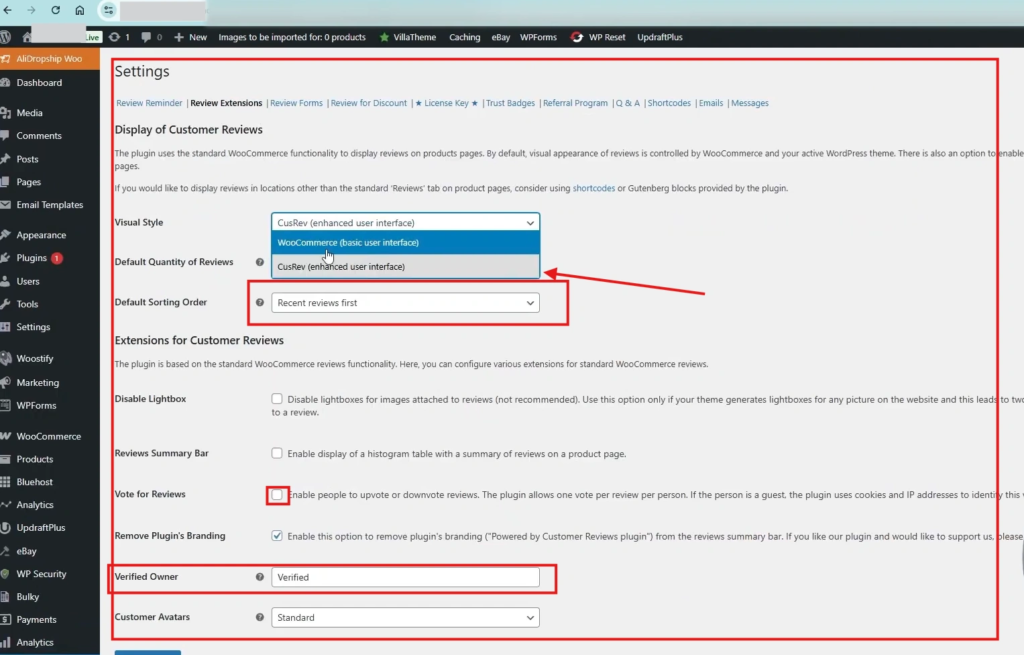
Adds star ratings, verified badges, photos, voting and filters to product review sections.
Review Widgets
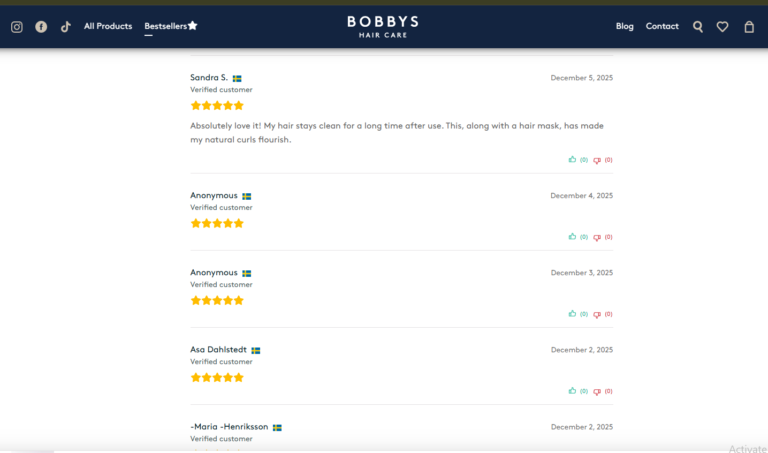
Shows reviews in grids or sliders anywhere on your site with shortcodes or blocks.
Automated Review Reminders
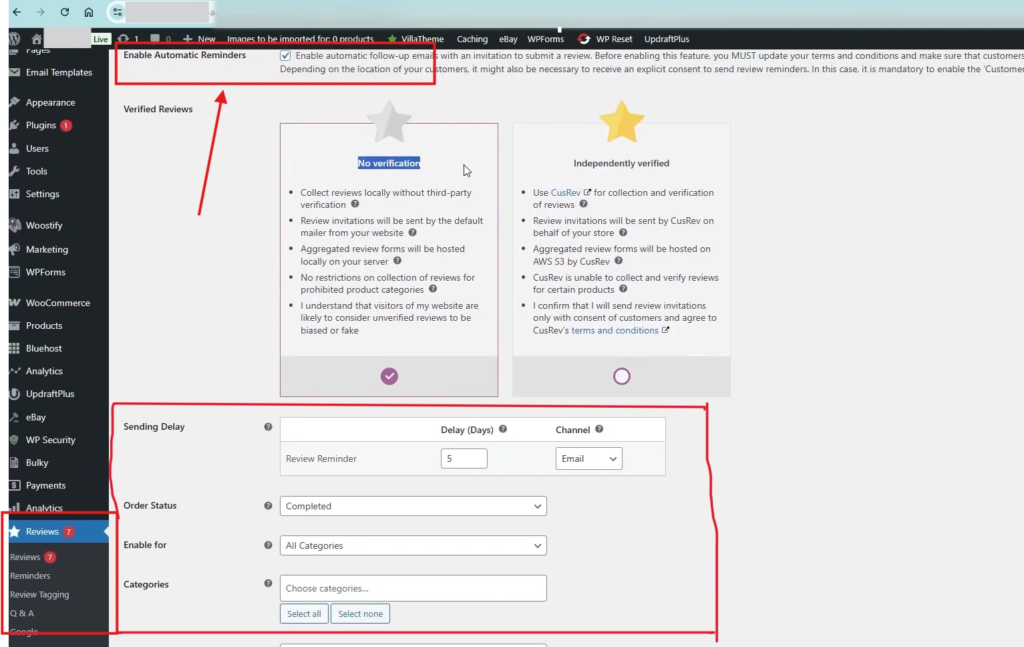
Sends a personalized review email after each order, once WooCommerce reviews are turned on.
Pricing: Free on WordPress.org; the premium plan is $59.99 per year or $7.99 per month for branding and extra customization.
2. WiserReview
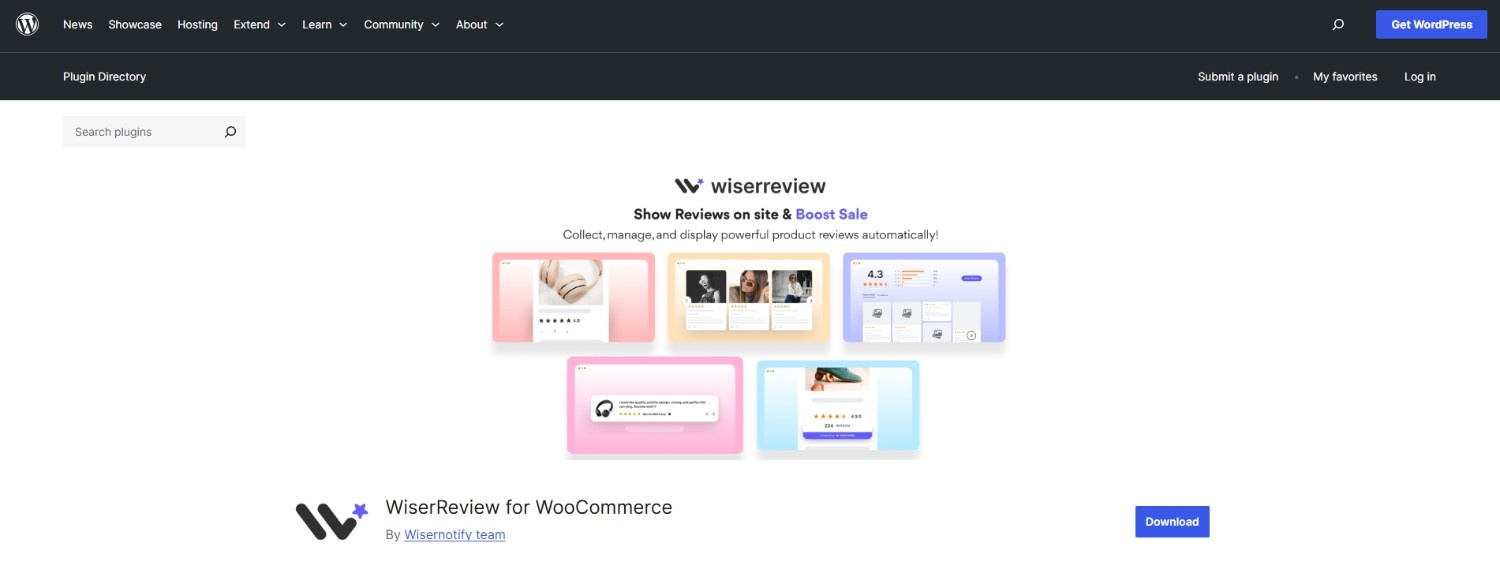
WiserReview connects your WooCommerce store to a hosted review platform. It sends review requests across channels, collects photo and video reviews, and gives you widgets to show them anywhere.
It suits stores that sell on more than one platform or want review requests beyond email.
This walkthrough shows how to set up automated WooCommerce review requests with WiserReview in about five minutes.
Automated Review Requests
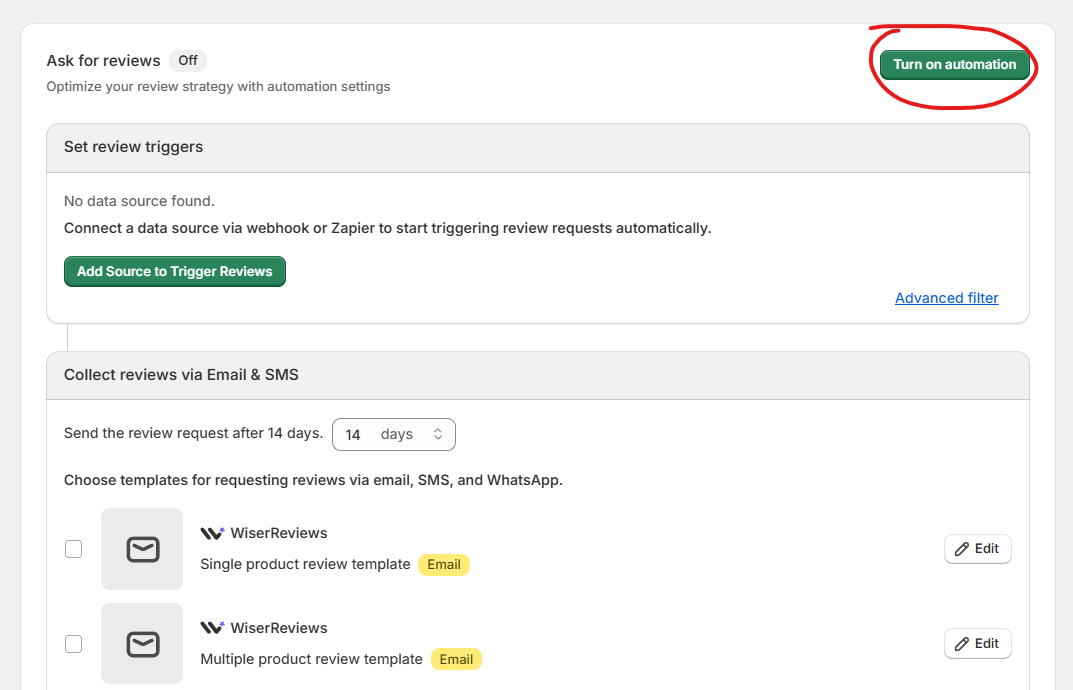
Sends requests and reminders by email, SMS or WhatsApp after each order.
Product-Specific Review Forms
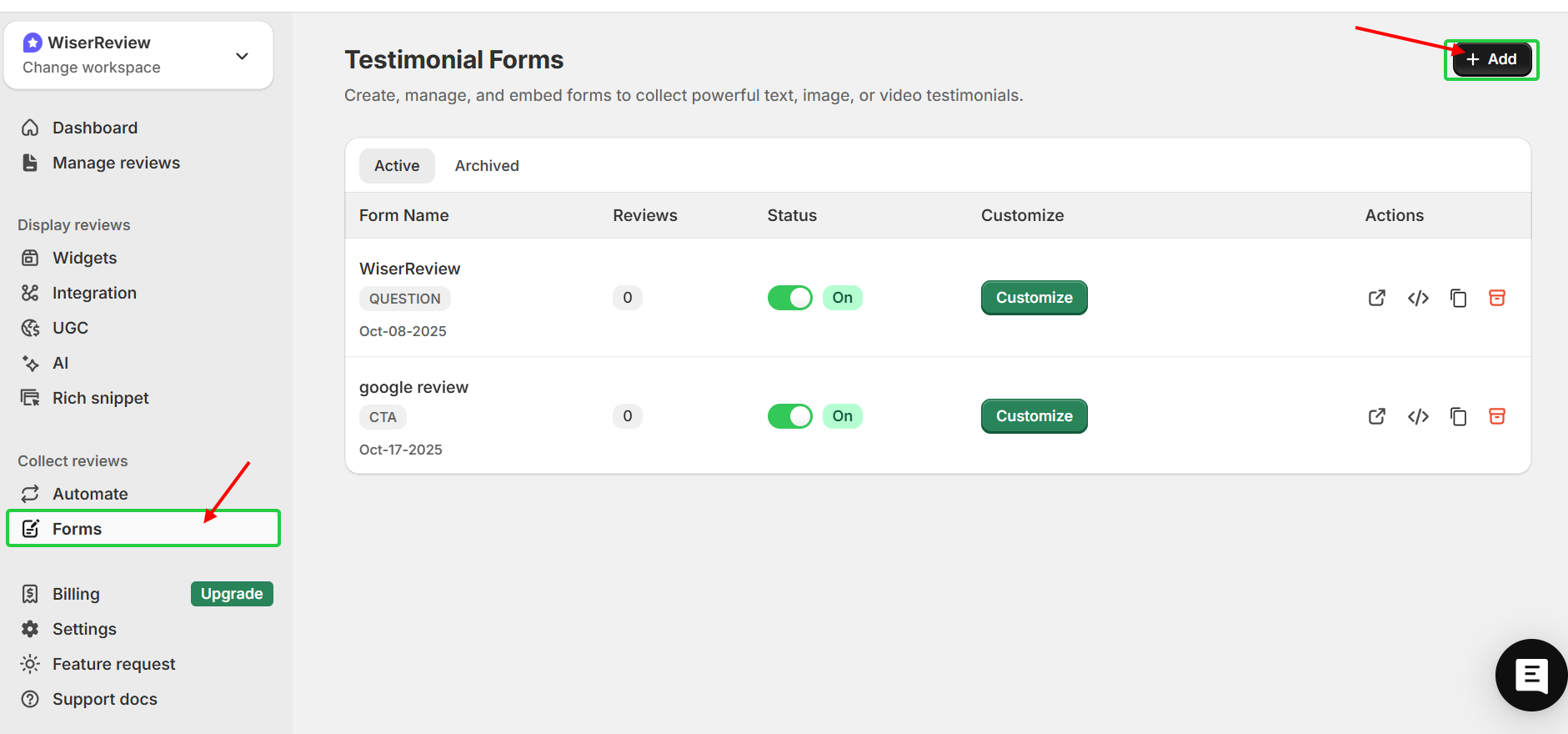
Each request links to the exact product bought, so reviews land on the right page.
Review Display Widgets

Carousels, popups, badges, side tabs and review walls, plus star ratings on collection pages.
Photo and Video Reviews
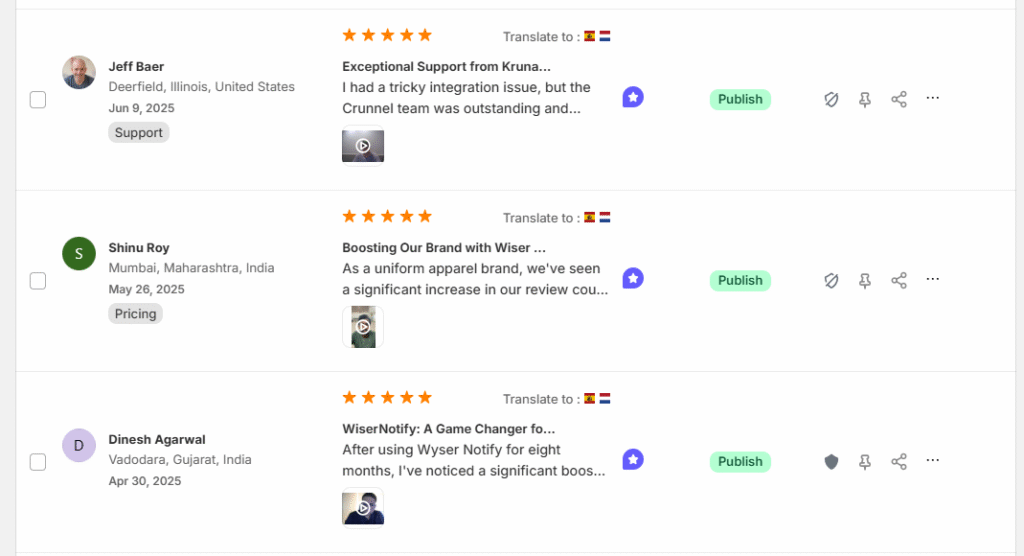
Customers can upload images and videos with each review.
AI Summaries and Moderation
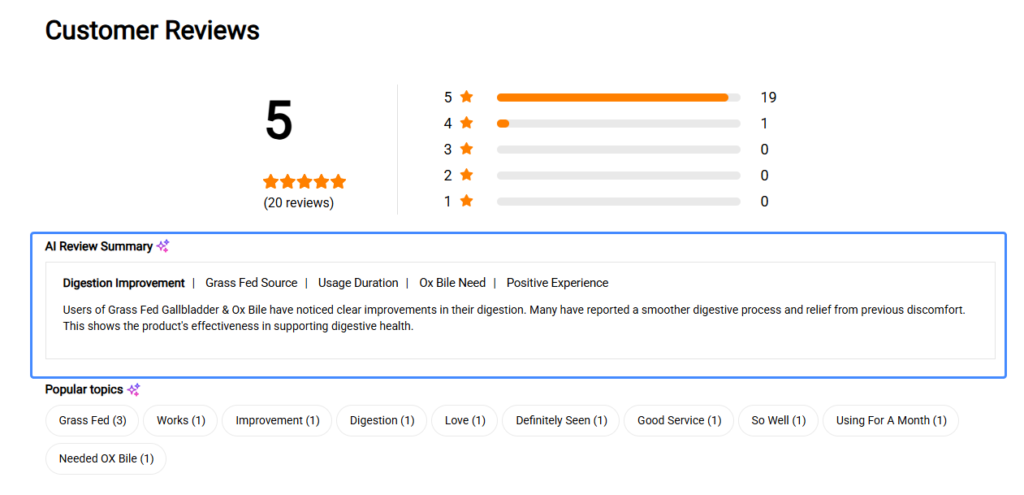
AI writes short review summaries, and one dashboard handles approvals and replies.
Multi-Store and Review Imports
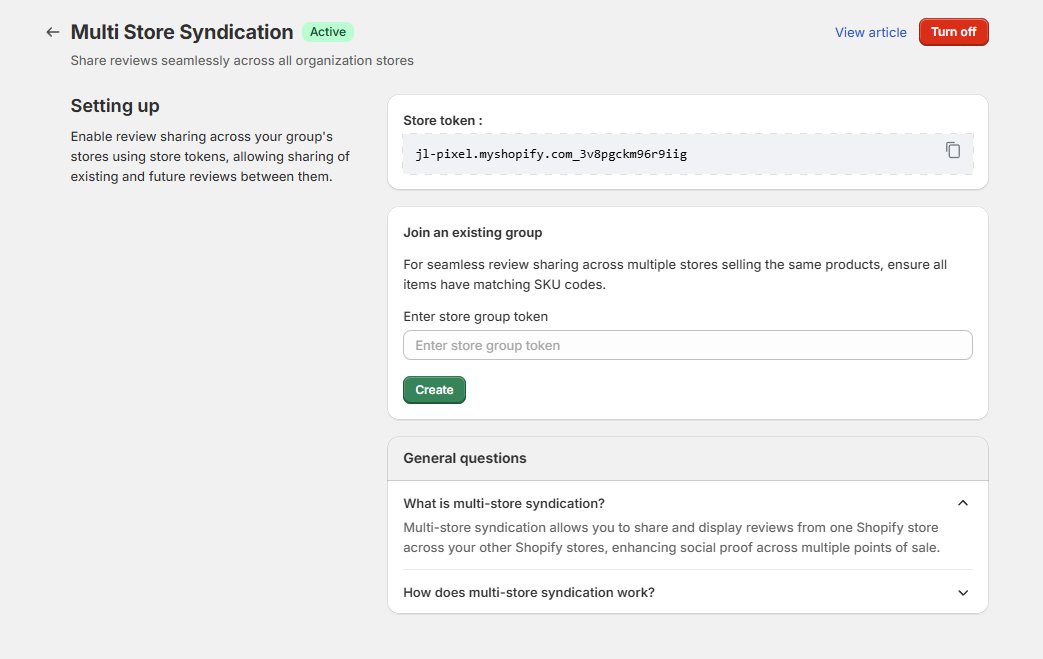
Manage several stores from one account and import reviews from Google and Facebook.
WiserReview Plans
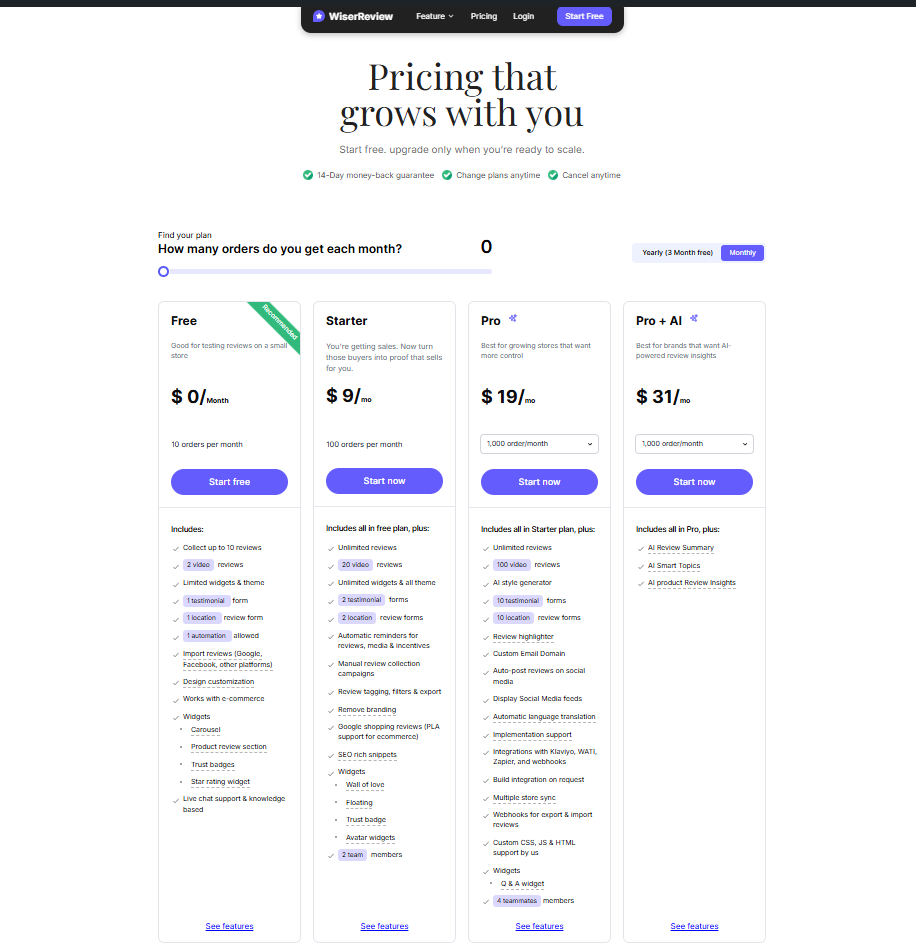
Pricing: Starter from $6.75/month billed yearly for 100 review requests a month; Pro $19/month for 1,000 requests; 7-day free trial.
3. ReviewX
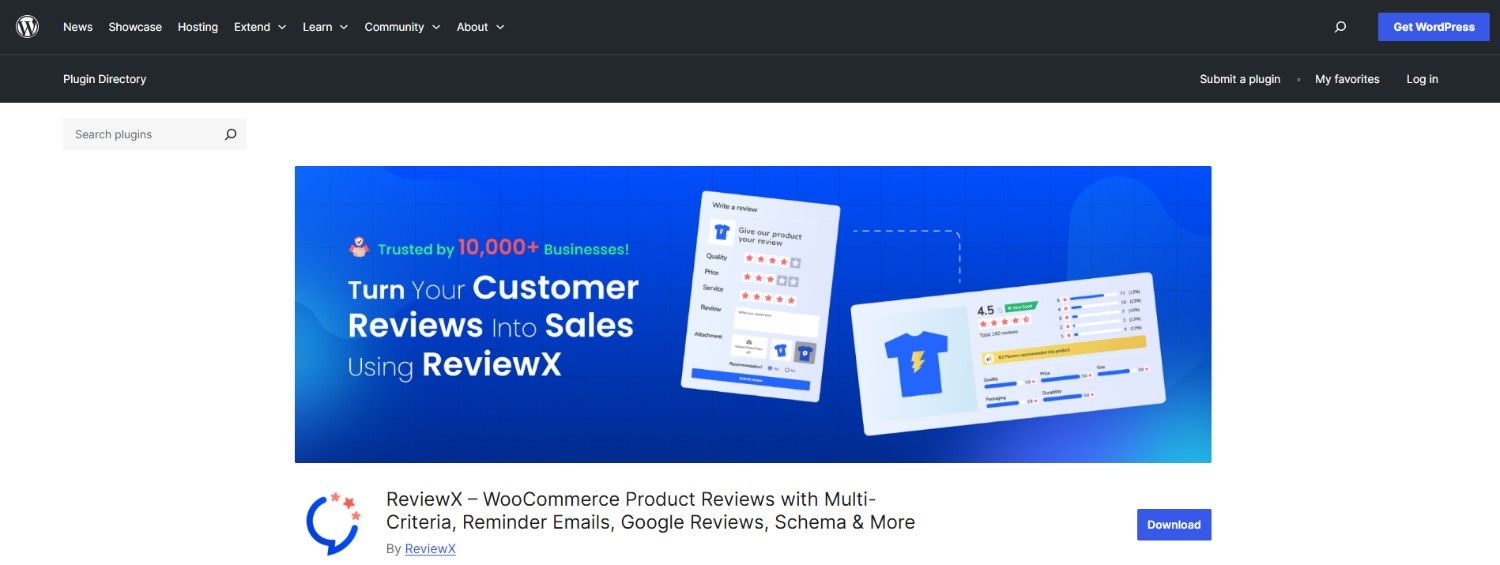
ReviewX is built around multi-criteria ratings, so shoppers can score quality, delivery or value separately. It also adds photo and video reviews, review reminders and Google rich schema.
Multi-Criteria Ratings
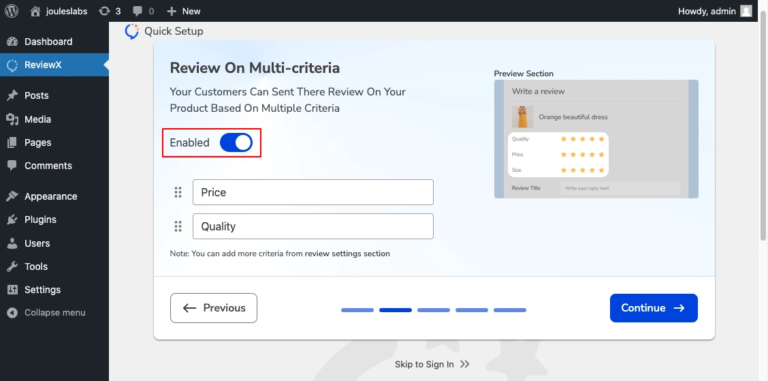
Set separate rating criteria per product or category.
Frontend Review Display
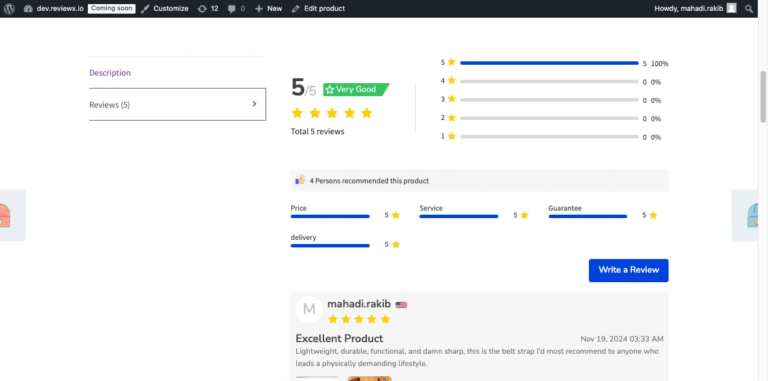
Shows overall and per-criteria scores on product pages.
Photo and Video Reviews
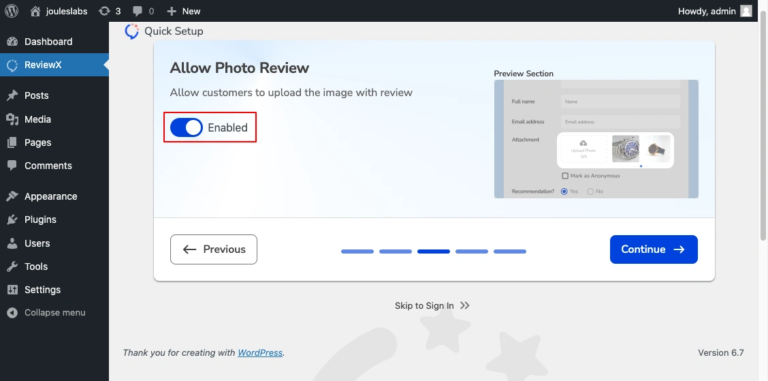
Buyers can attach photos and videos, and other shoppers can vote on helpful reviews.
Style Customization
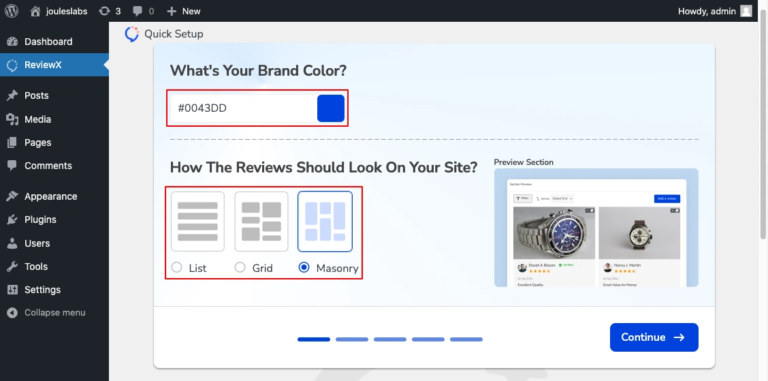
Templates and colors to match your theme.
Pricing: Free on WordPress.org; Pro $79/year for 1 site (currently $47.40 for the first year as a promo).
All your reviews in one place
Collect reviews, manage every response, and display them where they matter most.
4. Product Reviews Pro
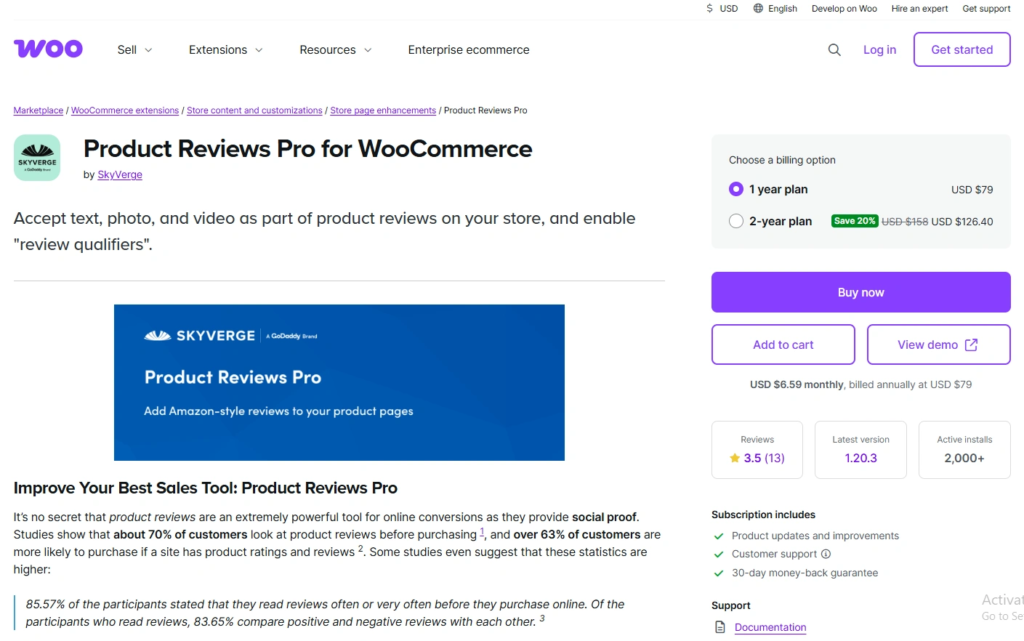
Product Reviews Pro by SkyVerge is sold on the WooCommerce Marketplace. It turns the review tab into a community section with photos, videos, questions and “review qualifiers” such as size or fit.
It has no built-in review request emails, so pair it with an email tool.
Contribution Types
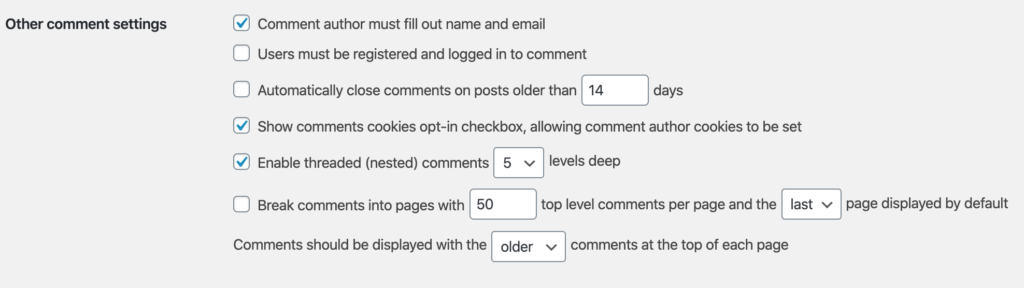
Allow reviews, photos, videos, questions and comments on reviews.
Review Display
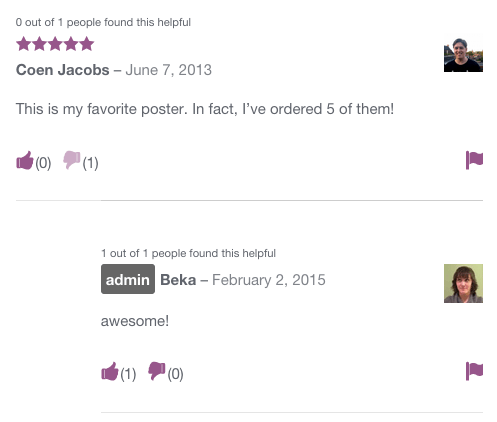
Sorting, filtering and voting on product pages.
Review Qualifiers
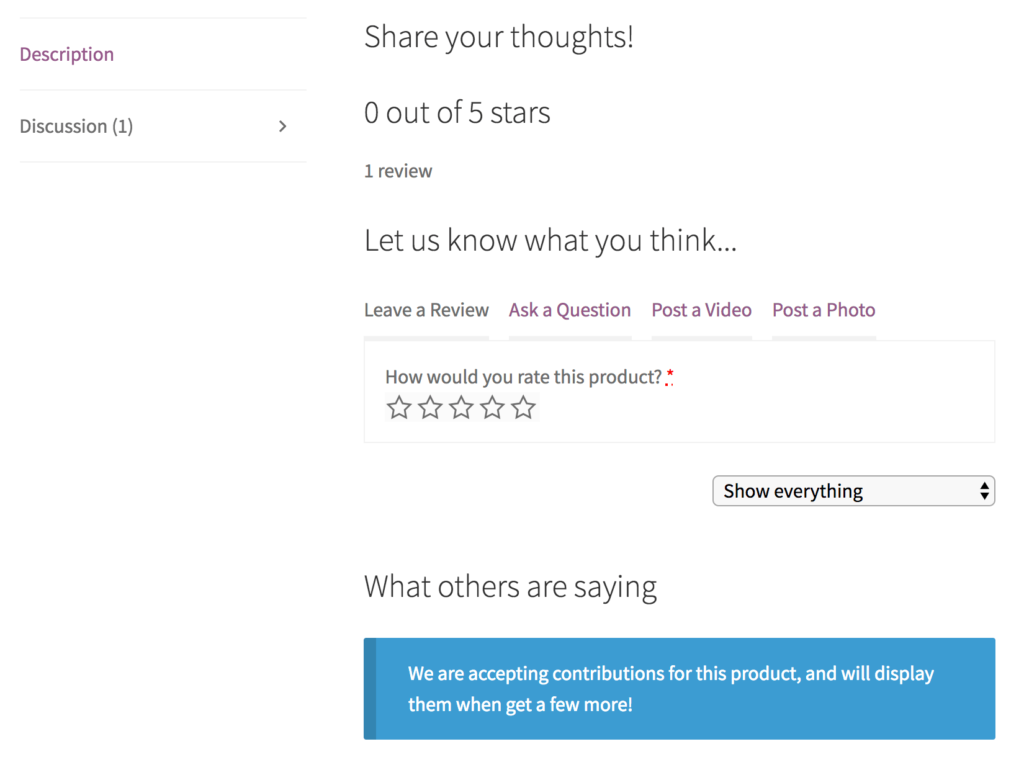
Ask extra questions such as size, fit or use case.
Setup
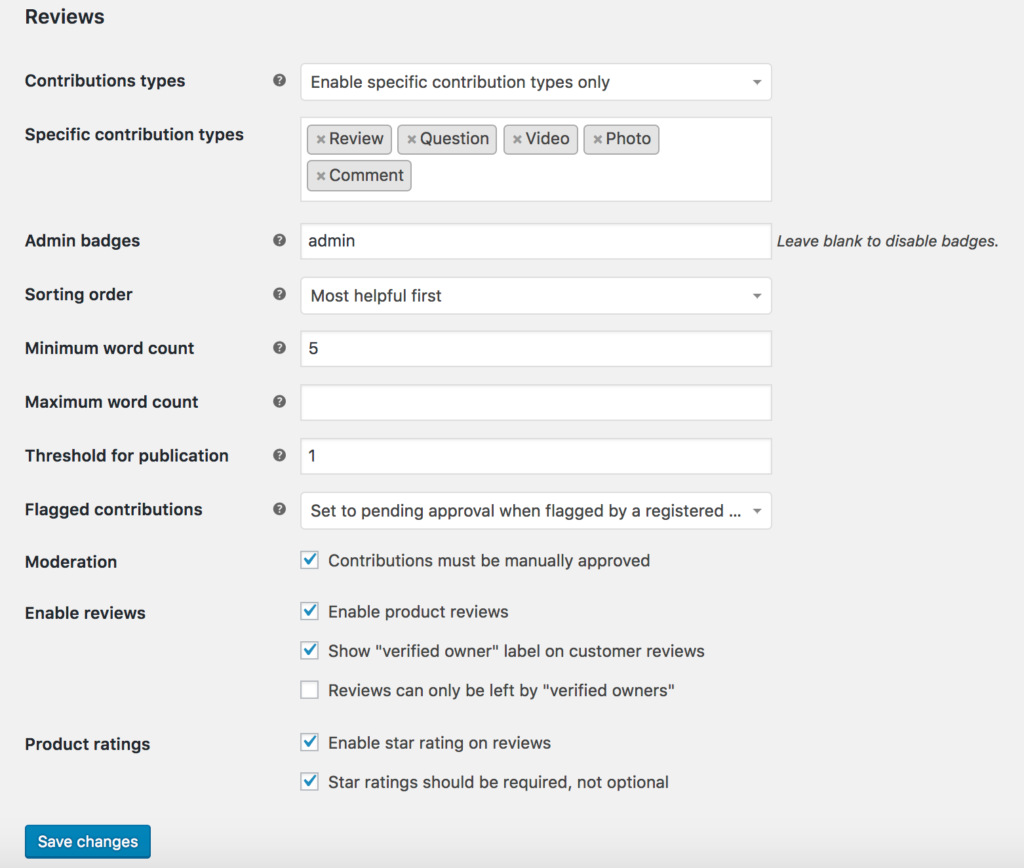
Configured from the WooCommerce settings screen like any official extension.
Pricing: $79/year for 1 site; no free version.
5. Photo Reviews for WooCommerce

Photo Reviews for WooCommerce by VillaTheme focuses on customer photos. It sends review reminders after an order completes and can email a coupon when a review is published.
Photo Reviews
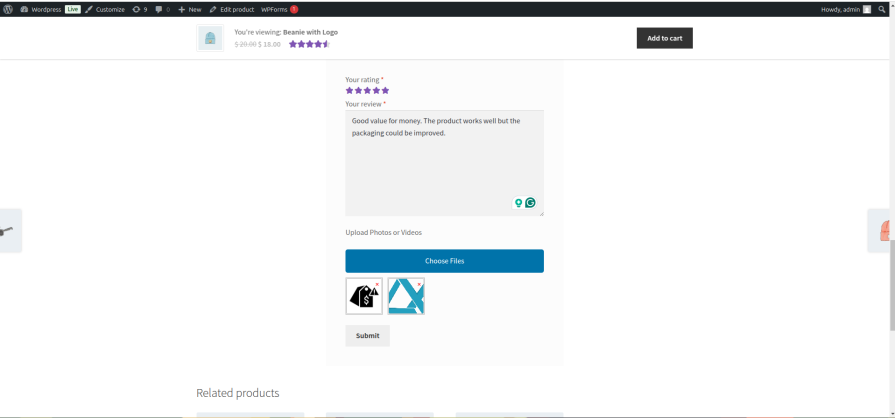
Customers attach product photos to their reviews.
Review Reminders
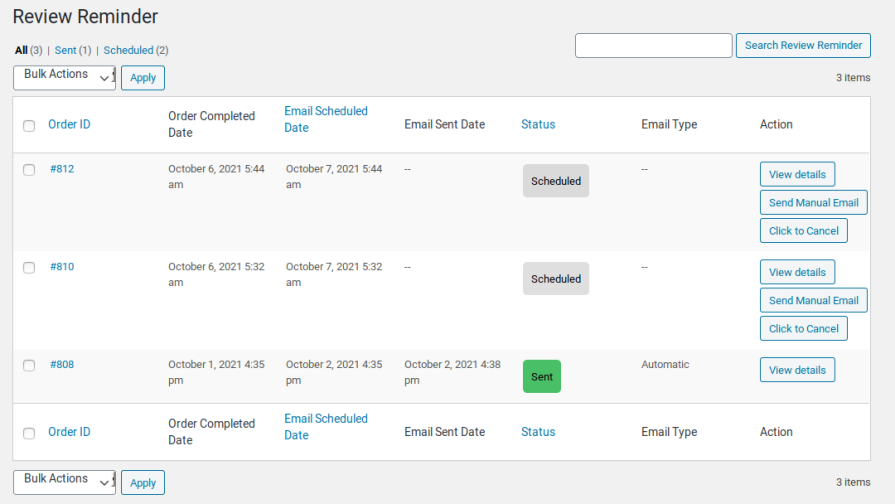
Scheduled reminder emails after an order is marked complete.
Coupons for Reviews
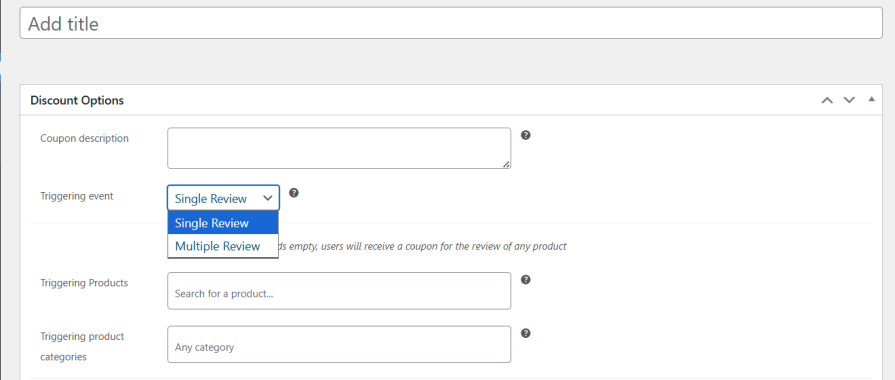
Sends a coupon after a review is published; offer it for any honest review, not only positive ones.
Front-End Layouts
Grid and default review layouts, with design settings to match your theme.
Pricing: Free on WordPress.org; premium from $39 on the developer’s site.
6. YITH WooCommerce Advanced Reviews
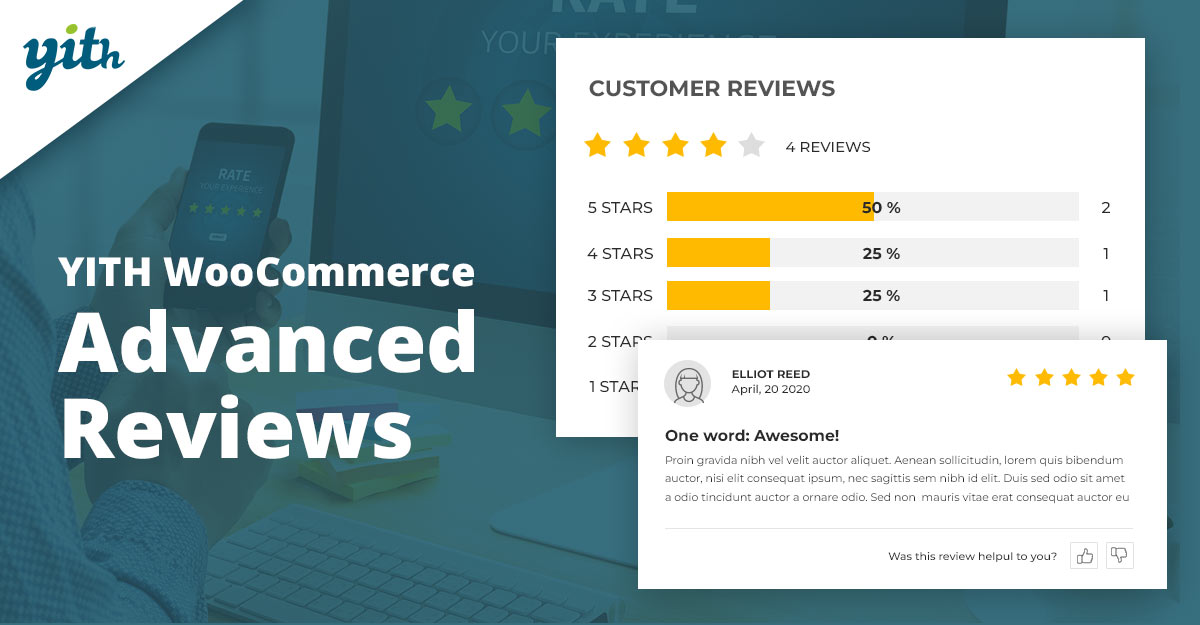
YITH WooCommerce Advanced Reviews is a premium plugin from one of the largest WooCommerce plugin makers. Its free version was removed from WordPress.org at the author’s request, so it is now paid only.
Multi-Criteria Ratings
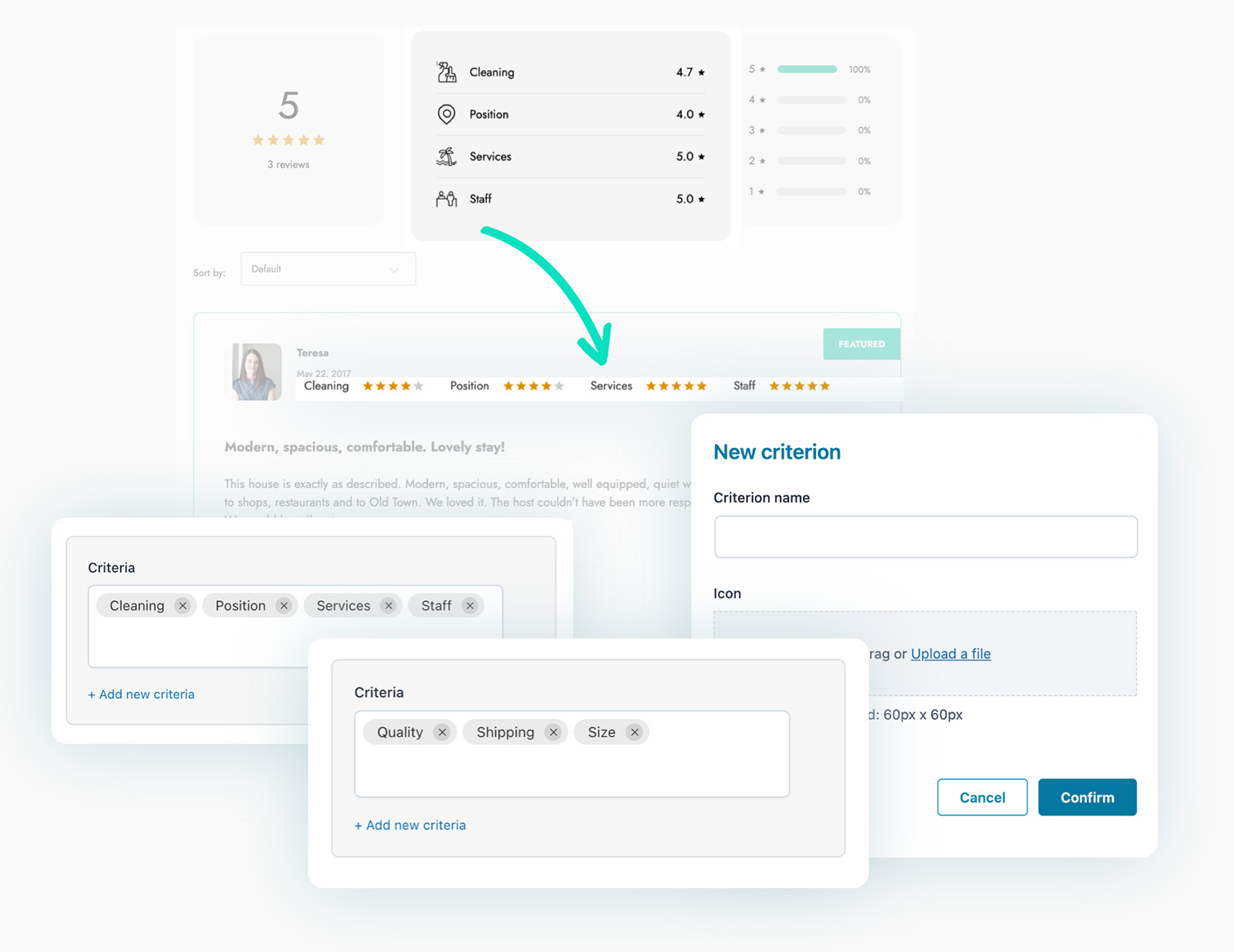
Rate several aspects of a product, not just one score.
Photo and Video Reviews

Buyers can upload images and videos.
Review Reminders

Scheduled emails ask buyers for a review after purchase.
Rewards for Reviews
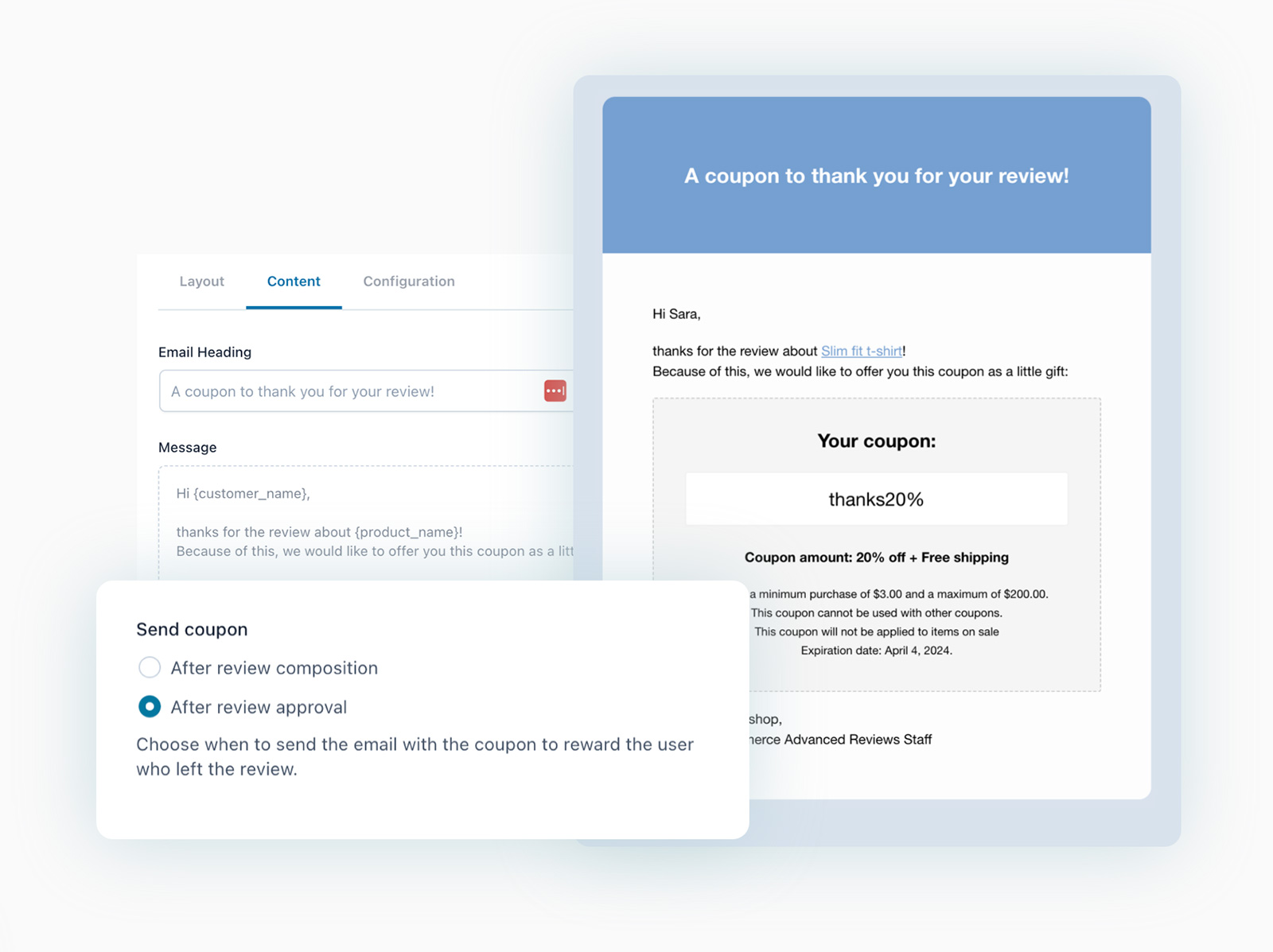
Optional coupons for reviewers, which should never depend on the rating.
YITH Plans

Pricing: $99.99/year for 1 site ($89.99 for the first year as a promo); no free version.
7. Site Reviews

Site Reviews is a general review plugin with 60,000+ active installs that integrates directly with WooCommerce products. It suits stores that also want reviews for services or the business itself, not just products.
- WooCommerce integration: collects and shows reviews on product pages.
- Custom review forms: build forms with your own fields.
- JSON-LD schema: helps ratings show in search results.
- Premium add-ons: review images and reminder emails for WooCommerce purchases.
Pricing: Free on WordPress.org; images and reminders need paid add-ons.
8. Ultimate Reviews
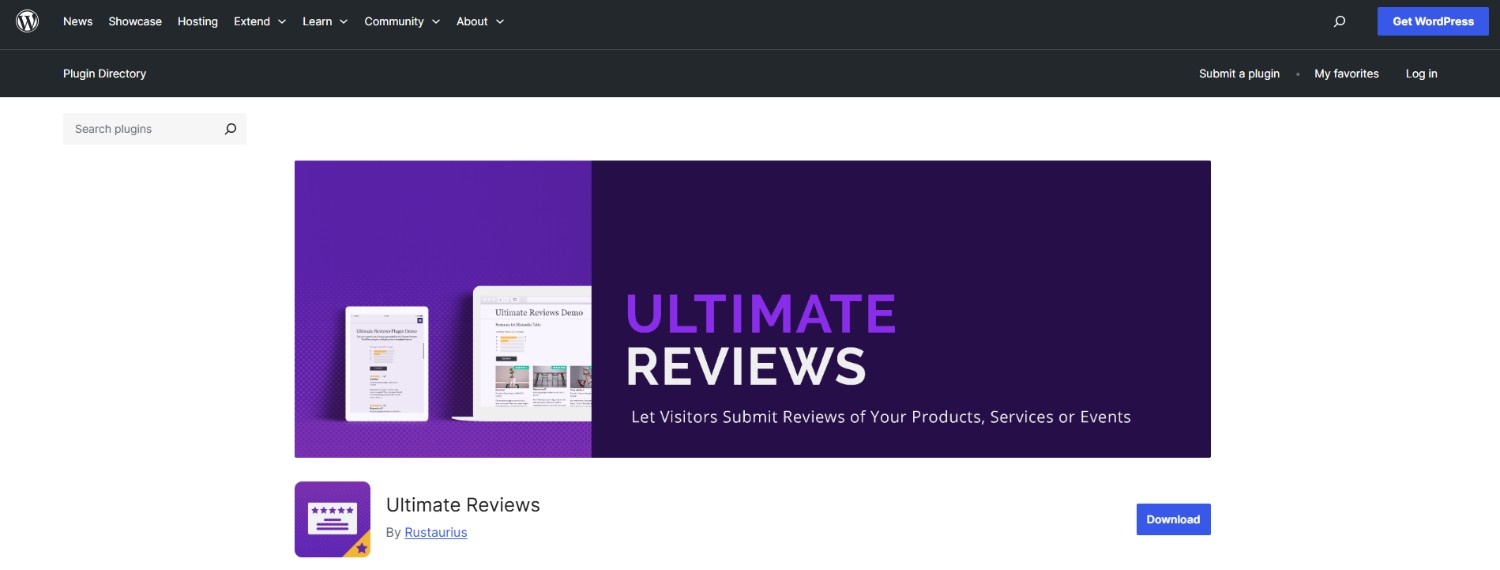
Ultimate Reviews is a flexible review form plugin with custom fields, review categories and schema for individual and aggregate ratings. Replacing the WooCommerce review tab requires its premium version.
Shortcode Placement
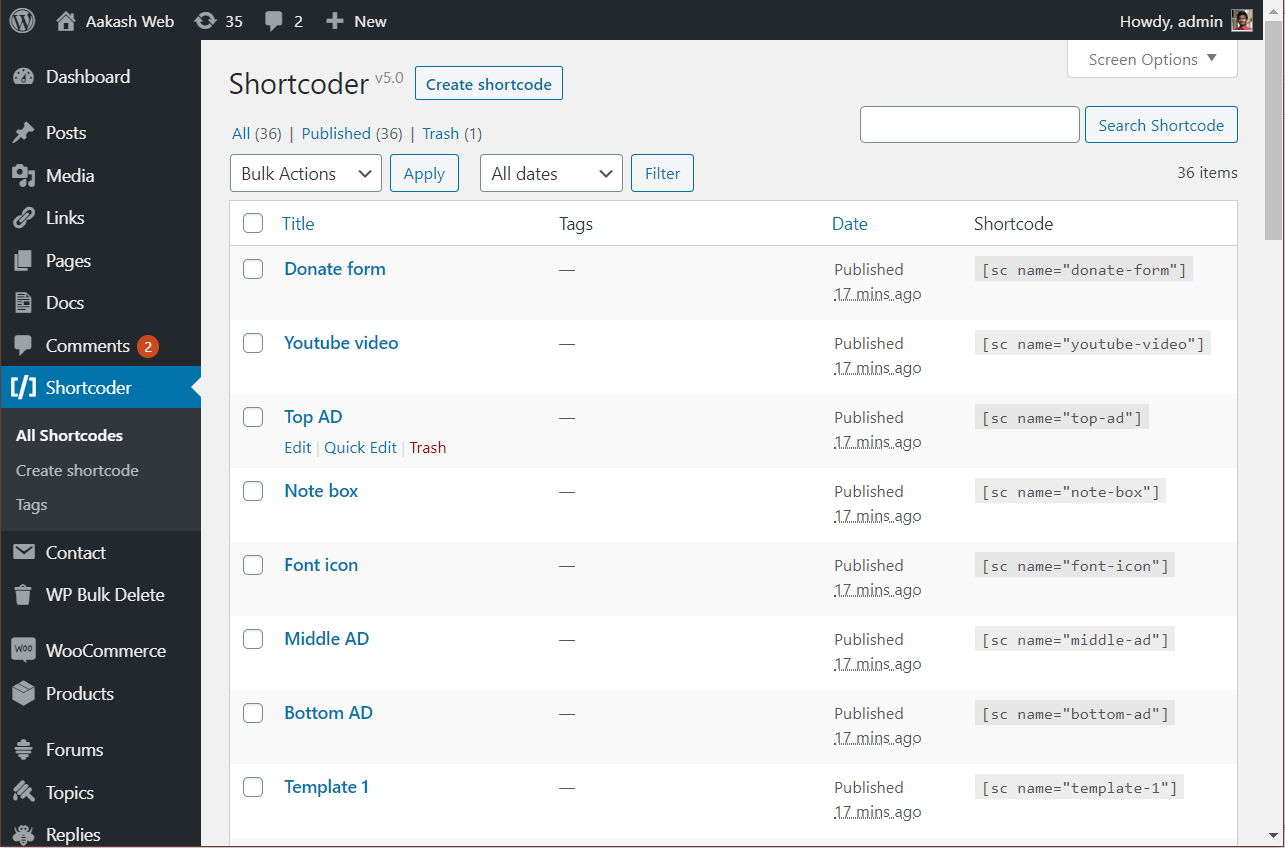
Place review forms and lists anywhere with shortcodes.
WooCommerce Integration
Replaces the standard WooCommerce review tab, with verified buyer badges (premium).
Review Reminders
Sends reminder emails when an order reaches a status you choose.
Custom Styling
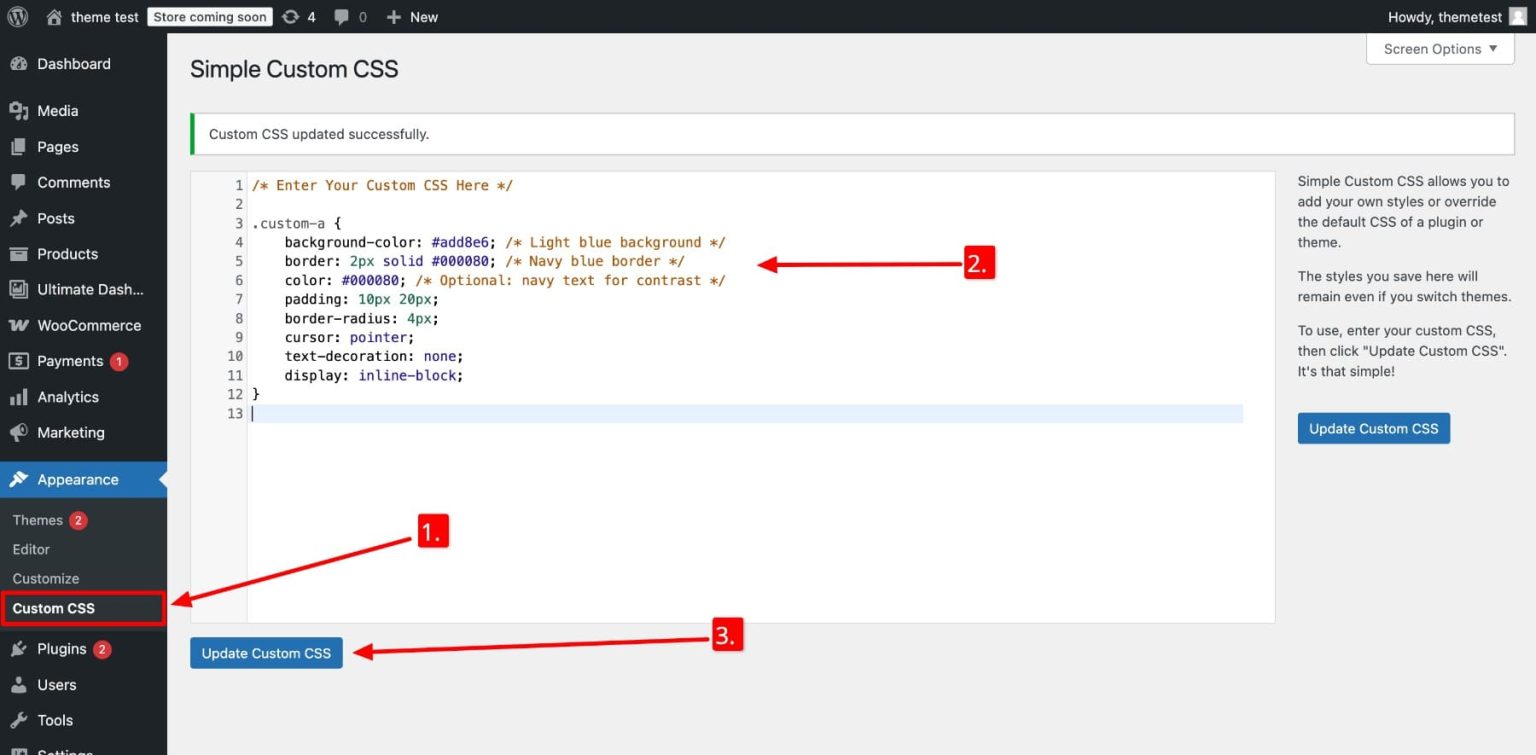
Style options and custom CSS to match your theme.
Pricing: Free on WordPress.org; WooCommerce integration needs the premium version from the developer.
How to Choose a WooCommerce Review Plugin

Start with what you need most:
- Free and reliable: Customer Reviews for WooCommerce.
- Requests beyond email and more display options: WiserReview.
- Ratings for several product qualities: ReviewX or YITH.
- Community Q&A and fit questions: Product Reviews Pro.
- Customer photos on a budget: Photo Reviews for WooCommerce.
- Product and business reviews in one plugin: Site Reviews.
Before installing, check four things on the plugin’s WordPress.org page: when it was last updated, how many active installs it has, whether it is tested with your WordPress version, and what the free version leaves out.
Then look for moderation tools, spam protection and a way to display reviews beyond the product tab.
Rules for Review Incentives
Several plugins here can send coupons for reviews. Keep them legal and trustworthy:
- Offer rewards for any honest review, never only for positive ones.
- Do not hide or delete negative reviews just because they are negative.
- Label incentivized reviews where possible so shoppers know.
- Keep incentives off Google reviews, which Google does not allow.
The US FTC’s 2024 rule on consumer reviews bans fake reviews and rewards that depend on the review’s sentiment.
Wrap Up
Start with Customer Reviews for WooCommerce if you want a free, proven option. Move to WiserReview, ReviewX or YITH when you need multi-channel requests, multi-criteria ratings or more display control.
Whatever you pick, ask every buyer for a review and reply to the ones you get.
Frequently Asked Questions
What is the best free WooCommerce review plugin?
Customer Reviews for WooCommerce is the most popular free option, with review reminders and photo reviews.
Which WooCommerce review plugin supports photo and video reviews?
Customer Reviews for WooCommerce, WiserReview, ReviewX, Product Reviews Pro and YITH all support photo and video reviews.
Does Judge.me still work with WooCommerce?
No. Judge.me closed its WooCommerce plugin in August 2025 to focus on Shopify.
Can I offer a discount for WooCommerce reviews?
Yes, as long as the reward is offered for any honest review and not only positive ones.
How do I show star ratings in Google for WooCommerce products?
Use a plugin that adds review schema, such as Customer Reviews for WooCommerce, WiserReview or ReviewX.

Krunal Vaghasiya is a marketing tech expert who boosts e-commerce conversion rates with automated social proof and FOMO strategies. He loves to keep posting insightful posts on online marketing software, marketing automations, and improving conversion rates.




 Capterra