


If you use WooCommerce for your store, reviews directly impact your sales. Customers always rely on reviews before making a purchase decision.
The default WooCommerce review system is basic. It does not help you automate review requests, collect photo reviews, or show reviews in high-converting layouts.
The right review plugin helps you collect more reviews, display them clearly, and improve conversions. It can also automate emails, add star ratings, and support rich snippets.
In this guide, you will find 8 of the best WooCommerce review plugins for 2026. You will see free and paid options so you can choose the right fit for your store.
Let’s get started!

Show Real Reviews That Build Trust
Collect and display photo, video, and text reviews with full design control.
Importance of WooCommerce Review Plugins

When people shop online, they can’t touch or try the product. That’s why reviews matter. They act as social proof and help new shoppers feel safe buying from your store.
A WooCommerce review plugin makes it easy to collect, manage, and display reviews in the right format.
These plugins do more than just show star ratings. They turn your product pages into trusted sources of real opinions from real buyers. This builds credibility and increases the chance of turning a visitor into a paying customer.
Here’s what the right review plugin can help you achieve:
Build shopper confidence by showing reviews and star ratings clearly
Encourage more purchases through positive feedback and testimonials
Increase search visibility with review-rich content that helps SEO
Create a feedback loop so you can improve your products and services
Collect fresh content that makes your product pages more engaging
In short, review plugins help you grow trust, improve conversions, and get the most out of every product page on your WooCommerce store.
Best 8 WooCommerce Review Plugins (Free & Paid)
Here are 8 of the best WooCommerce review plugins to help you collect, manage, and show customer reviews — all designed to build trust and boost sales.
1. WiserReview

WiserReview is one of the best WooCommerce review plugins for businesses that want to collect, manage, and display reviews with ease and minimal complexity and costs.
Unlike the default WooCommerce system, it provides automation, advanced display options, and powerful tools to manage customer feedback from a single dashboard.
Automated Review Requests
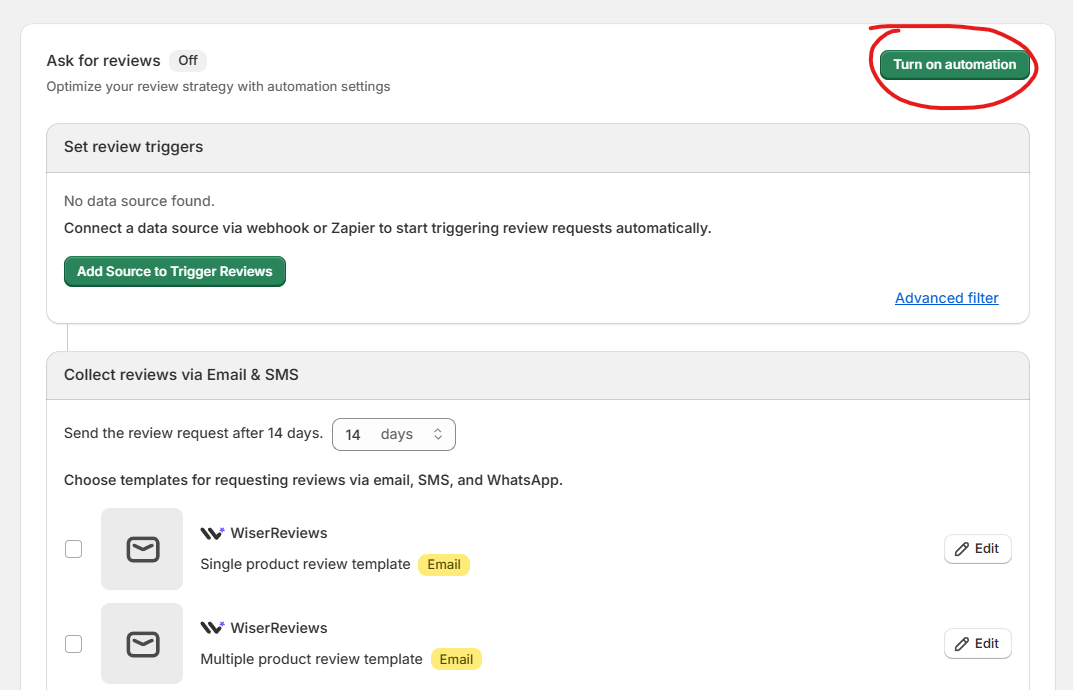
WiserReview sends review requests automatically after a purchase. You can control timing, reminders, and follow-ups based on your workflow.
It supports email, SMS, and WhatsApp, or you can trigger requests using your own email system.
Product-Specific Review Forms
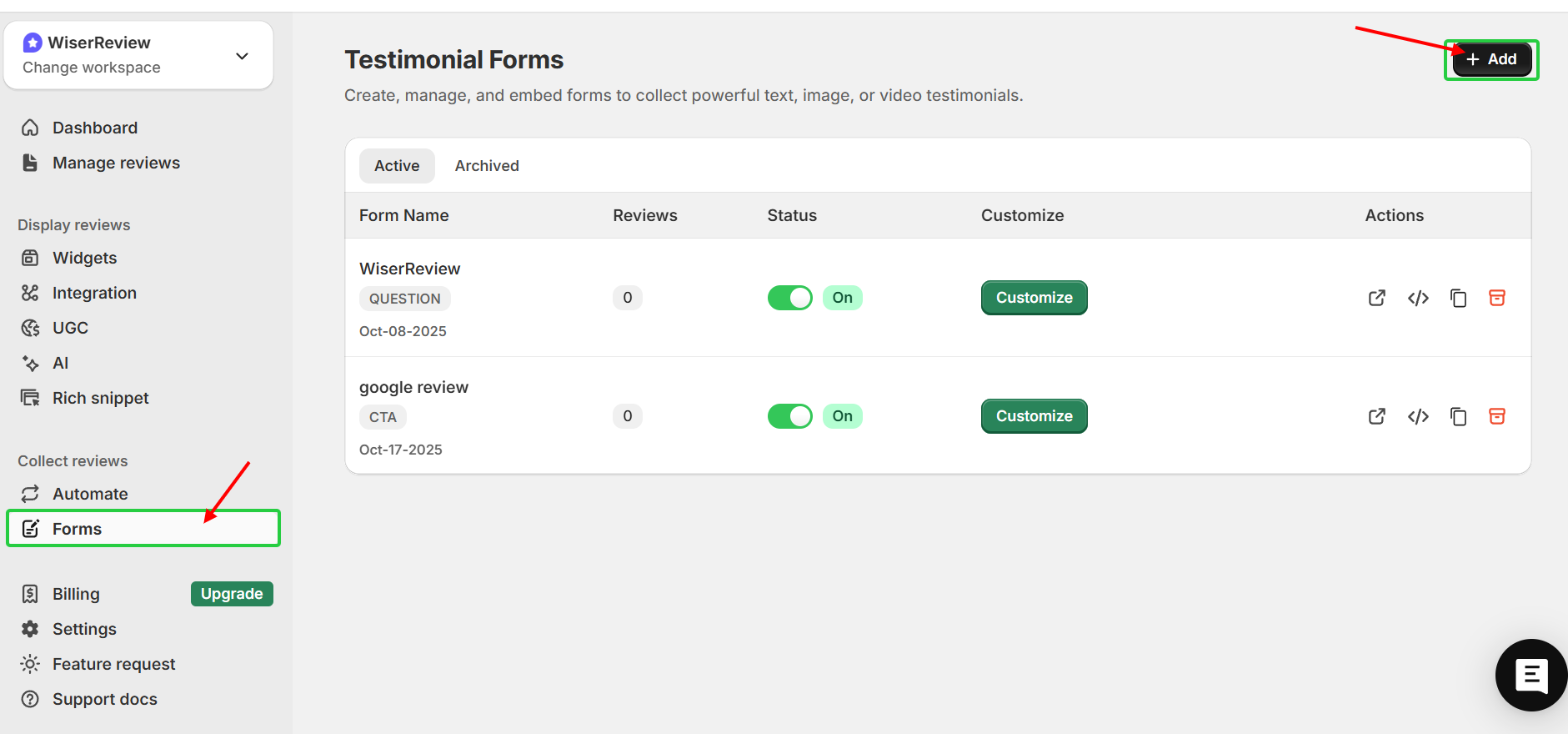
Each customer receives a dynamic link linked to the exact product they bought. This keeps reviews accurate and attached to the correct product page.
You can also pass product and customer details using query parameters if needed.
Review Display Widgets
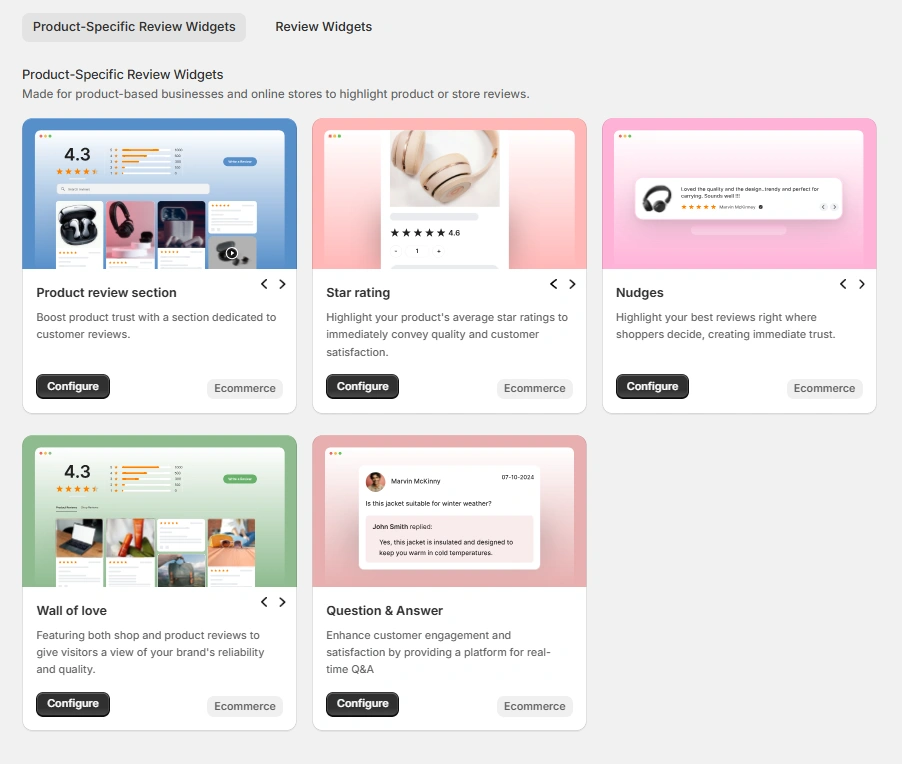
You can show reviews using carousels, popups, badges, side tabs, or full review walls.
Star ratings can appear on product pages, collection pages, and other key sections to increase trust.
Photo & Video Reviews
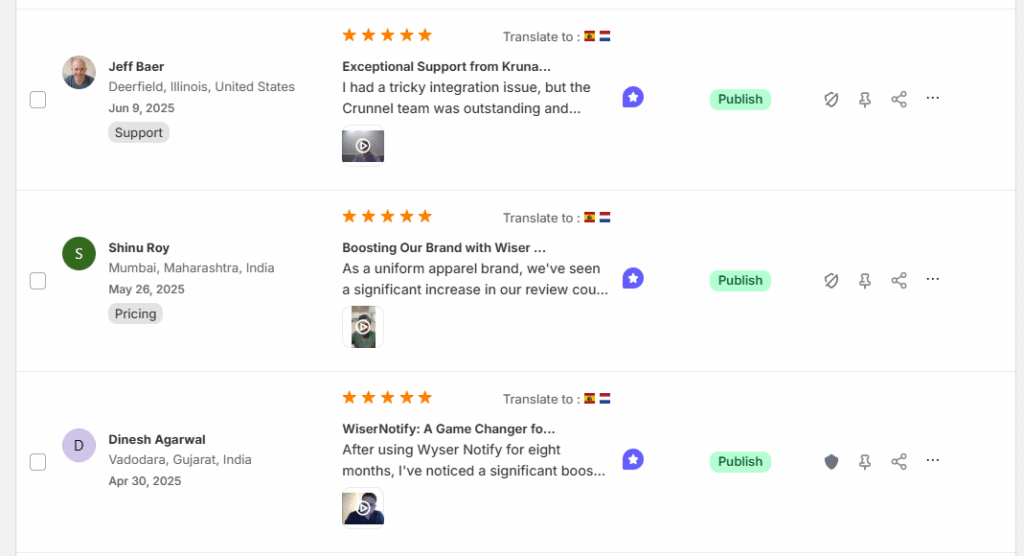
Customers can upload images and videos with their reviews.
This provides concrete evidence and helps buyers assess product quality before purchase.
AI Review Summary & Moderation
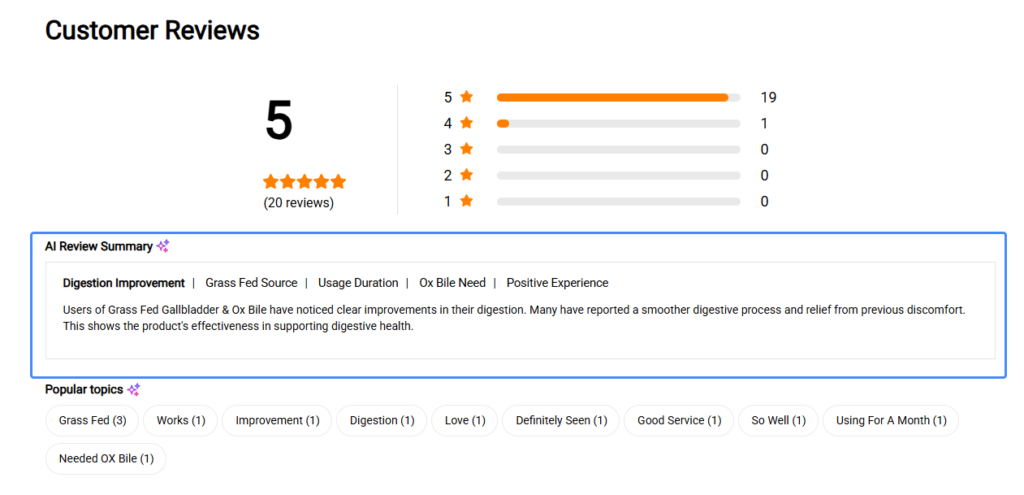
AI can generate short summaries from multiple reviews on a product page.
You also get moderation controls to approve, reject, edit, or reply to reviews from one dashboard.
Multi-Store & Review Import Support
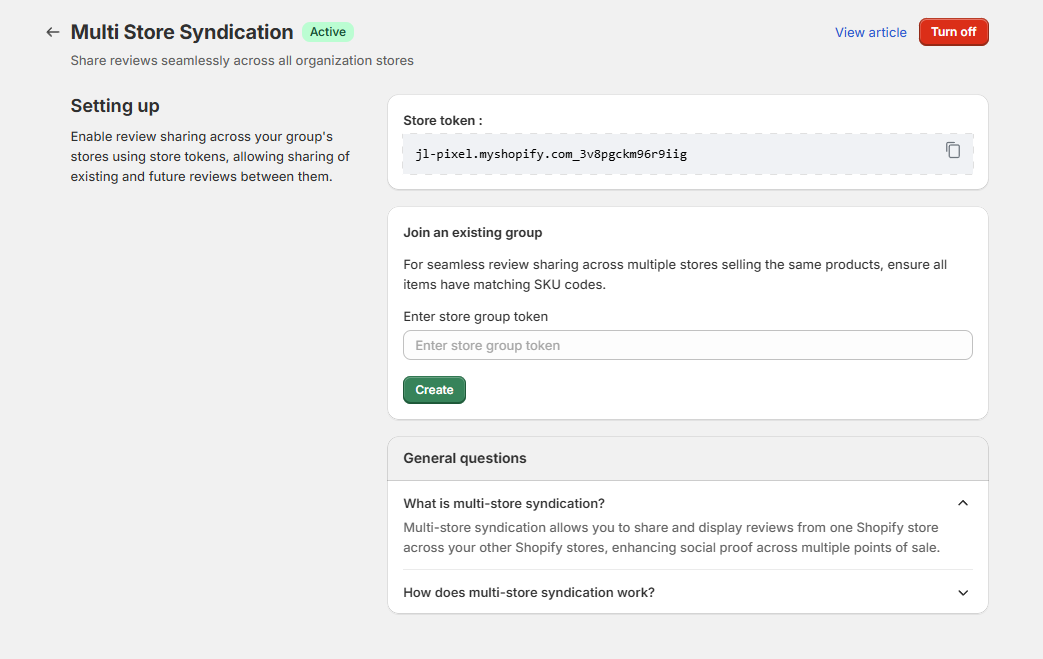
You can manage multiple WooCommerce stores from one account.
WiserReview also allows you to import reviews from other tools, Google, or Facebook to keep your existing social proof.
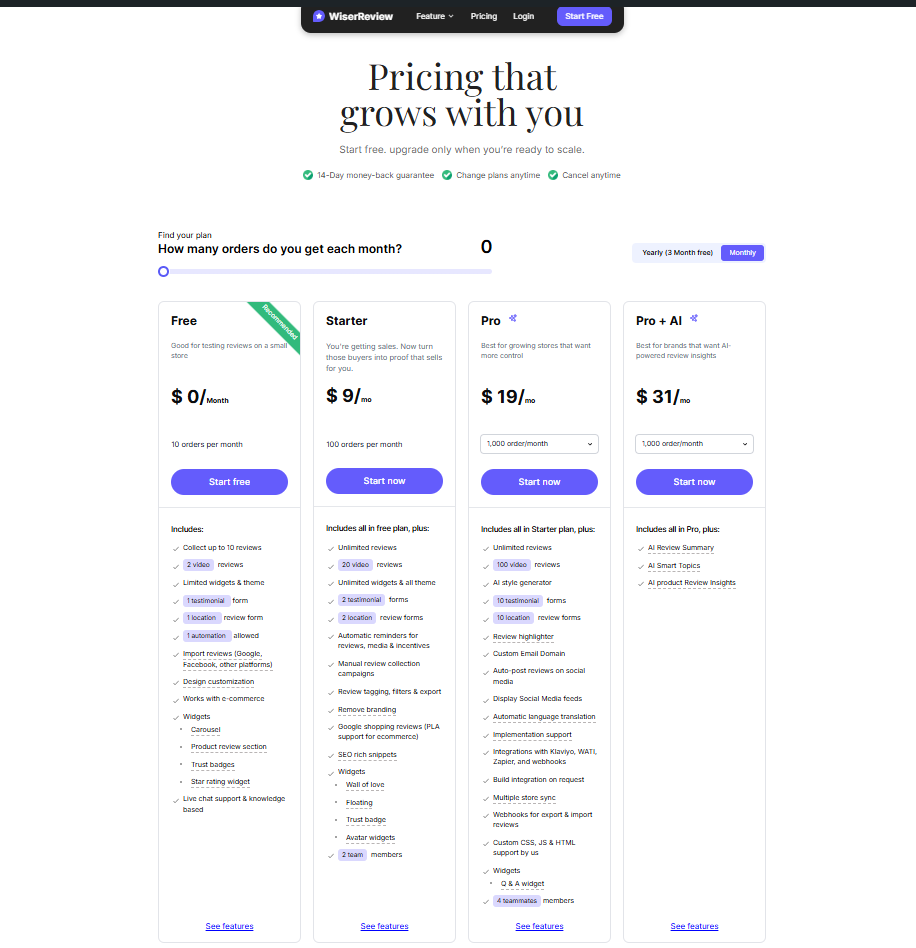
WiserReview Pricing
2. Product Reviews Pro
Comment & Review Settings
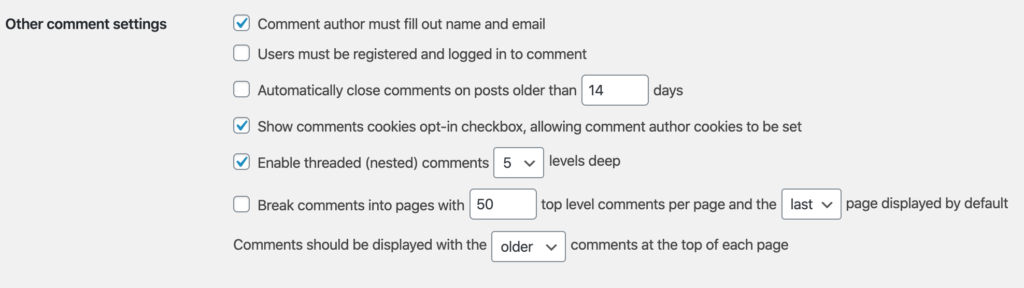
You get full control over how reviews and comments work on your store.
You can allow text, photos, videos, questions, and comments on reviews, and manage sorting, filtering, voting, and more from your Dashboard.
Review Display (Widget Example)
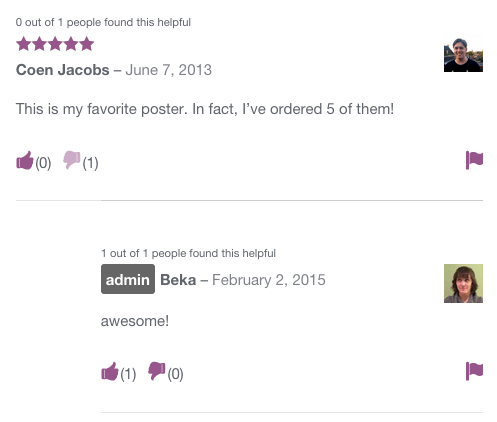
The plugin lets you show reviews with richer content on your product pages.
You can display star ratings, photos, videos, and user answers in layouts that fit your theme and help buyers see feedback clearly.
Review Contribution & Form
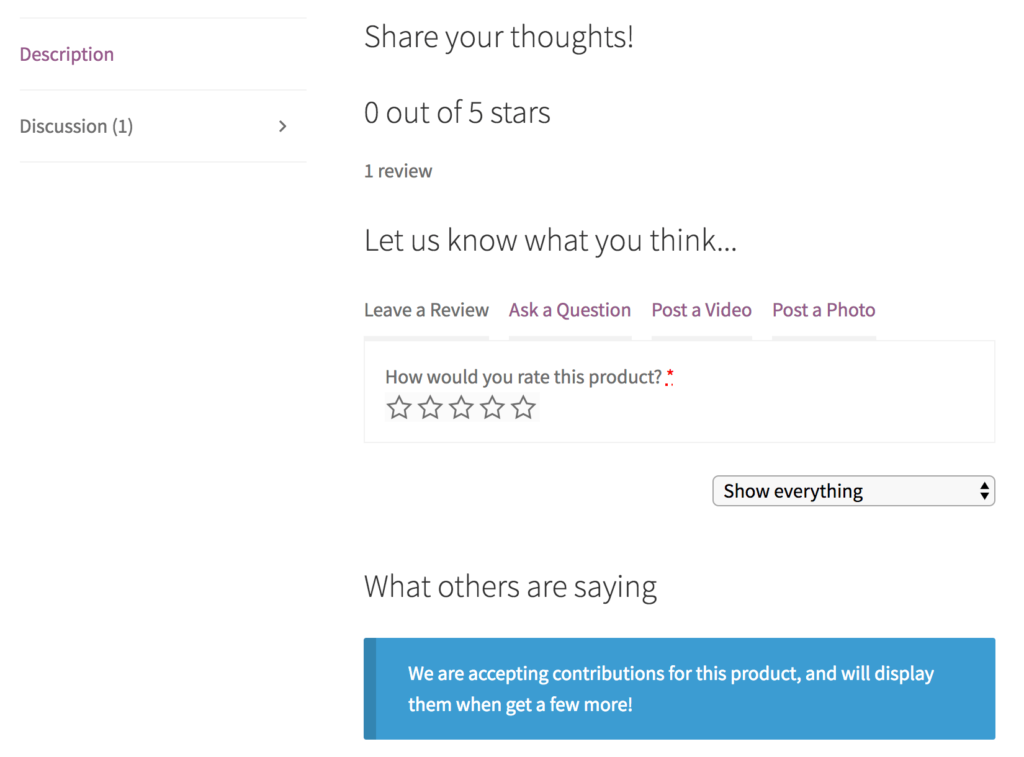
Customers can submit detailed reviews using custom forms.
You can add special questions like size, fit, or usage type, and let customers upload images and videos with their feedback.
Setup & Configuration
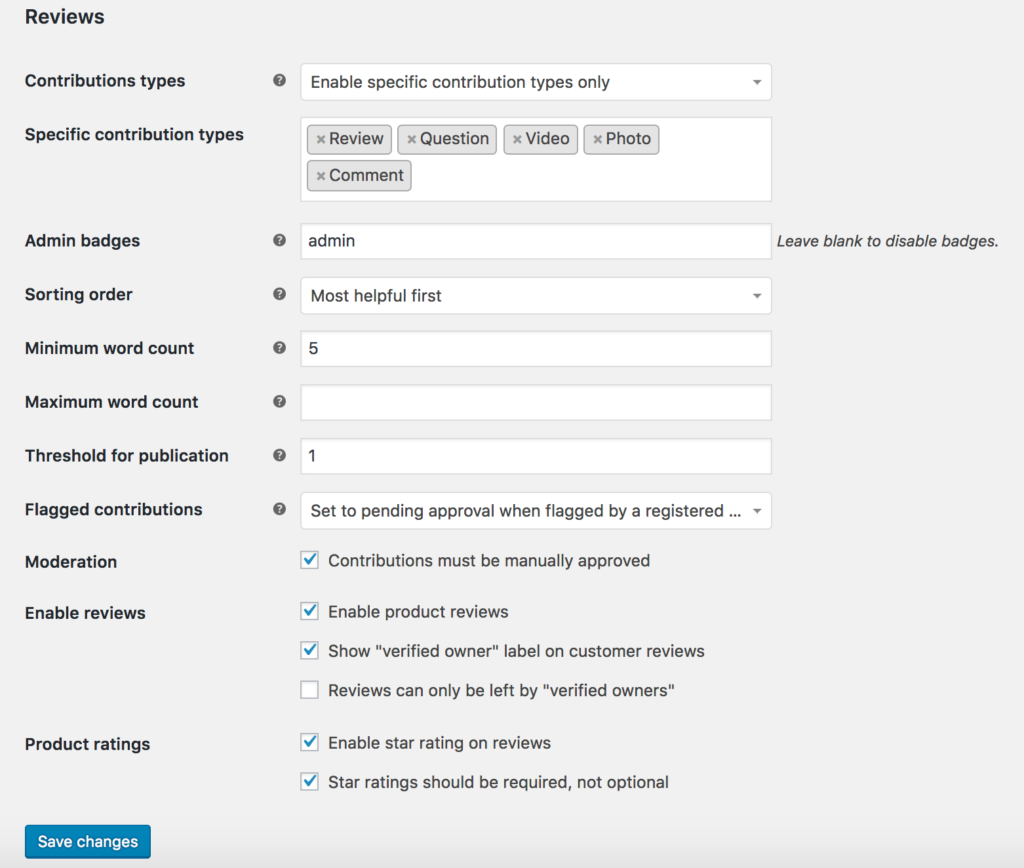
Installation and setup are handled within the WooCommerce dashboard, as with any extension.
You activate the plugin, enable the review types you want, and control how reviews appear without coding or extra tools.
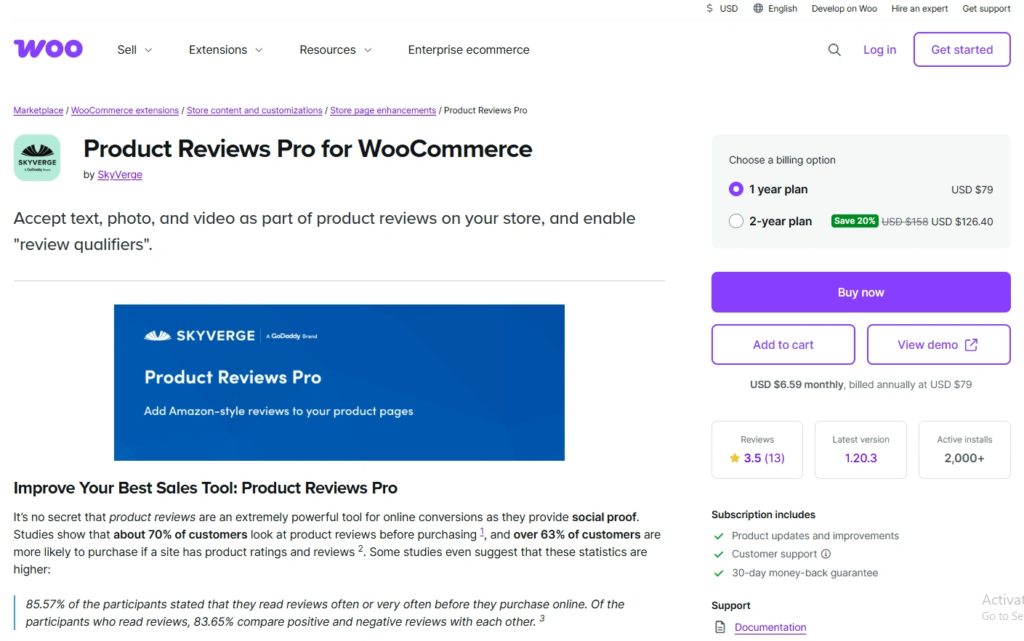
Pricing: $79/year for a 1-site license. No free or monthly plan.
Also Read: 10 Best Product Reviews Pro alternatives tools
3. Smash Balloon

Smash Balloon is a leading WordPress plugin company that specializes in social media feed integration.
Owned by Awesome Motive, their tools allow website owners to embed real-time content from platforms like Instagram, Facebook, and YouTube without writing any code.
Its key benefits include SEO-friendly direct embedding to improve search rankings and smart caching to ensure lightning-fast performance.
Key features
Feed Template
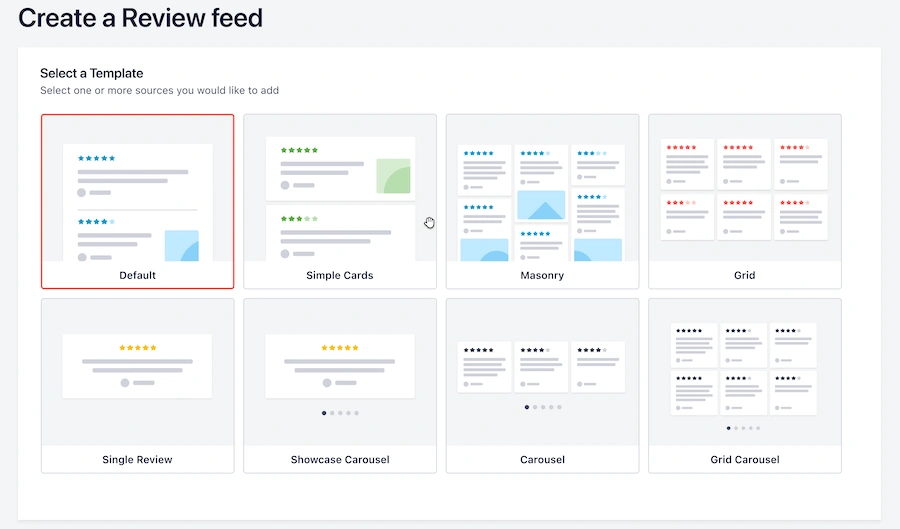
Smash Balloon gives you ready-made designs you can use to build review or social feeds fast.
You pick a style, and the plugin fills it with your reviews or posts so it looks good without extra design work.
Feed Customization & Embed Option
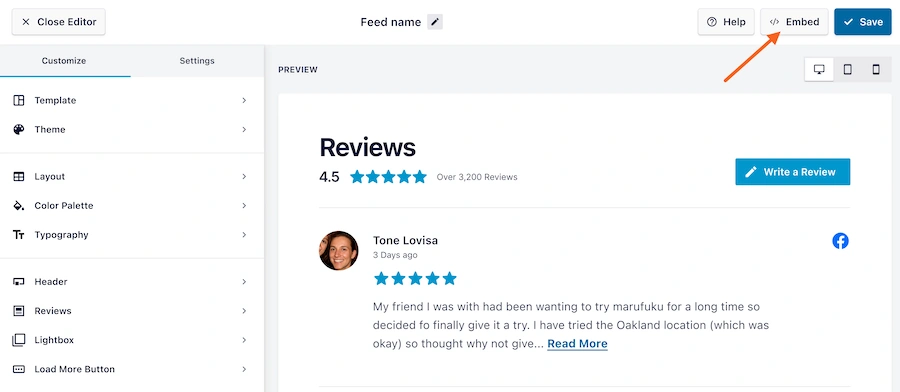
You can change how your feed looks with options for layout, colors, spacing, and more.
Once your feed looks right, you can embed it on any page or widget area using a shortcode or block.
Add Review Source
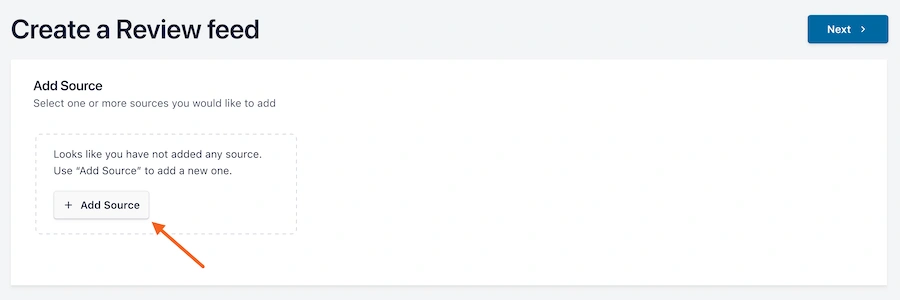
The plugin lets you connect review sources like Google, Yelp, Facebook, and other platforms.
You add a source once, and the feed pulls reviews from there automatically.
Select Review Source Type
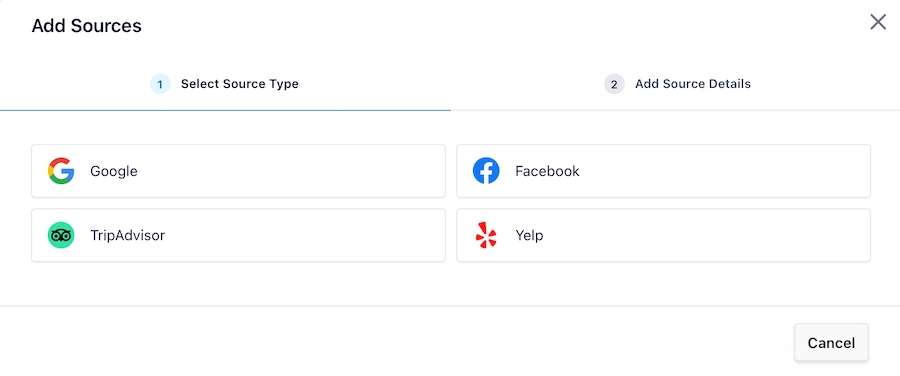
When you add a review source, you choose the kind of platform you want to pull from, such as Facebook reviews, Google Business reviews, TripAdvisor, or Yelp.
That way, the feed shows the exact reviews you want.
Pricing

4. ReviewX

ReviewX is a powerful WooCommerce review plugin built to help you collect detailed product reviews with photos, video, and star ratings on multiple criteria.
It’s great for stores that want to build trust with rich customer-generated content and improve social proof.
Key Features
Multi-Criteria Ratings
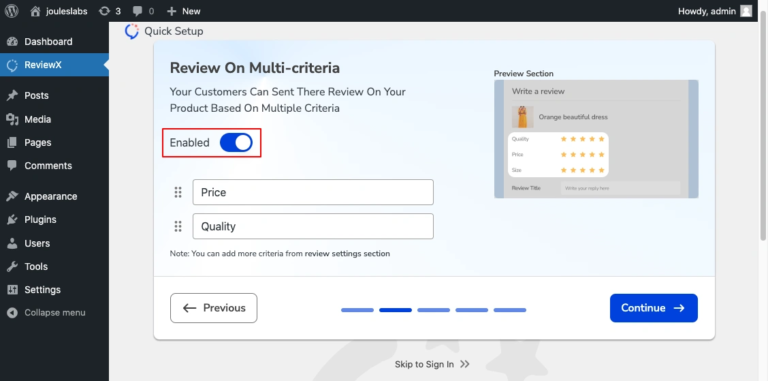
ReviewX lets you set more than one rating type for each product, like quality, delivery, or service.
This helps customers provide detailed feedback on specific product components and gives you a deeper view of what matters most.
Frontend Review Display
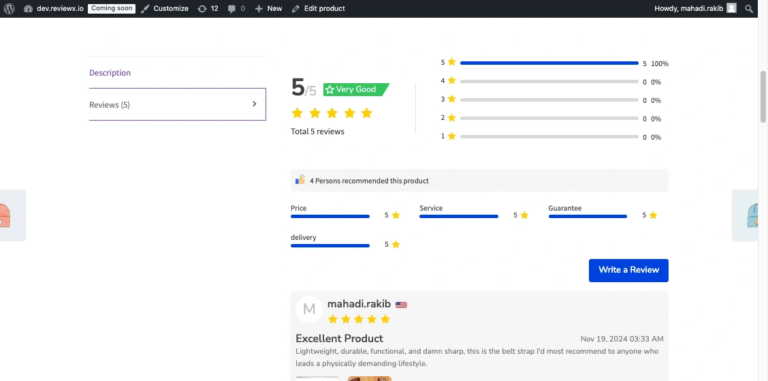
The plugin shows reviews on your product pages in ways that customers can easily read and interact with.
It can display star ratings, text reviews, and criteria ratings right where shoppers expect them.
Visual Review Content
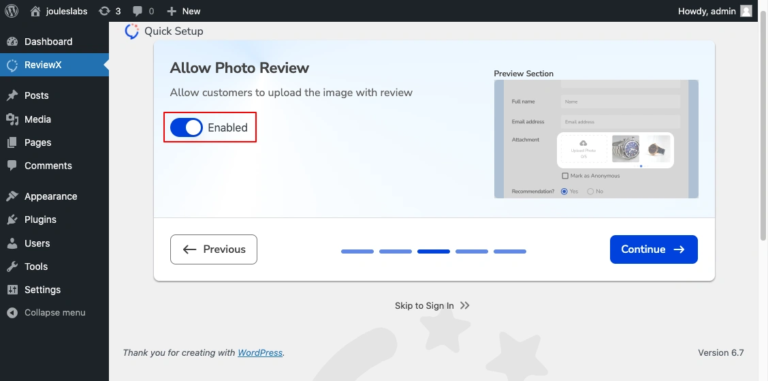
Customers can add photos and videos with their reviews to show real use of the product.
These visuals make reviews feel more trustworthy and give new buyers a better idea of what to expect.
Review Style & Branding Customization
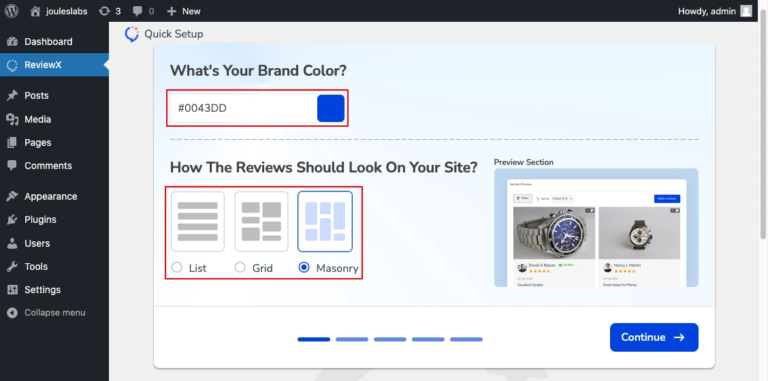
You can change how reviews look so they fit your store’s design and brand colors.
This includes layouts and templates so reviews look clean and match your site’s style.
Pricing: Free plan available. Pro plan starts at $12.42/month.
Build trust & FOMO
Highlight real-time activities like reviews, sales & sign-ups.


5. Customer Reviews for WooCommerce
Customer Reviews for WooCommerce is a powerful plugin that helps you collect and display product reviews more effectively.
It encourages customers to leave feedback using automated reminders and offers options like review forms with star ratings, photos, and voting.
It’s made to increase your store’s credibility and improve buyer confidence.
Key Features
Review Display & Visual Settings
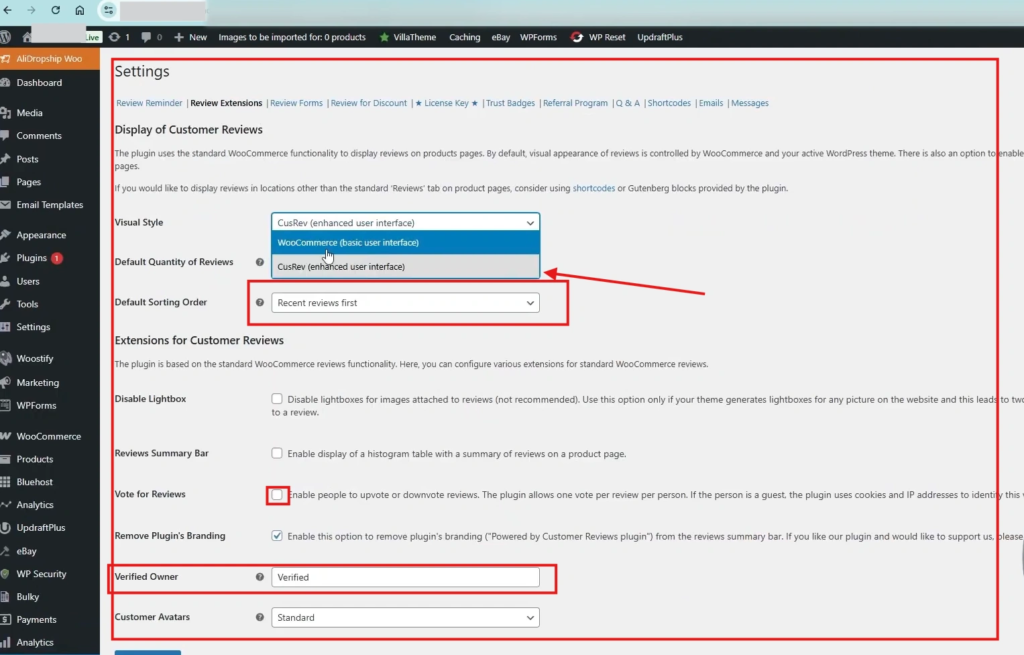
CusRev enhances how reviews look on product pages by adding star ratings, verified badges, and lay-outs that are easy for shoppers to read.
You can include photos and other visual elements so reviews feel more real and boost buyer confidence.
Review Widgets & Frontend View
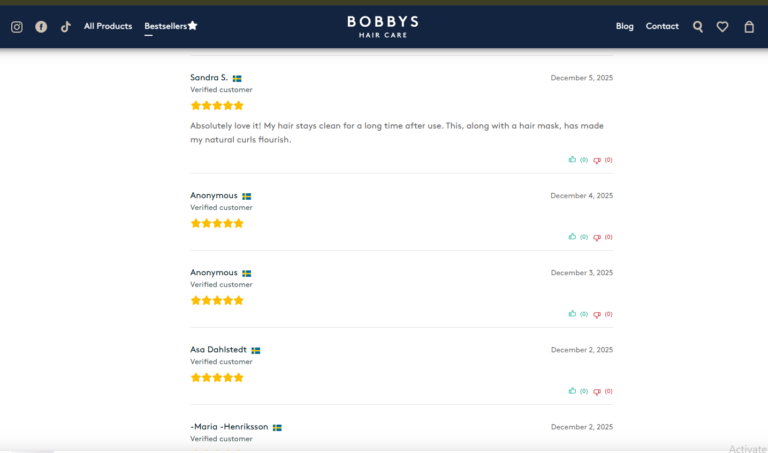
You can show reviews in different formats like grids or sliders using shortcodes or blocks.
This lets you place customer feedback on product pages, home pages, or anywhere else on your site.
Enabling Reviews in WooCommerce
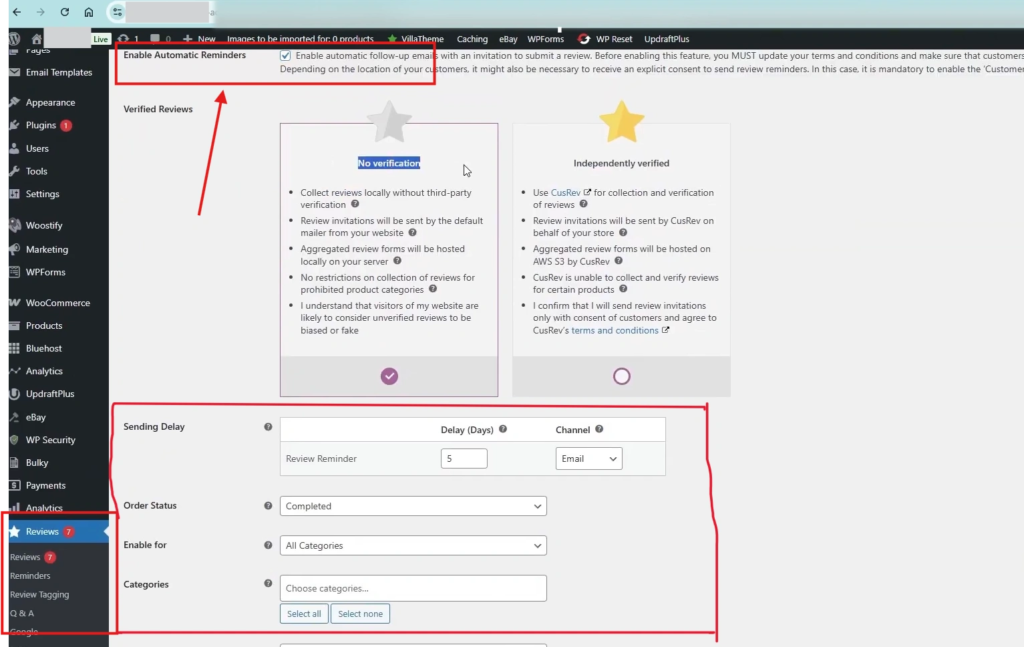
To use CusRev, you first enable reviews in WooCommerce settings and then install the plugin.
Once enabled, the plugin can send automated review invitation emails after purchase and collect reviews directly on your store.
Pricing: Free plan available. Premium plan starts at $49.99/year.
6. Ultimate Reviews

Ultimate Reviews is a simple yet powerful WooCommerce plugin that lets you add detailed product reviews with star ratings, custom fields, and even filters.
It’s designed for store owners who want greater control over how reviews appear and function.
Key Features
Flexible Shortcode Integration
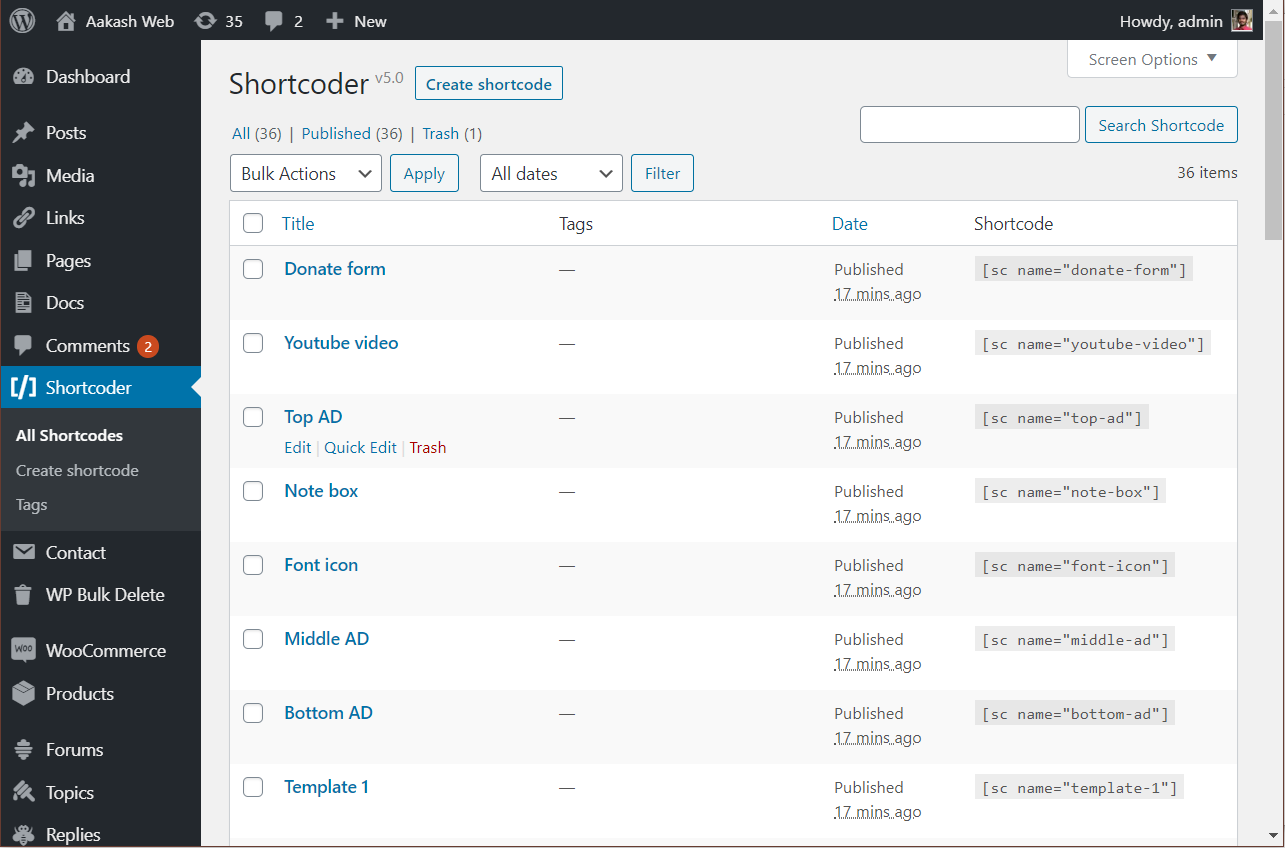
The plugin uses simple shortcodes like [submit-review] and [ultimate-reviews] to place forms and lists anywhere on your site.
This allows you to create dedicated review pages or tuck a submission form into a sidebar, providing total control over your layout without needing to code.
Deep WooCommerce Integration
It can automatically replace WooCommerce’s standard review system with a more robust interface.
This includes “Verified Buyer” badges to build trust and the ability to sync product reviews directly with your shop pages, ensuring your social proof is always visible where customers buy.
Display product reviews
You can show star ratings, reviewer names, dates, and written reviews in clean layouts.
This provides shoppers with clear, useful feedback as they browse products.
Flexible styling using the Custom CSS
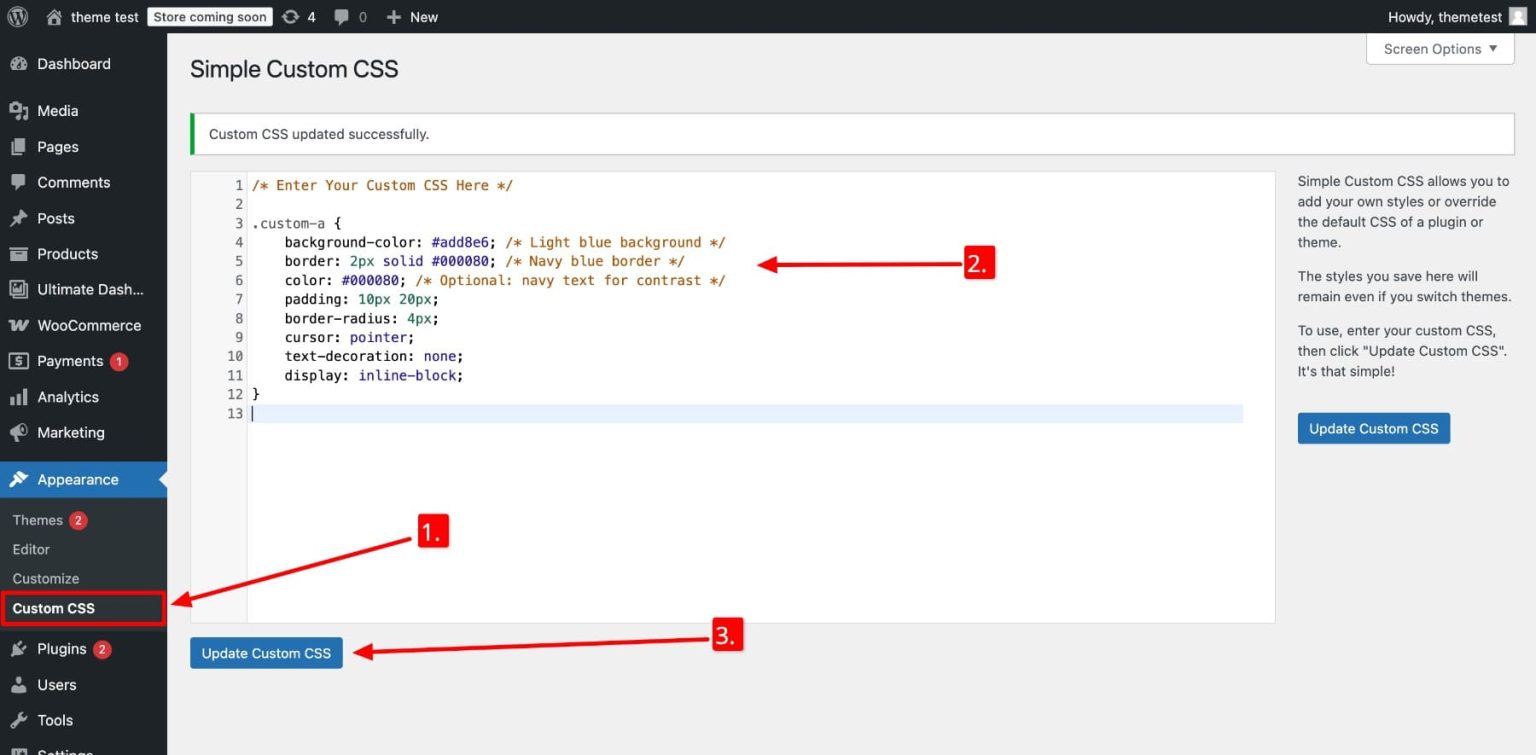
You can add your own CSS to change how reviews look on your site.
This lets you match colors, fonts, and spacing so reviews fit your store’s design.
Pricing: Free plan available. Premium add-ons start from $50/year.
7. Photo Reviews for WooCommerce

Photo Reviews for WooCommerce is a plugin that lets your customers submit product reviews along with images.
This helps build trust by showing real product photos taken by actual buyers. It turns your review section into a strong social proof area that influences purchase decisions.
Key Features
Photo reviews
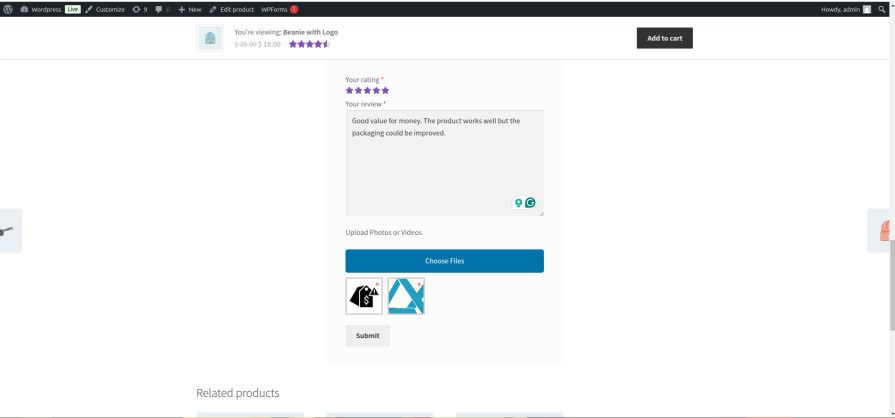
The WooCommerce Photo Reviews plugin allows your customers to post photos alongside their product reviews.
This feature will help you create social proof for your product and increase your conversion rate.
Review reminder
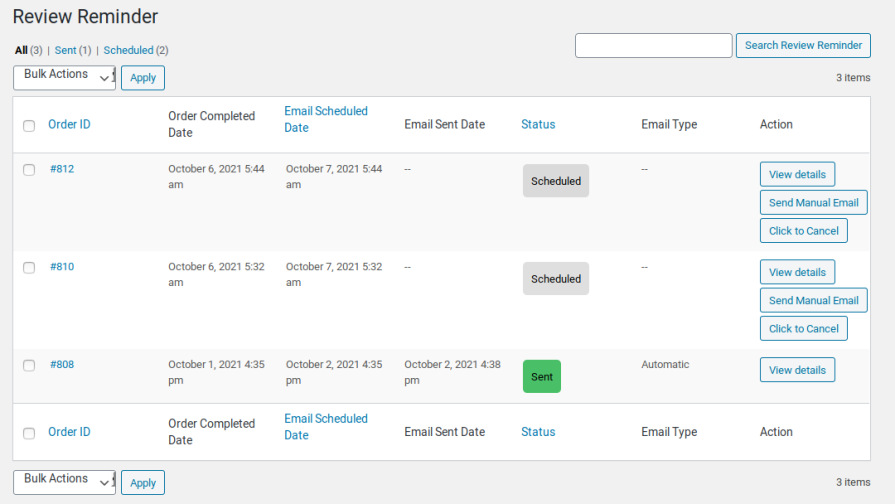
After a scheduled time from when an order is marked as complete. The plugin will send a review reminder email to the customer, asking to review the product.
To encourage customers to take photos of the product and leave a review, the plugin will offer them a discount coupon.
Coupon for review
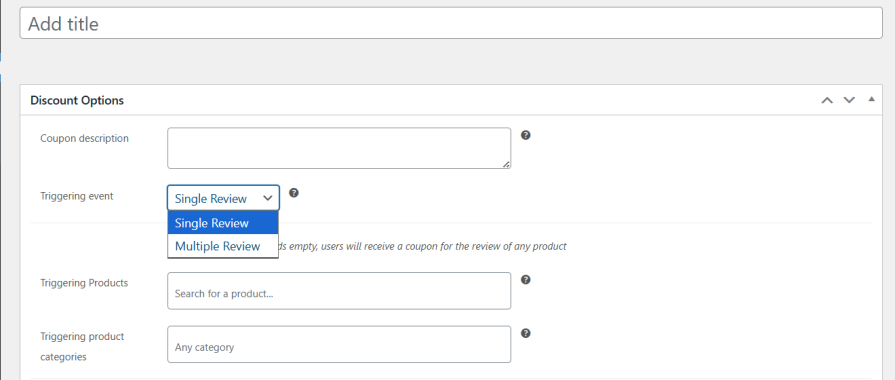
The plugin will generate coupons and send them to review authors.
This prize will encourage customers to post reviews and increase your profit when they use the coupon.
Front-end designs
The plugin offers numerous design options to customize the review module to match your website’s interface.
There are 2 front-end styles to choose from. The Grid style and the default style.
Pricing: Free plan available. Premium plan starts at around $49/year.
8. YITH WooCommerce Advanced Reviews
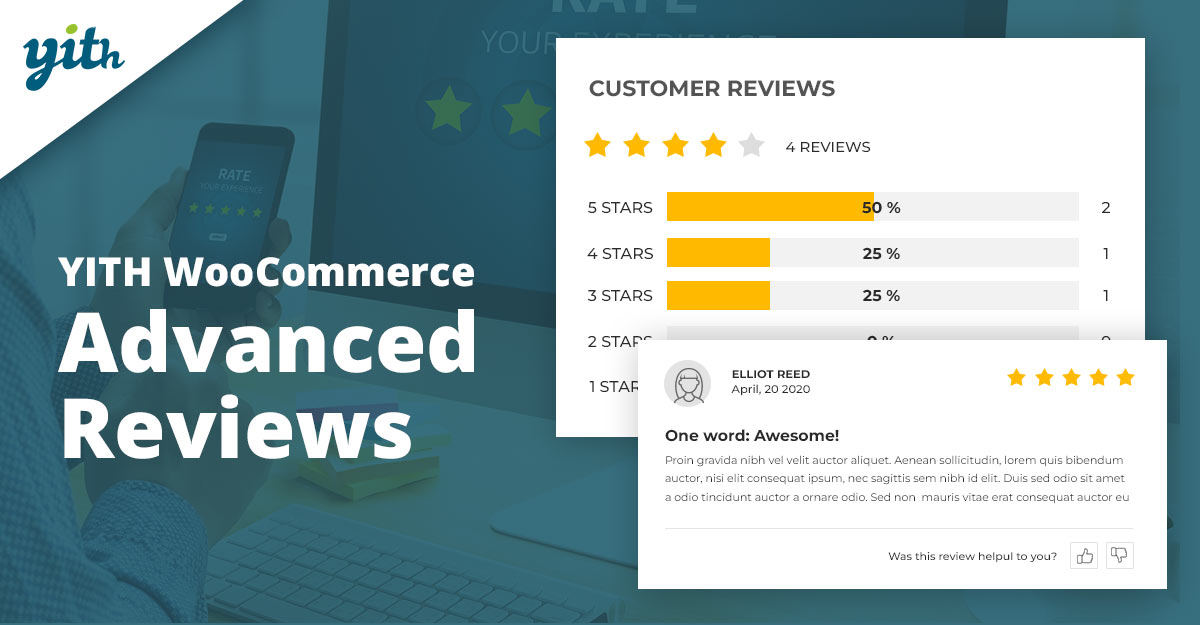
YITH WooCommerce Advanced Reviews is a comprehensive WordPress plugin designed to upgrade the basic WooCommerce review system into a powerful social proof tool.
It helps store owners build trust, increase conversions, and encourage customer engagement through advanced feedback features.
Key Features
Multi-Criteria Ratings
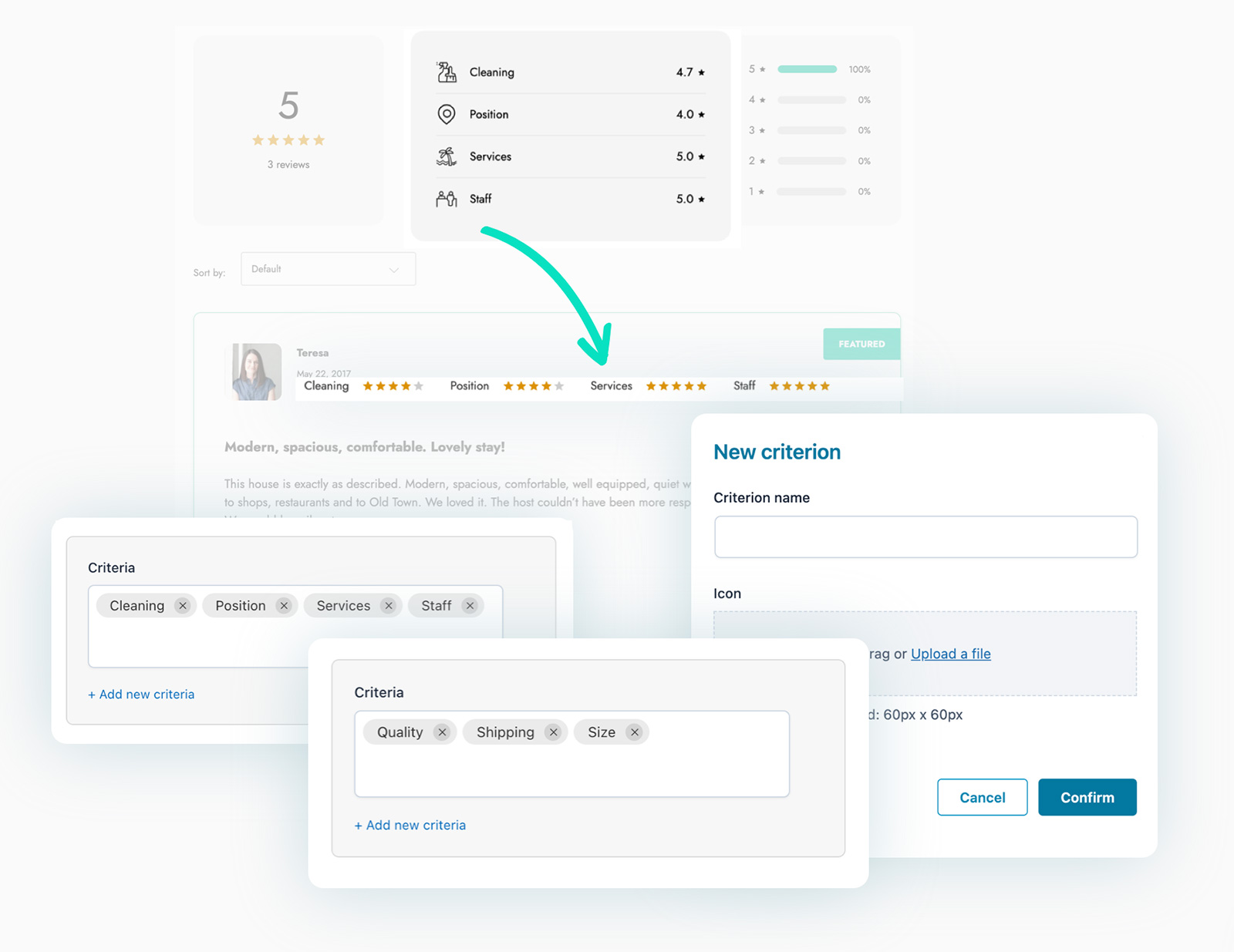
The plugin lets customers rate different aspects of a product, not just the overall score.
This gives shoppers a clearer view of quality, fit, value, or other important traits before they buy.
Rich Media Support

Users can upload images and videos with their reviews to show real product use.
These visuals help build trust and make reviews more useful for future buyers.
Review Request Automation
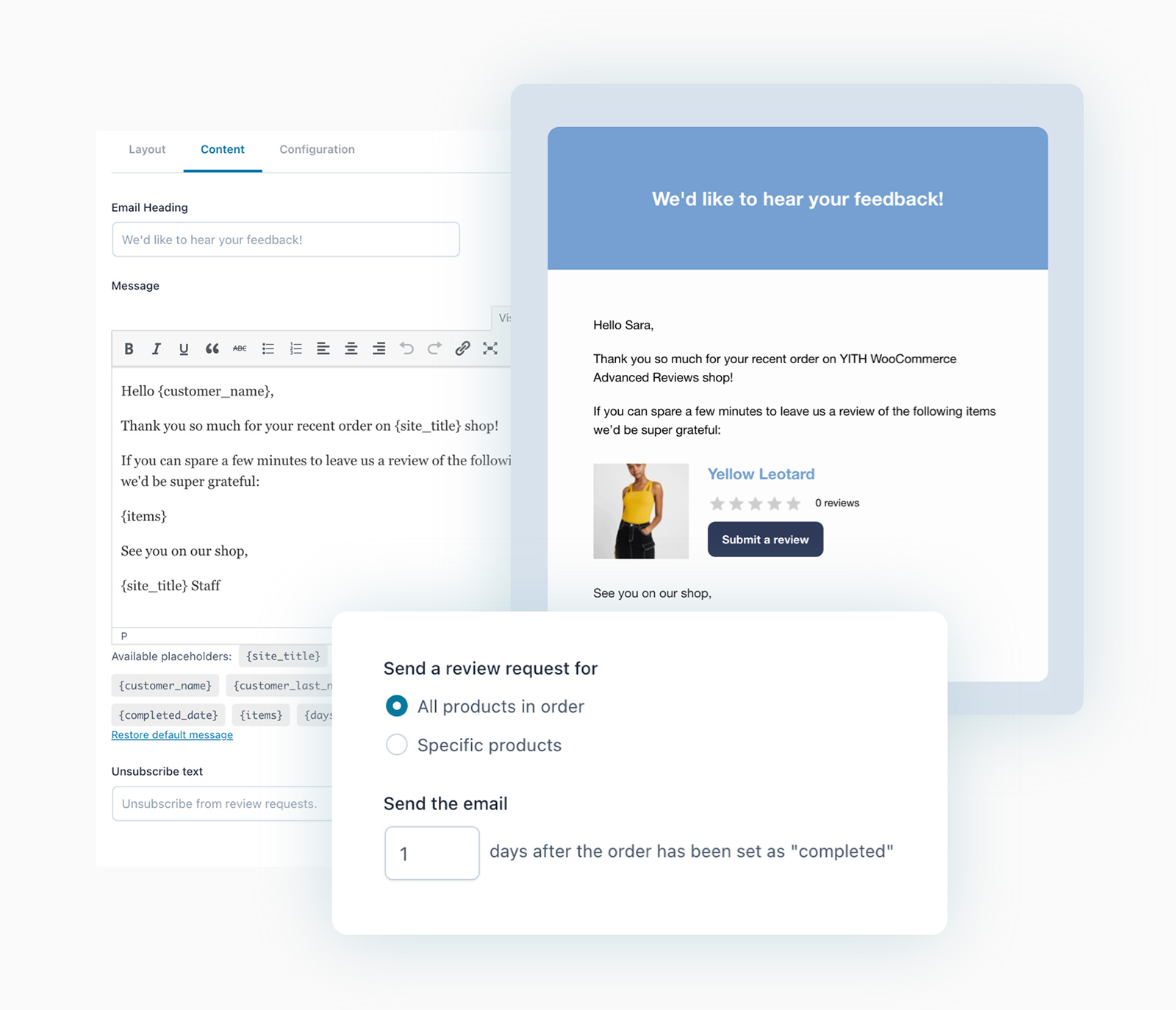
You can schedule automatic emails that ask customers to leave reviews after their purchase.
This helps you get more feedback without manual effort.
Incentivized Reviews
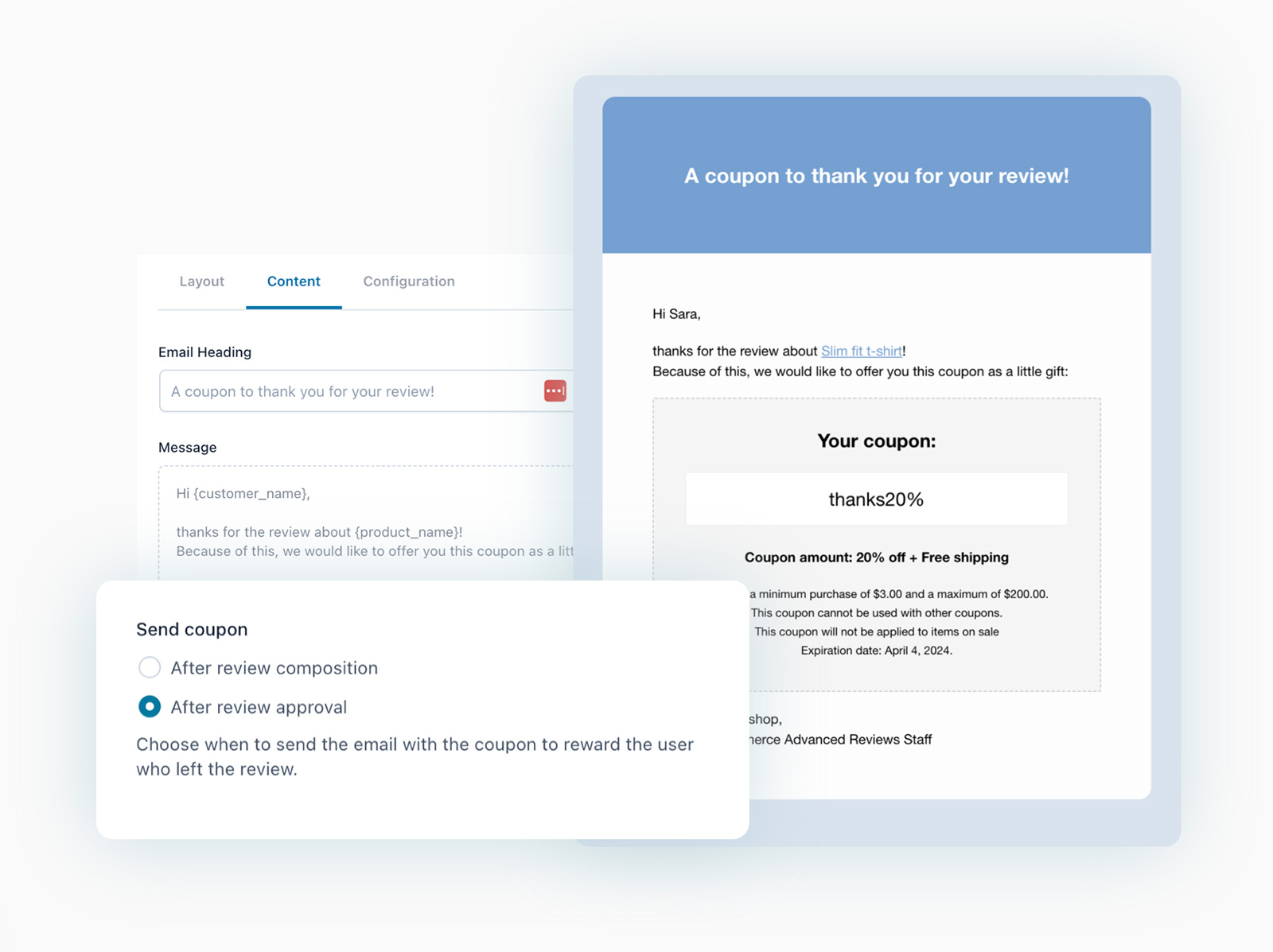
The plugin can offer coupons or rewards to customers for leaving reviews.
Giving a small discount encourages more people to share their experience.
YITH pricing

How to Pick the Best WooCommerce Review Plugins

Not all review plugins are built the same. If you want to boost trust, drive more conversions, and get real feedback from customers, it’s important to choose a plugin that checks all the right boxes. Here’s what you should look for:
1. WooCommerce Compatibility
Start with the basics—does the plugin work well with WooCommerce? A plugin made for general WordPress use might lack features that are essential for product-based stores.
Go for plugins that are either officially built for WooCommerce or deeply tested with it. Compatibility means smoother product integration, better performance, and fewer technical headaches later.
2. Ease of Use
When choosing a WooCommerce review plugin, make sure it’s easy to set up and use — even without technical skills.
- Look for a plugin with a simple setup process, ideally one that works right after activation.
- The dashboard should be clean and simple, letting you manage, approve, and respond to reviews without confusion.
- Check if it integrates smoothly with your existing theme and doesn’t need custom coding.
- A drag-and-drop widget builder or shortcode support is a big plus.
- Make sure it works well with mobile and doesn’t slow down your store.
3. Flexible Review Display Options
You should be able to show your reviews where they matter most. This includes product pages, homepages, landing pages, and even popups.
The plugin should let you display reviews in different formats, like sliders, grids, badges, or walls.
Customization should also include color, layout, and font so the reviews match your store’s theme.
4. Automated Review Collection
Manually asking every customer for a review is time-consuming and easy to forget. That’s where automation helps.
Look for WooCommerce review plugins that let you:
- Send review requests automatically after purchase or delivery.
- Schedule reminders for customers who haven’t reviewed yet.
- Trigger requests based on order status, like “Completed” or “Delivered.”
- Personalize messages using customer names and product details to increase response rates.
5. Photo and Video Reviews Section
Text reviews are great, but visuals build more trust. Some plugins allow customers to upload product images or short videos with their reviews.
This gives new shoppers a more realistic view of what to expect and boosts conversions. If you’re selling fashion, decor, or lifestyle products—this feature is a must.
6. Support and Updates
Ongoing support is important. Review plugins need to stay up-to-date with WooCommerce and WordPress core updates.
Check if the plugin is regularly updated and if there’s a support team available to handle bugs or questions. Good documentation, live chat, or email support are strong green flags.
7. Free vs Paid Features
Many plugins offer a free version, but lock key features behind a paywall.
Review what’s included for free can you collect unlimited reviews, customize layouts, or show reviews on all pages? Then compare that to what you get in the paid version.
Make sure you’re not paying extra just to access essential features like photo reviews or automation.
8. Spam Control and Review Moderation
Fake or spammy reviews can ruin your brand’s credibility. The plugin should give you full control over which reviews are published.
Features like manual approval, keyword filters, reCAPTCHA, and IP blocking can help keep your reviews clean. Some plugins even have built-in spam detection to make moderation easier.
Conclusion
Good product reviews are important for building customer trust and increasing sales. A good WooCommerce review plugin will enhance reviews, improve customer understanding, and drive new customer acquisition.
All plugins featured above have strengths for different use cases. Choose one that best suits your budget, store size, and review requirements.
For most stores looking to grow faster and collect more buyer reviews with ease, WiserReview stands out. It combines smart automation, rich media, widgets, and multi-channel review requests into a single, simple tool.
Need a quick start? Try a plugin with easy setup and built-in widgets to start collecting and displaying reviews right away.
Show Real Reviews That Build Trust
Collect and display photo, video, and text reviews with full design control.


