


Customers leave when checkout feels long.
You can remove friction with one-click checkout.
In this guide, we explain how one-click checkout works, why it increases conversions, and how you can implement it in your store.
We also share five real-world examples and common mistakes to avoid.
Let’s start.
What Is One-Click Checkout and Why Does It Matter?
One-click checkout lets customers complete a purchase with a single tap.
The system stores the customer’s shipping and billing addresses and payment details, including credit card and digital wallet information such as Apple Pay and Google Pay.
The payment provider securely saves this data.
When customers return, the checkout page auto-fills their saved information. Customers click the one-click button, confirm the order, and complete the purchase in seconds.
One-click checkout increases conversions by removing friction. Long checkout forms cause drop-offs.
One-click checkout removes extra steps and helps customers finish orders faster.
Fast checkout improves customer satisfaction and increases repeat purchases.
A simple buying process also encourages impulse purchases, especially for low-priced products where speed influences decisions.

Boost Conversion Instantly
Add Social Proof & Urgency to your website
Best One-Click Checkout Options
You should choose a checkout solution that fits your store, payment gateway, and customer behavior.
Here are strong options for ecommerce businesses:
1. Shopify One-Click Checkout: Shopify offers built-in accelerated checkout through Shop Pay. It integrates directly with Shopify stores and requires minimal setup.
2. Amazon Pay: Amazon Pay lets customers use their Amazon account to complete purchases. Customers trust the Amazon brand, which increases confidence at checkout.
3. PayPal One Touch: PayPal One Touch keeps customers logged in. Customers pay across stores without re-entering details.
4. Apple Pay: Apple Pay allows fast payments on Apple devices with Face ID or Touch ID.
5. Google Pay: Google Pay enables quick payments for Android users and digital wallet users.
Many businesses also integrate one-click checkout with Stripe to securely process payments.
When you choose a provider, review transaction fees, integration effort, fraud tools, and compatibility with your ecommerce platform.
5 Real Examples of One-Click Checkout
Here are five real brands that use one-click checkout to remove friction and increase conversions.
1. Amazon
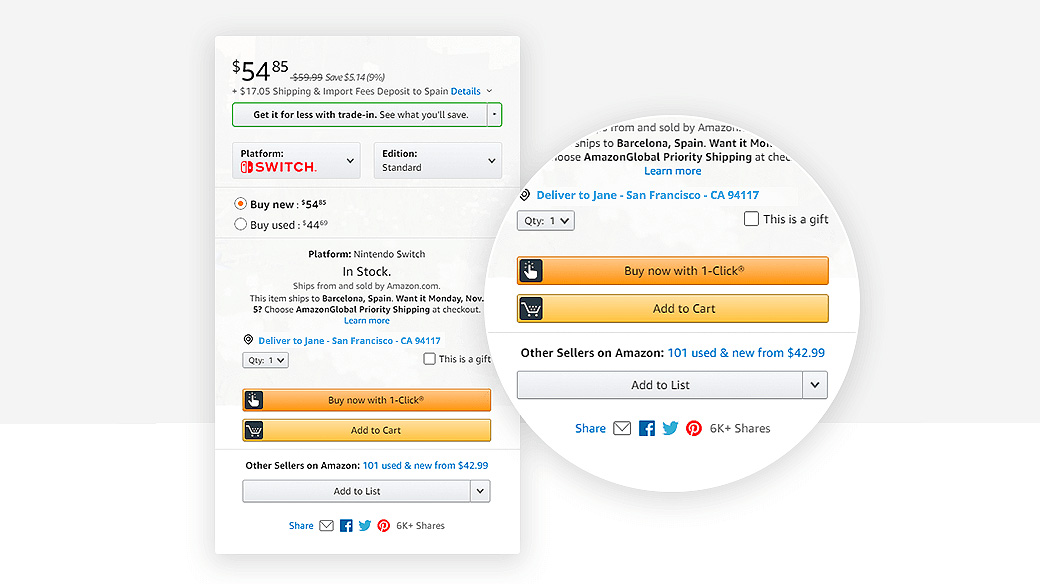
Amazon places the “Buy Now” button directly on the product page. The button sits above the fold and stays highly visible.
Customers skip the cart and complete the purchase instantly.
Tactic #1: Add a “Buy Now” button next to Add to Cart
Place a one-click “Buy Now” button directly on high-intent product pages. Show it only to returning customers with saved payment details.
This setup captures impulse buyers before they hesitate.
2. Acme Inc
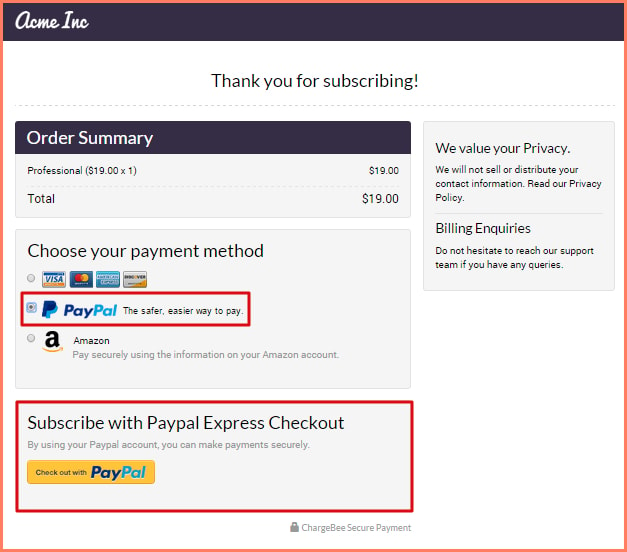
Acme Inc places PayPal Express Checkout directly on the cart page. Customers click the PayPal button, skipping manual billing and shipping forms.
The system pulls saved details from their PayPal account.
Tactic #2: Add express checkout on the cart page, not just checkout
Show wallet buttons, such as PayPal, on the cart page before customers proceed to the full checkout flow.
Many users drop off between the cart and checkout. A cart-level express option captures buyers earlier and reduces friction.
Build trust & FOMO
Highlight real-time activities like reviews, sales & sign-ups.

3. Apple
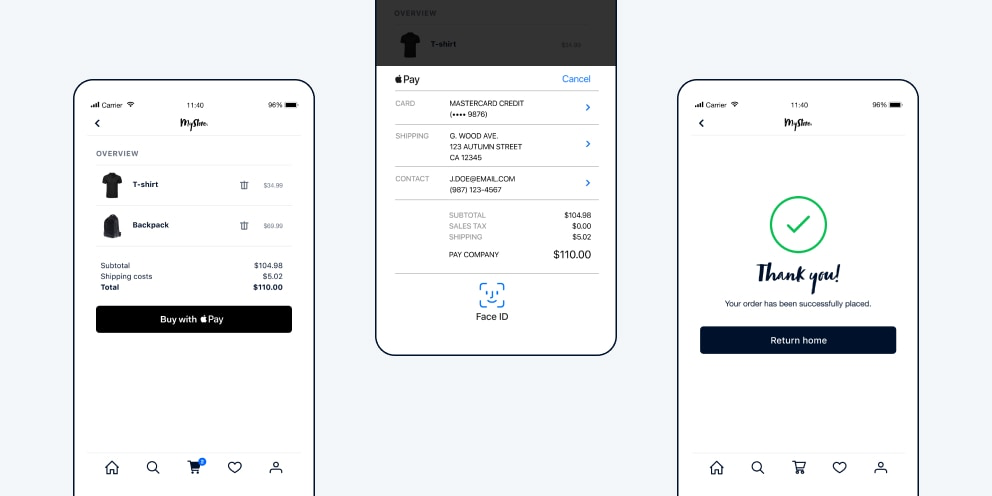
Apple uses Apple Pay in a clean mobile checkout. Customers confirm purchases with Face ID or Touch ID in seconds.
Tactic #3: Prioritize mobile-first one-click checkout
Enable digital wallets like Apple Pay and Google Pay at the top of your mobile checkout.
Most traffic comes from mobile. Fast biometric confirmation reduces drop-offs.
4. Chloe Ting
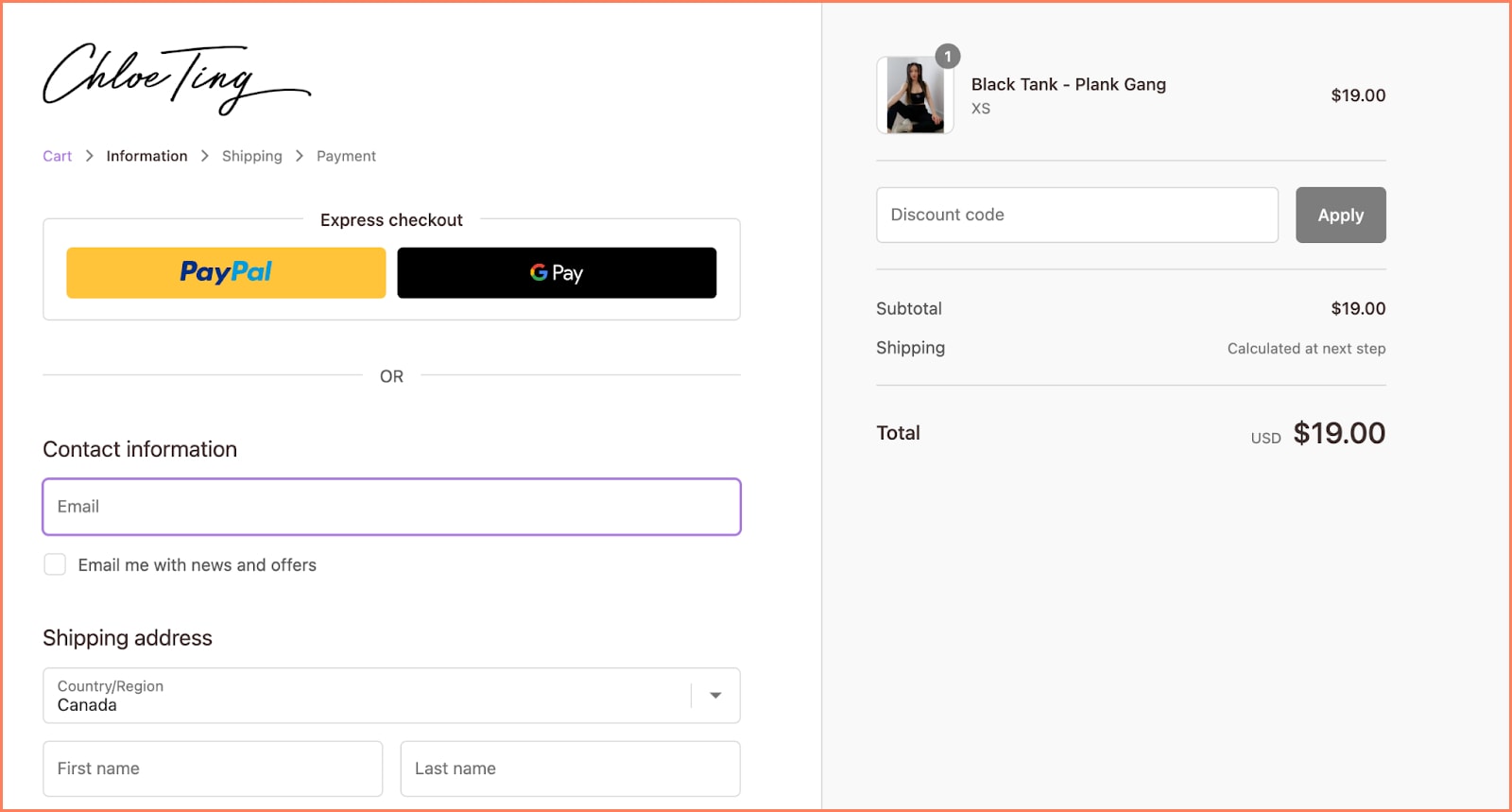
The checkout page highlights express payment options such as PayPal and Google Pay above the manual form fields. Customers see the fast option first.
Tactic #4: Place express checkout above the form fields
Move wallet buttons to the top of your checkout page. Do not hide them below billing forms.
When customers see a faster option first, they choose it.
5. Mous
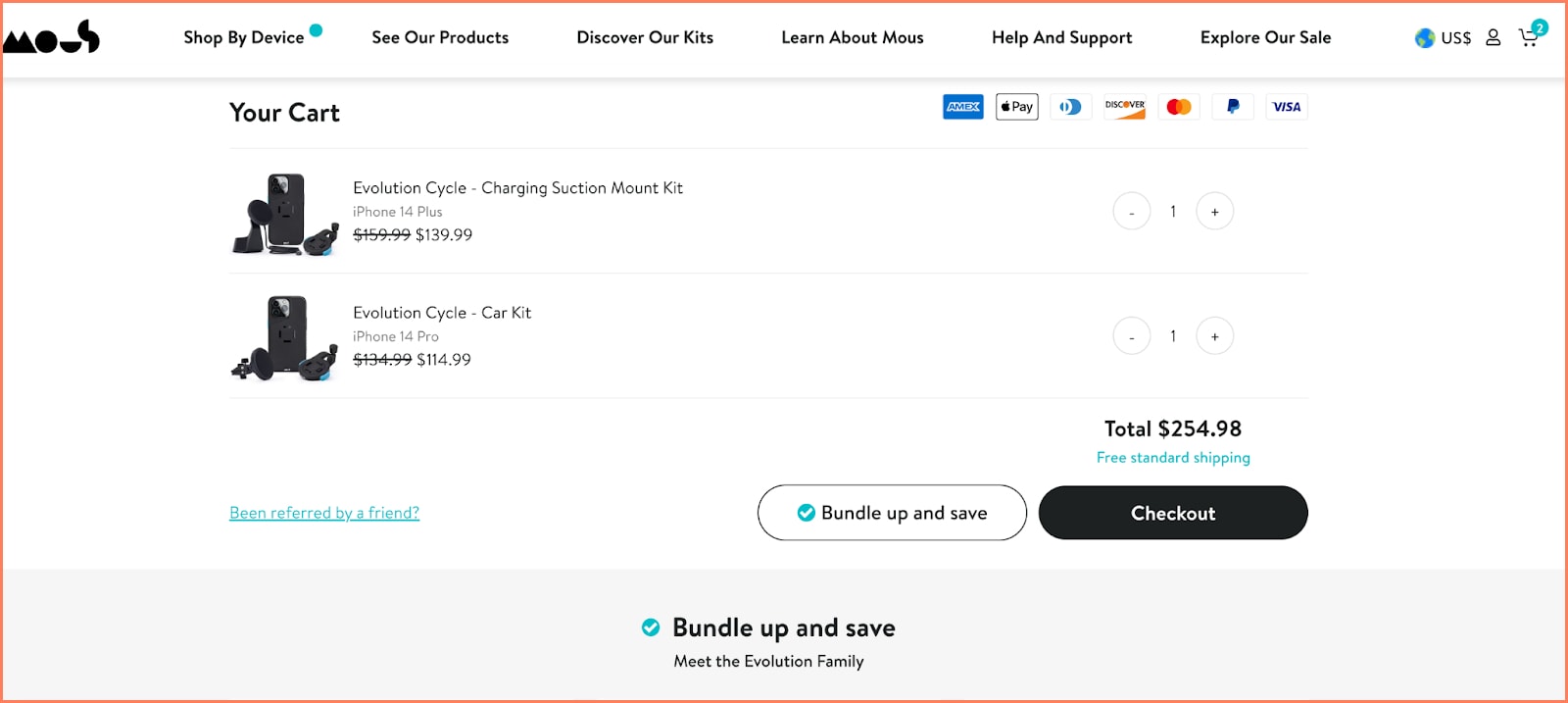
Mous offers multiple payment methods, including Apple Pay, PayPal, and Shop Pay.
Customers choose the method they already trust.
Tactic #5: Offer multiple trusted wallet options
Do not rely on one provider. Add Shop Pay (via Shopify), PayPal, Apple Pay, and Google Pay when possible.
Different customers trust different wallets. More options increase completed purchases.
One-Click Checkout Buttons for Social Media Selling
Social media users scroll fast and decide fast.
Brands add one-click checkout buttons to platforms like Instagram, Facebook, and TikTok to reduce friction.
When customers connect wallets like Shop Pay, PayPal, Apple Pay, or Google Pay, they complete purchases without filling out long forms.
This approach works well for limited drops, influencer campaigns, and low-priced products.
Build trust & FOMO
Highlight real-time activities like reviews, sales & sign-ups.
One-Click Checkout Mistakes to Avoid
You must avoid common mistakes when you implement one-click checkout.
Some customers want to review their shipping and payment details before they confirm.
Always offer a standard checkout option alongside one-click checkout.
You should offer multiple payment methods. Customers prefer flexibility, including digital wallets and buy now, pay later options.
You must implement strong fraud protection. Choose a payment gateway that provides fraud detection and PCI DSS compliance.
Conclusion
One-click checkout accelerates the checkout process.
It reduces cart abandonment and increases conversions.
You should choose a secure provider that integrates with your ecommerce platform and payment gateway.
When you combine one-click checkout with trusted wallets like Apple Pay, Google Pay, PayPal, or Shop Pay, you reduce form fields and increase completed orders.
Tell customers about the speed, security, and convenience. Clear communication builds trust and drives adoption


