


Online reviews are one of the most powerful tools for growing any automotive business, whether you run a repair shop, detailing service, dealership, or tire center.
When potential customers search for car services, they first check your ratings and what others say about you.
A steady stream of honest, positive reviews builds trust and improves your visibility on platforms like Google, Yelp, and Facebook.
The challenge? Most satisfied customers won’t leave a review unless you make it easy and ask at the right time.
In this blog, you’ll learn simple, proven strategies to get more reviews from your happy customers without begging, pushing, or following up multiple times.

Why Reviews Are Essential for Online Automotive Shops
In the automotive industry, trust matters and online reviews are often the first thing potential customers look at before deciding. Whether you’re selling parts, offering car detailing, or managing bookings for repairs, reviews give buyers confidence that they’re choosing a reliable business.
- Build Instant Credibility
Shoppers can’t see your garage or meet your team in person, especially if you’re online. Reviews help fill that gap by showing real customer experiences, which builds trust faster than any sales pitch. - Influence Purchase Decisions
Most car owners won’t buy a product or book a service without checking reviews first. Positive reviews act as word-of-mouth proof that your service or product actually delivers. - Boost Local and Organic Visibility
Platforms like Google prioritize businesses with active, high-rated reviews. The more positive feedback you have, the higher you’re likely to appear in search results—especially for local or mobile searches. - Improve Conversion Rates
When people see others having a good experience with your business, they’re more likely to take action. Even a short, honest review can reduce hesitation and help you close more sales. - Get Feedback That Helps You Improve
Not every review will be perfect—and that’s okay. Honest reviews give you insights into what’s working and what needs fixing, helping you make smarter decisions over time.
In short, reviews aren’t just about reputation—they directly impact your visibility, conversions, and customer trust. If you’re not actively collecting and showcasing them, you’re likely leaving money on the table.
Control Your Full Review Flow with WiserReview
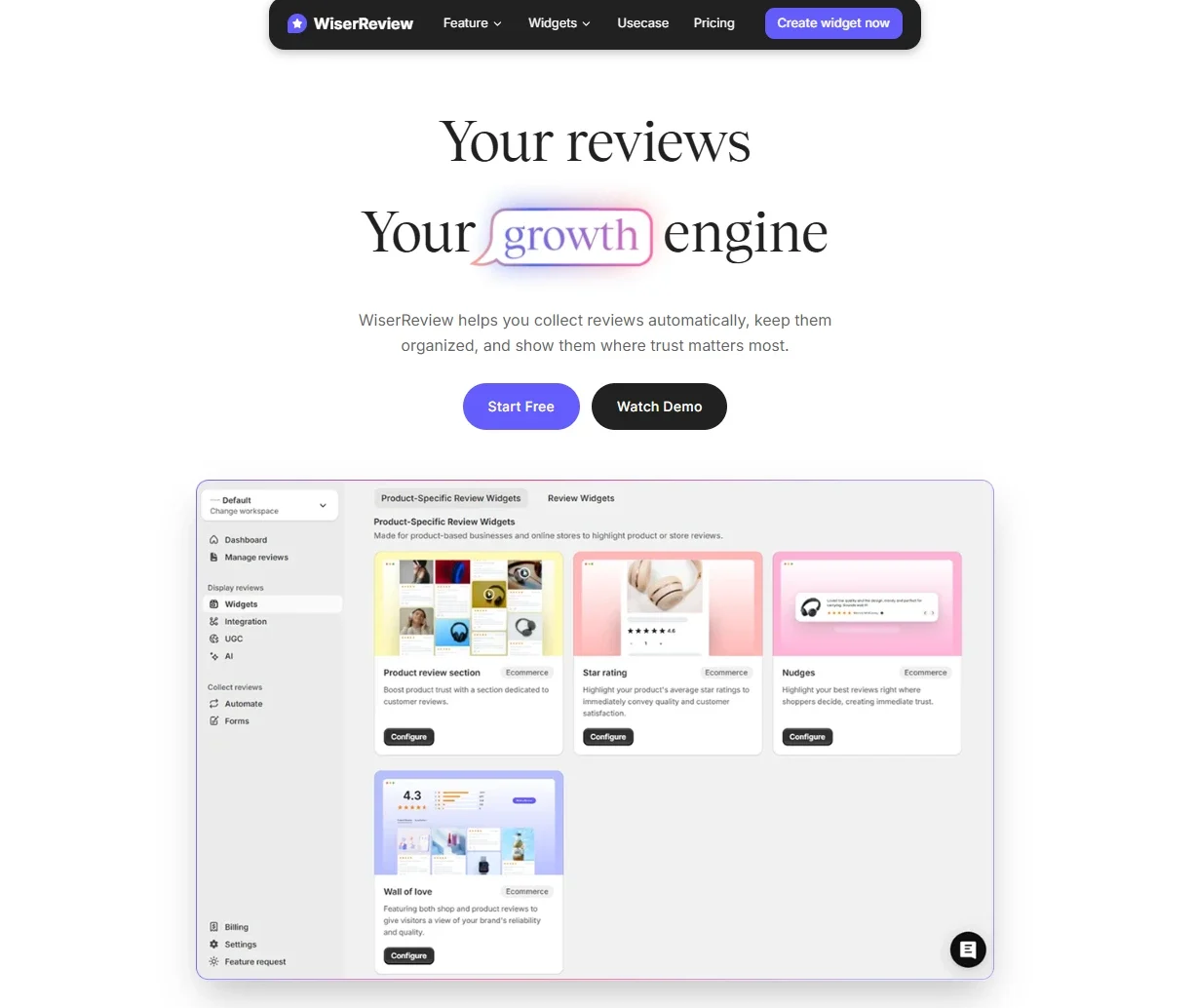
WiserReview helps automotive businesses collect, manage, and display reviews in one place.
It works whether you’re running a small garage or a large service center.
You don’t need any technical skills to set it up.
Step 1: Collect Reviews Easily
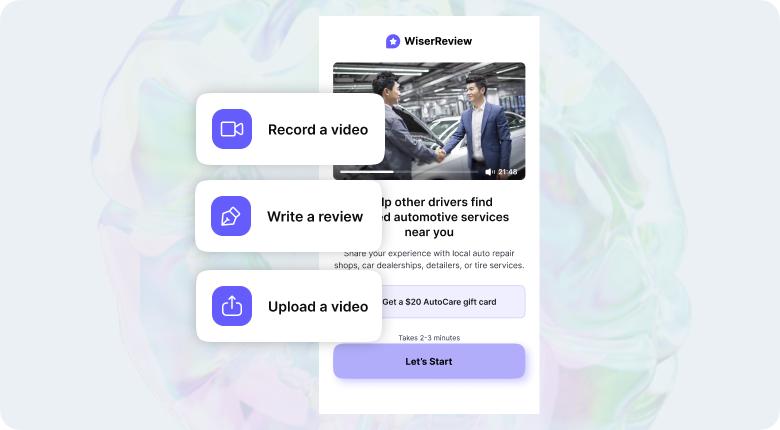
Send a review request through WhatsApp, email, or share a direct link after every service.
You can also add a QR code at your front desk or receipt.
Step 2: Manage Reviews in One Dashboard
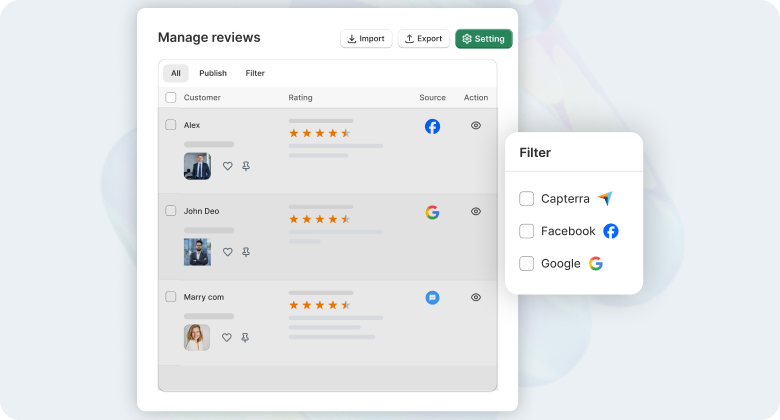
Track all incoming reviews in a clean dashboard. Approve, reply, or sort them by rating or date.
You stay in full control and can filter fake or spammy feedback.
Step 3: Display Reviews on Your Website
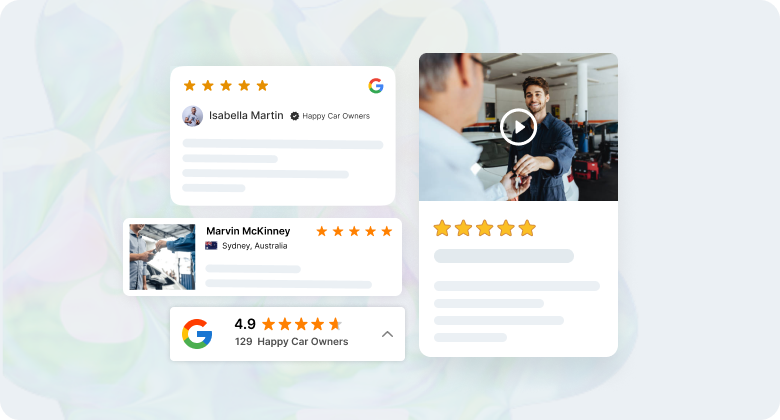
Choose how reviews appear slider, popup, or badge.
You can match the colors and style with your website design so everything feels smooth and on-brand.
Step 4: Keep It Running Automatically
Once set, the system runs on its own.
Every new review gets added based on your rules.
You don’t need to check daily. It saves you time.
Why it works for auto businesses:
Customers care about trust and results.
Real reviews from recent car services help new visitors feel confident.
Showing this feedback upfront builds credibility and leads to more bookings.
Also Read: Google reviews for automotive: Build trust and drive sales

Show Real Reviews That Build Trust
Collect and display photo, video, and text reviews with full design control.
Show Live Service Activity and Reviews with WiserNotify

People trust businesses that show real customer activity. WiserNotify helps you display live popups on your website that show actions like:
A new customer leaving a review
Someone booking a service
A recent repeat visit or sign-up
These small popups appear at the corner of the screen and show visitors that others trust your service. You can customize when and where they show, and they work with platforms like WordPress, Shopify, or your custom site.
This builds confidence without asking the visitor to read long testimonials or click around. It gives proof right when they’re deciding to book or call.
Step-by-Step: How to Use WiserNotify to Show Live Activity
Step 1: Create Your Free Account
Go to WiserNotify.com and sign up using your email.
You can start with the free trial.
Step 2: Connect Your Website
Copy the code snippet from your WiserNotify dashboard. Paste it into the <head> section of your website.
If you use WordPress, Shopify, or Webflow, they have plugins or easy instructions.
Step 3: Connect Review Sources
Choose review platforms you want to pull from like Google, Facebook, or your own system.
WiserNotify fetches real-time reviews automatically.
Step 4: Choose Notification Type


Pick the type of popup you want to show:
“Someone just left a review”
“A customer booked a service”
“A client visited twice this week”
Step 5: Customize the Design
Change the text, colors, icons, or timing to match your brand.
You can control where the popup shows on your site and how often it appears.
Step 6: Turn It On
Once you’re happy with the preview, turn the notification live.
You’ll start seeing live popups on your website.

Boost Conversion Instantly
Add Social Proof & Urgency to your website
Here’s a short video that shows how to install the pixel and add social proof on website. It’s a simple process and takes about 1–2 minutes:
Easy Ways to Get More Reviews for Your Automotive Business
1. Build Review Moments Into the Customer Experience

The best time to ask for a review is when the customer feels taken care of, not days later when they’ve forgotten your name. That’s why you must bake review opportunities into the actual service flow, not tack them on afterward.
Here’s how to do it naturally and effectively:
Look for high-satisfaction touchpoints:
- After a quick oil change with no wait
- When a repair comes in under the estimate
- After solving a challenging problem, another shop couldn’t
- When the customer says, “Thanks, you guys saved me again!”
These are review moments — emotional highs where customers are most likely to give positive feedback.
Build trust & FOMO
Highlight real-time activities like reviews, sales & sign-ups.


2. Identify the Right Review Platforms
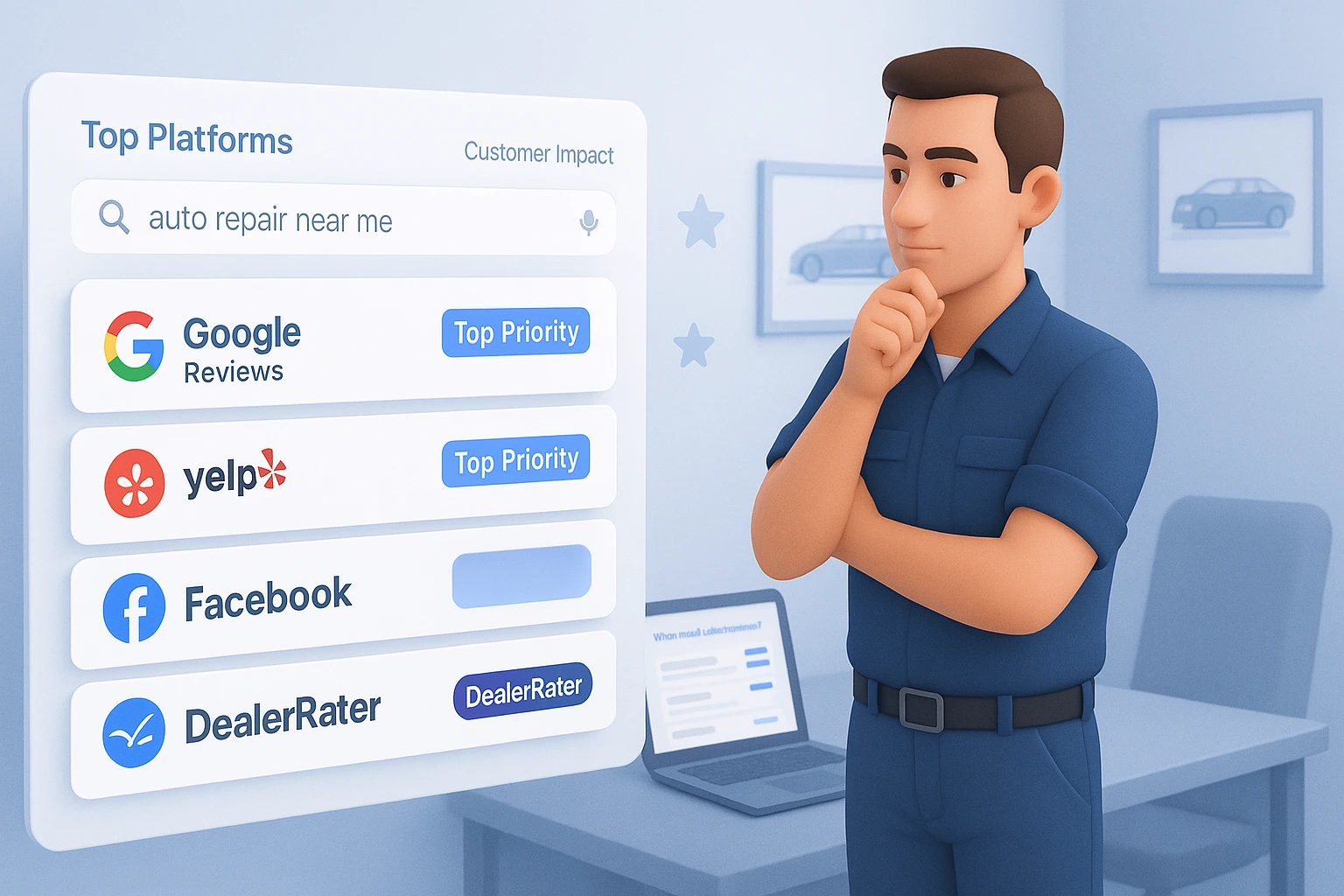
Not all review platforms carry the same weight, especially in the automotive industry. You must focus on the platforms your customers trust and use to get the most impact from customer feedback.
Google should be your top priority. It’s the first place most people check when searching for services like “auto repair near me” or “car detailing in [city].” Reviews here also influence your local SEO ranking and map visibility.
Yelp is another key platform, especially in cities where Yelp is widely used for service discovery. Many customers trust it for honest pricing, professionalism, and service quality feedback.
If you sell auto parts or accessories online, your product review section on eBay, Amazon, or your own website should be optimized. Cars.com, DealerRater, and Facebook reviews also strongly influence dealerships.
Don’t spread yourself thin trying to collect reviews everywhere. Instead, focus on 2–3 platforms where your ideal customers are most active. Then, guide customers directly to those places when you ask for feedback.
3. Make It Effortless for the Customer
If leaving a review takes more than a few seconds, most customers won’t do it—even if they’re happy with your service. The easier you make the process, the more likely they’ll follow through.
Start by sharing a direct link to your preferred review platform—whether it’s Google, Yelp, or Facebook.
Avoid telling customers to “find us online.” Instead, include the exact link in your email, text, or printed thank-you card.
You can also create a QR code that leads straight to your review page. Place it at your service counter, on invoices, or inside your waiting area.
If you’re an online automotive business, include clickable buttons in your email receipts or post-purchase follow-ups.
Keep your request short and clear. For example: “We’d really appreciate your feedback. You can leave a quick review here—it only takes a minute.”
The fewer the clicks, the better the response. When the path is simple, customers are far more likely to leave a review without needing reminders.
4. Set Automate the Follow-Up

Even if you offer great service, most customers won’t leave a review unless you follow up and the best way to do that consistently is through automation.
Email or SMS tools automatically send a review request a day or two after service is complete or a product is delivered. This keeps the customer’s experience fresh and saves you time.
If you use a CRM or invoicing system, look for built-in options to schedule post-service messages.
For example, your system can trigger an email like: “Thanks for choosing us! We’d love to hear how we did. It only takes a minute to leave a review here [link].”
Keep the message friendly, short, and personal. Avoid sounding like a marketing blast. If possible, use the customer’s name and refer to the service they received.
Set it once, and let it run. A well-timed follow-up—without chasing—can turn satisfied customers into reviewers with zero extra effort.
5. Turn Positive Feedback Into Public Proof

Not every customer leaves a review on Google or Yelp, but many will say something nice in person, over the phone, or in a private message. Don’t let those compliments go to waste.
When a customer says, “Thanks, my car’s running great,” or messages you, “That was fast and smooth,” politely ask if they’d be willing to share that experience publicly.
You can reply with something simple like: “I appreciate that. Would you mind posting it as a quick review here? [Insert link]”
Most happy customers are glad to help. They just need a nudge.
You can also ask for permission to use their message as a testimonial on your website or social media.
A line like, “Would it be okay if we shared this on our site? We’ll keep it short and anonymous if you prefer,” keeps it respectful and effective.
Positive feedback is already coming your way—turning it into a public review takes just one thoughtful step.
6. Track, Learn, Improve
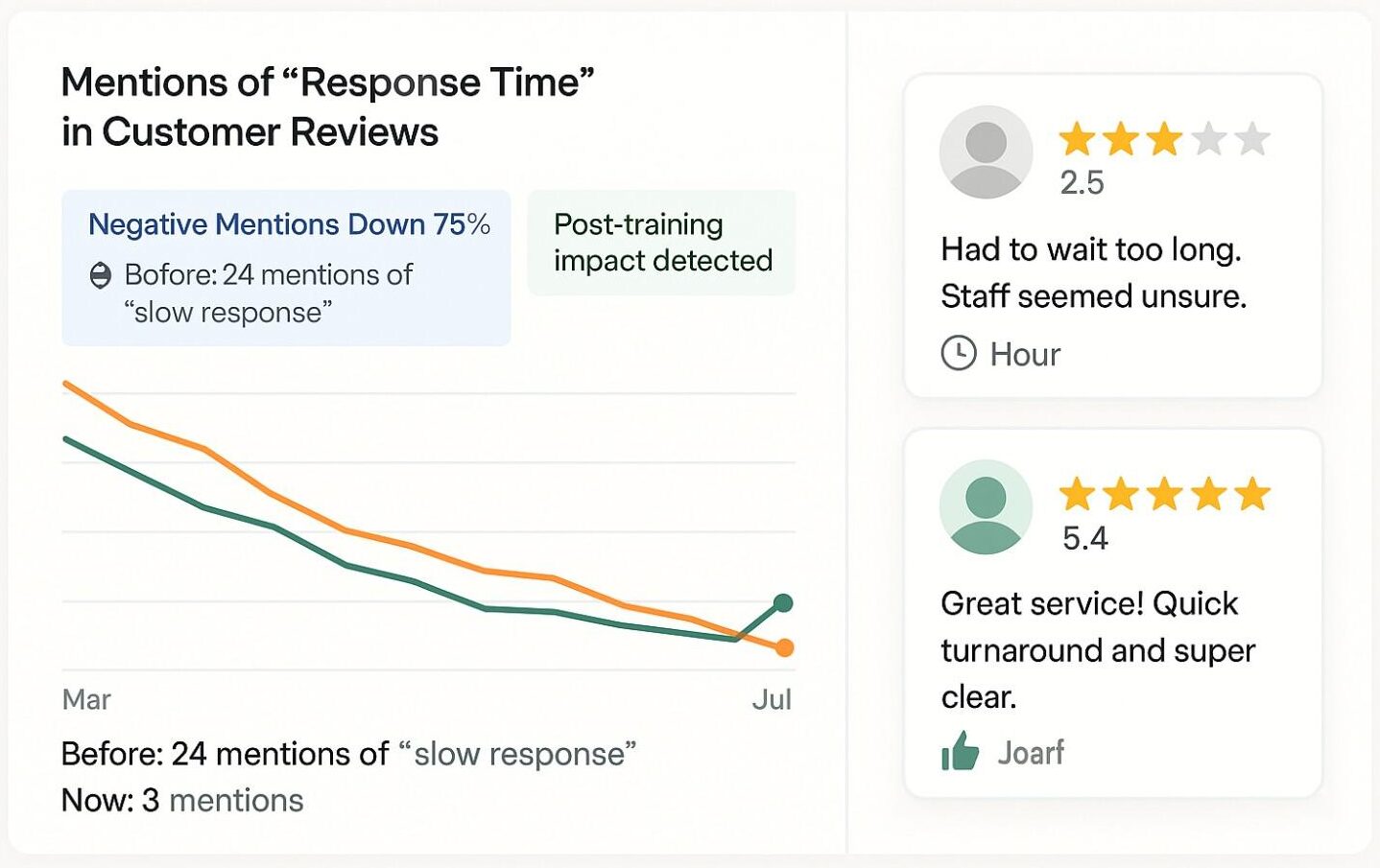
Reviews aren’t just for marketing—they’re a direct line to what your customers think. When you track your feedback regularly, you can spot patterns, fix issues, and improve your service in ways that lead to even more positive reviews over time.
Start by monitoring all your key review platforms like Google, Yelp, and Facebook.
Set up notifications so you’re alerted whenever a new review comes in. You can use tools like Google Alerts, review tracking apps, or even built-in features from your CRM or booking system.
Pay close attention to what customers consistently mention—both good and bad. Are they praising your fast turnaround? Mentioning poor communication? Highlight what’s working, and fix what’s not.
Use this feedback to train your team, adjust your processes, and respond to concerns before they become repeated issues.
When customers see that you’re listening and improving, they’re more likely to leave positive feedback in the future and tell others.
The goal isn’t just more reviews. It’s better one—and that starts by learning from what you’ve already received.
Conclusion
Getting more reviews for your automotive business isn’t about asking harder—it’s about making it easier, more natural, and part of the experience.
The steps are simple but powerful, from timing your request right to automating follow-ups and using honest client feedback.
Start with one or two strategies—like sharing a direct review link or adding a review request to your thank-you message—and build from there.
As reviews start coming in, you’ll gain trust with new customers and learn more about what your business is doing right (and what needs work).
Consistent, honest reviews are one of the most effective tools for growing your reputation, improving your service, and driving more business. Let your happy customers speak for you—they’re your best marketing asset.
Show Real Reviews That Build Trust
Collect and display photo, video, and text reviews with full design control.


