
Best CTA Button Colors That Convert (2026 Guide)
The best CTA button color is the one that stands out most on your page. For most sites that means a bright, saturated color like orange, green or red that no other element on the page uses.
No color wins everywhere. Red suits urgent offers, blue suits trust-heavy pages, and black suits luxury brands, but contrast with the background decides whether the button gets seen at all.
Below are 10 CTA colors with what each one signals, brands that use it, when to skip it, and how to test your pick.
Key takeaways
- Contrast beats color. A button that stands apart from everything around it gets clicked more than a “better” color that blends in.
- Orange, green and red are the safest starting points on light pages. White, yellow and orange stand out on dark ones.
- Don’t use your main brand color for the CTA if it already fills your logo, navigation and links.
- Check accessibility: button text needs a 4.5:1 contrast ratio, and the button itself needs 3:1 against the background.
- Treat any color as a starting guess and A/B test it against a very different color.
Why Button Color Affects Conversions
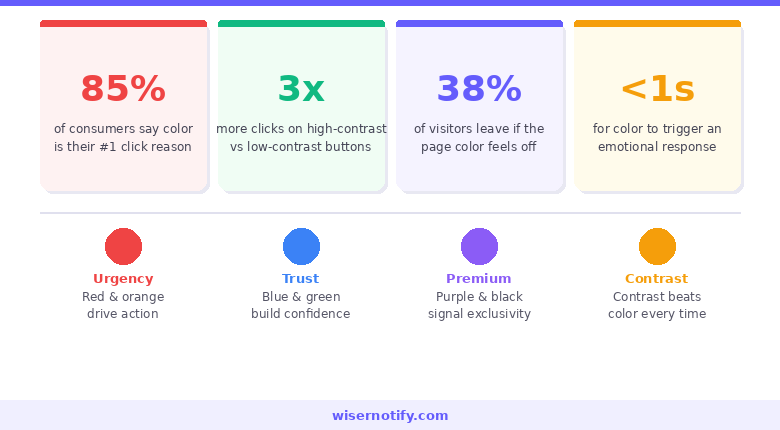
Visitors notice color before they read a word. A button that stands out gets found first, and a button that blends in gets skipped.
That is why color tests often move conversions, but not always in the direction people expect. The winning color is usually the one that looks most different from the rest of the page.
The right color does four jobs:
- Makes the button the first thing the eye lands on.
- Fits the mood of the action, such as urgency for a sale or calm for a sign-up.
- Stays on brand without copying the main brand color.
- Looks clickable, so nobody has to guess where to tap.
See our call to action statistics for more data on what drives clicks.
What Color CTA Converts Best?
There is no single best color. The best-known test, run by HubSpot on a software company’s page, found a red button got 21% more clicks than a green one.
The lesson was not “red wins.” The page used a lot of green, so the red button simply stood out more. Put the same red button on a red-heavy page and it would likely lose.
So the practical answer is:
- On a light or white page, start with orange, green or red.
- On a dark page, start with white, yellow or orange.
- Whatever you pick, make sure no other element on the page shares that color.
CTA Color Meanings at a Glance
| Color | What it signals | Typical button text | Works best for |
|---|---|---|---|
| Red | Urgency, excitement | Buy Now, Claim Offer | Sales, limited-time deals |
| Green | Go, growth, safety | Sign Up, Get Started | Subscriptions, wellness, finance |
| Blue | Trust, security | Try Free, Log In | SaaS, banking, healthcare |
| Orange | Energy, friendliness | Add to Cart, Start Trial | Ecommerce, lead generation |
| Yellow | Optimism, attention | Order Now | Food, retail, dark backgrounds |
| Pink | Warmth, playfulness | Shop Now | Beauty, fashion, lifestyle |
| Purple | Premium, creativity | Go Premium, Upgrade | Premium plans, creative services |
| Black | Luxury, authority | Add to Bag | Luxury goods, fashion |
| Grey | Neutral, low priority | Learn More, Skip | Secondary buttons |
| White | Clean, simple | Get Started | Dark or colorful sections |
Treat these meanings as tendencies, not rules. Context changes them. Orange feels fun on a snack brand’s store and out of place on a bank’s login page.
10 Best CTA Button Colors and When to Use Each
1. Red: Urgency and Excitement

Red is the hardest color to ignore, which makes it the classic choice for “Buy Now,” “Limited Time Offer” and flash sale buttons.
It works best when the offer is urgent. Without a real deadline or limited stock behind it, a red button can feel pushy. Pair it with copy that explains why now matters.
Netflix and Coca-Cola both build their brands around red. For more ways to make the design and copy work together, see how to create urgency in sales.
Best for: Flash sales, event sign-ups, impulse buys, limited-time offers.
Skip it when: Your page already uses a lot of red. The button will blend in.
2. Green: Approval and Comfort
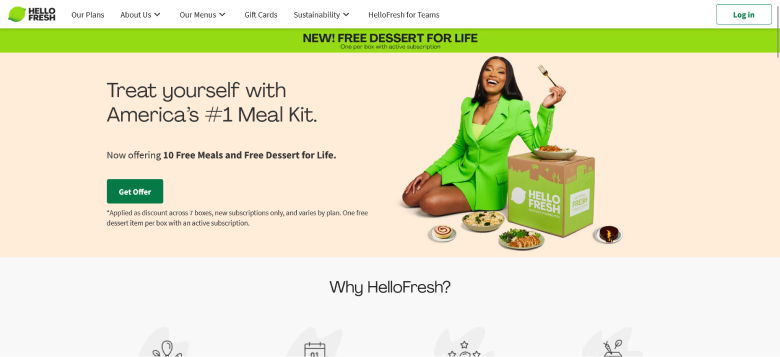
Green reads as “go.” Traffic lights have taught the association for generations, so green buttons feel safe and forward-moving.
HelloFresh uses bright green buttons that fit its fresh-food brand, and Spotify’s green runs through its whole interface.
Best for: Subscriptions, wellness brands, finance sign-ups, eco-friendly products.
Skip it when: Your brand palette is already heavy on green.
3. Blue: Trust and Security
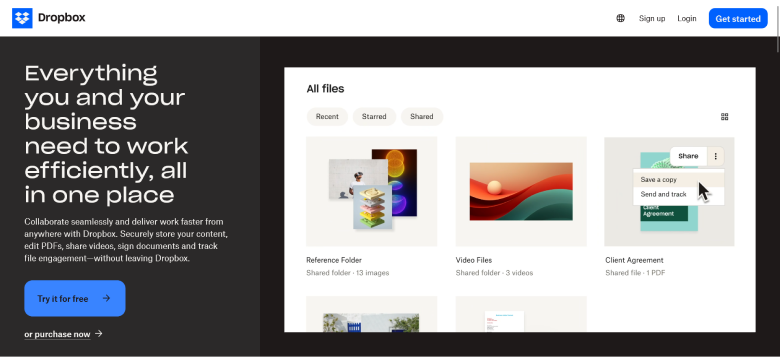
Blue is the default color of trust. That is why it dominates banking, insurance, healthcare and software.
Dropbox, PayPal and LinkedIn all lead with blue buttons. The downside is that blue is so common it can blend in, especially if your links and navigation are blue too.
Best for: SaaS, banking, healthcare, insurance, enterprise products.
Skip it when: You need energy or urgency. Blue calms people down.
Also check: How to Increase Landing Page Conversion Rates
4. Orange: Confidence and Fun
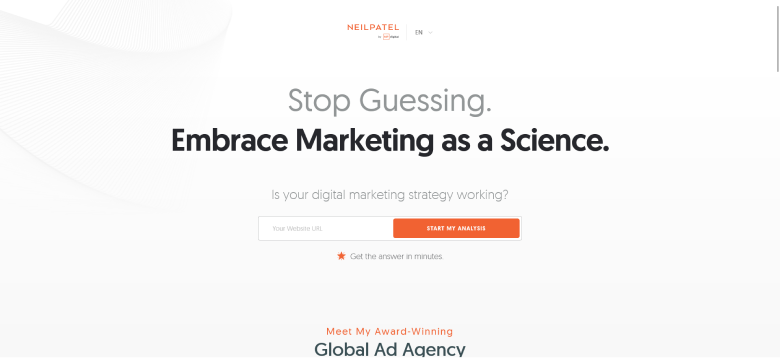
Orange sits between red’s urgency and yellow’s cheerfulness. It feels energetic without feeling aggressive, and it stands out on most white pages.
Amazon uses orange for its “Buy Now” button, next to a yellow “Add to Cart.” For consumer brands with a warm voice, orange is a strong first choice.
Best for: Ecommerce, lead generation, free trials, consumer products.
Skip it when: You sell to premium or luxury buyers.
Build trust & FOMO
Highlight real-time activities like reviews, sales & sign-ups.


5. Yellow: Optimism and Attention
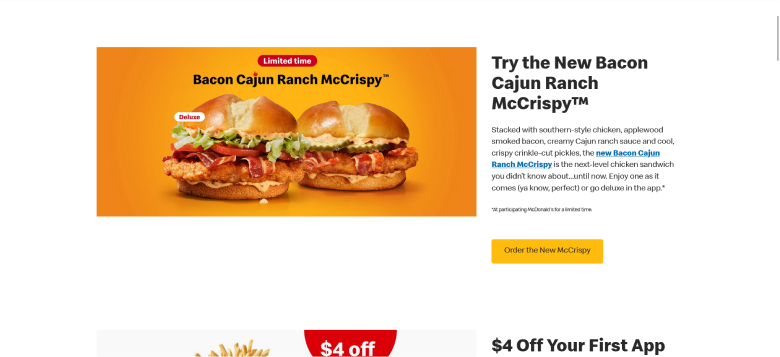
Yellow feels bright and cheerful, and it jumps off dark backgrounds. On white pages it is one of the trickiest colors, because pale yellow has too little contrast to be seen.
McDonald’s leans on its golden yellow across its brand. If you use yellow, pair it with dark text so the label stays readable.
Best for: Food brands, retail, youth-focused products, dark page sections.
Skip it when: Your background is white or very light.
6. Pink: Fun and Youthful
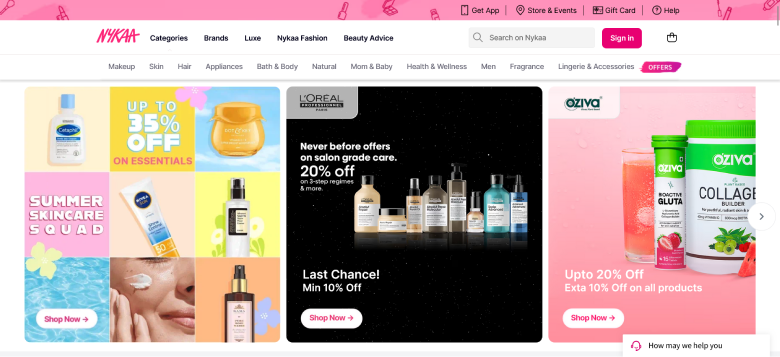
Pink now shows up well beyond traditionally feminine brands. Beauty, fashion, wellness and direct-to-consumer brands use it for a warmer, more personal tone.
Nykaa uses pink buttons across its beauty store.
Best for: Beauty, fashion, wellness, dating apps, brands aimed at younger buyers.
Skip it when: Your brand palette is corporate, neutral or dark.
Also check: Call to Action Statistics: What the Data Says About Clicks and Conversions
7. Purple: Creativity and Luxury
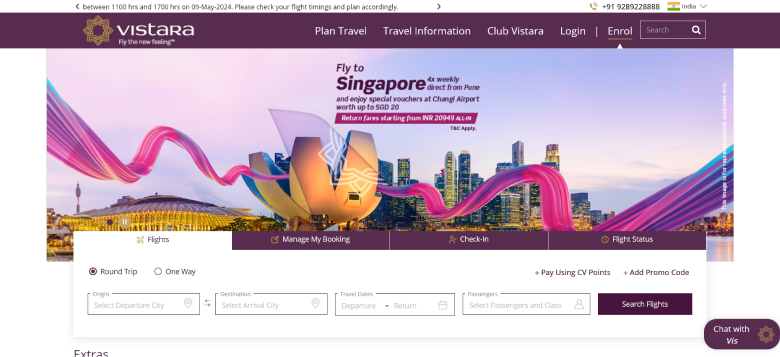
Purple signals premium quality and imagination. It is also less common in mainstream ecommerce, so it can set a brand apart when used on purpose.
Cadbury’s deep purple is one of the best-known color-brand links in consumer goods. Purple also works well for “Upgrade” and “Go Premium” buttons inside SaaS products.
Best for: Premium plans, creative services, design agencies.
Skip it when: You need urgency. Purple feels thoughtful, not fast.
8. Black: Sleek and Bold
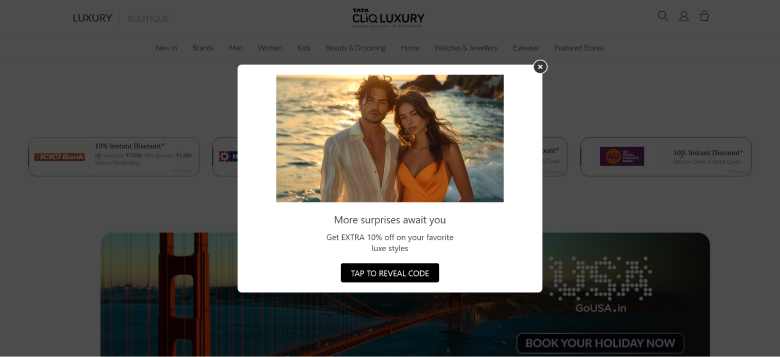
Black says sophistication and restraint. Many luxury fashion and beauty stores use black “Add to Bag” buttons on white pages, which keeps the focus on the product.
Best for: Luxury goods, premium fashion, high-end services.
Skip it when: Your page has a dark background. Black on dark disappears.
9. Grey: Neutral and Calm
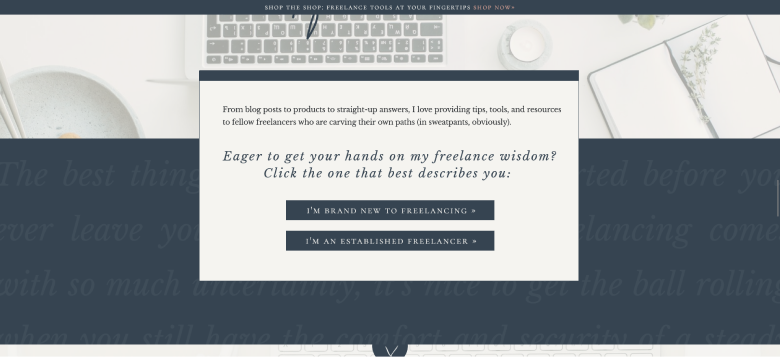
Grey is rarely right for a main CTA. It tells visitors “this is the less important option,” which is exactly what you want for secondary buttons like “Learn More” or “Maybe Later.”
Best for: Secondary buttons and actions you want to play down.
Skip it when: It is the only CTA on a busy page.
10. White: Pure and Simple
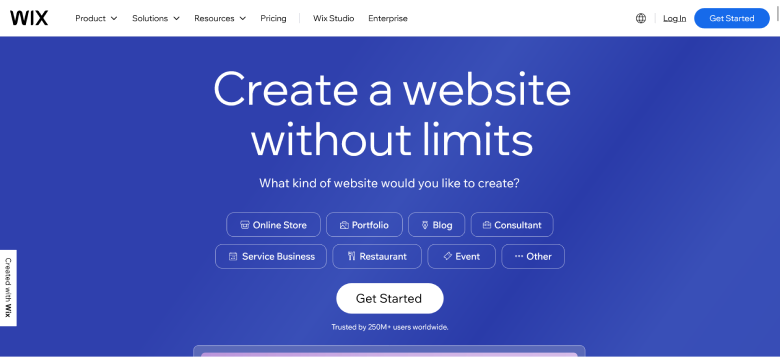
White buttons only work on dark or strongly colored sections, such as a dark hero banner or a bold footer. On a white page they vanish.
A white button with a colored outline can also work as a secondary CTA next to a filled primary button.
Best for: Dark hero sections, bold colored banners, secondary CTAs.
Skip it when: Your background is white or light.
The Contrast Rule Matters More Than Color
Contrast matters more than the color itself. A grey button on a clean white page can outperform a green button on a green-heavy page.
Check three kinds of contrast:
- Button against background. Your CTA should be the most distinct element in its section. On white, saturated colors like orange, red, blue and green work. On dark backgrounds, white, yellow and orange stand out.
- Button against the page. Accessibility guidelines (WCAG 2.1) ask for at least a 3:1 contrast ratio between a button and the background around it.
- Text against button. Button labels need a 4.5:1 contrast ratio, or 3:1 for large, bold text.
A quick test: view your page in greyscale. If the button stops standing out, the contrast is too weak.
Also check: Call to Action Guide: Examples, Tips, and Proven Best Practices
How to Choose the Right CTA Color for Your Brand
Color meanings give you a starting guess. These five questions narrow it down:
- What are you asking for? Urgent actions suit warm colors like red and orange. Trust-based actions suit blue and green. Premium upgrades suit purple or black.
- What is your brand palette? Pick a color that contrasts with it. If your logo and navigation are blue, a blue CTA blends in.
- Who is your audience? Younger audiences often respond to brighter colors, and color meanings shift across cultures.
- What do competitors use? If everyone in your category uses blue, an orange button stands out.
- What does your own test say? Your A/B test result beats any general rule.
How to A/B Test CTA Colors
Most color tests fail because they change too much or stop too early. Follow these steps:
- Change only the color. Keep the copy, size and position identical.
- Test very different colors. Compare orange against blue, not two shades of blue.
- Run it long enough. Aim for 95% statistical confidence and at least two full weeks, so weekday and weekend traffic both count.
- Measure the real goal. Track purchases, sign-ups or trial starts, not just button clicks.
- Keep a log. Each result shapes the next test, so record what you tried and what won.
See our guide to A/B testing for setup details.
CTA Color Reference by Industry
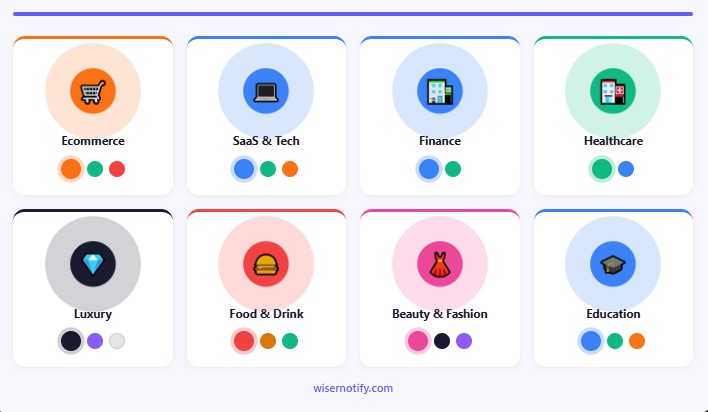
Use this as a starting point, then test:
- Ecommerce: Orange and green for everyday buttons, red for sale events. Avoid grey and white as the main button on product pages.
- SaaS and tech: Blue for free-trial buttons, green for “Get Started,” orange for high-energy lead pages.
- Finance and insurance: Blue for trust, green for positive actions. Use red carefully, since it can suggest debt or loss.
- Healthcare: Blue and green feel safe and calm. Avoid red, which can feel like an emergency.
- Luxury and premium: Black, purple, or white on dark sections. Avoid orange and yellow.
- Food and drink: Red and yellow, the pairing fast-food brands have used for decades.
- Beauty and fashion: Pink for playful brands, black and purple for premium ones.
- Online courses: Blue for credibility, green for progress, orange for friendly course platforms.
Common CTA Color Mistakes
These mistakes are easy to spot and easy to fix:
- Using your main brand color for the CTA. If your logo, navigation and links share one color, a CTA in that color disappears.
- Weak background contrast. If the button fades in the greyscale test, it will underperform.
- Changing CTA colors from page to page. Keep one primary CTA color across the site so visitors learn what “click here” looks like.
- Choosing by personal taste. Let test results decide, not the color you like best.
- Ignoring color blindness. About 1 in 12 men and 1 in 200 women have some form of color vision deficiency. Don’t rely on red versus green alone to signal meaning.
A good color gets the button seen. Social proof near the button gives visitors a reason to click. Our guide to landing page social proof shows where to add it.
Build trust & FOMO
Highlight real-time activities like reviews, sales & sign-ups.

Wrap Up
There is no universal best CTA color. Start with a color that fits the action, make sure it stands out from everything else on the page, and check its contrast.
Then test it against a very different color and let your own visitors decide. Color is one part of a strong CTA strategy, alongside the button copy, its position and the offer behind it.
Frequently Asked Questions
What color CTA button converts best?
The color that contrasts most with the rest of your page. On light pages, orange, green or red usually stand out best.
Is red or green better for CTA buttons?
Neither wins by default. In HubSpot’s well-known test red beat green by 21%, but mainly because the page was already green.
What color should a Buy Now button be?
Orange, red or yellow work well because they feel urgent and stand out. Amazon uses orange for Buy Now.
Should my CTA be the same color as my brand?
Usually not. If your logo and navigation already use that color, pick a contrasting color so the button stands out.
What contrast ratio do CTA buttons need?
Button text needs at least 4.5:1 against the button, and the button needs 3:1 against the background.

Krunal Vaghasiya is a marketing tech expert who boosts e-commerce conversion rates with automated social proof and FOMO strategies. He loves to keep posting insightful posts on online marketing software, marketing automations, and improving conversion rates.




 Capterra