
9 Announcement Bar Examples + 30 Templates (2026)

I’ve been studying announcement bars for a while now, and I keep seeing the same thing: brands treat them as an afterthought. A thin strip of text sitting at the top of the site, barely readable, carrying a message nobody asked about.
That’s a waste. A well-written announcement bar is the first thing every single visitor reads. Before the hero image, before the headline, before anything else. You get 10 words, maybe 15, to say something that makes them stay, click, or spend more.
I pulled together 9 real examples that do it well, across different types: free shipping bars, countdown bars, discount code bars, social proof bars, and more. For each one, I’ll break down what the copy says, why it works, and what you can steal for your own site.
What is an Announcement Bar (And Why Most Sites Use Them Wrong)

An announcement bar is a fixed horizontal strip at the top (or sometimes bottom) of a website that displays a short message to every visitor. It’s also called a notification bar, sticky bar, hello bar, or floating bar. Same thing, different names.
The concept is simple: you have one piece of information that every visitor should see. Instead of hoping they find it somewhere on the page, you pin it to the top where it’s impossible to miss.
The problem is that most brands set one up and forget about it. The bar says “Free Shipping on Orders Over $50” for 18 months straight, regardless of season, sale, or context. Or worse, it says something vague like “Welcome to our store!” that communicates nothing and helps nobody.
The brands that use announcement bars well treat them like a rotating asset. The message changes based on what’s happening: a flash sale, a new product launch, a shipping threshold, a code that expires tonight. They test the copy. They check CTR. They treat that little strip like it matters.
Because it does. A single-sentence message that every visitor reads is one of the highest-leverage pieces of copy on your entire site.
Types of Announcement Bars

Before getting into the individual examples, here’s the quick breakdown of what announcement bars are actually used for.
Most fall into one of six categories.
- Free shipping bars are the most common. They set a clear threshold (“Free shipping on orders over $75”) and quietly push average order value up without the shopper feeling pressured. Putting the threshold in a bar means every visitor sees it immediately and keeps it in mind while browsing.
- Discount code bars surface a promo code so visitors don’t have to hunt for it. The “don’t forget” framing is particularly effective because it turns the bar into a helpful reminder rather than a sales pitch.
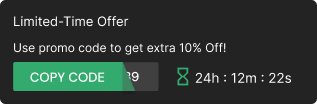
- Countdown bars add urgency. When a sale is ending or a deal expires, a live countdown timer makes the deadline real. People procrastinate by default. A ticking clock gives them a reason to act now.
- Social proof bars borrow Magic Spoon’s playbook: “75,000+ 5-Star Reviews.” These work especially well on cold traffic who’ve never heard of the brand and need a fast credibility signal before they’ll trust anything else on the page.
- New product bars direct attention to a specific launch. Haven’s Kitchen used a bright yellow bar to push their new Aioli Intro Pack, giving the product visibility it wouldn’t have gotten from a homepage hero alone.
- Payment option bars remove purchase barriers. Away’s bar advertised Klarna financing, making expensive luggage feel more accessible. For high-ticket items, showing that payment plans exist can be the difference between a bounce and a checkout.
Build urgency
Add floating offers with countdown timer & coupon code.

9 Announcement Bar Examples That Actually Work
1. SKIMS: The Textbook Free Shipping Bar

Copy: “Free shipping on domestic orders $75+”
This is about as clean as a free shipping bar gets. Eight words. One clear condition. No ambiguity about what you need to do to qualify.
What makes SKIMS’s version worth studying is what’s not in it. No exclamation points. No capslock. No countdown timer layered on top. Just a flat, confident statement of terms. It matches the brand’s premium positioning and trusts the shopper to understand the incentive without being pushed.
What to steal: If your brand is premium or minimalist, resist the urge to add urgency language. A clean statement of benefit often performs better than an aggressive pitch. The bar does the work by being visible, not by being loud.
Design lesson: Dark bar, white text, no decoration. Nothing competes with the message. If your bar has a background color, emoji, and three fonts, the message gets lost in the noise.
2. Allbirds: The Honest Delay Notice
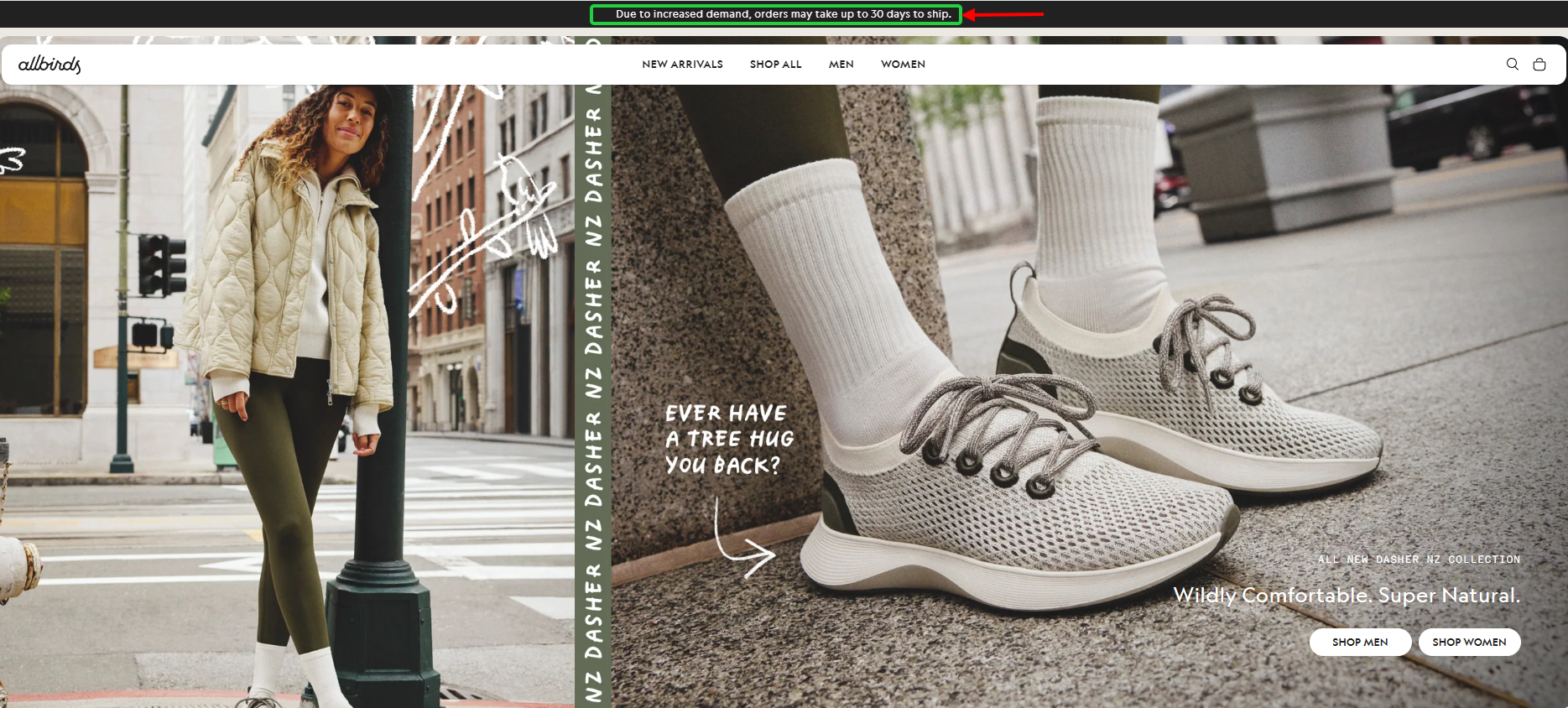
Copy: “Due to increased demand, orders may take up to 30 days to ship.” (rotating with “Free ground shipping on orders over $100”)
Most brands hide bad news until the order confirmation email. Allbirds puts it on the first line of the site, where every shopper reads it before adding anything to the cart.
Slow delivery is one of the top reasons shoppers abandon checkout. Saying “up to 30 days” before the cart means nobody gets that surprise later, which is a quiet way to fight cart abandonment and angry support tickets.
Whether “increased demand” is the whole story is anyone’s guess. The useful part is the number. A specific window is far easier to accept than “shipping may be delayed.”
What to steal: If shipping is slow, duties apply, or an offer is limited to one country, say it in the bar. A small qualifier upfront costs you nothing next to a customer finding out at checkout.
3. Lunar Beauty: Quiet and Hard to Miss

Copy: “FREE U.S. SHIPPING ON ORDERS OVER $75!”
Lunar Beauty uses a floating bar style that doesn’t compete with anything else on the page. The message is in caps, which gives it presence without requiring a dramatic background color or large font size. The brand’s aesthetic is soft and beauty-forward. A loud neon bar would feel out of place. This one stays on-brand while still getting the job done.
What to steal: Match the bar to your brand’s energy. Incongruence between your bar and your site design creates distrust, not excitement.
4. Coconut Cloud: The Friendly Discount Reminder

Copy: “Don’t forget your 25% OFF! Use code: THANKS25”
The “don’t forget” framing is the whole trick here. It doesn’t say “GET 25% OFF” like an ad. It says you already have a discount waiting, and this is a reminder not to miss it. One feels like a pitch, the other feels like a favor.
What to steal: If you have an active promo code, the bar should show it. Specificity converts. The code itself is the most valuable piece of copy in the entire message.
5. Gisou: Free shipping
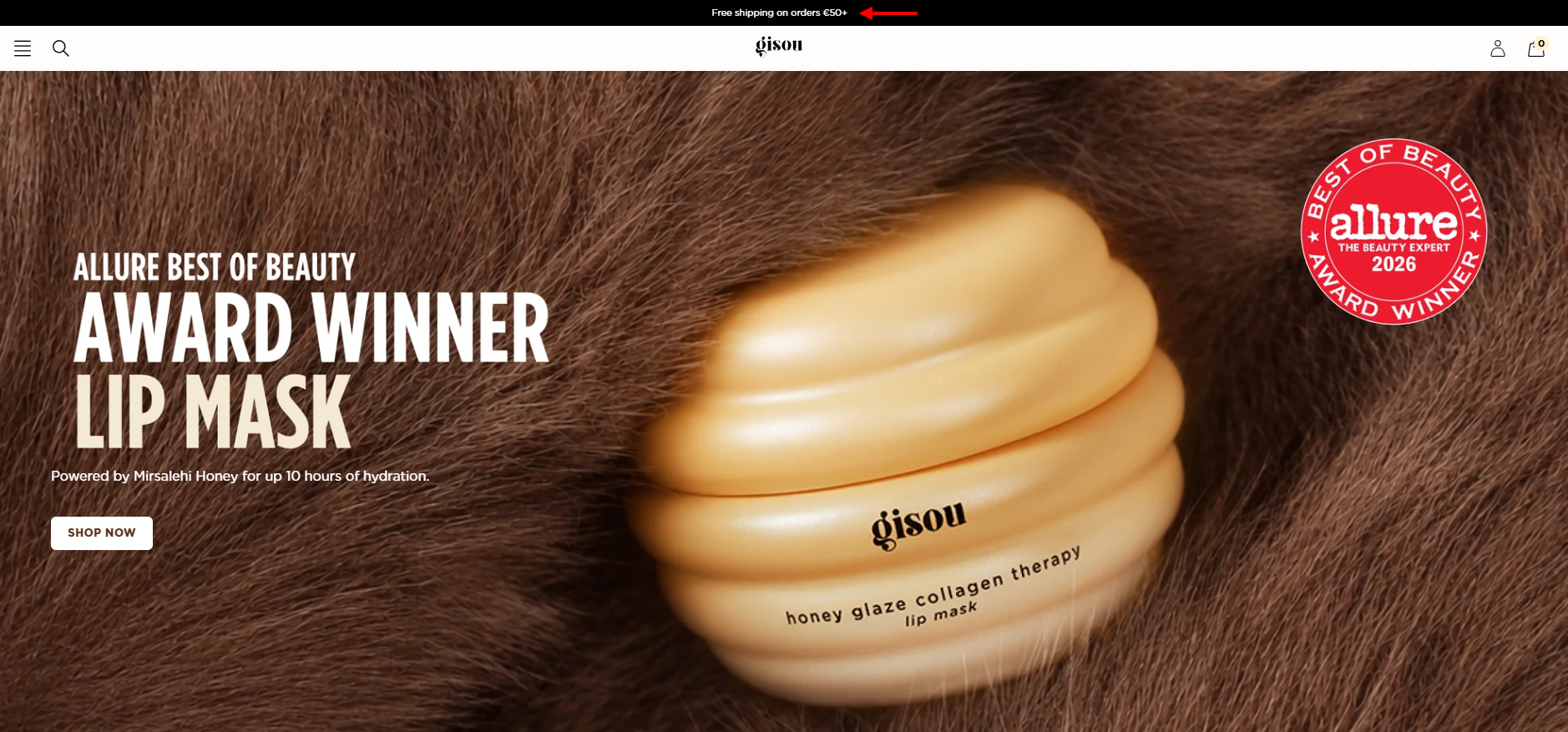
Copy: “Free shipping on orders €50+”
This bar packs an incentive (free shipping). Everything a visitor needs to act is in one sentence.
What to steal: If your brand is premium or minimal, skip the urgency language. The bar does its job by being visible, not loud.
Also check: How to Create Urgency in Sales Without Feeling Manipulative
6. WishGarden Herbs: The Countdown Bar Done Right
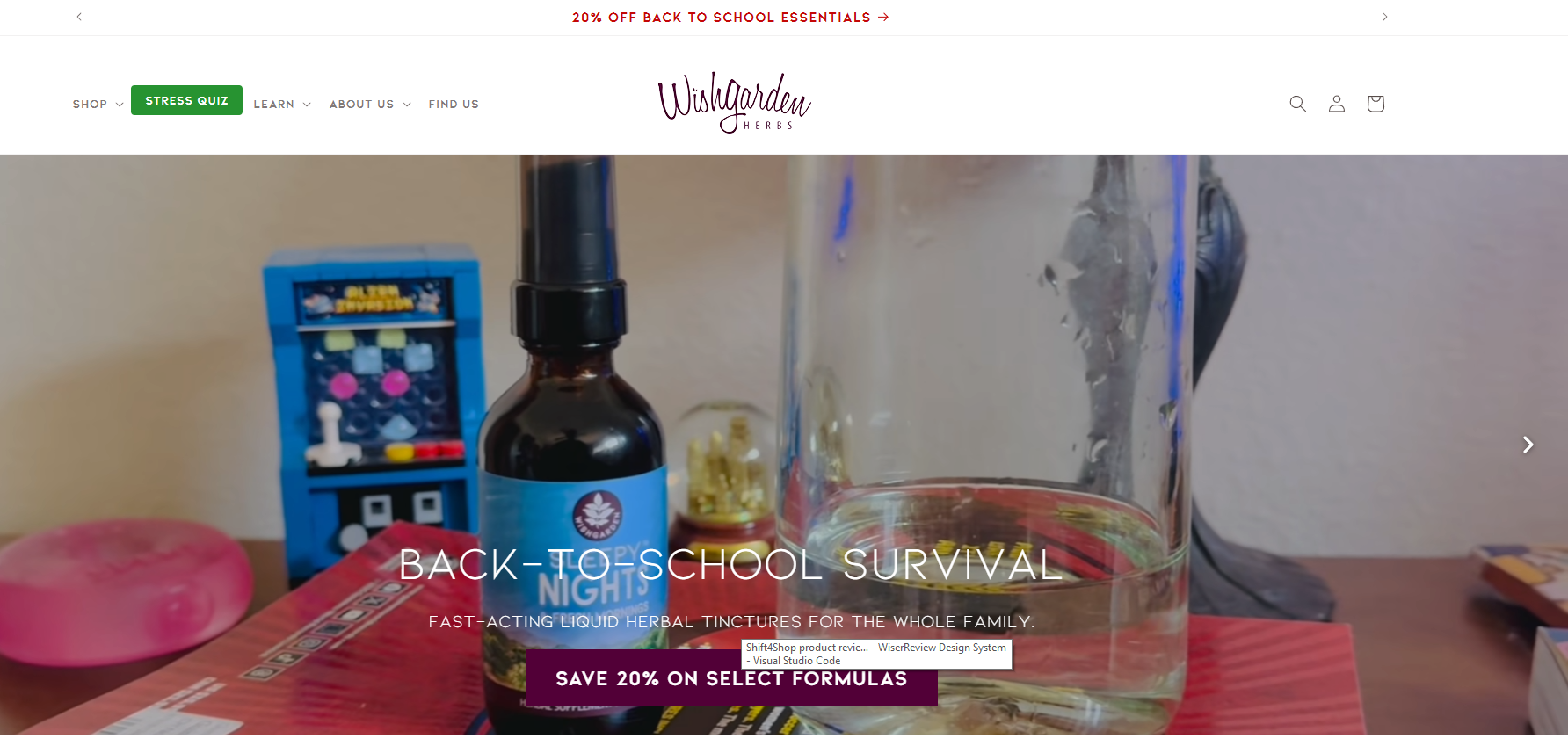
Copy: “20% off back to school essentials”
An announcement bar is one of the most direct ways to convert browsing into buying. Loss aversion kicks in the moment you see time ticking down.
WishGarden’s version hits all the right notes: sitewide discount.
What to steal: Match the bar to your brand’s energy. A bar that clashes with your site design creates doubt, not excitement.
Build trust & FOMO
Highlight real-time activities like reviews, sales & sign-ups.

7. Away: Four Messages, Four Colors
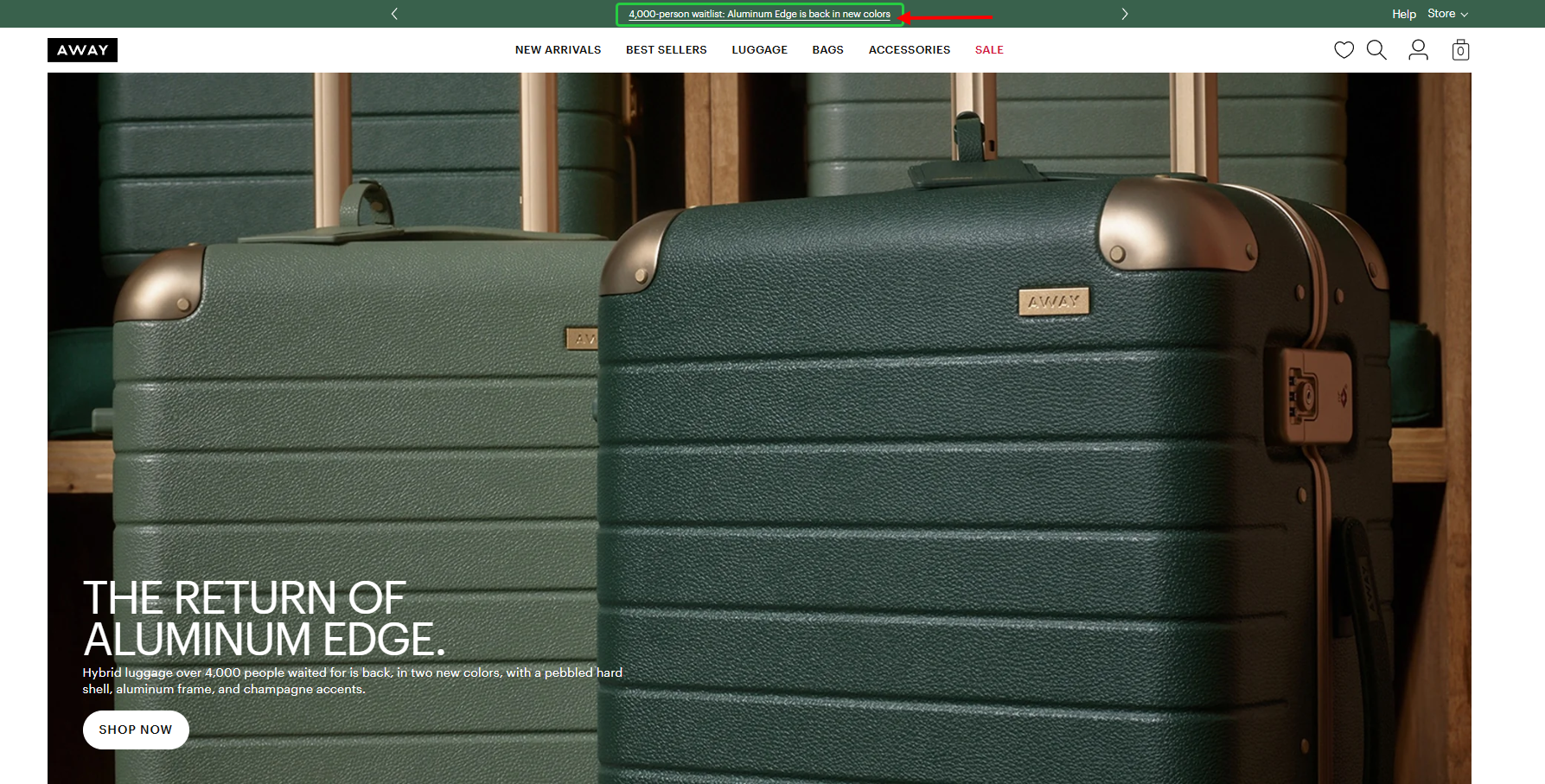
Copy (rotating):
- “4,000-person waitlist: Aluminum Edge is back in new colors”
- “NEW: Topside just landed in Cherry Red. Shop now”
- “Save up to $100 when you mix, match, and build your set”
- “Pack it. Flexxx it. Shop the collection loved worldwide”
Only one of these four messages is a discount. The rest sell with a restock, a new color, and a brand line. The waitlist message is my favorite, because “4,000-person waitlist” is social proof and scarcity in five words.
Away also changes the bar color with every message: green, coral, black, cream. It’s a small detail that tells returning eyes “this is new,” so the strip doesn’t fade into the background.
What to steal: You don’t always need a discount. A restock, a launch, or a waitlist number can pull clicks without cutting your margin. If you rotate, give each message its own color.
8. Artlogo: Full Urgency Stack
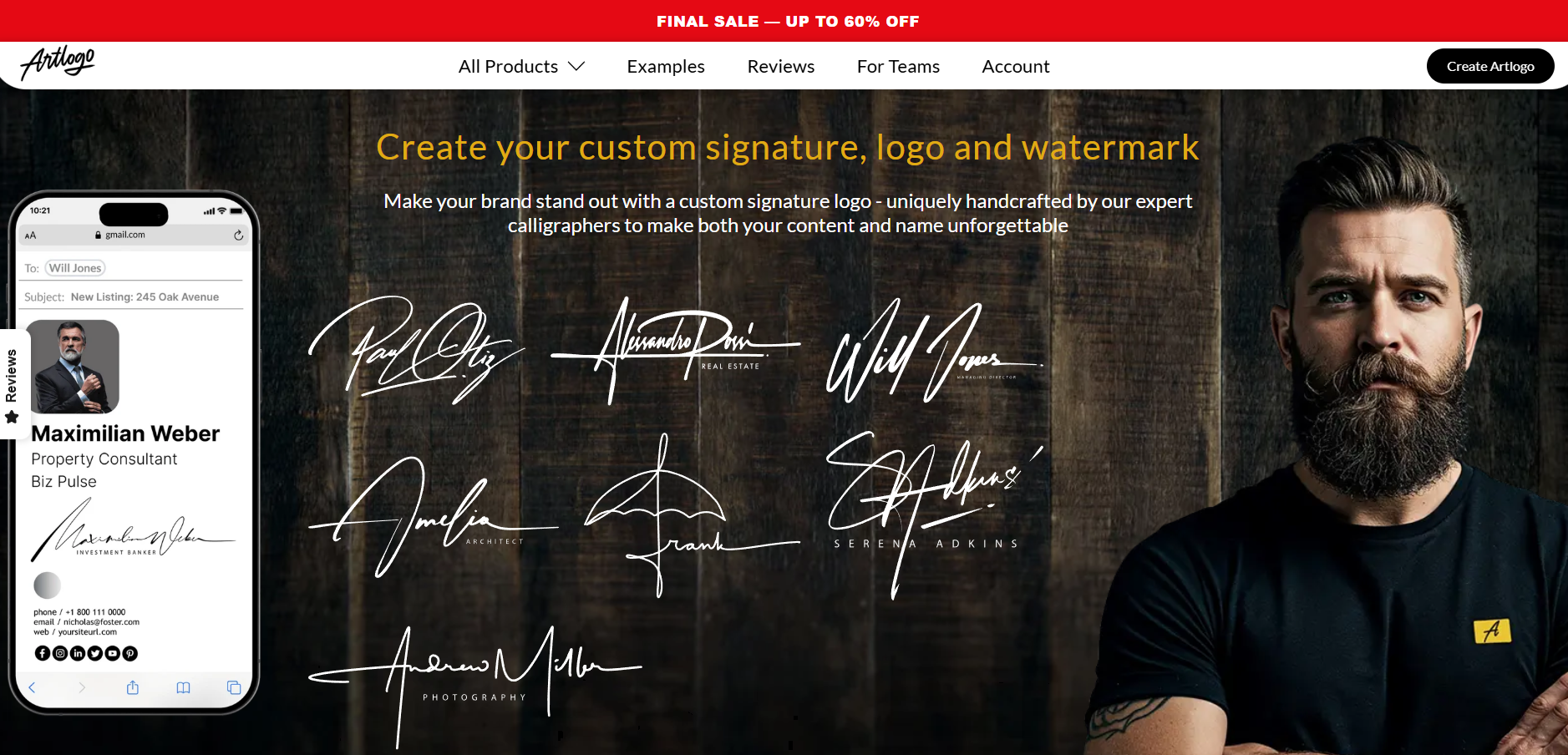
Copy: “Final Sale – Up to 60% off”
Steep discount, hard deadline. This “Final sale” is designed to create pressure to act right now. Used for a genuine, time-limited sale, this converts well.
The key is not overusing it: if visitors see a “sale ends” bar every single visit, the urgency becomes noise.
What to steal: Layer urgency signals intentionally. Discount percentage plus countdown timer plus “sale ends” language is appropriate for a closing-hour flash sale. For a week-long promotion, dial it back.
9. Drunk Elephant: Voice in 10 Words
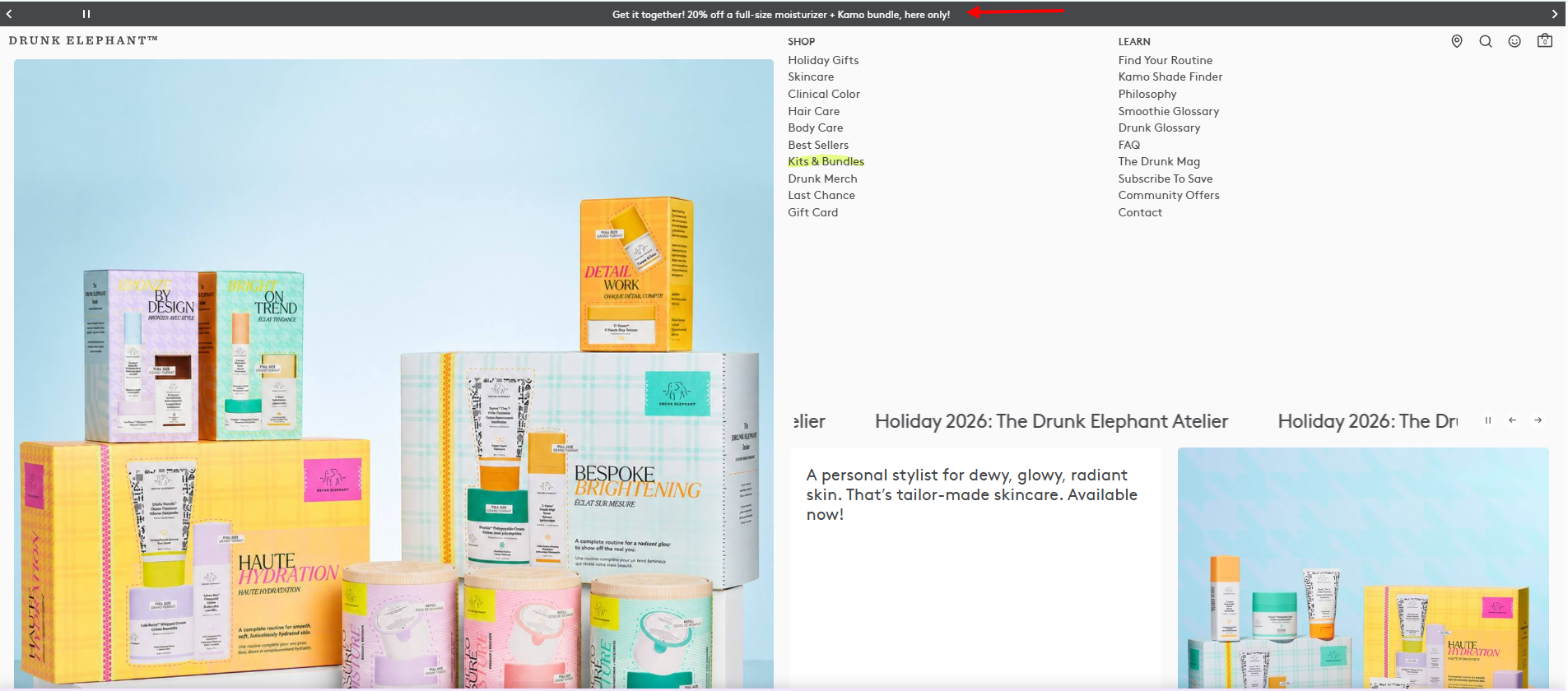
Copy (rotating):
- “Get it together! 20% off a full-size moisturizer + Kamo bundle, here only!”
- “Free samples at checkout with every order.”
- “Free shipping (and free good mood!) with orders $40+ at checkout.”
“Free good mood” is a throwaway joke, and that’s exactly why it works. A free shipping line every store runs suddenly sounds like this brand and nobody else.
The smartest part is “here only.” Drunk Elephant sells through big beauty retailers too, so the bar gives shoppers a reason to buy direct instead of somewhere else. It also has a pause button, like SKIMS.
What to steal: Write the bar in the same voice as the rest of your site. And if you sell on marketplaces or through retailers, use the bar to say what people only get from you.
30 Announcement Bar Templates You Can Copy
Swap in your own numbers and codes. Each template is under 15 words, so it fits on a phone without wrapping into three lines.
Free Shipping Templates
1. Free shipping on orders over $75. Shop now
2. You’re $20 away from free shipping
3. Free shipping this weekend only. No minimum.
4. Orders over $100 ship free. Always.
5. Free US shipping on orders $50+ (US only)
Sale and Discount Code Templates
6. Flash sale: 25% off sitewide with code FLASH25
7. Don’t forget your 10% off. Use code WELCOME10 at checkout
8. Last chance. Sale ends at midnight tonight
9. Buy 2, get 1 free. Today only.
10. Save $20 on your first order with code FIRST20
Launch and Restock Templates
11. Just dropped: the Fall Collection. Shop now
12. Back in stock: [Product] is live again
13. [Product] is back. 2,000 people joined the waitlist
14. New color: [Product] now comes in [Color]
15. Pre-order now and get 15% off at launch
Social Proof and Trust Templates
16. Rated 4.8/5 by 12,000+ customers
17. Join 50,000+ happy customers
18. Free 30-day returns. No questions asked.
19. 2,300 orders shipped this week
20. As seen in [Publication]. Shop the bestseller
Shipping and Service Notice Templates
21. Order by Dec 18 for delivery before the holidays
22. Orders ship in 3 to 5 business days
23. Duties and taxes included. No surprises at delivery.
24. Heads up: orders may take up to 10 days to ship
25. Now shipping to Canada and the UK
Sign up, Loyalty, and SaaS Templates
26. Join our rewards program for free returns
27. Get 15% off your first order when you sign up
28. Text JOIN for early access to every drop
29. New: [Feature] is live. See what’s new
30. Start your free trial. No credit card needed.
How to Add an Announcement Bar Using WiserNotify
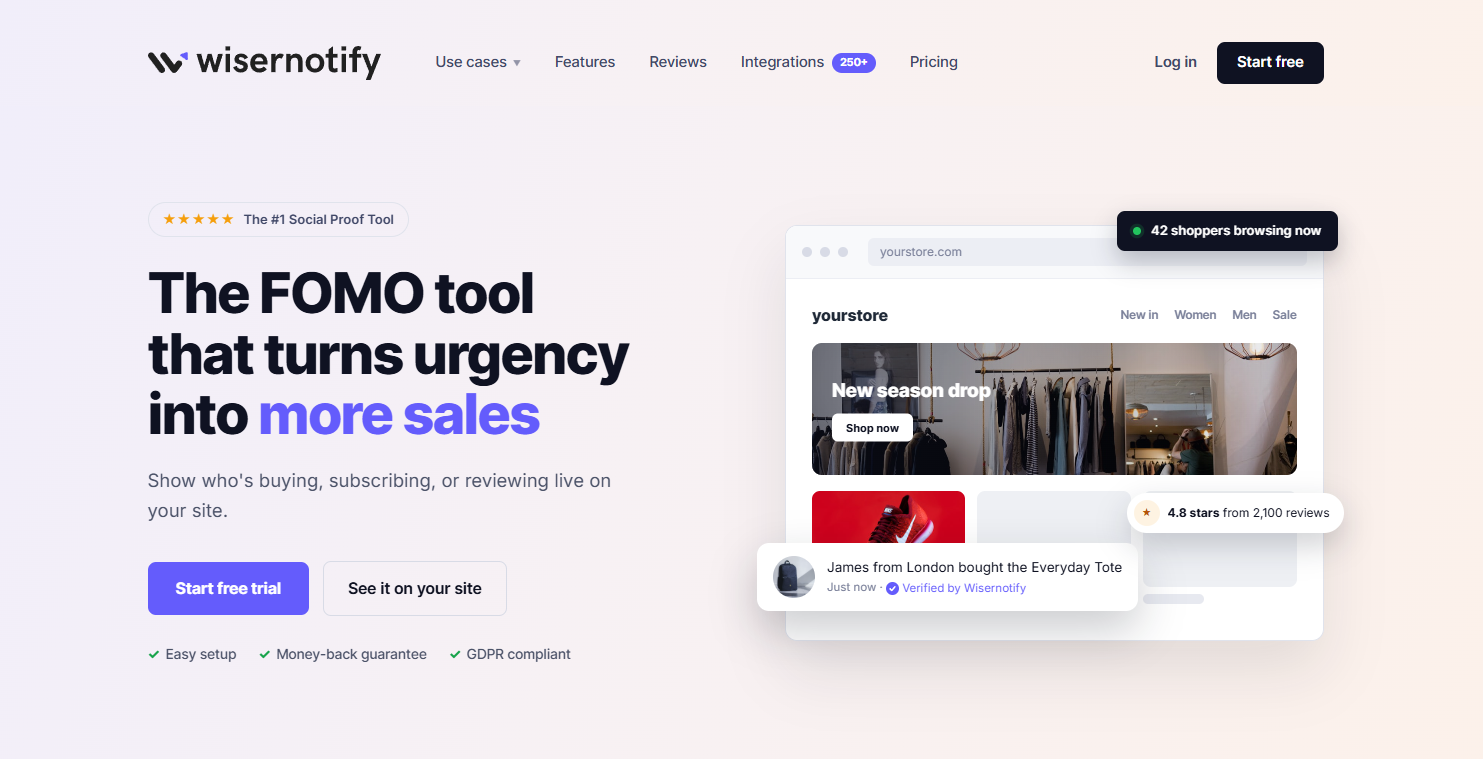
WiserNotify lets you create a fully customized announcement bar and put it live on any website in under 5 minutes. No coding needed. Here’s exactly how to do it.
Step 1: Log In and Go to Create Notification

Log in to your WiserNotify dashboard. If you don’t have an account yet, sign up for free. No credit card required.
From the left sidebar, click Create Notification. You’ll land on the notification type selector. This is where you choose what kind of widget to build.
Step 2: Select the Announcement Bar Template
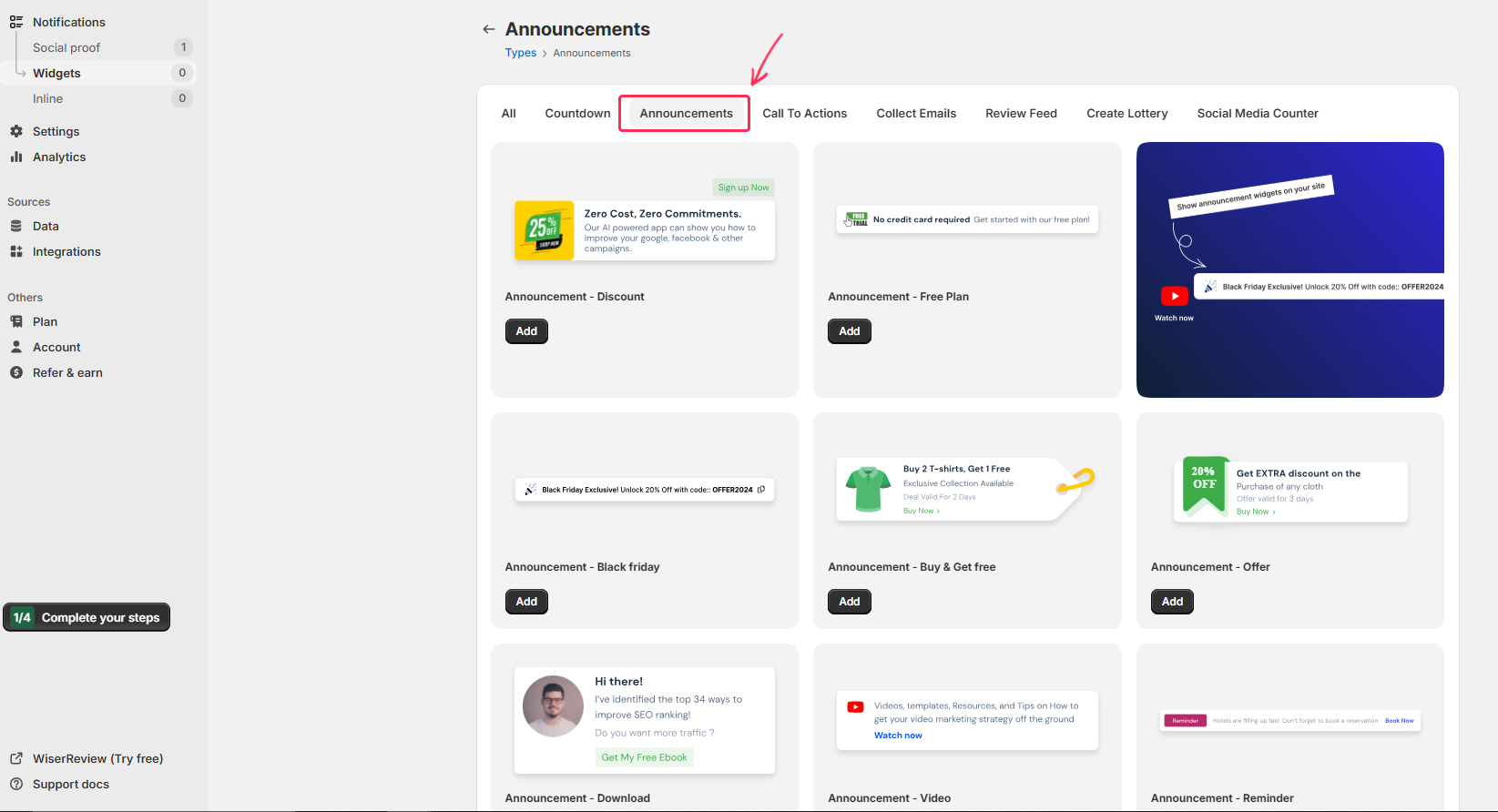
Scroll through the notification types and select Announcement Bar. You’ll see a library of pre-built templates covering different use cases: free shipping bars, discount code bars, countdown bars, and general alerts.
Pick a template that’s closest to your goal. You can customize every element in the next step, so don’t overthink it. Click the template to open the design editor.
Step 3: Write Your Message and Customize the Design

This is the main design step. Type your announcement message in the text field. Keep it short: under 12 words is ideal. The examples in the first half of this post are good references for copy that converts.
In the design panel, adjust:
- Message text: your core announcement copy
- Background color and text color: match your brand palette
- Font style and size: confirm it’s readable on mobile
- CTA button: optional “Shop Now” or “Claim Code” button with a destination URL
- Countdown timer: toggle on if your offer has a real deadline, then set the end date and time
- Position: top bar (recommended) or bottom bar
- Close button: let visitors dismiss the bar, or keep it fixed on screen
Click Next when you’re done with the design.
Step 4: Set Display Rules
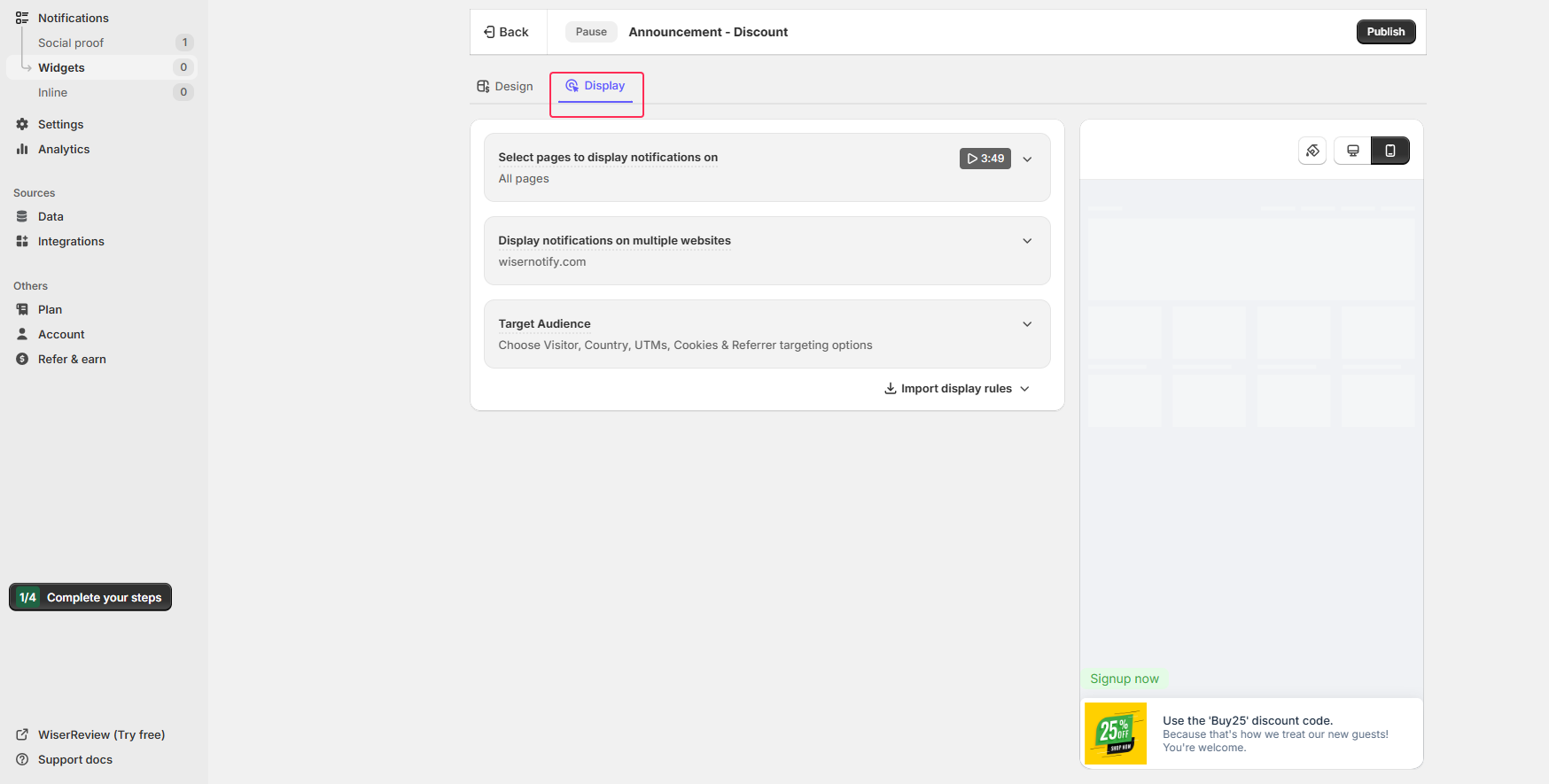
The Display tab is where you control who sees the bar and where. This is what separates WiserNotify from a basic sticky bar plugin:
- Pages: show on all pages, or restrict to specific URLs like homepage, product pages, or checkout
- Visitor type: first-time visitors only, returning visitors, or everyone
- Location: show a geo-specific bar to US visitors while hiding it from international traffic
- Device: show one message to desktop visitors and a shorter version to mobile
- UTM source: show a campaign-specific bar only to visitors from a particular ad or email
- Schedule: set start and end dates so the bar goes live and expires automatically
For a standard sitewide offer, leave it set to all pages and all visitors. Click Next.
Step 5: Configure Timing Settings

The Timing tab controls when the bar appears and how often repeat visitors see it:
- Initial delay: 0 seconds shows the bar immediately on page load. Keep this at 0 for announcement bars. The goal is visibility, not a delayed reveal.
- Display duration: how long the bar stays visible. Set to “entire session” for most use cases.
- Skip seen: hides the bar for visitors who have already dismissed it. Reduces friction for returning visitors.
- Show frequency: how many times a returning visitor sees the bar per session or per day
Step 6: Preview, Activate, and Go Live

Click Preview to see your bar render live on your site before it goes public. Check desktop and mobile. Confirm the copy isn’t truncated, the colors look right, and the CTA button goes to the correct URL.
When everything looks good, click Activate. The bar goes live immediately across all pages you selected. Open your site in an incognito window to verify it’s showing correctly.
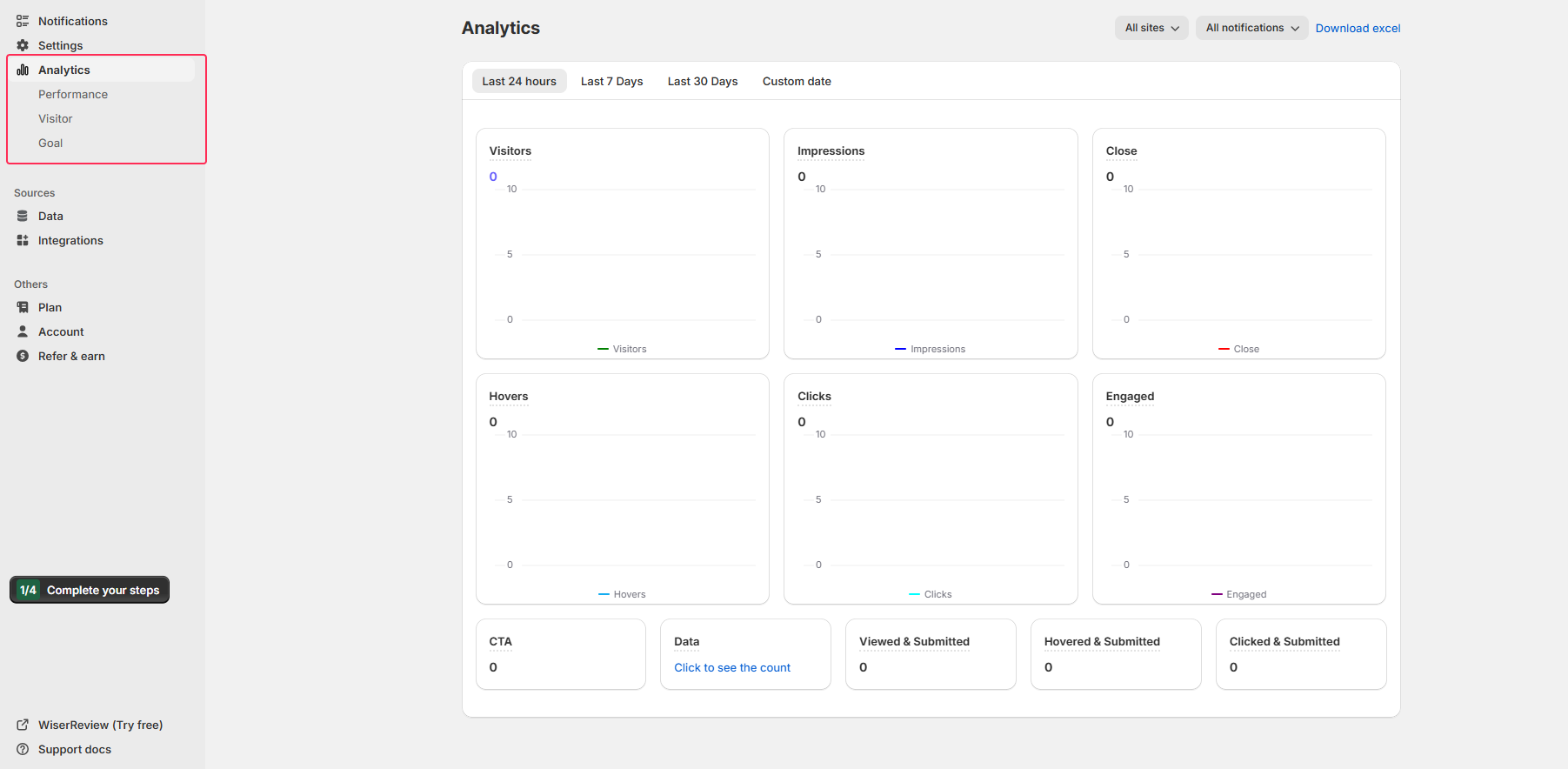
From the Analytics tab in your WiserNotify dashboard, track views, clicks, and CTR. If CTR drops after a week, A/B test a new message or update the offer. That’s the full loop.
Here is a quick step-by-step video guide to add the announcement bar widget to your site in minutes.
Build Your First Announcement Bar Free
Create targeted announcement bars with countdown timers, A/B testing, and advanced display rules. Trusted by 11,000+ businesses.
How to Write Announcement Bar Copy That Actually Converts
Lead with the benefit, not the condition: “Free shipping on orders over $75” works better than “Orders over $75 get free shipping” because the payoff comes first. People scan announcement bars; they don’t read them.
Use the most specific number you can: “25% OFF” beats “Big savings.” “75,000+ 5-Star Reviews” beats “Loved by thousands.” Specificity makes claims feel real.
Include the action in the message: Don’t say “sale on now” when you can say “use code SAVE20 at checkout.” The more of the conversion path you complete inside the bar, the better.
Change the bar when the offer changes: Stale bars train visitors to ignore them. If your bar has said the same thing for six months, check whether CTR has dropped and rotate the message.
Keep it under 15 words on mobile: Test your bar on a phone. If the key information disappears or wraps awkwardly, shorten the copy or use a mobile-specific version in WiserNotify’s device targeting settings.
Design Rules That Work in 2026
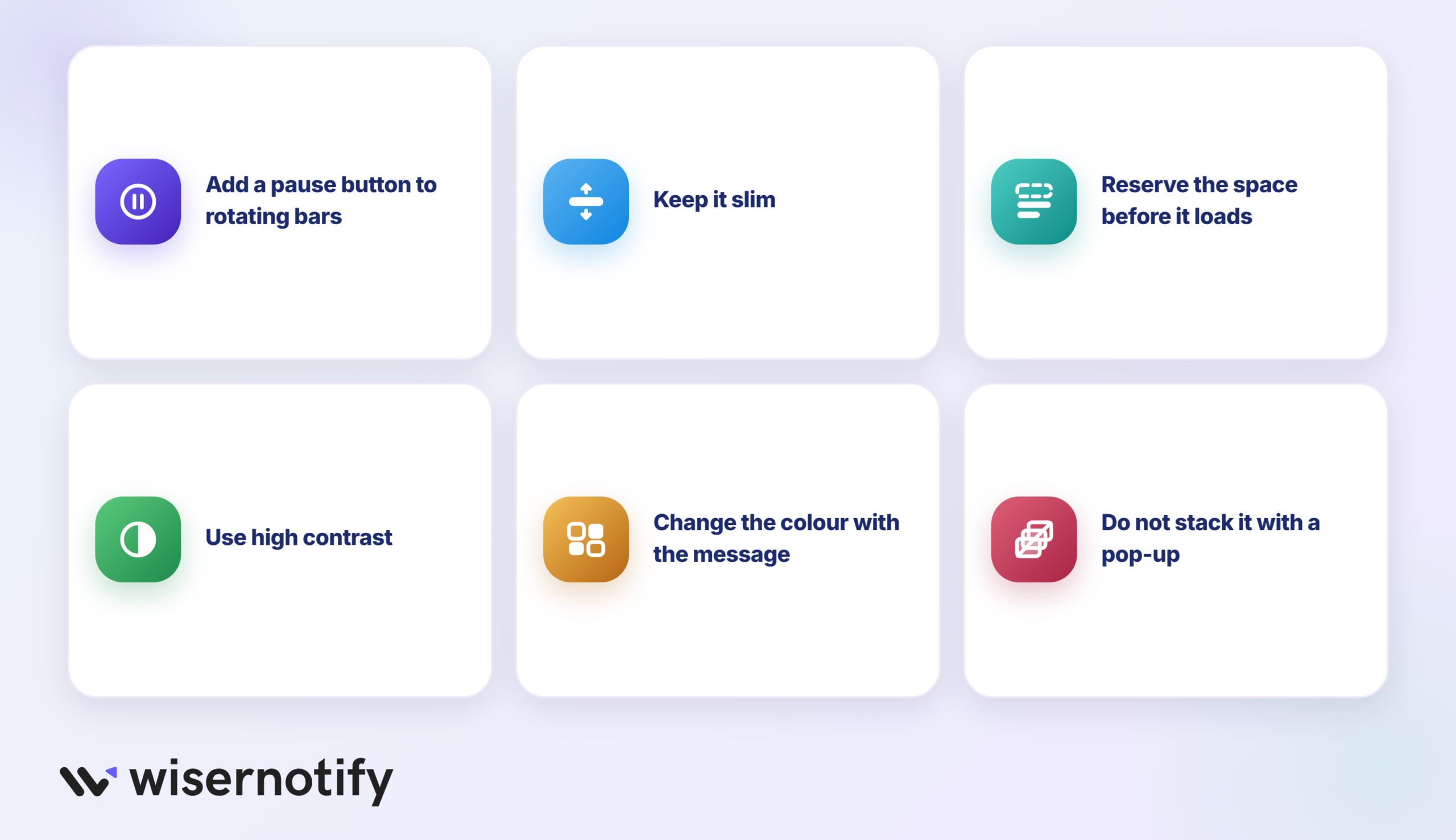
Looking across these stores, a few design habits have become standard. Most of them are about not annoying people.
- Add a pause button to rotating bars: Accessibility rules (WCAG 2.2.2) ask for a way to pause content that moves on its own for more than 5 seconds. SKIMS and Drunk Elephant both have one.
- Keep it slim: Most bars in this post sit around 30 to 50 pixels tall. Any taller and it starts eating the space your hero image needs on mobile.
- Reserve the space before it loads: A bar that pops in late pushes the whole page down, which hurts layout shift in Core Web Vitals and makes people misclick.
- Use high contrast: Dark on light or light on dark. Pale gray text on a pastel bar looks nice in a mockup and disappears on a phone in sunlight.
- Change the color with the message: Away’s color swaps tell visitors something new is showing, which fights the habit of ignoring the top of the page.
- Don’t stack it with a popup: A bar, a welcome popup, and a chat bubble all at once is how you lose a first-time visitor. Let the bar carry the offer.
Common Announcement Bar Mistakes to Avoid
- Too many messages at once: Pick the one message that matters most right now. A carousel of four rotating announcements creates confusion, not conversions.
- No clear call to action: Every bar should either drive a behavior (click, use code, reach threshold) or set an expectation (free shipping, estimated delivery). If it does neither, cut it.
- A stale offer: If you’re running a 30% sitewide sale, that beats the default shipping message. Update the bar the day the sale starts.
- A fake countdown: A timer that resets on every visit gets caught fast and makes every other claim on the site look shaky.
- Hidden fine print: If an offer is US only or excludes sale items, say so in the bar. Finding out at checkout costs you the order.
- Design that fights the page: One contrasting color and clean type. Three fonts and two emojis bury the message.
Wrapping Up
Nine examples, six types, six setup steps. The best announcement bars are specific, current, and written like a human who understands what the visitor actually wants to know.
Free shipping thresholds that push average order value. Discount codes that remove search friction. Countdown timers that make abstract deadlines real. These aren’t complicated concepts. They’re just consistently underused.
Pick one example from this list, follow the six steps above to build it in WiserNotify, and test it for two weeks. The data will tell you what to do next.
Also check: How to Increase Landing Page Conversion Rates (14 Tactics That Work)
Frequently Asked Questions
What is an announcement bar, and how does it help conversions?
An announcement bar is a narrow banner shown at the top or bottom of a website. It helps share important messages like offers, updates, or alerts without disrupting the user experience. A clear message can grab attention, build urgency, and increase clicks or sales.
Where should I place my announcement bar on the website?
The most common and effective spot is at the top of your page. It’s the first thing visitors see. Some websites also place it at the bottom. Choose based on your layout and message priority.
Can I use multiple announcement bars at once?
It’s best to avoid showing too many bars at once. One focused message works better. If you have multiple messages, rotate them or schedule based on the user’s journey or traffic source.
How do I measure the performance of an announcement bar?
Track metrics like clicks, conversions, and A/B test different messages. Many tools also show views, CTR, and user interaction over time so you can improve your copy or timing.
What tools can I use to create an announcement bar quickly?
Tools like WiserNotify, Hello Bar, or ConvertFlow let you create announcement bars without coding. They offer ready-made templates and customization options to match your site style.

Krunal Vaghasiya is a marketing tech expert who boosts e-commerce conversion rates with automated social proof and FOMO strategies. He loves to keep posting insightful posts on online marketing software, marketing automations, and improving conversion rates.




 Capterra