
How to Add a Video Popup to Leadpages (2026)

There are two ways to add a video popup to Leadpages. One is the pop-up builder that comes with Leadpages. The other is a video popup widget added through a tracking code.
The builder is simplest for a video that opens from a click. The widget adds rules for each page and a version built for phones. This guide walks through the widget.
Below are the 8 steps with screenshots, where a video popup earns its place on a Leadpages page, and the fixes when it does not show.
Leadpages Pop-Up Builder or a Video Popup Widget?
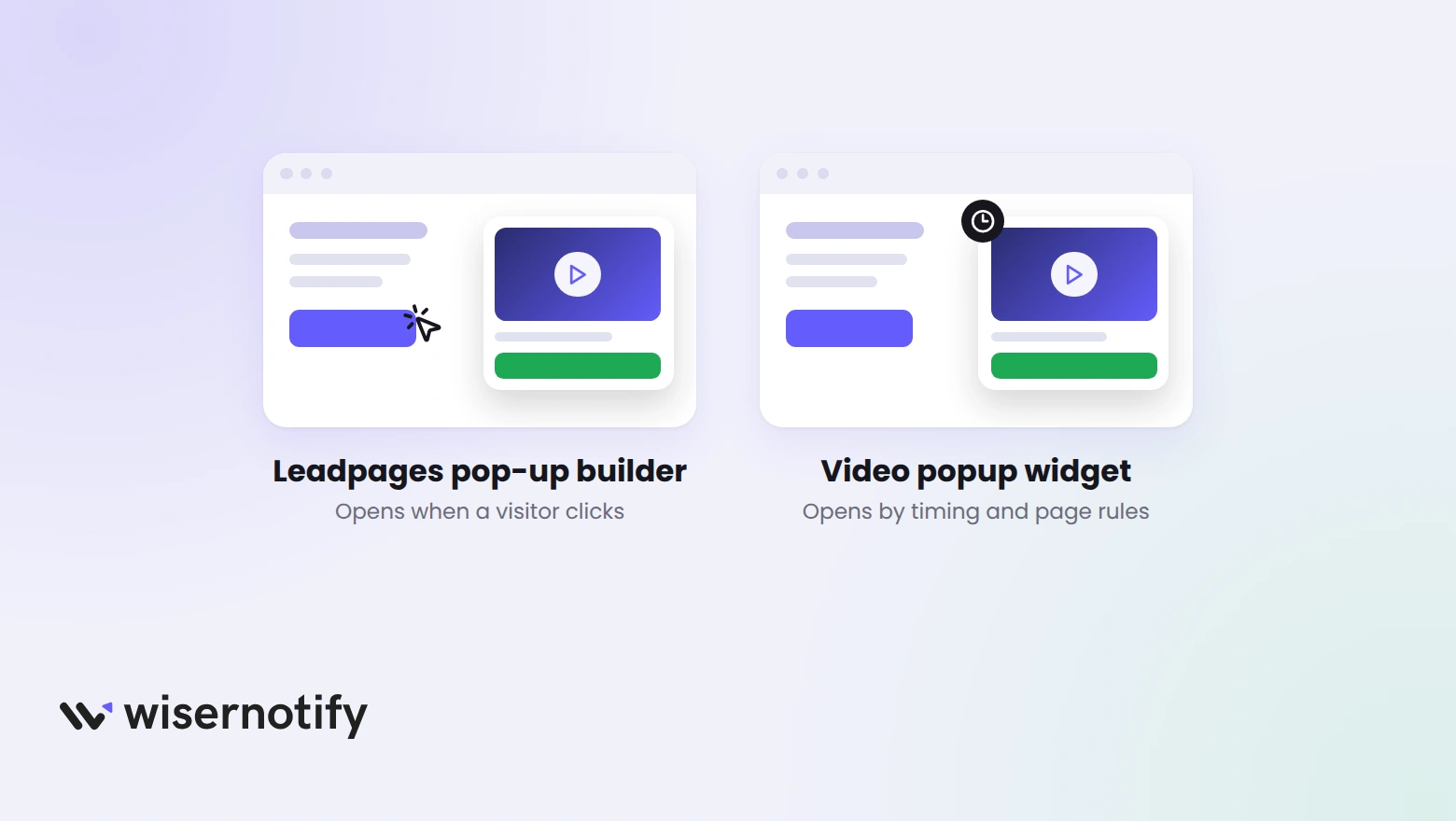
Leadpages builds pop-ups in two forms.
An on-page pop-up opens from a button, link or image inside a landing page or site. A standalone pop-up is published with a trigger, which can be a click, a timer or an exit.
One limit matters for video. Leadpages says timed and exit pop-ups do not work on mobile devices, while click pop-ups do.
A video popup widget runs from a tracking code instead, so the timing and page rules live in one dashboard.
| What you need | Leadpages pop-up builder | WiserNotify video popup |
|---|---|---|
| How the video opens | A button, link or image click, or a timer or exit trigger on a standalone pop-up | Page load, after a delay, on scroll or on a click |
| On phones | Click pop-ups work, timed and exit ones do not | Built for phones, with a mobile preview |
| Pages it shows on | The page you build it in, or code pasted into each page | Any page the pixel loads on, chosen with display rules |
Build trust & FOMO
Highlight real-time activities like reviews, sales & sign-ups.

How Do You Add a Video Popup to Leadpages?
The video popup comes from WiserNotify. Its pixel goes into your Leadpages site settings once, then every popup you build runs through it. The video shows a popup being built, and the steps follow it.
Step 1: Copy Your WiserNotify Pixel

- Sign up for WiserNotify and open Install Pixel.
- Click Copy code.
Step 2: Open Your Leadpages Site
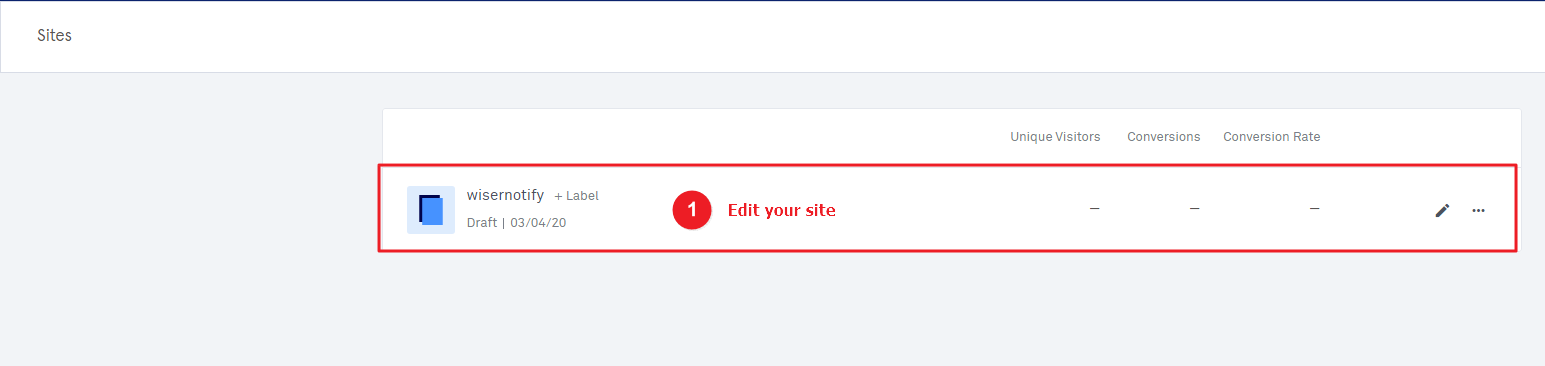
- Log in to Leadpages and open Sites.
- Click Edit your site.
Step 3: Paste the Pixel and Publish
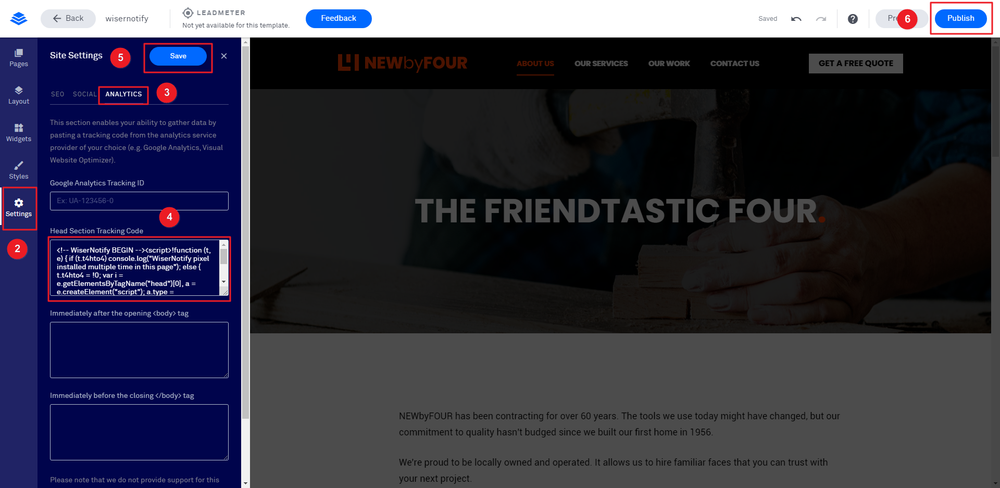
- Click Settings, then open the Analytics tab.
- Paste the pixel into the Head Section Tracking Code box.
- Click Save, then Publish.
This covers every page on the site. A standalone landing page needs the pixel added separately.
Step 4: Verify the Pixel

- Open your Leadpages site once so the pixel loads.
- Back in WiserNotify, click Verify pixel installation.
Step 5: Open the Widgets List
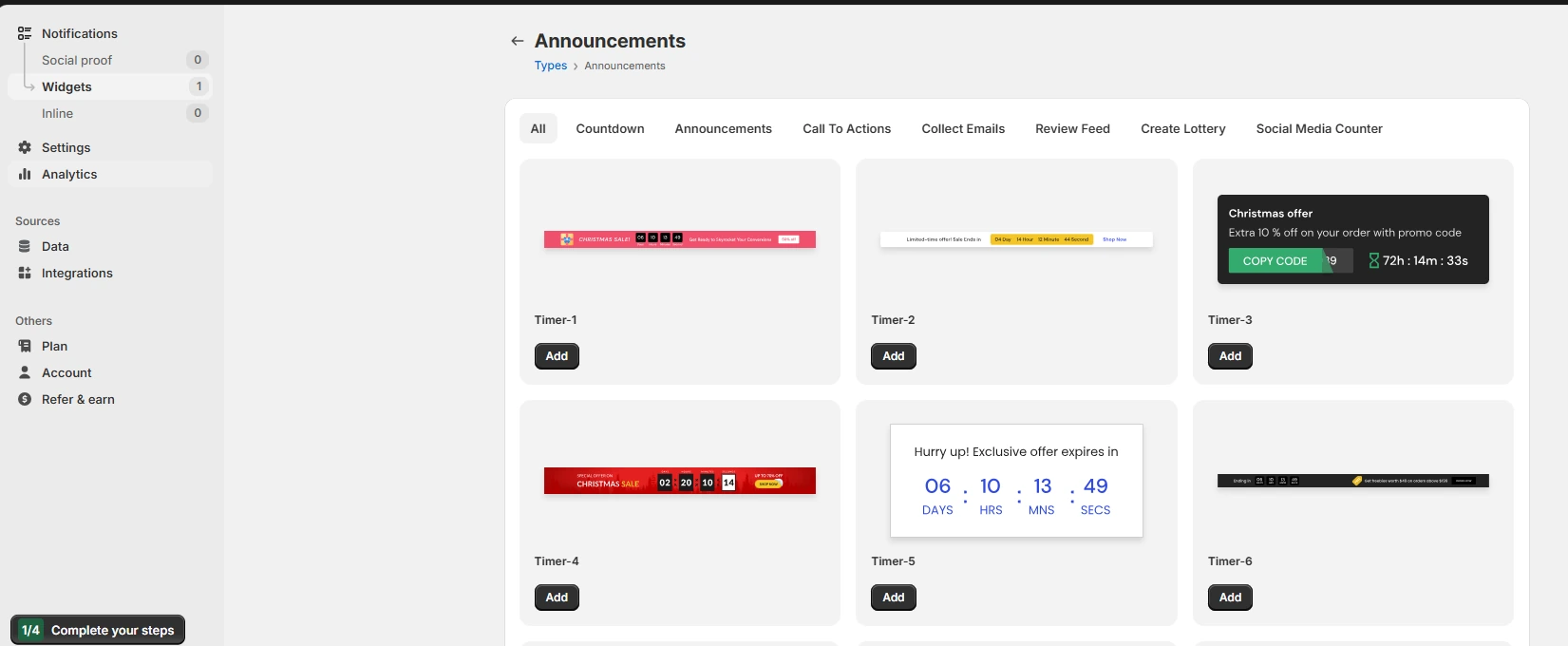
- In WiserNotify, go to Notifications, then Widgets.
- Click Add notification to open the widget types list.
Step 6: Pick the Video Popup Template
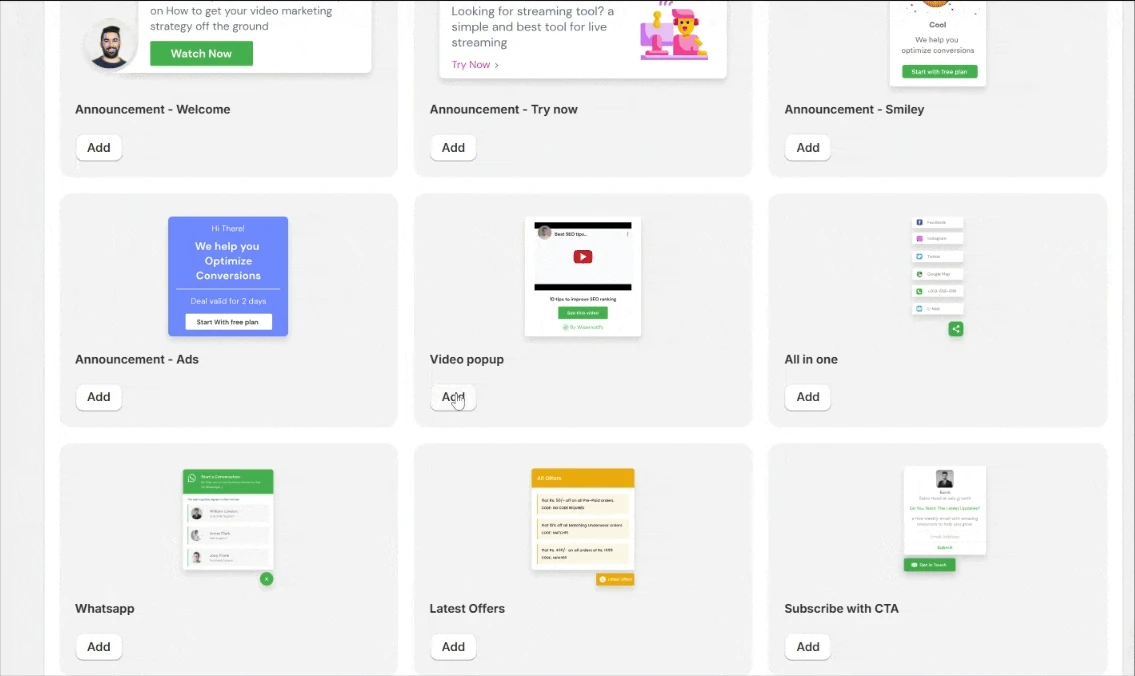
- Find Video popup in the list and click Add.
- Name it and enter your Leadpages site URL.
Step 7: Add the Video and Button

- In the design editor, paste a YouTube or Vimeo link, or upload a video file, then click Preview.
- Write a short headline, such as Watch the 60-second demo.
- Under Click actions, set the button label and the link it opens, such as your sign-up page.
- Match the colors and fonts to your Leadpages page.
Step 8: Pick When and Where It Shows

- In the Display tab, add the Leadpages page URLs the popup should show on.
- Choose when it opens: on page load, after a delay such as 5 seconds, or on scroll or click.
- Turn on autoplay if the video should start on its own, and set how often it shows per visitor.
- Click Save, then Publish, and open the page in a private window to check.

Boost Conversion Instantly
Add Social Proof & Urgency to your website
Where Should a Video Popup Show on Leadpages?
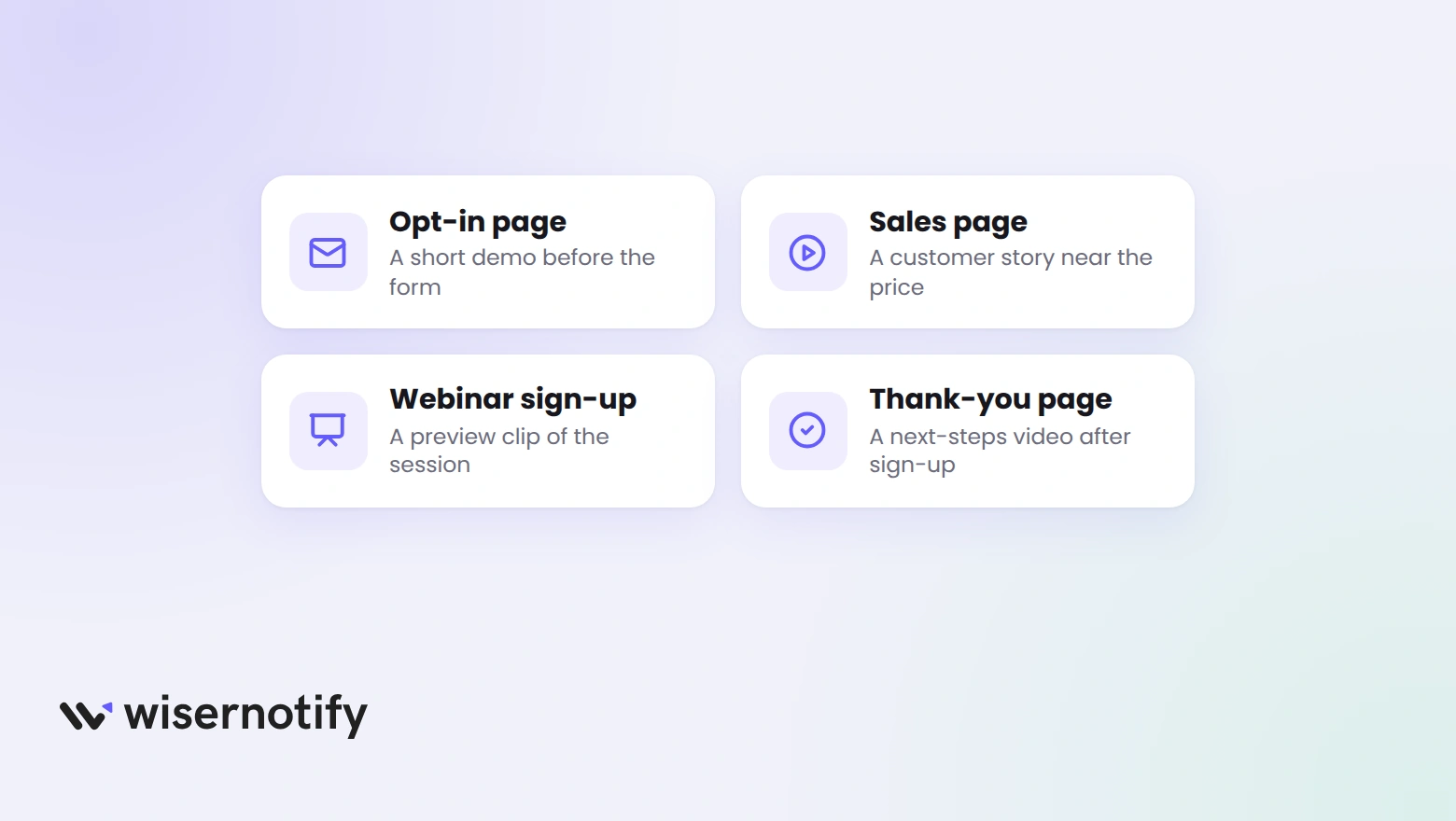
- Opt-in page: a short demo that shows what the lead magnet contains, before the visitor reaches the form.
- Sales page: a customer story near the price, where a visitor decides whether to trust the offer.
- Webinar sign-up page: a preview clip of the session, so the sign-up has something to react to.
- Thank-you page: a next-steps video, since the visitor is already engaged and wants to know what happens now.
Keep the video under a minute, and show the popup on one page of the journey at a time.
Video Popup Not Showing on Leadpages?
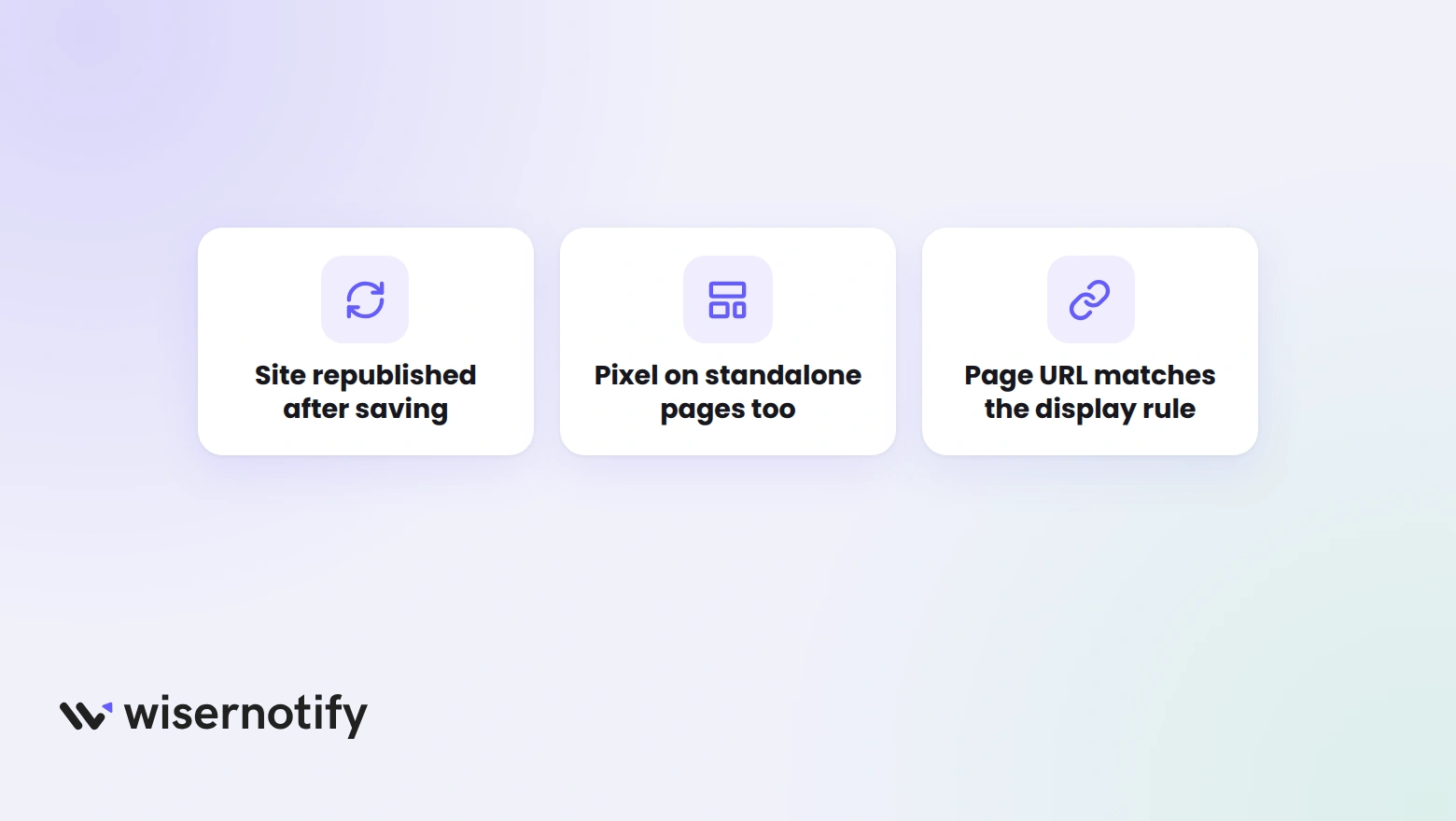
- Site not republished: saving the pixel is not enough in Leadpages. Click Publish again.
- Standalone landing page: the site-wide code does not reach it, so add the pixel to that page’s settings.
- URL mismatch: the page address in the Display tab must match the live Leadpages URL, including a custom domain.
- Autoplay blocked: many browsers block autoplay with sound. Start the video muted, or let the visitor press play.
- Not published in WiserNotify: saving the popup is not enough. Click Publish.
- Cached page: check in a private window.
Video Popup Mistakes to Avoid
- A long video: a popup is a trailer, not the whole film. Link to the full video from the button.
- Opening it on page load: a popup before the visitor has read a line feels like a wall. Wait a few seconds or open it on scroll.
- Covering the form: a popup that hides the sign-up box costs more than it adds.
Wrap Up
Leadpages covers click pop-ups well. A tracking code adds the timing and page rules that the builder does not.
Start with a short demo on your opt-in page, then test a customer story on the sales page.
Related Post
- Add a video popup to Unbounce
- Add a video popup to LearnWorlds
- Add a video popup to Wix
- Add social proof notifications to Leadpages
Frequently Asked Questions
Does Leadpages have a built-in popup builder?
Yes. Leadpages builds pop-ups that open from a button, link or image click, or from a timed or exit trigger when published as standalone pop-ups.
Do Leadpages timed and exit pop-ups work on mobile?
No. Leadpages says timed and exit pop-ups do not work on mobile devices, while click pop-ups do.
Where do I paste the WiserNotify pixel in Leadpages?
Edit your site, open Settings, then the Analytics tab, and paste the pixel into the Head Section Tracking Code box. Click Save, then Publish.
Can the video popup autoplay?
Yes. Turn on autoplay in the popup’s settings. Many browsers block autoplay with sound, so a muted start is the safer choice.
Why is the video popup not showing on my Leadpages page?
Usually the site was not republished after saving the pixel, or the page is a standalone landing page without the pixel. Check both, then test in a private window.

Krunal Vaghasiya is a marketing tech expert who boosts e-commerce conversion rates with automated social proof and FOMO strategies. He loves to keep posting insightful posts on online marketing software, marketing automations, and improving conversion rates.




 Capterra