
How to Create a WordPress Video Popup That Gets Clicks
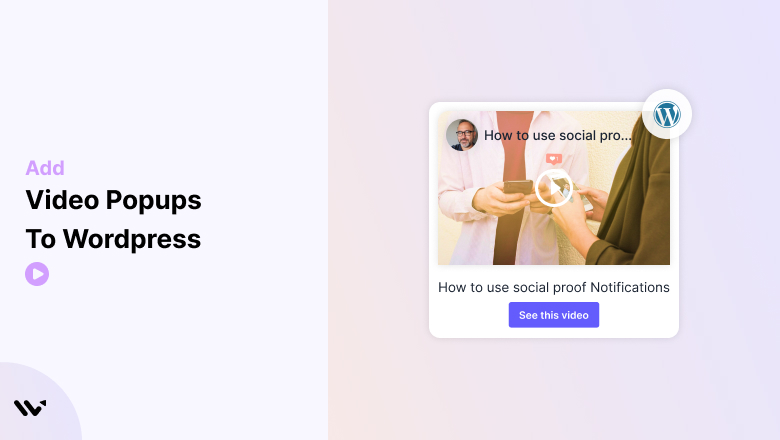
Videos are an excellent way to captivate your audience and convey important information effectively.
Adding a video popup to your WordPress website allows you to showcase content like tutorials, product demos, or promotional offers in an interactive and engaging format.
Whether you’re using plugins or custom code, WordPress makes it easy to integrate video popups.
This guide will show you how to add a video popup to your WordPress website, along with tips and best practices for maximizing its impact.
Benefits of Adding a Video Popup to the Website
Adding video popups to your WordPress site can significantly enhance user engagement and conversions.
Here’s why:
➲ Boost Visitor Engagement
Video popups grab attention immediately, making visitors more likely to interact with your content.
➲ Simplify Communication
Videos help simplify complex ideas or products, reducing the need for long descriptions.
➲ Encourage Actions
A strategically placed video pop-up with a call-to-action can drive clicks, sign-ups, or purchases.
➲ Highlight Offers Effectively
Use video popups to promote limited-time offers or showcase new products visually appealingly.
➲ Enhance User Experience
A sleek video popup adds a modern, professional touch to your site, boosting user satisfaction.
Add Video Popup to WordPress
Adding a video popup to WordPress is straightforward and can be done in multiple ways.
Platforms like WiserNotify make the process seamless.


Related post: How to add a video popup to your website
Best Practices for Creating an Engaging Video Popup
To ensure your video pop-up delivers the best results, follow these best practices:
1. Keep Videos Short and Focused
Why: Visitors prefer concise, targeted content. Long videos may lose their interest.
Keep your video length under 60 seconds.
Focus on delivering a single message or CTA.
2. Use Effective Triggers
Why: Popups that appear at the wrong time can disrupt user experience.
Set popups to appear after a delay (e.g., 5–10 seconds) or after a user scrolls down the page.
Use exit-intent popups to retain visitors about to leave your site.
3. Ensure Mobile Responsiveness
Why: Most users browse on mobile devices, so your popups must be optimized for small screens.
Use responsive designs and test how your popup looks on various devices.
4. Provide Clear Dismiss Options
Why: Users want control over their browsing experience.
Include an obvious close button and allow users to dismiss the popup by clicking outside of it.
5. Limit Frequency
Why: Too many popups can annoy visitors and increase bounce rates.
Limit video popups to one per session or only display them on key pages.
6. Test and Optimize
Why: Testing helps you understand what works best for your audience.
Use analytics tools or A/B testing to evaluate popup performance.
Experiment with video length, triggers, and CTA designs to optimize results.
7. Align Popups with Your Branding
Why: Consistent branding builds trust and strengthens your site’s visual identity.
Match the popup’s design (colors, fonts, etc.) with your website’s theme.
8. Add Value to Users
Why: Popups should provide helpful or relevant content to keep users engaged.
Use video popups for tutorials, product demos, or customer success stories.
Ensure the video solves a problem or answers a question for your audience.
Conclusion
Adding a video popup to your WordPress website is a powerful way to engage visitors and communicate your message effectively.
By using plugins or custom code and following best practices, you can create an interactive feature that enhances user experience and drives conversions.
Start integrating video popups into your WordPress site today and captivate your audience with compelling content!
Frequently Asked Questions
How can I add a video popup to my WordPress site?
You can use a plugin like Popup Maker or WP Video Popup, or add custom code using a modal popup script with HTML, CSS, and JavaScript.
Can I autoplay a video popup in WordPress?
Yes, many plugins support autoplay. For custom solutions, add the autoplay=1 parameter to the video URL and configure the popup to open automatically.
Is it possible to design the popup to match my site?
Plugins offer extensive customization for size, colors, animations, and more. With custom code, you can use CSS to match your site’s branding.
Can I trigger the popup with a button or link?
Yes, you can configure plugins or add a custom script to open the popup when a button, link, or image is clicked.
Will adding a video popup affect my site’s speed?
To minimize impact, use optimized video hosting (e.g., YouTube or Vimeo) and lightweight plugins. Always test performance after implementation.

Krunal Vaghasiya is a marketing tech expert who boosts e-commerce conversion rates with automated social proof and FOMO strategies. He loves to keep posting insightful posts on online marketing software, marketing automations, and improving conversion rates.




 Capterra