


I’ve used both Moz Local and Yext to manage listings and reviews for local businesses.
They solve similar problems but target very different users. Moz Local is built for small to mid-sized businesses that need affordable listing management.
Yext is built for enterprises that need global reach, automation, and deep integrations.
This comparison breaks down how each tool handles listings, reviews, local SEO, pricing, and ease of use.
Whether you’re searching for “Yext vs Moz Local” or reading every Moz Local review you can find, I’ll cover what each one does well, where it falls short, and who should choose which.

Boost Conversion Instantly
Add Social Proof & Urgency to your website
Quick Comparison: Moz Local vs Yext
| Feature | Moz Local | Yext |
|---|---|---|
| Best for | Small businesses, 1-5 locations | Enterprises, multi-location teams |
| Directory Listings | 90+ (US, UK, Canada) | 200+ global directories |
| Review Management | Monitoring, alerts, reply templates | Automated replies, review campaigns |
| Listing Updates | Periodic sync (may have delays) | Real-time sync across all platforms |
| Social Media Tools | Basic posting (Google, Facebook) | AI content, advanced scheduling |
| API Access | Limited (50 calls/month) | Full access, high limits |
| Starting Price | $14-16/month per location | Custom pricing (typically $500+/year) |
| Setup Difficulty | Quick, low learning curve | Complex, steep learning curve |
What Is Moz Local?
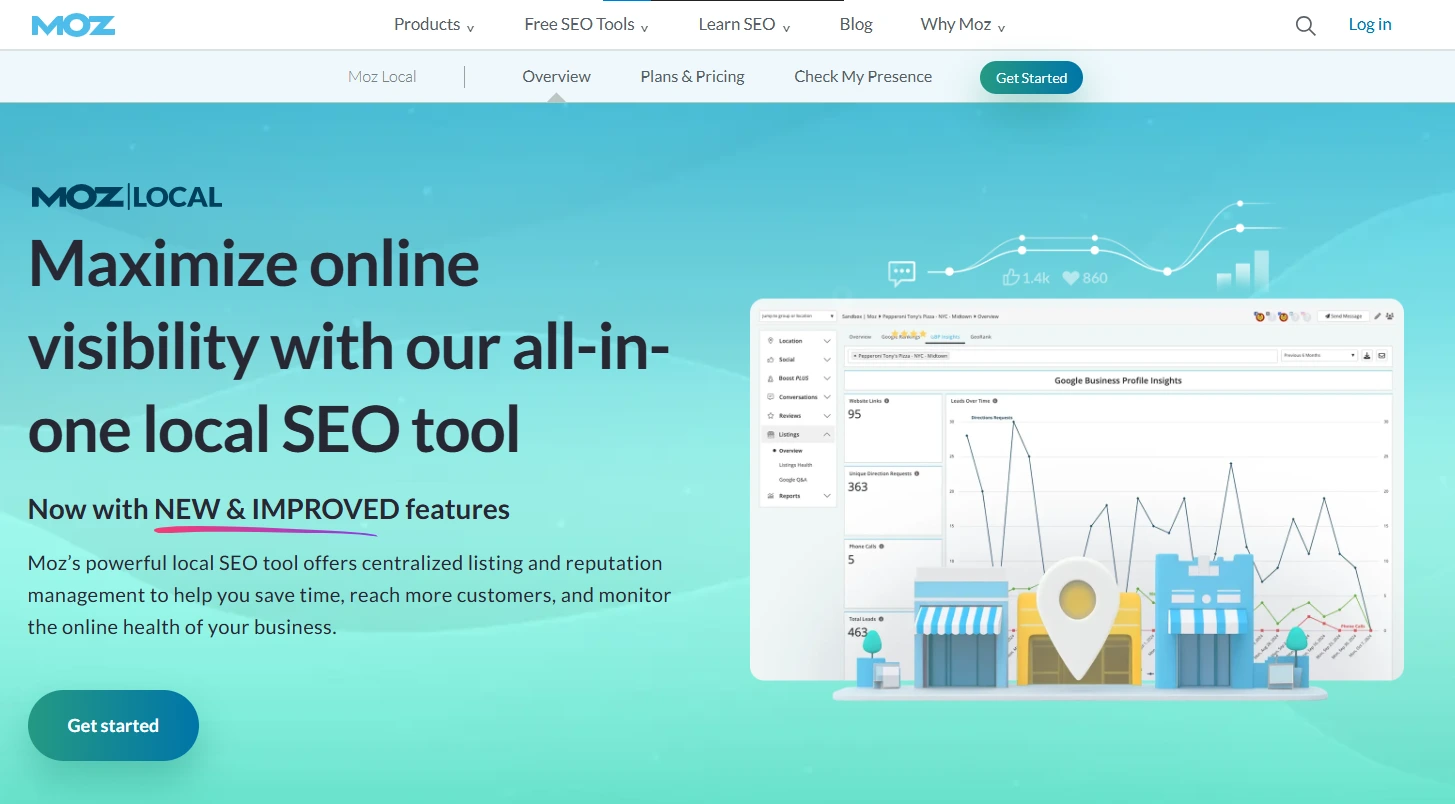
Moz Local is a local SEO tool from Moz that helps businesses manage their online listings across 90+ directories in the US, UK, and Canada.
It syncs your business name, address, phone number (NAP), and other details across platforms like Google, Bing, Apple Maps, Facebook, Yelp, and data aggregators.
Beyond listings, Moz Local includes review monitoring, basic social posting, and local search reporting.
It’s designed for small- to mid-sized businesses that want to maintain a consistent local presence without spending hours manually updating directories.
Moz Local fits into Moz’s broader SEO product ecosystem.
If you already use Moz Pro for keyword research or site audits, adding Moz Local gives you a unified view of your local SEO performance alongside your broader search visibility.
Key strengths: Affordable pricing, clean dashboard, quick setup, strong reporting features (rated 9.0 on G2), and reliable NAP consistency across core directories.
What Is Yext?

Yext is an enterprise-grade digital presence platform that manages business listings, reviews, social media, and content across 200+ global directories.
It goes far beyond simple listing management, offering AI-powered content creation, voice search optimization, and advanced analytics.
Yext’s real-time sync is its standout feature. When you update your business information in Yext, the change pushes to all connected platforms instantly.
This is critical for large businesses with multiple locations where outdated information costs real money.
The platform targets mid-market to enterprise businesses that need automation, API access, and global coverage.
If you manage 10+ locations across multiple countries, Yext’s infrastructure is built to handle that complexity.
Key strengths: Real-time listing sync, 200+ global directories, automated review responses, AI content tools, voice search optimization, and deep API integration for technical teams.
Boost Conversion Instantly
Add Social Proof & Urgency to your website
Moz Local vs Yext: Listing Management
Listing management is the core function of both tools, and this is where the biggest differences emerge.
Moz Local covers 90+ directories focused on the US, UK, and Canada. It distributes your NAP data through partnerships with major data aggregators and directory sites.
The process works well, but updates are not always instant. Moz Local syncs periodically, which means changes to your business hours or address might take a few days to propagate across all platforms.
Yext takes a different approach with direct API connections to 200+ platforms globally.
When you change your address in Yext, it updates everywhere within minutes.
This real-time sync is a significant advantage for businesses that frequently update information (seasonal hours, temporary closures, new phone numbers) or operate across multiple countries.
One important caveat about Yext: if you cancel your subscription, your listings may revert to their previous state.
Some directories may drop your edits entirely.
Moz Local has a similar issue, though the impact tends to be less dramatic because it works through data aggregators rather than direct API connections.
For a small business with 1 to 3 locations in the US, Moz Local’s coverage is more than sufficient.
For a business with 10+ locations or an international presence, Yext’s real-time global sync justifies the higher cost.
Moz Local vs Yext: Review Management
Both platforms include review management, but the depth varies significantly.
Moz Local provides review monitoring with alerts when new reviews come in.
It suggests reply templates and includes AI-assisted response prompts on higher-tier plans.
You can track reviews from Google, Facebook, and other major platforms from one dashboard.
The review tracking is solid for businesses that receive a manageable volume of reviews (5 to 20 per month).
Yext offers more advanced review tools: automated responses based on sentiment analysis, review request campaigns via email, bulk response actions, and detailed sentiment reporting.
If your business receives hundreds of reviews monthly across dozens of locations, Yext’s automation features save significant time.
That said, neither tool is a dedicated review management platform. Both are primarily listing-management tools with built-in review features.
If review collection and display are your primary needs, dedicated tools like Trustpilot, Yotpo, or Birdeye offer more robust functionality.
Also check: I Tested 21 Review Management Software (Here Are the Top 5 for 2026)
Moz Local vs Yext: Local SEO Features
For local SEO specifically, both tools contribute to better search visibility, but in different ways.
Moz Local focuses on citation accuracy. Consistent NAP data across directories is a well-established local SEO ranking factor.
Moz Local also includes duplicate listing detection (finding and removing conflicting business entries that confuse search engines), Google Business Profile sync, and local search rank tracking on higher-tier plans.
Yext adds voice search optimization (ensuring your business information is available through Siri, Alexa, and Google Assistant), structured data markup, and AI-powered content suggestions for your business listings.
These features matter more for businesses in competitive local markets where small ranking advantages translate to significant revenue.
Both tools improve your local search presence. Moz Local does it through foundational citation management.
Yext does it through a broader set of signals, including structured data, voice search, and real-time accuracy.
Moz Local vs Yext: Social Media Tools
Moz Local includes basic social posting on its Preferred and Elite plans.
You can publish posts to Google Business Profile and Facebook, with the Elite plan adding more platforms and simple scheduling.
It’s functional but limited. Most businesses will still need a dedicated social media management tool.
Yext offers more advanced social capabilities: AI-generated content suggestions, multi-platform scheduling, engagement tracking, and the ability to manage social presence across all locations from one dashboard.
For multi-location businesses that want to coordinate social posting across dozens of locations, Yext’s social tools add genuine value.
For single-location businesses, neither tool replaces a dedicated social media manager or scheduling tool.
The social features are a bonus, not a reason to choose one platform over the other.
Moz Local vs Yext: Pricing Comparison
This is where the decision often gets made.
The pricing gap between Moz Local and Yext is substantial.
Moz Local pricing (per location, per month):
Lite plan at $14 to $16/month includes listing distribution, review monitoring, and basic alerts.
Preferred plan at $20 to $24/month adds social posting, review responses, and competitor tracking.
The Elite plan, priced at $28 to $32/month, adds AI tools, advanced social features, and detailed reporting.
Annual billing discounts are available.
Yext pricing:
Yext does not publicly list standardized pricing.
Based on available information and user reports, costs typically range from $199/year for basic listings to $500-$1,000+ per year for full-featured plans.
Enterprise and multi-location pricing requires custom quotes.
Many users report that the actual Moz Local cost is significantly lower than Yext when comparing equivalent features.
The price difference is dramatic. A small business could pay $168 to $384/year for Moz Local versus $500 to $1,000+ for Yext.
For a business managing 20 locations, that gap multiplies to thousands of dollars annually.
Moz Local vs Yext: User Experience
Moz Local gets consistent praise for its clean, intuitive dashboard.
Setup takes minutes, and the learning curve is minimal.
Users particularly like the visual health score that shows listing status at a glance.
The main complaints center on slow directory sync speeds and limited reporting on lower-tier plans.
Yext’s dashboard is more powerful but more complex.
The initial setup takes longer, especially for multi-location businesses configuring API integrations.
Once configured, the platform is comprehensive.
The main complaints are high pricing, a steep learning curve, and the fact that listings may disappear if you cancel your subscription.
On G2, Moz Local scores 9.0 for reporting features.
Yext scores slightly lower at 8.4 for reporting but edges ahead in interface intuitiveness for day-to-day use.
Who Should Choose Moz Local?
Moz Local is the right choice if you run 1 to 5 locations in the US, UK, or Canada, want affordable listing management with clear pricing, need basic review monitoring without complex automation, prefer a simple tool with a quick setup and low learning curve, or already use Moz Pro and want an integrated local SEO solution.
Who Should Choose Yext?
Yext is the right choice if you manage 10+ locations or operate globally, need real-time listing sync across 200+ platforms, require automated review responses and sentiment analysis at scale, want API access for custom integrations with your tech stack, or need voice search optimization and AI-powered content tools.
Alternatives to Consider
If neither Moz Local nor Yext fits your needs perfectly, here are the top Moz Local alternatives worth evaluating:
BrightLocal is the most common alternative, especially for small to mid-sized businesses. T
The BrightLocal vs Moz Local debate comes down to pricing and feature depth. BrightLocal offers listing management, rank tracking, and review monitoring at a competitive price point.
We compared it in detail in our Moz Local vs BrightLocal comparison.
Birdeye is better for businesses that prioritize review management over listing management.
It offers review generation, sentiment analysis, and multi-location review tracking with integrations across 150+ review sites.
Semrush Listing Management integrates with Semrush’s broader SEO toolkit, making it a good choice for businesses that already use Semrush for keyword research and site audits.
For businesses that only need to collect and display customer reviews (without the listing management features of Moz Local or Yext), a dedicated review platform is often the more cost-effective and focused solution.
Boost Conversion Instantly
Add Social Proof & Urgency to your website
Wrapping Up
Moz Local and Yext solve the same core problem (keeping your business listings accurate and your reviews managed), but for different audiences at very different price points.
For small businesses with 1 to 5 locations in the US, UK, or Canada, Moz Local offers everything you need at a fraction of the cost of Yext.
It’s simple, affordable, and reliable for the fundamentals.
For enterprises with 10+ locations, global operations, or the need for real-time sync and automation, Yext’s infrastructure and feature depth justify the premium pricing.
The right choice depends on your business size, budget, and the number of locations you need to manage.
Don’t pay enterprise prices for a single-location business, and don’t try to run 50 locations on a tool built for small teams.


