
The Smart Way to Grow: Add Yelp Reviews on WooCommerce
 Krunal Vaghasiya|Feb 5, 2025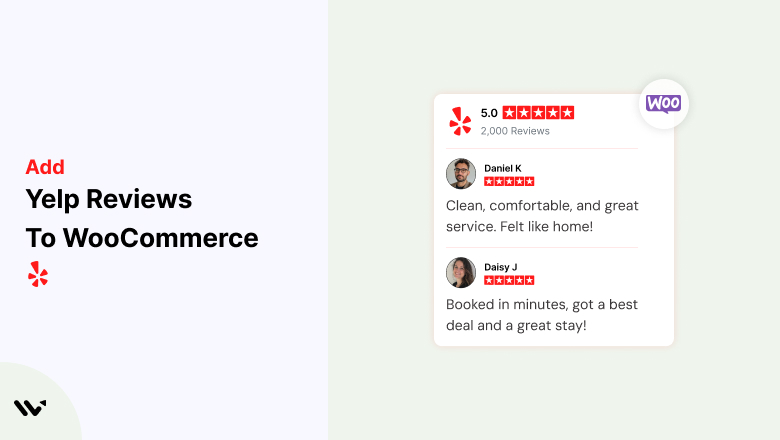
Building customer trust is essential for any WooCommerce store, and displaying Yelp reviews can significantly enhance your brand’s credibility.
With thousands of potential customers relying on Yelp for authentic business feedback, integrating these reviews into your WooCommerce store can drive higher engagement and conversions.
In this guide, we’ll explore the benefits of adding Yelp reviews to WooCommerce, a step-by-step process for embedding them, best practices for showcasing reviews, and common mistakes to avoid.
Why Add Yelp Reviews to Your WooCommerce Store?
Boost Credibility and Trust: Customers trust peer reviews. According to a survey, 79% of consumers trust online reviews as much as personal recommendations. Adding Yelp reviews reassures visitors about your store’s quality and service.
Increase Conversion Rates: Displaying positive reviews on product pages can increase conversion rates by up to 270%, as customers are more likely to make a purchase when they see others’ positive experiences.
Improve SEO and Local Visibility: Yelp reviews contribute to local SEO rankings. Fresh and relevant content from Yelp can help improve your store’s visibility in search engine results.
How to Add Yelp Reviews to Your WooCommerce Store


How to Embed Yelp Reviews on WooCommerce
1. Get the Yelp Review Embed Code
- Visit your Yelp Business Page.
- Select a review you want to feature.
- Click the Share button and copy the embed code.
2. Add a Custom HTML Widget in WooCommerce
- Log into your WordPress dashboard.
- Navigate to Appearance > Widgets.
- Select the Custom HTML Widget and place it in your preferred section (sidebar, footer, or product page).
- Paste the Yelp embed code into the widget.
3. Use a Yelp Review Plugin for Automated Integration
If you want to dynamically showcase multiple reviews, consider using a WooCommerce-compatible plugin like Wisernotify.
- Install and activate Wisernotify from the WordPress plugin repository.
- Connect your Yelp Business Page.
- Customize the review widget’s appearance.
- Embed the generated shortcode on your WooCommerce store.
4. Customize Display Settings
- Adjust the number of reviews displayed.
- Modify the widget design to match your store’s branding.
- Ensure mobile responsiveness for optimal viewing on all devices.
5. Save and Test the Integration
- Preview the page to ensure reviews display correctly.
- Test the responsiveness on desktop and mobile devices.
- Make any necessary adjustments for better user experience.
Best Practices for Showcasing Yelp Reviews on WooCommerce
Feature Reviews on Key Pages
- Homepage: Establish credibility instantly.
- Product Pages: Reinforce the quality of individual products.
- Checkout Page: Reduce hesitation and increase conversion rates.
Highlight High-Quality Reviews
- Choose reviews that provide detailed insights rather than generic feedback. Customers are more influenced by specific experiences.
Ensure Mobile Optimization
- Over 60% of online shopping happens on mobile devices, so ensure your Yelp review section is fully responsive.
Encourage More Yelp Reviews
- Although Yelp discourages businesses from explicitly asking for reviews, you can subtly encourage customers by including a “See More Reviews on Yelp” button.
Common Mistakes to Avoid When Adding Yelp Reviews to WooCommerce
Embedding Too Many Reviews at Once
- Displaying too many reviews can clutter your page. Stick to 3-5 well-chosen reviews to maintain a clean design.
Ignoring Negative Reviews
- Showcasing only 5-star reviews may seem inauthentic. A mix of mostly positive with a few neutral reviews adds credibility.
Not Updating Reviews Regularly
- Old, outdated reviews lose relevance. Regularly update your displayed reviews to reflect fresh customer feedback.
Wrap-Up
Adding Yelp reviews to your WooCommerce store is a powerful way to build trust, improve engagement, and drive conversions.
Whether embedding a few key reviews manually or using a plugin like Wisernotify for automated updates, integrating Yelp reviews can significantly enhance your store’s credibility.
Ready to boost customer confidence? Try Wisernotify today and seamlessly integrate Yelp reviews into your WooCommerce store!
Related Posts:
Krunal Vaghasiya is a marketing tech expert who boosts e-commerce conversion rates with automated social proof and FOMO strategies. He loves to keep posting insightful posts on online marketing software, marketing automations, and improving conversion rates.




 Capterra