

Product review emails work when they are short, clear, and sent at the right time. A simple message with a direct call to action can increase your response rate fast.
Many brands send review requests, but customers ignore them because the email feels generic or too long. If you improve the subject line, timing, and message, more customers will leave feedback.
In this guide, you will see 6 product review email examples that get real responses. You can use these templates to collect more reviews and build trust on your product pages.

What Exactly Is a Product Review Email?
A product review email is a message sent to customers following a purchase, requesting them to share their experience or provide customer feedback on the product.
It’s more than just a thank you message – it’s your chance to start a genuine conversation and invite positive feedback that builds credibility and trust.
Unlike promotional emails, a review request email template is designed to be personalized, simple, and action-oriented, influencing customers to take action.
It usually includes a warm message, along with a link to the review, and sometimes an incentive to nudge the customer gently.
Collecting online reviews helps improve your product, build social proof, and even influence new customers’ buying decisions.
Types of Product Review Emails
You can send different types of product review emails based on timing and customer behavior. Each type has a clear purpose and works best in a specific situation.
➔ Post-Delivery Review Request
You send this email after the product reaches the customer. It asks a simple question like, “How was your experience?” Timing matters. If you send it too early, the customer has not used the product. If you send it too late, they may forget.
Keep the email short. Add the product name and image. Include one clear button that links to the review form.
➔ Review Reminder Email
You send this email if the customer did not respond to the first request. Many people forget or miss the first email.
A reminder increases your chances of getting a response.
Keep it even shorter than the first email. Use a friendly tone. Do not repeat the full message. Add one direct call to action.
➔ Photo or Video Review Request
You send this after the customer submits a text review. You ask them to add a photo or short video of the product.
Visual reviews build stronger trust and improve conversion rates.
Explain that it takes only a few seconds to upload a photo. Make the upload process simple on mobile.
➔ Incentive-Based Review Email
You offer a small reward like a discount, store credit, or loyalty points. This encourages more customers to leave feedback.
Be clear that you want honest reviews. Do not ask only for positive reviews. Transparency builds long-term trust.
➔ Low-Rating Follow-Up Email
You send this email when a customer leaves a low rating. Instead of ignoring it, you ask what went wrong.
This shows that you care about their experience.
Keep the tone calm and helpful. Offer support or a solution. In many cases, this can turn an unhappy customer into a loyal one.

All Your Reviews in One Place
Collect reviews, manage every response, and display them where they matter most.
Also Read: 7 Effective Review Request Messages Templates (With Examples)
6 Product Review Email Examples That Convert
Here are six product review email examples that help increase response rates.
1. Peak Coffee – Clean and Direct Review Request
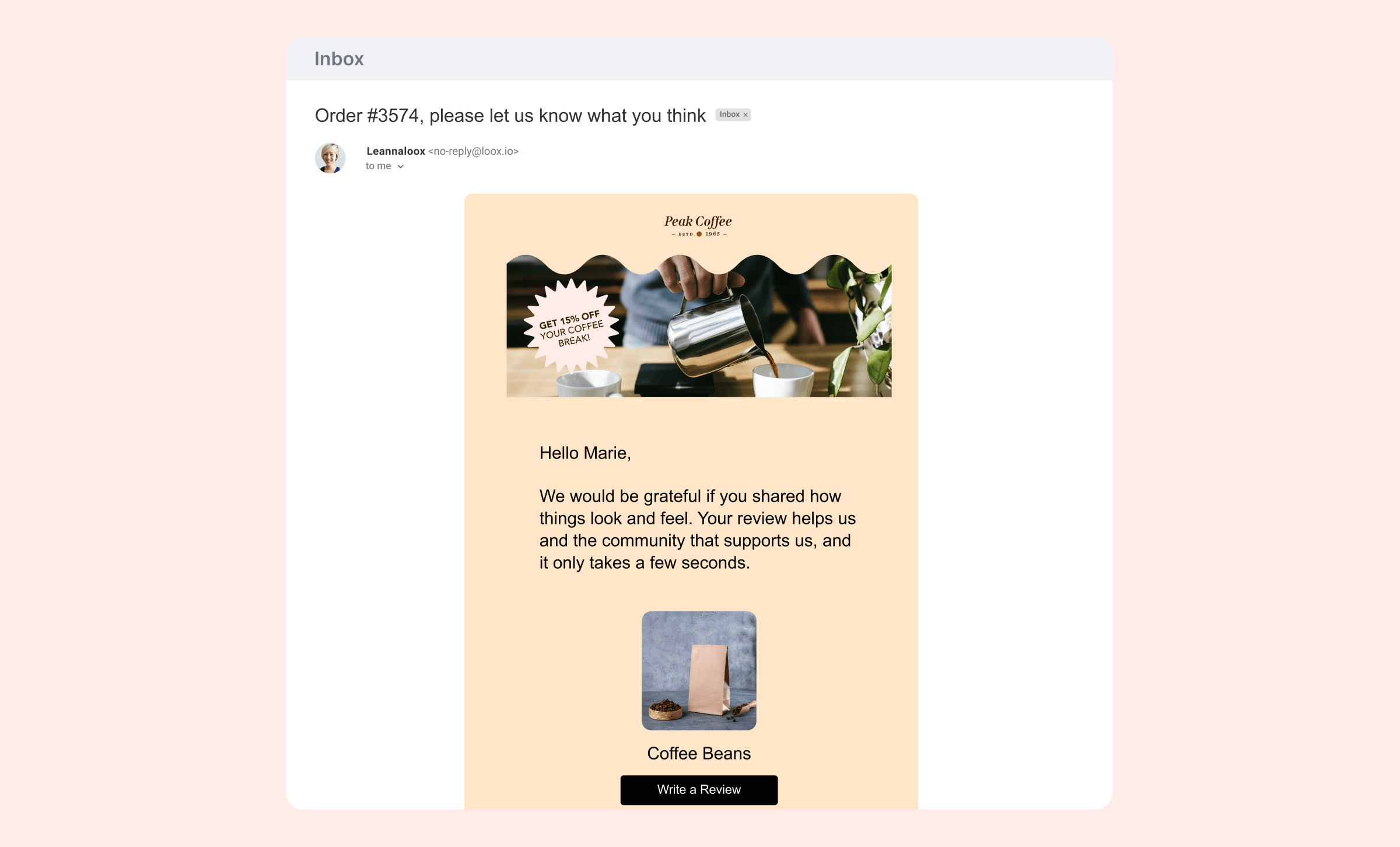
Peak Coffee sends a simple and focused review email. The subject line mentions the order number, which makes the email feel personal and relevant. The message thanks the customer and clearly asks for feedback.
The design is clean. The product image reminds the customer of what they purchased. There is only one clear button: “Write a Review.” This works because the email removes distractions and makes the next step obvious.
2. OTHERTIMES – Incentive-Based Review Email
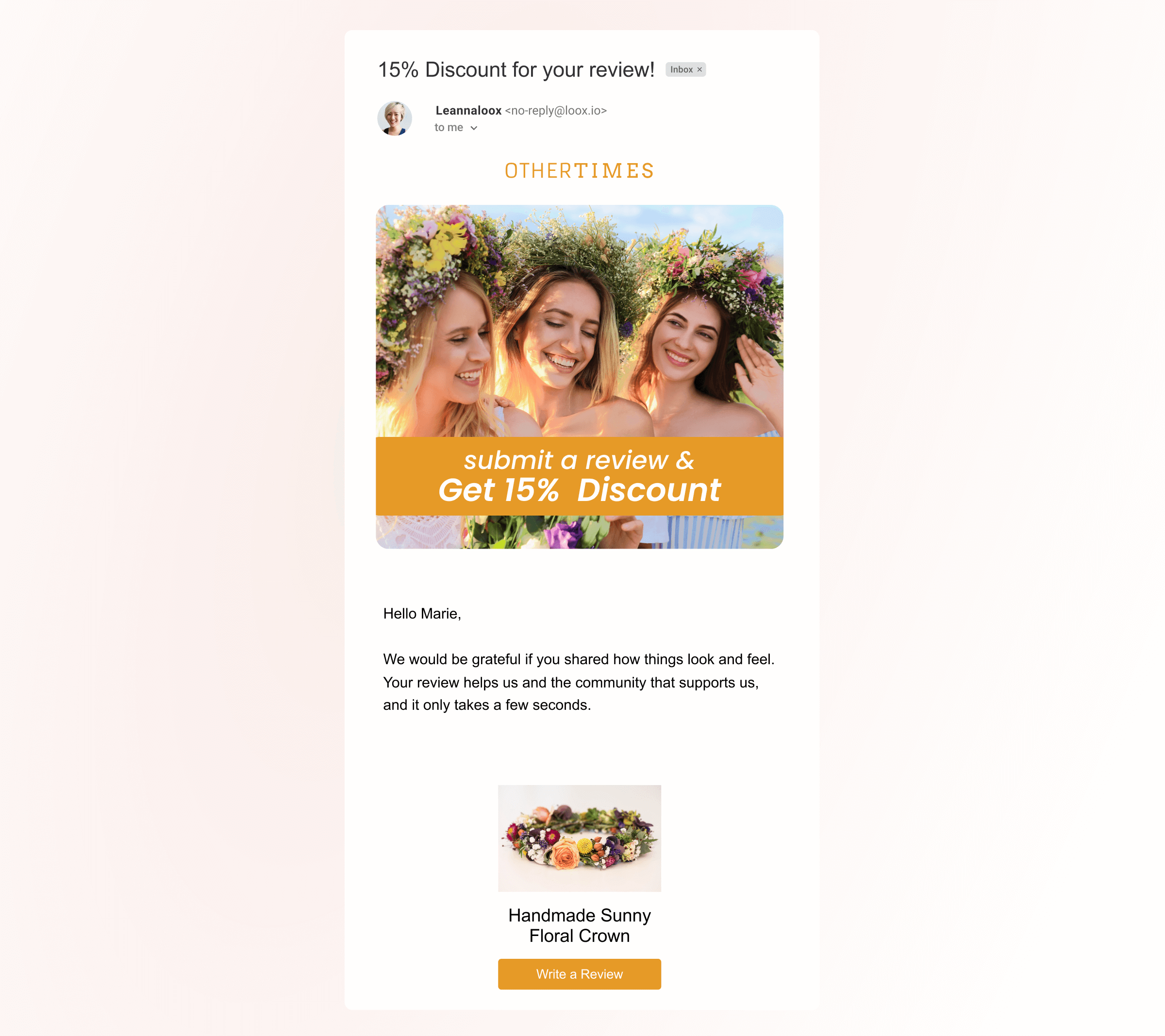
OTHERTIMES leads with a clear benefit. The email offers 15% off in exchange for a review. The discount appears at the top, so customers understand the value right away.
The message stays short and friendly. The product image reinforces the purchase.
The strong headline and clear reward increase urgency and improve response rates.
3. TopNotch – Personal CEO Request
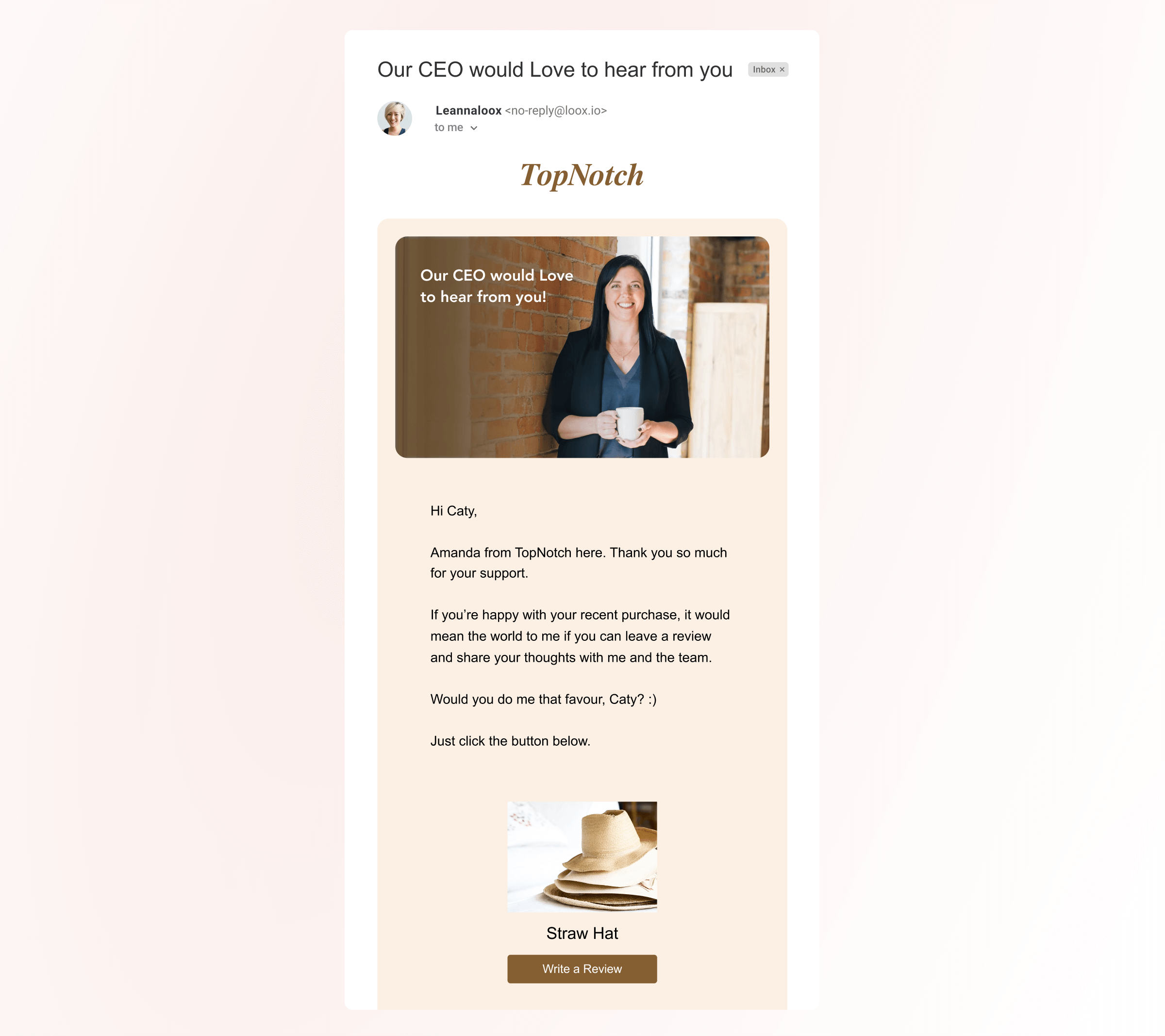
TopNotch takes a personal approach. The email appears to come directly from the CEO. It includes a real name and a warm message.
This makes the request feel genuine. Customers feel that their feedback matters to someone specific, not just the brand.
The personal tone builds trust and increases the chance of a reply.
4. ATHËNA – Social Proof First
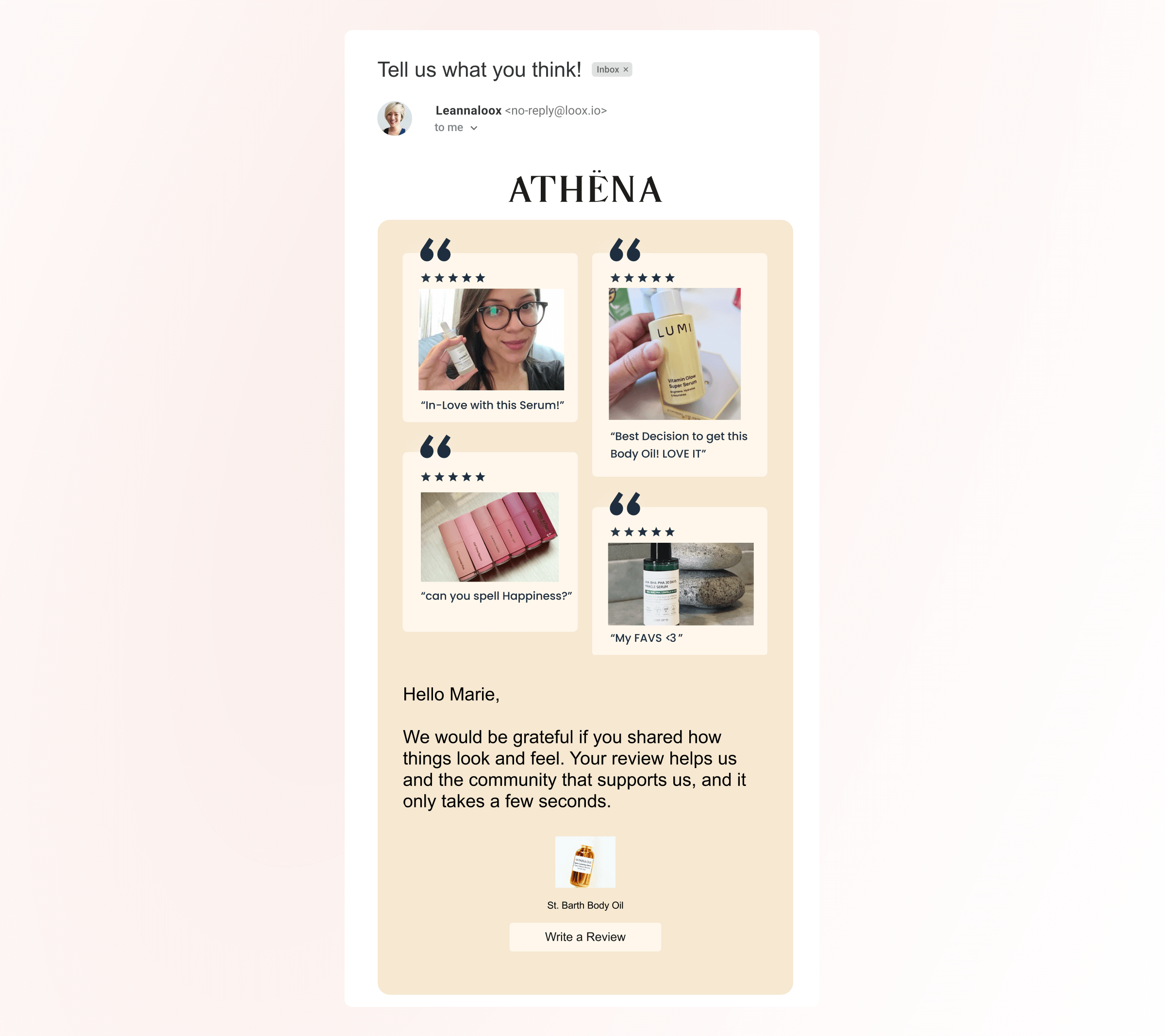
ATHËNA shows customer reviews inside the email before asking for one. The email includes star ratings, photos, and short quotes.
This strategy reminds customers that others are sharing their experience.
Social proof creates confidence and encourages participation. The review request feels natural instead of forced.
5. Dia & Co – Honest Feedback After a Return
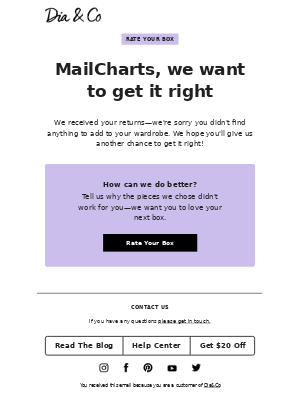
Dia & Co sends the email after a return or exchange. Instead of asking for a positive review, the brand asks how they can improve.
This shows care and accountability. The tone feels respectful.
Customers are more likely to respond when they feel the brand wants real feedback, not just praise.
6. Huron – Clear Question with Reward
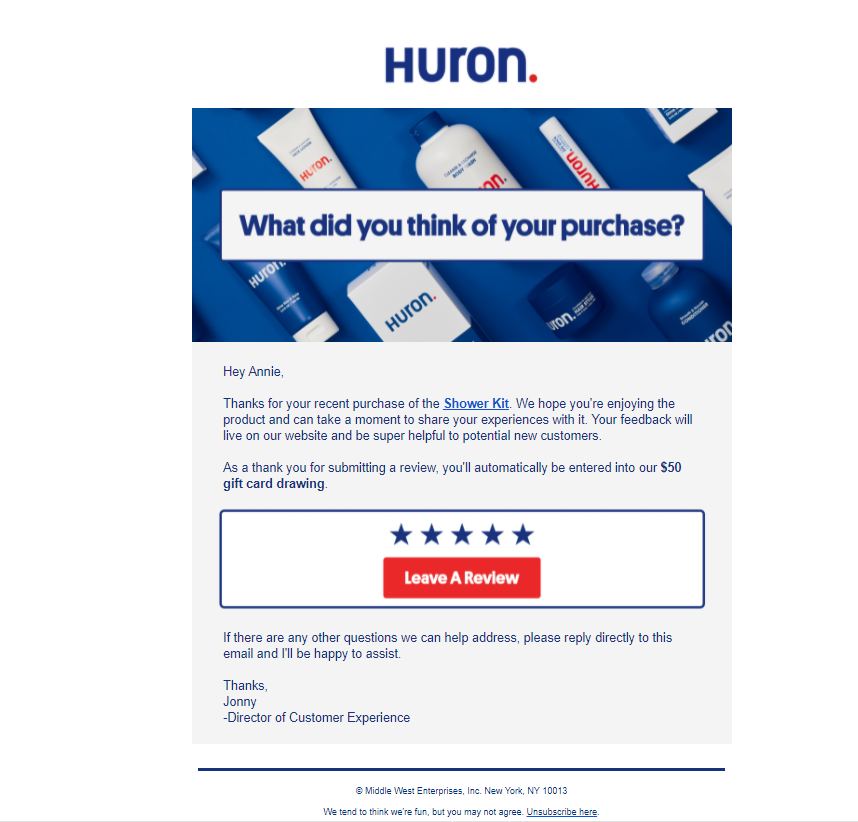
Huron asks a direct question: “What did you think of your purchase?” The message is simple and easy to understand.
The brand adds a reward entry for a gift card. This small incentive encourages action.
The star rating section makes it easy for customers to click and respond quickly.
7. Wonderblum – Quick Star Rating Email
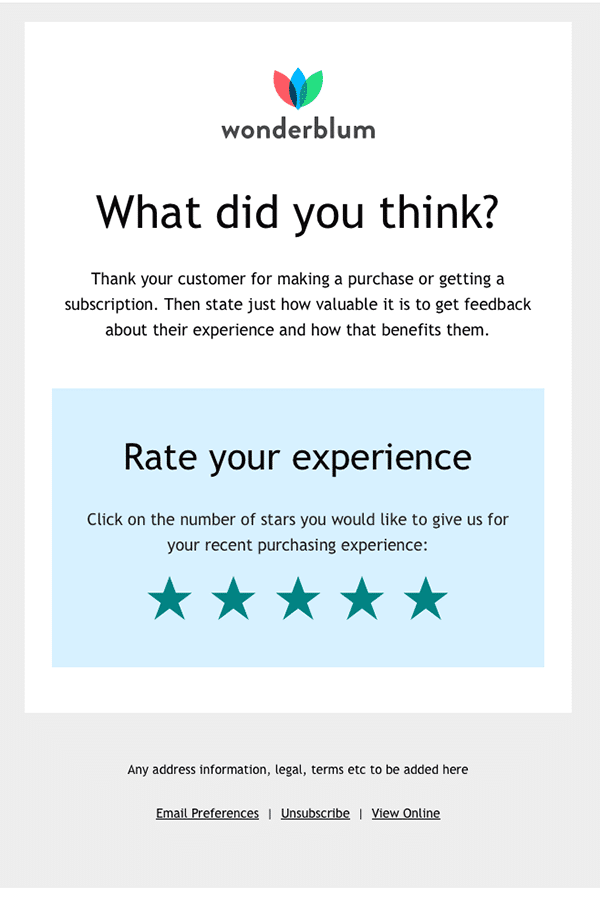
Wonderblum keeps the email minimal. The main focus is the star rating section in the center.
Customers can rate their experience with one click. There is no long explanation.
This format reduces effort and increases the chances of getting fast responses.
Make Review Collection Easy
Set up automated review requests in minutes with WiserReview.
5 Ready-to-Use Product Review Email Templates
Below are five simple product review email templates you can copy and use. Keep the message short. Add one clear review button.
1. Simple Post-Delivery Review Request
This email works best a few days after delivery. It keeps the message clear and focused on one action.
Subject: How was your recent purchase?
Hi [First Name],
We hope you are enjoying your [Product Name].
We would love to hear your thoughts.It only takes a minute to leave a review.
[Leave a Review Button]
Thank you for your support,
[Brand Name]
2. Short and Direct Review Email
This template removes extra words. It asks for feedback in a simple and clear way.
Subject: Tell us what you think
Hi [First Name],
Thank you for your recent order.
Can you share your experience with [Product Name]?Your feedback helps other customers make better decisions.
[Write a Review Button]
Thanks again,
[Brand Name]
3. Review Email with Incentive
This version adds a small reward. It encourages customers who need a reason to respond.
Subject: Get 10% off for your review
Hi [First Name],
We would love your feedback on [Product Name].
As a thank you, we will send you a 10% discount code after you submit your review.Click below to get started.
[Leave a Review Button]
Thanks,
[Brand Name]
4. Friendly Reminder Email
This email follows up on the first request that was ignored. It stays polite and short.
Subject: Just a quick reminder 🙂
Hi [First Name],
We noticed you have not left a review yet for [Product Name].
If you have a moment, we would really appreciate your feedback.It helps us improve and helps others choose the right product.
[Leave a Review Button]
Thank you,
[Brand Name]
5. Quick One-Question Email
This version keeps it very simple. It asks one clear question.
Subject: Was everything okay?
Hi [First Name],
Are you happy with your [Product Name]?
Your honest feedback helps us improve and helps other customers decide.
[Leave a Review Button]
Thank you,
[Brand Name]
Also See: Best Review Collection Email Templates to Get More Feedback
Collect More Product Reviews with WiserReview
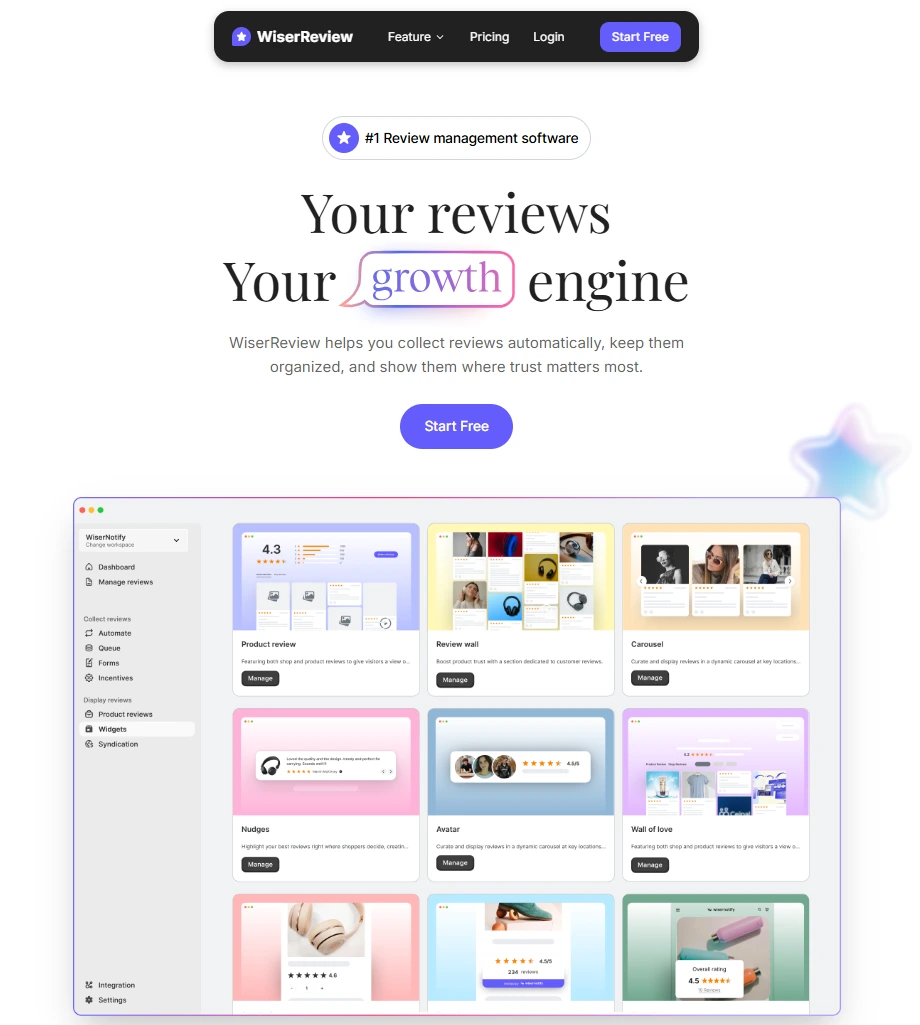
You can collect more product reviews by automating your review requests with WiserReview. The system sends emails at the right time after purchase or delivery, so customers respond while their experience is still fresh.
WiserReview lets you choose single-product or multi-product email templates. You can add product images, star ratings, and a direct review button inside the email. This makes it easy for customers to leave feedback in one click.
You can also set automatic reminders if a customer does not respond. If you want, you can send follow-up emails for photo or video reviews to increase trust.
Everything runs automatically once you set it up. This helps ecommerce brands collect reviews without manual work.
Main Features
Automated Review Requests: WiserReview sends emails based on order status or delivery timing. You do not need to send anything manually.
Single and Multi-Product Templates: You can send one email per product or combine multiple products in one email. This prevents customers from receiving too many emails.
Smart Reminders: If a customer does not leave a review, the system sends a follow-up automatically. This improves response rates.
Photo and Video Review Collection: You can ask customers to upload images or videos. Visual reviews build stronger trust on product pages.
Multi-Channel Support: You can send review requests through email, SMS, or WhatsApp. This helps you reach customers where they are active.
Easy Integration with Ecommerce Platforms: WiserReview works with WooCommerce, Shopify, and other platforms. Setup takes only a few steps.
Custom Email Branding: You can customize the email layout, logo, colors, and message to match your brand. This keeps the experience consistent.
Ready Template: WiserReview includes ready-to-use email templates designed to increase review responses.
Review Moderation Dashboard: You can approve, edit, or respond to reviews from one dashboard. This helps you manage feedback easily.
Star Rating Display Across Store: You can show star ratings on product pages, collection pages, and homepage sections to build trust quickly.
Multi-Store Management: If you run multiple stores, you can manage reviews from one central dashboard.
Analytics and Performance Tracking: You can track open rates, click rates, and review submission rates. This helps you improve your email performance.
Must Check: How to Set Up Automated Review Requests
Build Trust with Real Customer Reviews
Send review emails, collect photo reviews, and show ratings across your store.
Wrap up
Getting more product reviews does not require long emails or complex strategies. It requires clear timing, simple wording, and one easy action for the customer.
The examples above show that strong review emails focus on one goal: make it easy to respond. When you reduce effort and remove distractions, more customers leave feedback.
Start with one proven template, test your timing, and keep the message short. Over time, steady review collection will build trust and improve your product page performance.


