
One-Click Checkout: 7 Wallets Compared and 5 Examples (2026)
One-click checkout lets a returning shopper pay with details already saved in a wallet like Shop Pay, Apple Pay, Google Pay, PayPal, Amazon Pay, Link or Fastlane.
The shopper confirms the order, often with Face ID or a one-time code, and skips the address and card forms.
It matters because long forms lose sales. In US checkout research, 18% of shoppers abandoned an order because checkout was too long or complicated, and 19% left because the store forced them to create an account.
Key takeaways
- One-click checkout reuses details a shopper saved with a wallet, so they skip the forms.
- It only speeds up shoppers who already use that wallet, so offer two or three.
- Show wallet buttons on the product page, the cart and the top of checkout.
- Keep a normal checkout and show full costs before the wallet sheet opens.
What Is One-Click Checkout?
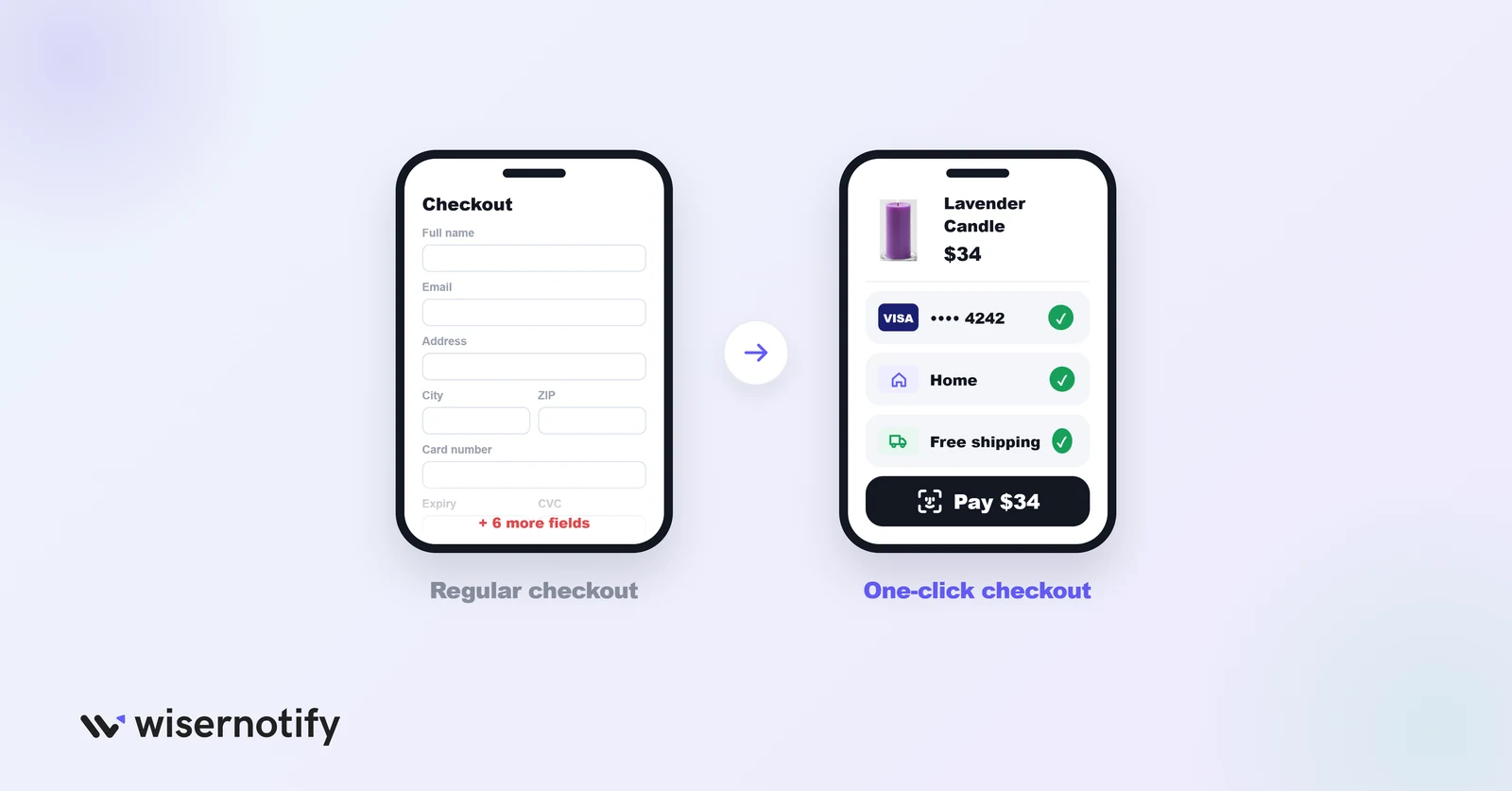
One-click checkout is an accelerated payment flow that uses a customer’s saved payment, shipping and contact details. Instead of typing them again, the shopper picks a saved wallet, reviews the order and confirms.
The name is a little misleading, because it rarely means one literal click. Depending on the wallet and device, the shopper may need to:
- Confirm the order total
- Use Face ID, Touch ID or a device passcode
- Enter a one-time code sent by text or email
- Choose a shipping option
Amazon made the idea famous with its 1-Click button and held a patent on it until 2017. Today the same experience is available to any store through payment wallets.
How One-Click Checkout Works
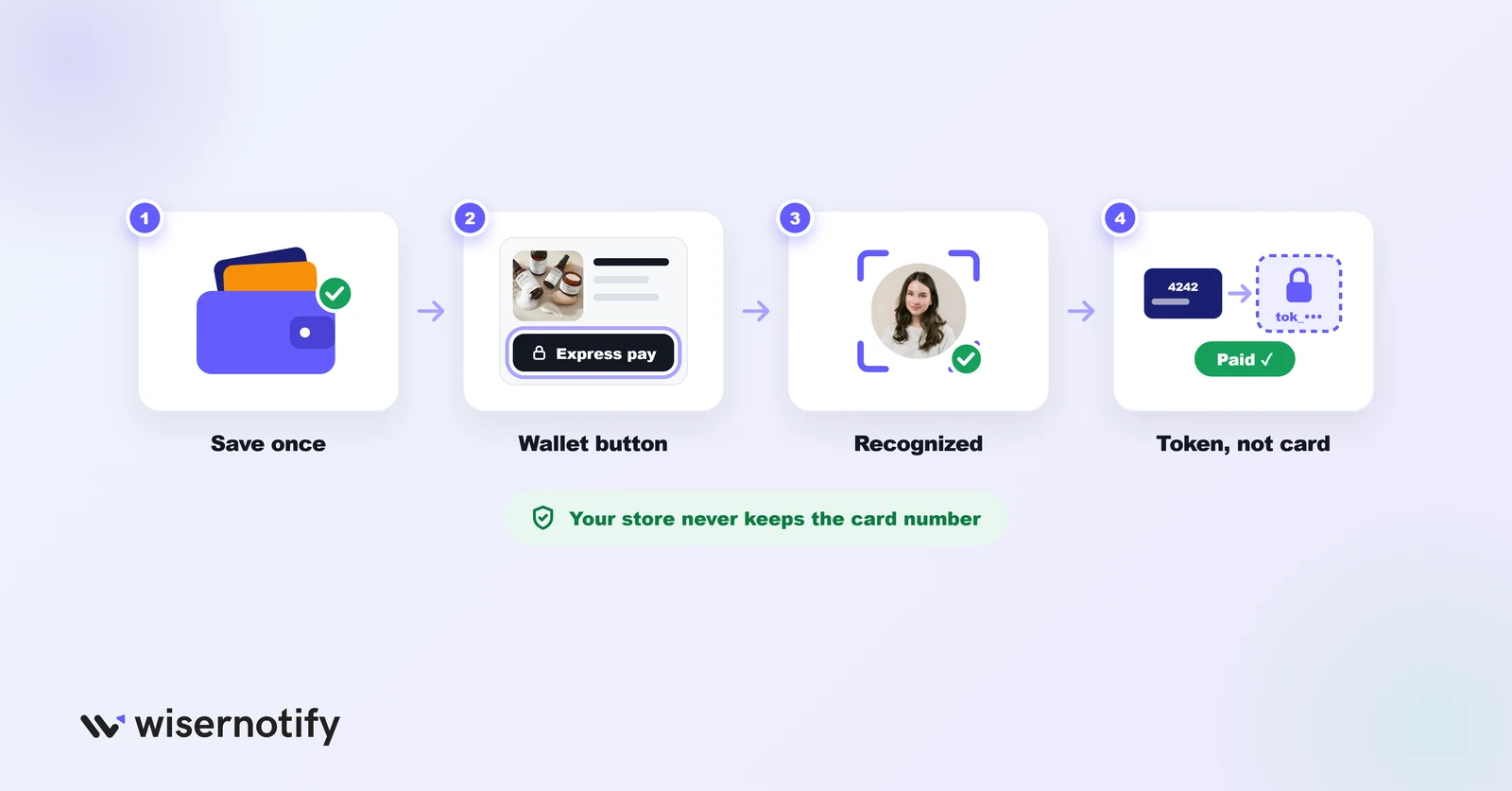
- The shopper saves details once: in a wallet like Apple Pay, Shop Pay or PayPal, on any store or app that uses it.
- Your store shows the wallet button: on the product page, cart or checkout.
- The wallet recognizes the shopper: by device, login or a one-time code.
- The shopper confirms: the wallet sends a token instead of raw card data, and the order goes through.
Because the wallet handles the card details, your store never stores the raw card number.
One-Click Checkout Options Compared
Each wallet only speeds up shoppers who already use it, so the right mix depends on your platform and your customers.
| Wallet | Works on | Fee to the store (US) | Who gets the fast checkout |
|---|---|---|---|
| Shop Pay | Shopify stores | No extra fee with Shopify Payments | Shoppers who saved details with Shop Pay |
| Apple Pay | Most gateways, on Safari and Apple devices | No Apple fee, your normal card rate | Anyone with a card in Apple Wallet |
| Google Pay | Most gateways, on Chrome and Android | No Google fee, your normal card rate | Anyone with a card saved to Google |
| PayPal | Almost every platform | 3.49% + $0.49 per PayPal checkout | PayPal account holders |
| Amazon Pay | Shopify, WooCommerce, BigCommerce and others | 2.9% + $0.30 | Amazon account holders |
| Link by Stripe | Stores using Stripe | No extra fee, your Stripe card rate | Shoppers who saved details with Link |
| Fastlane by PayPal | Stores using PayPal card processing | Your PayPal card rate | Guest shoppers who opted into Fastlane |
Fees are US list rates checked on September 28, 2026. Your gateway may charge its own card rate on top of or instead of these.
Shop Pay
The strongest pick for Shopify stores. It’s built into Shopify checkout, and shoppers who saved details on any Shop Pay store get a one-time code and a filled-in checkout.
Apple Pay and Google Pay
Add both on any store. They cost nothing extra, and on mobile they’re often the fastest way to pay, with Face ID or a fingerprint instead of a form.
PayPal
Still one of the most trusted buttons, especially for first orders from a new store. It costs more per order than a card, which matters on low margins.
Amazon Pay
Useful when your buyers already shop on Amazon. They check out with the address and card from their Amazon account.
Link and Fastlane
Both speed up guest checkout. Link recognizes shoppers who saved details on other Stripe stores, and Fastlane does the same for stores on PayPal card processing.
5 Real Examples of One-Click Checkout
1. Amazon
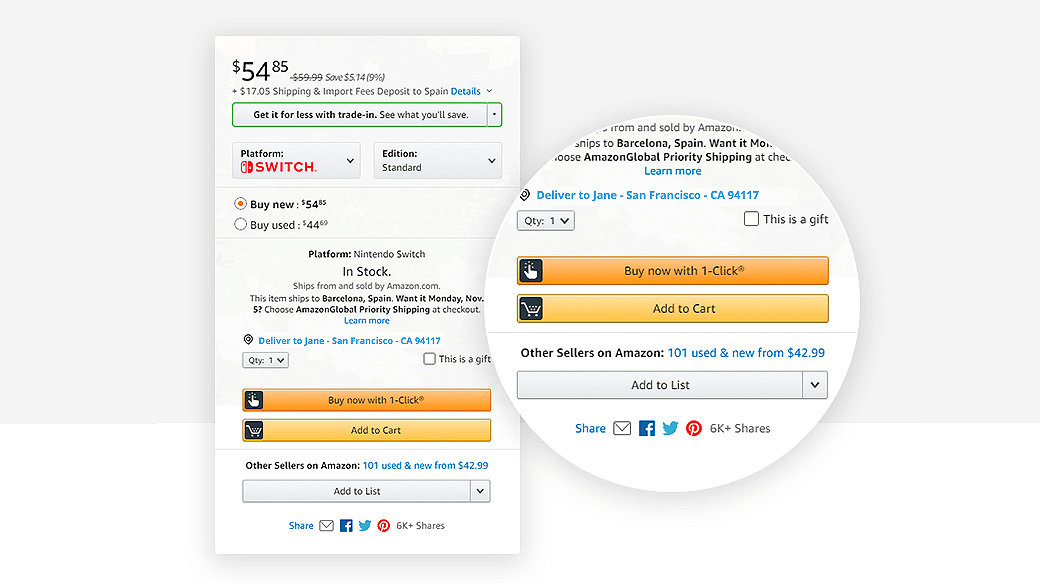
Amazon puts a “Buy Now” button right on the product page, above the fold. Signed-in customers skip the cart and order with their default card and address.
Tactic #1: Add a Buy Now button next to Add to Cart
Put a wallet or Buy Now button on high-intent product pages. Returning shoppers can pay before they have time to second-guess the purchase.
2. Chargebee: PayPal at Sign-Up
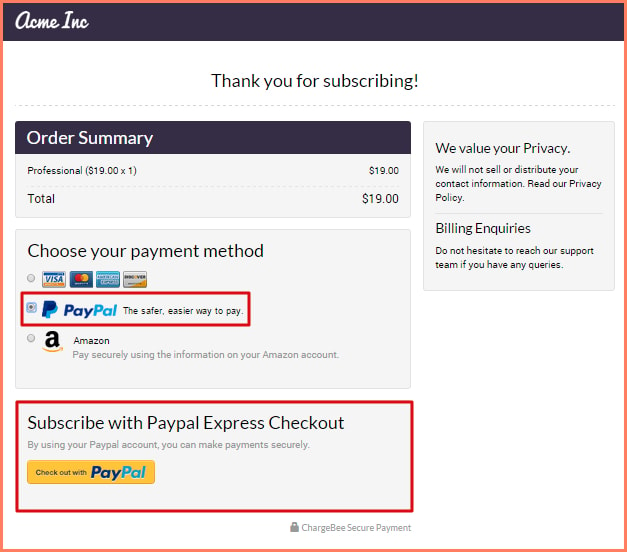
This Chargebee hosted checkout, shown for a demo “Acme Inc” plan, offers PayPal Express Checkout next to the card and Amazon options. The subscriber pays with their PayPal login instead of typing card details.
Tactic #2: Offer a wallet on subscription payment pages
Subscription sign-ups lose people at the payment step. A wallet button turns a card form into a login the shopper already has.
Build trust & FOMO
Highlight real-time activities like reviews, sales & sign-ups.

3. Apple
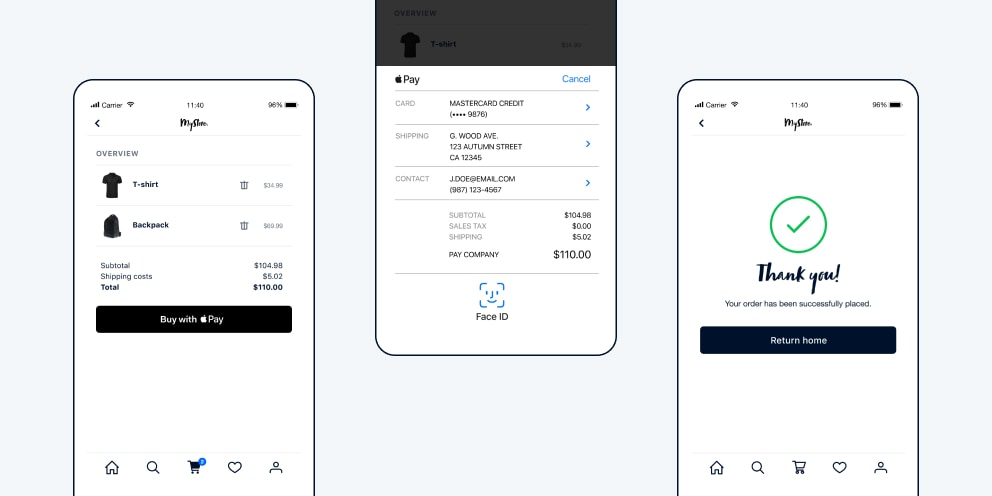
Apple uses Apple Pay in a clean mobile checkout. Customers confirm purchases with Face ID or Touch ID in seconds.
Tactic #3: Put wallets first on mobile
Show Apple Pay and Google Pay at the top of your mobile checkout. Typing a card number on a phone is where many mobile orders stall.
4. Chloe Ting
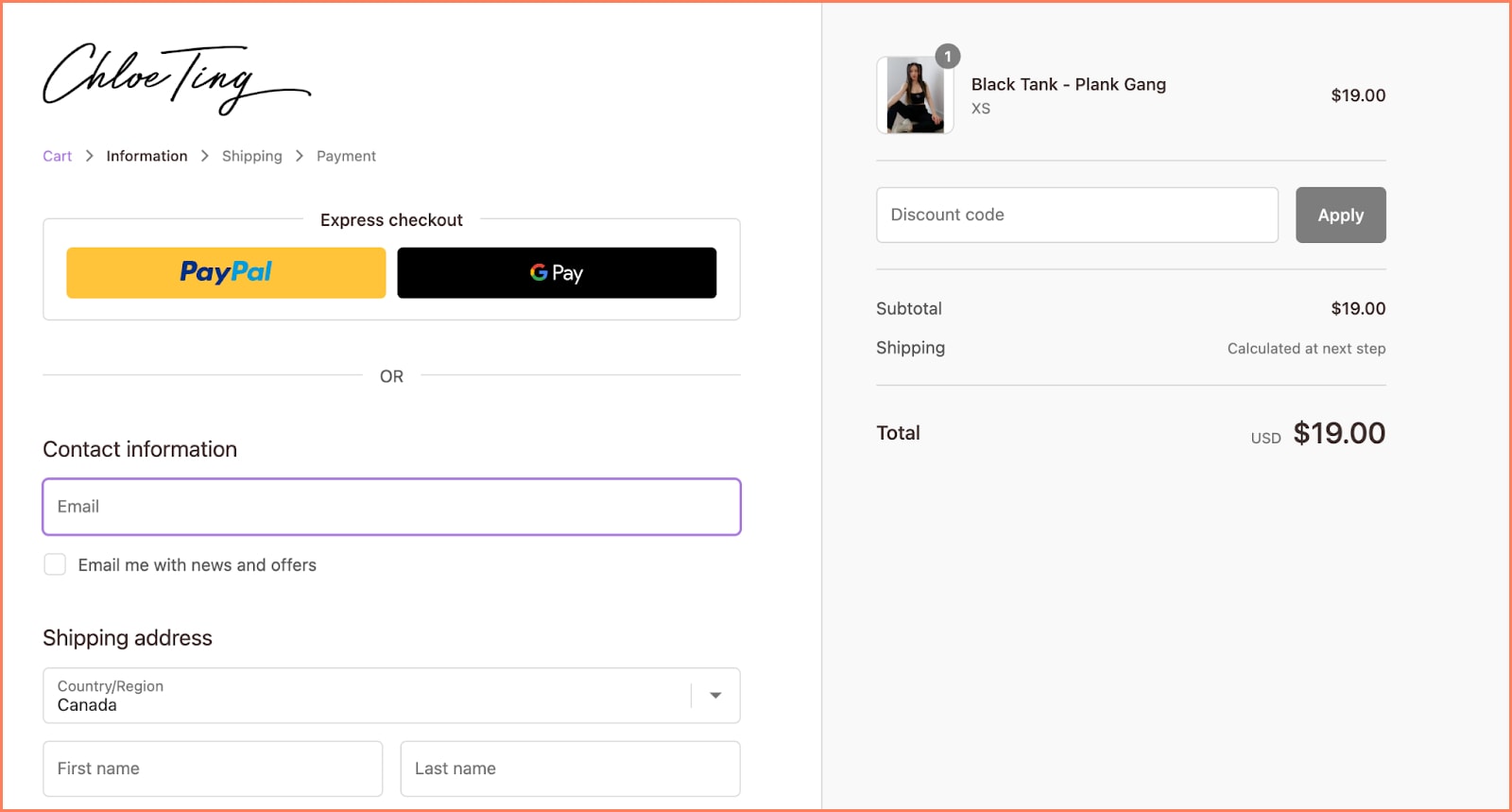
Chloe Ting’s store shows express payment options like PayPal and Google Pay above the manual form fields, so shoppers see the fast route first.
Tactic #4: Place express checkout above the form
Move wallet buttons to the top of checkout. If they sit below the billing form, most shoppers start typing before they notice them.
5. Mous
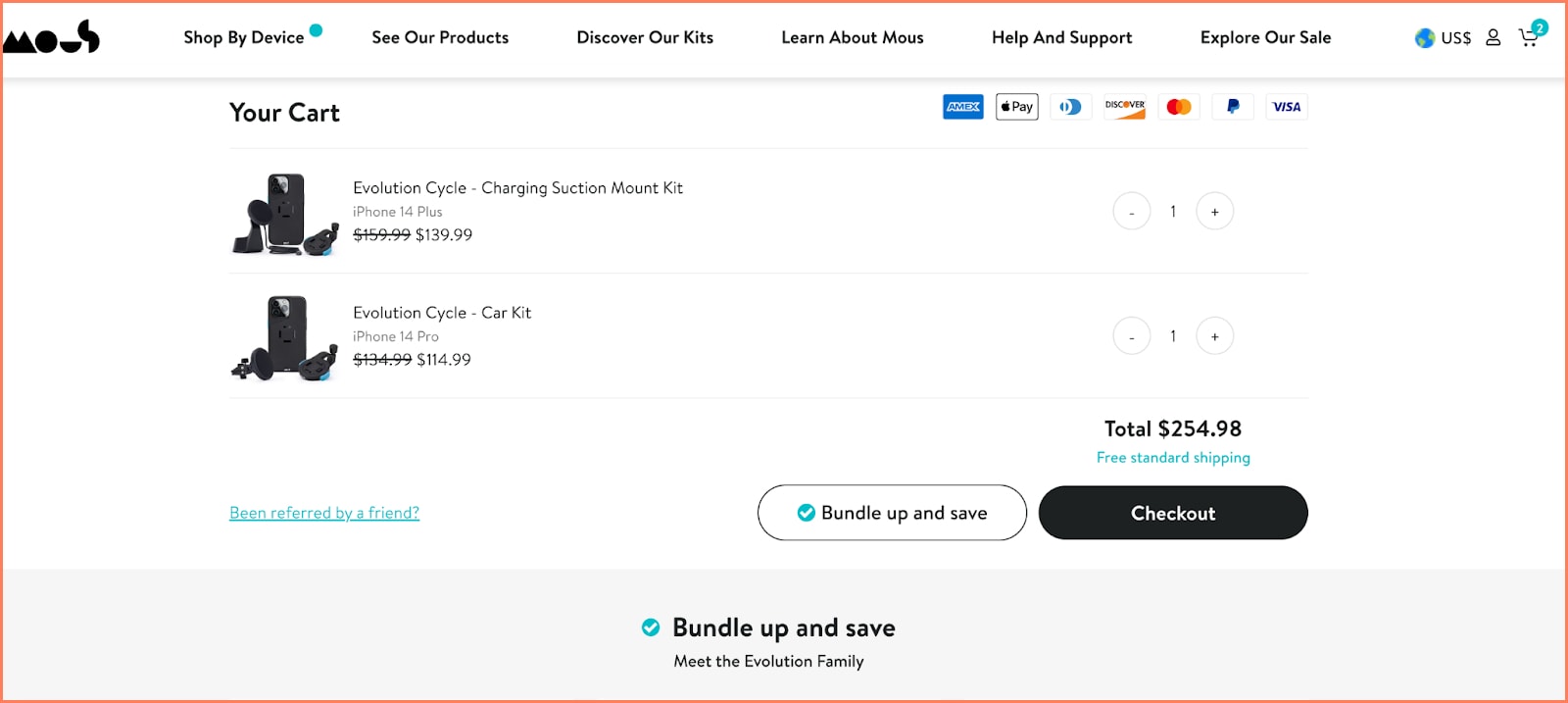
Mous offers Apple Pay, PayPal and Shop Pay side by side, so each shopper can use the wallet they already trust.
Tactic #5: Offer two or three wallets
Different customers trust different wallets. Pick the two or three your buyers use most, rather than a row of every logo.
How to Add One-Click Checkout
- Shopify: turn on Shopify Payments to get Shop Pay, Apple Pay and Google Pay, then add PayPal or Amazon Pay under payment settings.
- WooCommerce: use a gateway plugin such as WooPayments, Stripe or PayPal, and switch on its express checkout buttons.
- BigCommerce and others: enable wallets inside your payment gateway, then choose where the buttons appear.
After setup, test a real order on iPhone and Android, and check that tax and shipping show before the wallet sheet opens.
One-Click Checkout for Social Selling
Shoppers on Instagram, Facebook and TikTok scroll fast and decide fast. Wallet checkout keeps the purchase short enough to finish before they swipe away.
TikTok Shop and Instagram and Facebook shops handle payment inside the app. For links to your own store, send shoppers to a product page with Shop Pay, Apple Pay or PayPal at the top.
It works best for limited drops, creator campaigns and lower-priced products.
One-Click Checkout Mistakes to Avoid
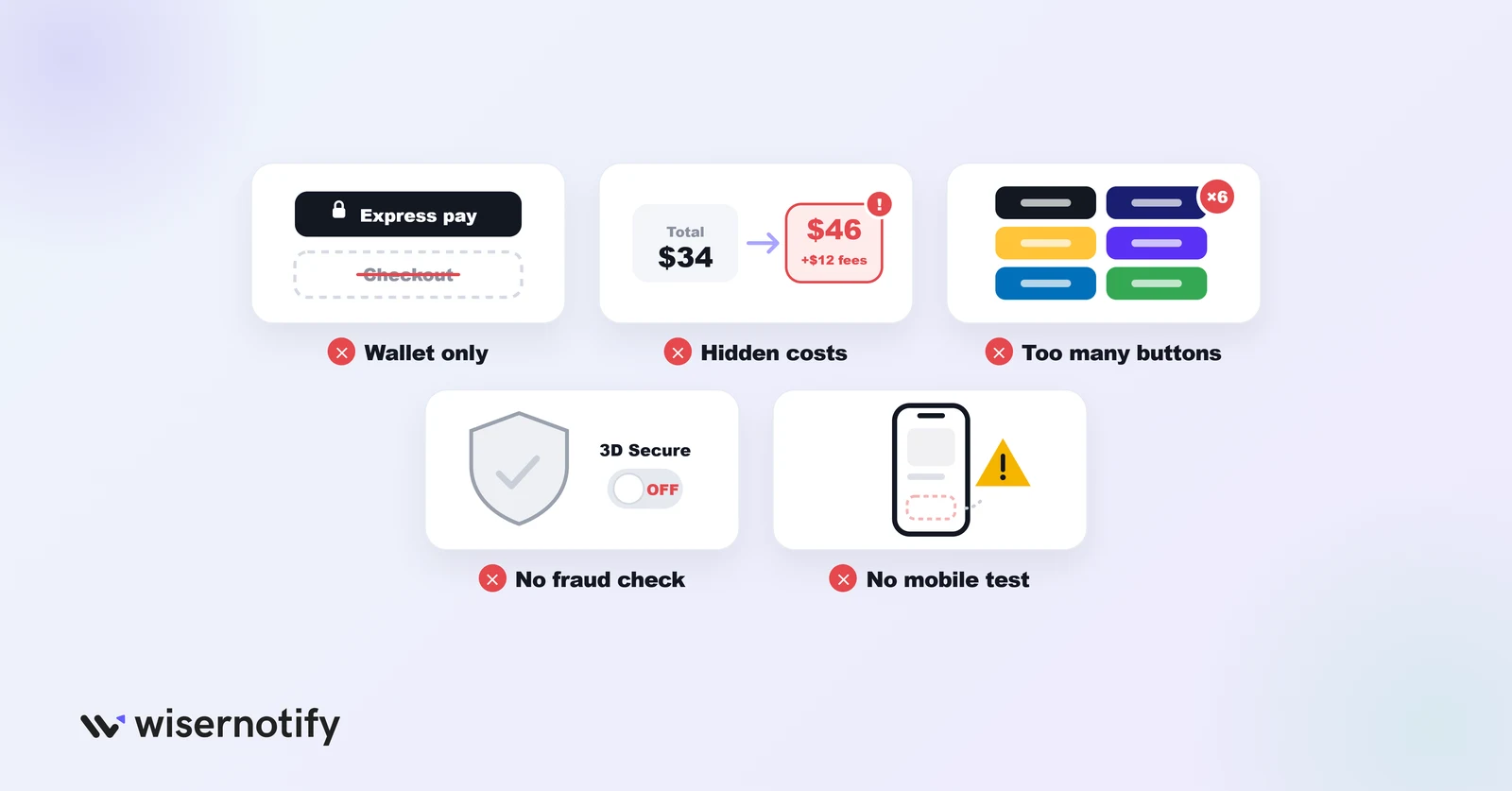
- Removing the normal checkout: some shoppers want to review every detail, and some don’t use any wallet.
- Hiding costs until the end: show shipping and tax before the wallet opens, or the fast checkout turns into a surprise.
- Too many wallet buttons: a wall of logos slows people down. Show the ones your buyers use.
- Skipping fraud tools: keep your gateway’s fraud screening and 3D Secure on, especially for high-value orders.
- Not testing on mobile: buttons that render on desktop can fail or hide on some phones and browsers.
Wrap Up
One-click checkout removes the forms that make ready buyers give up. Pick the wallets your customers already use, place them early in the journey and keep a normal checkout beside them.
A fast checkout works best when shoppers already feel sure. WiserNotify shows recent-sales notifications on your cart page, like “12 people bought this today,” and is used by 20,000+ brands.
Frequently Asked Questions
What is one-click checkout?
A checkout that uses details a shopper already saved in a wallet, so they confirm the order instead of filling in forms.
Is one-click checkout safe?
Yes. The wallet sends a token instead of the card number, and most confirm the purchase with Face ID, a fingerprint or a one-time code.
Does one-click checkout work for first-time customers?
Yes, if they already use the wallet you offer. A first-time visitor with Apple Pay set up can pay in one step on their first order.
Which one-click checkout is best for Shopify?
Shop Pay, since it’s built into Shopify checkout. Add Apple Pay, Google Pay and PayPal alongside it.
Does one-click checkout increase fraud?
Not by itself. Keep your gateway’s fraud screening and 3D Secure turned on.
Should I remove the normal checkout?
No. Keep a standard checkout for shoppers who don’t use a wallet or want to review every detail.

Krunal Vaghasiya is a marketing tech expert who boosts e-commerce conversion rates with automated social proof and FOMO strategies. He loves to keep posting insightful posts on online marketing software, marketing automations, and improving conversion rates.




 Capterra