
How to Add a Visitor Counter to PrestaShop (2026)
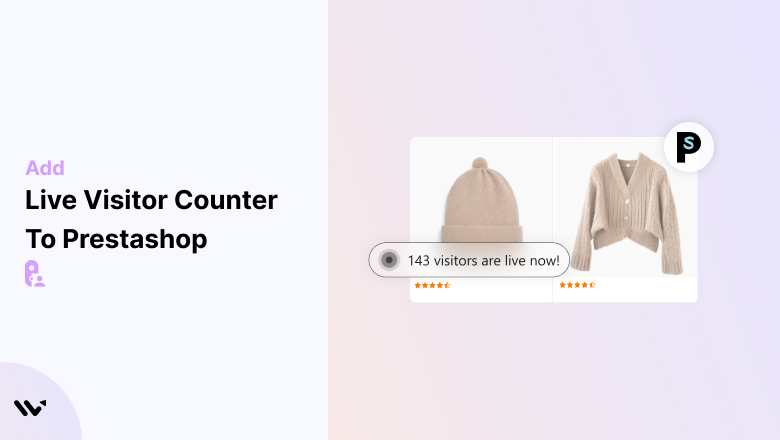
To add a visitor counter to PrestaShop, install the WiserNotify module with your API key, then add a Live Visits notification and publish it. The count shows on the pages you choose, with no template edit and no extra counter module.
PrestaShop’s own Stats pages show visitor numbers to you. A visitor counter shows them to shoppers, on the page where they decide.
Below are the 12 steps with screenshots, a second option that places the count inside the product page, and what to check when it does not show.
PrestaShop Stats or a Visitor Counter?
They answer two different questions, and many store owners search for one when they need the other.
- PrestaShop Stats: back office reports for you. They tell you how many people came and what they did.
- Visitor counter: a line on the product page that shoppers read, such as “100 shoppers are checking”. It tells them the item is popular right now.
The counter does not replace your reports. It turns the traffic you already have into a reason to buy.
Why Add a Visitor Counter to PrestaShop
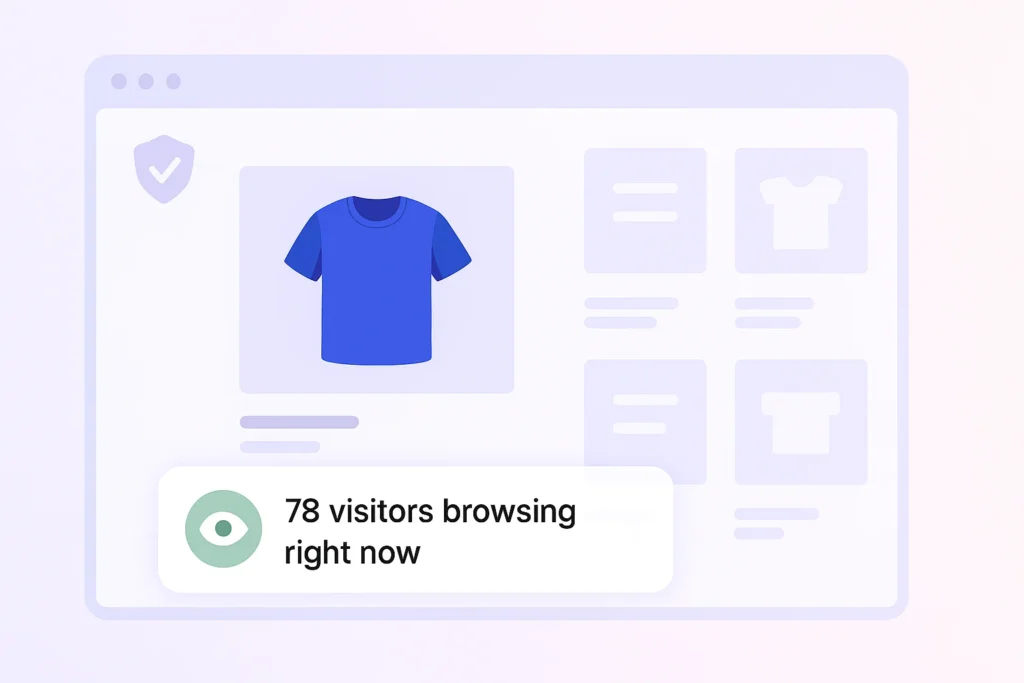
- It builds trust: a first-time shopper sees that other people are browsing, so the store feels active and safe to buy from.
- It speeds up decisions: seeing that others are looking at the same product nudges a hesitant shopper to act now.
- It shows what gets attention: products that carry a high count are the ones to feature, restock and promote.
How to Add a Visitor Counter to PrestaShop
The job has two parts. The module connects your store to WiserNotify, and a Live Visits notification shows the count to shoppers.
The video shows the module install in its first minute and lists the visitor counter among the notification types. The steps below build the counter.
The module works with PrestaShop 1.7 and above. The PrestaShop integration guide has the same steps in short form.
Step 1: Get Your API Key and Module

- Sign up for WiserNotify and start the 7-day free trial, or log in if you already have an account.
- Open the Install Pixel page and scroll down to Install via native app & API key.
- Click Copy API Key.
- Go to Integrations, search PrestaShop, click Integrate and download the module.
Step 2: Open Module Manager

- Log in to your PrestaShop back office.
- Click Modules in the left menu.
- Click Module Manager.
Step 3: Click Upload a Module

- Find the Upload a module button in the top right corner.
- Click it to open the upload window.
Step 4: Select the Module File

- Drag the WiserNotify zip file into the box, or click select file.
- Leave the file zipped. PrestaShop installs straight from the archive.
- Wait while PrestaShop installs the module.
Step 5: Open the Module Settings

- Look for the Module installed message.
- Click Configure.
Step 6: Add the API Key and Save

- Paste your API key into the API Key field.
- Set Status to YES.
- Click Save.
The first save loads the WiserNotify script on your storefront and pulls in your 30 most recent orders.
Step 7: Verify the Pixel

- Visit your store and reload a few times, so the cache does not hide the new script.
- Go back to the Install Pixel page in WiserNotify.
- Click Verify pixel installation.
- Look for the green line that says the pixel code was detected.
The module is in place. Now build the counter itself.
Step 8: Add Live Visits
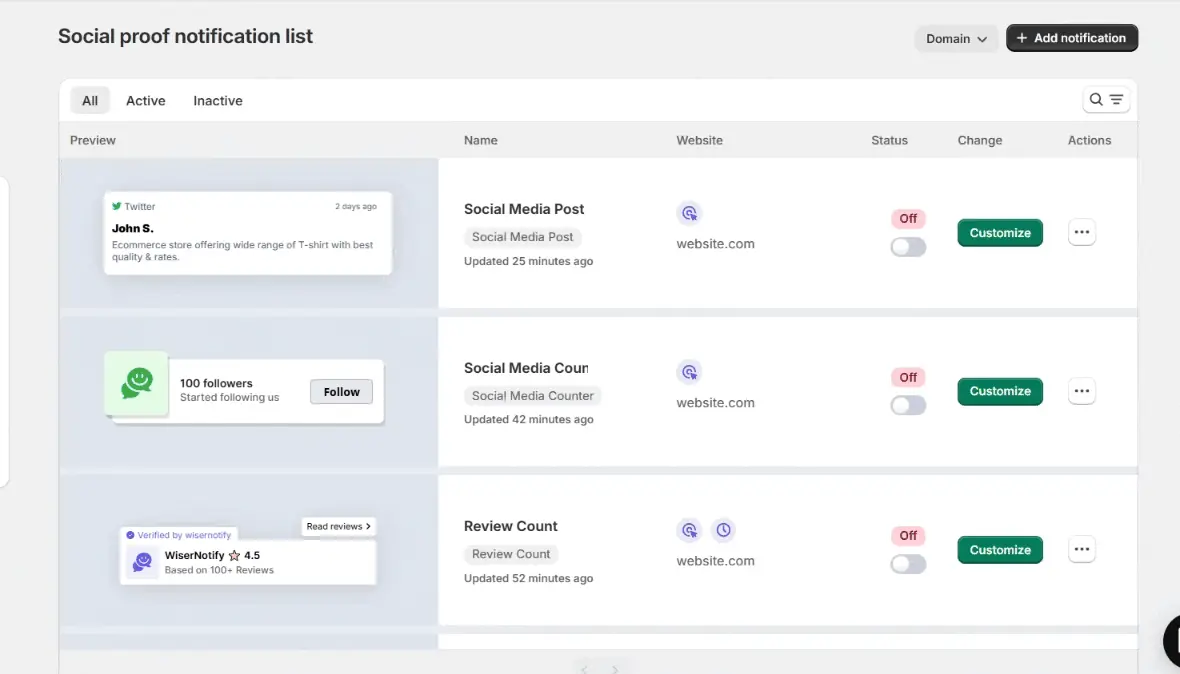
- In WiserNotify, go to Social proof and click Add notification.
- Find Live Visits in the gallery and click Add.
- Name it, enter your PrestaShop store address and click Create and Customize.
Step 9: Write the Message
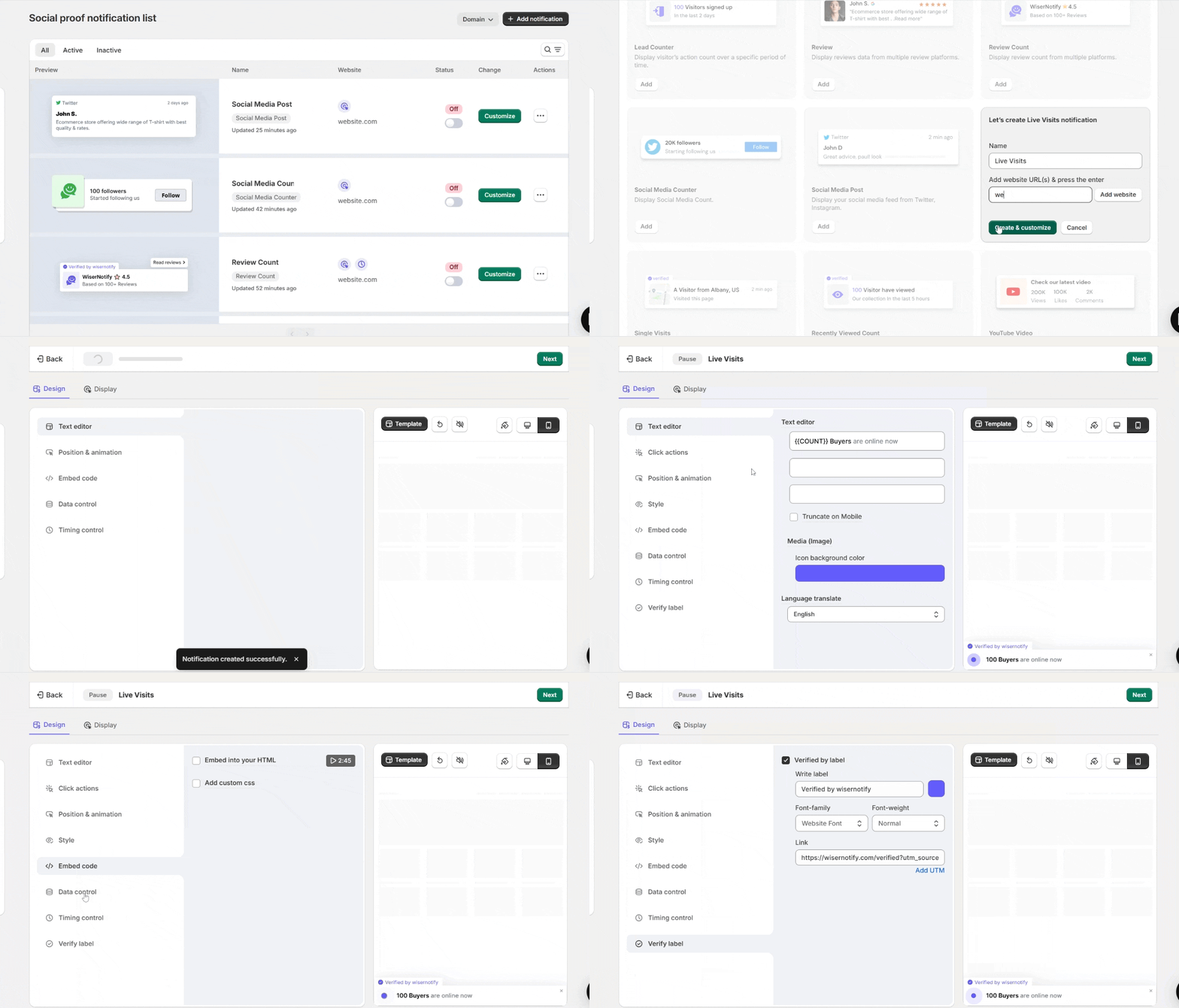
- In Text editor, keep the {{COUNT}} placeholder and write the words around it, for example {{COUNT}} shoppers are viewing this product.
- In Style, match the colors and font to your PrestaShop theme.
- In Position and animation, pick a corner that stays clear of the Add to cart button on a phone.
- Check the preview on both screen sizes.
Step 10: Set the Timing
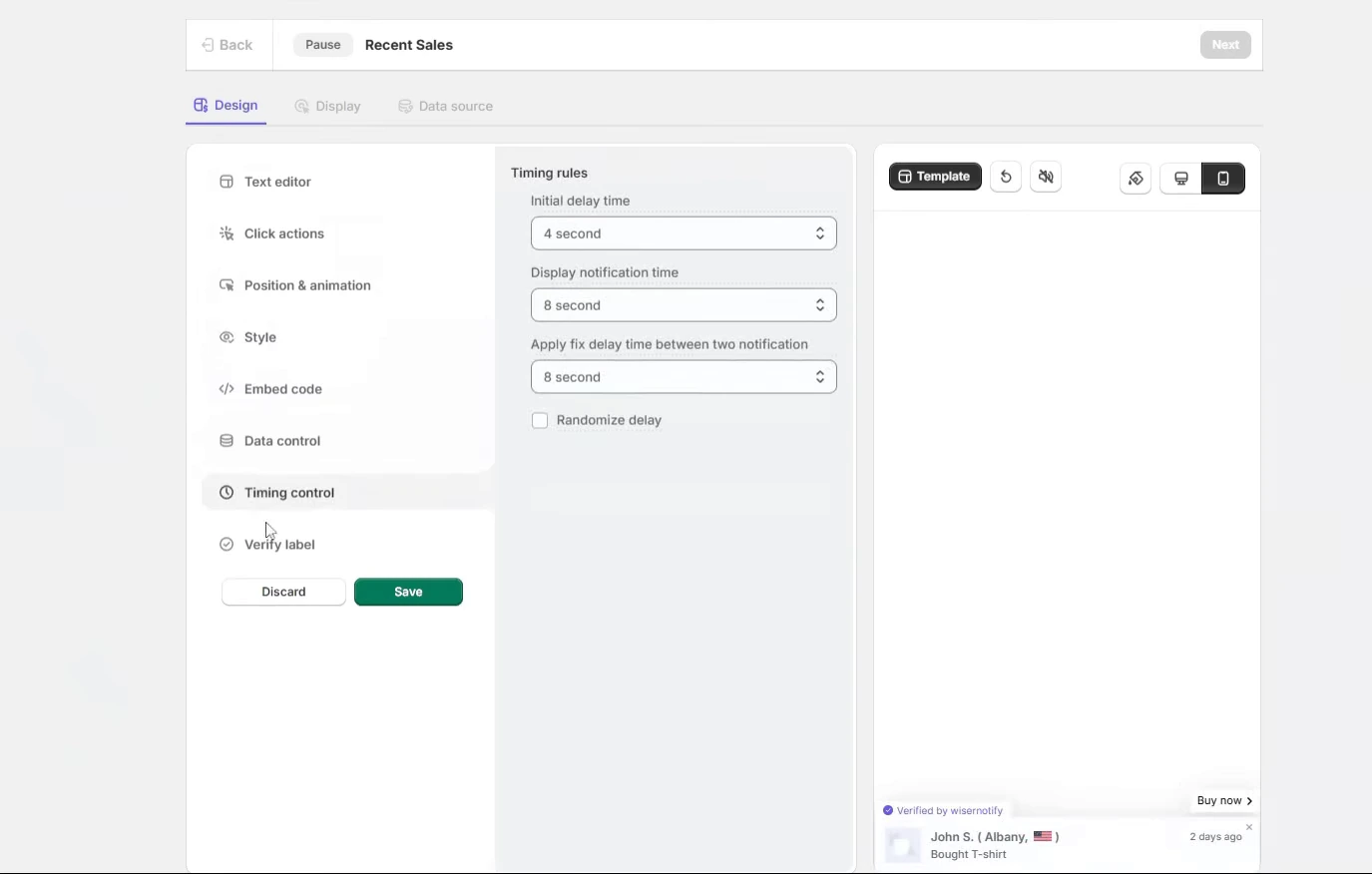
- Open Timing control.
- Add a brief initial delay so the product page loads fully before the count slides in.
- Let the count stay visible rather than cycling in and out, because it reports a current number.
Step 11: Choose the Pages
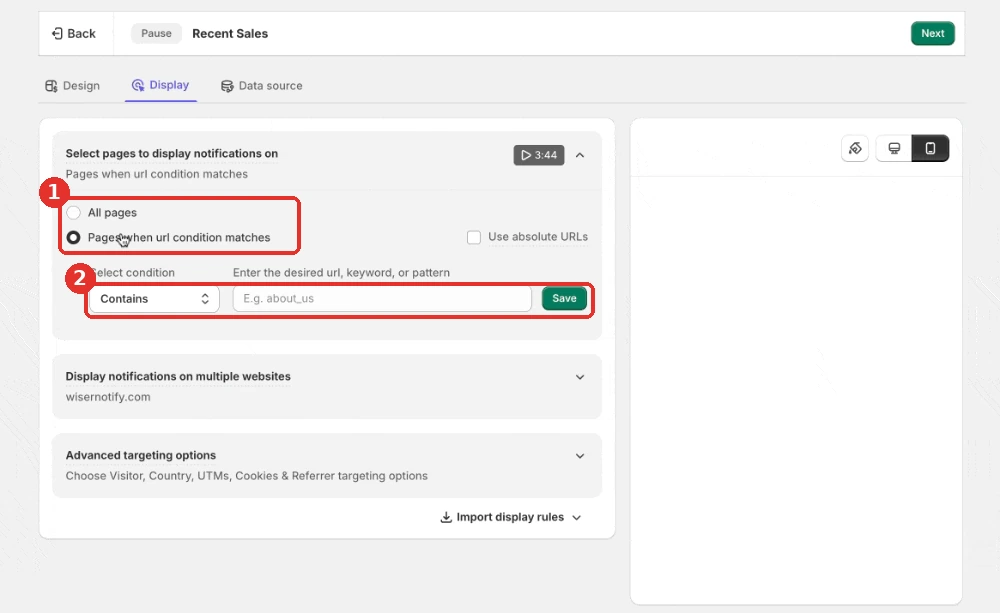
- Open the Display tab.
- Choose Pages when URL condition matches, then pick Contains and enter a word your product URLs share.
- Leave the checkout pages out, so shoppers filling in an address are not distracted.
Step 12: Publish and Check
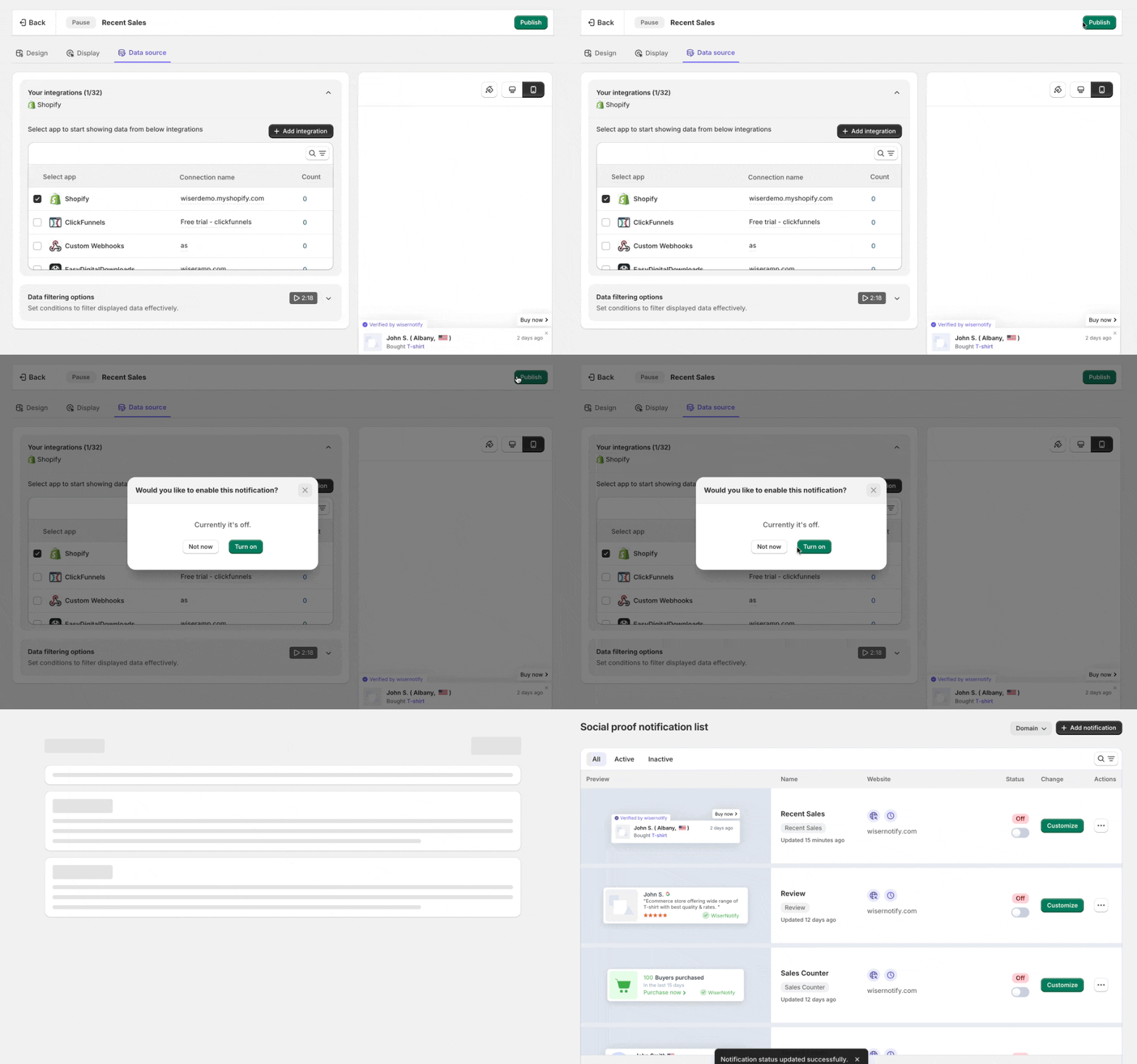
- Click Save, then Publish.
- Open a product page in a private window and give the count a few seconds to show.
Build trust & FOMO
Highlight real-time activities like reviews, sales & sign-ups.


Inline Counter on the Product Page
Live Visits floats over the page. An inline counter sits inside it, between the quantity picker and Add to cart. It needs one code snippet in your product template, so it takes longer to set up.
Step A: Open Inline Social Proof

- In WiserNotify, open the Dashboard.
- Click Inline social proof, then Explore.
Step B: Pick the Product Page

- Choose between Product detail page and Collection page.
- Start with the product detail page, since that is where a shopper weighs the purchase.
Step C: Copy the Platform Code

- In the Product detail page section, click Install now.
- The panel asks you to select a platform. If PrestaShop is not in the list, ask live chat for the PrestaShop snippet before you paste anything.
- Click Copy code.
- In your child theme, open templates/catalog/product.tpl. To sit next to the button, open templates/catalog/_partials/product-add-to-cart.tpl instead.
- Paste the code where the counter should show, and save the file.
- In PrestaShop, go to Advanced Parameters, then Performance, and click Clear cache.
A snippet made for another platform will not work in a PrestaShop template.
Edit a child theme, not the parent. A parent theme update overwrites changes made to its files, as PrestaShop’s theme inheritance guide explains. The inline code guide has this step in short form.
Step D: Create the Notification

- In the Product detail page section, add your PrestaShop store address.
- Find Live Visitor, Detail Page in the list.
- Click Customize.
Step E: Style It and Publish

- In Text editor, type a short line such as 100 Shoppers are checking.
- In Style, match the shape, colors and size to your theme.
- Use Preview to see it in place, then click Next.
- In the Display tab, keep the default of all product pages, then click Publish.
Live Visitor Counter Examples

Here an inline count sits between the quantity picker and Add to Cart, where the shopper is deciding.

On collection pages each tile can show its own count, so shoppers spot popular items before clicking.
Where to Show the Counter on PrestaShop
- Product pages: next to the price and the Add to cart button, at the moment a shopper chooses.
- Collection pages: a number on every tile steers shoppers toward popular items. For the inline version, the snippet goes in templates/catalog/_partials/miniatures/product.tpl, which draws every product tile.
- Homepage and landing pages: a floating Live Visits count gives a sitewide signal during a launch. This guide to adding a visitor counter to any website covers it.
- Checkout: leave it clear. A shopper filling in an address does not need a distraction.
To show proof next to the counter, add a sales popup on PrestaShop as well.
Build trust & FOMO
Highlight real-time activities like reviews, sales & sign-ups.

Visitor Counter Not Showing on PrestaShop?
- Status not YES: open the WiserNotify module under Modules, click Configure and check that Status says YES and the API key is saved.
- Older PrestaShop: the module needs PrestaShop 1.7 or later.
- Pixel not verified: reload your store a few times, then click Verify pixel installation again.
- Notification not published: saving is not enough. Click Publish.
- Page rule too narrow: switch to all pages while you test, in case a URL condition is hiding the counter.
- Cache not cleared: after you edit a .tpl file, go to Advanced Parameters, then Performance, and click Clear cache.
- Wrong snippet: for the inline counter, the code must be the PrestaShop one. A snippet for another platform shows nothing.
- Parent theme overwritten: if a theme update wiped your edit, add the code again in a child theme.
- Browser cache: check the page in a private window after every change.
Still stuck? Use the troubleshoot option in the dashboard, or ask live chat to look at your setup.
Make the Most of Your Visitor Counter
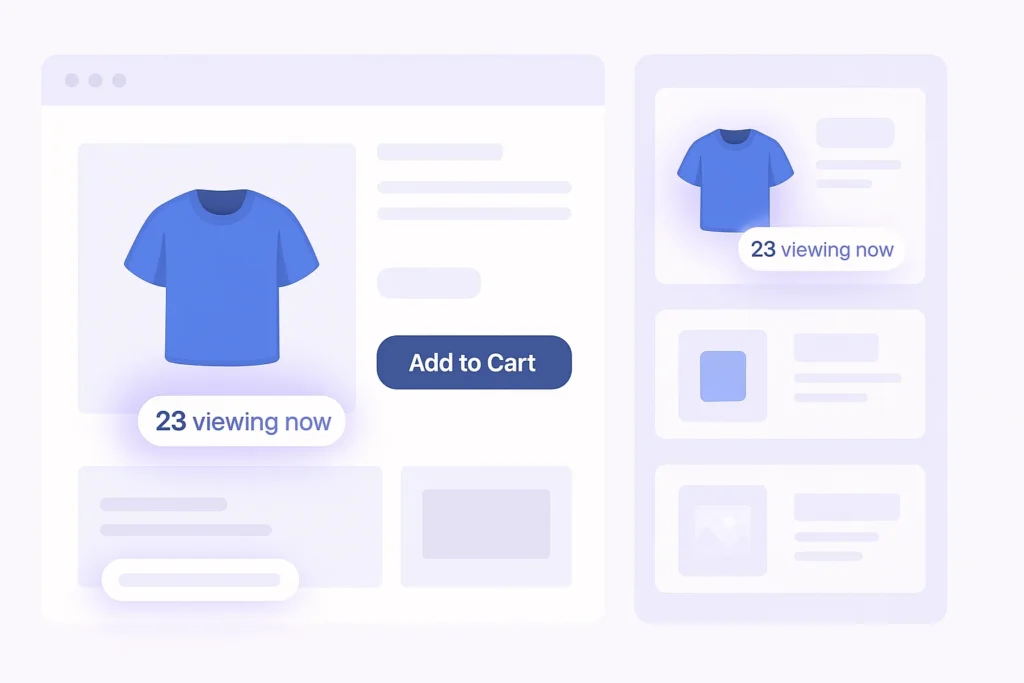
- Put it near the decision: beside the price or the Add to cart button beats a corner nobody reads.
- Show real numbers: shoppers can tell when a count feels invented. A small real number is worth more than a big fake one.
- Match your theme: use your colors and font so the line looks like part of the product page.
- Feature popular products: a line such as “12 people are viewing this now” works best on items with real traffic or limited stock.
- Keep it to one counter per page: two numbers on one screen split attention and look crowded.
How to Measure the Results
- Check views and clicks for the notification in your WiserNotify dashboard.
- Compare add-to-cart rate on counter pages for a few weeks before and after it goes live.
- Change one setting at a time, such as the wording or the position.
- Keep it on the products where it lifts add-to-cart, and drop it where it does nothing.
Build trust & FOMO
Highlight real-time activities like reviews, sales & sign-ups.

Wrap Up
PrestaShop already counts your visitors. A counter puts that number in front of the shoppers who are deciding. Install the module once, add Live Visits, and publish.
Start with product pages, then try the inline version once you see how shoppers respond.
Related Posts
Frequently Asked Questions
What is a visitor counter on PrestaShop?
A line that shows shoppers how many people are looking at your store or an item right now, such as 100 shoppers are checking.
How do I add a visitor counter to PrestaShop?
Install the WiserNotify module with your API key, then add a Live Visits notification in WiserNotify and publish it.
Do I need a separate counter service like StatCounter?
No. WiserNotify runs the counter from one dashboard, so you do not add another visitor counter module or script.
Which PrestaShop versions does the module support?
The WiserNotify module works with PrestaShop 1.7 and above.
Can I put the counter inside the product page?
Yes, with the inline counter, which needs a code snippet in your product template. Ask live chat for the PrestaShop snippet first.
Will a visitor counter slow my PrestaShop store?
No. The WiserNotify script loads after your page, so images and the Add to cart button do not wait on it.

Krunal Vaghasiya is a marketing tech expert who boosts e-commerce conversion rates with automated social proof and FOMO strategies. He loves to keep posting insightful posts on online marketing software, marketing automations, and improving conversion rates.




 Capterra